2019 AUDI Q5 warning
[x] Cancel search: warningPage 142 of 392

Parkingaid
Startingthe parkingprocess
Appliesto:vehicleswithparkassist
Theresponsibilityiswiththedriverwhenpark-
ing.
Requirement:asuitableparkingspacemustbe
foundandselected>page139.Thevehiclemust
initiallybestationary.
> Selectthereversegearafterstoppingbriefly.
>Removeyourhandsfromthesteeringwheel.
>Payattentiontothepathofthevehicle.When
thetrafficsituationallows,presstheaccelera-
torpedalaccordingly>A\inDescriptionon
page138,>@inDescriptiononpage138.
>FollowthevisualinstructionsintheInfotain-
mentsystemdisplayandinstrumentcluster
alongwiththewarningtonesuntiltheparking
processhasended.Thearrowsonthevehicle
indicatethenecessarydirectionoftravel.
Parkassistautomaticallysteersthevehicleinto
theparkingspacewhilethedriverpressesthe
pedals.Themaximumparkingspeedis4mph
(7km/h).
Interruptingtheparkassist
Ifthespeedistoohighand youtakeoversteer-
ing,parkassistswitchesoff.Tocontinueparking,
[email protected]
playswillappearagainintheInfotainmentsys-
temdisplayandtheinstrumentcluster.
G)Tips
Youcanalsocancelthedirectionoftravel
specifiedbythesystembyswitchingbetween
forwardandreversegears.Basedontheposi-
tionofthevehicle,thesystemthencalculates
theadditionalsteeringanddrivingdirections
formaneuvering.
Leavingaparallelparkingspace
Appliesto:vehicleswith parkassist
Theresponsibilityiswiththedriverwhenleaving
aparkingspace.
Ifyouparkedthevehicleinaparallelparking
space,parkassistcanhelpyoudriveoutofit.
140
>Starttheengine.
>PressthePebutton>page138,fig. 147.
>Waituntilamessageappearsthatrequeststhe
directiontotravelinforexitingtheparking
space.
>Activatetheappropriateturnsignal.Themes-
sageStartautomaticunparkingprocedureap-
pears.
>Removeyourhandsfromthesteeringwheel.
>Pressthecontrolknobtostarttheprocedure
forexitingtheparkingspace.
>Payattentiontothepathofthevehicle.When
thetrafficsituationallows,presstheaccelera-
torpedalaccordingly> A\inDescriptionon
page138,>@)inDescriptiononpage138.
>Followthevisualinstructions>page140and
thewarningtoneuntilthevehiclehasfinished
exitingtheparkingspace.
>Driveinthedirectionindicatedbythearrowson
thevehicle.
>Theprocedurehasendedwhenadditionalcor-
rectivemovementsarenolongernecessary.
Takeoversteering.
Parkassistautomaticallysteersthevehicleoutof
theparkingspacewhilethedriverpressesthe
pedals.Themaximumspeedforexitingaparking
spaceis3mph(5km/h).
Interruptingthe parkassist
Ifthespeedistoohighand youtakeoversteer-
ing,parkassistswitchesoff.Tocontinueexiting
theparkingspace,switchtheengineoffandon.
ThenpressthePebuttonagain.Otherwise,leave
theparkingspacewithoutusingparkassist.
Appliesto:vehicleswithparkassist
roo"Parkassist:canceled.Steeringinputbydriv-
er.Pleasetakeoversteering!
Parkassistwascanceledbecausethedrivertook
oversteering.Tocontinueparking, pressthePe
buttonagain.
Parkassist:timelimitexceeded
aor]Parkassist:canceled.Timelimitexceeded.
Pleasetakeoversteering!
Page 146 of 392

IntelligentTechnology
IntelligentTechnology
ElectronicStabilization
Control(ESC)
ElectronicStabilizationControl(ESC)supports
driversafety.Itreducestheriskofslippingand
improvesdrivingstability.ESCdetectscriticalsit-
uations,suchasifthevehicleisoversteeringor
understeering,orifthewheelsare spinning.The
brakesareappliedortheenginetorqueisre-
ducedinordertostabilizethevehicle.Whenthe
ESCengages,theBindicatorlightblinksinthe
instrumentcluster.
ThefollowingsystemsareintegratedintheESC:
Anti-lockbrakingsystem(ABS)
ABSpreventsthewheelsfromlockingwhenbrak-
ing.Thevehiclecanstillbesteeredevenduring
hardbraking.Applysteadypressuretothebrake
pedal.Donotpumpthepedal.Apulsinginthe
brakepedalindicatesthatthesystemisacting to
stabilizethevehicle.
Brakeassistsystem
Thebrakeassistsystemcandecreasebrakingdis-
tance.Itincreasesbrakingpowerwhenthe driver
pressesthebrakepedalquicklyinemergencysit-
uations.Youmustpressandholdthebrakepedal
untilthedangeroussituationisover.Invehicles
withadaptivecruisecontrol*,thebrakeassist
systemismoresensitiveifthedistancedetected
tothevehicledrivingaheadistoosmall.
Anti-SlipRegulation(ASR)
ASRreducesdrivepowerwhenthedrivewheels
beginspinningandadaptsthepowertotheroad
conditions.Thismakesiteasiertostart,acceler-
ateanddriveuphills.
ElectronicDifferentialLock(EDL)
TheEDLappliesthe brakestowheelsthatare
slippingandtransfersthedrivepowertotheoth-
erwheels.Thisfunctionisnotavailableathigher
speeds.
144
Inextremecases,EDLautomaticallyswitchesoff
tokeepthebrakeonthebrakedwheelfromover-
heating.Thevehicleisstillfunctioningcorrectly.
EDLwillswitchonagainautomaticallywhencon-
ditionshavereturnedtonormal.
Powersteering
The ESCcanalsosupportvehiclestability
throughsteering.
Selectivewheeltorquecontrol
Selectivewheeltorquecontrolisusedwhendriv-
ingoncurves.Brakingistargetedtowardthe
wheelsontheinsideofthecurveasneeded.This
allowsmoreprecisedrivingincurves.
Automaticpost-collisionbrakingsystem
Theautomaticpost-collisionbrakingsystemcan
helptoreducetheriskofslidingandofaddition-
alcollisionsafteranaccident.Iftheairbagcon-
trolmoduledetectsacollision,thevehicleis
braked bytheESC.
Thevehicledoesnotbrakeautomaticallyifoneof
thefollowingoccurs:
—Thedriverpressestheacceleratorpedal
—TheESC,thebrakesystem,orthevehicleelec-
tricalsystemisnotfunctioning
ZAWARNING
— The ESCanditsintegratedsystemscannot
overcomethelimitsimposedbynatural
physicallaws.Thisisespeciallyimportanton
slipperyorwetroads.Ifthesystemsbegin
actingtostabilizeyourvehicle,youshould
immediatelyalteryourspeedtomatchthe
roadandtrafficconditions.Donotletthein-
creasedsafetyprovidedtemptyouintotak-
ingrisks.Thiscouldincreaseyourriskofa
collision.
—Pleasenotetheriskofacollisionincreases
whendrivingfast,especiallythroughcurves
andonslipperyorwetroads,andwhendriv-
ingtooclosetoobjectsahead.The ESC and
itsintegratedsystemscannotalwayspre-
ventcollisions-thereisstillariskofacci-
dents!
Page 147 of 392

80A012721BG
IntelligentTechnology
—Acceleratecarefullywhendrivingon
smooth,slipperysurfacessuchasiceand
snow.Thedrivewheelscanspinevenwhen
thesecontrolsystemsareinstalledandthis
canaffectdrivingstabilityandincreasethe
riskofacollision.
—Appliesto:Vehicleswithroofrackssupplied
by
thefactoryWheninstallingafactory-
suppliedroofracksystemontheroofrail,
theESCwillusesensorstoadaptitselfto
thedifferentcenterofgravityif itchanges
becauseofcarryingaload.Thisdoesnotoc-
cur whenusingotherroofracksystems,so
theriskofanaccidentwillincrease.
iG)Tips
—TheABSandASRonlyfunctioncorrectly
whenallfourwheelshaveasimilarwear
condition.Differenttiresizescanleadtoa
reductioninenginepower.
—Youmayhearnoiseswhenthesystemsde-
scribedareworking.
ScareRiemola
TheESCisautomaticallyswitchedonwhentheignitionisswitchedon.
2i) 3S
gpaaoo
Fig.151CenterconsolewiththeoFbutton
The ESCisdesignedtofunctioninlevels.Depend-
ingonthelevelthatisselected,thestabilization
functionoftheESCwillbelimitedorswitched
off.Theamountofstabilizationcontrolwilldiffer
dependingonthelevel.
Thefollowingexamplesareunusualsituations
whereitmaymakesensetoswitchoffroadmode
ontoallowthewheelstospin:
—Rocking thevehicletofreeitwhenitisstuck
—Drivingindeepsnoworonlooseground
—Drivingwithsnowchains
—Drivingonroughterrainwhenmuchofthecar's
weightisliftedoffthewheels(axle articula-
tion)
—Drivingdownhillwhilebrakingonlooseground
Foryoursafety,switchtheoffroadmodeoffin
advance.
ESClevels
OffroadmodeonESC/ASRoffOffroadmodeoffor
ESC/ASRon
BehaviorThe ESC andASRstabiliza-|Thestabilizationfunctionis|Thefullstabilizationfunc-
tionfunctionsarelimitednotavailable>A\.ESCand__|tionoftheESCandASRis
SA.ASRareswitchedoff.available again.
Operating|Pressthe|#°*|buttonbriefly.|Pressandholdthe|#|but-|Pressthe|#"|buttonagain.
ton longerthanthreesec-
onds.
IndicatorBiturnson.EganFRAturnon.BaiturnsofforEgand
lightsEaturnoff.
Messages__|Stabilizationcontrol(ESC):|Stabilizationcontrol(ESC):|Stabilizationcontrol(ESC):
offroad.Warning!Limited|off.Warning!Restrictedon
stabilitystability
145
Page 148 of 392
IntelligentTechnology
ZXWARNING
Youshouldonlyswitchoffroadmodeonor
switchESC/ASRoffifyourdrivingabilitiesand
thetrafficconditionspermit.Thereisariskof
sliding.
—Thestabilizationfunctionislimitedwhen
offroadmodeisswitchedon.Thedriving
wheelscouldspinandthevehiclecould
swerve,especiallyonslickorslipperyroad
surfaces.
—Thereisnovehiclestabilizationwhen
ESC/ASRareswitchedoff.
Hilldescentassist
Hilldescentassistmakesitpossibletodrive
downahillataconstantspeed.
a
2
g
= ©a
N
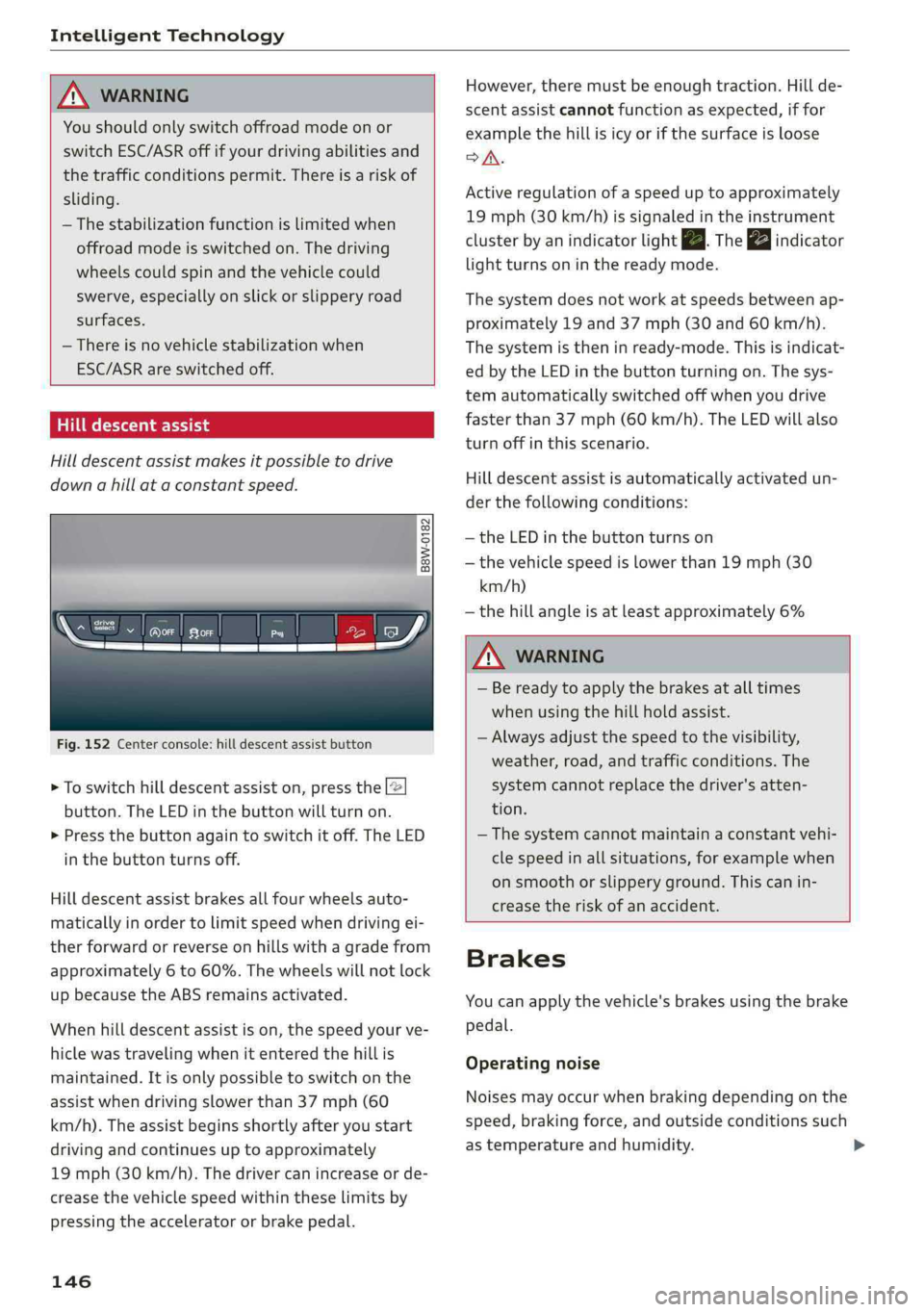
Fig.152Centerconsole:hilldescentassistbutton
>Toswitchhilldescentassiston,pressthe|@
button.TheLEDinthebuttonwillturnon.
>»Pressthebuttonagaintoswitchitoff.The LED
inthe buttonturnsoff.
Hilldescentassistbrakesallfourwheelsauto-
maticallyinordertolimitspeedwhendrivingei-
therforwardorreverseonhillswithagradefrom
approximately6to60%.Thewheelswillnotlock
upbecausetheABSremainsactivated.
Whenhilldescentassistison,thespeedyourve-
hiclewastravelingwhenitenteredthehillis
maintained.Itisonlypossibletoswitchonthe
assistwhendrivingslowerthan37mph(60
km/h).
Theassistbeginsshortlyafteryoustart
drivingandcontinuesuptoapproximately
19mph(30km/h).Thedrivercanincrease or de-
creasethevehiclespeedwithintheselimitsby
pressingtheacceleratororbrakepedal.
146
However,theremustbeenoughtraction.Hillde-
scentassistcannotfunctionasexpected,iffor
examplethehillisicyorifthesurfaceisloose
SA.
Activeregulationofaspeeduptoapproximately
19mph(30km/h)issignaledintheinstrument
clusterby anindicatorlightZB.Thegaindicator
lightturnsoninthereadymode.
Thesystemdoesnotworkatspeedsbetweenap-
proximately19 and 37mph(30and60km/h).
Thesystemistheninready-mode.Thisisindicat-
edbytheLEDinthebuttonturningon.Thesys-
temautomaticallyswitchedoffwhenyoudrive
fasterthan37mph(60 km/h).TheLEDwillalso
turnoffinthisscenario.
Hilldescentassistisautomaticallyactivatedun-
der thefollowingconditions:
—theLEDinthebuttonturnson
—thevehiclespeedislowerthan19mph(30
km/h)
—thehillangleisatleastapproximately6%
ZXWARNING
—Bereadytoapplythebrakesatalltimes
whenusingthehillholdassist.
—Alwaysadjustthespeedtothevisibility,
weather,road,andtrafficconditions.The
systemcannotreplacethedriver'satten-
tion.
—The systemcannotmaintainaconstantvehi-
clespeedinallsituations,forexamplewhen
onsmoothorslipperyground.Thiscanin-
creasetheriskofanaccident.
Brakes
Youcanapplythevehicle'sbrakesusingthebrake
pedal.
Operatingnoise
Noisesmayoccurwhenbrakingdependingonthe
speed,brakingforce,andoutsideconditionssuch
astemperatureandhumidity.
Page 149 of 392

80A012721BG
IntelligentTechnology
Brakingeffect
Theresponsetimefromthebrakesdependson
theweatherandenvironmentalconditions.To
ensuretheoptimumbrakingeffect,thebrake
systemiscleanedatregularintervals.Thisis
donebyapplyingthebrakepadstothebrakero-
torsforashortperiodoftimewhendrivingat
highspeedswhenthewindshieldwipersare
switchedon.
Ifthebrakesystembecomesdamp,forexample
afterdrivinginheavyrain,thebrakingeffectmay
bedelayed.Otherfactorsthatcouldtemporarily
increasetheresponsetimeofthebrakesinclude:
—Wetconditions
—Lowtemperatures,ice,andsnow
—Roadscoveredinsalt
—Dirtybrakepads
Corrosion
Corrosionmayformonthebrakerotorsifthereis
no heavybraking,ifthevehicleisnotdrivenfor
longperiodsoftime,orifthevehicleisnotdriv-
enfrequentlyorforlongdistances.Inthiscase,
brakingheavilyseveraltimeswhiledrivingat
highspeedscancleanthebrakerotors>A\.
Brakepads
Newbrakepadsdonotachievetheirfullbraking
effectduringthefirst250miles(400km).They
mustbe“brokenin”first.However,youcancom-
pensatefortheslightlyreducedbrakingforceby
pressingfirmlyonthebrakepedal.Avoidheavy
brakingduringthebreak-inperiod.
Brakepadweardependslargelyonthewaythe
vehicleisdrivenandonoperatingconditions.
Brakepadwearincreaseswhendrivingfrequently
inthecityorshortdistancesorwhenusingavery
sportydrivingstyle.
—Duetotheriskofinjury,onlyhaveanau-
thorizedAudidealerorauthorizedAudi
ServiceFacilityworkonthebrakesystem.
Incorrectrepairscouldimpairthefunction.
—Neverletthevehiclerollwhiletheengineis
stoppedbecausethisincreasestheriskofan
accident.
— Depending onvehicleequipment,thebrake
pedal
maymovedownwardautomatically
duringautonomousbrakingmaneuvers.To
reducetheriskofinjury,donotplaceyour
ZA\WARNING
—Onlyapplythebrakesforthepurposeof
cleaningthebrakesystemwhenroadand
trafficconditionspermit.Youmustnoten-
dangerotherroadusersandincreasethe
riskofanaccident.
footunderthebrakepedal.
C)Note
—Neverletthebrakes“rub”bypressingthe
pedallightlywhenbrakingisnotactually
necessary. Thiscancausethebrakestoover-
heatandincreasesbrakingdistanceand
causeswear.
—Beforedrivingonlongstretcheswithsteep
hills,reduce thevehiclespeedandshifttoa
lowergeartouse theenginebrakingeffect.
Thisreducestheloadonthebrakes.Ifyou
needtobrakeadditionally,brakeinintervals
andnotcontinuously.
(i)Tips
—Ifyouretrofityourvehiclewithafrontspoil-
er,wheelcoversorsimilaritems,makesure
thattheairflowtothebrakesisnotob-
structed.Otherwisethebrakesystemcan
overheat.
—Alsorefertotheinformationaboutbrake
fluid>page319.
Electromechanical
steering,Dynamic
steering
Theelectromechanicalsteeringsupportsthe
driver'ssteeringmovements.
Powersteeringadaptselectronicallybasedon
thevehiclespeed.
Indicatorlightsandmessages
aSteering:malfunction!Pleasestopvehicle
147
>
Page 150 of 392

IntelligentTechnology
Ifthisindicatorlightturnsonandstaysonand
thismessageappears,thepowersteeringmay
havefailed.
Stopthevehicleinasafelocationassoonaspos-
sible.Donotcontinuedriving.Seeanauthorized
AudidealerorauthorizedAudiServiceFacilityfor
assistance.
aSteering:malfunction!Youcancontinue
driving
Iftheindicatorlightturnsonandthismessage
appears,thesteeringwheelmaybemoredifficult
tomoveormoresensitivethanusual.Thesteer-
ing
wheelmayalsobeturnedtothesidewhen
drivingstraight.
DriveslowlytoanauthorizedAudidealeror au-
thorizedAudiServiceFacilitytohavethemal-
functioncorrected.
Dynamicsteering:correctingsteeringwheel
position
Iftheindicatorlightturnsonandthismessage
appears,thedynamicsteering”isreinitializing.
Thesteeringwheelwillbeeasytomoveafter
startingtheengine.Reinitializationmightbe
necessaryifthesteeringwheelwasmovedwhile
theenginewasswitchedoff.Thedisplayturnsoff
iftheinitializationwassuccessful.
@Tips
—Iftheaoralindicatorlightonlystayson
forashorttime,youmaycontinuedriving.
— Thedynamicsteeringstabilitysystems
=>page144arenotavailableintheeventof
asystemmalfunction.
—Foradditionalinformationondynamic
steering,see>page125.
Allwheeldrive(quattro)
Theall-wheeldrivesystemdistributesthedriving
powervariablytothefrontandrearaxletoim-
provethedrivingcharacteristics.Itworkstogeth-
erwithselectivewheeltorquecontrol,whichcan
activatewhendrivingthroughcurves
=>page144.
148
Appliesto:Vehicleswithquattroultra:Ifthe
drivingsituationdoesnotrequireallwheeldrive,
thentherearsection ofthedrivetrainwilldecou-
pleandthussavefuel.Thesystemconstantlyde-
terminesandanticipatesifallwheeldriveis
needed.Thisallowsthereardrivetrainto recou-
pleshortlybeforeitisneeded.
Theallwheeldriveconceptisdesignedforhigh
enginepower.Yourvehicleisexceptionallypow-
erfulandhasexcellentdrivingcharacteristics
bothundernormaldrivingconditionsandon
snowandice.Alwaysreadandfollowsafetypre-
cautions>A\.
ZAWARNING
—Eveninvehicleswithallwheeldrive,you
shouldadaptyourdrivingstyletothecur-
rentroadandtrafficconditionstoreduce
theriskofanaccident.
— Thebrakingabilityofyourvehicleislimited
tothetractionofthewheels.Inthisway,it
isnotdifferentfromatwowheeldrivevehi-
cle.Donotdrivetoofastbecausethisin-
creasestheriskofanaccident.
—Notethatonwetstreets,thefrontwheels
can“hydroplane’”ifdrivingatspeedsthat
aretoohigh.Unlikefrontwheeldrivevehi-
cles,theengineRPMdoesnotincreasesud-
denlywhenthevehiclebeginshydroplaning.
Adaptyourspeedtotheroadconditionsto
reducetheriskofanaccident.
Sportdifferential
Appliesto:Vehicleswithsportdifferential
Thesportdifferentialdistributesthedrivepower
totherearaxlebasedonthesituation.Thegoal
isahighlevelofagilityandabilitytoaccelerate
oncurves.Thevehicleisvery responsivetosteer-
ing.ThesettingsdependontheselectedAudi
driveselect*mode.
Energymanagement
Yourvehicleisequippedwithanintelligentener-
gymanagementsystemfordistributingelectrici-
ty.Thissignificantlyimprovesthestartingability
andincreasesthevehiclebatterylife.
Page 153 of 392

80A012721BG
MultiMediaInterface
MultiMediaInterface
Trafficsafety
information
AudirecommendsperformingcertainInfotain-
mentsystemfunctions,suchasenteringa desti-
nation,onlywhenthevehicleisstationary.Al-
waysbepreparedtostopoperating theInfotain-
mentsystemintheinterestofyoursafetyand
thesafety ofotherroadusers.
Introduction
TheMultiMediaInterface,orMMIforshort,
combinesvarioussystemsforcommunication,
navigation*andentertainmentinyourAudi.You
canoperatetheMMIusingtheMMIcontrolpan-
el,themultifunctionsteeringwheelorthevoice
recognitionsystem*.
RAH-8836|
Z\WARNING
Onlyuse theInfotainmentsystemwhenroad,
traffic,weather,andvisibilityconditionsper-
mitandalwaysinawaythatallowsyouto
maintaincompletecontroloveryourvehicle.
@Tips
Certainfunctionsarenotavailablewhiledriv-
ing.
Fig.153MMIcontrolpanels-integratedshortcutkeys
Top:withoutMMItouchBottom:withMMItouch
MMIcontrolpaneloverview
@Controlknobwithjoystickfunction.153,157
@MMItouchcontrolpad*.........155
®Leftcontrolbutton.............154
@®Rightcontrolbutton............154
©)Buttonsforopeningmenusdirectly.153
6)[MENUButtonssceaoc2canevocermin&153
@)[BACK]button<3:+eavesseweae153
Shortcutkeys.........2..00000159
151
Page 154 of 392

MultiMediaInterface
MMIOn/Offknobwith
joystickfunction
Operating
RAH-8536|
Fig.154MMIOn/Offknobwithjoystickfunction
SwitchingtheMMIon/off:theMMIcanbe
switched
on/offmanually.
—Switchingonmanually:presstheOn/Offknob
@briefly>fig.154.Or:pressthe[MENU]but-
ton©>page151,fig.153oroneofthebut-
tonstoopenthemenusdirectly().
—Switchingoffmanually:pressandholdthe
On/Offknob@)>fig.154untiltheMMI
switchesoff.IftheMMIhasbeenswitchedoff
manually,itdoesnotswitchonagainautomati-
callythenexttimetheignitionisswitchedon.
Additionalfunctions:
—Adjustingthevolume:turntheOn/Offknob@)
>fig.154.
—Muting:presstheOn/Offknob@)©fig.154
briefly.
—Selectingtheprevious/nextfunction(forex-
ample,aradiostation/track):presstheOn/Off
knob@)®fig.154brieflytowardtheleftKKor
rightDPI.
—Fastforwarding/rewinding(forexample
songs):pressandholdtheOn/Offknob@)
>fig.154towardtheleftKdorrightPo.
ZAWARNING
Adjustthevolumeoftheaudiosystemsothat
signalsfromoutsidethevehicle,suchas po-
liceandfiresirens,canbeheardeasilyatall
times.
152
G)Tips
TheMMIswitchesoffautomaticallyiftheen-
gineisnotrunningandthevehiclebatteryis
low.
Infotainmentsystem
display
Siarcelal
>Pressthe[6]buttontoswitchtheInfotainment
systemonandoff.
WhentheMMIisswitchedonandthedisplayis
switchedoff,youcanoperatecertainfunctions
usingtheOn/OffknobwiththeMMIjoystick
function>page152.
G)Tips
Theremaybedelayswhenswitchingonthe
display.
clearleClmemCaley
Thedisplayversiondependsonvehicleequip-
ment.
Fig.155DisplayversionA
Fig.156DisplayversionB
Additionalcontent(suchasalbumcoverandmap
material)isshownondisplayversionB,ifappli-
cable@©fig.156.Becausetheothercontent>