2019 Alfa Romeo Giulia lane assist
[x] Cancel search: lane assistPage 79 of 232

RCP (Rear Cross Path detection) system
This system helps the driver during
reverse manoeuvres in the case of
reduced visibility.
The RCP system monitors the rear
detection areas on both sides of the car,
to detect objects moving towards the
sides of the car at a minimum speed
between about 0.6 mph and 2 mph
(1 km/h and 3 km/h) and objects moving
at a maximum speed of 22 mph
(35 km/h), as generally happens in
parking areas.
The system activation is signalled to the
driver by means of a visual and acoustic
warning.
IMPORTANT If the sensors are covered
by objects or vehicles, the system will not
warn the driver.
Operating mode
The system may be activated/
deactivated via the Connect system. To
access the function, on the main menu
select the following items in sequence:
"Settings", "Safety" and "Blind Spot
Alert"."Blind spot alert", "Visual" mode
When the system is enabled, a visual
warning is sent to the door mirror on the
side of the detected object.
The visual warning on the mirror will blink
if the driver switches on the direction
indicators, thus indicating the intention
to change lane.
The warning will be fixed if the driver
stays on the same lane.
"Blind spot alert" function deactivation
When the system is deactivated ("Blind
Spot Alert" mode at "OFF"), the BSM or
RCP systems will not emit neither
acoustic warnings.
The BSM system will store the operating
mode running when the engine was
stopped. Each time the engine is started,
the operating mode stored previously will
be recalled and used.
FORWARD COLLISION WARNING (FCW)
SYSTEM
57) 58) 59) 60) 61) 62)
22) 23) 24) 25) 26) 27) 28) 29) 30)
This is a driving assistance system
composed of a radar located behind the
front bumper fig. 60 and a camera
located in the middle of the windscreen
fig. 61.
6006016S0003EM
6106016S0004EM
77
Page 126 of 232

until the button is released, then the new
speed will be stored.
Decreasing speed
Once the device has been activated, you
can decrease the speed by lowering the
SET switch. Each time it is operated, the
speed decreases by 1 mph (1 km/h).
By holding the button down, the set
speed will decrease in steps of 6 mph
(10 km/h) until the button is released,
then the new speed will be stored.
IMPORTANT Moving the SET switch
allows you to adjust the speed according
to the selected unit of measurement
("metric" or "imperial") set on the
Connect system (see dedicated
supplement).
Important notes
By keeping the accelerator pedal
depressed, the car can continue to
accelerate beyond the set speed. In this
case, use the SET switch to set the speed
to the vehicle’s current speed.
When the SET button is pressed to
reduce the speed, the braking system
intervenes automatically if the engine
brake does not slow the car down
sufficiently to reach the set speed. The
device holds the set speed uphill and
downhill; however a slight variation is
entirely normal, particularly on slight
gradients.The automatic transmission could change
to a lower gears when driving downhill or
when accelerating. This is normal and
necessary to maintain the set speed.
The device is switched off while driving if
the brakes overheat.
ACCELERATING WHEN OVERTAKING
When driving with the device active and
following a vehicle, the device provides
additional acceleration to facilitate
overtaking, when travelling over a given
speed and switches on the left direction
indicator (of the right indicator for
right-hand drive versions).
In left-hand traffic, the overtaking assist
function is only active when the left-hand
lane is used for overtaking the vehicle
ahead (the opposite activation logic is
used in right-hand traffic countries).
The device detects the direction of
traffic automatically when the vehicle
passes from left-hand traffic to
right-hand traffic. In this case, the
overtaking assist function is only active
when the reference vehicle is overtaken
on the right. The additional acceleration
is activated when the driver uses the
right direction indicator.
In this condition, the device no longer
provides the overtaking assist function
on the left-hand side until it determinesthat the vehicle has returned to left-hand
traffic conditions.
RECALLING THE SPEED
Once the system has been cancelled but
not deactivated, if a speed was
previously set simply press the RES
button and remove your foot from the
accelerator to recall it.
The system will be set to the last stored
speed.
Before returning to the previously set
speed, bring the speed close to that
value, then press the RES button and
release it.
IMPORTANT The recall function must
only be used if the road and traffic
conditions so allow. Recalling an
excessively high or low speed for the
current traffic and road conditions could
cause an acceleration or a deceleration
10607146S0018EM
124
STARTING AND DRIVING
Page 133 of 232

56)Camera operation may also be
compromised by the presence of dust,
condensation, dirt or ice on the windscreen,
by traffic conditions (e.g. vehicles that are
driving not aligned with yours, vehicle driving
in a transverse or opposite way on the same
lane, bend with a small radius of curvature),
by road surface conditions and by driving
conditions (e.g. off-road driving). Make sure
the windscreen is always clean. Use specific
detergents and clean cloths to avoid
scratching the windscreen. The camera
operation may also be limited or absent in
some driving, traffic and road surface
conditions.REAR BACK-UP CAMERA /
DYNAMIC GRIDLINES
DESCRIPTION
The Rear Back-up Camera is located on
the boot, near the opening button,
fig. 113.
124)
57)
Camera activation/deactivation
The function can be activated/
deactivated on the Connect system.
Activating the device
To access the function, on the main menu
select the following items in sequence:
"Settings", "Driver assistance" and "Rear
Back-up Camera". The following
sub-menu appears:
Active
Switch-off delay;
Grille.
Select "Activate" to activate the camera
view on the Connect system display.
Every time reverse is engaged, the
display of the Connect system, fig. 114,
shows the area around the vehicle, as
seen by the Rear Back-up Camera.
SYMBOLS AND MESSAGES ON THE
DISPLAY
If activated, the grid is positioned on the
image to highlight the width of the
vehicle and the expected reversing path
in accordance with the steering wheel
position.
A superimposed central broken line
indicates the centre of the car to
facilitate parking manoeuvres or tow
hook alignment. The various coloured
areas indicate the distance from the rear
part of the car.
11307186S0001EM11407186S0002EM
131
Page 228 of 232
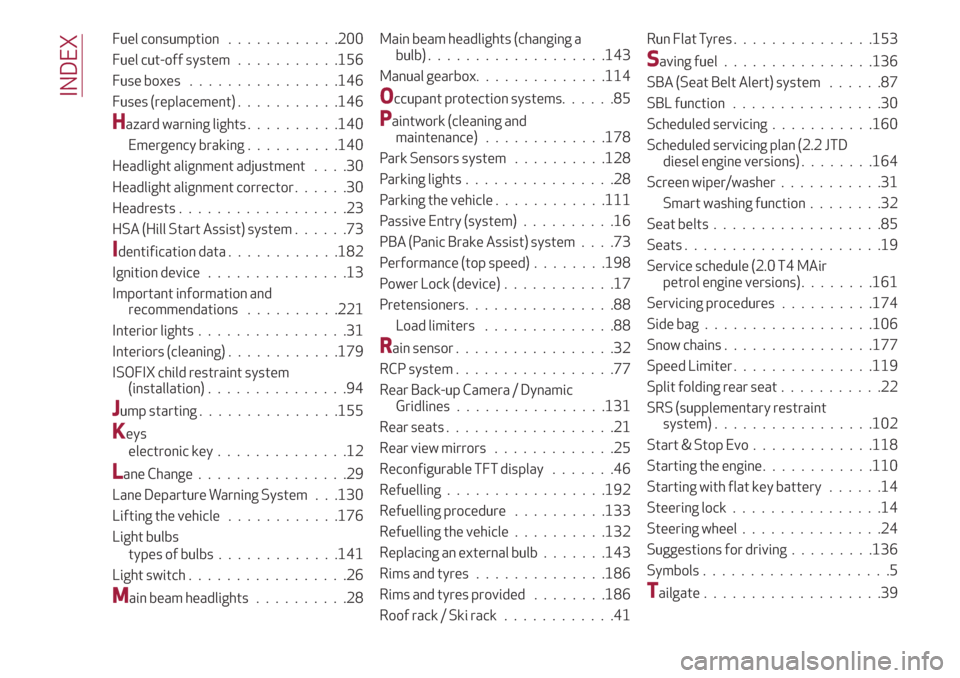
Fuel consumption............200
Fuel cut-off system...........156
Fuse boxes................146
Fuses (replacement)...........146
Hazard warning lights..........140
Emergency braking..........140
Headlight alignment adjustment....30
Headlight alignment corrector......30
Headrests..................23
HSA (Hill Start Assist) system......73
Identification data............182
Ignition device...............13
Important information and
recommendations..........221
Interior lights................31
Interiors (cleaning)............179
ISOFIX child restraint system
(installation)...............94
Jump starting...............155
Keys
electronic key..............12
Lane Change................29
Lane Departure Warning System . . .130
Lifting the vehicle............176
Light bulbs
types of bulbs.............141
Light switch.................26
Main beam headlights..........28Main beam headlights (changing a
bulb)...................143
Manual gearbox..............114
Occupant protection systems......85
Paintwork (cleaning and
maintenance).............178
Park Sensors system..........128
Parking lights................28
Parking the vehicle............111
Passive Entry (system)..........16
PBA (Panic Brake Assist) system....73
Performance (top speed)........198
Power Lock (device)............17
Pretensioners................88
Load limiters..............88
Rain sensor.................32
RCP system.................77
Rear Back-up Camera / Dynamic
Gridlines................131
Rear seats..................21
Rear view mirrors.............25
Reconfigurable TFT display.......46
Refuelling.................192
Refuelling procedure..........133
Refuelling the vehicle..........132
Replacing an external bulb.......143
Rims and tyres..............186
Rims and tyres provided........186
Roof rack / Ski rack............41Run Flat Tyres . ..............153
Saving fuel................136
SBA (Seat Belt Alert) system......87
SBL function . . ..............30
Scheduled servicing...........160
Scheduled servicing plan (2.2 JTD
diesel engine versions) . . ......164
Screen wiper/washer...........31
Smart washing function........32
Seat belts..................85
Seats.....................19
Service schedule (2.0 T4 MAir
petrol engine versions) . . ......161
Servicing procedures..........174
Side bag..................106
Snow chains................177
Speed Limiter . ..............119
Split folding rear seat...........22
SRS (supplementary restraint
system).................102
Start & Stop Evo.............118
Starting the engine............110
Starting with flat key battery......14
Steering lock . . ..............14
Steering wheel...............24
Suggestions for driving .........136
Symbols....................5
Tailgate...................39
INDEX