Page 588 of 649
587
uuIf a Tire Goes Flat uTemporarily Repairing a Flat Tire
Continued
Handling the Unexpected
Temporarily Repairing a Flat Tire
If the tire has a large cut or is otherwise severely damaged, you will need to have the
vehicle towed. If the tire only has a small puncture, from a nail for instance, you can
use the temporary tire repair kit so that you can drive to the nearest service station
for a more permanent repair.
If a tire goes flat while driving, grasp the steering wheel firmly, and brake gradually
to reduce speed. Then stop in a safe place.
1. Park the vehicle on a firm, level, and n on-slippery surface and apply the parking
brake.
2. Change the gear position to
(P.
3. Turn on the hazard warning lights an d set the power mode to VEHICLE OFF
(LOCK).
Vehicles with temporary tire repair kit
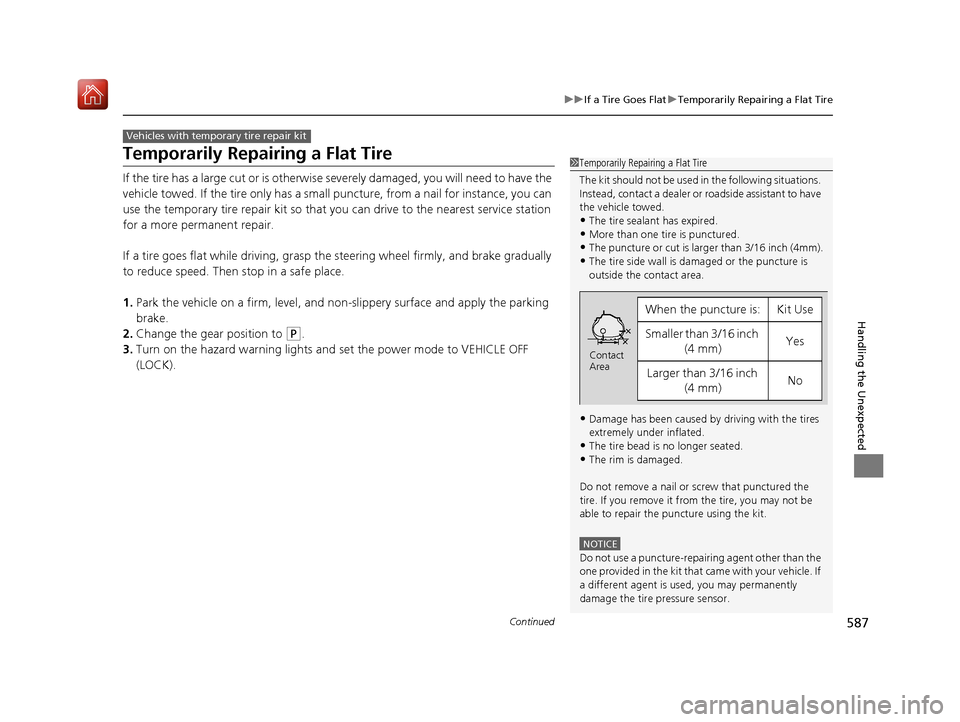
1 Temporarily Repairing a Flat Tire
The kit should not be used in the following situations.
Instead, contact a dealer or roadside assistant to have
the vehicle towed.
•The tire sealant has expired.
•More than one tire is punctured.•The puncture or cut is larger than 3/16 inch (4mm).
•The tire side wall is da maged or the puncture is
outside the contact area.
•Damage has been caused by driving with the tires
extremely under inflated.
•The tire bead is no longer seated.
•The rim is damaged.
Do not remove a nail or screw that punctured the
tire. If you remove it from the tire, you may not be
able to repair the puncture using the kit.
NOTICE
Do not use a puncture-repairing agent other than the
one provided in the kit that came with your vehicle. If
a different agent is used, you may permanently
damage the tire pressure sensor.
When the puncture is:Kit Use
Smaller than 3/16 inch (4 mm)Yes
Larger than 3/16 inch (4 mm)No
Contact
Area
19 ACURA RDX-31TJB6000.book 587 ページ 2018年4月26日 木曜日 午後4時51分
Page 603 of 649
602
uuEngine Does Not Start uIf the Keyless Access Remote Battery is Weak
Handling the Unexpected
If the Keyless Access Re mote Battery is Weak
If the beeper sounds, the To Start, Hold Remote Near Start Button message
appears on the multi-information display, the ENGINE START/STOP button flashes,
and the engine won’t start, start the engine as follows:
1.Touch the center of the ENGINE START/
STOP button with the A logo on the keyless
access remote while the ENGINE START/
STOP button is flashing. The buttons on
the keyless access remo te should be facing
you.
u The ENGINE START/STOP button
flashes for about 30 seconds.
2. Depress the brake pedal and press the
ENGINE START/STOP button within 10
seconds after the beeper sounds and the
ENGINE START/STOP button changes
from flashing to on.
u If you don’t depress the pedal, the mode
will change to ACCESSORY.
HOLD
19 ACURA RDX-31TJB6000.book 602 ページ 2018年4月26日 木曜日 午後4時51分
Page 604 of 649

603
uuEngine Does Not Start uEmergency Engine Stop
Handling the Unexpected
Emergency Engine Stop
The ENGINE START/STOP button may be used to stop the engine due to an
emergency situation even while driving. If you must stop the engine, do either of the
following operations:
• Press and hold the ENGINE START/STOP button for two seconds.
• Firmly press the ENGINE START/STOP button three times.
The steering wheel will not lock. However, because turning off the engine disables
the power assist the engine provides to the steering and braking systems, it will
require significantly more physical effort an d time to steer and slow the vehicle. Use
both feet on the brake pedal to slow down the vehicle and stop immediately in a
safe place.
The gear position auto matically changes to
(P after the vehicle comes to a complete
stop. Then, the power mode changes to VEHICLE OFF.
The gear position auto matically changes to
(P after the vehicle comes to a complete
stop. Then press the ENGINE START/STOP button twice without depressing the
brake pedal to change the mode to VEHICLE OFF.
1 Emergency Engine Stop
Do not press the button while driving unless it is
absolutely necessary for the engine to be turned off.
Vehicles with U.S. models
Vehicles with Canada models
19 ACURA RDX-31TJB6000.book 603 ページ 2018年4月26日 木曜日 午後4時51分
Page 615 of 649
614
uuIndicator, Coming On/BlinkinguIf the Transmission System Indicator Blinks along with the Warning Message
Handling the Unexpected
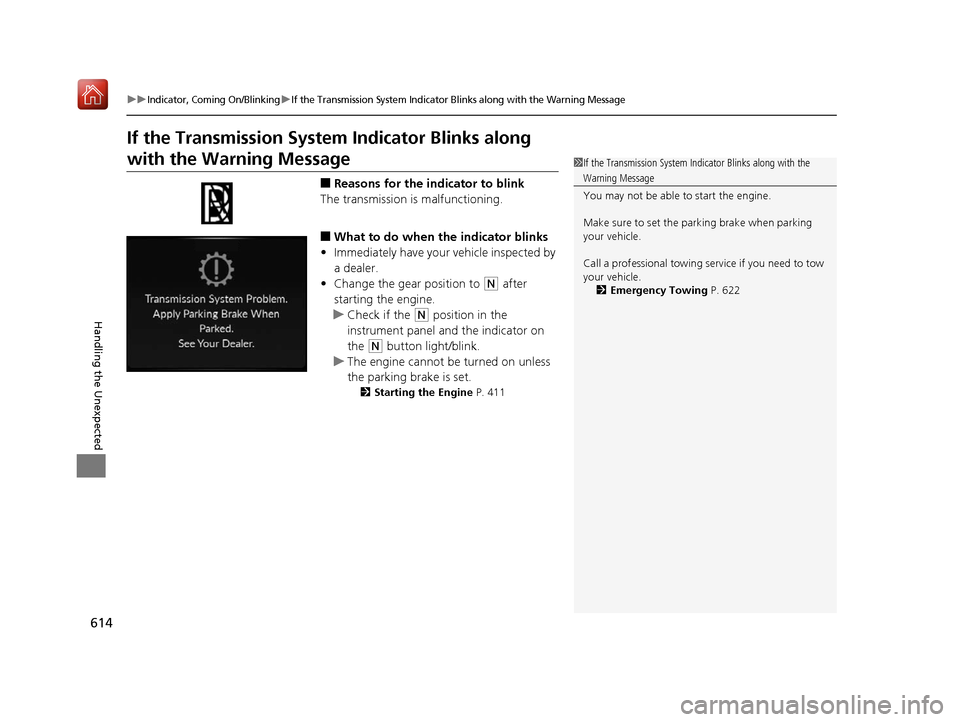
If the Transmission System Indicator Blinks along
with the Warning Message
■Reasons for the indicator to blink
The transmission is malfunctioning.
■What to do when the indicator blinks
• Immediately have your vehicle inspected by
a dealer.
• Change the gear position to
(N after
starting the engine.
u Check if the
(N position in the
instrument panel and the indicator on
the
(N button light/blink.
u The engine cannot be turned on unless
the parking brake is set.
2 Starting the Engine P. 411
1If the Transmission System In dicator Blinks along with the
Warning Message
You may not be able to start the engine.
Make sure to set the pa rking brake when parking
your vehicle.
Call a professional towing service if you need to tow
your vehicle. 2 Emergency Towing P. 622
19 ACURA RDX-31TJB6000.book 614 ページ 2018年4月26日 木曜日 午後4時51分
Page 630 of 649
629
uuSpecifications u
Information
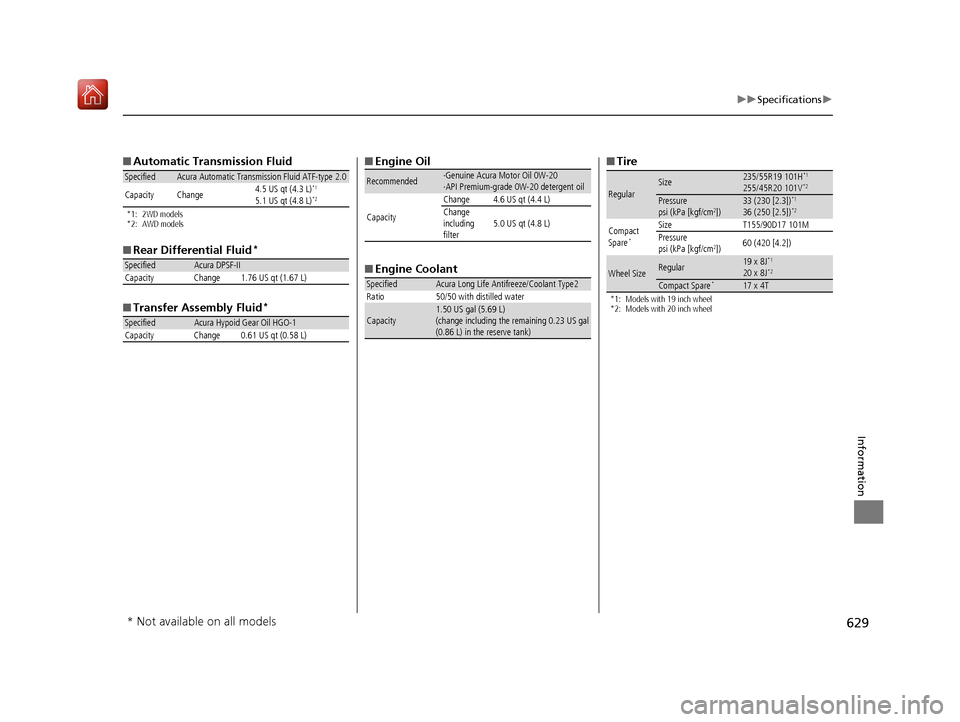
■Automatic Transmission Fluid
*1: 2WD models
*2: AWD models
■Rear Differential Fluid*
■Transfer Assembly Fluid*
SpecifiedAcura Automatic Transmission Fluid ATF-type 2.0
Capacity Change 4.5 US qt (4.3 L)*1
5.1 US qt (4.8 L)*2
SpecifiedAcura DPSF-II
Capacity Change 1.76 US qt (1.67 L)
SpecifiedAcura Hypoid Gear Oil HGO-1
Capacity Change 0.61 US qt (0.58 L)
■ Engine Oil
■ Engine Coolant
Recommended·Genuine Acura Motor Oil 0W-20
·API Premium-grade 0W-20 detergent oil
Capacity Change 4.6 US qt (4.4 L)
Change
including
filter
5.0 US qt (4.8 L)
SpecifiedAcura Long Life Antifreeze/Coolant Type2
Ratio 50/50 with distilled water
Capacity1.50 US gal (5.69 L)
(change including the remaining 0.23 US gal
(0.86 L) in the reserve tank)
■ Tire
*1: Models with 19 inch wheel
*2: Models with 20 inch wheel
RegularSize235/55R19 101H*1
255/45R20 101V*2
Pressure
psi (kPa [kgf/cm2])33 (230 [2.3])*1
36 (250 [2.5])*2
Compact
Spare*
Size T155/90D17 101M
Pressure
psi (kPa [kgf/cm
2]) 60 (420 [4.2])
Wheel SizeRegular19 x 8J*1
20 x 8J*2
Compact Spare*17 x 4T
* Not available on all models
19 ACURA RDX-31TJB6000.book 629 ページ 2018年4月26日 木曜日 午後4時51分
Page 633 of 649
632
uuDevices that Emit Radio Waves u
Information
As required by the FCC:
This device complies with Part 15 of the FCC rules. Operation is
subject to the following two cond itions: (1) This device may not
cause harmful interference, and (2 ) this device must accept any
interference received, including interference that may cause
undesired operation.
Changes or modifications not expressly approved by the party
responsible for compli ance could void the user’s authority to
operate the equipment.
This device complies with industry Canada licence-exempt RSS standard(s).
Operation is subject to the following two conditions: (1) this device may not cause
interference, and (2) this device must acce pt any interference, including interference
that may cause undesired operation of the device.
19 ACURA RDX-31TJB6000.book 632 ページ 2018年4月26日 木曜日 午後4時51分