2019.75 VAUXHALL CROSSLAND X AUX
[x] Cancel search: AUXPage 5 of 247

Introduction3Vehicle specific dataPlease enter your vehicle's data on
the previous page to keep it easily
accessible.
Please refer to the sections "Service
and maintenance", "Technical data",
the vehicle's identification plate and
national registration documents.
Introduction
Your vehicle is a designed
combination of advanced technology, safety, environmental friendliness
and economy.
This Owner's Manual provides you
with all the necessary information to
enable you to drive your vehicle
safely and efficiently.
Make sure your passengers are
aware of the possible risk of accident
and injury which may result from
improper use of the vehicle.
You must always comply with the
specific laws and regulations of the
country that you are in. These laws
may differ from the information in this Owner's Manual.Disregarding the description given in
this manual may affect your warranty.
When this Owner's Manual refers to a
workshop visit, we recommend your
Vauxhall Authorised Repairer.
All Vauxhall Authorised Repairers
provide first-class service at
reasonable prices. Experienced
mechanics trained by Vauxhall work
according to specific Vauxhall
instructions.
The customer literature pack should
always be kept ready to hand in the
vehicle.
Using this manual ● This manual describes all options
and features available for this
model. Certain descriptions,
including those for display and
menu functions, may not apply to
your vehicle due to model
variant, country specifications,
special equipment or
accessories.
● The "In brief" section will give you
an initial overview.● The table of contents at the beginning of this manual and
within each section shows where the information is located.
● The index will enable you to search for specific information.
● This Owner's Manual depicts left-
hand drive vehicles. Operation is similar for right-hand drive
vehicles.
● The Owner's Manual uses the engine identifier code. The
corresponding sales designation
and engineering code can be
found in the section "Technical
data".
● Directional data, e.g. left or right, or front or back, always relate to
the direction of travel.
● Displays may not support your specific language.
● Display messages and interior labelling are written in bold
letters.
Page 6 of 247
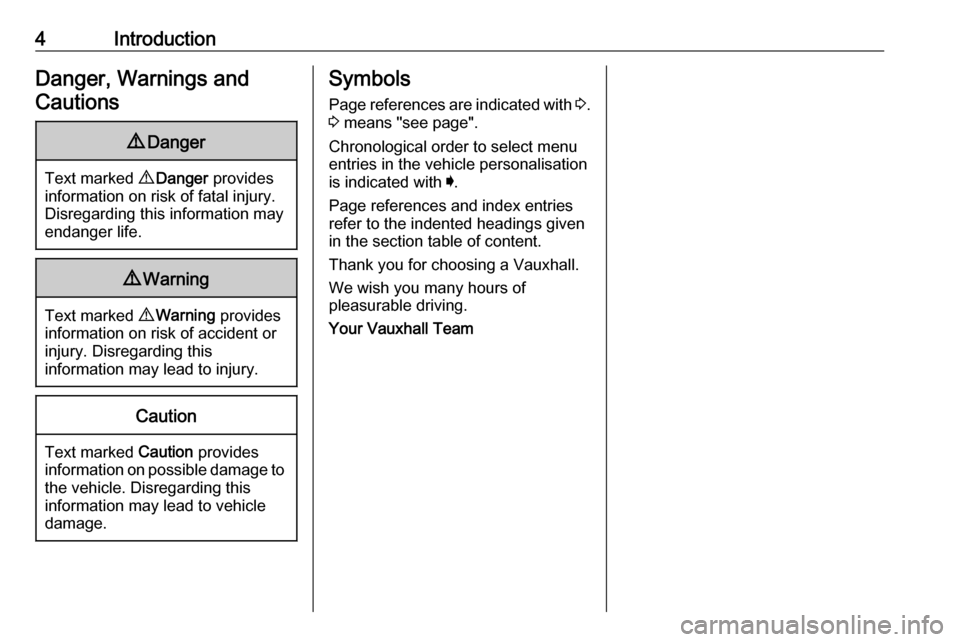
4IntroductionDanger, Warnings andCautions9 Danger
Text marked 9 Danger provides
information on risk of fatal injury.
Disregarding this information may
endanger life.
9 Warning
Text marked 9 Warning provides
information on risk of accident or
injury. Disregarding this
information may lead to injury.
Caution
Text marked Caution provides
information on possible damage to
the vehicle. Disregarding this
information may lead to vehicle
damage.
Symbols
Page references are indicated with 3.
3 means "see page".
Chronological order to select menu
entries in the vehicle personalisation
is indicated with I.
Page references and index entries refer to the indented headings given
in the section table of content.
Thank you for choosing a Vauxhall.
We wish you many hours of
pleasurable driving.
Your Vauxhall Team
Page 38 of 247

36Keys, doors and windowsWindscreen replacementCaution
If the vehicle has a front-looking
camera sensor for the driver
assistance systems, it is very
important that any windscreen
replacement is performed
accurately according to Vauxhall
specifications. Otherwise, these systems may not work properly
and there is a risk of unexpected
behaviour and / or messages from these systems.
Manual windows
The rear door windows can be
opened or closed manually with the
window cranks.
Power windows
9 Warning
Take care when operating the
power windows. Risk of injury,
particularly to children.
If there are children on the rear seats, switch on the child safety
system for the power windows.
Keep a close watch on the
windows when closing them.
Ensure that nothing becomes
trapped in them as they move.
Switch on ignition to operate power
windows.
Operate the switch for the respective
window by pushing to open or pulling to close.
Pushing or pulling gently to the first
detent: window moves up or down as long as the switch is operated.
Pushing or pulling firmly to the second
detent then releasing: window moves
up or down automatically with safety
function enabled. To stop movement,
operate the switch once more in the
same direction.
Safety function
If the window glass encounters
resistance above the middle of the
window during automatic closing, it is
immediately stopped and opened
again.
Override safety function
In the event of closing difficulties due
to frost or the like, switch on the
ignition, then pull the switch to the first
detent and hold. The window moves
up without safety function enabled.
To stop movement, release the
switch.
Page 71 of 247

Instruments and controls69Instruments and
controlsControls ....................................... 70
Steering wheel adjustment ........70
Steering wheel controls .............70
Heated steering wheel ...............70
Horn ........................................... 71
Windscreen wiper and washer ..71
Rear window wiper and washer ...................................... 73
Outside temperature ..................73
Clock ......................................... 74
Power outlets ............................. 74
Inductive charging .....................75
Cigarette lighter ......................... 76
Ashtrays .................................... 76
Warning lights, gauges and indi‐ cators ........................................... 76
Instrument cluster ......................76
Speedometer ............................. 77
Odometer .................................. 78
Trip odometer ............................ 78
Tachometer ............................... 78
Fuel gauge ................................ 79
Engine coolant temperature gauge ....................................... 79Engine oil level monitor.............79
Service display .......................... 80
Control indicators ......................81
Turn lights .................................. 81
Seat belt reminder .....................81
Airbag and belt tensioners .........82
Airbag deactivation ....................82
Charging system .......................82
Malfunction indicator light ..........82
Service vehicle soon .................83
Stop engine ............................... 83
System check ............................ 83
Brake and clutch system ...........83
Parking brake ............................ 83
Antilock brake system (ABS) .....83
Gear shifting .............................. 84
Lane departure warning ............84
Electronic Stability Control and Traction Control system ...........84
Electronic Stability Control and Traction Control system off ......84
Engine coolant temperature ......84
Preheating ................................. 85
Exhaust filter .............................. 85
AdBlue ....................................... 85
Deflation detection system ........85
Engine oil pressure ....................85
Low fuel ..................................... 86
Autostop .................................... 86
Exterior light .............................. 86Low beam.................................. 86
High beam ................................. 86
High beam assist .......................86
Front fog lights ........................... 86
Rear fog light ............................. 86
Rain sensor ............................... 86
Cruise control ............................ 87
Side blind spot alert ...................87
Active emergency braking .........87
Speed limiter ............................. 87
Door open .................................. 87
Displays ....................................... 87
Driver Information Centre ..........87
Info Display ................................ 90
Head-up display ........................92
Vehicle messages ........................93
Warning chimes .........................94
Vehicle personalisation ................94
Telematics services .....................97
Vauxhall Connect ......................97
Page 99 of 247

Instruments and controls97Guide-me-home lighting:
Activates or deactivates the
function and adjusts its duration.
● Comfort
Mood lighting : Adjusts the
brightness of the ambient
lighting.
Rear wiper in reverse : Activates
or deactivates automatic
switching on of the rear window
wiper when reverse gear is
engaged.
● Vehicle access
Door unlock: boot only : Activates
or deactivates unlocking only the tailgate when pressing T on the
remote control.
Door unlock: driver only :
Changes the configuration to
unlock only the driver's door and
fuel filler flap or all doors, load
compartment and fuel filler flap
when pressing O on the remote
control.
● Safety
Driver attention warning :
Activates or deactivates the
driver drowsiness system.Driving functions
Press Í.
Select Driving functions .
In the corresponding submenus the
following settings can be changed:
● Park Assist : Activates advanced
park assist, a parking maneuver can be selected.
● Blind Spot Sensors : Activates or
deactivates side blind spot alert.
● Panoramic view system :
Activation / deactivation of the
function.
Telematics services
Vauxhall Connect
Vauxhall Connect is a new way to
stay connected and secure on the
road.
Features available with
Vauxhall Connect are:
● emergency call function
● breakdown call function
When the vehicle is equipped with
Vauxhall Connect , these features are
automatically activated. Terms and
Conditions apply.
Vauxhall Connect is operated by the
buttons in the overhead console.
Emergency call function Vehicles featuring the emergency call
function are equipped with a red
SOS button in the overhead console.
The emergency call function will
establish a connection to the nearest
public safety answering point (PSAP).
A minimum set of data including
vehicle and location information will
be sent to the PSAP.
Page 109 of 247

Lighting107Battery discharge protection
Vehicle battery state of charge
function
The function guarantees longest
vehicle battery life via a generator with controllable power output and
optimised power distribution.
To prevent discharge of the vehicle
battery when driving, the following
systems are reduced automatically in two stages and finally switched off:
● auxiliary heater
● heated rear window and heated mirrors
● heated seats
● fan
In the second stage, a message
which confirms the activation of the
vehicle battery discharge protection
will be displayed in the Driver
Information Centre.Switching off interior lights
To prevent discharge of the vehicle
battery when the ignition is switched off, some interior lights are switched
off automatically after some time.
Page 110 of 247

108Climate controlClimate controlClimate control systems.............108
Heating and ventilation system 108
Air conditioning system ...........109
Electronic climate control system .................................... 112
Auxiliary heater ........................116
Air vents ..................................... 117
Adjustable air vents .................117
Fixed air vents ......................... 118
Maintenance .............................. 118
Air intake ................................. 118
Air conditioning regular operation ................................ 118
Service .................................... 118Climate control systems
Heating and ventilation system
Controls for: ● temperature £
● air distribution l, M and K
● fan speed Z
● demisting and defrosting à
● heated rear window and heated exterior mirrors b
● heated windscreen ,
● heated seats ß
Temperature £
Adjust the temperature by turning
£ to the desired temperature.red area:warmerblue area:colder
Heating will not be fully effective until
the engine has reached normal
operating temperature.
Air distribution l M K
Press:
l:to windscreen and front door
windowsM:to head area and rear seats via
adjustable front air ventsK:to front and rear foot well and
windscreen
Combinations are possible.
Fan speed Z
Adjust the air flow by turning Z to the
desired speed.
Page 118 of 247

116Climate controlDemisting and defrosting the
windows à
● Press à. The LED in the button
illuminates to indicate activation.
● Temperature and air distribution are set automatically and the fan
runs at high speed.
● Switch on cooling by pressing A/C , if required.
● Switch on heated rear window b.
● Switch on heated windscreen ,.
● To return to previous mode press
à again, to return to automatic
mode press AUTO.
Notice
If à is pressed while the engine is
running, an Autostop will be inhibited until à is pressed again.
If à is pressed while the engine is in
an Autostop, the engine will restart
automatically.
Stop-start system 3 125.
Deactivation of electronic climate control system
Cooling, fan and automatic mode can
be switched off by turning control dial
Z anticlockwise.
Activation by switching on the fan or
pressing AUTO.
Heated rear window b 3 37.
Heated exterior mirrors b 3 34.
Heated windscreen , 3 38.
Heated seats ß 3 44.Auxiliary heater
Air heater
Quickheat is an electric auxiliary air
heater which automatically warms up
the passenger compartment more
quickly.