Page 137 of 516
137
Rear Heating - Air conditioning
Activation/Deactivation
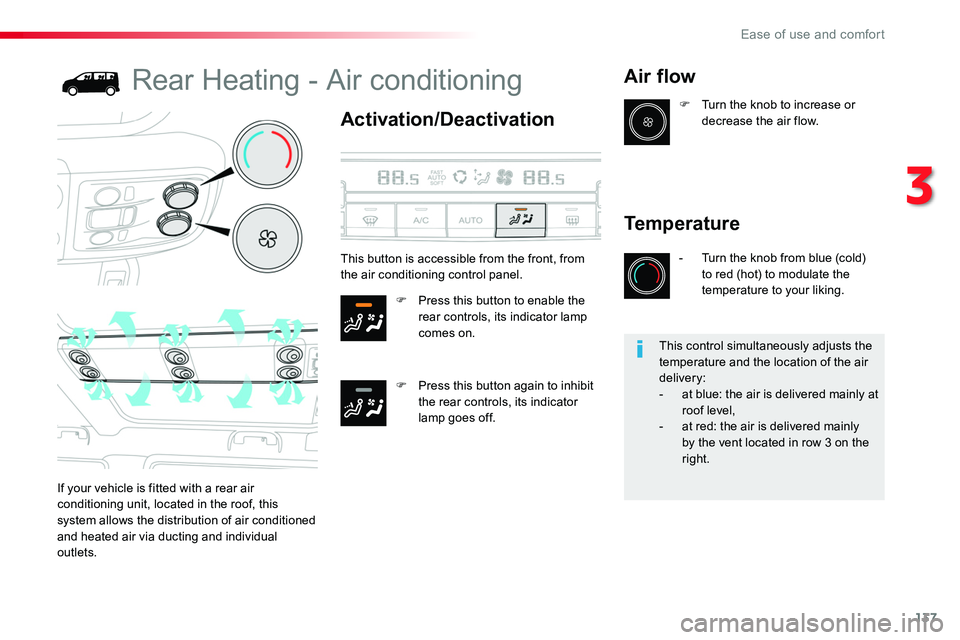
F Press this button to enable the rear controls, its indicator lamp comes on.
F Press this button again to inhibit the rear controls, its indicator lamp goes off.
Air flow
If your vehicle is fitted with a rear air conditioning unit, located in the roof, this system allows the distribution of air conditioned
and heated air via ducting and individual outlets.
F Turn the knob to increase or decrease the air flow.
Temperature
- Turn the knob from blue (cold) to red (hot) to modulate the temperature to your liking.
This button is accessible from the front, from the air conditioning control panel.
This control simultaneously adjusts the temperature and the location of the air delivery:- at blue: the air is delivered mainly at roof level,- at red: the air is delivered mainly by the vent located in row 3 on the right.
3
Ease of use and comfort
Page 161 of 516
161
Electronic stability control (ESC) incorporating the following systems:- anti-lock braking system (ABS) and electronic brake force distribution (EBFD),- emergency braking assistance (EBA),- wheel anti-slip regulation (ASR) or traction control,- dynamic stability control (DSC).
Electronic stability control (ESC)
Definitions
Anti-lock braking system (ABS) and electronic brake force distribution (EBFD)
This system improves the stability and manoeuvrability of your vehicle when braking and contributes towards improved control on corners, in particular on poor or slippery road surfaces.The ABS prevents wheel lock in the event of emergency braking.The EBFD manages the braking pressure wheel by wheel.
Emergency braking assistance (EBA) / Brake assist
In an emergency, this system enables you to reach the optimum braking pressure more quickly and therefore reduce the stopping distance.It is triggered according to the speed at which the brake pedal is pressed. This is felt by a reduction in the resistance of the pedal and an increase in the effectiveness of the braking.
Anti-slip regulation (ASR) / Traction Control (TRC)
The ASR system (also known as Traction Control) optimises traction in order to limit wheel slip by acting on the brakes of the driving wheels and on the engine. It also improves the directional stability of the vehicle on acceleration.
Dynamic stability control (DSC) / Vehicle Stability Control (VSC)
If there is a difference between the path followed by the vehicle and that required by the driver, the DSC monitors each wheel and automatically acts on the brake of one or more
wheels and on the engine to return the vehicle to the required path, within the limits of the laws of physics.
Horn
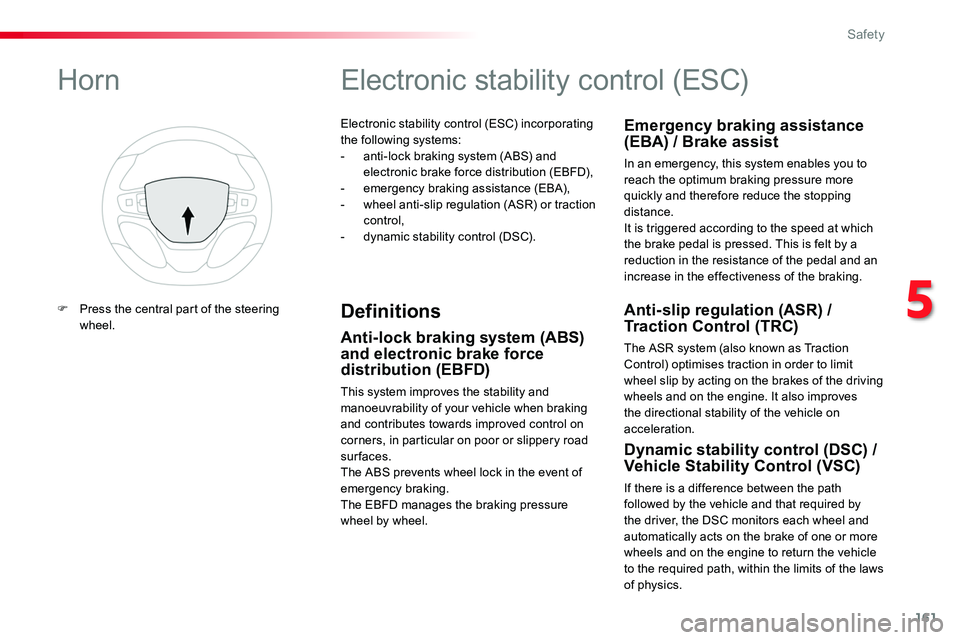
F Press the central part of the steering wheel.
5
Safety
Page 162 of 516
162
Anti-lock braking system
(ABS) and electronic brake
force distribution (EBFD)
In emergency braking, press ver y firmly and maintain this pressure.
When changing wheels (tyres and rims), ensure that these are approved for your vehicle.Normal operation of the ABS may make itself felt by slight vibrations of the brake pedal.
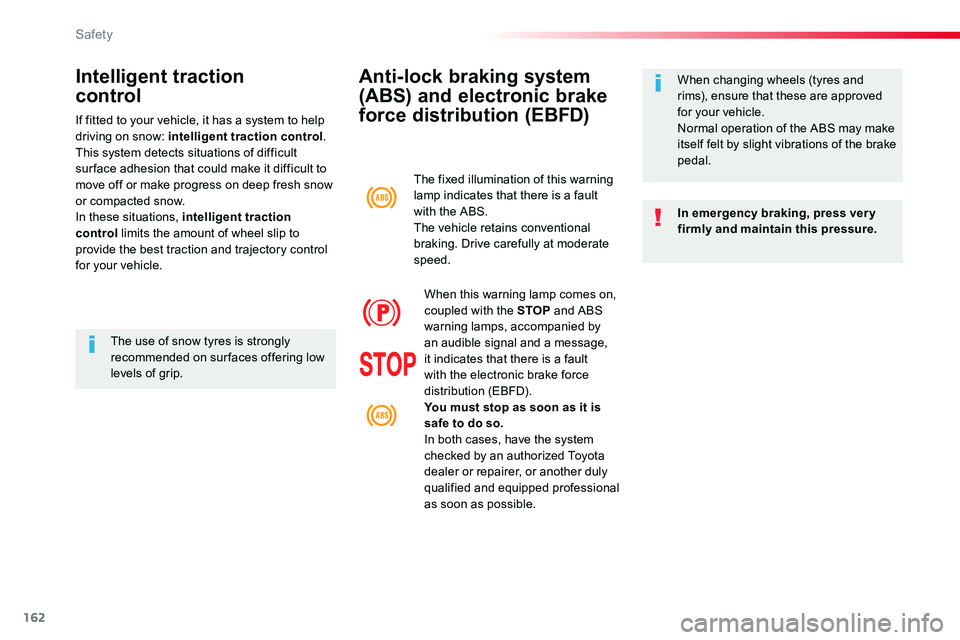
The fixed illumination of this warning lamp indicates that there is a fault with the ABS.The vehicle retains conventional braking. Drive carefully at moderate speed.
When this warning lamp comes on, coupled with the STOP and ABS warning lamps, accompanied by an audible signal and a message, it indicates that there is a fault with the electronic brake force distribution (EBFD).You must stop as soon as it is safe to do so.In both cases, have the system checked by an authorized Toyota dealer or repairer, or another duly qualified and equipped professional as soon as possible.
Intelligent traction
control
If fitted to your vehicle, it has a system to help driving on snow: intelligent traction control.This system detects situations of difficult sur face adhesion that could make it difficult to move off or make progress on deep fresh snow or compacted snow.In these situations, intelligent traction control limits the amount of wheel slip to provide the best traction and trajectory control for your vehicle.
The use of snow tyres is strongly recommended on sur faces offering low levels of grip.
Safety
Page 198 of 516

198
When towing
Distribution of loads
F Distribute the load in the trailer so that the heaviest items are as close as possible to the axle and the nose weight approaches the maximum permitted without exceeding it.Air density decreases with altitude, thus reducing engine per formance. Above 1 000 metres, the maximum towed load must be reduced by 10 % for every 1 000 metres of altitude.
Side wind
F Take into account the increased sensitivity to side wind.
Cooling
Towing a trailer on a slope increases the temperature of the coolant.As the fan is electrically controlled, its cooling capacity is not dependent on the engine speed.F To lower the engine speed, reduce your speed.The maximum towed load on a long incline depends on the gradient and the ambient temperature.In all cases, keep a check on the coolant temperature.
F If the warning lamp and the STOP warning lamp come on, stop the vehicle and switch off the engine as soon as possible.
Braking
Towing a trailer increases the braking distance.To avoid overheating of the brakes, the use of engine braking is recommended.
Ty r e s
F Check the tyre pressures of the towing vehicle and of the trailer, observing the recommended pressures.
Lighting
F Check the electrical lighting and signalling on the trailer and the headlamp beam height of your vehicle.
For more information on Weights, refer to the corresponding section.
The rear parking sensors will be deactivated automatically to avoid the audible signal if a genuine Toyota towbar is used.
If the ambient temperature is high, it is recommended that the engine be allowed to idle for 1 to 2 minutes after the vehicle comes to a stop, to facilitate its cooling.
For more information on Adjusting the headlamp beam height, refer to the corresponding section.
Driving
Page 391 of 516
391
5
12
8
6
13
14
15
9
7
10
11
1
1
1
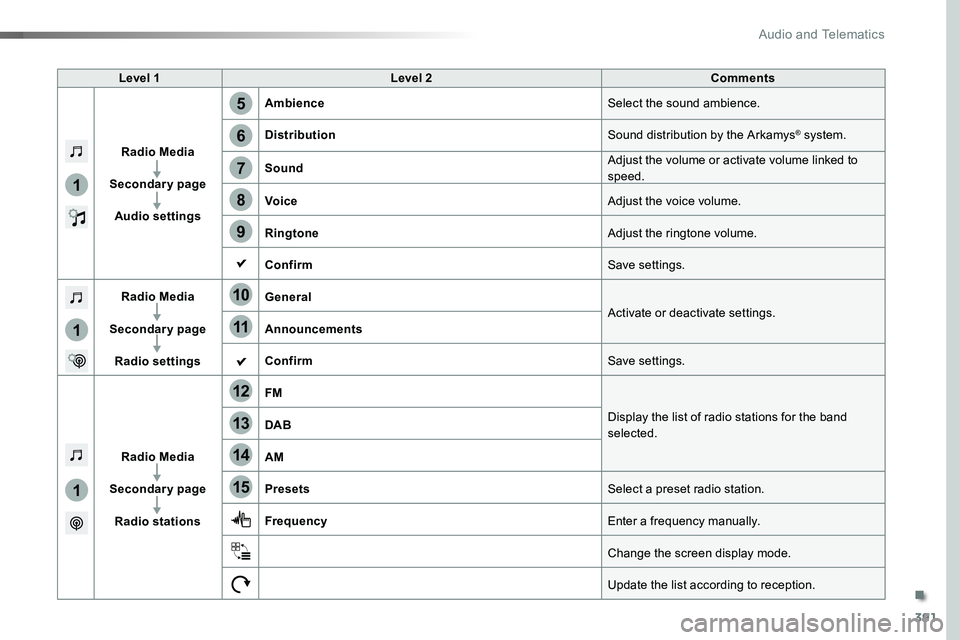
Level 1Level 2Comments
Radio Media
Secondary page
Audio settings
AmbienceSelect the sound ambience.
DistributionSound distribution by the Arkamys® system.
SoundAdjust the volume or activate volume linked to speed.
VoiceAdjust the voice volume.
RingtoneAdjust the ringtone volume.
ConfirmSave settings.
Radio Media
Secondary page
Radio settings
GeneralActivate or deactivate settings.Announcements
ConfirmSave settings.
Radio Media
Secondary page
Radio stations
FM
Display the list of radio stations for the band selected.DAB
AM
PresetsSelect a preset radio station.
FrequencyEnter a frequency manually.
Change the screen display mode.
Update the list according to reception.
.
Audio and Telematics
Page 413 of 516
413
2
5
6
7
3
4
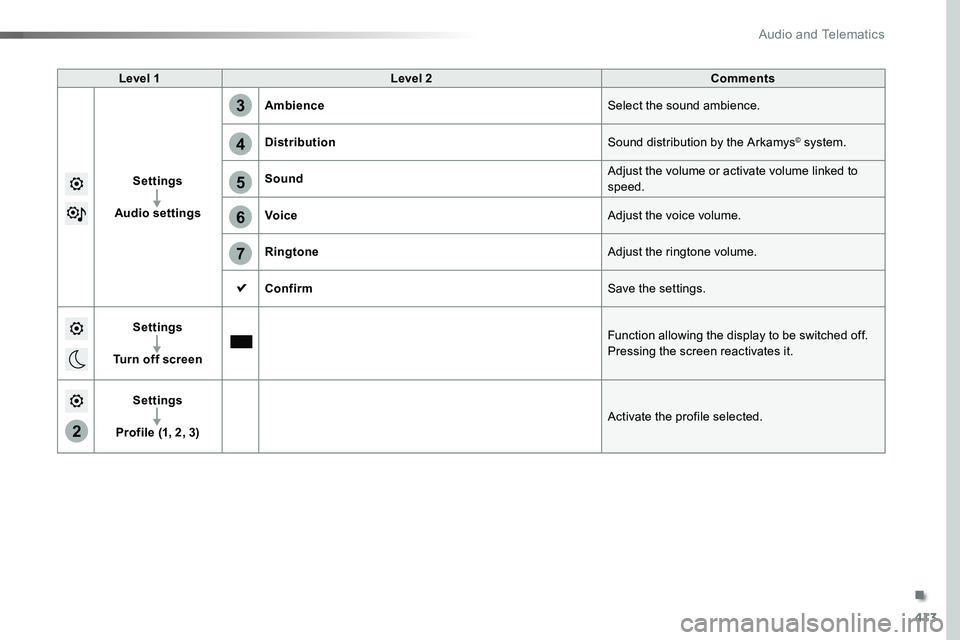
Level 1Level 2Comments
Settings
Audio settings
AmbienceSelect the sound ambience.
DistributionSound distribution by the Arkamys© system.
SoundAdjust the volume or activate volume linked to speed.
VoiceAdjust the voice volume.
RingtoneAdjust the ringtone volume.
ConfirmSave the settings.
Settings
Turn off screen
Function allowing the display to be switched off.Pressing the screen reactivates it.
Settings
Profile (1, 2, 3)Activate the profile selected.
.
Audio and Telematics
Page 418 of 516
418
3
4
5
6
7
1
19
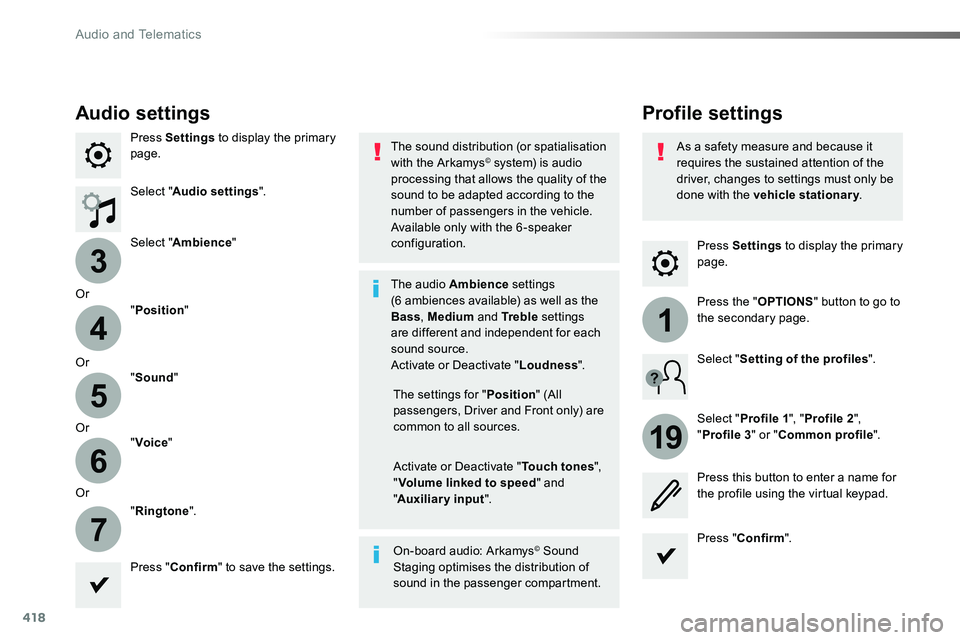
Press Settings to display the primary page.
Profile settingsAudio settings
Press Settings to display the primary page.
Select "Audio settings".
Select "Ambience"
Or
"Position"
Or"Sound"
Or"Voice"
Or
"Ringtone".
On-board audio: Arkamys© Sound Staging optimises the distribution of sound in the passenger compartment.
The settings for "Position" (All passengers, Driver and Front only) are common to all sources.
Activate or Deactivate "Touch tones", "Volume linked to speed" and "Auxiliary input".
The sound distribution (or spatialisation with the Arkamys© system) is audio processing that allows the quality of the sound to be adapted according to the number of passengers in the vehicle.
Available only with the 6 -speaker configuration.
The audio Ambience settings (6 ambiences available) as well as the Bass, Medium and Tr e b l e settings are different and independent for each sound source.Activate or Deactivate "Loudness".
Press "Confirm" to save the settings.
Press "Confirm".
Press the "OPTIONS" button to go to the secondary page.
Select "Profile 1", "Profile 2",
"Profile 3" or "Common profile".
Select "Setting of the profiles".
Press this button to enter a name for the profile using the virtual keypad.
As a safety measure and because it requires the sustained attention of the driver, changes to settings must only be done with the vehicle stationary.
Audio and Telematics
Page 419 of 516
419
3
2
4
5
6
7
Select a "Profile" (1 or 2 or 3) to associate the "Audio settings" with it.
Select "Audio settings".
Select "Ambience".
Or
"Distribution".
Or"Sound".
Or"Voice".
Or
"Ringtone".
The location for the photograph is square; the system deforms the original photograph if in another format.
Initialisation of the profile selected activates the English language by default.
Press "Confirm" to save the settings.
Press "Confirm" to accept the transfer of the photograph.
Press "Confirm" again to save the settings.
Press this button to add a photograph to the profile.
Insert a USB memory stick containing the photograph in the USB port.
Select the photograph.
Press this button to initialise the profile selected.
.
Audio and Telematics