2018 TOYOTA PROACE Manual key
[x] Cancel search: Manual keyPage 98 of 516
98
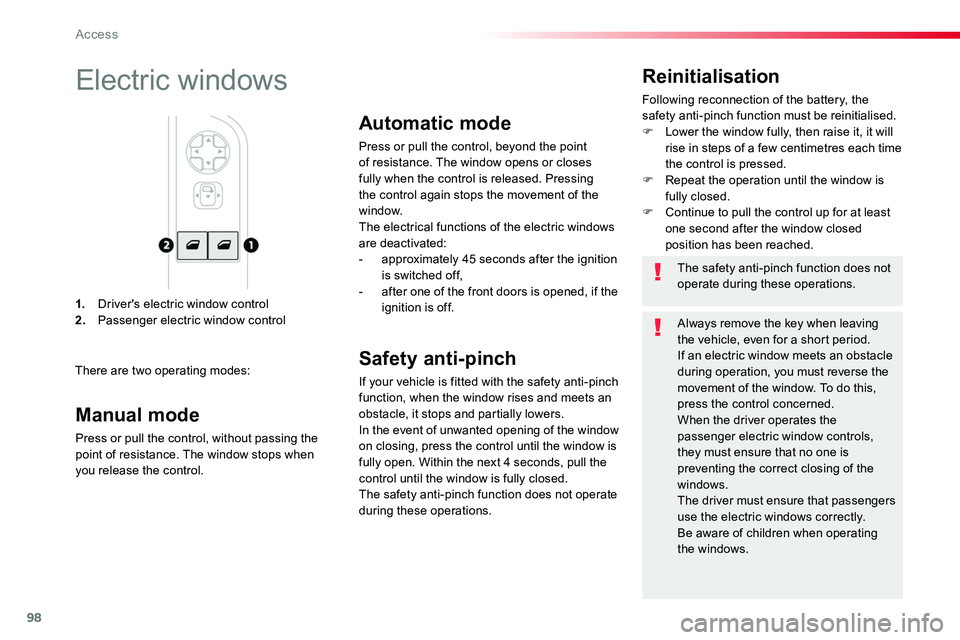
1. Driver's electric window control2. Passenger electric window control
Reinitialisation
Following reconnection of the battery, the safety anti-pinch function must be reinitialised.F Lower the window fully, then raise it, it will rise in steps of a few centimetres each time the control is pressed.F Repeat the operation until the window is fully closed.F Continue to pull the control up for at least one second after the window closed position has been reached.
Electric windows
There are two operating modes:
The safety anti-pinch function does not operate during these operations.
Always remove the key when leaving the vehicle, even for a short period.If an electric window meets an obstacle during operation, you must reverse the movement of the window. To do this, press the control concerned.When the driver operates the passenger electric window controls, they must ensure that no one is preventing the correct closing of the windows.The driver must ensure that passengers use the electric windows correctly.Be aware of children when operating the windows.
Manual mode
Press or pull the control, without passing the point of resistance. The window stops when you release the control.
Automatic mode
Press or pull the control, beyond the point of resistance. The window opens or closes fully when the control is released. Pressing the control again stops the movement of the window.
The electrical functions of the electric windows are deactivated:- approximately 45 seconds after the ignition is switched off,- after one of the front doors is opened, if the ignition is off.
Safety anti-pinch
If your vehicle is fitted with the safety anti-pinch function, when the window rises and meets an obstacle, it stops and partially lowers.In the event of unwanted opening of the window on closing, press the control until the window is fully open. Within the next 4 seconds, pull the control until the window is fully closed.The safety anti-pinch function does not operate during these operations.
Access
Page 142 of 516
142
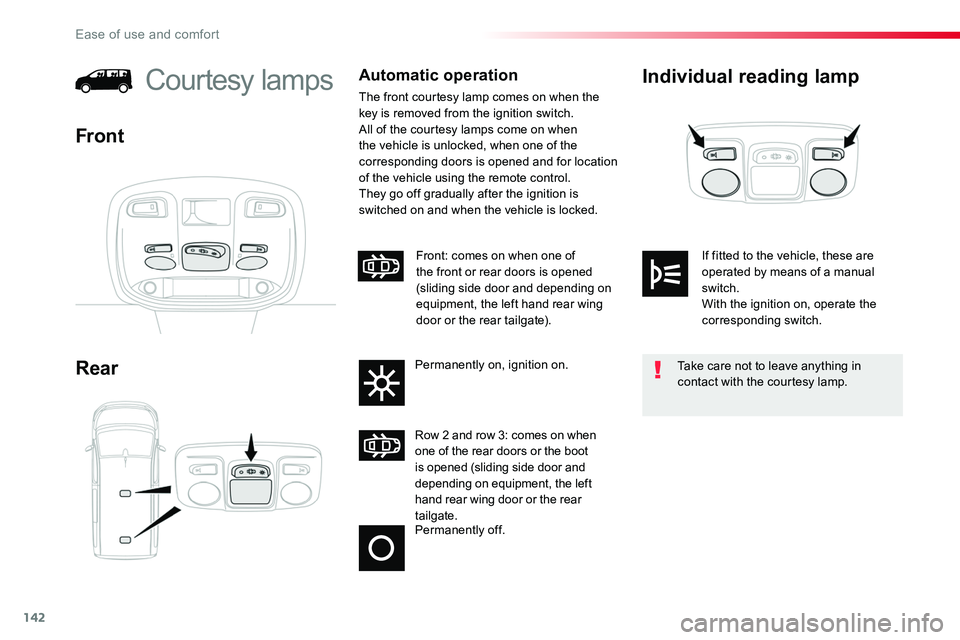
Individual reading lamp
Rear
Courtesy lampsAutomatic operation
The front courtesy lamp comes on when the key is removed from the ignition switch.All of the courtesy lamps come on when the vehicle is unlocked, when one of the corresponding doors is opened and for location of the vehicle using the remote control.They go off gradually after the ignition is switched on and when the vehicle is locked.
Front
Permanently off.
Row 2 and row 3: comes on when one of the rear doors or the boot is opened (sliding side door and depending on equipment, the left hand rear wing door or the rear tailgate.
Front: comes on when one of the front or rear doors is opened (sliding side door and depending on equipment, the left hand rear wing door or the rear tailgate).
Permanently on, ignition on.Take care not to leave anything in contact with the courtesy lamp.
If fitted to the vehicle, these are operated by means of a manual switch.With the ignition on, operate the corresponding switch.
Ease of use and comfort
Page 143 of 516
143
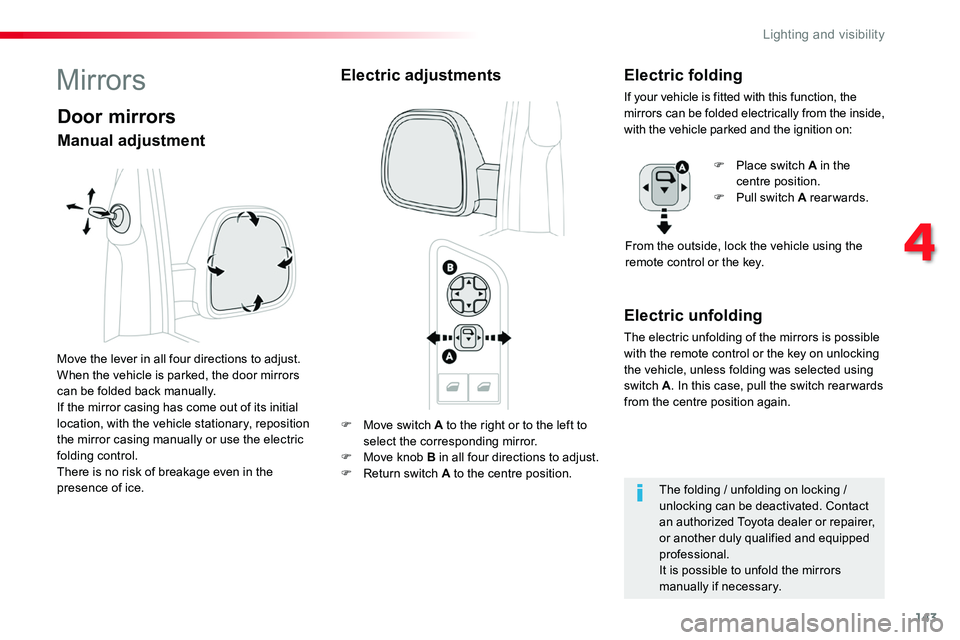
F Move switch A to the right or to the left to
select the corresponding mirror.F Move knob B in all four directions to adjust.F Return switch A to the centre position.
Electric unfolding
The electric unfolding of the mirrors is possible with the remote control or the key on unlocking the vehicle, unless folding was selected using switch A. In this case, pull the switch rear wards from the centre position again.
MirrorsElectric adjustmentsElectric folding
If your vehicle is fitted with this function, the mirrors can be folded electrically from the inside, with the vehicle parked and the ignition on:
F Place switch A in the centre position.F Pull switch A rearwards.
From the outside, lock the vehicle using the remote control or the key.
The folding / unfolding on locking / unlocking can be deactivated. Contact an authorized Toyota dealer or repairer, or another duly qualified and equipped professional.It is possible to unfold the mirrors manually if necessary.
Door mirrors
Move the lever in all four directions to adjust.When the vehicle is parked, the door mirrors can be folded back manually.If the mirror casing has come out of its initial location, with the vehicle stationary, reposition the mirror casing manually or use the electric folding control.There is no risk of breakage even in the presence of ice.
Manual adjustment
4
Lighting and visibility
Page 199 of 516
199
Starting-switching off the engine, manual key, remote control
Ignition switch
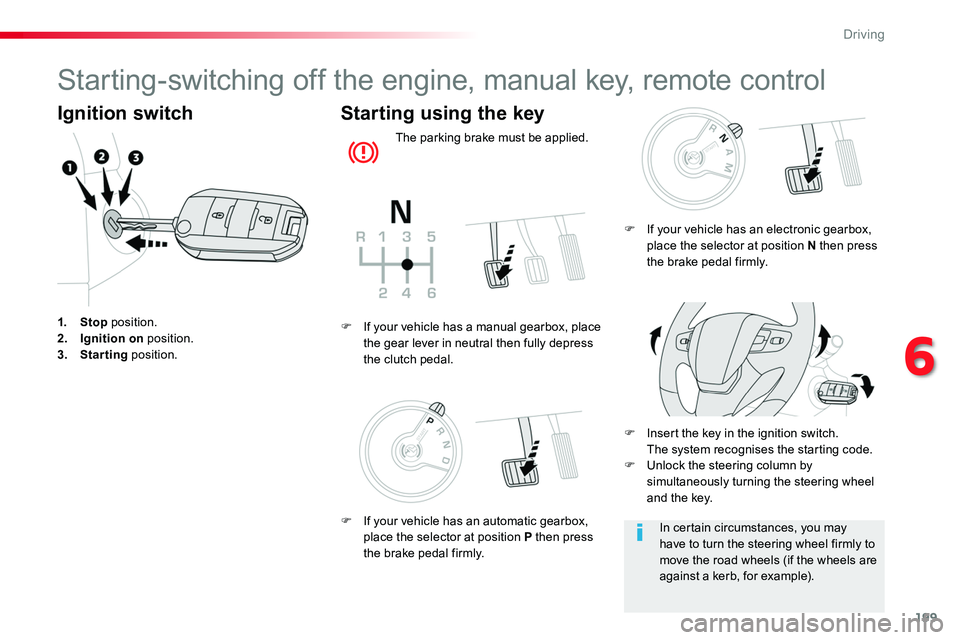
1. Stop position.2. Ignition on position.3. Starting position.
Starting using the key
The parking brake must be applied.
F Insert the key in the ignition switch. The system recognises the starting code.F Unlock the steering column by simultaneously turning the steering wheel and the key.
F If your vehicle has a manual gearbox, place the gear lever in neutral then fully depress the clutch pedal.
In certain circumstances, you may have to turn the steering wheel firmly to move the road wheels (if the wheels are against a kerb, for example).
F If your vehicle has an electronic gearbox, place the selector at position N then press the brake pedal firmly.
F If your vehicle has an automatic gearbox, place the selector at position P then press the brake pedal firmly.
6
Driving
Page 204 of 516

204
Back-up starting
Should your vehicle not detect the electronic key in the recognition zone, because the remote control battery is flat, a back-up reader is provided to the left, behind the steering wheel to allow starting.
F Press the "START/STOP" button.The engine starts.
If the remote control is no longer in the recognition zone when you close a door or when you (later) request switching off the engine, a message appears in the instrument panel.
Forced switch-off
Remote control not
recognised
F If you want to force switching off the engine, press and hold the "START/STOP" button for about 3 seconds, then contact an authorized Toyota dealer or repairer, or another duly qualified and equipped professional.
F If your vehicle has a manual gearbox, place the gear lever in neutral then fully depress the clutch pedal.
F If your vehicle has an automatic gearbox, place the selector at position P then press the brake pedal firmly.
F If your vehicle has an electronic gearbox, place the selector at position N then press the brake pedal firmly.
In the event of an emergency only and with the vehicle stationary, you can switch off the engine.
To do this, press and hold the "START/STOP" button for about 3 seconds.In this case the steering column locks as soon as the vehicle stops.
F Place and hold the remote control against the reader, then:
Driving
Page 205 of 516
205
Parking brake
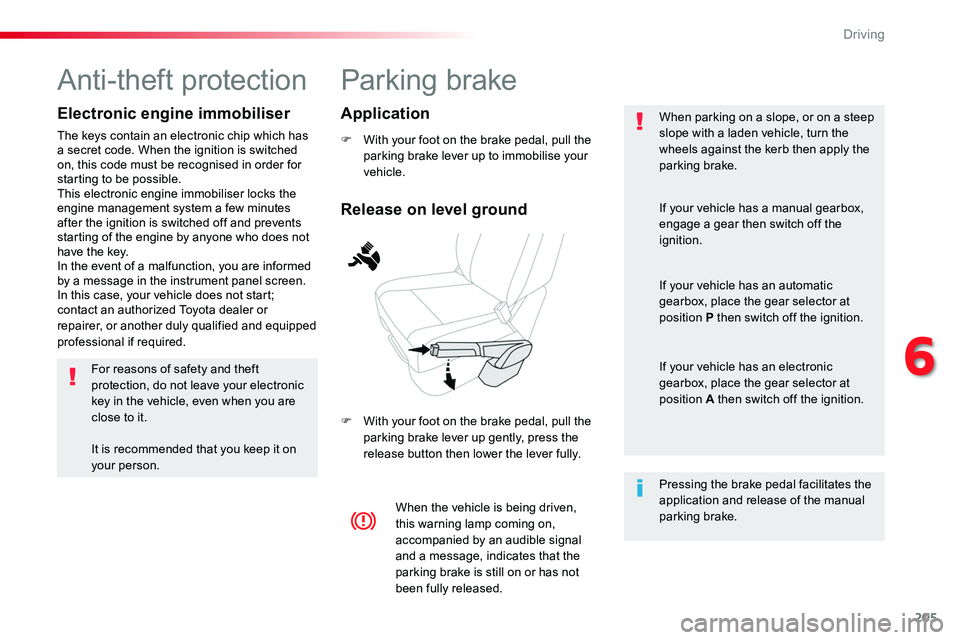
F With your foot on the brake pedal, pull the parking brake lever up to immobilise your vehicle.
F With your foot on the brake pedal, pull the parking brake lever up gently, press the release button then lower the lever fully.
When parking on a slope, or on a steep slope with a laden vehicle, turn the wheels against the kerb then apply the parking brake.
When the vehicle is being driven, this warning lamp coming on, accompanied by an audible signal and a message, indicates that the parking brake is still on or has not
been fully released.
Pressing the brake pedal facilitates the application and release of the manual parking brake.
If your vehicle has a manual gearbox,
engage a gear then switch off the ignition.
If your vehicle has an automatic gearbox, place the gear selector at position P then switch off the ignition.
If your vehicle has an electronic gearbox, place the gear selector at position A then switch off the ignition.
Release on level ground
Application
Anti-theft protection
Electronic engine immobiliser
The keys contain an electronic chip which has a secret code. When the ignition is switched on, this code must be recognised in order for starting to be possible.This electronic engine immobiliser locks the engine management system a few minutes after the ignition is switched off and prevents starting of the engine by anyone who does not have the key.In the event of a malfunction, you are informed by a message in the instrument panel screen.In this case, your vehicle does not start; contact an authorized Toyota dealer or repairer, or another duly qualified and equipped professional if required.
For reasons of safety and theft protection, do not leave your electronic key in the vehicle, even when you are close to it.
It is recommended that you keep it on your person.
6
Driving
Page 210 of 516
210
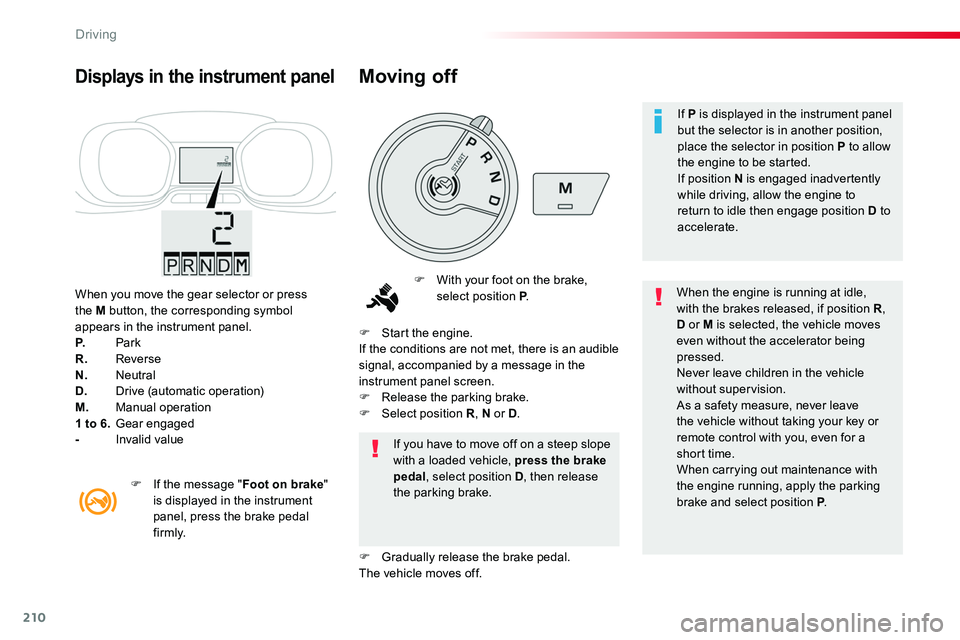
When you move the gear selector or press the M button, the corresponding symbol appears in the instrument panel.P. ParkR. ReverseN. NeutralD. Drive (automatic operation)M. Manual operation1 to 6. Gear engaged- Invalid value
Displays in the instrument panel
F With your foot on the brake, select position P.When the engine is running at idle, with the brakes released, if position R, D or M is selected, the vehicle moves even without the accelerator being pressed.Never leave children in the vehicle without supervision.As a safety measure, never leave the vehicle without taking your key or remote control with you, even for a short time.When carrying out maintenance with the engine running, apply the parking brake and select position P.
If you have to move off on a steep slope with a loaded vehicle, press the brake pedal, select position D, then release the parking brake.
F Start the engine.If the conditions are not met, there is an audible signal, accompanied by a message in the instrument panel screen.F Release the parking brake.F Select position R, N or D.
F Gradually release the brake pedal.The vehicle moves off.
F If the message "Foot on brake" is displayed in the instrument panel, press the brake pedal f i r m l y.
Moving off
If P is displayed in the instrument panel but the selector is in another position, place the selector in position P to allow the engine to be started.If position N is engaged inadvertently while driving, allow the engine to return to idle then engage position D to accelerate.
Driving
Page 394 of 516
394
1
2
2
2
Press Radio Media to display the menu.
Press the "OPTIONS" button to go to the secondary page.
Press "Frequency".
Press "Frequency".
Enter the values using the virtual keypad.First enter the units then click on the decimals zone to enter the figures after the decimal point.Press one of the buttons for an automatic search for radio stations.
Press Radio Media to display the primary page.
Radio
Selecting a station
Radio reception may be affected by the use of electrical equipment not approved by the brand, such as a USB
charger connected to the 12 V socket.The exterior environment (hills, buildings, tunnel, car park, below ground...) may prevent reception, even in RDS station tracking mode. This phenomenon is normal in the propagation of radio waves and is in no way indicative of a fault with the audio system.Select "Radio stations" in the secondary page.
Or
Or
Move the cursor for a manual search for frequencies up or down.
Select a radio station or frequency (refer to the corresponding section).
Press "Presets".
Make a long press on one of the buttons to preset the station.
Preset a station
Press "Confirm".
Audio and Telematics