2018 TOYOTA AURIS CD player
[x] Cancel search: CD playerPage 4 of 592

TABLE OF CONTENTS4
UK AURIS_HV_HB_EE (OM12M49E)
5-1. Basic Operations
Audio system types............318
Steering wheel audio
switches ...........................319
AUX port/USB port.............320
5-2. Using the audio system
Optimal use of the audio
system .............................321
5-3. Using the radio
Radio operation .................323
5-4. Playing audio CDs
and MP3/WMA discs
CD player operation ...........326
5-5. Using an external
device
Listening to an iPod ...........334
Listening to a USB
memory device ................342
Using the AUX port ............349
5-6. Using Bluetooth®
devices
Bluetooth® audio/
phone .............................. 350
Using the steering
wheel switches ................ 355
Registering a
Bluetooth® device ........... 356
5-7. “SET UP” menu
Using the “SET UP” menu
(“Bluetooth” menu) .......... 357
Using the “SET UP” menu
(“Phone” menu) ............... 362
5-8. Bluetooth® Audio
Operating a Bluetooth®
enabled portable
player .............................. 367
5-9. Bluetooth® Phone
Making a phone call .......... 370
Receiving a phone call ...... 372
Speaking on the phone ..... 373
5-10. Bluetooth®
Bluetooth®......................... 375
5Audio system
Page 43 of 592

431-1. For safe use
1
For safety and security
UK AURIS_HV_HB_EE (OM12M49E)
WARNING
■SRS airbag precautions
● Do not use seat accessories which cover the parts where the SRS side
airbags inflate as they may interfere with inflation of the airbags. Such
accessories may prevent the side airbags from activating correctly, disable
the system or cause the side airbags to inflate accidentally, resulting in
death or serious injury.
● Do not strike or apply significant levels of force to the area of the SRS
airbag components.
Doing so can cause the SRS airbags to malfunction.
● Do not touch any of the component parts immediately after the SRS
airbags have deployed (inflated) as they may be hot.
● If breathing becomes difficult after the SRS airbags have deployed, open a
door or window to allow fresh air in, or leave the vehicle if it is safe to do
so. Wash off any residue as soon as possible to prevent skin irritation.
● If the areas where the SRS airbags are stored, such as the steering wheel
pad and front and rear pillar garnishes are damaged or cracked, have
them replaced by any authorized Toyota dealer or repairer, or another duly
qualified and equipped professional.
■ Modification and disposal of SRS airbag system components
Do not dispose of your vehicle or perform any of the following modifications
without consulting any authorized Toyota deal er or repairer, or another duly
qualified and equipped professional. The SRS airbags may malfunction or
deploy (inflate) accidentally, causing death or serious injury.
● Installation, removal, disassembly and repair of the SRS airbags
● Repairs, modifications, removal or replacement of the steering wheel,
instrument panel, dashboard, seats or seat upholstery, front, side and rear
pillars or roof side rails
● Repairs or modifications of the front fender, front bumper, or side of the
occupant compartment
● Installation of a grille guard (bull bars, kangaroo bar, etc.), snow plows or
winches
● Modifications to the vehicle’s suspension system
● Installation of electronic devices such as mobile two-way radios (RF-trans-
mitter) and CD players
● Modifications to your vehicle for a person with a physical disability
Page 137 of 592
1373-2. Opening, closing and locking the doors
UK AURIS_HV_HB_EE (OM12M49E)
3
Operation of each component
■Conditions affecting operation
The smart entry & start system uses weak radio waves. In the following situa-
tions, the communication between the electronic key and the vehicle may be
affected, preventing the smart entry & start system, wireless remote control
and immobilizer system from operating properly.
(Ways of coping: P. 536)
● When the electronic key battery is depleted
● Near a TV tower, electric power plant, gas station, radio station, large dis-
play, airport or other facility that generates strong radio waves or electrical
noise
● When carrying a portable radio, cellular phone, cordless phone or other
wireless communication device
● When the electronic key is in contact with, or is covered by the following
metallic objects
• Cards to which aluminum foil is attached
• Cigarette boxes that have aluminum foil inside
• Metallic wallets or bags
• Coins
• Hand warmers made of metal
• Media such as CDs and DVDs
● When other wireless keys (that emit radio waves) are being used nearby
● When carrying the electronic key together with the following devices that
emit radio waves
• Another vehicle’s electronic key or a wireless key that emits radio waves
• Personal computers or personal digital assistants (PDAs)
• Digital audio players
• Portable game systems
● If window tint with a metallic content or metallic objects are attached to the
rear window
● When the electronic key is placed near a battery charger or electronic
devices
Page 157 of 592
1573-2. Opening, closing and locking the doors
UK AURIS_HV_HB_EE (OM12M49E)
3
Operation of each component
■Conditions affecting operation
The push button start uses weak radio waves. In the following situations, the
communication between the electronic key and the vehicle may be affected,
preventing the push button start, wireless remote control and immobilizer sys-
tem from operating properly: (Ways of coping: P. 536)
● When the electronic key battery is depleted
● Near a TV tower, electric power plant, gas station, radio station, large dis-
play, airport or other facility that generates strong radio waves or electrical
noise
● When carrying a portable radio, cellular phone, cordless phone or other
wireless communication device
● When the electronic key is in contact with, or is covered by the following
metallic objects
• Cards to which aluminum foil is attached
• Cigarette boxes that have aluminum foil inside
• Metallic wallets or bags
• Coins
• Hand warmers made of metal
• Media such as CDs and DVDs
● When other wireless keys (that emit radio waves) are being used nearby
● When carrying the electronic key together with the following devices that
emit radio waves
• Another vehicle’s electronic key or a wireless key that emits radio waves
• Personal computers or personal digital assistants (PDAs)
• Digital audio players
• Portable game systems
● If window tint with a metallic content or metallic objects are attached to the
rear window
● When the electronic key is placed near a battery charger or electronic
devices
■ To operate the system properly
Make sure to carry the electronic key when operating the system.
Depending on the position and holding condition of the electronic key, the key
may not be detected correctly and the system may not operate properly.
■ If the push button start does not operate properly
Starting the hybrid system: P. 211
■ Customization
It is possible to deactivate the push button start.
(Customizable features P. 566)
■ If the push button start has been deactivated in a customized setting
● Starting the hybrid system and changing power switch modes: P. 537
● Stopping the hybrid system: P. 212
Page 317 of 592

317
5Audio system
UK AURIS_HV_HB_EE (OM12M49E)
5-1. Basic Operations
Audio system types ........... 318
Steering wheel audio
switches........................... 319
AUX port/USB port ............ 320
5-2. Using the audio system
Optimal use of the
audio system ................... 321
5-3. Using the radio
Radio operation ................. 323
5-4. Playing audio CDs and
MP3/WMA discs
CD player operation........... 326
5-5. Using an external device
Listening to an iPod ........... 334
Listening to a USB
memory device ................ 342
Using the AUX port ............ 349
5-6. Using Bluetooth®
devices
Bluetooth® audio/
phone............................... 350
Using the steering
wheel switches ................ 355
Registering a
Bluetooth® device ............ 356
5-7. “SET UP” menu
Using the “SET UP” menu
(“Bluetooth” menu)........... 357
Using the “SET UP” menu
(“Phone” menu) ............... 362
5-8. Bluetooth® Audio
Operating a Bluetooth®
enabled portable
player ............................... 367
5-9. Bluetooth® Phone
Making a phone call ........... 370
Receiving a phone call....... 372
Speaking on the phone ...... 373
5-10. Bluetooth®
Bluetooth®......................... 375
Page 320 of 592

3205-1. Basic Operations
UK AURIS_HV_HB_EE (OM12M49E)
■iPod
Push the cover to open and
connect an iPod using an iPod
cable.
Turn on the power of the iPod if
it is not turned on.
■USB memory
Push the cover to open and connect a USB memory device.
Turn on the power of the USB memory device if it is not turned on.
■Portable audio player
Push the cover to open and connect a portable audio player.
Turn on the power of the portable audio player if it is not turned on.
AUX port/USB port
Connect an iPod, USB memory device or portable audio player
to the AUX port/USB port as indicated below. Press the “MODE”
button to select “iPo d”, “USB” or “AUX”.
Connecting using the AUX port/USB port
WARNING
■While driving
Do not connect a device or operate the device controls.
Page 326 of 592
326
UK AURIS_HV_HB_EE (OM12M49E)
5-4. Playing audio CDs and MP3/WMA discs
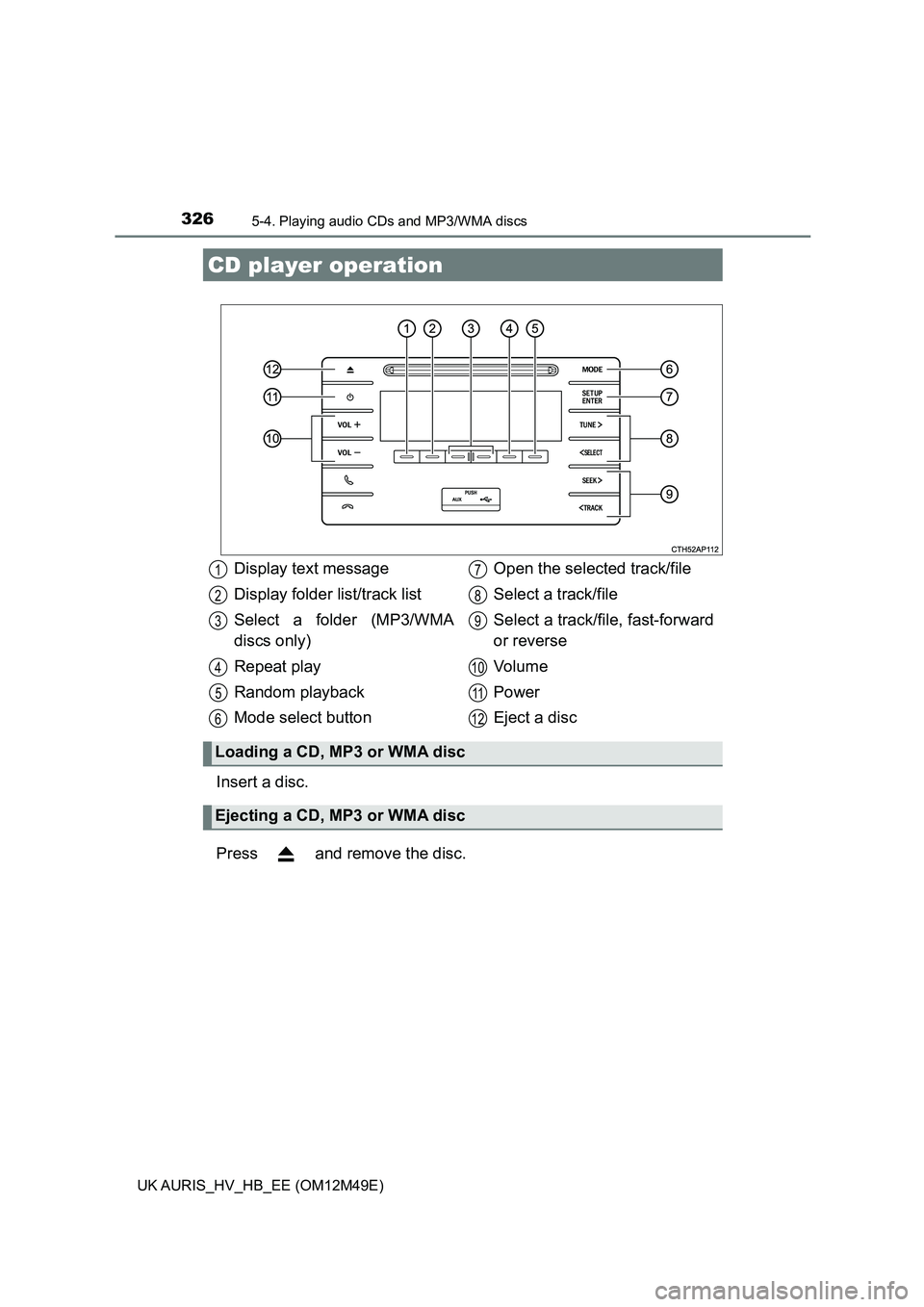
Insert a disc.
Press and remove the disc.
CD player operation
Display text message
Display folder list/track list
Select a folder (MP3/WMA
discs only)
Repeat play
Random playback
Mode select button
Open the selected track/file
Select a track/file
Select a track/f ile, fast-forward
or reverse
Vo l u m e
Power
Eject a disc
Loading a CD, MP3 or WMA disc
Ejecting a CD, MP3 or WMA disc
1
2
3
4
5
6
7
8
9
10
11
12
Page 327 of 592
3275-4. Playing audio CDs and MP3/WMA discs
UK AURIS_HV_HB_EE (OM12M49E)
5
Audio system
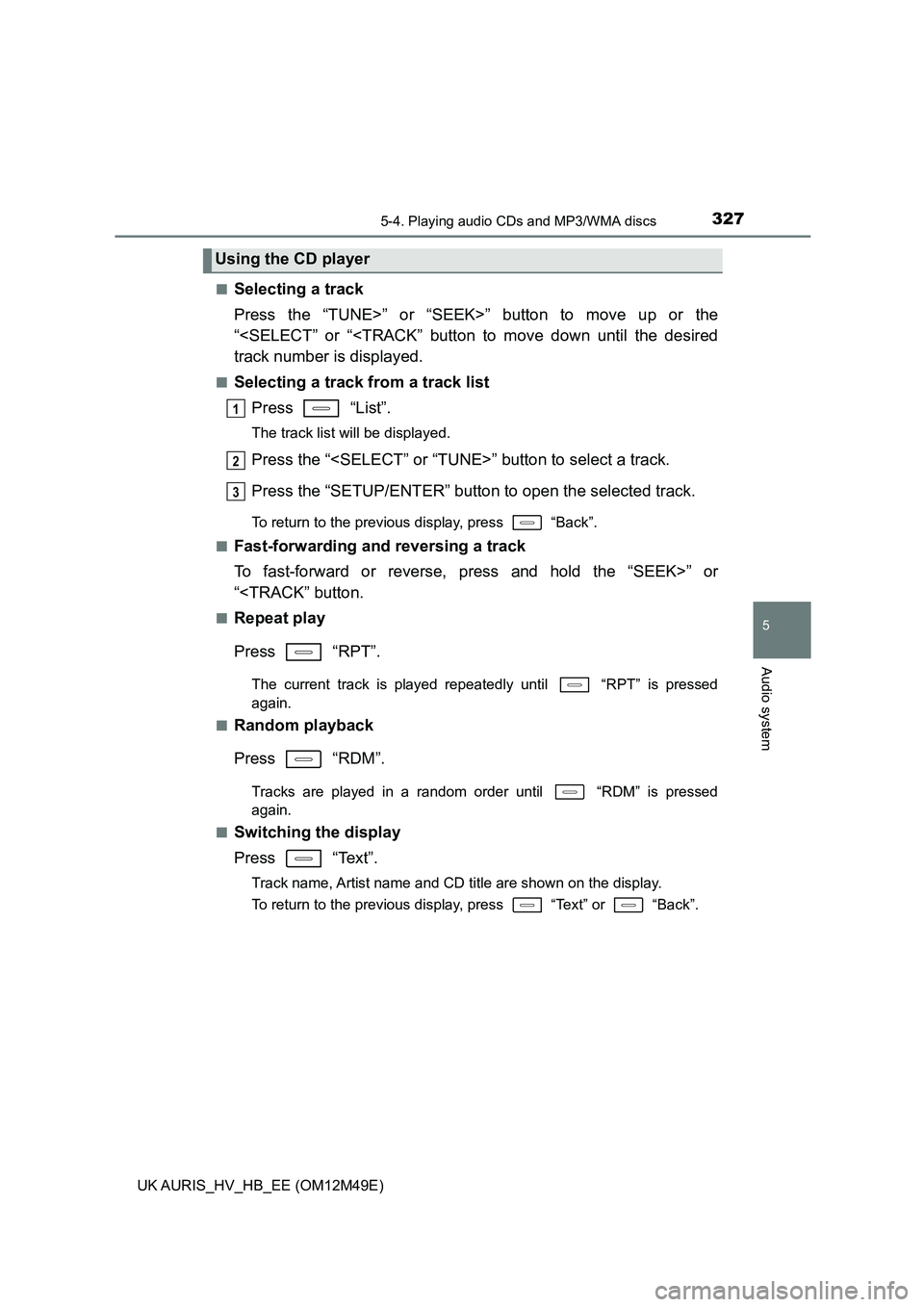
■Selecting a track
Press the “TUNE>” or “SEEK>” button to move up or the
“
■Selecting a track from a track list
Press “List”.
The track list will be displayed.
Press the “
Press the “SETUP/ENTER” button to open the selected track.
To return to the previous display, press “Back”.
■Fast-forwarding and reversing a track
To fast-forward or reverse, press and hold the “SEEK>” or
“
Press “RPT”.
The current track is played repeatedly until “RPT” is pressed
again.
■Random playback
Press “RDM”.
Tracks are played in a random order until “RDM” is pressed
again.
■Switching the display
Press “Text”.
Track name, Artist name and CD title are shown on the display.
To return to the previous display, press “Text” or “Back”.
Using the CD player
1
2
3