Page 243 of 505

3-90
OPERATING YOUR VEHICLE
75RM4-01E
TPMS setting• For the instrument cluster with tachome-
ter, you can check the current tire infla-
tion pressure on the information display.
• You can set one of the initial value of tire pressure below that is indicated on the
tire information label.
– Comfort Mode (Unladen Mode)
– Load Mode (Laden Mode) To check the current tire inflation pres-
sure (instrument cluster with tachometer)
75RM184
1) When the ignition switch is in “ON”
position or the ignition mode is ON and
the vehicle is stationary, push and hold
the information switch (1) for more than
3 seconds to change the information
display to the setting mode.
75RM321
2) Push the brightness control switch (2)
up or down to select “TPMS” and push
the information switch (1).
NOTE:
If you exit the setting mode, select “Back”
and push the information switch (1).
WA R N I N G
When the loading weight has
changed, adjust the tire pressure
according to the tire information label
and set the initial value via the infor-
mation display. If the loading weight,
tire pressure and initial value do not
match, the tire pressure monitoring
system will not function properly.
(2)
(1)
(1)
EXAMPLE
EXAMPLE
Page 244 of 505

3-91OPERATING YOUR VEHICLE
75RM4-01E
75RM332
3) Push the brightness control switch (2)
up or down to select “Tyre Press” and
push the information switch (1).
75RM333
4) The display shows current tire inflation pressure. NOTE:
• If the low tire pressure warning light
comes on, the information display will be
switched to “Tyre Press” display and the
corresponding tire pressure indication
blinks to alert you which tire(s) is(are)
low pressure.
• The display may not show the tire infla- tion pressure for about 10 minutes after
the vehicle begins to move. This is
because the TPMS system learns the
tire inflation pressure within this 10 min-
utes. The display will show the tire infla-
tion pressure after 10 minutes passed.
• If you stop the vehicle and turn the igni-
tion switch to “LOCK” position or change
the ignition mode to LOCK (OFF), and
leave it for 20 minutes or more, tire pres-
sure will be reset and will be indicated as
0 kPa when the engine is restarted. In
this case, the current tire pressure indi-
cation will recover after driving for a
while. However, if any of tire pressures
has been detected as low pressure
before stopping the engine, the tire pres-
sure indication may not recover and may
be indicated as “---”. To set the initial value of tire pressure
(instrument
cluster with tachometer)
NOTE:
For the instrument cl uster without tachom-
eter, refer to “Setting mode” in “Information
display (instrument cluster without tachom-
eter)” in the “BEFORE DRIVING” section.
75RM184
1) When the ignition switch is in “ON” position or the ignition mode is ON and
the vehicle is stationary, push and hold
the information switch (1) for more than
3 seconds to change the information
display to the setting mode.
EXAMPLEEXAMPLE
(2)
(1)
(1)
EXAMPLE
Page 246 of 505

3-93OPERATING YOUR VEHICLE
75RM4-01E
75RM335
5) When the display shows the messageshown in the above illustration, the set-
ting is completed.
Replacing tires and/or wheelsIf you got a flat tire and replaced it with the
spare tire, SUZUKI recommends that you
have an authorized SUZUKI dealer mount
a new tire on the wheel that had the flat
tire. The TPMS is already set up to recog-
nize the ID code of the original wheel, and
normal TPMS operati on will be restored.
If you need to replace any wheels on your
vehicle, your dealer must check that TPMS
sensors are installed in the new wheels
and must set up the TPMS to recognize
the new sensors.
NOTE:
A TPMS sensor is not installed in the spare
tire. You should use the spare tire only in
an emergency situation, and should
replace the spare tire as soon as possible
to restore normal TPMS operation.
WA R N I N G
Use of tires or wheels not recom-
mended by SUZUKI can result in fail-
ure of the TPMS.
When replacing tires and wheels, use
only tires and wheels recommended
by SUZUKI as standard or optional
equipment for your vehicle. Refer to
“Tires” in the “INSPECTION AND
MAINTENANCE” section for addi-
tional information.
Page 281 of 505

5-26
OTHER CONTROLS AND EQUIPMENT
75RM4-01E
Automatic heating and air conditioning system (climate control)Description of controls
75RM025
(1) Temperature selector
(2) Blower speed selector
(3) Air intake selector
(4) Air flow selector
(5) Defrost switch
(6) Air conditioning switch
(7) “OFF” switch
(8) “AUTO” switch
(9) Display
(5)
(8)
(7)
(6)
(3)
(4)
(1) (9)
(2)
Temperature selector (1)
75RM026
Push the temperature selector (1) up or
down to adjust the temperature.
NOTE:
If you push the temperature selector (1)
until “HI” or “LO” appears on the display,
the climate control system will operate at
maximum heating or cooling. The tempera-
ture of the air from the outlets may change
suddenly while “LO” or “HI” is displayed,
but this is normal.
NOTE:
When you change the unit of temperature
in the information display, the unit of tem-
perature in the air conditioning system will
be changed. Refer to “Information display
(instrument cluster with tachometer)” in the
“BEFORE DRIVING” section for details.
(1)
Page 289 of 505
5-34
OTHER CONTROLS AND EQUIPMENT
75RM4-01E
Safety information
Notes on discsPrecautions
• When the inside of the vehicle is verycold and the player is used soon after
switching on the heater, condensation
may form on the disc or the optical
parts of the player and proper playback
may not be possible. If condensation
forms on the disc, wipe it off with a soft
cloth. If condensation forms on the opti-
cal parts of the player, do not use the
player for about one hour. This will
allow the condensation to disappear
normally.
• Driving on extremely bumpy roads which cause severe vibrations may
cause sound to skip.
• This unit uses a precision mechanism. Even in the event that trouble arises,
never open the case, disassemble the
unit, or lubricate the rotating parts.
Bring the unit to an authorized SUZUKI
dealer. Cautions on handling
52D274
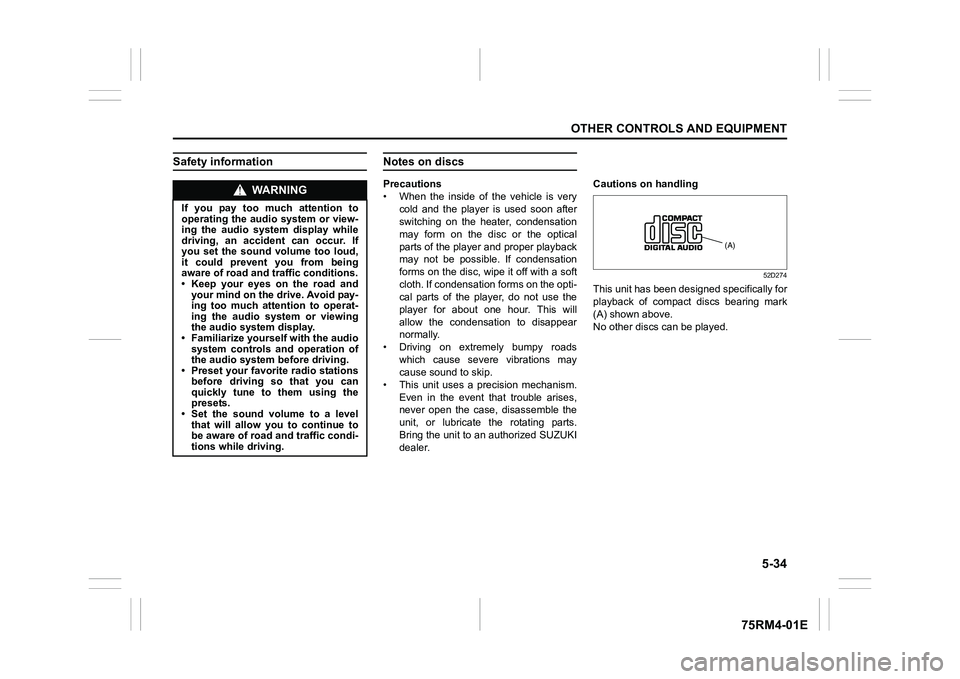
This unit has been designed specifically for
playback of compact discs bearing mark
(A) shown above.
No other discs
can be played.
WA R N I N G
If you pay too much attention to
operating the audio system or view-
ing the audio system display while
driving, an accident can occur. If
you set the sound volume too loud,
it could prevent you from being
aware of road and tr affic conditions.
• Keep your eyes on the road and your mind on the drive. Avoid pay-
ing too much attention to operat-
ing the audio system or viewing
the audio system display.
• Familiarize yourself with the audio
system controls and operation of
the audio system before driving.
• Preset your favorite radio stations
before driving so that you can
quickly tune to them using the
presets.
• Set the sound volume to a level that will allow you to continue to
be aware of road and traffic condi-
tions while driving.
(A)
Page 303 of 505

5-48
OTHER CONTROLS AND EQUIPMENT
75RM4-01E
TA (Traffic Announcement) on/off
Press “TA” button (1).
Each time it is pressed, TA adjustment is
changed as follows:
NOTE:
• For listening to only traffic information,activate TA. Once traffic information
starts, the volume ch anges automatically.
• “TP” indicator lights up when TP (Traffic
Program) is on. It blinks when no TP data
is received.
• “TA” indicator lights while TA is activated.
On the other hand, “TA” indicator blinks if
the TP data cannot be received.
• If UP button (4) or DOWN button (5) is
pressed while TA or TP is set to on, the
unit searches for a TP station.
• If no TP station is received, the unit dis-
plays “TP NOTHING”. PTY (Program T
ype) search
1) Press “RDM/PTY” button (2) to select PTY mode.
2) Press “RDM/PTY” bu tton (2) while PTY
is displayed.
Each time it is pressed, PTY adjust-
ment is changed as follows:
3) Press UP button (4) or DOWN button (5) while PTY is displayed.
Search begins.
NOTE:
If no PTY information is received, the unit
displays “NOPTY”. AF (Alternative Frequency) on/off
Press “RPT/AF” button (3).
Each time it is pressed, AF adjustment is
changed as follows:
AF: If the reception condition becomes
poor, the frequency of the same program
with good reception is automatically
searched.
REG: With regard to the automatically
searched frequency with AF activated, the
alternative frequency of the same program
is searched within the present region when
REG is activated.
NOTE:
“AF” indicator lights up when AF is on. In
addition, “REG” indicator lights up when
REG is on.
OFF TP ON TA ON
NEWS
SPORTS
TA L K
POP
CLASSICS
AF-ON/REG-OFF
AF-ON/REG-ON
AF-OFF/REG-OFF
Page 304 of 505
5-49OTHER CONTROLS AND EQUIPMENT
75RM4-01E
TA standby
At the moment traffic information is
received while the source is set to CD,
USB, iPod
®, AUX, DAB, or Blue-
tooth
®audio with TA activated, the source
is automatically changed to radio. After
reception of traffic information, the source,
which was selected before being changed
to radio, resumes.
NOTE:
If no TP station can be received while the
unit stands by for TA, it automatically
searches for a TP station.
EON (Enhanced Other Network)
When the EON data is received with TP or
TA activated, “EON” indicator lights up,
and the traffic information from a network
other than the currently received station is
allowed to be received.
Emergency announcement reception
Emergency announcements are automati-
cally received and displayed.
Page 307 of 505
5-52
OTHER CONTROLS AND EQUIPMENT
75RM4-01E
Random playback
Press “RDM” button (7).
Each time the button is pressed, the mode
will change as follows:
• TRACK RANDOMThe random indicato r “RDM” will light.
The tracks in the loaded disc will be
played in random order.
Repeat playback
Press “RPT” button (6).
Each time the button is pressed, the mode
will change as follows:
• TRACK REPEAT The repeat indicator “RPT” will light.
The track currently being played will be
played repeatedly. Display change
Press “DISP” button (8).
Each time the button is pressed, display
will change as follows:
NOTE:
• “NO TITLE” will be displayed when there
is no text information in the disc currently
being played.
• If text data contains more than 16 char- acters, “>” mark will appear at the right
end. Holding down “DISP” button (8) for
1 second or longer can display the next
page.
OFF TRACK RANDOMOFF TRACK REPEAT
Play time
Disc title
Track title

