Page 55 of 568
55
1-3. Adjustable components (seats, mirrors, steering wheel)
1
Before driving
BRZ_U (A4450BE-A)
WARNING
●
After adjusting the seat, push it slightly to make sure it is securely locked.
If the seat is not securely locked, it may move or the seatbelt may not
operate properly.
● Take care not to hit passengers with the seat.
When sliding the seat rearward, make sure not to squash the legs of the
rear passengers.
● When returning the seatback upright, perform seatback angle adjustment
while holding down the seatback.
● Do not pull on or use the seatbelt guide to adjust or fold the front seat.
■ When driving the vehicle
Never operate the seatback angle adjustment lever or seatback fold strap.
Doing so could cause an accident resulting in death or serious injury.
■ Getting in and out of the rear seats
● When getting in or out of the rear seats, make sure not to get your hands,
legs, etc. squashed in the movable or connecting parts.
● When getting in or out of the rear seats, make sure not to trip on the seat
rails.
● After getting in or out of the rear seats, always make sure the front seat is
locked in position.
■ When operating the front seat from the rear seat
Make sure that no passenger is seated in the front seat.
CAUTION
■When getting in and out the vehicle
Do not rub your back against the side support pad of backrest. Otherwise
surface of the side support pad is damaged early. You can move the seat
backward to prevent the contact.
Page 105 of 568
105
1-7. Safety information
1
Before driving
BRZ_U (A4450BE-A)
●
Ensure that no article is placed on the seat other than the occupant.
If the ON indicator still remains illuminated while the OFF indicator turns off
despite the fact that the actions noted above have been taken, seat the
child/small adult in the rear seat and immediately contact your SUBARU
dealer for an inspection. Even if the system has passed the dealer inspec-
tion, it is recommended that on subsequent trips the child/small adult always
take the rear seat.
Children who have outgrown a child restraint system should always wear the
seatbelt irrespective of whether the airbag is deactivated or activated.
■ Conditions in which front passenger’s SRS frontal airbag is activated
The front passenger’s SRS frontal airbag will be activated for deployment
upon impact when any of the following conditions are met regarding the front
passenger’s seat.
● When the seat is occupied by an adult.
● When a certain item(s) (e.g. jug of water) is placed on the seat.
Page 200 of 568
200 2-2. Instrument cluster
BRZ_U (A4450BE-A)
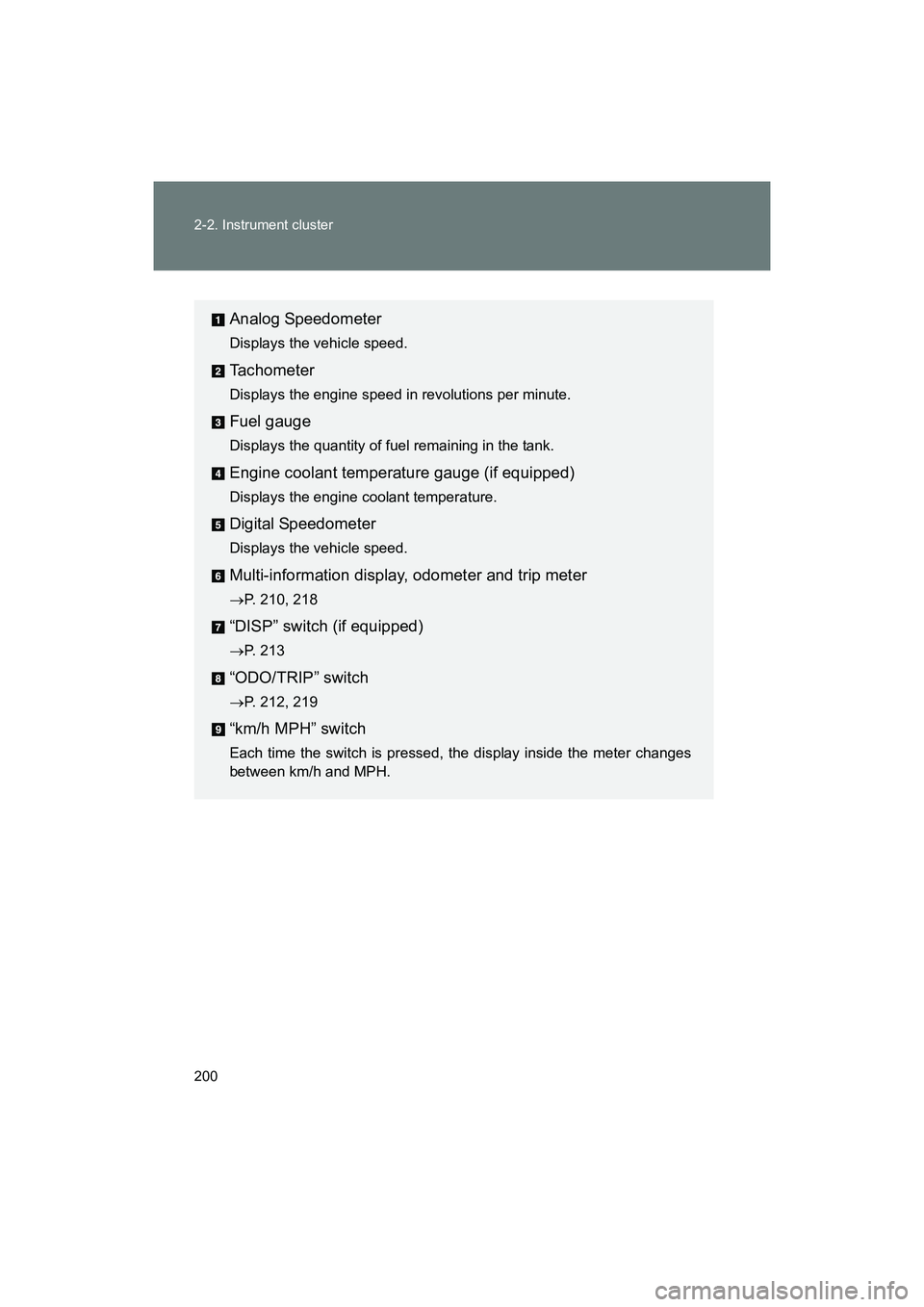
Analog Speedometer
Displays the vehicle speed.
Tachometer
Displays the engine speed in revolutions per minute.
Fuel gauge
Displays the quantity of fuel remaining in the tank.
Engine coolant temperature gauge (if equipped)
Displays the engine coolant temperature.
Digital Speedometer
Displays the vehicle speed.
Multi-information display, odometer and trip meter
→P. 210, 218
“DISP” switch (if equipped)
→P. 213
“ODO/TRIP” switch
→P. 212, 219
“km/h MPH” switch
Each time the switch is pressed, the display inside the meter changes
between km/h and MPH.
Page 210 of 568
210
2-2. Instrument cluster
BRZ_U (A4450BE-A)
Multi-information display (monochrome display)
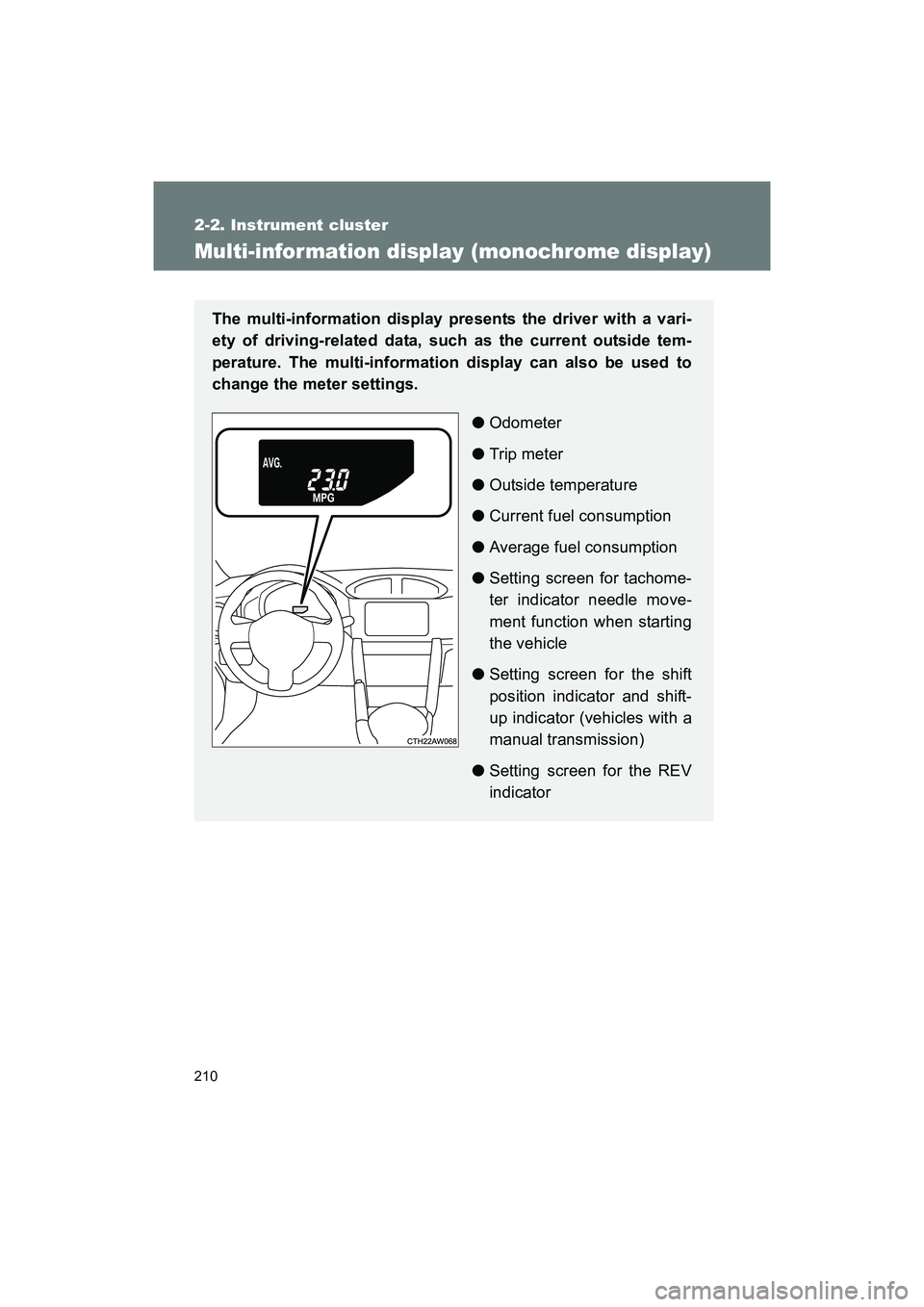
The multi-information display presents the driver with a vari-
ety of driving-related data, such as the current outside tem-
perature. The multi-information display can also be used to
change the meter settings.●Odometer
● Trip meter
● Outside temperature
● Current fuel consumption
● Average fuel consumption
● Setting screen for tachome-
ter indicator needle move-
ment function when starting
the vehicle
● Setting screen for the shift
position indicator and shift-
up indicator (vehicles with a
manual transmission)
● Setting screen for the REV
indicator
Page 211 of 568
211
2-2. Instrument cluster
2
When driving
BRZ_U (A4450BE-A)
Switch the display
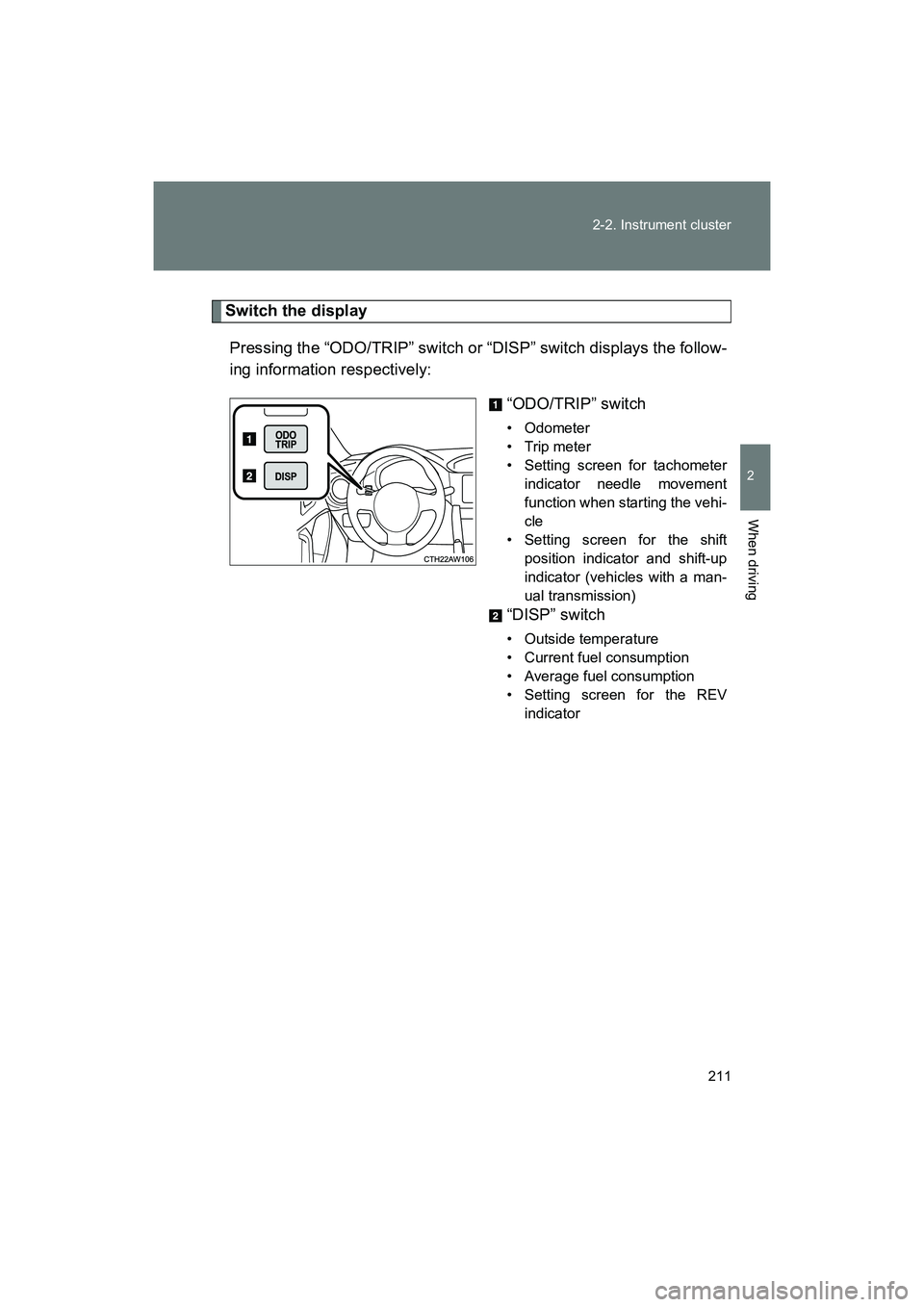
Pressing the “ODO/TRIP” switch or “DISP” switch displays the follow-
ing information respectively: “ODO/TRIP” switch
• Odometer
•Trip meter
• Setting screen for tachometerindicator needle movement
function when starting the vehi-
cle
• Setting screen for the shift position indicator and shift-up
indicator (vehicles with a man-
ual transmission)
“DISP” switch
• Outside temperature
• Current fuel consumption
• Average fuel consumption
• Setting screen for the REVindicator
Page 212 of 568
212 2-2. Instrument cluster
BRZ_U (A4450BE-A)■
Changing the display using the “ODO/TRIP” switch
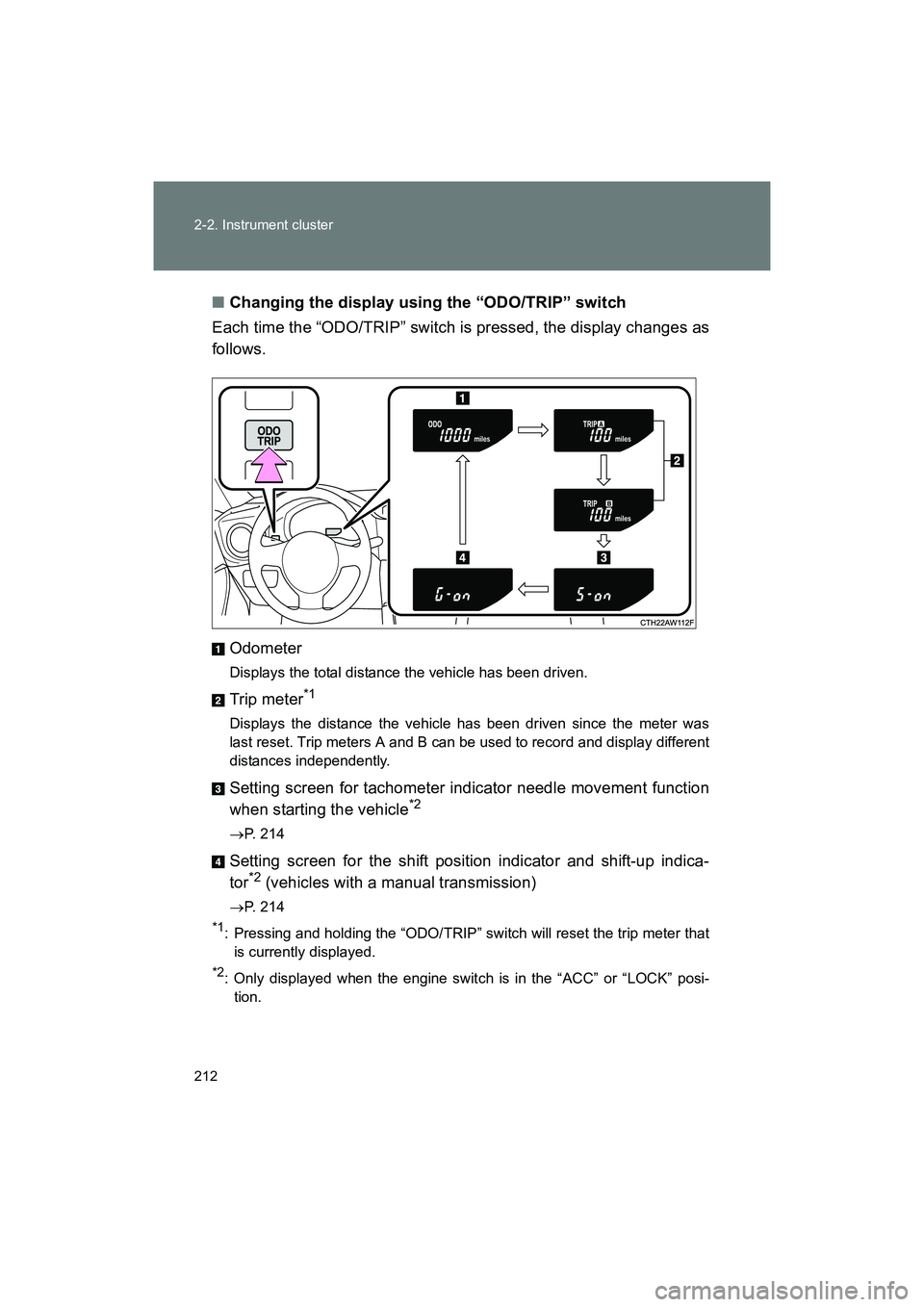
Each time the “ODO/TRIP” switch is pressed, the display changes as
follows.
Odometer
Displays the total distance the vehicle has been driven.
Trip meter*1
Displays the distance the vehicle has been driven since the meter was
last reset. Trip meters A and B can be used to record and display different
distances independently.
Setting screen for tachometer indicator needle movement function
when starting the vehicle*2
→P. 214
Setting screen for the shift position indicator and shift-up indica-
tor*2 (vehicles with a manual transmission)
→P. 214
*1: Pressing and holding the “ODO/TRIP” switch will reset the trip meter that
is currently displayed.
*2: Only displayed when the engine switch is in the “ACC” or “LOCK” posi-tion.
Page 214 of 568
214 2-2. Instrument cluster
BRZ_U (A4450BE-A)
Tachometer indicator needle movement function when starting
the vehicleWhen the engine switch is turned to “ON” position, the tachometer
indicator needle points to the highest value once and then quickly
returns.
■ Changing between activated/deactivated
Press the “ODO/TRIP” switch repeatedly until the setting
screen is displayed. ( →P. 212)
Each time the switch is pressed and held, the function
changes between activated/deactivated.
“S-on”: Activated
“S-oFF”: Deactivated
Setting the shift position indicator and shift-up indicator
(vehicles with a manual transmission)
Displaying of the shift position indicator and shift-up indicator can be
turned on/off. Press the “ODO/TRIP” switch repeatedly until the setting
screen is displayed. ( →P. 212)
Each time the switch is pressed and held, the display changes
between on/off.
“G-on”: Display on
“G-oFF”: Display off
STEP 1
STEP 2
STEP 1
STEP 2
Page 218 of 568
218
2-2. Instrument cluster
BRZ_U (A4450BE-A)
Multi-information display (color display)
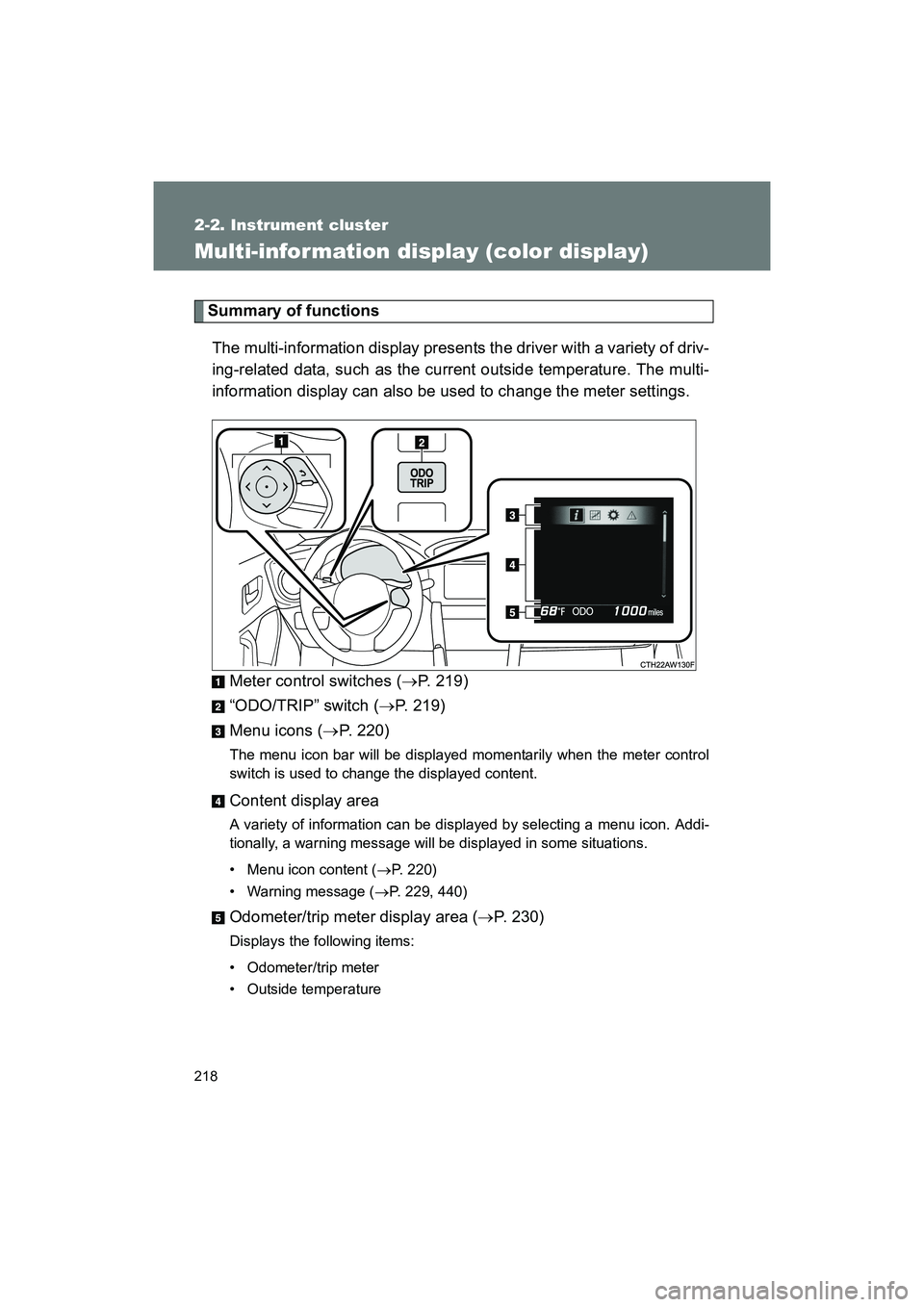
Summary of functionsThe multi-information display presents the driver with a variety of driv-
ing-related data, such as the current outside temperature. The multi-
information display can also be used to change the meter settings.
Meter control switches ( →P. 219)
“ODO/TRIP” switch ( →P. 219)
Menu icons ( →P. 220)
The menu icon bar will be displayed momentarily when the meter control
switch is used to change the displayed content.
Content display area
A variety of information can be displa yed by selecting a menu icon. Addi-
tionally, a warning message will be displayed in some situations.
• Menu icon content ( →P. 220)
• Warning message ( →P. 229, 440)
Odometer/trip meter display area ( →P. 230)
Displays the following items:
• Odometer/trip meter
• Outside temperature