Page 13 of 58
IntroductionThe initial configuration wizard will help you
to set up your Infotainment system the first time you switch it on.
Every time you switch on the Infotainment system, the initial setup screen will appear
Page 21 of 58
MediaMedia
Media mode Introduction
Media sources are audio sources containing
audio files on various different data storage devices (e.g. SD memory card, USB, external
MP3 player, etc.). These audio files can be played by the infotainment system from its
corresponding drives or audio input sockets
(memory card slot, AUX-IN multi-media sock- et etc.)
Note�
Page 29 of 58
Phone Mode*Phone Mode*
Introduction to the tele-
phone management system
General information
The Telephone functions described belowcan be used through the Infotainment system
if there is a mobile telephone connected to it
via Bluetooth
Page 31 of 58
Phone Mode*Pair and connect a mobile tele-
phone to the Infotainment system
In order to manage a mobile telephone via the Infotainment system, it is necessary topair both devices once.
For your safety, we recommend you make the
link when the vehicle is stationary. In some
countries it is not possible to perform the pair- ing with the vehicle running.
Conditions
You must guarantee the following setup in the mobile phone and the Infotainment system:
�
Page 32 of 58
Phone Mode*Pairing and connection of mobile tele-
phones
You can pair up to 20 mobile telephones to the Infotainment system, but only one mobile
telephone can be connected as hands-free,
and this or another device as a Bluetooth au- dio profile.
When the Infotainment system is switched on, it automatically connects to the last connec-
ted mobile telephone. If it is not possible to connect to this mobile telephone, the tele-phone management system will try to auto- matically connect to the next mobile tele-phone on the list of paired devices.
The maximum range of the Bluetooth
Page 33 of 58
Phone Mode*Infotainment system. The next time that themobile telephone is connected (e.g. on thenext journey) the phonebook is updated au-
tomatically.
If any entries in the mobile phonebook have been modified while connected, a manualupdate of the phonebook data can be initi-ated from the User�profile�settings
menu .
Telephone management can store a maxi-
mum of 4 user profiles for mobile telephones. If you wish to link/connect another mobilephone, the oldest user profile will automati-
cally be replaced.
Telephone management system function buttons�
Page 35 of 58
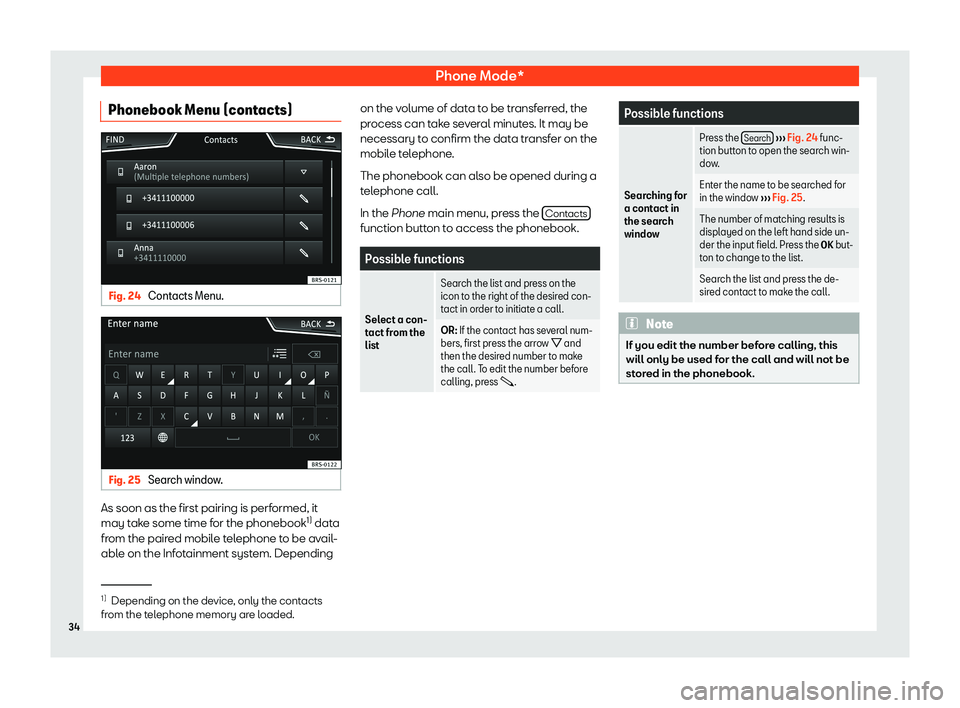
Phone Mode*Phonebook Menu (contacts)Fig. 24
Contacts Menu.
Fig. 25
Search window.
As soon as the first pairing is performed, itmay take some time for the phonebook 1)
data
from the paired mobile telephone to be avail- able on the Infotainment system. Depending
on the volume of data to be transferred, theprocess can take several minutes. It may be necessary to confirm the data transfer on themobile telephone.
The phonebook can also be opened during a
telephone call.
In the Phone main menu, press the Contacts
function button to access the phonebook.
Possible functions
Select a con-
tact from the
list
Search the list and press on the icon to the right of the desired con-
tact in order to initiate a call.OR: If the contact has several num-
bers, first press the arrow B and
then the desired number to make
the call. To edit the number before calling, press .Possible functions
Searching for
a contact in
the search
window
Press the Search
Page 40 of 58
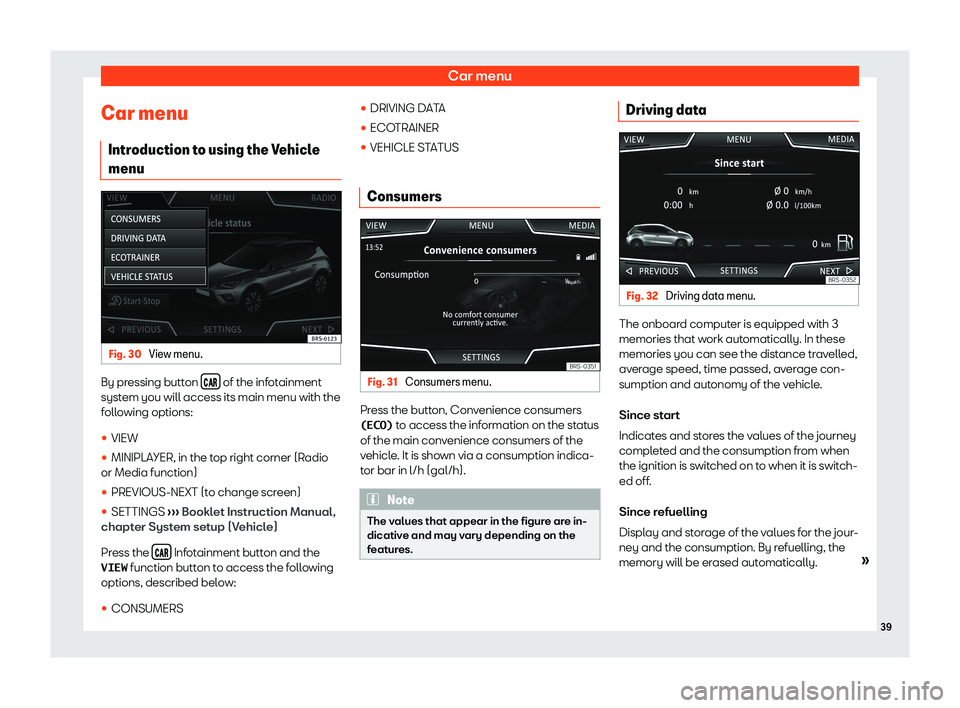
Car menuCar menuIntroduction to using the Vehicle
menuFig. 30
View menu.
By pressing button ! of the infotainment
system you will access its main menu with the
following options:
�