2018 Seat Arona page 122
[x] Cancel search: page 122Page 40 of 316

The essentials
Enabling the main menu
● Switch the ignition on.
● If a message or vehicle pictogram appears,
pr e
s
s button ››› Fig. 46 1 on the windscreen
w iper l
ev
er or button on the multifunction
s t
eerin
g wheel ››› Fig. 47.
● If managed from the windscreen wiper lev-
er: to dis
play the main screen or to return to
the main menu from another menu, hold
down the rocker button ››› Fig. 46 2 .
● If managed from the multifunction steering
whe e
l:
the main menu list is not displayed.
To go from point to point in the main menu,
press button
or
several times
› ›
›
Fig. 47.
Select a submenu ● Press the rocker switch ›››
Fig. 46 2 on the
w ind
s
creen wiper lever up or down or turn
the thumbwheel of the multifunction steering
wheel ››› Fig. 47 until the desired option ap-
pears marked on the menu.
● The selected option will be displayed with a
horizontal
line underneath.
● To consult the submenu option, press but-
ton ››
› Fig. 46 1 on the windscreen wiper
l ev
er or b
utton on the multifunction steer-
in g wheel
›
›› Fig. 47.
Making changes according to the menu ● Make the desired changes with the rocker
switc
h on the windscreen wiper lever or the thumbwheel of the multifunction steering
wheel. T
o increase or decrease the values
more quickly, turn the thumbwheel faster.
● Mark or confirm the selection with button
›››
Fig. 46 1 on the windscreen wiper lever
or b utt
on on the multifunction steering
wheel
›
›
› Fig. 47.
Selection menu
MenuFunction
Driving dataInformation and possible configura-
tions of the multifunction display
(MFD) ››› page 38, ››› page 122.
Assist
systemsInformation and possible configura-
tions of the driver assistance systems
››› page 40.
Navigation *
Information instructions from the acti-
vated navigation system: when a route
guidance is activated, the turning ar-
rows and proximity bars are displayed.
The appearance is similar to the Easy
Connect system.
If route guidance is not activated, the
direction of travel (compass) and the
name of the street along which you are
driving are shown ››› Booklet Naviga-
tion system.
Audio
Station display on the radio.
Track name on the CD.
Track name in Media mode ››› Booklet
Radio or ››› Booklet Navigation sys-
tem.
MenuFunction
Telephone
Information and possible configura-
tions of the mobile phone preinstalla-
tion ››› Booklet Radio or ››› Booklet
Navigation system.
Vehicle
statusDisplay of the current warning or infor-
mation texts and other system compo-
nents, depending on the equipment
››› page 122. Journey data
The MFD (multifunction display) shows differ-
ent
v
alues for the journey and the consump-
tion.
Changing between display modes on the
MFD
● In vehicles without multifunction steering
wheel:
Press the rocker switch on the
w ind
s
creen wiper lever ›››
Fig. 46.
● Vehicles with a multifunction steering
wheel:
turn the thumbwheel ›››
Fig. 47.
Multifunction display memory
The multifunction display is equipped with
three memories that work automatically: MFD
from departure, MFD from refuelling and MFD
total calculation. On the screen display, you
can read which memory is currently dis-
played. 38
Page 41 of 316

The essentials
Toggle between memories with the ignition
on and the memor y
di
splayed
Press the button on the windscreen
w iper l
ev
er or the button of the multifunc-
tion s t
eerin
g wheel.
MenuFunction
MFD from de-
parture
Display and storage of the values for
the journey and the consumption
from when the ignition is switched
on to when it is switched off.
If the journey is continued in less
than 2 hours after the ignition is
switched off, the new data is added
to the data already stored in the
memory. The memory will automati-
cally be deleted if the journey is in-
terrupted for more than 2 hours.
MFD from re- fuellingDisplay and storage of the values for
the journey and the consumption.
By refuelling, the memory will be
erased automatically.
MFD total
calculation
The memory records the values for a
specific number of partial trips, up
to a total of 19 hours and 59 mi-
nutes or 99 hours and 59 minutes,
or 1999.9 km or 9999 km, depend-
ing on the model of instrument pan-
el. On reaching either of these lim-
its a)
, the memory is automatically
erased and starts to count from 0
again.
a) It varies according to the instrument panel version.
Erasing a memory manually
● Select the memory that you wish to erase.
● Hold the button of the multifunction
s t
eerin
g wheel or the button of the multi-
f u
nction wheel
pressed down for about 2 sec-
onds.
Personalising the displays
In the Easy Connect system you can adjust
which of the possible displays of the MFD can
be shown on the instrument panel display
with the button and the
S
ET
TINGS function
b utt
on ›
›› page 122.
Data summary
MenuFunction
Current fuel
consumption
The current fuel consumption dis-
play operates throughout the
journey, in litres/100 km; and
with the engine running and the
vehicle stopped, in litres/hour.
Average fuel consumption
After turning on the ignition, aver-
age fuel consumption in li-
tres/100 km will be displayed af-
ter travelling about 300 metres.
Otherwise horizontal lines are
displayed. The value shown is up-
dated approximately every 5 sec-
onds.
ACT ®
*: Depending on the equip-
ment, number of active cylinders.
MenuFunction
Operating
range
Approximate distance in km that
can still be travelled with the fuel
remaining in the tank, assuming
the same style of driving is main-
tained. This is calculated using
the current fuel consumption.
Travelling
timeThis indicates the hours (h) and
minutes (min) since the ignition
was switched on.
JourneyDistance covered in km (m) after
switching on the ignition.
Average speed
The average speed will be shown
after a distance of about 100 me-
tres has been travelled. Otherwise
horizontal lines are displayed.
The value shown is updated ap-
proximately every 5 seconds.
Digital dis- play of speedCurrent speed displayed in digital
format.
Speed warning
at --- km/h or
Speed warning
at --- mphIf the stored speed is exceeded
(between 30 - 250 km/h, or 19 -
155 mph), an audible warning is
given together with a visual warn-
ing.
Oil tempera-
tureUpdated engine oil temperature
digital display
Coolant tem-
perature gaugeDigital display of the current tem-
perature of the liquid coolant.» 39
Page 43 of 316

The essentialsIllustra-
tionKey to ››› Fig. 48
A Do not continue driving!
The bonnet is open or is not properly
closed ››› page 273.
B Do not continue driving!
The rear lid is open or is not properly
closed ››› page 16.
C, D Do not continue driving!
A vehicle door is open or is not properly
closed ››› page 132.
›››
page 118 Warning and information messages
The system runs a check on certain compo-
nents
and f
u
nctions when the ignition is
switched on and while the vehicle is moving.
Faults in the operation are displayed on the
screen using red and yellow symbols and
messages on the instrument panel display
( ›››
page 121,
››› page 47) and, in
some cases, with audible warnings. The dis-
play may vary according to the type of instru-
ment panel fitted.
Priority 1 warning (red symbols)
Symbol flashing or lit; partly combined with audible
warnings.
Stop the vehicle! It is dangerous ››› in Warning
symbols on page 122 !
Check the function that is faulty and repair it. If necessa-
ry, request assistance from specialised personnel.
Priority 2 warning (yellow symbols)
Symbol flashing or lit; partly combined with audible
warnings.
A faulty function, or fluids which are below the correct
levels may cause damage to the vehicle! ›››
in Warn-
ing symbols on page 122
Check the faulty function as soon as possible. If neces-
sary, request assistance from specialised personnel.
Informative text
Information relating to different vehicle processes.
›››
page 121 Gear-change indicator
Fig. 49
Instrument panel: gear-change indica-
t or (m
anual
gearbox). Gear-change recommendation
Whi
l
e driv
ing, the instrument panel of certain
vehicles may indicate a gear recommenda-
tion for saving fuel ›››
page 195.
Outside temperature display When the outside temperature is below +4°C
(+39°F), the
symbol
(w
arning of risk of
freezing) is displayed. At first, this symbol
flashes and then it remains lit until the out-
side temperature rises above +6°C (+43°F)
››› in Indications on the display on
p ag
e 119
.
When the vehicle is at a standstill or when
travelling at very low speeds, the tempera-
ture displayed may be higher than the true » 41
Page 44 of 316

The essentials
outside temperature as a result of the heat
pr oduc
ed b
y the engine.
The temperatures measured range from
-40°C to +50°C (-40°F to +122°F).
Engine oil temperature display The engine reaches its operating temperature
when in normal
driv
ing conditions the oil
temperature is between 80°C (178°F) and
120°C (248°F). If the engine is required to
work hard and the outside temperature is
high, the engine oil temperature can in-
crease. This does not present any problem as
long as the warning lamps ››› table on
page 48 or ››› table on page 48 do not
appear on the display.
Vehicles without multifunction steering
wheel
● Press the rocker switch ››
›
Fig. 46 2 until
the m ain menu ap
pe
ars. Enter into Driving
data . With the button 2 move to the oil
t emper
at
ure gauge.
Vehicles with multifunction steering wheel
● Enter the submenu Driving data and
turn the thumbwheel
until the oil tempera-
ture display appears. Additional consumers ●
Operation with the windscreen wiper lever*:
Pre s
s the rocker switch ››› Fig. 46 2 until the
main menu ap pe
ars. Enter into the section
Driving data . With the rocker switch,
move to the display Convenience con-
sumers .
● Operation with the multi-function steering
wheel*:
move with the buttons
or
to Driving data
and enter with
OK. Turn
the right thumbwheel until the Conven-
ience consumers display appears.
In addition, a scale will inform you of the cur-
rent sum of all the additional appliances.
Saving tips Tips on how to save fuel will be displayed in
c
ondition
s
that increase fuel consumption.
Follow them to reduce consumption. The indi-
cations appear automatically only with the ef-
ficiency programme. After a time, the tips will
disappear automatically.
If you wish to hide a saving tip immediately
after it appears, press any button on the
windscreen wiper lever*/multifunction steer-
ing wheel*. Note
● If y
ou hide a saving tip, it will reappear af-
ter you switch the ignition on again.
● The saving tips do not appear in all situa-
tions, but
rather with a large separation of
time. Speed warning device
The speed warning device warns the driver
when they h
av
e exceeded the pre-set speed
limit by 3 km/h (2 mph). An audible warning
signal sounds, and the warning lamp and
the driver message Speed limit excee-
ded! will be displayed simultaneously on the
instrument panel. The warning lamp
switches off when reducing speed below the
stored maximum limit.
Speed warning programming is recommen-
ded if you wish to be reminded of a maxi-
mum speed, such as when travelling in a
country with different speed limits or for a
maximum speed for winter tyres.
Setting speed limit warning
You can use the radio or the Easy Connect* to
set, alter or cancel the speed limit warning.
● Vehicles with radio : pres
s the SETUP button
> c ontr
o
l button Driver Assistant >
Speed warning .42
Page 50 of 316

The essentials
Yellow warning lamps Central warning lamp: additional
information on the instrument
panel display–
Front brake pads worn.
›››
page
181
it lights up:
Fault in the ESC, or
disconnection caused by the sys-
tem.
flashes: ESC or ASR activated.
it lights up:
fault in the ASR or
disconnection caused by the sys-
tem.
flashes: ASR working.
ASR manually deactivated.
Or else
: ESC in Sport mode.››› page
181
ABS faulty or does not work.
Rear fog light switched on.›››
page 31
lights up or flashes:
fault in the
emission control system.››› page
201
it lights up:
pre-heating of diesel
engine.
››› page
201
flashes: fault in the diesel engine
management.
fault in the petrol engine man-
agement.›››
page
201
lights up or flashes:
fault in the
steering system.››› page
196
Tyre pressure too low, or fault in
the tyre pressure monitoring sys-
tem.›››
page
287
Fuel tank almost empty.›››
page
121
Fault in airbag system and seat
belt tensioners.›››
page
91 Other warning lamps
Left or right turn signal.›››
page 32
Hazard warning lights on.››› page 32
››› page
147
Trailer turn signals›››
page
255
it lights up green:
Press the brake
pedal!
It blinks in green: the selector
lever locking button has not en-
gaged.
››› page
188
it lights up green:
cruise control
activated or speed limiter switch-
ed on and active.
››› page 45
››› page
207
it blinks in green: the speed set
by the speed limiter has been ex-
ceeded.
Main beam on or flasher on.›››
page 32
››› in Warning symbols on page 122
›››
page 121 On the instrument panel display
Fig. 55
On the instrument panel display: door
open.
Do not continue driving!
With the corresponding indi-
cation: door(s), rear lid or
bonnet open or not properly
closed.››› page 132
››› page 16
››› page 273 48
Page 121 of 316

Instruments and warning/control lamps
● To c
ontinue settin
g the time, press button
4 . Hold button down to scroll through the
number s
quic
kly.
● Once you have set the time, the second
count
will begin from 0 automatically.
● Press the button 4 again in order to finish
settin g the time.
● Onc e
you have set the time, the time indi-
cator w
ill disappear and the changes will re-
main.
The time can also be set on the Easy Connect
system using the button and the function
b utt
on
SETTINGS > Date and time
››› page 122.
Compass
With the ignition on and the navigation sys-
tem on, the cardinal point corresponding to
the direction of travel of the vehicle is dis-
played on the instrument panel.
Selector lever position
The selected gear is displayed on the side of
the selector lever and on the instrument pan-
el display. In positions D and S, and with the
Tiptronic, the corresponding gear is also dis-
played. Recommended gear (manual gearbox)
The r
ecommended g
ear in order to save fuel
is displayed on the instrument panel while
you are driving ›››
page 41.
Second speed display (mph or km/h)
In addition to the speedometer, the speed
can also be displayed in a different unit of
measurement (in miles or in km per hour).
This option cannot be deactivated in models
destined for countries in which the second
speed must always be visible.
The second speed display can be adjusted in
the Easy Connect system by means of the button and the function button SETTINGS >
Units › ›
›
page 122.
Speed warning
When the speed setting is exceeded, this will
be indicated on the instrument panel display.
This is very useful, for example when using
winter tyres that are not designed for driving
at the maximum speed of the vehicle
››› page 42.
The speed warning settings can be adjusted
in the Easy Connect system by means of the button and the function button SET-
TINGS > Driver Assistance
› ›
›
page 122. Start-Stop operating display
Updat
ed information relating to the status is
displayed on the instrument panel
››› page 202.
Low consumption driving status (ECO)*
Depending on the equipment, when driving,
the “ ECO” display appears on the instrument
panel when the vehicle is in low consump-
tion status due to active cylinder manage-
ment (ACT ®
)* ››› page 198.
Identifying letters on engine (MKB)
Hold the button ››› Fig. 125 4 down for more
th an 15 sec
ond
s to display the identifying
letters of the vehicle engine (MKB). To do
this, the ignition must be switched on and
the engine switched off. WARNING
Observe the safety warnings ›››
in Warning
symbol s on p
age 122. WARNING
Even though outside temperatures are above
freez in
g, some roads and bridges may be icy.
● At outside temperatures above +4°C
(+39°F), even when the “ice c
rystal” symbol
is not visible, there may still be patches of ice
on the road.
● The outside temperature sensor takes a
guideline meas
urement. » 119
Technical data
Advice
Operation
Emergencies
Safety
Page 124 of 316

Operation
Examples of priority 1 warning messages
(r ed)
● Br ak
e system symbol with the warnin
g
message STOP BRAKE FLUID INSTRUC-
TION MANUAL or STOP BRAKE FAULT IN-
STRUCTION MANUAL .
● Coolant symbol with the warnin
g mes-
sage STOP SEE COOLANT INSTRUCTION
MANUAL .
● Engine oil pressure symbol with the
warnin
g message STOP ENGINE OIL
PRESSURE LOW! INSTRUCTION MANUAL .
Warning messages, Priority 2 (yellow)
If one of these faults occurs, the correspond-
ing warning lamp lights up and is accompa-
nied by an audible warning. Check the corre-
sponding function as soon as possible al-
though the vehicle may be used without risk.
If several priority 2 warning messages are de-
tected at the same time, the symbols are dis-
played one after the other for about 2 sec-
onds at a time. After a set time, the informa-
tion text will disappear and the symbol will
be shown as a reminder at the side of the
display.
Priority 2 warning messages will not be
shown until all Priority 1 warning messages
have been dealt with! Examples of priority 2 warning reports (yel-
low):*
●
Fuel
warning light with the information text
PLEASE REFUEL . WARNING
If the warning lamps and messages are ignor-
ed, the v ehic
le may stall in traffic, or may
cause accidents and severe injuries.
● Never ignore the warning lamps or text
mess
ages.
● Stop the vehicle safely as soon as possible.
● Park the vehicle away from traffic and en-
sure th
at there are no highly flammable ma-
terials under the vehicle that could come into
contact with the exhaust system (e.g. dry
grass, fuel).
● A faulty vehicle represents a risk of acci-
dent for the driv
er and for other road users. If
necessary, switch on the hazard warning
lamps and put out the warning triangle to ad-
vise other drivers.
● Before opening the bonnet, switch off the
engine and al
low it to cool.
● In any vehicle, the engine compartment is a
hazar
dous area and could cause severe inju-
ries ››› page 273. CAUTION
Failure to heed the control lamps and text
mes s
ages when they appear may result in
faults in the vehicle. Introduction to the Easy
C
onnect
sy
stem*
System settings (CAR)* CAR menu Read the additional information carefully
›› ›
page 34
To select the settings menus, depending on
the version, press the Easy Connect button and the
S
ET
TINGS function button, OR
pr e
s
s the button and then SETTINGS .
The act ual
number of
menus available and
the name of the various options in these me-
nus will depend on the vehicle’s electronics
and equipment.
When the function button check box is activa-
ted , the function is active.
Pressing the menu button will always take
y ou t
o the l
ast menu used.
Any changes made using the settings menus
are automatically saved on closing those me-
nus.
Menu Vehicle settingsPage
ESC system››› page 181
Tyres››› page 287 122
Page 145 of 316
Lights and visibility
– Loc
k
the driver's door with the key and hold
the key in the
Programming convenience opening in the
Easy Connect*
– Select: button > function button SET-
TINGS > Opening and closing > Con-
trols for electric windows to
c hoo
se between all the windows ( All), on-
ly the driver's ( Driver) or none (Deacti-
vated ). WARNING
● Never c lo
se the windows without due care
or proper control. There is a risk of suffering
injury.
● For safety reasons, you should only use the
remote c
ontrol open and close functions with-
in about 2 metres of the vehicle. To avoid in-
juries, always keep an eye on the windows
when pressing the button to close them. The
windows stop moving as soon as the button
is released. One-touch opening and closing*
One-touch opening and closing means you
do not
h
av
e to hold down the button.
Buttons ›››
Fig. 145 1 ,
2 ,
3 and
4 have
tw o po
s
itions for opening windows and two for closing them. This makes it easier to open
and close w
indows to the desired position.
One-touch closing
– Pull up the window button briefly up to the
second pos
ition. The window closes fully.
One-touch opening
– Push down the window button briefly up to
the second pos
ition. The window opens
fully.
Resetting one-touch opening and closing
– The automatic open and close function will
not work
if the battery has been temporari-
ly disconnected. The function can be re-
stored as follows:
– Close the window as far as it will go by lift-
ing and hol
ding the electric window switch.
– Release the switch and then lift it again for
1 second. Thi
s will re-enable the automatic
function.
If you push (or pull) a button to the first
stage, the window will open (or close) until
you release the button. If you push or lift the
button briefly to the second stage, the win-
dow will open (one-touch opening) or close
(one-touch closing) automatically. If you op-
erate the button while the window is opening
or closing, it stops at this position. Lights and visibility
Light s
C ontr
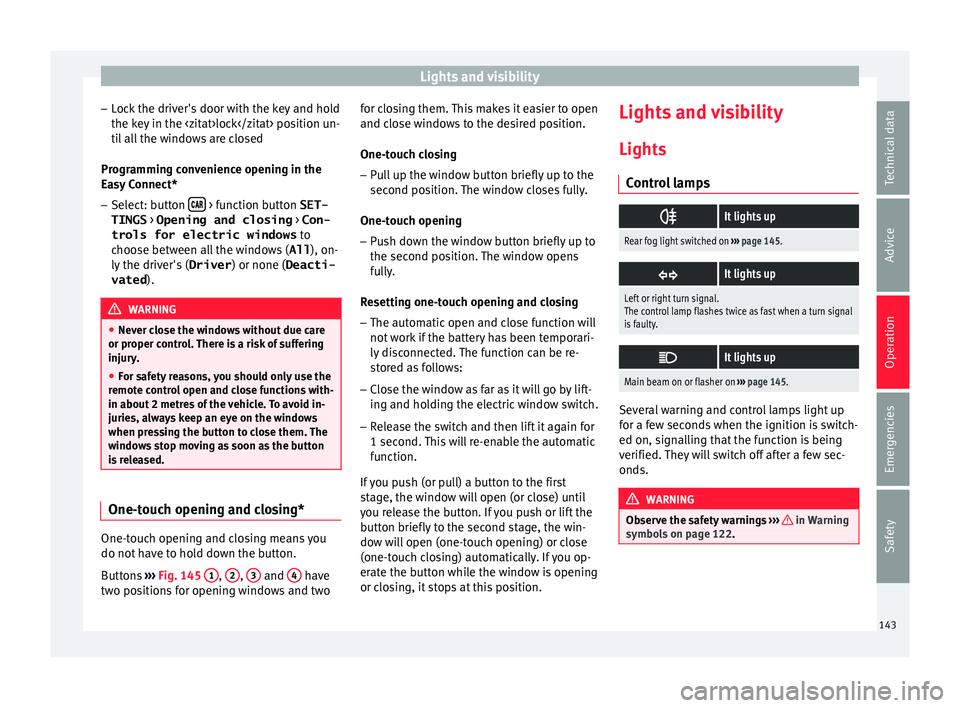
ol lamps
It lights up
Rear fog light switched on
››› page 145.
It lights up
Left or right turn signal.
The control lamp flashes twice as fast when a turn signal
is faulty.
It lights up
Main beam on or flasher on
››› page 145. Several warning and control lamps light up
f
or a f
ew sec
onds when the ignition is switch-
ed on, signalling that the function is being
verified. They will switch off after a few sec-
onds. WARNING
Observe the safety warnings ›››
in Warning
symbol s on p
age 122. 143
Technical data
Advice
Operation
Emergencies
Safety