Page 202 of 290

4.6
Topping up/filling
The vehicle must be parked on level
ground and the engine should be cold
(for instance, before the engine is
started up for the first time in the day).
Engine oil grade
Refer to the Maintenance Document for
your vehicle.– Unscrew cap
1;
– top up the level (as a guide, the ca- pacity between the minimum and
maximum reading on the dipstick 2
is between 1.5 and 2 litres, depend-
ing on the engine);
– wait for approximately 10 minutes to allow the oil to drain;
– check the level using the dipstick 2
(as described above).
Once the level is read, ensure that the
dipstick is pushed in as far as it will go
and the cap is completely screwed in.
Do not exceed the MAX level and
do not forget to refit cap 1 and dip-
stick 2.
ENGINE OIL LEVEL : topping up, filling (1/2)
In order to prevent splashback, it is
recommended that a funnel be used
when topping up/filling with oil.
1
2
12
Oil change
Service interval: refer to the
Maintenance Service Booklet for your
vehicle.
Oil change capacity
Please refer to the maintenance docu-
ment for your vehicle, or contact an au-
thorised dealer.
Always check the engine oil level using
the dipstick, as explained previously (it
should never fall below the minimum
level, or be over the maximum level on
the dipstick).
Engine oil grade
Refer to the Maintenance Service
Booklet for your vehicle.
Page 219 of 290
5.5
TYRE INFLATION KIT (1/6)
A
B
Do not attempt to use the
inflation kit if the tyre has
been damaged as a result
of driving with a puncture.
You should therefore carefully check
the condition of the tyre sidewalls
before any operation.
Driving with underinflated, flat or
punctured tyres can be dangerous
and may make the tyre impossible
to repair.
This repair is temporary.
A tyre which has been punctured
should always be inspected (and
repaired, where possible) by a spe-
cialist.
When taking a tyre which has been
repaired using this kit to be replaced,
you must inform the specialist.
When driving, vibration may be felt
due to the presence of the repair
product injected into the tyre.The kit is only approved for
inflating the tyres of the ve-
hicle originally equipped
with the kit.
It must never be used to inflate
the tyres of another vehicle, or any
other inflatable object (rubber ring,
rubber boat, etc.).
Avoid spillage on skin when han-
dling the repair product bottle. If
droplets do leak out, rinse them off
with plenty of water.
Keep the repair kit away from chil-
dren.
Do not dispose of the empty bottle
in the countryside. Return it to your
approved dealer or to a recycling or-
ganisation.
The bottle has a limited service
life which is indicated on its label.
Check the expiry date.
Contact an approved dealer to re-
place the inflation tube and repair
product bottle.
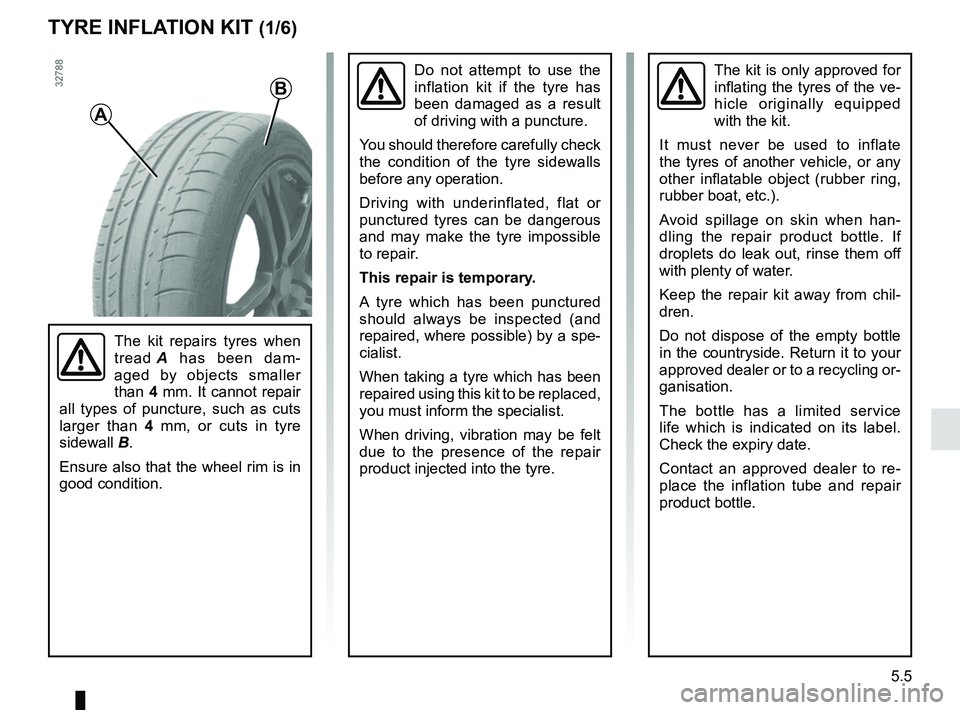
The kit repairs tyres when
tread A has been dam-
aged by objects smaller
than 4 mm. It cannot repair
all types of puncture, such as cuts
larger than 4 mm, or cuts in tyre
sidewall B.
Ensure also that the wheel rim is in
good condition.
Page 249 of 290
5.35
RADIO FREQUENCY REMOTE CONTROL: battery
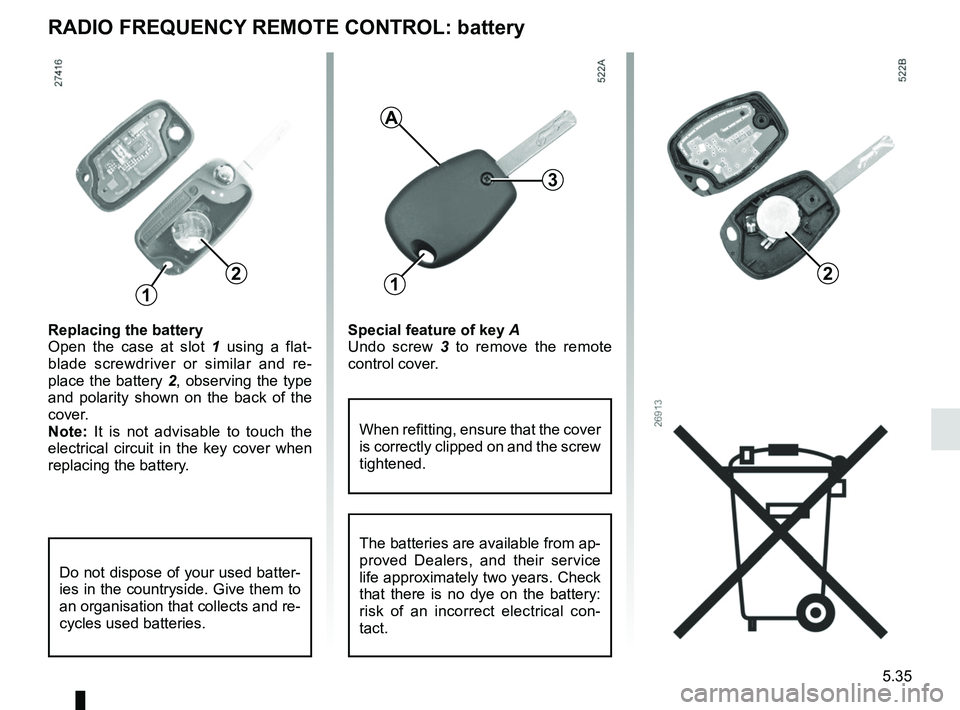
Replacing the battery
Open the case at slot 1 using a flat-
blade screwdriver or similar and re-
place the battery 2, observing the type
and polarity shown on the back of the
cover.
Note: It is not advisable to touch the
electrical circuit in the key cover when
replacing the battery.
3
When refitting, ensure that the cover
is correctly clipped on and the screw
tightened.
1
2
3
2
A
1
Special feature of key A
Undo screw 3 to remove the remote
control cover.
Do not dispose of your used batter-
ies in the countryside. Give them to
an organisation that collects and re-
cycles used batteries.
The batteries are available from ap-
proved Dealers, and their service
life approximately two years. Check
that there is no dye on the battery:
risk of an incorrect electrical con-
tact.
Page 250 of 290
5.36
HANDS-FREE ACCESS TRANSMITTER, RECEIVER: battery
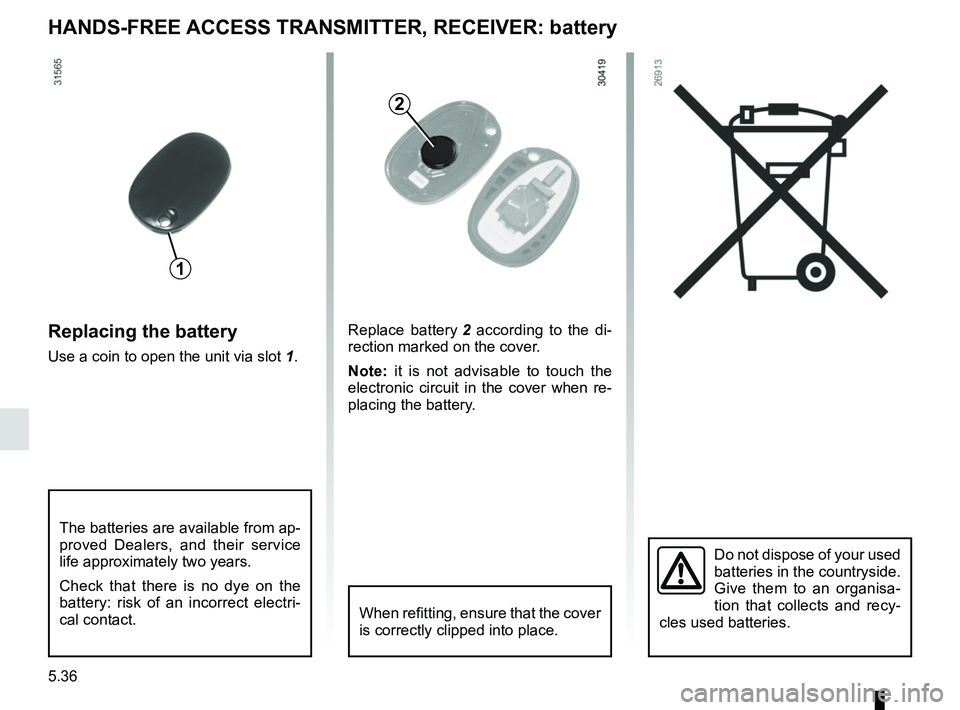
Replacing the battery
Use a coin to open the unit via slot 1.
Do not dispose of your used
batteries in the countryside.
Give them to an organisa-
tion that collects and recy-
cles used batteries.
1
2
Replace battery 2 according to the di-
rection marked on the cover.
Note: it is not advisable to touch the
electronic circuit in the cover when re-
placing the battery.
When refitting, ensure that the cover
is correctly clipped into place.
The batteries are available from ap-
proved Dealers, and their service
life approximately two years.
Check that there is no dye on the
battery: risk of an incorrect electri-
cal contact.
Page 251 of 290
5.37
WIPER BLADES
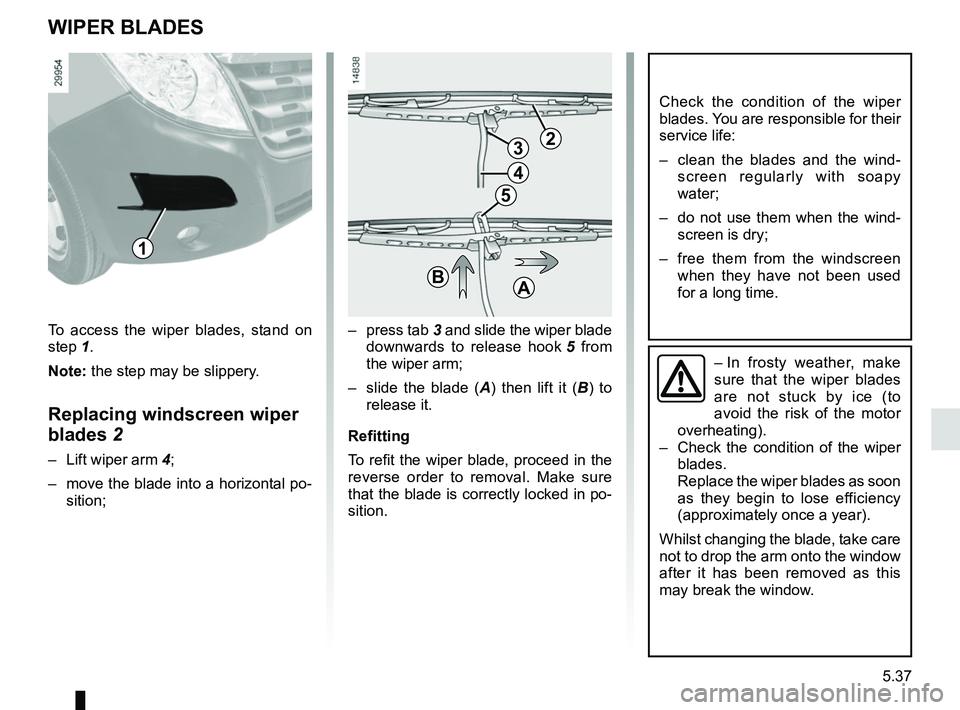
– press tab 3 and slide the wiper blade
downwards to release hook 5 from
the wiper arm;
– slide the blade ( A) then lift it ( B) to
release it.
Refitting
To refit the wiper blade, proceed in the
reverse order to removal. Make sure
that the blade is correctly locked in po-
sition.
Check the condition of the wiper
blades. You are responsible for their
service life:
– clean the blades and the wind- screen regularly with soapy
water;
– do not use them when the wind- screen is dry;
– free them from the windscreen when they have not been used
for a long time.
– In frosty weather, make
sure that the wiper blades
are not stuck by ice (to
avoid the risk of the motor
overheating).
– Check the condition of the wiper
blades.
Replace the wiper blades as soon
as they begin to lose efficiency
(approximately once a year).
Whilst changing the blade, take care
not to drop the arm onto the window
after it has been removed as this
may break the window.
23
4
5
BA
To access the wiper blades, stand on
step 1. Note: the step may be slippery.
Replacing windscreen wiper
blades 2
– Lift wiper arm 4;
– move the blade into a horizontal po- sition;
1
Page 261 of 290

6.1
Section 6: Technical specifications
Vehicle identification plates . . . . . . . . . . . . . . . . . . . . . . . . . . . . . . . . . . . . \
. . . . . . . . . . . . . . . . . . . . 6.2
Engine specifications . . . . . . . . . . . . . . . . . . . . . . . . . . . . . . . . . . . . \
. . . . . . . . . . . . . . . . . . . . . . . . . 6.5
Dimensions . . . . . . . . . . . . . . . . . . . . . . . . . . . . . . . . . . . .\
. . . . . . . . . . . . . . . . . . . . . . . . . . . . . . . . 6.6
Weights . . . . . . . . . . . . . . . . . . . . . . . . . . . . . . . . . . . .\
. . . . . . . . . . . . . . . . . . . . . . . . . . . . . . . . . . . 6.8
Replacement parts and repairs . . . . . . . . . . . . . . . . . . . . . . . . . . . . . . . . . . . . \
. . . . . . . . . . . . . . . . . 6.9
Service sheets . . . . . . . . . . . . . . . . . . . . . . . . . . . . . . . . . . . . \
. . . . . . . . . . . . . . . . . . . . . . . . . . . . . . 6.10
Anticorrosion check . . . . . . . . . . . . . . . . . . . . . . . . . . . . . . . . . . . . \
. . . . . . . . . . . . . . . . . . . . . . . . . . 6.16
Page 270 of 290
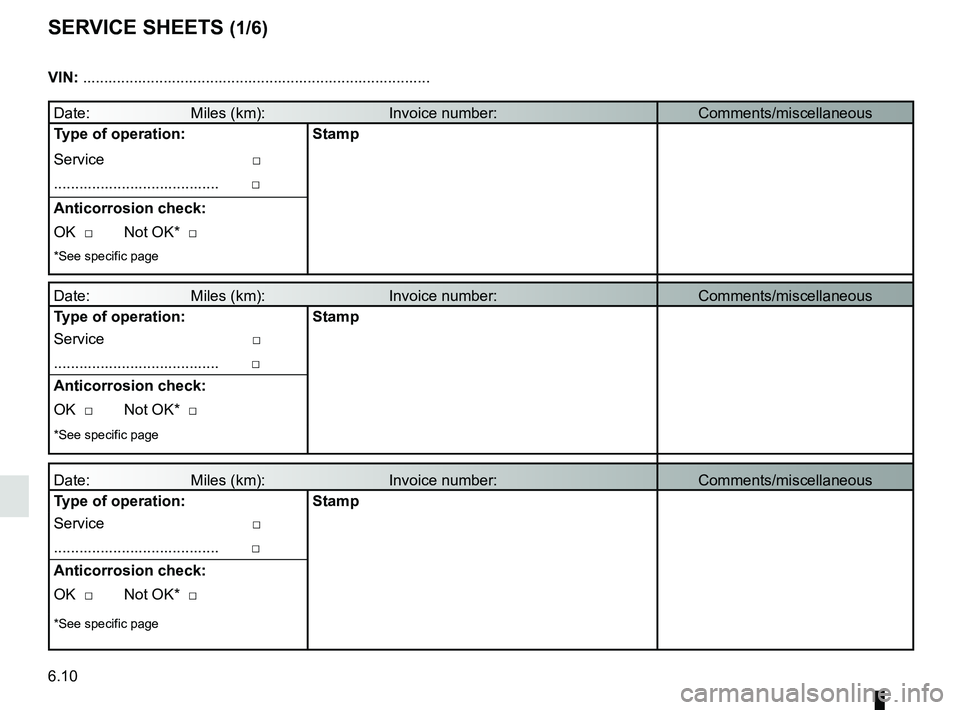
6.10
SERVICE SHEETS (1/6)
Date: Miles (km): Invoice number:Comments/miscellaneous
Type of operation: Stamp
Service □
....................................... □
Anticorrosion check:
OK □ Not OK* □
*See specific page
Date: Miles (km): Invoice number: Comments/miscellaneous
Type of operation: Stamp
Service □
....................................... □
Anticorrosion check:
OK □ Not OK* □
*See specific page
Date: Miles (km): Invoice number: Comments/miscellaneous
Type of operation: Stamp
Service □
....................................... □
Anticorrosion check:
OK □ Not OK* □
*See specific page
VIN: .......................................................................\
...........
Page 271 of 290
6.11
SERVICE SHEETS (2/6)
VIN: .......................................................................\
...........
Date: Miles (km): Invoice number:Comments/miscellaneous
Type of operation: Stamp
Service □
....................................... □
Anticorrosion check:
OK □ Not OK* □
*See specific page
Date: Miles (km): Invoice number: Comments/miscellaneous
Type of operation: Stamp
Service □
....................................... □
Anticorrosion check:
OK □ Not OK* □
*See specific page
Date: Miles (km): Invoice number: Comments/miscellaneous
Type of operation: Stamp
Service □
....................................... □
Anticorrosion check:
OK □ Not OK* □
*See specific page

VIN: .......................................................................\
...........
Date: Miles (km): Invoice number:Comments/miscellaneous
Type of operation:")