Page 439 of 700

Recreational Towing — Two-Wheel Drive Models
DO NOT flat tow this vehicle. Damage to the drivetrain
will result.
Recreational towing (for two-wheel drive models) is al-
lowedONLY if the rear wheels are OFFthe ground. This
may be accomplished using a tow dolly or vehicle trailer. If
using a tow dolly, follow this procedure:
NOTE: If vehicle is equipped with air suspension, ensure
the vehicle is set to Normal Ride Height.
1. Properly secure the dolly to the tow vehicle, following the dolly manufacturer’s instructions.
2. Drive the rear wheels onto the tow dolly.
3. Firmly apply the parking brake. Place automatic trans- mission in PARK, manual transmission in gear (not in
NEUTRAL).
4. Properly secure the rear wheels to the dolly, following the dolly manufacturer’s instructions.
5. Turn the ignition OFF and remove the key fob.
6. Install a suitable clamping device, designed for towing, to secure the front wheels in the straight position.
CAUTION!
•Towing with the rear wheels on the ground will
cause severe transmission damage. Damage from
improper towing is not covered under the New
Vehicle Limited Warranty.
• Do not disconnect the driveshaft because fluid may
leak from the transmission, causing damage to inter-
nal parts.
Recreational Towing — Four-Wheel Drive Models
NOTE: Both the manual shift and electronic shift transfer
cases must be shifted into NEUTRAL (N) for recreational
towing. Automatic transmissions must be shifted into
PARK for recreational towing. Manual transmissions must
be placed in gear (NOT in NEUTRAL) for recreational
towing. Refer to the following for the proper transfer case
NEUTRAL (N) shifting procedure for your vehicle.
CAUTION!
• DO NOT dolly tow any 4WD vehicle. Towing with
only one set of wheels on the ground (front or rear)
will cause severe transmission and/or transfer case
(Continued)
6
STARTING AND OPERATING 437
Page 440 of 700

CAUTION!(Continued)
damage. Tow with all four wheels either ON the
ground, or OFF the ground (using a vehicle trailer).
• Tow only in the forward direction. Towing this
vehicle backwards can cause severe damage to the
transfer case.
• Before recreational towing, the transfer case must be
in NEUTRAL. To be certain the transfer case is fully
in NEUTRAL, perform the procedure outlined under
“Shifting Into NEUTRAL”. Internal transmission
damage will result, if the transfer case is not in
NEUTRAL during towing.
• Automatic transmissions must be placed in PARK,
and manual transmissions must be placed in gear
(not in Neutral) for recreational towing.
• Towing this vehicle in violation of the above require-
ments can cause severe transmission and/or transfer
case damage. Damage from improper towing is not
covered under the New Vehicle Limited Warranty.
• Do not disconnect the rear driveshaft because fluid
will leak from the transfer case, causing damage to
internal parts.
• Do not use a bumper-mounted clamp-on tow bar on
your vehicle. The bumper face bar will be damaged.
Shifting Into NEUTRAL (N)
Use the following procedure to prepare your vehicle for
recreational towing.
WARNING!
You or others could be injured or killed if you leave the
vehicle unattended with the transfer case in the NEU-
TRAL (N) position without first fully engaging the
parking brake. The transfer case NEUTRAL (N) posi-
tion disengages both the front and rear driveshafts
from the powertrain, and will allow the vehicle to roll,
even if the automatic transmission is in PARK (or
manual transmission is in gear). The parking brake
should always be applied when the driver is not in the
vehicle.
CAUTION!
It is necessary to follow these steps to be certain that
the transfer case is fully in NEUTRAL (N) before
recreational towing to prevent damage to internal
parts.
438 STARTING AND OPERATING
Page 464 of 700
CavityCartridge Fuse Micro Fuse Description
F03 60 Amp Yellow –Rad Fan – If Equipped
F05 40 Amp Green –Compressor for Air Suspension – If
Equipped
F06 40 Amp Green –Antilock Brakes/Electronic Stability Control
Pump
F07 40 Amp Green –Starter Solenoid
F08 20 Amp Blue
(1500 LD/Cummins Diesel) –
Emissions Diesel – If Equipped
F09 40 Amp Green (Spe-
cial Services Vehicle& Cummins Diesel) –
Diesel Fuel Heater – If Equipped
F10 40 Amp Green –Body Controller / Exterior Lighting #2
F10 50 Amp Red –Body Controller / Exterior Lighting #2 – If
Equipped with Stop/Start
F11 30 Amp Pink –Integrated Trailer Brake Module – If
Equipped
F12 40 Amp Green –Body Controller #3 / Power Locks
F13 40 Amp Green –Blower Motor
F14 40 Amp Green –Body Controller #4 / Interior Lighting
F16 30 Amp Pink –Smart Bar – If Equipped
462 IN CASE OF EMERGENCY
Page 465 of 700
CavityCartridge Fuse Micro Fuse Description
F19 20 Amp Blue
(1500 LD Diesel)
30 Amp Pink (Cum- mins Diesel) –
SCR – If Equipped
F20 30 Amp Pink –Passenger Door Module
F21 30 Amp Pink –Drive Train Control Module
F22 20 Amp Blue
30 Amp Pink (Cum- mins Diesel) –
Engine Control Module
F23 30 Amp Pink –Body Controller #1 / Interior Lighting
F24 30 Amp Pink –Driver Door Module
F25 30 Amp Pink – Front Wiper
F26 30 Amp Pink –Antilock Brakes / Stability Control Module /
Valves
F28 20 Amp Blue –Trailer Tow Backup Lights – If Equipped
F29 20 Amp Blue –Trailer Tow Parking Lights – If Equipped
F30 30 Amp Pink –Trailer Tow Receptacle
F31 30 Amp Pink
(1500 LD Diesel) –
Urea Heater Control – If Equipped
F32 –– Spare Fuse
F33 20 Amp Blue –Special Services Vehicle Only
7
IN CASE OF EMERGENCY 463
Page 468 of 700
CavityCartridge Fuse Micro Fuse Description
F71 –25 Amp Clear Amplifier
F72 –10 Amp Red PCM – If Equipped
F73 –20 Amp Yellow Fuel Transfer Pump (HD Only) – If
Equipped
F74 –20 Amp Yellow
(Gas Engine & 1500 LD Diesel) Brake Vacuum Pump Gas/Diesel – If
Equipped
F75 –10 Amp Red Coolant Temperature Valve Actuator
F76 –10 Amp Red Antilock Brakes / Electronic Stability Control
F77 –10 Amp Red Drivetrain Control Module/Front Axle
Disconnect Module
F78 –10 Amp Red Engine Control Module / Electric Power
Steering
F79 –15 Amp Blue Clearance Lights
F80 –10 Amp Red Universal Garage Door Opener / Compass
F81 –20 Amp Yellow Trailer Tow Right Turn / Stop Lights
F82 –10 Amp Red Steering Column Control Module /
Cruise Control
F84 –15 Amp Blue Switch Bank / Instrument Cluster
F85 –10 Amp Red Airbag Module
F86 –10 Amp Red Airbag Module
466 IN CASE OF EMERGENCY
Page 522 of 700
Mileage or time passed (which-ever comes first)
20,000
30,000
40,000
50,000
60,000
70,000
80,000
90,000
100,000
110,000
120,000
130,000
140,000
150,000
Or Years: 2 3 4 5 6 7 8 9 10 11 12 13 14 15
Or Kilometers:
32,000
48,000
64,000
80,000
96,000
112,000
128,000
144,000
160,000
176,000
192,000
208,000
224,000
240,000
Inspect the brake linings, replace
as necessary. XXX X X X X
Adjust parking brake as necessary. X X X X X X X
Inspect transfer case fluid. XX X
Additional Maintenance
Replace cabin air filter. XX X XX XX
Replace engine air filter. XX X X X
Replace spark plugs. ** X
Flush and replace the engine cool-
ant at 10 years or 150,000 miles
(240,000 km) whichever comes
first. XX
Change automatic transmission
fluid and filter(s) (six-speed auto-
matic only), if using your vehicle
for police, taxi, fleet, or frequent
trailer towing. XX
520 SERVICING AND MAINTENANCE
Page 617 of 700
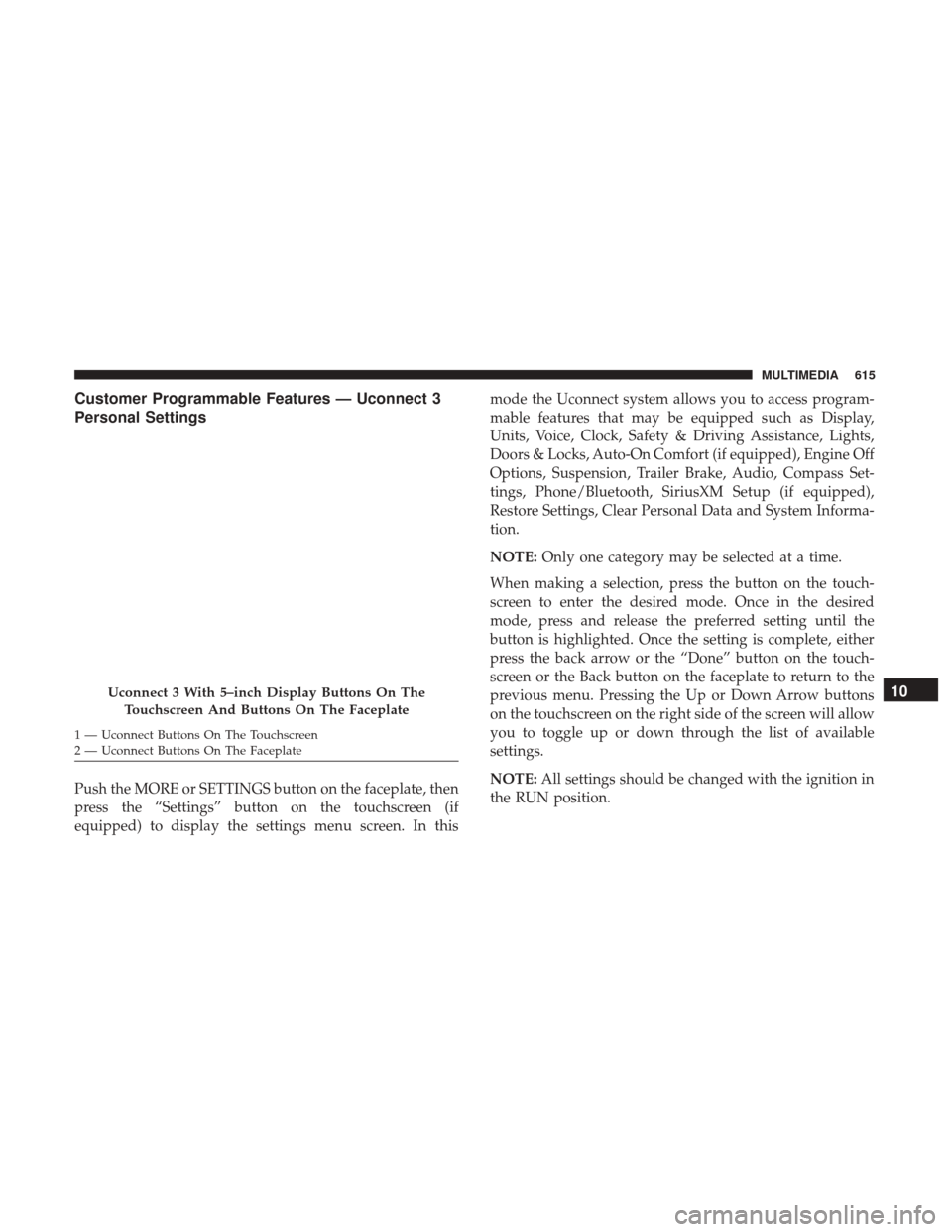
Customer Programmable Features — Uconnect 3
Personal Settings
Push the MORE or SETTINGS button on the faceplate, then
press the “Settings” button on the touchscreen (if
equipped) to display the settings menu screen. In thismode the Uconnect system allows you to access program-
mable features that may be equipped such as Display,
Units, Voice, Clock, Safety & Driving Assistance, Lights,
Doors & Locks, Auto-On Comfort (if equipped), Engine Off
Options, Suspension, Trailer Brake, Audio, Compass Set-
tings, Phone/Bluetooth, SiriusXM Setup (if equipped),
Restore Settings, Clear Personal Data and System Informa-
tion.
NOTE:
Only one category may be selected at a time.
When making a selection, press the button on the touch-
screen to enter the desired mode. Once in the desired
mode, press and release the preferred setting until the
button is highlighted. Once the setting is complete, either
press the back arrow or the “Done” button on the touch-
screen or the Back button on the faceplate to return to the
previous menu. Pressing the Up or Down Arrow buttons
on the touchscreen on the right side of the screen will allow
you to toggle up or down through the list of available
settings.
NOTE: All settings should be changed with the ignition in
the RUN position.
Uconnect 3 With 5–inch Display Buttons On The
Touchscreen And Buttons On The Faceplate
1 — Uconnect Buttons On The Touchscreen
2 — Uconnect Buttons On The Faceplate
10
MULTIMEDIA 615
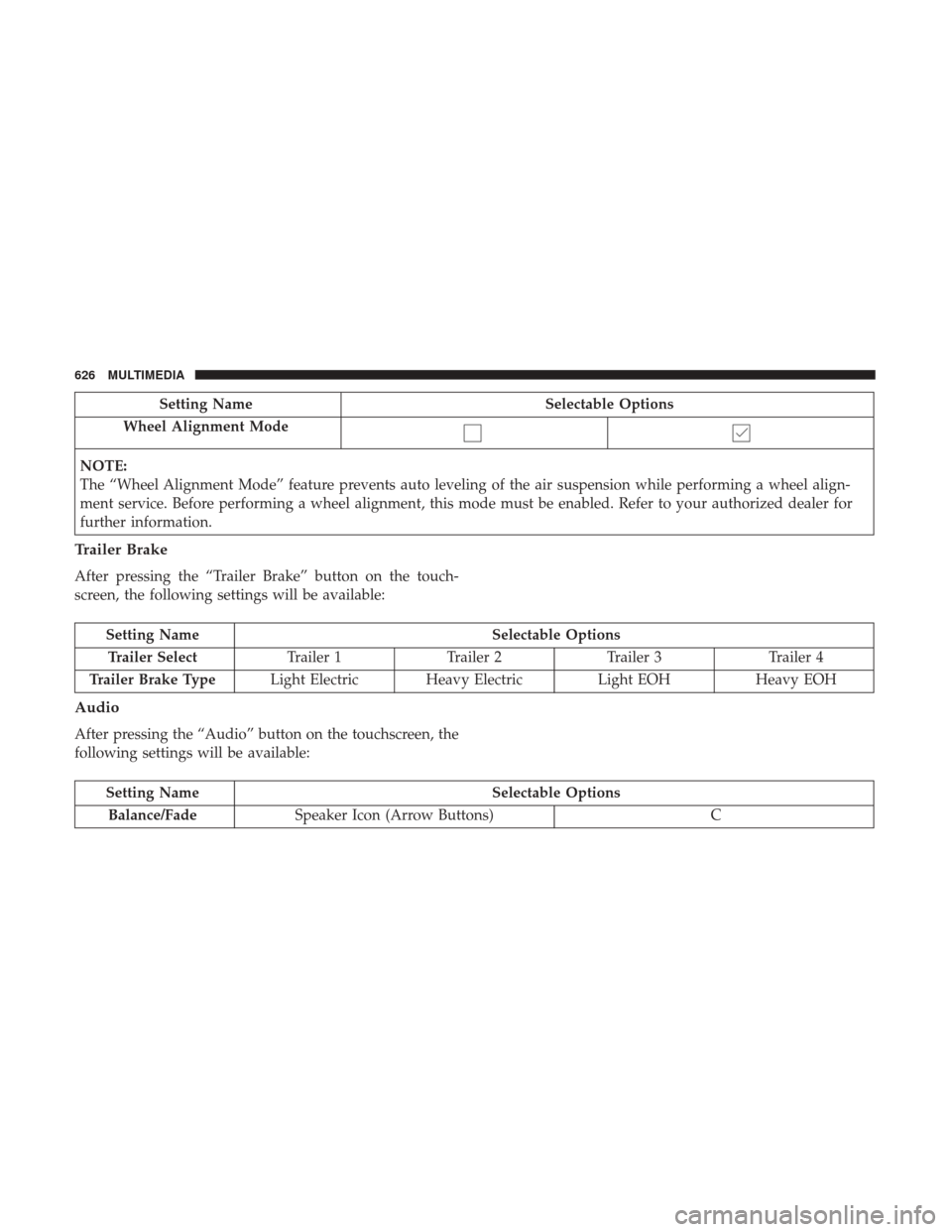
Page 628 of 700
Setting NameSelectable Options
Wheel Alignment Mode
NOTE:
The “Wheel Alignment Mode” feature prevents auto leveling of the air suspension while performing a wheel align-
ment service. Before performing a wheel alignment, this mode must be enabled. Refer to your authorized dealer for
further information.
Trailer Brake
After pressing the “Trailer Brake” button on the touch-
screen, the following settings will be available:
Setting Name Selectable Options
Trailer Select Trailer 1Trailer 2Trailer 3 Trailer 4
Trailer Brake Type Light Electric Heavy Electric Light EOHHeavy EOH
Audio
After pressing the “Audio” button on the touchscreen, the
following settings will be available:
Setting Name Selectable Options
Balance/Fade Speaker Icon (Arrow Buttons) C
626 MULTIMEDIA