2018 PEUGEOT EXPERT ignition
[x] Cancel search: ignitionPage 184 of 416
182
The indicator lamp does not come on
if the engine is hot. In some climatic
conditions, it is advised to follow the
recommendations below:
-
I
n temperate conditions, do not leave
the engine at idle to warm up but move
off straight away and drive at moderate
speed.
-
I
n wintry conditions, the pre-heater
warning lamp will stay on for a longer
period after switching on the ignition;
wait until it goes off before starting.
-
In very severe wintry conditions
(temperature below -23°C), to ensure
the correct operation and durability of
the mechanical components of your
vehicle (engine and gearbox), leave
the engine running for 4
minutes
before moving off.
Never leave the engine running in
an enclosed area without adequate
ventilation: internal combustion engines
emit toxic exhaust gases, such as carbon
monoxide. Risk of intoxication and death. For Diesel vehicles
, in sub-zero
temperatures the engine will not
start until the pre-heater warning
lamp has gone off.
If this warning lamp comes on
after pressing the "START/
STOP" button, press down on
the brake or clutch pedal until the
warning lamp goes off, without
pressing the "START/STOP"
button again, until the engine
starts and runs.
The presence in the recognition zone of
the remote control of the
K
eyless Entry
and Starting system is essential.
Never leave the vehicle with the engine
running and with the remote control on
your person.
If the remote control leaves the
recognition zone, a message is displayed.
Move the remote control into the zone to
be able to start the engine. If one of the starting conditions is not met,
a message appears on the instrument
panel. In some cases, it is necessary to
operate the steering wheel while pressing
the "START/STOP" button to help unlock
the steering column, a message appears.
Switching off
F Immobilise the vehicle.
F
W
ith the remote control in the
recognition zone, press the
" START/STOP " button.
The engine stops and the steering column is
locked.
If the vehicle is not immobilised, the
engine will not stop.
Driving
Page 185 of 416
183
To avoid any risk of jamming the pedals:
- o nly use mats which are suited to the
fixings already present in the vehicle;
these fixings must be used,
-
n
ever place one mat on top of another.
The use of mats not approved by
PEUGEOT may inter fere with access to
the pedals and hinder the operation of the
cruise control/speed limiter.
The mats approved by PEUGEOT have
two fixings located below the seat.
Switching the ignition on
(without starting)
With the Keyless Entry and Starting
electronic key inside the vehicle,
pressing the " START/STOP " button,
without pressing any of the
pedals , allows the ignition to be
switched on.
This also allows some equipment to be
activated (examples: audio system, lighting,
e t c .) .
F
P
ress the " START/STOP "
button, the instrument panel
comes on but the engine does
not start.
F
P
ress this button again to
switch off the ignition and allow
the vehicle to be locked.
With the ignition on, the system
automatically goes into energy economy
mode to maintain an adequate state of
charge in the battery.
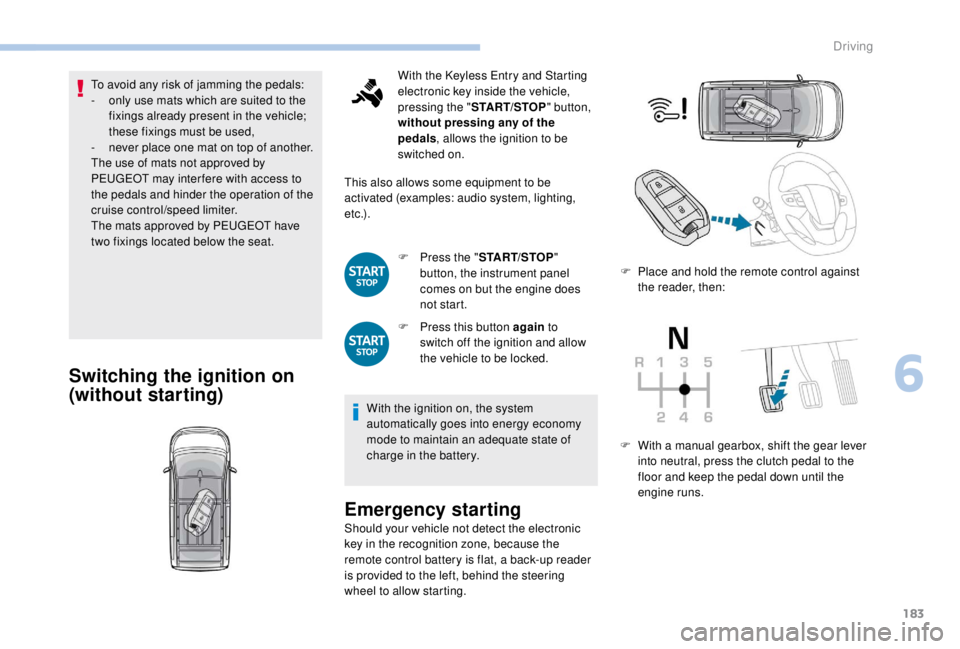
Emergency starting
Should your vehicle not detect the electronic
key in the recognition zone, because the
remote control battery is flat, a back-up reader
is provided to the left, behind the steering
wheel to allow starting. F
P
lace and hold the remote control against
the reader, then:
F
W
ith a manual gearbox, shift the gear lever
into neutral, press the clutch pedal to the
floor and keep the pedal down until the
engine runs.
6
Driving
Page 187 of 416
185
Anti-theft protection
Electronic engine
immobiliser
The keys contain an electronic chip which has
a secret code. When the ignition is switched
on, this code must be recognised in order for
starting to be possible.
This electronic engine immobiliser locks the
engine management system a few minutes
after the ignition is switched off, and prevents
starting of the engine by anyone who does not
have the key.
In the event of a malfunction, you are informed
by a message in the instrument panel screen.
If this happens, your vehicle will not start;
contact a PEUGEOT dealer if required.For reasons of safety and theft protection,
do not leave your electronic key in the
vehicle, even when you are close to it.
It is recommended that you keep it on your
person.
Parking brake
Application
F With your foot on the brake pedal, pull the parking brake lever up to immobilise your
vehicle.
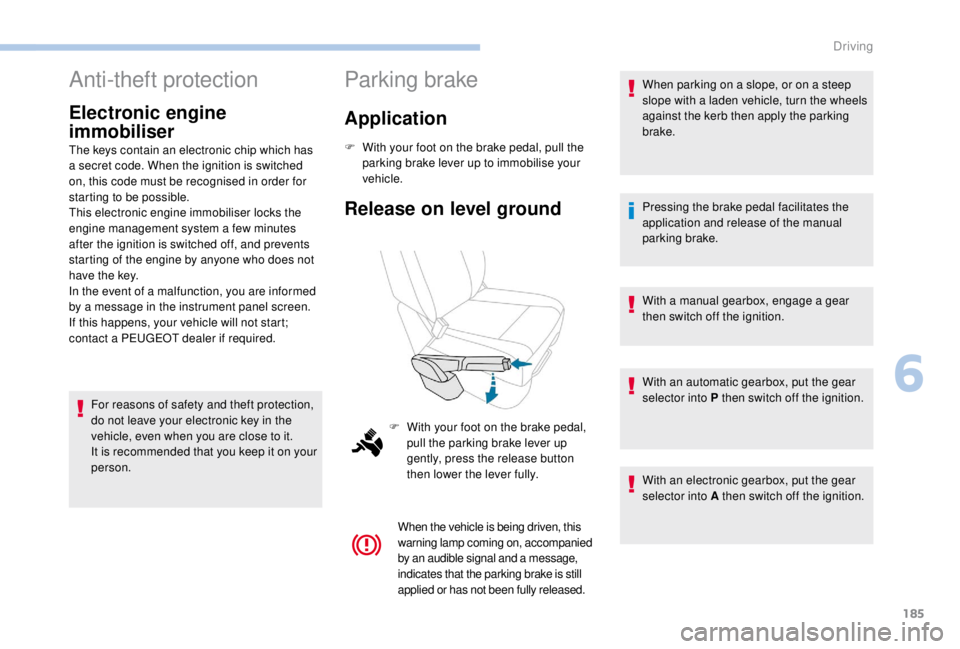
Release on level ground
When the vehicle is being driven, this
warning lamp coming on, accompanied
by an audible signal and a message,
indicates that the parking brake is still
applied or has not been fully released.
When parking on a slope, or on a steep
slope with a laden vehicle, turn the wheels
against the kerb then apply the parking
brake.
Pressing the brake pedal facilitates the
application and release of the manual
parking brake.
With a manual gearbox, engage a gear
then switch off the ignition.
With an automatic gearbox, put the gear
selector into P then switch off the ignition.
With an electronic gearbox, put the gear
selector into A then switch off the ignition.
F
W
ith your foot on the brake pedal,
pull the parking brake lever up
gently, press the release button
then lower the lever fully.
6
Driving
Page 195 of 416
193
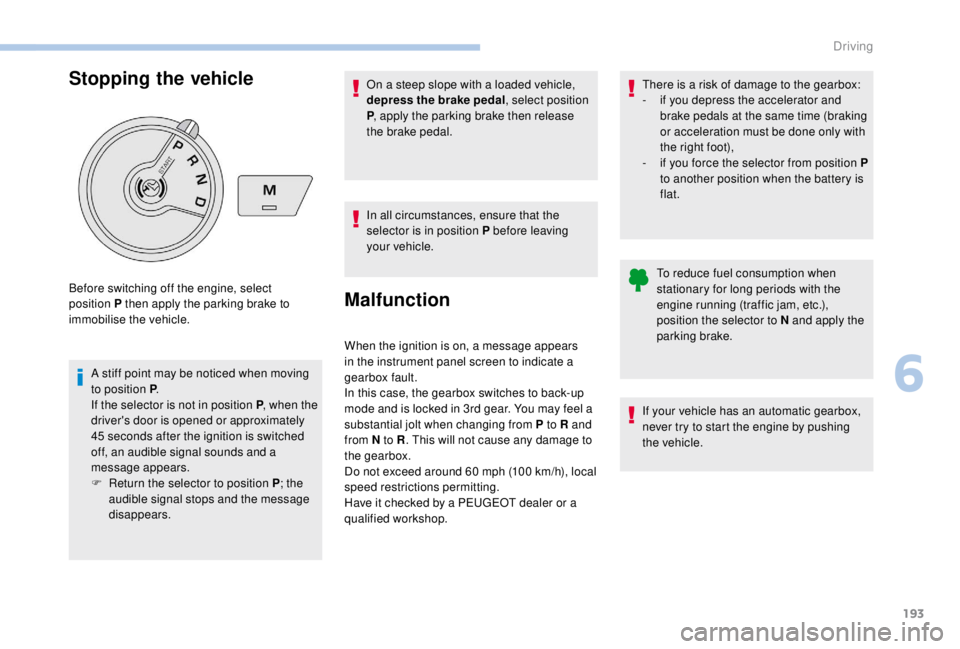
Stopping the vehicle
A stiff point may be noticed when moving
to position P.
If the selector is not in position P , when the
driver's door is opened or approximately
45
seconds after the ignition is switched
off, an audible signal sounds and a
message appears.
F
R
eturn the selector to position P ; the
audible signal stops and the message
disappears.
Before switching off the engine, select
position P then apply the parking brake to
immobilise the vehicle.
To reduce fuel consumption when
stationary for long periods with the
engine running (traffic jam, etc.),
position the selector to N and apply the
parking brake.
If your vehicle has an automatic gearbox,
never try to start the engine by pushing
the vehicle.
On a steep slope with a loaded vehicle,
depress the brake pedal, select position
P
, apply the parking brake then release
the brake pedal.
In all circumstances, ensure that the
selector is in position P before leaving
your vehicle.
Malfunction
When the ignition is on, a message appears
in the instrument panel screen to indicate a
gearbox fault.
In this case, the gearbox switches to back-up
mode and is locked in 3rd gear. You may feel a
substantial jolt when changing from P to R and
from N to R . This will not cause any damage to
the gearbox.
Do not exceed around 60
mph (100 km/h), local
speed restrictions permitting.
Have it checked by a PEUGEOT dealer or a
qualified workshop. There is a risk of damage to the gearbox:
-
i
f you depress the accelerator and
brake pedals at the same time (braking
or acceleration must be done only with
the right foot),
-
i
f you force the selector from position P
to another position when the battery is
flat.
6
Driving
Page 199 of 416
197
Reverse gear
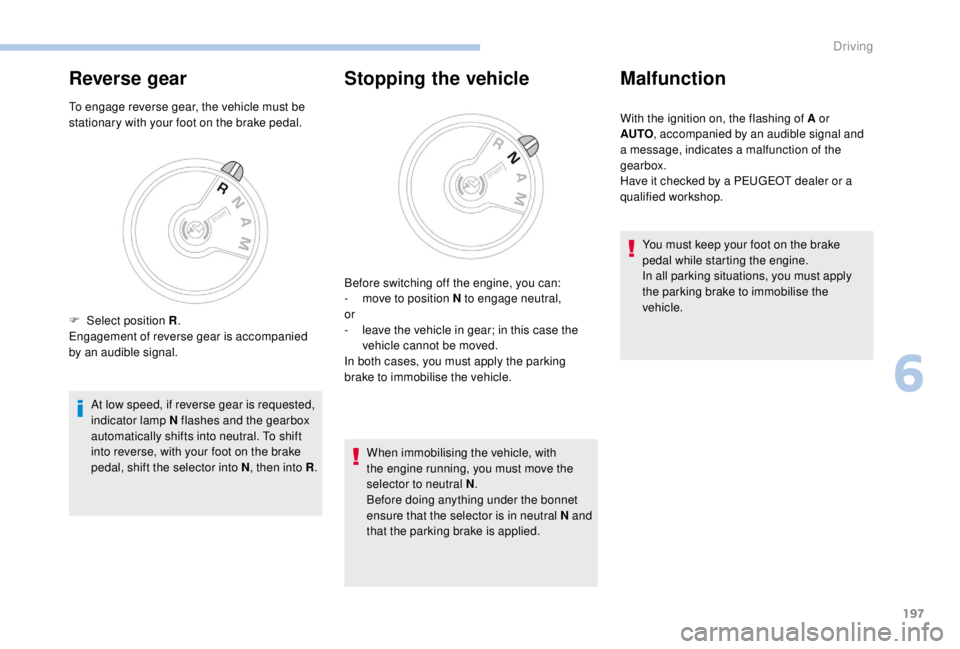
To engage reverse gear, the vehicle must be
stationary with your foot on the brake pedal.At low speed, if reverse gear is requested,
indicator lamp N flashes and the gearbox
automatically shifts into neutral. To shift
into reverse, with your foot on the brake
pedal, shift the selector into N , then into R.
Stopping the vehicle
When immobilising the vehicle, with
the engine running, you must move the
selector to neutral N .
Before doing anything under the bonnet
ensure that the selector is in neutral N and
that the parking brake is applied.
Malfunction
With the ignition on, the flashing of A or
AUTO , accompanied by an audible signal and
a message, indicates a malfunction of the
gearbox.
Have it checked by a PEUGEOT dealer or a
qualified workshop.
You must keep your foot on the brake
pedal while starting the engine.
In all parking situations, you must apply
the parking brake to immobilise the
vehicle.
F
Sel
ect position R .
Engagement of reverse gear is accompanied
by an audible signal. Before switching off the engine, you can:
-
m
ove to position N to engage neutral,
or
-
l
eave the vehicle in gear; in this case the
vehicle cannot be moved.
In both cases, you must apply the parking
brake to immobilise the vehicle.
6
Driving
Page 200 of 416
198
Stop & Start
The Stop & Start system puts the engine
temporarily into standby – STOP mode – during
stops in traffic (red lights, traffic jams, etc.). The
engine restarts automatically – START mode –
as soon as you want to move off.
The restart takes place instantly, quickly and
silently.
Per fect for urban use, the Stop & Start system
reduces fuel consumption and exhaust
emissions as well as the noise level when
stationary.
Going into engine
STOP mode
For your convenience during parking
manoeuvres, STOP mode is not available
for a few seconds after coming out of
reverse gear.
The Stop & Start does not affect the
functionality of the vehicle, such as for
example, braking, power steering, etc.
A slight delay between the vehicle
stopping and the engine cutting out may
be noticed.Never refuel with the engine in STOP
mode; you must switch off the ignition.
With a manual gearbox , when vehicle speed
is below 12 mph (20 km/h) or the vehicle is
stationary (depending on engine), the Stop &
Start warning lamp comes on in the instrument
panel and the engine goes into standby
automatically when you place the gear lever in
neutral and you release the clutch pedal.
With an automatic gearbox , vehicle
stationary, the Stop & Start warning lamp
on the instrument panel comes on and the
engine goes into standby automatically when
you press the brake pedal or place the gear
selector in position N .
With an electronic gearbox , vehicle speed
below 5 mph (8 km/h), the Stop & Start warning
lamp on the instrument panel comes on and the
engine goes into standby automatically when
you press the brake pedal or place the gear
selector in position N .
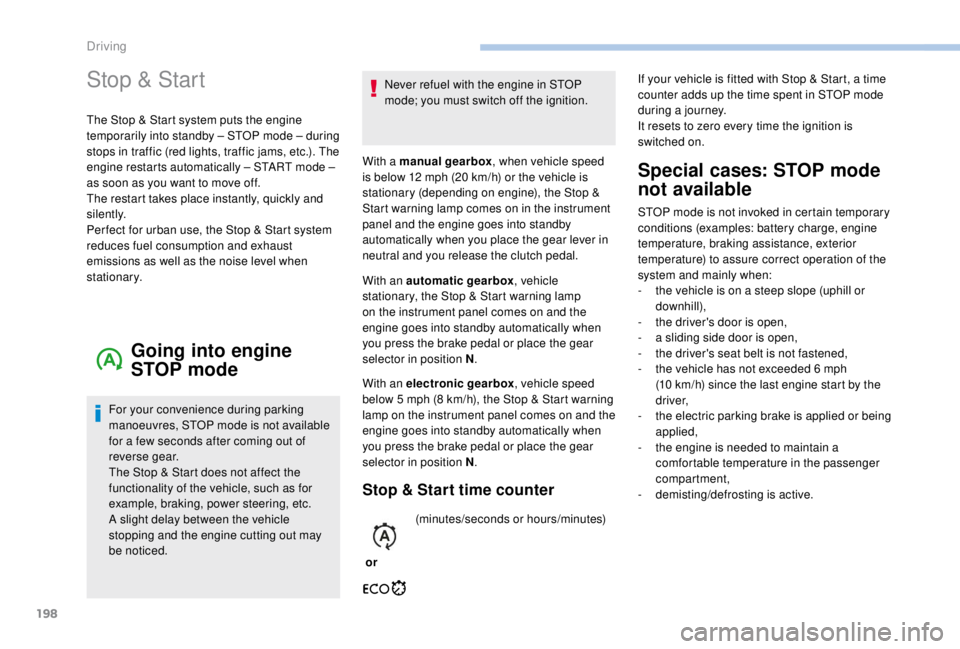
Stop & Start time counter
or(minutes/seconds or hours/minutes)
Special cases: STOP mode
not available
STOP mode is not invoked in certain temporary
conditions (examples: battery charge, engine
temperature, braking assistance, exterior
temperature) to assure correct operation of the
system and mainly when:
-
t
he vehicle is on a steep slope (uphill or
downhill),
-
t
he driver's door is open,
-
a s
liding side door is open,
-
t
he driver's seat belt is not fastened,
-
t
he vehicle has not exceeded 6 mph
(10
km/h) since the last engine start by the
driver,
-
t
he electric parking brake is applied or being
applied,
-
t
he engine is needed to maintain a
comfortable temperature in the passenger
compartment,
-
d
emisting/defrosting is active.
If your vehicle is fitted with Stop & Start, a time
counter adds up the time spent in STOP mode
during a journey.
It resets to zero every time the ignition is
switched on.
Driving
Page 202 of 416
200
The system reactivates automatically
every time the engine is started by the
driver.
Opening the bonnet
Driving on flooded roadsOperating fault
Depending on your vehicle's equipment:In the event of a fault with the
system, this warning lamp flashes in
the instrument panel.
The indicator lamp in this button
flashes and a message appears,
accompanied by an audible signal.
Have it checked by a PEUGEOT dealer or a
qualified workshop.
If a fault occurs in STOP mode, the vehicle may
stall.
All of the instrument panel warning lamps come
on.
Depending on version, an alert message may
also be displayed, asking you to place the gear
lever in position N and put your foot on the
brake pedal.
With the vehicle stationary, you must switch off
the ignition and then start the engine again.
Head-up display
System which projects various information onto
a blade in the driver's field of vision so that they
do not have to take their eyes off the road.
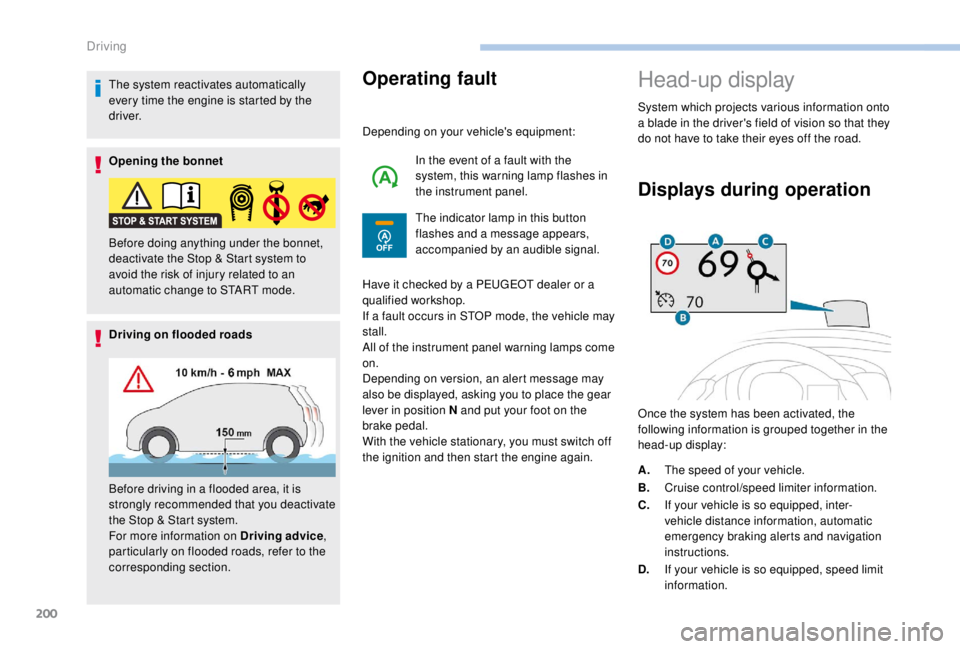
Displays during operation
Once the system has been activated, the
following information is grouped together in the
head-up display:
Before doing anything under the bonnet,
deactivate the Stop & Start system to
avoid the risk of injury related to an
automatic change to START mode.
Before driving in a flooded area, it is
strongly recommended that you deactivate
the Stop & Start system.
For more information on Driving advice
,
particularly on flooded roads, refer to the
corresponding section. A.
The speed of your vehicle.
B. Cruise control/speed limiter information.
C. If your vehicle is so equipped, inter-
vehicle distance information, automatic
emergency braking alerts and navigation
instructions.
D. If your vehicle is so equipped, speed limit
information.
Driving
Page 203 of 416
201
For more information on Navigation, refer
to the Audio equipment and telematics
section.
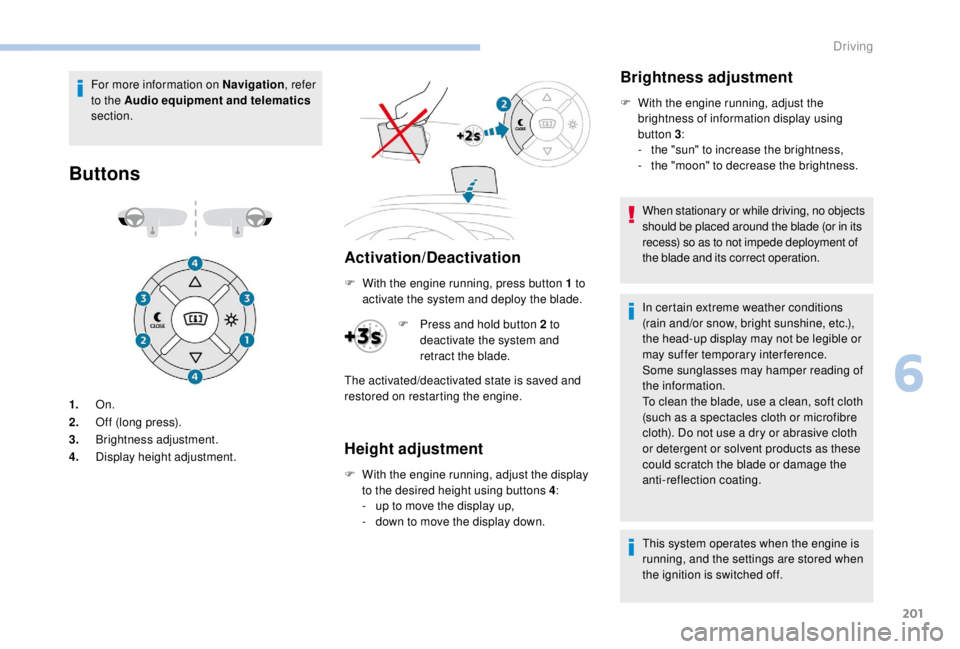
Buttons
Activation/Deactivation
1. On.
2. Off (long press).
3. Brightness adjustment.
4. Display height adjustment. F
W
ith the engine running, press button 1 to
activate the system and deploy the blade.
Height adjustment
F With the engine running, adjust the display to the desired height using buttons 4 :
-
u
p to move the display up,
-
d
own to move the display down.
Brightness adjustment
F With the engine running, adjust the brightness of information display using
button 3 :
-
t
he "sun" to increase the brightness,
-
t
he "moon" to decrease the brightness.
When stationary or while driving, no objects
should be placed around the blade (or in its
recess) so as to not impede deployment of
the blade and its correct operation.
In certain extreme weather conditions
(rain and/or snow, bright sunshine, etc.),
the head-up display may not be legible or
may suffer temporary interference.
Some sunglasses may hamper reading of
the information.
To clean the blade, use a clean, soft cloth
(such as a spectacles cloth or microfibre
cloth). Do not use a dry or abrasive cloth
or detergent or solvent products as these
could scratch the blade or damage the
anti-reflection coating.
This system operates when the engine is
running, and the settings are stored when
the ignition is switched off.
F
P
ress and hold button 2
to
deactivate the system and
retract the blade.
The activated/deactivated state is saved and
restored on restarting the engine.
6
Driving