2018 PEUGEOT EXPERT ignition
[x] Cancel search: ignitionPage 34 of 416

32
With an LCD instrument panel, "NO START IN"
is displayed.
When driving, this message is displayed every
30 seconds until the AdBlue level has been
topped up.
It is essential to top up as soon as possible and
before the tank is completely empty; other wise
it will not be possible to restart the engine after
the next stop.
For more information on the AdBlue
®
(BlueHDi engines) , and in particular on
topping up, refer to the corresponding
section.
Breakdown related to a lack of AdBlue
®
When switching on the ignition, this
warning lamp flashes, associated
with an audible signal and the
display of the message "Top
up emissions additive: Starting
prevented". With an LCD instrument panel, "NO START IN"
is displayed.
The AdBlue
® tank is empty: the starting
inhibition system required by legislation
prevents starting of the engine.
To be able to restart the engine, it is
essential to add at least 4
litres of AdBlue
®
to its tank.
In the event of a fault with the
SCR emissions control system
An engine immobiliser is activated
automatically after you have driven a
further 685
miles (1,100 km) following
confirmation of a fault with the SCR
emissions control system. Have the
system checked by a PEUGEOT dealer or
a qualified workshop as soon as possible. In the event of the detection of a fault
These warning lamps come on, accompanied
by an audible signal and the display of the
message "Emissions fault".
The alert is triggered while driving as soon
as the fault is detected for the first time, then
when switching on the ignition for subsequent
journeys, while the fault persists.
If it is a temporary fault, the alert
disappears during the next journey,
after self-diagnostic checks of the SCR
emissions control system.
Instruments
Page 35 of 416
33
During the permitted driving phase (between
685 and 0 miles (1,100 km and 0 km))
If a fault with the SCR system is confirmed
(after 30
miles (50 km) covered with the
permanent display of the message signalling
a fault), these warning lamps come on and the
AdBlue warning lamp flashes, accompanied by
an audible signal and the display of a message
(e.g. "Emissions fault: Starting prevented in
While driving, the message is displayed every
30
seconds while the fault with the SCR
emissions control system persists.
The alert is repeated when switching on the
ignition.
You should go to a PEUGEOT dealer or a
qualified workshop as soon as possible.
Other wise you will not be able to restart the
vehicle. Starting prevented
Each time the ignition is switched on, these
warning lamps come on and the AdBlue
warning lamp flashes, accompanied by an
audible signal and the display of the message
"Emissions fault: Starting prevented".
With an LCD instrument panel, "NO START IN"
is displayed.
You have exceeded the authorised driving
limit: the starting prevention system does
not allow the engine to be started. To
be able to restart the engine, you must
call on a PEUGEOT dealer or a qualified
workshop.Distance recorders
The total and trip distances are displayed for
thirty seconds when the ignition is switched off,
when the driver's door is opened and when the
vehicle is locked or unlocked.
Total distance recorder
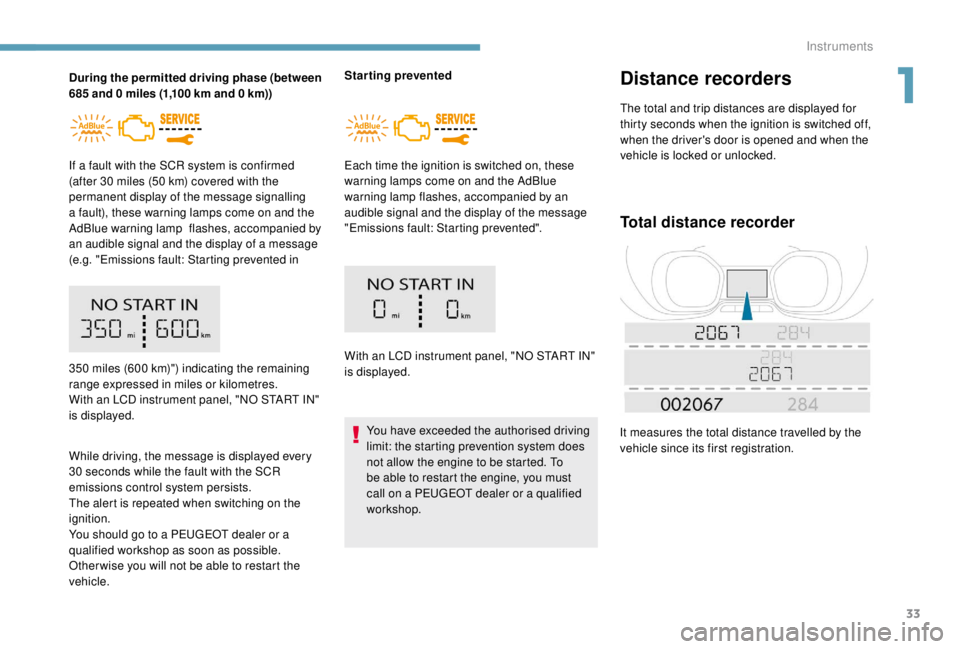
It measures the total distance travelled by the
vehicle since its first registration.
350
miles (600 km)") indicating the remaining
range expressed in miles or kilometres.
With an LCD instrument panel, "NO START IN"
is displayed.
1
Instruments
Page 36 of 416

34
Lighting dimmer
On the instrument panel
F With the exterior lighting on, press this button A to lower the level of brightness.
F
W
ith the exterior lighting on, press this
button B to raise the level of brightness.
As soon as the lighting reaches the required
level of brightness, release the button.
With the touch screen
F In the Settings menu, select
" Brightness ".
F
A
djust the brightness by
pressing the arrows or moving
t h e c u r s o r.
F
P
ress " Confirm " to save and
quit.
Trip distance recorder
It measures the distance travelled since it was
reset by the driver.
F
W
ith the ignition on,
press this button until
zeros appear. This system allows the brightness of the
instruments and controls to be adjusted to suit
the ambient light level.
You can also switch off the screen. To do this:F
P
ress the Settings button.
F
Select Switch off screen .
The screen goes off completely.
Press the screen again (anywhere on its
sur face) to activate it.
Instruments
Page 39 of 416
37
Date and time adjustmentDashes are displayed when the range falls
below around 20 miles (30 km). After filling with
at least 8
litres of fuel, the range is recalculated
and is displayed if it exceeds around 60
miles
(10 0
k m).
If dashes are displayed continuously while
driving in place of the digits, contact a
PEUGEOT dealer or a qualified workshop.
Current fuel consumption
(mpg or km/l or l/100 km)
C alculated during the last few
seconds.
This function is only displayed from
around 20
mph (30 km/h).
Average fuel consumption
(mpg or km/l or l/100 km)
C alculated since the last time the
trip recorder was reset to zero.
Average speed
(mph or km/h)
Calculated since the last time the
trip recorder was reset to zero.
Distance travelled
(miles or km)
Calculated since the last time the
trip recorder was reset to zero.
Stop & Start time counter
or (minutes/seconds or hours/minutes)
If your vehicle is fitted with Stop & Start, a time
counter adds up the time spent in STOP mode
during a journey.
It resets to zero every time the ignition is
switched on.
Without audio system
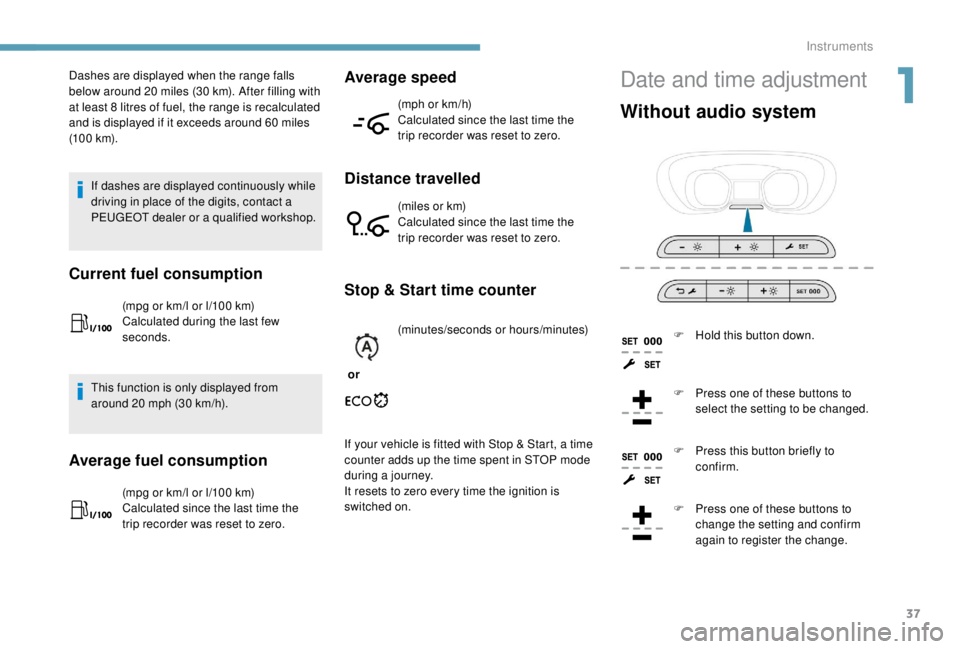
F Hold this button down.
F
P
ress one of these buttons to
select the setting to be changed.
F
P
ress this button briefly to
confirm.
F
P
ress one of these buttons to
change the setting and confirm
again to register the change.
1
Instruments
Page 41 of 416

39
Key
The key allows the central locking or unlocking
of the vehicle using the door lock.
It also allows the fuel filler cap to be removed
and refitted and the engine started or switched
of f.
Key, remote control
The remote control buttons are not active
when the ignition is switched on.
Unfolding/Folding the key
If you do not press the button, you risk
damaging the remote control.
What is the purpose of total
or selective unlocking?
F Press this button to unfold or fold the key.Selective unlocking unlocks either the cab
doors, or the doors of the loading area (side
and rear). Total unlocking unlocks all
the vehicle’s doors
(front, side and rear).
The separated unlocking system between
cab and loading area is a security
measure.
It is used to close access to the part of the
vehicle in which you are not.
It allows the central locking or unlocking of the
vehicle using the door lock or from a distance. It also allows the vehicle to be located, the fuel
filler cap to be removed and refitted and the
engine to be started or switched off, as well as
providing protection against theft.
2
Access
Page 42 of 416
40
Unlocking is confirmed by rapid flashing
of the direction indicators for around two
seconds.
At the same time, depending on your
version, the door mirrors unfold.
Programming
By default, selectivity between cab and
loading area is activated.
Total unlocking
Cab and loading area selectivity
disabled.
Using the key
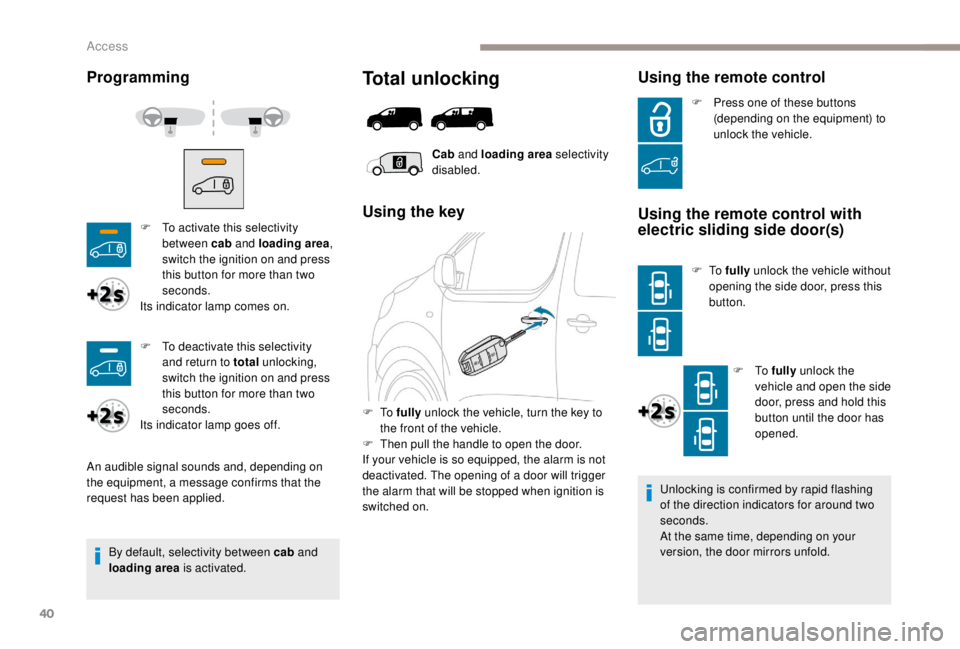
F To fully unlock the vehicle, turn the key to
the front of the vehicle.
F
T
hen pull the handle to open the door.
If your vehicle is so equipped, the alarm is not
deactivated. The opening of a door will trigger
the alarm that will be stopped when ignition is
switched on.
Using the remote control
F To activate this selectivity between cab and loading area ,
switch the ignition on and press
this button for more than two
seconds.
Its indicator lamp comes on.
An audible signal sounds and, depending on
the equipment, a message confirms that the
request has been applied. F
P
ress one of these buttons
(depending on the equipment) to
unlock the vehicle.Using the remote control with
electric sliding side door(s)
F To fully unlock the vehicle without
opening the side door, press this
button.
F
To fully unlock the
vehicle and open the side
door, press and hold this
button until the door has
opened.
F
T
o deactivate this selectivity
and return to total unlocking,
switch the ignition on and press
this button for more than two
seconds.
Its indicator lamp goes off.
Access
Page 43 of 416

41
Selective unlocking
Using the remote control
F To unlock just the cab doors,
press this button once .
If your vehicle is so equipped:
Using the remote control with
electric sliding side door(s)
F To unlock the loading area
alone without opening the side
door, press this button.
F
T
o unlock the loading
area alone and open
the side door, press and
hold this button until the
door has opened.
Unlocking is confirmed by rapid flashing
of the direction indicators for around two
seconds.
At the same time, depending on your
version, the door mirrors unfold.
Unlocking
Using the key
Using the remote control
F To unlock the vehicle, press this button.
F
T
o unlock the vehicle, turn the key to the
front of the vehicle.
F
T
hen pull the handle to open the door.
If your vehicle is so equipped, the alarm is not
deactivated. The opening of a door will
trigger the alarm that will be stopped when the
ignition is switched on.
Cab
and loading area selectivity
activated.
F
P
ress this button to unlock the
loading area alone .
F
T
o unlock the loading area
opening elements (side and
rear), press this button again .
2
Access
Page 46 of 416

44
Anti-theft protection
Electronic engine immobiliser
The remote control contains an electronic chip
which has a secret code. When the ignition is
switched on, this code must be recognised in
order for starting to be possible.
A few seconds after switching off the ignition,
this system locks the engine control system,
therefore preventing the engine from being
started in the event of a break-in.In the event of a fault, you are
informed by illumination of this
warning lamp, an audible signal and
a message in the screen.
The vehicle will not start; contact a PEUGEOT
dealer as soon as possible.
B a c k- u p c o nt r o l (s)
Locking the driver's door
F Insert the key in the door lock, then turn it to the rear.
Unlocking
F Insert the key in the door lock, then turn it to the front. If your vehicle has an alarm, it will not be
deactivated/activated on unlocking/locking
the vehicle.
Opening a door will trigger the alarm,
which can be stopped by switching the
ignition on.
Locking the front
passenger door
F Open the door.
F
R
emove the cap on the edge of the door.
F
I
nsert the key into the latch aperture
(without forcing) and turn the assembly.
F
R
emove the key and refit the cap.
F
C
lose the door and check from the outside
that it has locked correctly.
For mechanically locking and unlocking the
doors in the event of a fault with the central
locking system or a battery failure.
Access