2018 NISSAN SENTRA security
[x] Cancel search: securityPage 29 of 507
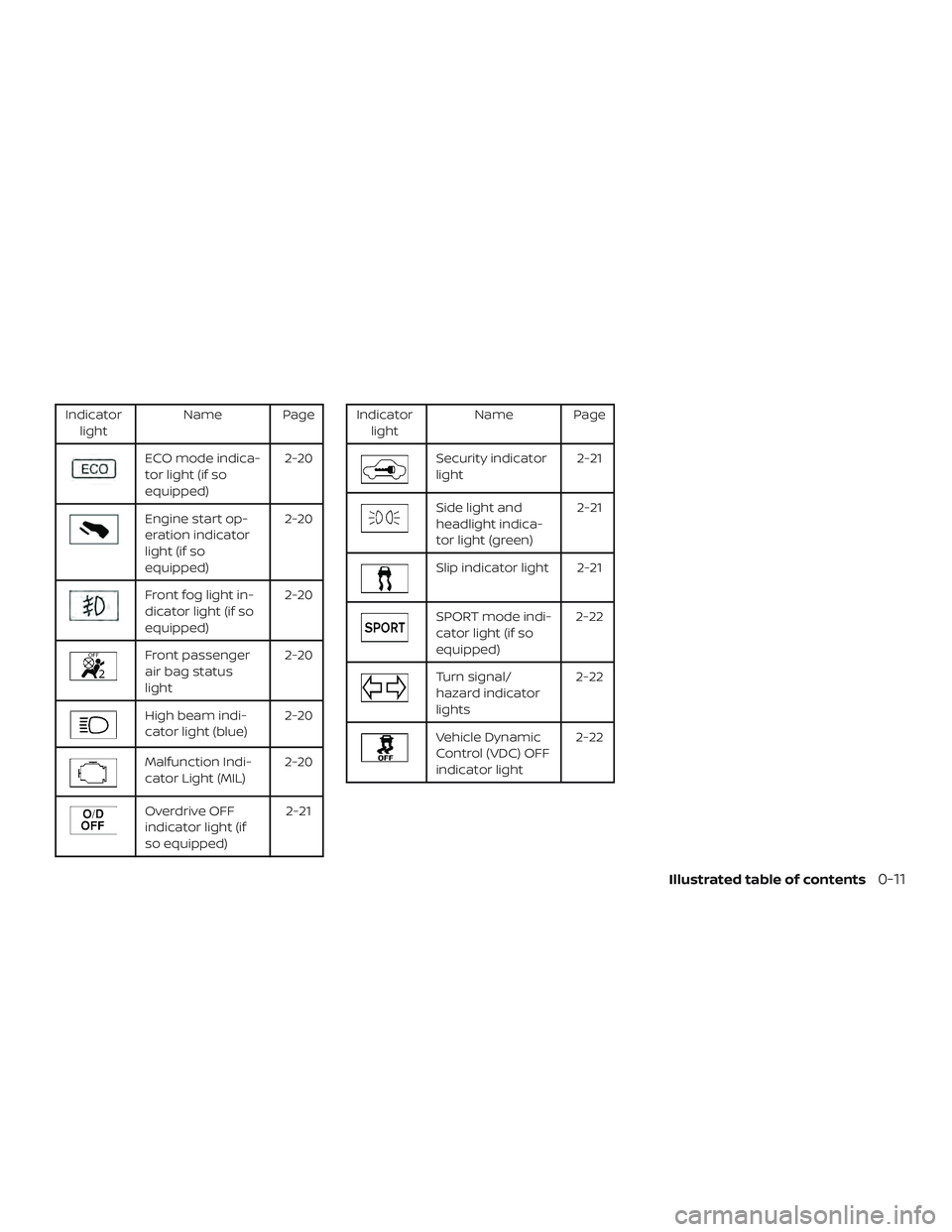
Indicatorlight Name Page
ECO mode indica-
tor light (if so
equipped) 2-20
Engine start op-
eration indicator
light (if so
equipped)2-20
Front fog light in-
dicator light (if so
equipped)
2-20
Front passenger
air bag status
light2-20
High beam indi-
cator light (blue)
2-20
Malfunction Indi-
cator Light (MIL)2-20
Overdrive OFF
indicator light (if
so equipped) 2-21
Indicator
light Name Page
Security indicator
light 2-21
Side light and
headlight indica-
tor light (green)2-21
Slip indicator light 2-21
SPORT mode indi-
cator light (if so
equipped)2-22
Turn signal/
hazard indicator
lights2-22
Vehicle Dynamic
Control (VDC) OFF
indicator light2-22
Illustrated table of contents0-11
Page 96 of 507

2 Instruments and controls
Instrument panel................................2-2
Meters and gauges ..............................2-3
Speedometer and odometer .................2-4
Tachometer .................................. 2-7
Engine coolant temperature gauge .......... 2-7
Fuel gauge ...................................2-8
Trip computer (if so equipped) ................2-9
Outside temperature display ................2-12
Warning lights, indicator lights and audible
reminders ...................................... 2-13
Checking lights .............................. 2-14
Warning lights ............................... 2-14
Indicator lights .............................. 2-19
Audible reminders ........................... 2-22
Vehicle information display (if so equipped) .....2-23
How to use the vehicle information
display ...................................... 2-23
Startup display .............................. 2-24
Settings ..................................... 2-24
Vehicle information display warnings
and indicators ............................... 2-32
Security systems ............................... 2-36
Vehicle security system (if so equipped) .....2-36
NISSAN Vehicle Immobilizer System .........2-38 Wiper and washer switch
.......................2-39
Switch operation ............................ 2-39
Rear window and outside mirror
(if so equipped) defroster switch ................2-40
Headlight and turn signal switch ...............2-41
Headlight control switch .....................2-41
Daytime Running Lights (DRL) system
(Type A) (if so equipped) .....................2-44
Daytime Running Lights (DRL) system
(Type B) (if so equipped) .....................2-44
LED Daytime Running Lights (DRL)
system (Type C — NISMO) (if so
equipped) ................................... 2-44
Instrument brightness control ...............2-45
Turn signal switch ........................... 2-45
Fog light switch (if so equipped) .............2-46
Horn ...........................................2-47
Heated seat switches (if so equipped) ..........2-47
V
ehicle Dynamic Control (VDC) OFF switch
(if so equipped) ................................. 2-48
E-call (SOS) switch (if so equipped) ..............2-49
Power outlet .................................... 2-49
Storage ........................................ 2-50
Front-door pockets .......................... 2-50
Page 109 of 507

orAnti-lock Braking System
(ABS) warning lightorPower steering warning lightHigh beam indicator light (blue)
Automatic Emergency Braking (AEB)
system warning light (if so equipped)Seat belt warning light and chimeMalfunction Indicator Light (MIL)
orBrake warning lightShif t P (Park) warning light (if so equipped)Overdrive OFF indicator light
(if so equipped)
Charge warning lightSupplemental air bag warning lightSecurity indicator light
Door open warning light (if so equipped)Continuously Variable Transmission (CVT)
position indicator light (CVT models)
(if so equipped)Side light and headlight indicator light
(green)
Engine oil pressure warning light
(if so equipped)Cruise main switch indicator light
(if so equipped)Slip indicator light
Low fuel warning light (if so equipped)ECO mode indicator light (if so equipped)SPORT mode indicator light
(if so equipped)
Low tire pressure warning lightEngine start operation indicator light
(if so equipped)Turn signal/hazard indicator lights
Low windshield-washer fluid warning light
(if so equipped)Front fog light indicator light (if so
equipped)Vehicle Dynamic Control (VDC) OFF indi-
cator light
Master warning light (if so equipped)Front passenger air bag status light
WARNING LIGHTS, INDICATOR LIGHTS
AND AUDIBLE REMINDERS
Instruments and controls2-13
Page 117 of 507

test. For additional information, refer to
“Readiness for Inspection/Maintenance
(I/M) test” in the “Technical and consumer
information” section of this manual.
Operation
The MIL will come on in one of two ways:∙ MIL on steady — An emission control system malfunction has been de-
tected. Check the fuel-filler cap if the
Loose Fuel Cap warning appears in the
vehicle information display. If the fuel-
filler cap is loose or missing, tighten or
install the cap and continue to drive the
vehicle. The
light should turn off
af ter a few driving trips. If the
light
does not turn off af ter a few driving
trips, have the vehicle inspected. It is
recommended that you visit a NISSAN
dealer for this service. You do not need
to have your vehicle towed to the
dealer.
∙ MIL blinking — An engine misfire has been detected which may damage the
emission control system. To reduce or
avoid emission control system dam-
age:
– do not drive at speeds above 45 mph (72 km/h). – avoid hard acceleration or decelera-
tion.
– avoid steep uphill grades.
– if possible, reduce the amount of cargo being hauled or towed.
The MIL may stop blinking and come on
steady. Have the vehicle inspected. It is rec-
ommended that you visit a NISSAN dealer
for this service. You do not need to have
your vehicle towed to the dealer.
CAUTION
Continued vehicle operation without
having the emission control system
checked and repaired as necessary
could lead to poor driveability, reduced
fuel economy, and possible damage to
the emission control system.
Overdrive OFF indicator light (if so equipped)
The overdrive OFF indicator light illumi-
nates when the overdrive OFF mode is se-
lected.
For additional information, refer to “Driving
the vehicle” in the “Starting and driving” sec-
tion of this manual.
Security indicator light
For vehicles without Intelligent Key: This
light blinks whenever the ignition switch is
placed in the LOCK, OFF or ACC position.
For vehicles with Intelligent Key: This light
blinks when the ignition switch is placed in
the LOCK position with the key removed
from the ignition switch.
The blinking security indicator light indi-
cates that the security systems equipped
on the vehicle are operational.
For additional information, refer to “Security
systems” in this section.
Side light and headlightindicator light (green)
The side light and headlight indicator light
illuminates when the side light or headlight
position is selected. For additional informa-
tion, refer to “Headlight and turn signal
switch” in this section.
Slip indicator light
This indicator will blink when the Vehicle
Dynamic Control (VDC) system is operat-
Instruments and controls2-21
Page 132 of 507
Unavailable: Front Radar Obstruction (if
so equipped)
This warning appears when the Intelligent
Cruise Control (ICC) system or the Auto-
matic Emergency Braking (AEB) system
becomes unavailable because the front ra-
dar is obstructed. For additional informa-
tion, refer to “Intelligent Cruise Control (ICC)”
or “Automatic Emergency Braking (AEB)” in
the “Starting and driving” section of this
manual.
ECO mode indicator (if so equipped)
This indicator shows when the ECO mode
is engaged.
For additional information, refer to “ECO
mode” in the “Starting and driving” section
of this manual.Your vehicle may have two types of security
systems:
∙ Vehicle security system (if so equipped)
∙ NISSAN Vehicle Immobilizer System
VEHICLE SECURITY SYSTEM (if so
equipped)
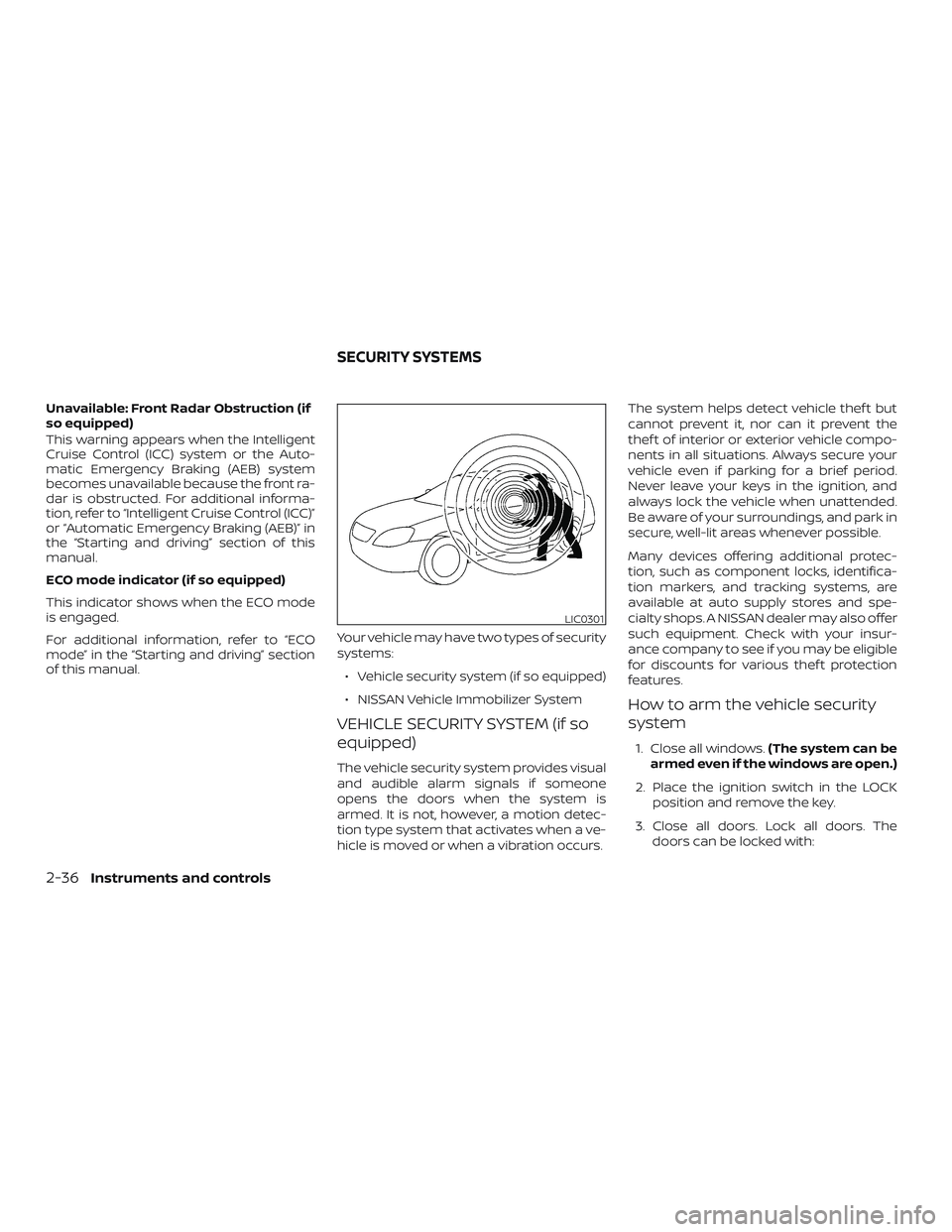
The vehicle security system provides visual
and audible alarm signals if someone
opens the doors when the system is
armed. It is not, however, a motion detec-
tion type system that activates when a ve-
hicle is moved or when a vibration occurs. The system helps detect vehicle thef t but
cannot prevent it, nor can it prevent the
thef t of interior or exterior vehicle compo-
nents in all situations. Always secure your
vehicle even if parking for a brief period.
Never leave your keys in the ignition, and
always lock the vehicle when unattended.
Be aware of your surroundings, and park in
secure, well-lit areas whenever possible.
Many devices offering additional protec-
tion, such as component locks, identifica-
tion markers, and tracking systems, are
available at auto supply stores and spe-
cialty shops. A NISSAN dealer may also offer
such equipment. Check with your insur-
ance company to see if you may be eligible
for discounts for various thef t protection
features.
How to arm the vehicle security
system
1. Close all windows.
(The system can be
armed even if the windows are open.)
2. Place the ignition switch in the LOCK position and remove the key.
3. Close all doors. Lock all doors. The doors can be locked with:
LIC0301
SECURITY SYSTEMS
2-36Instruments and controls
Page 133 of 507
∙ the power door lock switch (if thedoor is opened, locked and then
closed).
∙ the key — master or mechanical (In- telligent Key models).
∙ any request switch (Intelligent Key models).
∙ the key fob or Intelligent Key.
Key fob and Intelligent Key operation:
∙ Press the
button. All doors
lock. The hazard lights flash twice
and the horn beeps once to indicate
all doors are locked.
∙ When the
button is pressed
with all doors locked, the hazard
lights flash twice and the horn beeps
once as a reminder that the doors
are already locked.
The horn may or may not beep. For
additional information, refer to “Silenc-
ing the horn beep feature” in the “Pre-
driving checks and adjustments” sec-
tion in this manual. 4. Confirm that the
indicator light
comes on. The
light stays on for
about 30 seconds. The vehicle security
system is now pre-armed. Af ter about
30 seconds the vehicle security system
automatically shif ts into the armed
phase. The
light begins to flash
once every 3 seconds. If, during the 30-
second pre-arm time period, the driv-
er’s door is unlocked by the key, a re-
quest switch, the key fob or Intelligent
Key, or if the ignition switch is placed in
the ACC or ON position, the system will
not arm.
∙ If the key is turned slowly when lock-
ing the driver’s door, the system may
not arm. Furthermore, if the key is
turned beyond the vertical position
toward the unlock position to remove
the key, the system may be disarmed
when the key is removed. If the indi-
cator light fails to glow for a period of
time, unlock the door once and lock it
again.
∙ Even when the driver and/or passen-
gers are in the vehicle, the system will
arm with all doors closed and locked
with the ignition switch placed in the
OFF position.
Vehicle security system activation
The vehicle security system will give the
following alarm:
∙ The headlights blink and the horn sounds intermittently.
∙ The alarm automatically turns off af ter a period of time. However, the alarm
reactivates if the vehicle is tampered
with again. The alarm can be shut off by
unlocking the driver’s door with the key,
a request switch, by pressing the
button on the key fob or Intelligent Key
or placing the ignition switch in the ON
or ACC position.
The alarm is activated by:
∙ opening a door without using the key, a request switch, key fob or Intelligent Key
(even if the door is unlocked by using
the inside lock knob or the power door
lock switch).
How to stop an activated alarm
The alarm stops only by unlocking the driv-
er’s door by pressing the
button on
the key fob or Intelligent Key, or by unlock-
ing all doors with any request switch (Intel-
ligent Key models) or placing the ignition
switch in the ON or ACC position.
Instruments and controls2-37
Page 134 of 507
NISSAN VEHICLE IMMOBILIZER
SYSTEM
The NISSAN Vehicle Immobilizer System
will not allow the engine to start without
the use of a registered key.
If the engine fails to start using a registered
key (for example, when interference is
caused by another registered key, an auto-
mated toll road device or automatic pay-
ment device on the key ring), restart the
engine using the following procedures:1. Leave the ignition switch in the ON po- sition for approximately 5 seconds.
2. Place the ignition switch in the OFF or LOCK position and wait approximately
10 seconds.
3. Repeat steps 1 and 2.
4. Restart the engine while holding the device (which may have caused the in-
terference) separate from the regis-
tered key.
If the no start condition re-occurs, NISSAN
recommends placing the registered key on
a separate key ring to avoid interference
from other devices. Never leave these keys in the vehicle.
FCC Notice:
For USA:
This device complies with Part 15 of the
FCC Rules. Operation is subject to the fol-
lowing two conditions: (1) This device
may not cause harmful interference, and
(2) this device must accept any interfer-
ence received, including interference
that may cause undesired operation.
NOTE:
Changes or modifications not expressly
approved by the party responsible for
compliance could void the user’s author-
ity to operate the equipment.
For Canada:
This device complies with Industry
Canada licence-exempt RSS standard(s).
Operation is subject to the following two
conditions: (1) this device may not cause
interference, and (2) this device must ac-
cept any interference received, including
interference that may cause undesired
operation of the device.
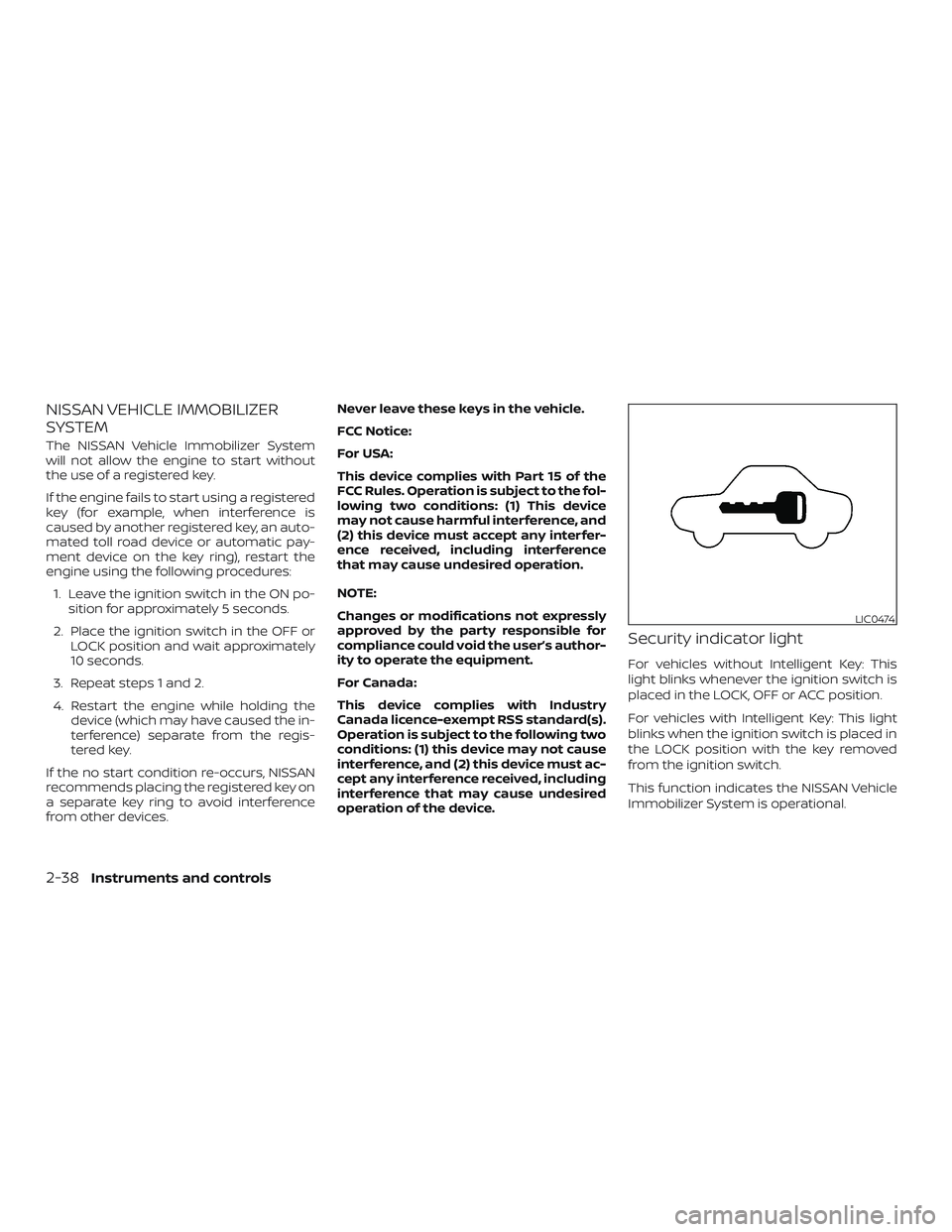
Security indicator light
For vehicles without Intelligent Key: This
light blinks whenever the ignition switch is
placed in the LOCK, OFF or ACC position.
For vehicles with Intelligent Key: This light
blinks when the ignition switch is placed in
the LOCK position with the key removed
from the ignition switch.
This function indicates the NISSAN Vehicle
Immobilizer System is operational.
LIC0474
2-38Instruments and controls
Page 159 of 507
The light illuminates when the trunk lid is
opened. When the trunk lid is closed, the
light goes off.
The light will go off af ter a period of time if
the trunk lid is lef t open, unless the ignition
switch is placed in the ON position.
For additional information, refer to “Exterior
and interior lights” in the “Do-it-yourself ”
section of this manual.The HomeLink® Universal Transceiver pro-
vides a convenient way to consolidate the
functions of up to three individual hand-
held transmitters into one built-in device.
HomeLink® Universal Transceiver:
∙ Will operate most radio frequency de- vices such as garage doors, gates,
home and office lighting, entry door
locks and security systems.
∙ Is powered by your vehicle’s battery. No separate batteries are required. If the
vehicle’s battery is discharged or is dis-
connected, HomeLink® will retain all
programming.
When the HomeLink® Universal Trans-
ceiver is programmed, retain the original
transmitter for future programming pro-
cedures (Example: new vehicle pur-
chases). Upon sale of the vehicle, the
programmed HomeLink® Universal
Transceiver buttons should be erased for
security purposes. For additional infor-
mation, refer to “Programming
HomeLink®” in this section.WARNING
∙ Do not use the HomeLink® Universal Transceiver with any garage door
opener that lacks safety stop and re-
verse features as required by federal
safety standards. (These standards
became effective for opener models
manufactured af ter April 1, 1982). A
garage door opener which cannot de-
tect an object in the path of a closing
garage door and then automatically
stop and reverse, does not meet cur-
rent federal safety standards. Using a
garage door opener without these
features increases the risk of serious
injury or death.
∙ During the programming procedure your garage door or security gate will
open and close (if the transmitter is
within range). Make sure that people
or objects are clear of the garage door,
gate, etc. that you are programming.
TRUNK LIGHT HOMELINK® UNIVERSAL
TRANSCEIVER (if so equipped)
Instruments and controls2-63