Page 127 of 435

Headlight beam select
�1To select the high beam function, push
the lever forward while the low beams
are on. The high beam lights come on
and the
indicator light illumi-
nates.
�2Pull the lever back to return to the low
beam.
�3Pulling and releasing the lever flashes
the headlight high beams on and off.
The low beams do not need to be on
for this to function.
Battery saver system
The battery saver system automatically
turns off the ignition af ter a period of time
when the ignition switch is lef t in the ON
position.
The battery saver system automatically
turns off the following lights af ter a period
of time when the ignition switch is placed in
the OFF position:
∙ Headlights, when the headlight switch is in the
orposition
∙ Interior lights, when lef t in the ON posi- tion
CAUTION
Even though the battery saver feature
automatically turns off the headlights
af ter a period of time, you should turn
the headlight switch to the OFF position
when the engine is not running to avoid
discharging the vehicle battery.
DAYTIME RUNNING LIGHTS (DRL)
SYSTEM (if so equipped)
The Daytime Running Lights (DRL) portion
of the fog light assembly automatically illu-
minates when the engine is started with
the parking brake released. The DRL oper-
ate with the headlight switch in the OFF
position. Turn the headlight switch to
the
position for full illumination when
driving at night. (The DRL will turn off.)
If the parking brake is applied before the
engine is started, the DRL do not illuminate.
The DRL illuminate once the parking brake
is released. The DRL will remain on until the
ignition switch is placed in the OFF position.
It is necessary at dusk to turn the headlight
switch on for interior controls and switches
to illuminate, as those remain off while the
switch is in the OFF position.
WARNING
When the DRL system is active, tail
lights on your vehicle are not on. It is
necessary at dusk to turn on your head-
lights. Failure to do so could cause an
accident injuring yourself and others.
LIC2637
Instruments and controls2-43
Page 128 of 435
INSTRUMENT BRIGHTNESS
CONTROL
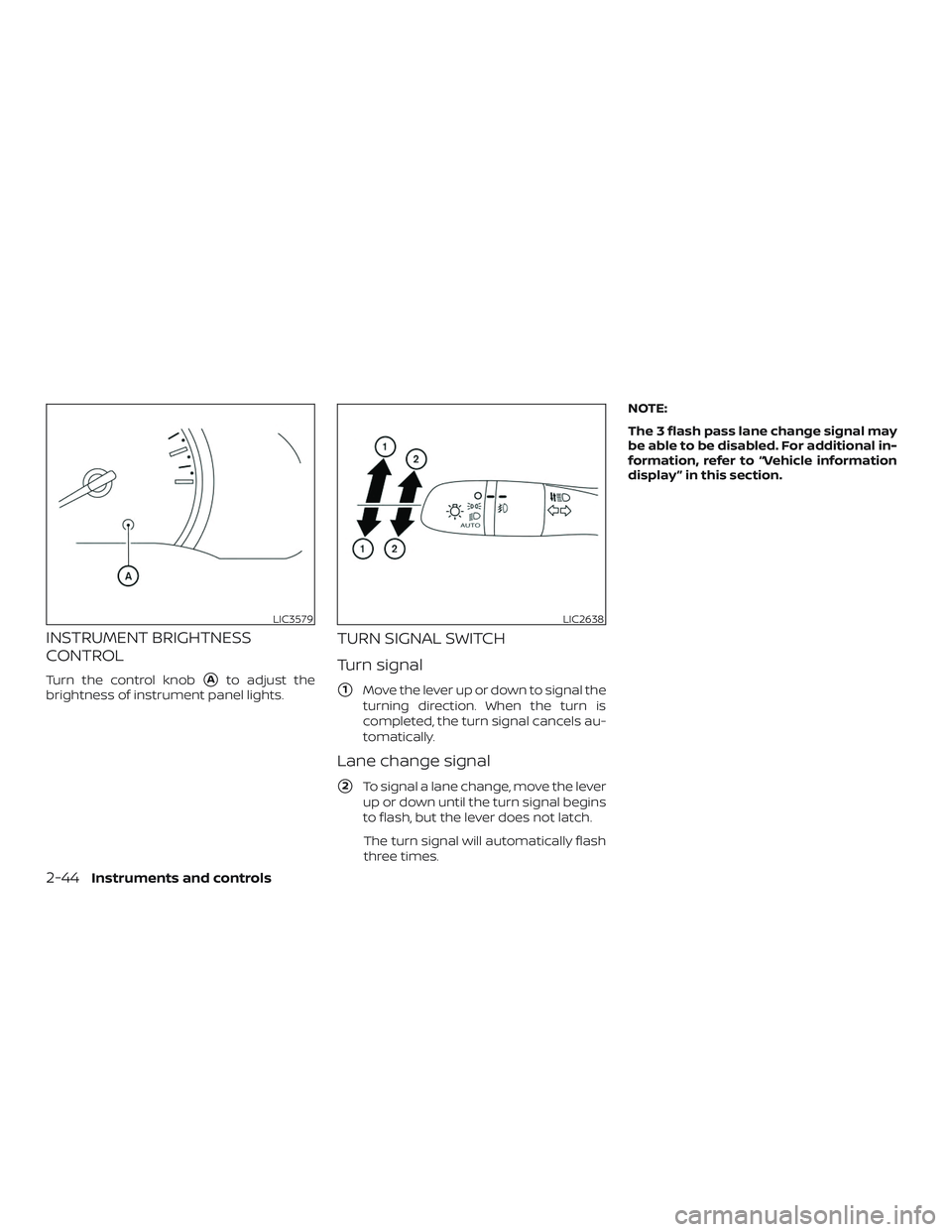
Turn the control knob�Ato adjust the
brightness of instrument panel lights.
TURN SIGNAL SWITCH
Turn signal
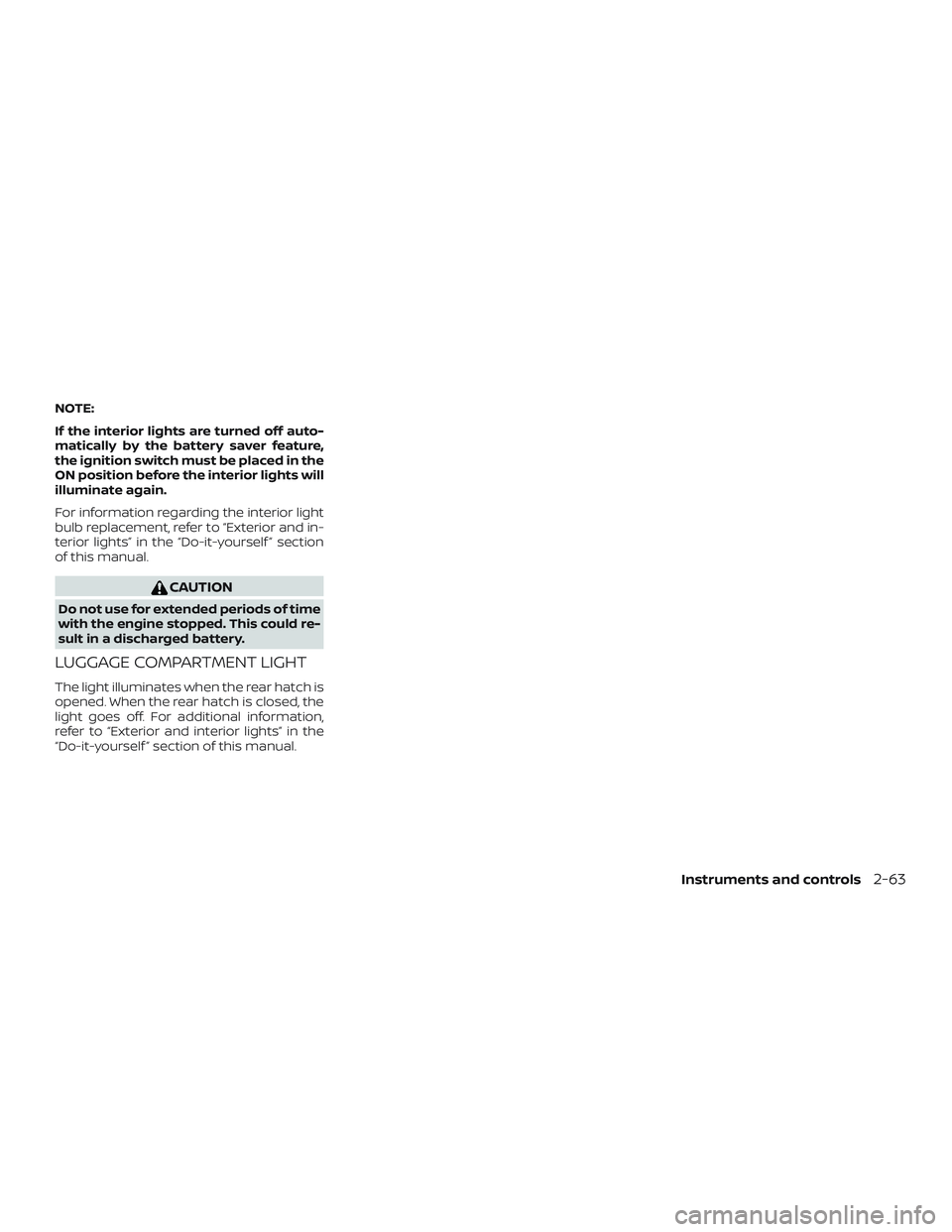
�1Move the lever up or down to signal the
turning direction. When the turn is
completed, the turn signal cancels au-
tomatically.
Lane change signal
�2To signal a lane change, move the lever
up or down until the turn signal begins
to flash, but the lever does not latch.
The turn signal will automatically flash
three times. NOTE:
The 3 flash pass lane change signal may
be able to be disabled. For additional in-
formation, refer to “Vehicle information
display ” in this section.
LIC3579LIC2638
2-44Instruments and controls
Page 129 of 435

FOG LIGHT SWITCH (if so
equipped)
To turn the fog lights on, turn the headlight
switch to the
orposition, then
turn the fog light switch to the
posi-
tion.
To turn the fog lights on with the headlight
switch in the AUTO position, the headlights
must be on, then turn the fog light switch to
the
position.
To turn the fog lights off, turn the fog light
switch to the OFF position. To sound the horn, push near the horn icon
on the steering wheel.
WARNING
Do not disassemble the horn. Doing so
could affect proper operation of the
supplemental front air bag system.
Tampering with the supplemental front
air bag system may result in serious
personal injury.
WARNING
Do not use or allow occupants to use
the seat heater if you or the occupants
cannot monitor elevated seat tempera-
tures or have an inability to feel pain in
body parts that contact the seat. Use of
the seat heater by such people could
result in serious injury.
LIC2639LIC3568LIC3973
HORN
HEATED SEAT SWITCHES (if so
equipped)
Instruments and controls2-45
Page 132 of 435

NOTE:∙ When the ignition is in the OFF posi-
tion, the front console power outlet
stops delivering power one minute
af ter the door is opened and stays
open.
∙ If the door remains closed af ter the
ignition is placed in the OFF position,
the front console power outlet con-
tinues to deliver power until the ac-
cessory power timer has elapsed.
CAUTION
∙ The outlet and plug may be hot during or immediately af ter use.
∙ Only certain power outlets are de- signed for use with a cigarette lighter
unit. Do not use any other power out-
let for an accessory lighter. It is rec-
ommended that you visit a NISSAN
dealer for additional information.
∙ Do not use with accessories that ex- ceed a 12 volt, 120W (10A) power draw.
∙ Do not use double adapters or more than one electrical accessory. ∙ Use power outlets with the engine
running to avoid discharging the ve-
hicle battery.
∙ Avoid using power outlets when the air conditioner, headlights or rear win-
dow defroster is on.
∙ Before inserting or disconnecting a plug, be sure the electrical accessory
being used is turned off.
∙ Push the plug in as far as it will go. If good contact is not made, the plug
may overheat or the internal tem-
perature fuse may open.
∙ When not in use, be sure to close the cap. Do not allow water or any other
liquid to contact the outlet. The extended storage switch is used when
the vehicle is in transit from the factory. It is
located in the fuse panel
�Awhich is on the
driver’s side lef t kick panel, near the floor, on
the inside of the panel. If any electrical
equipment does not operate, ensure the
extended storage switch is pushed fully in
place, as shown.
LIC3581
EXTENDED STORAGE SWITCH
2-48Instruments and controls
Page 145 of 435
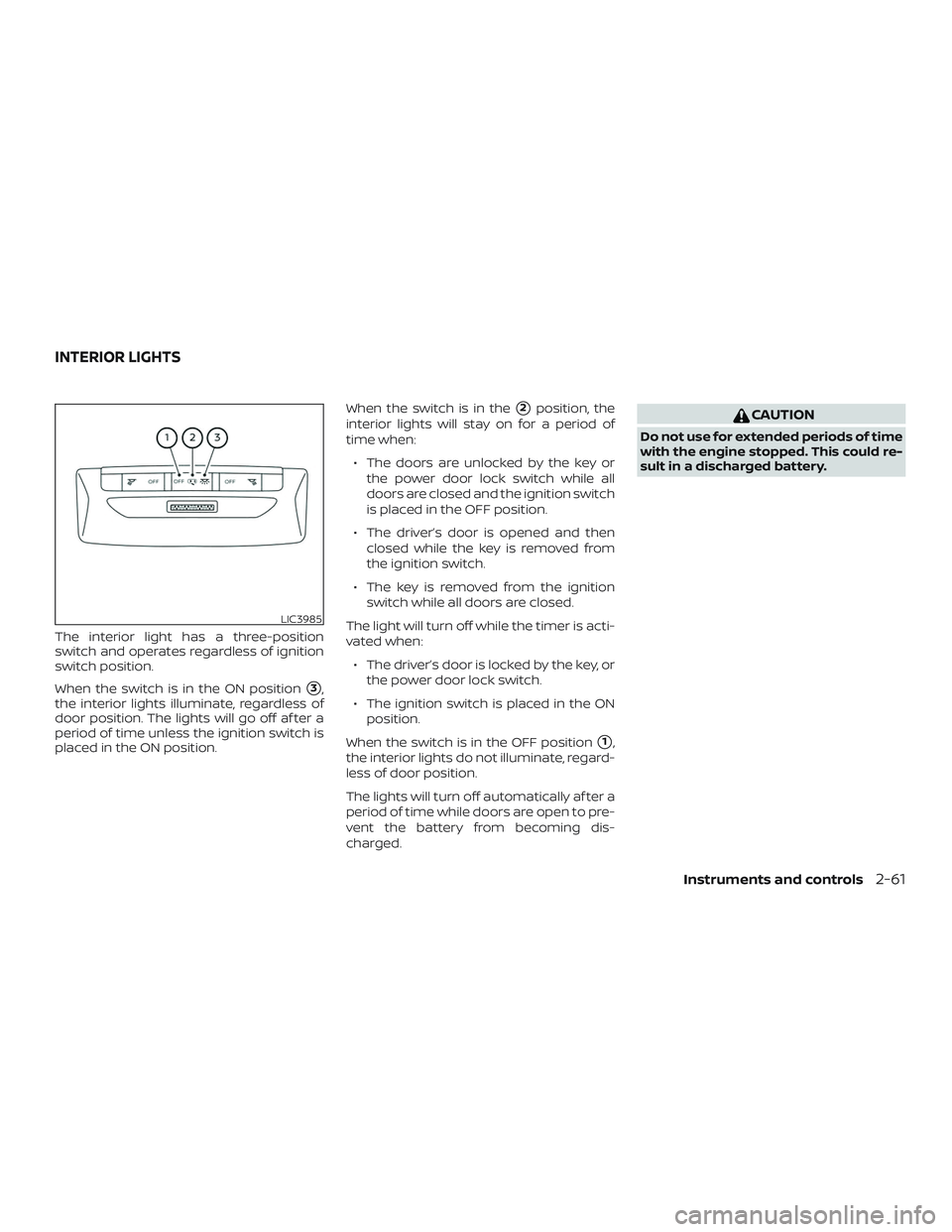
The interior light has a three-position
switch and operates regardless of ignition
switch position.
When the switch is in the ON position
�3,
the interior lights illuminate, regardless of
door position. The lights will go off af ter a
period of time unless the ignition switch is
placed in the ON position. When the switch is in the
�2position, the
interior lights will stay on for a period of
time when:
∙ The doors are unlocked by the key or the power door lock switch while all
doors are closed and the ignition switch
is placed in the OFF position.
∙ The driver’s door is opened and then closed while the key is removed from
the ignition switch.
∙ The key is removed from the ignition switch while all doors are closed.
The light will turn off while the timer is acti-
vated when: ∙ The driver’s door is locked by the key, or the power door lock switch.
∙ The ignition switch is placed in the ON position.
When the switch is in the OFF position
�1,
the interior lights do not illuminate, regard-
less of door position.
The lights will turn off automatically af ter a
period of time while doors are open to pre-
vent the battery from becoming dis-
charged.
CAUTION
Do not use for extended periods of time
with the engine stopped. This could re-
sult in a discharged battery.
LIC3985
INTERIOR LIGHTS
Instruments and controls2-61
Page 146 of 435

MAP LIGHTS
To turn the map lights on, push the switch
to the
�1position. To turn them off, push
the switch to the
�2position.
CAUTION
Do not use for extended periods of time
with the engine stopped. This could re-
sult in a discharged battery.
PERSONAL LIGHT
The personal light has a three-position
switch and operates regardless of ignition
switch position.
When the switch is in the ON position
�1,
the light illuminates, regardless of door po-
sition.
When the switch is in the DOOR position
�2,
the light illuminates by opening a door. The personal light will stay on for about
15 seconds when:
∙ The doors are unlocked while the igni- tion switch is placed in the OFF position
and all doors are closed.
∙ The driver’s door is opened and then closed while the ignition switch is
placed in the OFF position.
∙ The ignition switch is placed in the OFF position while all doors are closed.
The personal light will turn off while the
15 second timer is activated when: ∙ The driver’s door is locked by the key fob, a key or the lock-unlock switch.
∙ The ignition switch is placed in the ON position.
When the switch is in the OFF position
�3,
the light does not illuminate, regardless of
door position.
Some vehicles are equipped with a battery
saver feature that will automatically turn
off the interior lights af ter approximately
10 minutes if:
∙ doors are open, or
∙ the interior light switch is in the ON po- sition.
LIC3988Center personal light
SIC2063A
2-62Instruments and controls
Page 147 of 435
NOTE:
If the interior lights are turned off auto-
matically by the battery saver feature,
the ignition switch must be placed in the
ON position before the interior lights will
illuminate again.
For information regarding the interior light
bulb replacement, refer to “Exterior and in-
terior lights” in the “Do-it-yourself ” section
of this manual.
CAUTION
Do not use for extended periods of time
with the engine stopped. This could re-
sult in a discharged battery.
LUGGAGE COMPARTMENT LIGHT
The light illuminates when the rear hatch is
opened. When the rear hatch is closed, the
light goes off. For additional information,
refer to “Exterior and interior lights” in the
“Do-it-yourself ” section of this manual.
Instruments and controls2-63
Page 157 of 435
∙ To prevent the Intelligent Key from be-ing lef t inside the vehicle, make sure you
carry the Intelligent Key with you and
then lock the doors.
∙ Do not pull the door handle before pushing the door handle request
switch (if so equipped). The door will be
unlocked but will not open. Release the
door handle once and pull it again to
open the door.
NISSAN INTELLIGENT KEY®
OPERATION
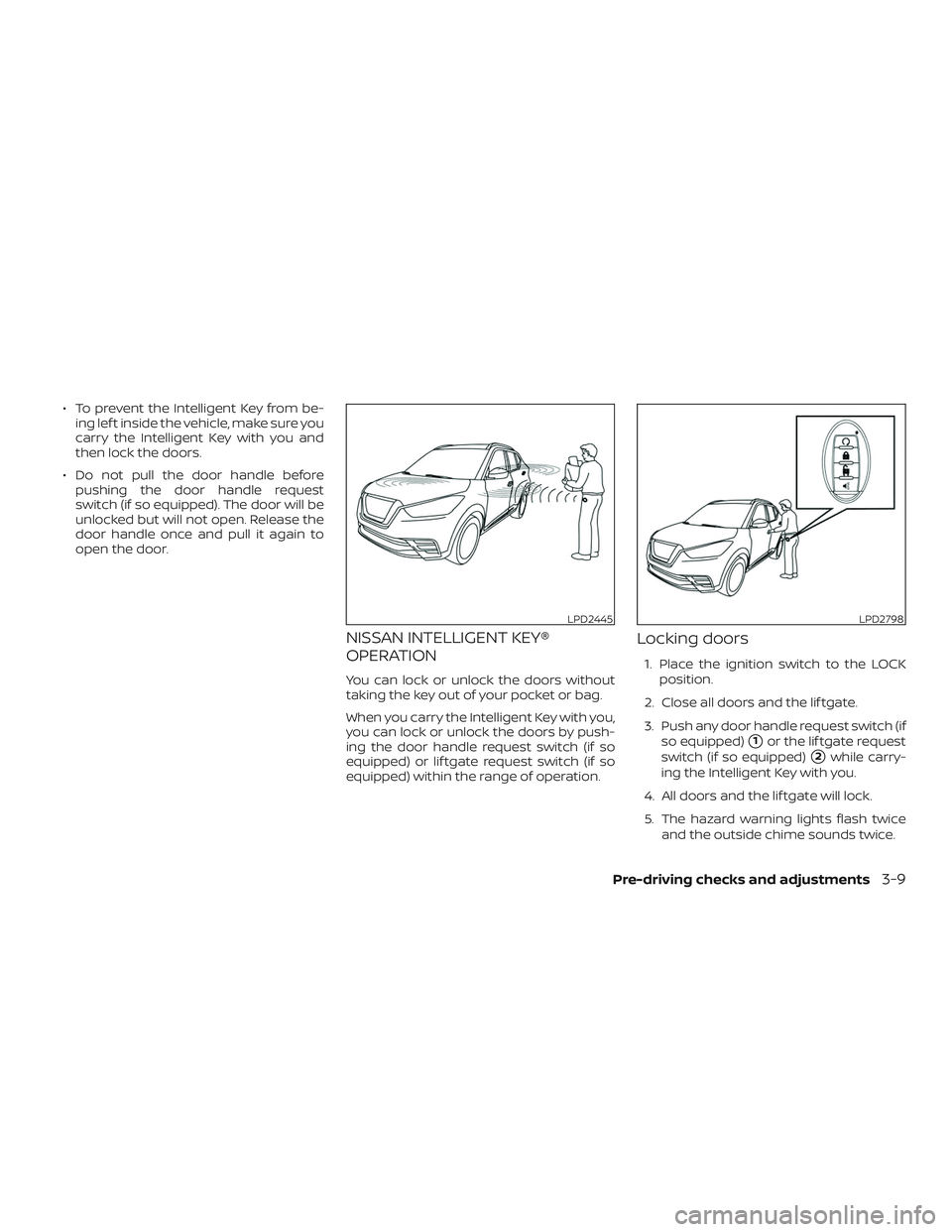
You can lock or unlock the doors without
taking the key out of your pocket or bag.
When you carry the Intelligent Key with you,
you can lock or unlock the doors by push-
ing the door handle request switch (if so
equipped) or lif tgate request switch (if so
equipped) within the range of operation.
Locking doors
1. Place the ignition switch to the LOCK
position.
2. Close all doors and the lif tgate.
3. Push any door handle request switch (if so equipped)
�1or the lif tgate request
switch (if so equipped)
�2while carry-
ing the Intelligent Key with you.
4. All doors and the lif tgate will lock.
5. The hazard warning lights flash twice and the outside chime sounds twice.
LPD2445LPD2798
Pre-driving checks and adjustments3-9