Page 114 of 1672
SIC4123
ENGINE COOLANT TEMPERATURE
GAUGE (Type B) (if so equipped)
The gauge*1indicates the engine coolant
temperature.
The engine coolant temperature is within the
normal range when the gauge is within the zone
*2shown in the illustration.
The engine coolant temperature varies with the
outside air temperature and driving conditions.
Page 219 of 1672
OPERATING TIPS (for automatic air
conditioner)
.When the engine coolant temperature and
outside air temperature are low, the air flow
from the foot outlets may not operate. This is
not a malfunction. After the coolant tem-
perature warms up, air will flow normally
from the foot outlets.
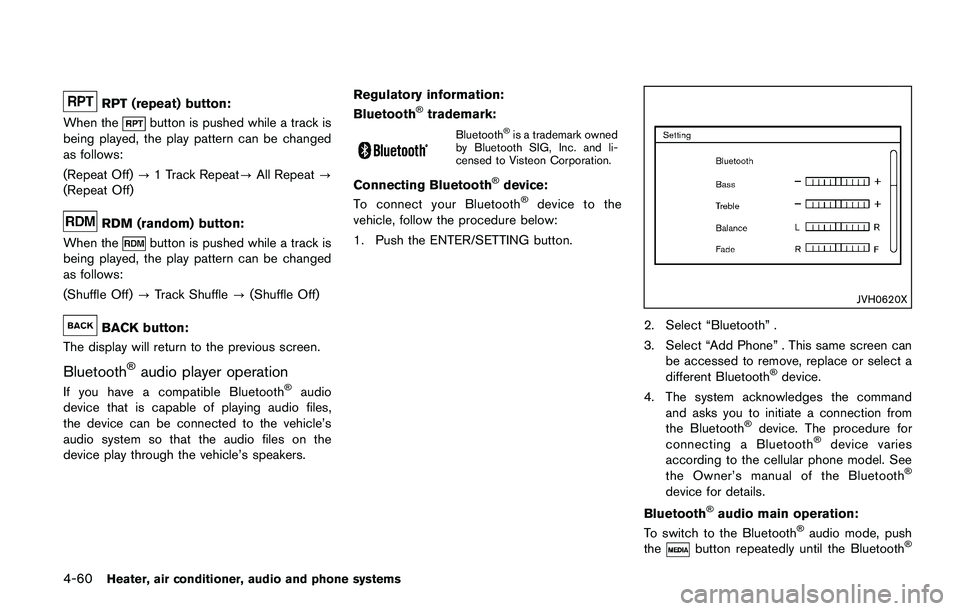
. The automatic air conditioner is equipped
with sensors as illustrated. The sensors
*A
and*Bon the instrument panel help
maintain a constant temperature. Do not
put anything on or around these sensors.
IN-CABIN MICROFILTER
The air conditioning system is equipped with an
in-cabin microfilter which collects dirt, pollen,
dust, etc. To make sure the air conditioner heats,
defogs, and ventilates efficiently, replace the
filter in accordance with the specified main-
tenance intervals listed in the “9. Maintenance
and schedules” section. It is recommended to
see a NISSAN dealer to replace the filter.
The filter should be replaced if the air flow
decreases significantly or if windows fog
up easily when operating the heater or air
conditioning system.
SERVICING AIR CONDITIONER
The air conditioner system in your vehicle is
charged with a refrigerant designed with the
environment in mind. This refrigerant will not
harm the earth’s ozone layer. Special char-
ging equipment and lubricant are required when
servicing your vehicle air conditioner. Using
improper refrigerants or lubricants will cause
severe damage to your air conditioner system.
(See “Capacities and recommended fluids/
lubricants” (P.10-2) for air conditioner system
refrigerant and lubricant recommendations.)
Your NISSAN dealer will be able to service your
environmentally friendly air conditioner system.
Page 253 of 1672
CAUTION
.Do not force the USB device into the
USB port. Inserting the USB device
tilted or up-side-down into the port
may damage the port. Make sure
that the USB device is connected
correctly into the USB port.
. Do not grab the USB port cover (if
so equipped) when pulling the USB
device out of the port. This could
damage the port and the cover.
. Do not leave the USB cable in a
place where it can be pulled unin-
tentionally. Pulling the cable may
damage the port.
Refer to your device manufacturer’s owner
information regarding the proper use and care
of the device.
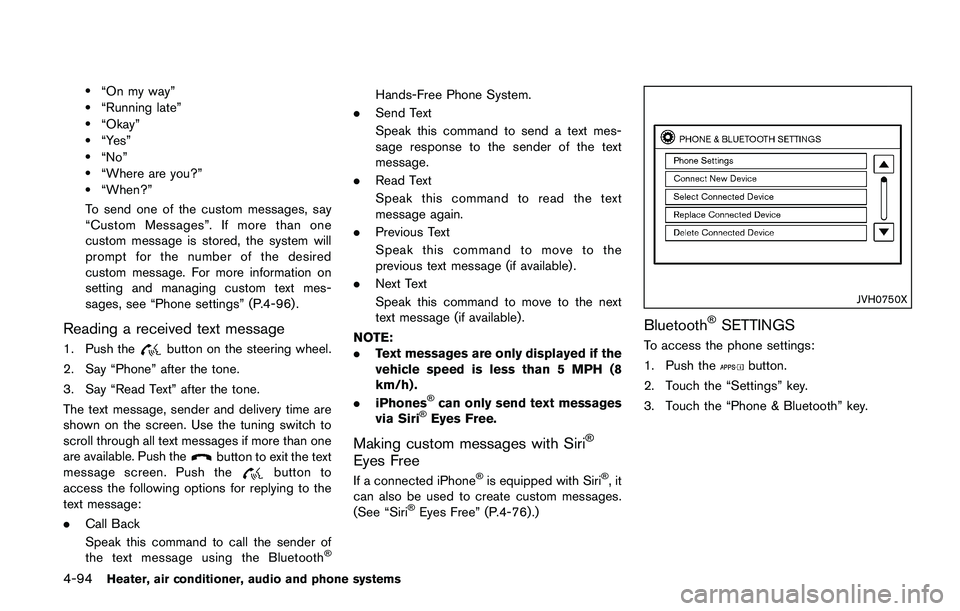
To connect an iPod
Što the vehicle so that the
iPodŠcan be controlled with the audio system
controls and display screen, use the USB port
located on the lower center of the instrument
panel. Connect the iPod
Š-specific end of the
cable to the iPodŠand the USB end of the cable
to the USB port on the vehicle. If your iPodŠ
supports charging via a USB connection, its battery will be charged while connected to the
vehicle with the ignition switch in the ACC or
ON position.
While connected to the vehicle, the iPod
Šmay
only be able to be operated by the vehicle audio
controls.
To disconnect the iPod
Šfrom the vehicle,
remove the USB end of the cable from the
USB port on the vehicle, then remove the cable
from the iPod
Š.
iPodŠis a trademark of Apple Inc., registered in
the U.S. and other countries.
Compatibility:
The following models are compatible:
. iPod Classic
Š5th generation (firmware
version 1.3.0 or later)
. iPod Classic
Š6th generation (firmware
version 2.0.1 or later)
. iPod Classic
Š6th (6.1) generation (firmware
version 2.0.1 or later)
. iPod Classic
Š6th (6.2) generation (firmware
version 2.0.4 or later)
. iPod Touch
Š2nd generation (firmware ver-
sion 4.2.1 or later)*
. iPod Touch
Š3rd generation (firmware ver-
sion 5.1.1 or later) .
iPod Touch
Š4th generation (firmware ver-
sion 6.1.3 or later)
. iPod Touch
Š5th generation (firmware ver-
sion 6.1.3 or later)
. iPod nano
Š- 2nd generation (firmware
version 1.1.3 or later)
. iPod nano
Š- 3rd generation (firmware
version 1.1.3 or later)
. iPod nano
Š- 4th generation (firmware
version 1.0.4 or later)
. iPod nano
Š- 5th generation (firmware
version 1.0.2 or later)
. iPod nano
Š- 6th generation (firmware
version 1.2 or later)
. iPod nano
Š- 7th generation (firmware
version 1.2 or later)
. iPhone
Š3G (firmware version 4.2.1 or later)
. iPhoneŠ3GS (firmware version 5.1.1or
later)
. iPhone
Š4 (firmware version 6.1.3 or later)
. iPhoneŠ4S (firmware version 6.1.3 or later)
. iPhoneŠ5 (firmware version 6.1.3 or later)
* Some features of this iPodŠmay not be fully
functional.
Make sure that your iPod
Šfirmware is updated
to the version indicated above.
Heater, air conditioner, audio and phone systems4-69
Page 271 of 1672
.Use the text messaging feature after
stopping your vehicle in a safe
location. If you have to use the
feature while driving, exercise ex-
treme caution at all times so full
attention may be given to vehicle
operation.
. If you are unable to devote full
attention to vehicle operation while
using the text messaging feature,
pull off the road to a safe location
and stop your vehicle.
NOTE:
. This feature is automatically disabled if
the connected device does not support
the Message Access Profile (MAP) . See
the phone’s Owner’s Manual for details
and instructions.
. Many phones may require special per-
mission to enable text messaging.
Check the phone’s screen during Blue-
tooth
Špairing. For some phones, you
may need to enable “Notifications”in
the phone’s Bluetooth
Šmenu for text
messages to appear on the vehicle
audio system. See the phone’s Owner’s
Manual for details. Text message inte-
gration requires that the phone support MAP (Message Access Profile) for both
receiving and sending text messages.
Some phones may not support all text
messaging features. Refer to www.
nissanusa.com/bluetooth or www.
nissan.ca/bluetooth for compatibility
information, as well as your device’s
Owner’s Manual.
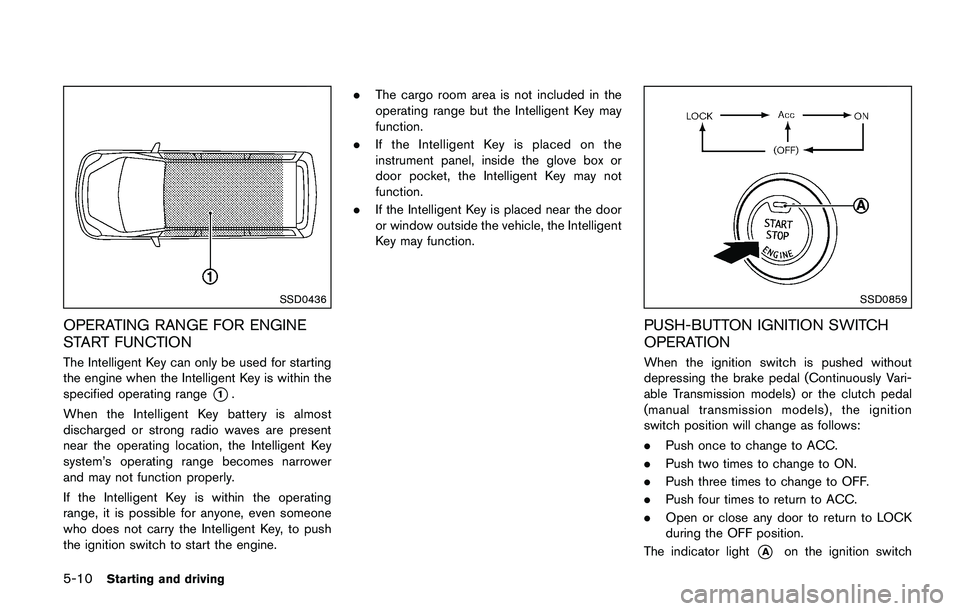
The system allows for the sending and receiving
of text messages through the vehicle interface.
Sending a text message:
1. Push the
Page 290 of 1672
pressure telltale.
Your vehicle has also been equipped with a
TPMS malfunction indicator to indicate when the
system is not operating properly. The TPMS
malfunction indicator is combined with the low
tire pressure telltale. When the system detects a
malfunction, the telltale will flash for approxi-
mately one minute and then remain continuously
illuminated. This sequence will continue upon
subsequent vehicle start-ups as long as the
malfunction exists. When the malfunction indi-
cator is illuminated, the system may not be able
to detect or signal low tire pressure as intended.
TPMS malfunctions may occur for a variety of
reasons, including the installation of replace-
ment or alternate tires or wheels on the vehicle
that prevent the TPMS from functioning properly.
Always check the TPMS malfunction telltale
after replacing one or more tires or wheels on
your vehicle to ensure that the replacement or
alternate tires and wheels allow the TPMS to
continue to function properly.
Additional information
.Since the spare tire is not equipped with the
TPMS, the TPMS does not monitor the tire
pressure of the spare tire.
. The TPMS will activate only when the
vehicle is driven at speeds above 16 MPH
(25 km/h) . Also, this system may not detect a sudden drop in tire pressure (for example a
flat tire while driving) .
. The low tire pressure warning light does not
automatically turn off when the tire pressure
is adjusted. After the tire is inflated to the
recommended pressure, the vehicle must be
driven at speeds above 16 MPH (25 km/h)
to activate the TPMS and turn off the low tire
pressure warning light. Use a tire pressure
gauge to check the tire pressure.
. The CHECK TIRE PRES (pressure) warning
message is displayed in the vehicle informa-
tion display when the low tire pressure
warning light is illuminated and low tire
pressure is detected. The CHECK TIRE
PRES warning message turns off when the
low tire pressure warning light turns off. The
low tire pressure warning light remains
illuminated until the tires are inflated to the
recommended COLD tire pressure. The
CHECK TIRE PRES warning message is
displayed each time the ignition switch is
placed in the ON position as long as the low
tire pressure warning light remains illumi-
nated. “Check tire pressure warning mes-
sage” (P.2-9) .
. The CHECK TIRE PRES warning message
is not displayed if the low tire pressure
warning light illuminates to indicate a TPMS
malfunction. .
Tire pressure rises and falls depending on
the heat caused by the vehicle’s operation
and the outside temperature. Do not reduce
the tire pressure after driving because the
tire pressure rises after driving. Low outside
temperature can lower the temperature of
the air inside the tire which can cause a
lower tire inflation pressure. This may cause
the low tire pressure warning light to
illuminate. If the warning light illuminates in
low ambient temperature, check the tire
pressure for all four tires.
For additional information, see “Low tire pres-
sure warning light” (P.2-18) and “Tire Pressure
Monitoring System (TPMS)” (P.6-3) .
Page 293 of 1672
WARNING
The following actions can increase the
chance of losing control of the vehicle if
there is a sudden loss of tire air
pressure. Losing control of the vehicle
may cause a collision and result in
personal injury.
.The vehicle generally moves or pulls
in the direction of the flat tire.
. Do not rapidly apply the brakes.
. Do not rapidly release the accelera-
tor pedal.
. Do not rapidly turn the steering
wheel.
1. Remain calm and do not overreact.
2. Maintain a firm grip on the steering wheel with both hands and try to hold a straight
course.
3. When appropriate, slowly release the accel- erator pedal to gradually slow the vehicle.
4. Gradually steer the vehicle to a safe location off the road and away from traffic if possible.
5. Lightly apply the brake pedal to gradually stop the vehicle. 6. Turn on the hazard warning flashers and
either contact a roadside emergency service
to change the tire or see “Changing a flat
tire” (P.6-4) of this Owner’s Manual.
DRINKING ALCOHOL/DRUGS AND
DRIVING
Page 304 of 1672
back to the ON position. The vehicle
should return to its normal operating
condition. If it does not return to its normal
operating condition, have the transmission
checked and repaired, if necessary. It is
recommended you visit a NISSAN dealer
for this service.
Page 338 of 1672
Manual Transmission (MT) models:
Move the shift lever to the N (Neutral)
position.
Do not stop the engine.
3. Turn off the air conditioner (if so equipped) . Open all the windows, move the heater or air
conditioner temperature control to maximum
hot and fan control to high speed.
4. Get out of the vehicle. Look and listen for steam or coolant escaping from the radiator
before opening the hood. (If steam or
coolant is escaping, turn off the engine.)
Do not open the hood further until no steam
or coolant can be seen.
5. Open the engine hood.