Page 129 of 467
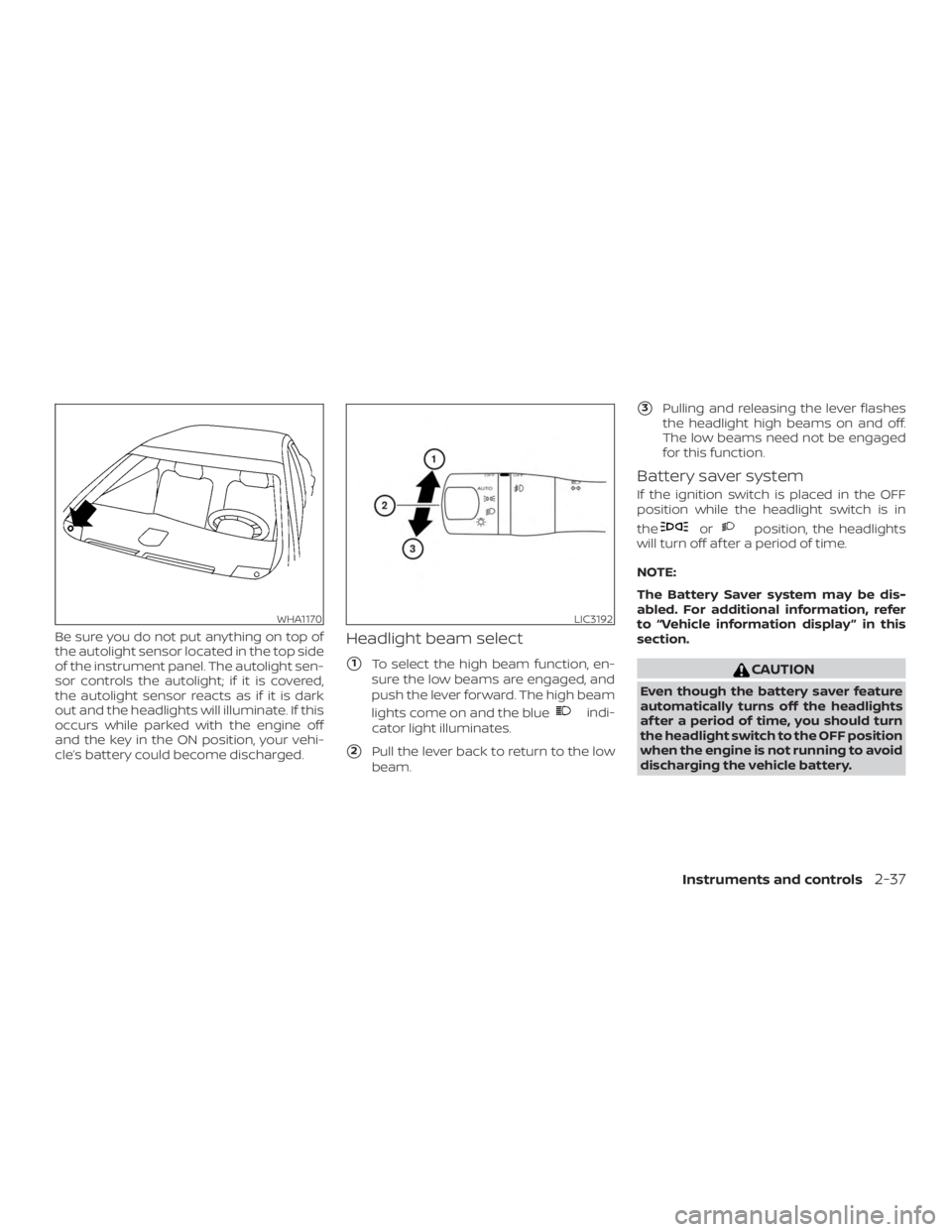
Be sure you do not put anything on top of
the autolight sensor located in the top side
of the instrument panel. The autolight sen-
sor controls the autolight; if it is covered,
the autolight sensor reacts as if it is dark
out and the headlights will illuminate. If this
occurs while parked with the engine off
and the key in the ON position, your vehi-
cle’s battery could become discharged.Headlight beam select
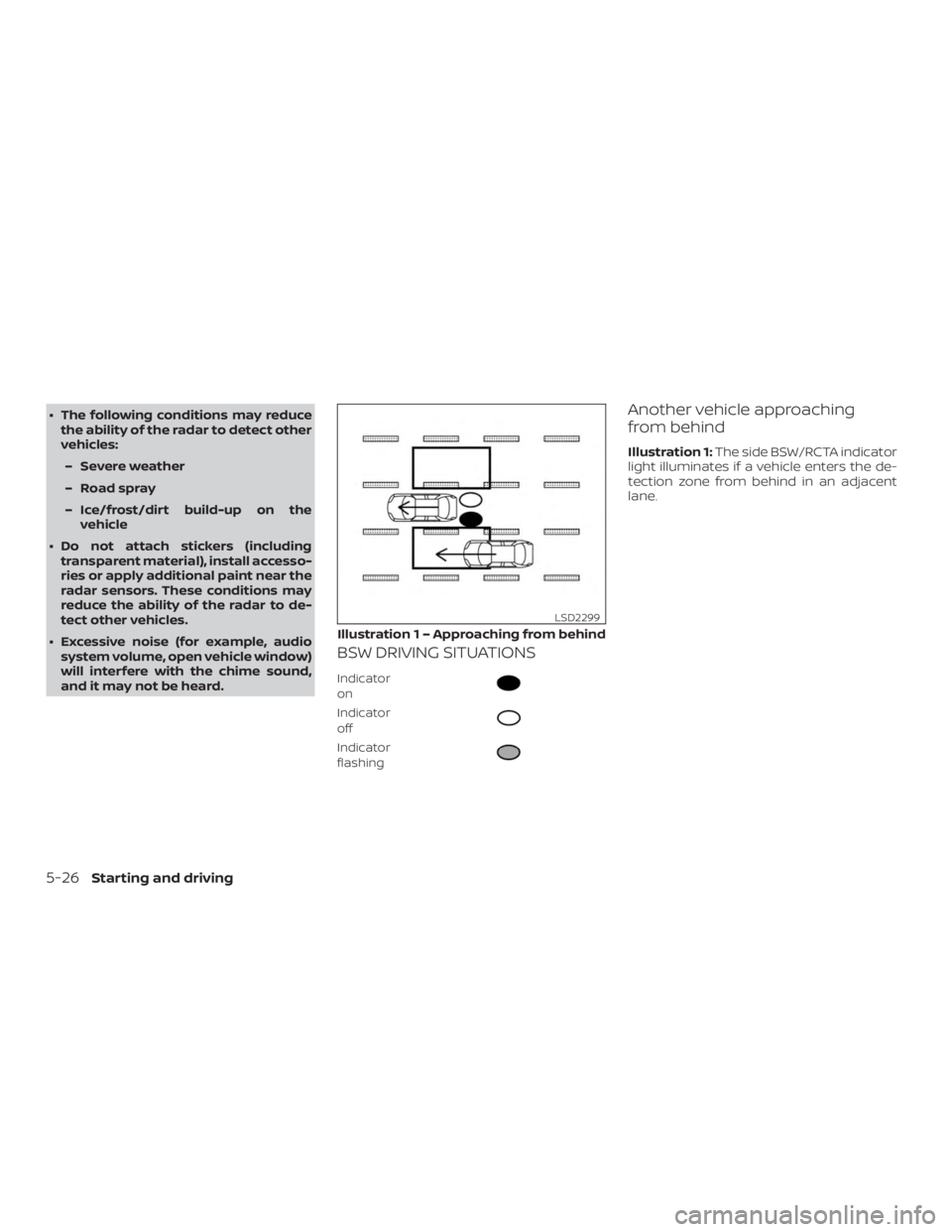
�1To select the high beam function, en-
sure the low beams are engaged, and
push the lever forward. The high beam
lights come on and the blue
Page 259 of 467
∙ If the low tire pressure warning lightilluminates while driving, avoid sud-
den steering maneuvers or abrupt
braking, reduce vehicle speed, pull off
the road to a safe location and stop
the vehicle as soon as possible. Driv-
ing with underinflated tires may per-
manently damage the tires and in-
crease the likelihood of tire failure.
Serious vehicle damage could occur
and may lead to an accident and could
result in serious personal injury.
Check the tire pressure for all four
tires. Adjust the tire pressure to the
recommended COLD tire pressure
shown on the Tire and Loading Infor-
mation label to turn the low tire pres-
sure warning light off. If you have a flat
tire, replace it with a spare tire as soon
as possible. (For additional informa-
tion, refer to “Flat tire” in the “In case of
emergency ” section for changing a
flat tire.) ∙ When replacing a wheel without the
TPMS such as the spare tire, when a
spare tire is mounted or a wheel is
replaced, tire pressure will not be indi-
cated, the TPMS will not function and
the low tire pressure warning light will
flash for approximately 1 minute. The
light will remain on af ter 1 minute. It is
recommended that you visit a NISSAN
dealer for tire replacement and/or
system resetting.
∙ Replacing tires with those not origi- nally specified by NISSAN could affect
the proper operation of the TPMS.
∙ Do not inject any tire liquid or aerosol tire sealant into the tires, as this may
cause a malfunction of the tire pres-
sure sensors.
Page 276 of 467
WARNING
Failure to follow the warnings and in-
structions for proper use of the BSW
system could result in serious injury or
death.
∙ The BSW system is not a replacementfor proper driving procedures and is
not designed to prevent contact with
vehicles or objects. When changing
lanes, always use the side and rear
mirrors and turn and look in the direc-
tion your vehicle will move to ensure it
is safe to change lanes. Never rely
solely on the BSW system.
The BSW system helps alert the driver of
other vehicles in adjacent lanes when
changing lanes. The BSW system uses radar sensors
�1
installed near the rear bumper to detect
other vehicles in an adjacent lane.
The radar sensors can detect vehicles on
either side of your vehicle within the detec-
tion zone shown as illustrated. This detec-
tion zone starts from the outside mirror of
your vehicle and extends approximately
10 f t (3.0 m) behind the rear bumper, and
approximately 10 f t (3.0 m) sideways.
Page 280 of 467
∙ The following conditions may reducethe ability of the radar to detect other
vehicles:
– Severe weather
– Road spray
– Ice/frost/dirt build-up on the vehicle
∙ Do not attach stickers (including transparent material), install accesso-
ries or apply additional paint near the
radar sensors. These conditions may
reduce the ability of the radar to de-
tect other vehicles.
∙ Excessive noise (for example, audio system volume, open vehicle window)
will interfere with the chime sound,
and it may not be heard.
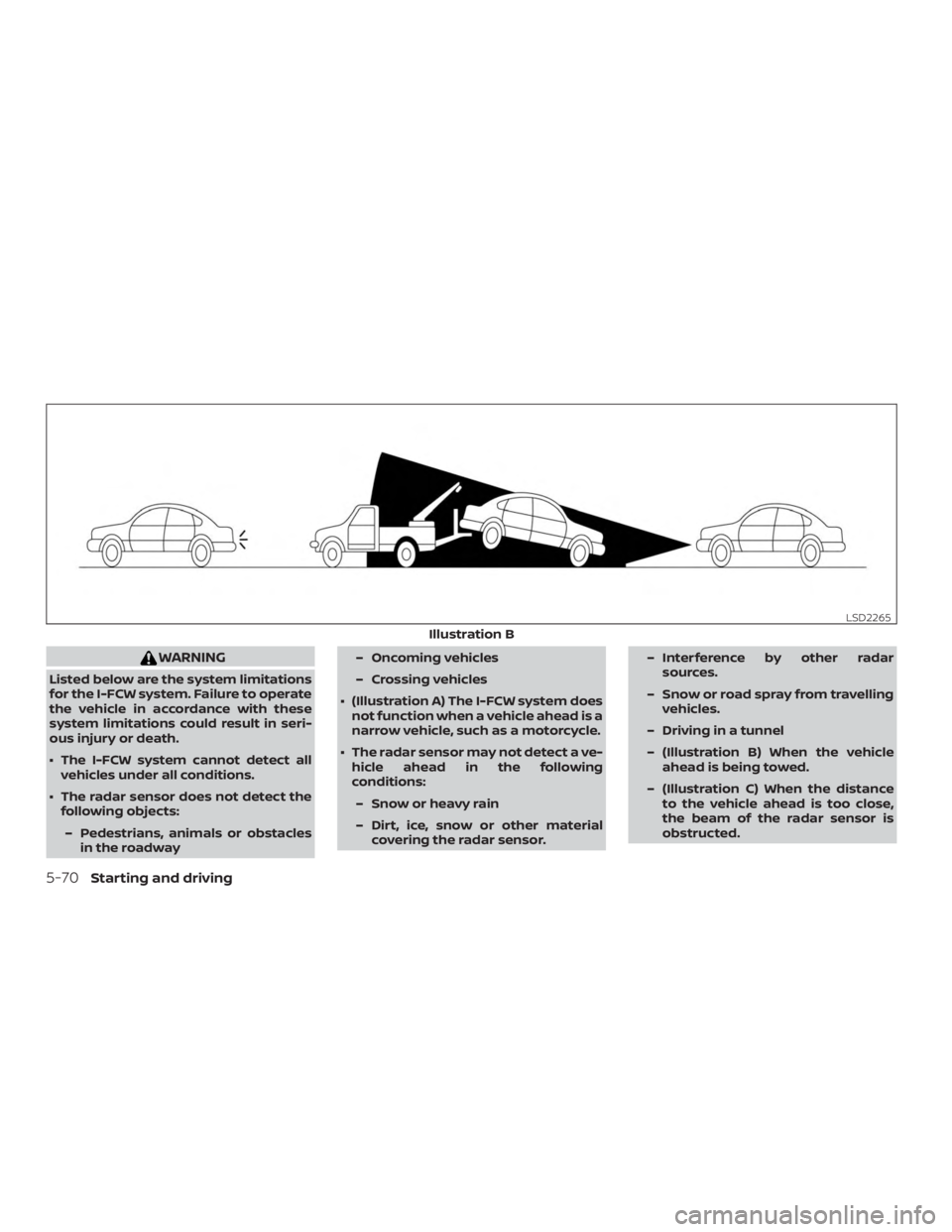
BSW DRIVING SITUATIONS
Indicator
on
Page 291 of 467

WARNING
Listed below are the system limitations
for the RCTA system. Failure to operate
the vehicle in accordance with these
system limitations could result in seri-
ous injury or death.
∙ Always check surroundings and turnto check what is behind you before
backing up. The radar sensors detect
approaching (moving) vehicles. The
radar sensors cannot detect every
object such as:
– Pedestrians, bicycles, motorcycles, animals or child-operated toy
vehicles
– A vehicle that is passing at speeds greater than approximately
19 mph (30 km/h)
– A vehicle that is passing at speeds lower than approximately 5 mph
(8 km/h)
∙ The radar sensors may not detect ap- proaching vehicles in certain
situations:
– Illustration a: When a vehicle parked next to you obstructs the
beam of the radar sensor. – Illustration b: When the vehicle is
parked in an angled parking space.
– Illustration c: When the vehicle is parked on inclined ground.
– Illustration d: When an approach- ing vehicle turns into your vehicle’s
parking lot aisle.
– Illustration e: When the angle formed by your vehicle and ap-
proaching vehicle is small.
∙ The following conditions may reduce the ability of the radar to detect other
vehicles:
– Severe weather
– Road spray
– Ice/frost/dirt build-up on the vehicle
∙ Do not attach stickers (including transparent material), install accesso-
ries or apply additional paint near the
radar sensors. These conditions may
reduce the ability of the radar to de-
tect other vehicles. ∙ Excessive noise (e.g. audio system
volume, open vehicle window) will in-
terfere with the chime sound, and it
may not be heard.
Starting and driving5-37
Page 307 of 467
∙ The system may not detect the ve-hicle in front of you in certain road or
weather conditions. To avoid acci-
dents, never use the ICC system under
the following conditions:
– On roads where the traffic is heavy or there are sharp curves
– On slippery road surfaces such as on ice or snow, etc.
– During bad weather (rain, fog, snow, etc.)
– When rain, snow or dirt adhere to the bumper around the distance
sensor
– On steep downhill roads (the ve- hicle may go beyond the set ve-
hicle speed and frequent braking
may result in overheating the
brakes)
– On repeated uphill and downhill roads
– When traffic conditions make it dif- ficult to keep a proper distance be-
tween vehicles because of fre-
quent acceleration or deceleration – Interference by other radar
sources.
∙ Do not use the ICC system if you are towing a trailer. The system may not
detect a vehicle ahead.
∙ In some road or traffic conditions, a vehicle or object can unexpectedly
come into the sensor detection zone
and cause automatic braking. Always
stay alert and avoid using the ICC sys-
tem where not recommended in this
warning section.
The radar sensor will not detect the follow-
ing objects: ∙ Stationary and slow moving vehicles
∙ Pedestrians or objects in the roadway
∙ Oncoming vehicles in the same lane
∙ Motorcycles traveling offset in the travel lane
The following are some conditions in which
the sensor cannot properly detect a ve-
hicle ahead and the system may not oper-
ate properly: ∙ When snow or road spray from traveling vehicles reduces the sensor’s detection. ∙ When excessively heavy baggage is
loaded in the rear seat or the trunk of
your vehicle.
The ICC system is designed to automati-
cally check the sensor’s operation within
the limitations of the system.
The detection zone of the ICC sensor is
limited. A vehicle ahead must be in the de-
tection zone for the vehicle-to-vehicle dis-
tance detection mode to maintain the se-
lected distance from the vehicle ahead.
A vehicle ahead may move outside of the
detection zone due to its position within
the same lane of travel. Motorcycles may
not be detected in the same lane ahead if
they are traveling offset from the centerline
of the lane. A vehicle that is entering the
lane ahead may not be detected until the
vehicle has completely moved into the
lane.
If this occurs, the ICC system may warn
you by blinking the system indicator and
sounding the chime. The driver may
have to manually control the proper dis-
tance away from the vehicle traveling
ahead.
Starting and driving5-53
Page 316 of 467
∙ Braking distances increase on slip-pery surfaces.
∙ The system is designed to automati- cally check the sensor’s functionality,
within certain limitations. The system
may not detect some forms of ob-
structions of the sensor area such as
ice, snow, stickers, etc. In these cases,
the system may not be able to worn
the driver properly. Be sure that you
check, clean and clear the sensor area
regularly.
∙ Excessive noise will interfere with the warning chime sound, and the chime
may not be heard.
Page 324 of 467
WARNING
Listed below are the system limitations
for the I-FCW system. Failure to operate
the vehicle in accordance with these
system limitations could result in seri-
ous injury or death.
∙ The I-FCW system cannot detect allvehicles under all conditions.
∙ The radar sensor does not detect the following objects:
– Pedestrians, animals or obstacles in the roadway – Oncoming vehicles
– Crossing vehicles
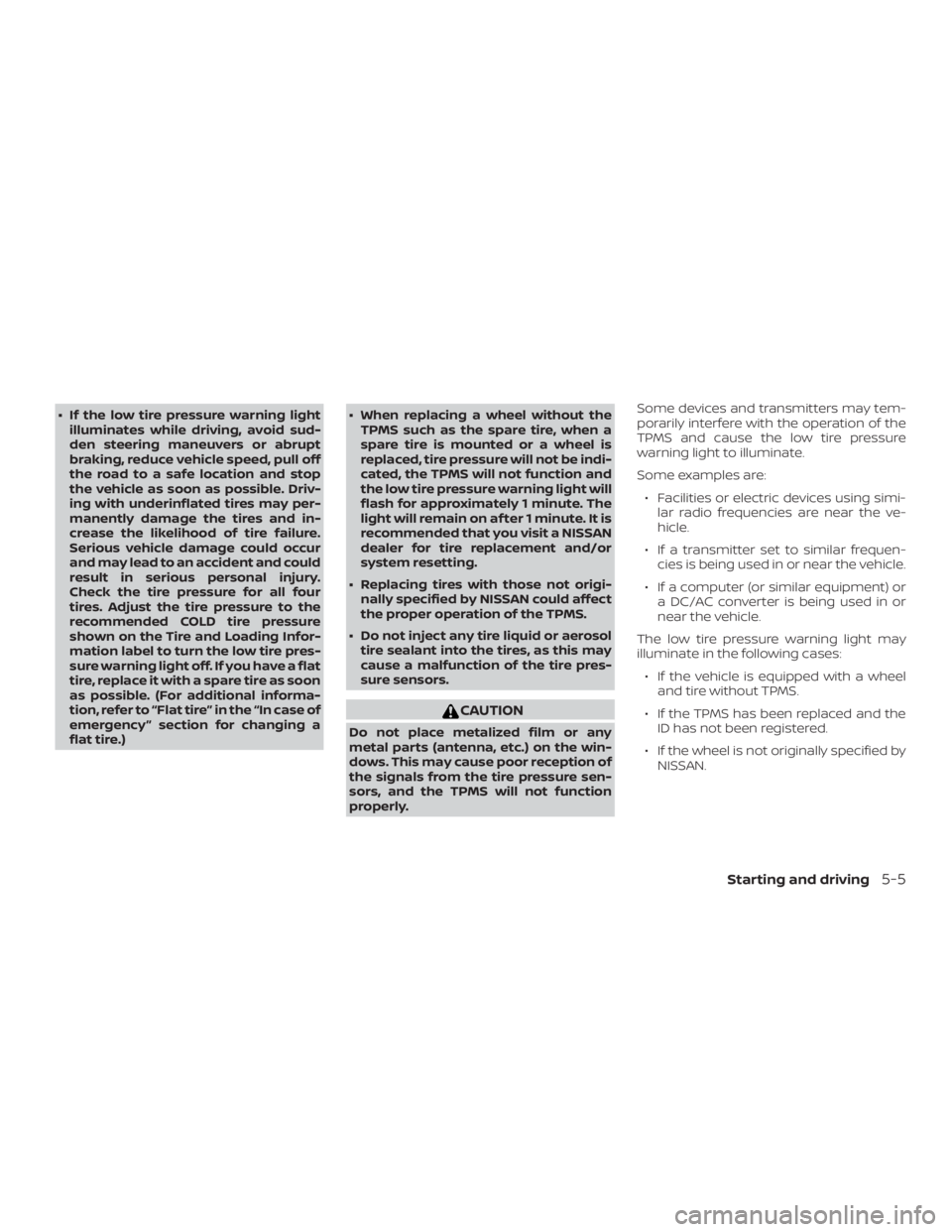
∙ (Illustration A) The I-FCW system does not function when a vehicle ahead is a
narrow vehicle, such as a motorcycle.
∙ The radar sensor may not detect a ve- hicle ahead in the following
conditions:
– Snow or heavy rain
– Dirt, ice, snow or other material covering the radar sensor. – Interference by other radar
sources.
– Snow or road spray from travelling vehicles.
– Driving in a tunnel
– (Illustration B) When the vehicle ahead is being towed.
– (Illustration C) When the distance to the vehicle ahead is too close,
the beam of the radar sensor is
obstructed.