2018 MERCEDES-BENZ SLC ROADSTER CD player
[x] Cancel search: CD playerPage 8 of 298
Brake fluidDispla ymessage ............................ 184
Notes. ............................................ 293
Brake forc edistribution
see EBD (electronicb rake force
distribution)
Brake lamps
Adaptive ........................................... 60
Displa ymessage ............................ 189
Brakes
ABS .................................................. 57
Adaptive Brake Assist ...................... 59
BAS .................................................. 57
Brake fluid (notes) ......................... 293
Displa ymessage ............................ 179
EBD .................................................. 63
High-performance brake system .... 137
Important safety notes .................. 136
Maintenance .................................. 137
Parking brake ................................ 132
Riding tip s...................................... 136
Warning lamp ................................. 204
Breakdow nassistance
Reflective safety jacke t.................. 244
Where will Ifind...? ........................ 244
see Fla ttire
see Towing away
Brightness control( instrument
clusterl ighting) ................................... 32
Bulbs
see Replacing bulbs
C
CaliforniaImportant notic efor retail cus-
tomers and lessees .......................... 24
Calling up amalfunction
see Displa ymessages
Car
see Vehicle
Care
Carw ash. ....................................... 238
Exhaus tpipe. ................................. 243
Exterior lights ................................ 242
Matte finish ................................... 240
Notes. ............................................ 238
Paint .............................................. 240 Power washer.
............................... 239
Rear vie wcamera .......................... 242
Sensors ......................................... 242
Washing by hand ........................... 239
Wheels. .......................................... 241
Window s........................................ 241
Wipe rblade s.................................. 241
CD
see also Digital Operator's Man-
ual.................................................. 211
CD player (on-board computer) ........ 169
Centerc onsole
Lower section .................................. 35
Upper section .................................. 34
Central locking
Automati cloc king (on-board com-
puter) ............................................. 173
Locking/unlocking (SmartKey). ....... 65
Changin gbulbs
Sid em arker lamps (rear) ............... 101
Child
Restraint system .............................. 55
Child seat
Forward-facing restraint system ...... 56
On the front-passenger seat. ........... 55
Rearward-facing restraint system .... 56
Children
Specia lseatb eltr etractor ............... 54
Childrenint he vehicle
Important safety notes .................... 53
Cigarette lighter ................................ 223
Cleaning
Mirror turn signa l........................... 242
Climate control
Air-conditioning system ................. 104
Automati cclimate control (dual-
zone) .............................................. 106
Controlling automaticall y............... 109
Cooling with ai rdehumidifica tion .. 108
Defrosting the window s................. 111
Defrosting the windshield .............. 110
Generaln otes ................................ 104
Indicato rlam p................................ 109
Information aboutu sing auto-
mati cclimate control ..................... 107
Ma
ximu mcooling .......................... 111
Notesonu sing the air-condition-
ing system ..................................... 105
6Index
Page 219 of 298
XAuthorizationusingS ecur eSimple Pai r-
ing:
Ac odeisd isplayed inthem ultimedia system
and on th emobile phone.
XConfir mcodeont hemob ilephone. Depend-
ing on th emobile phoneu sed, confirm the
connection to th emultimedia system and for
th eP BAPa nd MAPB luetooth
®profiles. The
prompt to confirm may tak euptotwo
minute stobed isplayed (see th emanufactur-
er' so peratin ginstructions).
XIfth ec odes are different :select Noon the
multimedia system.
The proces siscanceled.
Repeat authorization.
or
XAuthorizatio nbyentering apasskey
(passcode): enterany one- to sixteen-digit
number sequenc ewhichy ou have chosen
yourself int othe passke yinput menu.
XPress ¬to confirm.
XEnterand confirm th epasske yonthe mob ile
phone. Dependin gonthemob ilephoneu sed,
confirm th econnectio ntothemultimedia sys-
te ma nd for th ePBAPa nd MAPB luetooth
®
profiles. The prompt to confirm may tak eup
to two minute stobedisplayed (see th eman-
ufacturer' soperatin ginstructions).
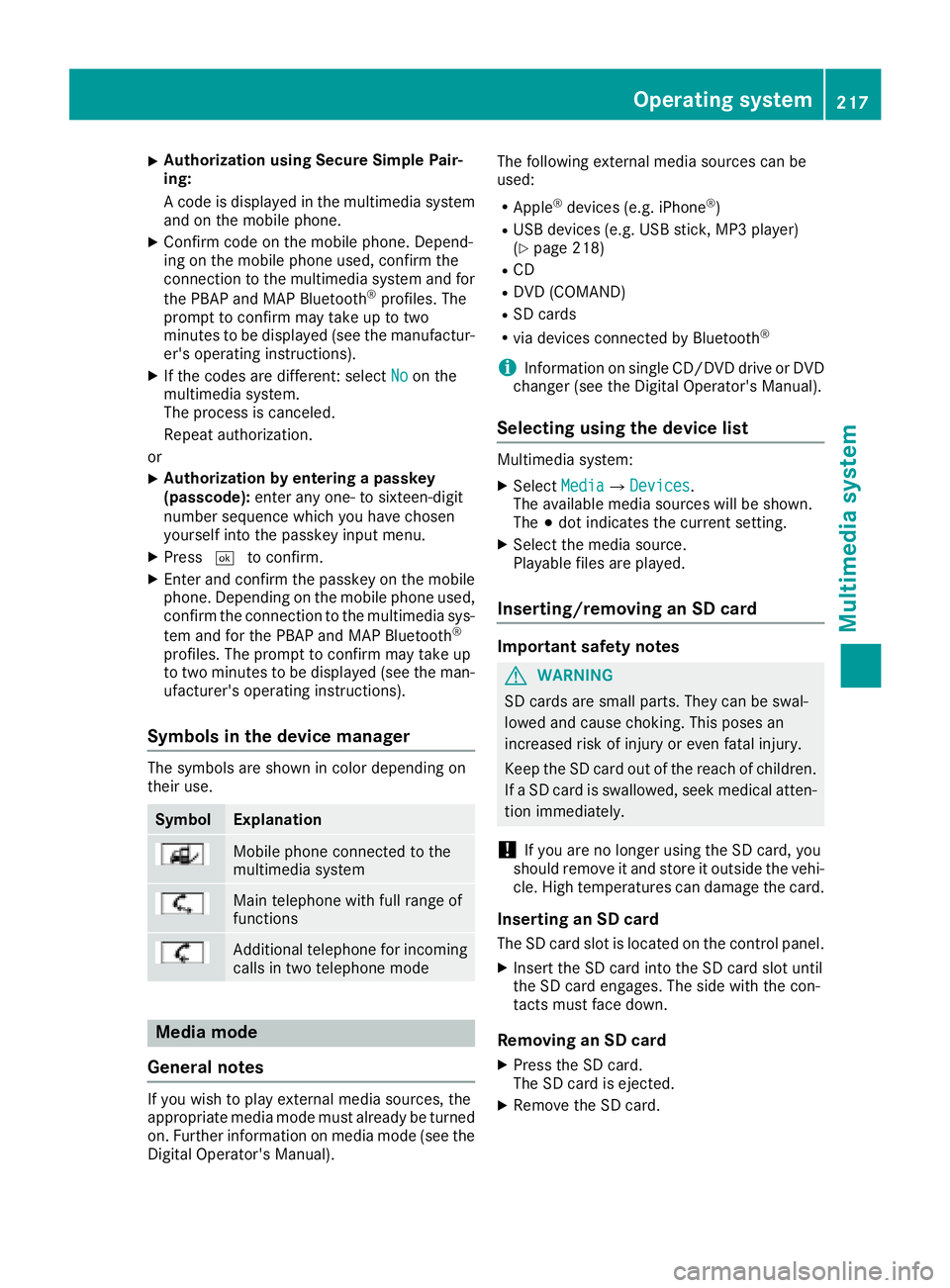
Symbols in th edevice manager
The symbols are shown in color dependingon
their use.
SymbolExplanation
Mobile phonec onnected to the
multimedia system
Main telephone withfull range of
functions
Ad ditional telephone for incoming
calls intwo telephone mode
Media mode
General notes
If you wish toplay external medi asources ,the
appropriat emediam odem ust alread ybeturned
on.F urther informatio nonmediam ode(see the
Digital Operator's Manual). The followinge
xternalmediasources can be
used:
RApple®device s(e.g. iPhone®)
RUSBd evices(e.g. USBs tick ,M P3 player)
(Ypage 218)
RCD
RDV D(COMAND)
RSD cards
Rvia device sconnected byBluetooth®
iInformation on single CD/DV DdriveorD VD
changer (see th eDigital Operator's Manual).
Selecting usin gthe device list
Multimedia system:
XSelectMediaQDevices.
The available medi asources willbe shown.
The #dot indicates th ecurren tsetting.
XSelect th emediasource.
Playable filesare played.
Inserting/removing an SD card
Important safety notes
GWARNING
SD cardsare smal lparts. They can beswal-
lowed and caus echoking. This posesa n
increased ris kofinjury or eve nfatal injury.
Keep th eSDc ardo ut of th ereac hofc hildren.
If aS Dc ardiss wallowed, seek medical atten-
tio nimmediately.
!If you are no longer usingt heSD card,you
should remove it and store itoutside thev ehi-
cle .Hight em peratures can damag ethe card.
Insertin ganSDc ard
TheSDcardslot islocate donthecontrol panel.
XInsertt heSD cardintot he SD cardslot until
th eS Dc arde ngages.T he side withthe con-
tacts must fac edown.
Removing an SD card
XPress th eSDc ard.
The SD car disejected.
XRemo vetheS Dc ard.
Operatin gsystem217
Multimedia system
Z
Page 221 of 298
Stowage areas
Stowage spaces
Important safety notes
GWARNING
If object sinthe passenger compartmenta re
stowed incorrectly, they can slide or be
thrown around and hit vehicle occupants. In
addition, cup holders, open stowage spaces
and mobile phone brackets cannot always
retain all object sthey contain. There is arisk
of injury, particularly in the event of sudden
braking or asudden change in direction.
RAlways stow object ssothat they cannot be
thrown around in such situations.
RAlways make sure that object sdonot pro-
trude from stowage spaces, parcel nets or
stowage nets.
RClose the lockable stowage spaces before
startin gajourney.
RAlways stow and secure heavy, hard, poin-
ted, sharp-edged, fragile or bulky object sin
the trunk.
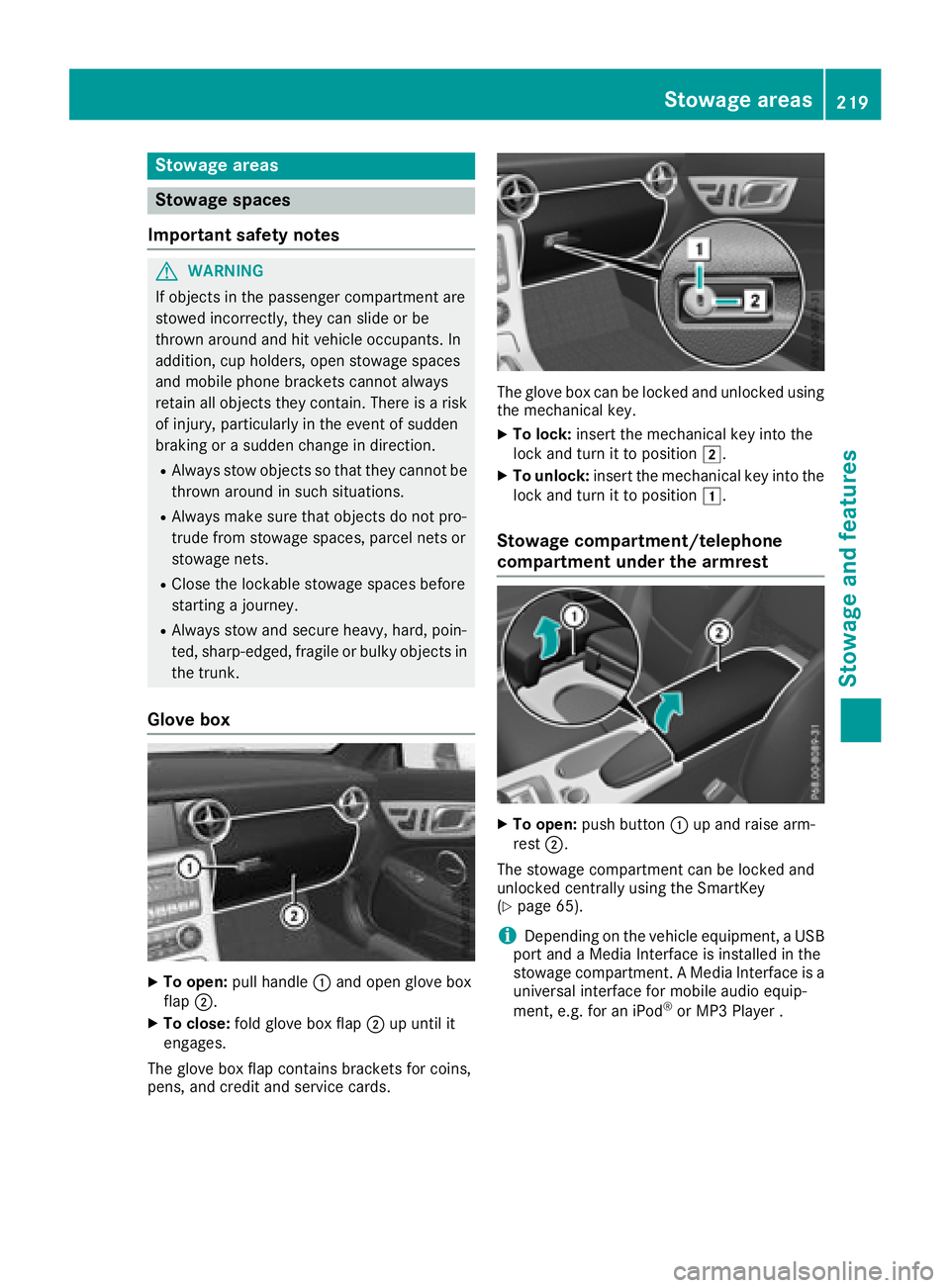
Glove box
XTo open: pull handle :and open glove box
flap ;.
XTo close: fold glove box flap ;up until it
engages.
The glove box flap contains brackets for coins,
pens, and credit and service cards.
The glove box can be locked and unlocked using
the mechanical key.
XTo lock: insert the mechanical key into the
lock and turn it to position 2.
XTo unlock:insert the mechanical key into the
lock and turn it to position 1.
Stowage compartment/telephone
compartment under the armrest
XTo open:push button :up and raise arm-
rest ;.
The stowage compartmentc an be locked and
unlocked centrally using the SmartKey
(
Ypage 65).
iDepending on the vehicle equipment, aUSB
port and aMedia Interface is installed in the
stowage compartment. AMedia Interface is a
universal interface for mobile audio equip-
ment,e .g. for an iPod
®or MP3 Player.
Stowage areas219
Stowage and features
Z