2018 MERCEDES-BENZ A-CLASS HATCHBACK warning
[x] Cancel search: warningPage 237 of 609

Wa
rning when the maximum permissible
speed is exceeded
The sy stem can warnyou if you unin tentional ly
exc eed the maximum permissible speed. Todo
th is, you can specify in the multimedia sy stem
by how much the maximum permissible speed
can be exceeded before a warning is issued. Yo u
can specify whe ther thewa rning is tobe just a
visual warning or an acoustic one as well.
Display in the Instrument Display 1
Perm issible speed
2 Perm issible speed when there is a restriction
3 Additional sign with restriction %
The illu stra tion sho wsthe Instrument Display
in theWi descreen Cockpit
Sy stem limitations
The sy stem may be impaired or may not function
in thefo llowing situations:
R Ifth ere is poor visibility, e.g. due toinsuf fi‐
cient illumination of thero ad, high lyvariable
shade conditions, rain, sno w,fog or heavy
spr ay.
R Ifth ere is glare, e.g. from oncoming traf fic,
di re ct sunlight or reflections.
R Ifth ere is dirt on the windscreen in the vicin‐
ity of the multifunction camera or the camera
is mis ted up, damaged or obscured.
R Ifth e traf fic signs are ha rdtodetect, e.g. due
to dirt or sno w,or because they are co vered
or due toinsuf ficient lighting.
R Ifyo u turn sharpl y,yo u may pass traf fic signs
th at are outside the camera's field of vision. Setting Speed Limit Assist
Multimedia sy
stem:
, © .
Settings .
Assis-
tance .
Speed Limit Assist
Displaying de tected traf fic signs in the
medi a display #
Select Display in head unit. #
Activate or deacti vate the function.
Ad justing the type of warning #
Select Visual & audible ,Visual orNone.
Ad justing the warning threshold
This value de term ines the speed at which a
wa rning is issued when exceeded. #
Select Warning threshold. #
Set the desired speed.
% When DISTRONIC, cruise control or theva ri‐
able limiter are activated, the speed de tec‐
te d can be adop ted as the speed limit
(→ page 202).
Speed Limit Assist is only an aid. The driver is
re sponsible forke eping a safe dis tance tothe 234
Driving and parking
Page 238 of 609

ve
hicle in front, forve hicle speed and for braking
in good time. The maximum permissible speed
also depends on factors su chasthero ad sur‐
fa ce and traf fic conditions. Tr
af fic Sign Assist Fu
nction of Traf fic Sign Assist Tr
af fic Sign Assi stdetects traf fic signs wi thmul‐
tifunction camera 1. It assistsyo uby display‐
ing de tected speed limits and overtaking restric‐
tions in the instrument clus ter and optionally in
th e head-up displa y. Since
Traf fic Sign Assi stalso uses the data
st ored in the navigation sy stem, it can update
th e display in thefo llowing situations without
de tecting traf fic signs:
R When theve hicle changes roads, e.g. slip
ro ad or mo torw ay ex it.
R When a village or town boundary is passed
which is stored in the digital map.
If th e sy stem de tects that you are driving on to a
section of road in the wrong direction of tr avel, it
triggers a warning.
The camera also de tects traf fic signs wi th a
re striction indicated byan additional sign (e.g. in
we t conditions).
Tr af fic Sign Assi stis only an aid. The driver is
re sponsible forke eping a safe dis tance tothe
ve hicle in front, forve hicle speed and for braking
in good time. The maximum permissible speed
also depends on factors su chasthero ad sur‐
fa ce and traf fic conditions. Wa
rning when the maximum permissible
speed is exceeded
The sy stem can warnyou if you unin tentionally
exc eed the maximum permissible speed. Todo
th is, you can specify in the multimedia sy stem
by how much the maximum permissible speed
can be exceeded before a warning is issued. Yo u
can specify whe ther thewa rning is tobe just a
visual warning or an acoustic one as well.
Display in the Instrument Display In
stru ment display in the widescreen cockpit
1 Perm issible speed
2 Perm issible speed when there is a restriction
3 Additional sign with restriction Driving and pa
rking 235
Page 239 of 609

Tr
af fic Sign Assi stis not available in all coun‐
tries. If it is una vailable, display 1is shown in
th e speedome ter.
Wa rning when app roaching pedestrian cross‐
ings
Ve hicles with Driving Assistance Package:
th e sy stem can warnyou if you approach a
pedestrian crossing with your vehicle. A mes‐
sage appears inthe instrument clus ter. The
warning occurs if appropriate traf fic signs or
ro ad markings are de tected and pedestrians are
present in the danger zone.
Sy stem limitations
The sy stem may be impaired or may not function
in thefo llowing situations:
R Ifth ere is poor visibility, e.g. due toinsuf fi‐
cient illumination of thero ad, if there are
highly variable shade conditions or in rain,
sno w,fog or heavy spr ay.
R Ifth ere is glare, e.g. from oncoming traf fic,
di re ct sunlight or reflections. R
Ifth e windscreen in the area of the multi‐
function camera is dirty, or if the camera is
mis ted up, damaged or co vered.
R Ifth e tra ffic signs are hard todetect, e.g. due
to dirt or sno w,or because they are co vered
or due toinsuf ficient lighting.
R Ifth e information in the navigation sy stem's
digital map is incor rect or out-of-da te.
R Ifth e signs are ambiguous, e.g. tra ffic signs
on con stru ction sites or in adjacent lanes.
R Ifyo u turn sharpl y,yo u may pass traf fic signs
th at are outside the camera's field of vision.
Setting Traf fic Sign Assist
Requ irements:
R For automatic ado ption of speed limits:
Ac tive Dis tance Assi stDISTRONIC is acti va‐
te d. 236
Driving and parking
Page 240 of 609

Multimedia sy
stem:
, © .
Settings .
Assistance .
Traf-
fic Sign Assist
Ac tivating/deactivating automatic adoption
of speed limits #
Select Adopt limit . #
Activate or deacti vate the function.
The speed limits de tected byTraf fic Sign
Assi stare automatically adop tedby Active
Dis tance Assi stDISTRONIC.
% When DISTRONIC, cruise control or theva ri‐
able limiter are activated, the speed de tec‐
te d can be manually adop ted as the speed
limit (→ page 202).
Displaying de tected traf fic signs in the
media display #
Select Display in head unit .#
Activate or deacti vate the function.
Ad justing the type of warning #
Select Visual & audible ,Visual orNone. Ad
justing the warning threshold
This value de term ines the speed at which a
wa rning is issued when exceeded. #
Select Warning threshold. #
Set the desired speed. Blind Spot Assist and
Active Blind Spot
Assi stwith exitwa rning Fu
nction of Blind Spot Assist and Active
Blind Spot Assi stwith exitwa rning
Blind Spot Assist and Active Blind Spot Assi st
use two lateral, rear-facing radar sensors to
monitor the area up to40 m behind your vehicle
and 3 m directly next to yourvehicle.
If a vehicle is de tected at speeds ab ove appr ox‐
imately 12km/h and this vehicle subsequently
enters the monitoring range di rectly next to your
ve hicle, thewa rning lamp in the outside mir ror
lights up red.
If a vehicle is de tected close tothe side of your
ve hicle, there dwa rning lamp in the outside mir‐
ro rflashes. If you swit chon the turn signal indi‐
cator in the cor responding direction, a warning to
ne sounds once. If the turn signal indicator
re mains switched on, all other de tected vehicles
are indicated only bytheflashing of thered
wa rning lamp.
If yo uove rtake a vehicle quickl y,no warning is
given. &
WARNING Risk of accident despi teBlind
Spot Assi st
Blind Spot Assi stdoes not react tovehicles
approaching and overtaking you at a greatly
di fferent speed.
As a result, Blind Spot Assist cannot warn
drivers in this situation. #
Alw ays pay careful attention tothe traf‐
fi c situation and maintain a safe dis‐
ta nce at the side of theve hicle. Blind Spot Assist and
Active Blind Spot Assi st
are on lyaids. They may failto detect some vehi‐
cles and are no substitute for attentive driving.
Alw ays ensure that there is suf ficient di stance to
th e side forot her road users and obs tacles. Driving and pa
rking 237
Page 241 of 609
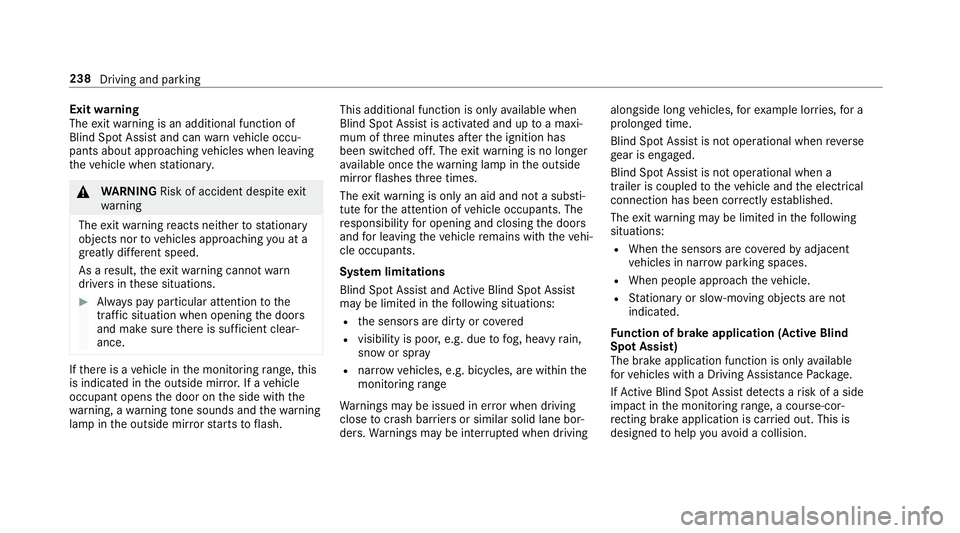
Exit
warning
The exitwa rning is an additional function of
Blind Spot Assist and can warnvehicle occu‐
pants about approaching vehicles when leaving
th eve hicle when stationar y. &
WARNING Risk of accident despi teexit
wa rning
The exitwa rning reacts nei ther tostationary
objects nor tovehicles approaching you at a
great lydif fere nt speed.
As a result, theex itwa rning cannot warn
drivers in these situations. #
Alw ays pay particular attention tothe
traf fic situation when opening the doors
and make sure there is suf ficient clear‐
ance. If
th ere is a vehicle in the monitoring range, this
is indicated in the outside mir ror.If a vehicle
occupant opens the door on the side with the
wa rning, a warning tone sounds and thewa rning
lamp in the outside mir rorst arts toflash. This additional function is on
lyavailable when
Blind Spot Assist is activated and up toa maxi‐
mum of thre e minutes af terth e ignition has
been switched off. The exitwa rning is no longer
av ailable once thewa rning lamp in the outside
mir rorflashes thre e times.
The exitwa rning is only an aid and not a substi‐
tute forth e attention of vehicle occupants. The
re sponsibility for opening and closing the doors
and for leaving theve hicle remains with theve hi‐
cle occupants.
Sy stem limitations
Blind Spot Assist and Active Blind Spot Assi st
may be limi ted in thefo llowing situations:
R the sensors are dirty or co vered
R visibility is poor, e.g. due tofog, heavy rain,
snow or spr ay
R narrow vehicles, e.g. bicycles, are within the
monitoring range
Wa rnings may be issued in er ror when driving
close tocrash ba rriers or similar solid lane bor‐
ders. Warnings may be inter rupte d when driving alongside long
vehicles, forex ample lor ries, for a
prolonged time.
Blind Spot Assist is not operational when reve rse
ge ar is engaged.
Blind Spot Assist is not operational when a
trailer is coupled totheve hicle and the electrical
connection has been cor rectly es tablished.
The exitwa rning may be limited in thefo llowing
situations:
R When the sensors are co veredby adjacent
ve hicles in nar row parking spaces.
R When people approach theve hicle.
R Stationary or slo w-moving objects are not
indica ted.
Fu nction of brake application (Active Blind
Spot Assist)
The brake application function is only available
fo rve hicles with a Driving Assis tance Pack age.
If Ac tive Blind Spot Assi stdetects a risk of a side
impact in the monitoring range, a cou rse-cor‐
re cting brake application is car ried out. This is
designed tohelp youavo id a collision. 238
Driving and parking
Page 242 of 609

The course-cor
recting brake application is availa‐
ble in the speed range between appr oximately
30 km/h and 200 km/h. &
WARNING Risk of accident despi te
brake application of Active Blind Spot
Assi st
A cou rse-co rrecting brake application cann ot
alw ays pr event a collision. #
Alw aysst eer, brake or accelera teyour‐
self, especially if Active Blind Spot
Assi stwa rnsyo u or makes a course-
co rrecting brake application. #
Alw ays maintain a safe dis tance at the
sides. &
WARNING Risk of accident despi te
Ac tive Blind Spot Assi st
Ac tive Blind Spot Assi stdoes not react tothe
fo llowing:
R ifve hicles overtake too closely on the
side, placing them in the blind spot area R
vehicles approaching and overtaking you
at a greatly di fferent speed
As a result, Active Blind Spot Assi stmay nei‐
th er give warnings nor inter vene in su chsit‐
uations. #
Alw ays pay careful attention tothe traf‐
fi c situation and maintain a safe dis‐
ta nce at the side of theve hicle. If a course-cor
recting brake application occu rs,
th ere dwa rning lamp flashes in the outside mir‐
ro r and a warning tone sounds. In addition, dis‐
pl ay 1 indicating the danger of a side collision
appears in the multifunction displa y.In
rare cases, the sy stem may make an inappro‐
priate brake application. This brake application
may be inter rupte d at any time if yousteer
slightly in the opposite direction or accelera te.
Sy stem limitations
Either a course-cor recting brake application
appropria teto the driving situation, or none at
all, may occur in thefo llowing situations:
R Vehicles or obs tacles, e.g. crash ba rriers, are
located on bo thsides of your vehicle.
R Ave hicle approaches too closely on the side.
R You ha veadop ted a sporty driving style with
high cornering speeds.
R You brake or accelerate significantl y.
R A driving sa fety sy stem inter venes, e.g. ESP ®
or Active Brake Assi st.
R ESP ®
is deacti vated.
R A loss of tyre pressure or a defective tyre is
detected.
R You are driving with a trailer and the electri‐
cal connection tothe trailer hitch has been
cor rectly es tablished. Driving and parking
239
Page 243 of 609

Ac
tivating/deactivating Blind Spot Assi stor
Ac tive Blind Spot Assi st
Multimedia sy stem:
, © .
Settings .
Assistance #
Activate or deacti vate Blind Spot Assist .Ac
tive Lane Keeping Assist Fu
nction of Active Lane Keeping Assist Ac
tive Lane Keeping Assist monitors the area in
front of your vehicle bymeans of multifunction
camera 1. It ser vesto protect you against unin‐
te ntional lyleaving your lane. You will be warned
by vibration pulses in thesteering wheel and gui‐ ded
bya course-cor recting brake application
ba ck into your lane.
Yo u are warned byvibration pulses in thesteer‐
ing wheel in thefo llowing circums tances:
R Active Lane Keeping Assist de tects a lane
marking.
R A front wheel drives overth is lane marking.
Yo u will also be guided back into your lane by
means of a course-cor recting brake application
if th efo llowing conditions are me t:
R Active Lane Keeping Assist de tects lane
markings on bo thedges of the lane.
R A front wheel drives over a solid lane mark‐
ing.
Yo u can activate or deactivate theAc tive Lane
Ke eping Assist warning.
Ac tive Lane Keeping Assist can neither reduce
th erisk of an accident if youfa ilto adapt your
driving style nor override the la wsof ph ysics. It
cannot take into account road, weather or traf fic
conditions. Active Lane Keeping Assist is only an
aid. You are responsible for maintaining a safe
dis tance totheve hicle in front, forve hicle speed,
for braking in good time and forst ay ing
in lane.
Ac tive Lane Keeping Assist can bring theve hicle
back into the lane with a lane-cor recting brake
application. In the case of a broken lane marking
being de tected, a brake application will only be
made if a vehicle has been de tected in the adja‐
cent lane. Oncoming tra ffic can be de tected.
Ve hicles with Driving Assistance pac kage:
ov ertaking vehicles and vehicles in adjacent
lanes can also be de tected.
Ac tive Lane Keeping Assist is available in the
speed range between 60 km/h and 200 km/h. 240
Driving and pa rking
Page 245 of 609

Assi
stinter venes. The li kelihood of inter vention
is therefore higher.
Setting Active Lane Keeping Assist
Multimedia sy stem:
, © .
Settings .
Assistance .
Act.
Lane Keep. Assist
Setting the sensitivity
% The availability of this function is dependent
on the count ry. #
Select Standard ,Sensitive orOff.
Ac tivating/deactivating the haptic warning #
Select Warning.
Ac tivate or deacti vate the function. Tr
ailer hitch Tr
ailer operation no tesObser
vethefo llowing no tes on theto ngue
we ight:
R do not use a tongue weight that exceeds or
fa lls below the permissible tongue weight R
use a tongue weight as close as possible to
th e maximum tongue weight
Do not exceed thefo llowing values:
R permissible towing capacity
R permissible rear axle load of theto wing vehi‐
cle
R permissible gross mass of theto wing vehicle
R permissible gross mass of the trailer
R maximum permissible speed of the trailer
Ensure thefo llowing before starting a journey:
R the tyre pressure on there ar axle of theto w‐
ing vehicle is set for a maximum load
R the lighting of the connected trailer is opera‐
tional
R vehicles without LED headlamps or MUL‐
TIBEAM LED headlamps: the headlamps
ha ve been set cor rectly
In theeve nt of increased rear axle load, the car/
trailer combination may not exceed a maximum
speed of 100 km/h forre asons concerning the
operating permit. This also applies in countri esin which
the permissible maximum speed for
car/trailer combinations is ab ove100 km/h. Fo
lding the ball neck out/in &
WARNING Risk of accident due tothe
ball neck not being engaged
If th e ball neck is not engaged, the trailer
may come loose. #
Alw ays engage the ball neck as descri‐
bed. &
WARNING Risk of inju ryfrom ball neck
swinging outwards
The ball neck may swing outwards when
unlo cking or when it has not been properly
engaged.
There is a risk of injury within the ball neck's
ra nge of mo vement! #
Unlock the ball neck only when its
ra nge of mo vement is unobstructed. 242
Driving and pa rking