2018 LEXUS RCF lights
[x] Cancel search: lightsPage 237 of 636

2374-3. Operating the lights and wipers
4
Driving
RC350_RC300 AWD_RC3 00_RC F_U(OM24748U)■
Operation of the intermittent windsh ield wipers with interval adjuster
(U.S.A.) or (Can-
ada)
Move the lever up by 2 levels
Move the lever up by 1 level
(U.S.A.) or (Canada)
Move the lever down by 1 level
(U.S.A.) or (Can-
ada)
Move the lever down by 2 levels 1
2
3
4
or
or
or
Off Temporary
operation Temporary
operation Intermittent
operation High speed
operation
Intermittent
operation Off Off Low speed
operation High speed
operation
Low speed
operation Off Intermittent
operation High speed
operation High speed
operation
High speed
operation Off Low speed
operation No change No changeStatus
before
operation Operation
Page 238 of 636

238 4-3. Operating the lights and wipers
RC350_RC300 AWD_RC3 00_RC F_U(OM24748U)Wiper intervals can be adjusted when intermittent operation is selected.
Increases the intermittent wind-
shield wiper frequency
Decreases the intermittent wind-
shield wiper frequency
Washer/wiper dual operation The wipers will automatically operate
a couple of times after the washer
squirts.
Vehicles with headlight cleaners:
When the engine switch is in IGNI-
TION ON mode and the headlights
are on, if the lever is pulled, the head-
light cleaners w ill operate once.
After this, the headlight cleaners will
operate every 5th time the lever is
pulled. 5
6
7
Page 239 of 636
2394-3. Operating the lights and wipers
4
Driving
RC350_RC300 AWD_RC3 00_RC F_U(OM24748U)■
The windshield wiper and washer can be operated when
The engine switch is in IGNITION ON mode. ■
Dripping prevention wiper sweep
After performing a washing and wiping operation several times, the wipers operate one
more time after a short delay to prevent dripping.
However, this final wiper operation will not be performed while driving.■
Effects of vehicle speed on wiper operation (vehicles with rain-sensing windshield wip-
ers)
Vehicle speed affects the following even when the wipers are not in AUTO mode. ●
Intermittent wiper interval ●
Wiper operation when the washer is being used (delay until drip prevention wiper
sweep occurs)
With low speed windshield wi per operation selected, wipe r operation will be switched
from low speed to intermittent wiper operation only when the vehicle is stationary. ■
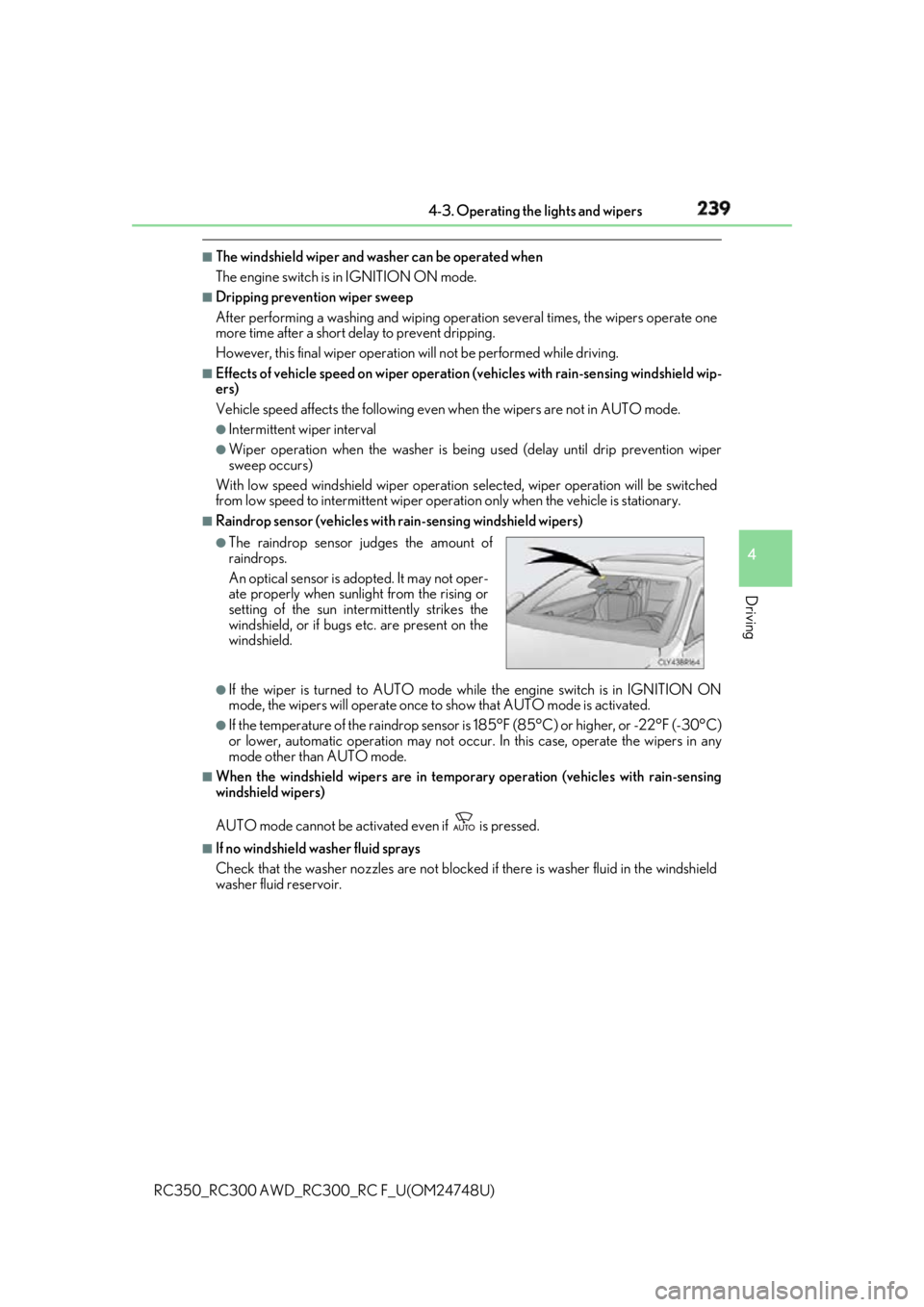
Raindrop sensor (vehicles with rain-sensing windshield wipers)
●
If the wiper is turned to AUTO mode wh ile the engine switch is in IGNITION ON
mode, the wipers will operate once to show that AUTO mode is activated.●
If the temperature of the rain drop sensor is 185°F (85°C) or higher, or -22°F (-30°C)
or lower, automatic operation may not occur. In this case, operate the wipers in any
mode other than AUTO mode. ■
When the windshield wipers are in tempor ary operation (vehicles with rain-sensing
windshield wipers)
AUTO mode cannot be activa ted even if is pressed.■
If no windshield washer fluid sprays
Check that the washer nozzles are not blocked if there is washer fluid in the windshield
washer fluid reservoir. ●
The raindrop sensor judges the amount of
raindrops.
An optical sensor is ad opted. It may not oper-
ate properly when sunlight from the rising or
setting of the sun inte rmittently strikes the
windshield, or if bugs etc. are present on the
windshield.
Page 240 of 636

240 4-3. Operating the lights and wipers
RC350_RC300 AWD_RC3 00_RC F_U(OM24748U)WARNING ■
Caution regarding the use of windshield wipers in AUTO mode
The windshield wipers may operate unexpectedly if the sensor is touched or the wind-
shield is subject to vibratio n in AUTO mode. Take care that your fingers or anything
else do not become caught in the windshield wipers.■
Caution regarding the use of washer fluid
When it is cold, do not use the washer fl uid until the windshield becomes warm. The
fluid may freeze on the windshield and cause lo w visibility. This may lead to an accident,
resulting in death or serious injury.
NOTICE ■
When the windshield is dry
Do not use the wipers, as they may damage the windshield. ■
When there is no washer fluid spray from the nozzle
Damage to the washer fluid pump may be cau sed if the lever is pulled toward you and
held continually. ■
When a nozzle becomes blocked
In this case, contact your Lexus dealer.
Do not try to clear it with a pin or other object. The nozz le will be damaged.
Page 249 of 636

2494-5. Using the driving support systems
4
Driving
RC350_RC300 AWD_RC3 00_RC F_U(OM24748U)WARNING ●
Do not attach window tinting to the windshield. ●
Replace the windshield if it is damaged or cracked.
If the windshield needs to be re placed, contact your Lexus dealer.●
Do not get the camera sensor wet. ●
Do not allow bright lights to shine into the camera sensor.●
Do not dirty or damage the camera sensor.
When cleaning the inside of the windshield , do not allow glass cleaner to contact the
lens. Also, do not touch the lens.
If the lens is dirty or damaged, contact your Lexus dealer. ●
Do not subject the camera sensor to a strong impact. ●
Do not change the installation position or direction of the camera sensor or remove it.●
Do not disassemble the camera sensor. ●
Do not modify any components of the vehi cle around the camera sensor (inside rear
view mirror, et c.) or ceiling.●
Do not attach any accessories that may obst ruct the camera sensor to the hood, front
grille or front bumper. Contact your Lexus dealer for details.●
If a surfboard or other long object is to be mounted on the roof, ma ke sure that it will
not obstruct the camera sensor. ●
Do not modify the head lights or other lights.
Page 258 of 636

258 4-5. Using the driving support systems
RC350_RC300 AWD_RC3 00_RC F_U(OM24748U)■
Situations in which the system may not operate properly ●
In some situations such as the following, a vehicle may not be detected by the radar
sensor and camera sensor, preventing the system from operating properly:
• If an oncoming vehicle is approaching your vehicle
• If a vehicle ahead is a motorcycle or bicycle
• When approaching the side or front of a vehicle
• If a preceding vehicle has a small rear end, such as an unloaded truck
• If a vehicle ahead is carrying a load which protrudes past its rear bumper
• If a vehicle ahead is irregularly shap ed, such as a tractor or side car
• If the sun or other light is shin ing directly on a vehicle ahead
• If a vehicle cuts in front of your ve hicle or emerges from beside a vehicle
• If a vehicle ahead makes an abrupt maneuver (such as sudden swerving, accelera-
tion or deceleration)
• When suddenly cutting behind a preceding vehicle
• When driving in inclement we ather such as heavy rain, fog, snow or a sandstorm
• When the vehicle is hit by water, sn ow, dust, etc. from a vehicle ahead
• When driving through steam or smoke
• When driving in a place where the surrounding brightness changes suddenly, such
as at the entrance or exit of a tunnel
• When a very bright light, such as the sun or the headlights of on coming traffic, shines
directly into the camera sensor
• When the surrounding area is dim, such as at dawn or dusk, or while at night or in a
tunnel• If a preceding vehicle has a low rear end,
such as a low bed trailer
• If a vehicle ahead has extremely high
ground clearance
• When a vehicle ahead is not directly in front
of your vehicle
Page 263 of 636

2634-5. Using the driving support systems
4
Driving
RC350_RC300 AWD_RC3 00_RC F_U(OM24748U)WARNING ■
Before using LDA system
Do not rely solely upon the LDA system. The LDA system does not automatically drive
the vehicle or reduce the amount of attention that must be paid to the area in front of
the vehicle. The driver must always assume full responsibility for driving safely by pay-
ing careful attention to the surrounding cond itions and operating the steering wheel to
correct the path of the vehicle. Also, the driver must take adequate breaks when
fatigued, such as from driving for a long period of time.
Failure to perform appropriate driving operat ions and pay careful attention may lead to
an accident, resulting in death or serious injury. ■
To avoid operating LDA system by mistake
When not using the LDA system, use the LDA switch to turn the system off.■
Situations unsuitable for LDA system
Do not use the LDA system in the following situations.
The system may not operate properly and lead to an accident, resulting in death or
serious injury. ●
A spare tire, tire chains, etc. are equipped. ●
When the tires have been excessively worn, or when the tire inflation pressure is low. ●
Tires which differ by structure, manufacturer, brand or tread pattern are used. ●
Objects or patterns that could be mistaken for white (yellow) lines are present on the
side of the road (guardrails, cu rbs, reflective poles, etc.).●
Vehicle is driven on a snow-covered road. ●
White (yellow) lines are difficult to see due to rain, snow, fog, dust, etc.●
Asphalt repair marks, white (y ellow) line marks, etc. are present due to road repair.●
Vehicle is driven in a temporary lane or restricted lane due to construction work.●
Vehicle is driven on a road surface which is slippery due to rainy weather, fallen snow,
freezing, etc. ●
Vehicle is driven in traffic lanes ot her than on highways and freeways.●
Vehicle is driven in a construction zone. ●
During emergency towing ■
Preventing LDA system malfunctions and operations performed by mistake ●
Do not modify the headlights or place stickers, etc. on the surface of the lights.●
Do not modify the suspension etc. If the suspension etc. needs to be replaced, con-
tact your Lexus dealer. ●
Do not install or place anything on the hood or grille. Also, do not install a grille guard
(bull bars, kangaroo bar, etc.). ●
If your windshield needs repair s, contact your Lexus dealer.
Page 267 of 636

2674-5. Using the driving support systems
4
Driving
RC350_RC300 AWD_RC3 00_RC F_U(OM24748U)■
White (yellow) lines are only on one side of road
The LDA system will not operate for the side on which white (yellow) lines could not be
recognized. ■
Conditions in which functions may not operate properly
In the following situations, the camera sensor may not detect white (yellow) lines and var-
ious functions may not operate normally. ●
There are shadows on the road that run parallel with, or cover, the white (yellow) lines. ●
The vehicle is driven in an ar ea without white (yellow) lines, such as in front of a tollgate
or checkpoint, or at an intersection, etc.●
The white (yellow) lines are cracked, “Botts ’ dots”, “Raised pavement marker” or stones
are present. ●
The white (yellow) lines cannot be seen or are difficult to see due to sand, etc. ●
The vehicle is driven on a road surface that is wet due to rain, puddles, etc. ●
The traffic lines are yellow (which may be more difficult to recognize than lines that are
white). ●
The white (yellow) lines cross over a curb, etc. ●
The vehicle is driven on a bright surface, such as concrete. ●
The vehicle is driven on a surface that is bright due to reflected light, etc. ●
The vehicle is driven in an area where the brightness changes suddenly, such as at the
entrances and exits of tunnels, etc.●
Light from the headlights of an oncoming vehicle, the sun, etc. enters the camera.●
The vehicle is driven where the road diverges, merges, etc. ●
The vehicle is driven on a slope. ●
The vehicle is driven on a road which t ilts left or right, or a winding road.●
The vehicle is driven on an unpaved or rough road. ●
The vehicle is driven around a sharp curve. ●
The traffic lane is excessively narrow or wide. ●
The vehicle is extremely tilted due to carry ing heavy luggage or having improper tire
pressure. ●
The distance to the preceding vehicle is extremely short. ●
The vehicle is moving up and down a large am ount due to road conditions during driv-
ing (poor roads or road seams). ●
The headlight lenses are dirty and emit a faint amount of light at night, or the beam axis
has deviated. ●
The vehicle is struck by a crosswind. ●
The vehicle has just changed lane s or crossed an intersection.●
Snow tires, etc. are equipped. ■
Warning message
Warning messages are used to indicate a syst em malfunction or to inform the driver of
the need for caution while driving. ( P. 460)■
Customization
Some functions can be customized ( P. 111)