2018 LEXUS LS500 change key battery
[x] Cancel search: change key batteryPage 97 of 514

973-2. Opening, closing and locking the doors and trunk
LS500_OM_OM50F54U_(U) 3
Before driving
To prevent unintended triggering of the
alarm, unlock the doors using the wireless
remote control and open and close a door
once after the settings have been changed.
(If a door is not opened within 60 seconds
after is pressed, the doors will be
locked again and the alarm will automati-
cally be set.)
In a case that the alarm is triggered, imme-
diately stop the alarm. ( → P.60)■
Impact detection door lock release sys-
tem
In the event that the vehicle is subject to a
strong impact, all the doors are unlocked.
Depending on the force of the impact or the
type of accident, however, the system may
not operate.
■
Operation signals
A buzzer sounds and the emergency flash-
ers flash to indicate that the doors have
been locked/unlocked. (Locked: once;
Unlocked: twice)
A buzzer sounds to indicate that the win-
dows and moon roof or panoramic moon
roof are operating.
■
Security feature
If a door is not opened within approximately 60 seconds after the vehicle is unlocked,
the security feature automatically locks the
vehicle again. ■
When the doors cannot be locked by the
lock sensor on the upper part of the
door handle
When the doors cannot be locked even if
the lock sensor on the surface of the door
handle is touched by a finger, touch the lock
sensor with the palm.
If you are wearing gloves, remove them.
■
Open door warning buzzer
If an attempt to lock the doors is made when
a door is not fully closed, a buzzer sounds
continuously for 5 seconds. Fully close the
door to stop the buzzer, and lock the vehi-
cle once more. ■
Setting the alarm
Locking the doors will set the alarm system.
( → P.60) ■
Conditions affecting the operation of
the smart access system with push-but-
ton start or wireless remote control
→ P.108 ■
If the smart access system with
push-button start or the wireless remote
control does not operate properly
Use the mechanical key to lock and unlock
the doors. ( → P.436)
Replace the key battery with a new one if it
is depleted. ( → P.403)
■
If the battery is discharged
The doors cannot be locked and unlocked
using the smart access system with
push-button start or wireless remote con-
trol. Lock or unlock the doors using the
mechanical key. ( → P.436)Multi-information
display/Beep Unlocking function
Exterior: Beeps 3
times
Interior: Pings once Holding the driver’s
door handle unlocks
only the driver’s
door.
Holding any of the
passenger door
handles unlocks all
the doors.
Exterior: Beeps
twice
Interior: Pings once Holding a door han-
dle unlocks all the
doors.
Page 109 of 514

1093-2. Opening, closing and locking the doors and trunk
LS500_OM_OM50F54U_(U) 3
Before driving gas station, radio stat ion, large display,
airport or other faci lity that generates
strong radio waves or electrical noise●
When carrying a portable radio, cellular
phone, cordless phone or other wireless
communication device●
When the electronic key is in contact
with, or is covered by the following metal-
lic objects
• Cards to which aluminum foil is attached
• Cigarette boxes that have aluminum foil
inside
• Metallic wallets or bags
•Coins
• Hand warmers made of metal
• Media such as CDs and DVDs ●
When other wireless ke ys (that emit radio
waves) are being used nearby●
When carrying the electronic key
together with the following devices that
emit radio waves
• Another vehicle’s electronic key or a
wireless key that emits radio waves
• Personal computers or personal digital
assistants (PDAs)
• Digital audio players
• Portable game systems ●
If window tint with a metallic content or
metallic objects are attached to the rear
window●
When the electronic key is placed near a
battery charger or electronic devices●
When the vehicle is parked in a pay park-
ing spot where radio waves are emitted.■
Note for the entry function●
Even when the electronic key is within the
effective range (detection areas), the sys-
tem may not operate properly in the fol-
lowing cases:
• The electronic key is too close to the win-
dow or outside door handle, near the
ground, or in a high place when the doors
are locked or unlocked.
• The electronic key is near the ground or
in a high place, or too close to the center
of the rear bumper when the trunk is
opened.
• The electronic key is on the instrument
panel, rear package tray or floor, or in the
door pockets or glove box when the engine is started or engine switch modes
are changed. ●
Do not leave the electronic key on top of
the instrument panel or near the door
pockets when exiting the vehicle.
Depending on the radio wave reception
conditions, it may be detected by the
antenna outside the cabin and the doors
will become lockable from the outside,
possibly trapping the electronic key
inside the vehicle. ●
As long as the electronic key is within the
effective range, the doors may be locked
or unlocked by anyone. However, only
the doors detecting the electronic key
can be used to unlock the vehicle. ●
Even if the electronic key is not inside the
vehicle, it may be po ssible to start the
engine if the electronic key is near the
window. ●
The doors may unlock or lock if a large
amount of water splashes on the door
handle, such as in the rain or in a car
wash, when the electronic key is within
the effective range. (The doors will auto-
matically be locked after approximately
60 seconds if the doors are not opened
and closed.) ●
If the wireless remote control is used to
lock the doors when the electronic key is
near the vehicle, there is a possibility that
the door may not be unlocked by the
entry function. (Use the wireless remote
control to unlock the doors.) ●
Touching the door lock sensor while
wearing gloves may delay or prevent lock
operation. ●
When the lock operation is performed
using the lock sensor, recognition signals
will be shown up to two consecutive
times. After this, no recognition signals
will be given.
●
If the door handle becomes wet while the
electronic key is within the effective
range, the door may lock and unlock
repeatedly. In this case, follow the follow-
ing correction procedures to wash the
vehicle:
• Place the electronic key in a location 6 ft.
(2 m) or more away from the vehicle.
(Take care to ensure that the key is not
Page 160 of 514

160 4-2. Driving procedures
LS500_OM_OM50F54U_(U) 4-2.Driving procedures
1 Press the parking brake switch to
check that the parking brake is set.
( → P.170)The parking brake indicator will come on.
2 Firmly depress the brake pedal. and a message will be displayed on
the multi-information display.
If it is not displayed, the engine cannot be
started.
3 Press the engine switch shortly and
firmly.When operating the engine switch, one
short, firm press is enough. It is not neces-
sary to press and hold the switch.
The engine will crank until it starts or for up
to 30 seconds, whichever is less.
Continue depressing the brake pedal until
the engine is completely started.
The engine can be started from any engine
switch mode. ■
Engine switch illumination
According to the situation, the engine
switch illumination operates as follows. ●
When a door is opened, or the engine
switch mode is changed from ACCES-
SORY or IGNITION ON mode to off,
the engine switch illumination slowly
blinks. ●
When depressing the brake pedal with
carrying the electronic key on your per-
son, the engine switch illumination rapidly
blinks. ●
When the engine sw itch is in ACCES-
SORY or IGNITION ON mode, the
engine switch illumination illuminates. ■
If the engine does not start ●
The engine immobilizer system may not
have been deactivated. ( → P.58)
Contact your Lexus dealer. ●
If a message related to start-up is shown
on the multi-information display, read the
message and follow the instructions. ■
If the battery is discharged
The engine cannot be started using the
smart access system with push-button start.
Refer to P.438 to restart the engine. ■
Electronic key battery depletion
→ P.92 ■
Conditions affecting operation
→ P.108 ■
Notes for the entry function
→ P.109
■
Steering lock function
●
After turning the engine switch off and
opening and closing the doors, the steer-
ing wheel will be lock ed due to the steer-
ing lock function. Operating the engine
switch again automatically cancels the
steering lock.
●
When the steering lock cannot be
released, “Push Engine Switch While
Turning Steering Whee l in Either Direc-
tion” will be displayed on the multi-infor-
mation display.
Press the engine switch shortly and firmly Engine (ignition) switch Performing the following opera-
tions when carryin g the electronic
key on your person starts the
engine or changes engine switch
modes.
Starting the engine
Page 161 of 514
1614-2. Driving procedures
LS500_OM_OM50F54U_(U) 4
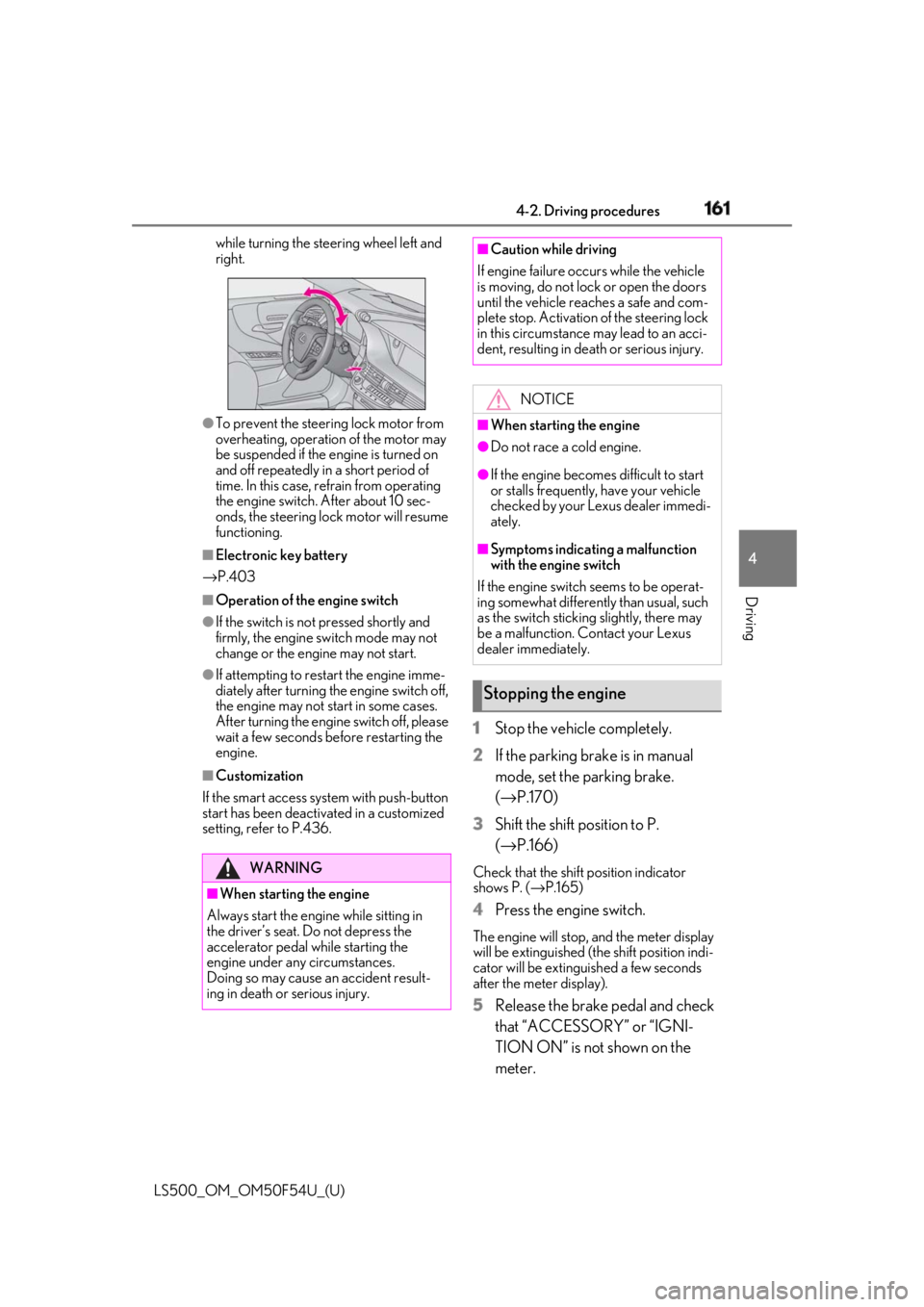
Driving while turning the steering wheel left and
right.
●
To prevent the steering lock motor from
overheating, operation of the motor may
be suspended if the engine is turned on
and off repeatedly in a short period of
time. In this case, refrain from operating
the engine switch. After about 10 sec-
onds, the steering lock motor will resume
functioning.■
Electronic key battery
→ P.403■
Operation of the engine switch●
If the switch is not pressed shortly and
firmly, the engine switch mode may not
change or the engine may not start.●
If attempting to restart the engine imme-
diately after turning the engine switch off,
the engine may not start in some cases.
After turning the engine switch off, please
wait a few seconds before restarting the
engine.■
Customization
If the smart access sy stem with push-button
start has been deactivated in a customized
setting, refer to P.436. 1 Stop the vehicle completely.
2 If the parking brake is in manual
mode, set the parking brake.
( → P.170)
3 Shift the shift position to P.
( → P.166) Check that the shift position indicator
shows P. ( → P.165)
4 Press the engine switch. The engine will stop, and the meter display
will be extinguished (the shift position indi-
cator will be extinguished a few seconds
after the meter display).
5 Release the brake pedal and check
that “ACCESSORY” or “IGNI-
TION ON” is not shown on the
meter.WARNING
■
When starting the engine
Always start the engine while sitting in
the driver’s seat. Do not depress the
accelerator pedal while starting the
engine under any circumstances.
Doing so may cause an accident result-
ing in death or serious injury. ■
Caution while driving
If engine failure occurs while the vehicle
is moving, do not lock or open the doors
until the vehicle reaches a safe and com-
plete stop. Activation of the steering lock
in this circumstance may lead to an acci-
dent, resulting in death or serious injury.
NOTICE■
When starting the engine ●
Do not race a cold engine. ●
If the engine becomes difficult to start
or stalls frequently, have your vehicle
checked by your Lexus dealer immedi-
ately. ■
Symptoms indicating a malfunction
with the engine switch
If the engine switch seems to be operat-
ing somewhat differently than usual, such
as the switch sticking slightly, there may
be a malfunction. Contact your Lexus
dealer immediately.
Stopping the engine
Page 431 of 514

4317-2. Steps to take in an emergency
LS500_OM_OM50F54U_(U) 7
When trouble arises ●
RSA (Road Sign Assist) (if equipped)●
AHB (Automatic High Beam)■
If “Maintenance Required Soon” is dis-
played
Indicates that all maintenance according to
the driven distance on the maintenance
schedule *
should be performed soon.
Comes on approximately 4500 miles
(7200 km) after the message has been
reset. If necessary, perform maintenance.
Please reset the message after the mainte-
nance is performed. ( → P.368)*
: Refer to the separa te “Scheduled Main-
tenance” or “Owner’s Manual Supple-
ment” for the maintenance interval
applicable to your vehicle.■
If “Maintenance Required Visit Your
Dealer” is displayed
Indicates that all maintenance is required to
correspond to the driven distance on the
maintenance schedule *
.
Comes on approximately 5000 miles
(8000 km) after the message has been
reset. (The indicator will not work properly
unless the message ha s been reset.) Per-
form the necessary maintenance. Please
reset the message after the maintenance is
performed. ( → P.368)*
: Refer to the separa te “Scheduled Main-
tenance” or “Owner’s Manual Supple-
ment” for the maintenance interval
applicable to your vehicle.
■
If “Oil Maintenance Required Soon” is
displayed
Indicates that the engine oil should be
scheduled to be changed.
Check the engine oil an d change it if neces-
sary. After changing the engine oil, make
sure to reset the message. ( → P.381)
■
If “Oil Maintenance Required” is dis-
played
Indicates that the engine oil should be
changed.
Check and change the en gine oil, and oil fil-
ter by your Lexus deal er. After changing the engine oil, make sure to reset the message.
( → P.381) ■
If “Shift System Malfunction Driving
Unavailable” is displayed
There is a malfunction in the shift control
system. Have the vehicle inspected by your
Lexus dealer immediately. ■
If a message that indicates the need for
the shift lever operation is displayed
To prevent the shift le ver from being oper-
ated incorrectly or the vehicle from moving
unexpectedly, a message that requires shift-
ing the shift position may be displayed on
the multi-information display. In that case,
follow the instruction of the message and
shift the shift position. ■
If a message that indicates the need for
visiting your Lexus dealer is displayed
The system or part shown on the
multi-information display is malfunctioning.
Have the vehicle inspected by your Lexus
dealer immediately. ■
If a message that indicates the need for
referring to Owner’ s Manual is dis-
played ●
If any of the following messages are
shown on the multi-information display,
follow the instructions.
• “Engine Coolant Temp High” ( → P.443)
•“Battery Low” ( → P.438)
• “Transmission Fluid Temp High” ( → P.164)●
If any of the following messages are
shown on the multi-info rmation display, it
may indicate a malf unction. Have the
vehicle inspected by your Lexus dealer
immediately.
• “Access System with Elec. Key Malfunc-
tion”
• “Shift System Malfunction”
• “P Switch Malfunction”
• “Shift System Unavailable”
●
If any of the following messages are
shown on the multi-info rmation display, it
may indicate a malfun ction. Immediately
stop the vehicle and contact your Lexus
dealer.
• “Braking Power Low”
• “Charging System Malfunction”
• “Oil Pressure Low”
Page 437 of 514

4377-2. Steps to take in an emergency
LS500_OM_OM50F54U_(U) 7
When trouble arises ■
Key linked functions
1 Closes the windows and the moon
roof *
or panoramic moon roof *
(turn and hold)
2 Opens the windows and the moon
roof *
or panoramic moon roof *
(turn and hold)These settings must be customized at your
Lexus dealer. *
:If equipped 1 Depress the brake pedal.
2 Touch the Lexus emblem side of the
electronic key to the engine switch. When the electronic key is detected, a
buzzer sounds and the engine switch will
turn to IGNITION ON mode.
When the smart access system with
push-button start is deactivated in custom-
ization setting, the engine switch will turn
to ACCESSORY mode.
3 Firmly depress the brake pedal and
check that is shown on the
multi-information display.
4 Press the engine switch.
In the event that the engine still cannot
be started, contact your Lexus dealer. ■
Stopping the engine
Set the parking brake, shift the shift position
to P and press the engine switch as you nor-
mally do when stop ping the engine.
■
Electronic key battery
As the above procedure is a temporary
measure, it is recommended that the elec-
tronic key battery be replaced immediately
when the battery is depleted. ( → P.403)
■
Changing engine switch modes
Release the brake pe dal and press the
engine switch in step 3 above. The engine
does not start and modes will be changed
each time the switch is pressed. ( → P.162)WARNING
■
When using the mechanical key and
operating the power windows or the
moon roof or panoramic moon roof
Operate the power window or the moon
roof or panoramic moon roof after
checking to make sure that there is no
possibility of any passe nger having any of
their body parts caught in the window or
the moon roof or panoramic moon roof.
Also, do not allow ch ildren to operate the
mechanical key. It is possible for children
and other passengers to get caught in
the power window or the moon roof or
panoramic moon roof. Starting the engine
Page 501 of 514

4991-1. What to do if... (Troubleshooting)
LS500_OM_OM50F54U_(U) 499Alphabetical Index
Intuitive parking assist.............................. 257
LKA (Lane-Keeping Assist)................. 234
LTA (Lane-Tracing Assist) ................... 225
Multi-information display .......................... 76
Parking Support Brake function (rear
pedestrians) ..............................................286
RCD (Rear Camera Detection) ........268
RCTA .............................................................. 264
Warning message..................................... 428
Distance until next engine oil
change ..................................................... 70, 75
Do-it-yourself maintenance .................... 369
Door courtesy lights ................................... 330
Door lock
Doors.................................................................. 96
Smart access system with push-button
start ..................................................................107
Wireless remote control........................... 94
Doors
Automatic door lock ing and unlocking
system ........................................................... 100
Door closer ..................................................... 99
Door glasses ..................................................139
Door lock.......................................................... 96
Open door warning bu zzer .......... 97, 99
Outside rear view mirrors ...................... 137
Rear door child-protectors ..................... 99
Drive distance .................................................. 78
Drive info 1/Drive info 2 .............................. 78
Driver’s seat position memory
Driving position memory......................... 127
Memory recall function ........................... 130
Power easy access system ..................... 127
Drive-start control ......................................... 151
Driving
Break-in tips .................................................... 151
Correct driving posture .............................23
Driving mode select switch ..................289
Procedures .................................................... 150
Winter drive tips......................................... 299
Driving information display ........................ 78 Driving position memory............................ 127
Memory recall function............................ 130
Power easy access system ..................... 127
Driving range ................................................... 78
Driving support system information display
...............................................................................81
DRS (Dynamic Rear Steering) .............. 294
Dynamic radar cruise control with
full-speed range .............................. 238, 241
Warning message .................................... 250
Dynamic Rear Steering (DRS) .............. 294 E
ECB (Electronically Controlled Brake Sys-
tem) ................................................................ 294
Eco Driving Indicator............................ 79, 87
Eco Driving Indicator Light .........................79
EDR (Event data recorder) ............................7
Elapsed time ..................................................... 78
Electric Power Steering (EPS) .............. 294
Warning light .................................................421
Electronic key .................................................. 92
Battery-saving function............................108
If the electronic key does not operate
properly .......................................................436
Replacing the battery .............................. 403
Electronic roof sunshade
Jam protection function ........................... 146
Operation ........................................................144
Electronically Controlled Brake System
(ECB) ............................................................ 294
Electronically modulated air suspension
............................................................................291
Emergency flashers ..................................... 410
Emergency, in case of
If a warning buzzer sounds.................... 418
If a warning light turns on........................ 418
If a warning message is displayed .....428
If the battery is discharged ................... 438
If the electronic key does not operate
properly .......................................................436