2018 KIA SEDONA low tire
[x] Cancel search: low tirePage 5 of 586
Introduction
21
HOW TO USE THIS MANUAL
We want to help you get the greatest
possible driving pleasure from your
vehicle. Your Owner’s Manual can
assist you in many ways. We strong-
ly recommend that you read the
entire manual. In order to minimize
the chance of death or injury, you
must read the WARNING and CAU-
TION sections in the manual.
Illustrations complement the words
in this manual to best explain how to
enjoy your vehicle. By reading your
manual, you will learn about fea-
tures, important safety information,
and driving tips under various road
conditions.The general layout of the manual is
provided in the Table of Contents.
Use the index when looking for a
specific area or subject; it has an
alphabetical listing of all information
in your manual.
Sections: This manual has eight sec-
tions plus an index. Each section
begins with a brief list of contents so
you can tell at a glance if that section
has the information you want.
You will find various WARNINGs,
CAUTIONs, and NOTICEs in this
manual. These WARNINGs were pre-
pared to enhance your personal safe-
ty. You should carefully read and follow
ALL procedures and recommenda-
tions provided in these WARNINGs,
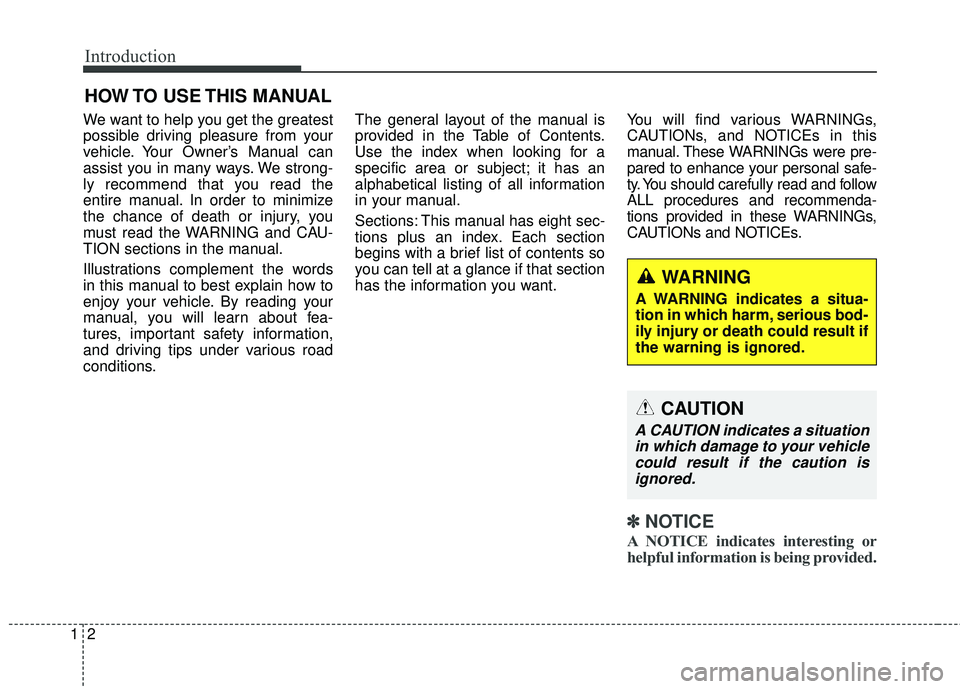
CAUTIONs and NOTICEs.
✽ ✽
NOTICE
A NOTICE indicates interesting or
helpful information is being provided.
WARNING
A WARNING indicates a situa-
tion in which harm, serious bod-
ily injury or death could result if
the warning is ignored.
CAUTION
A CAUTION indicates a situation
in which damage to your vehiclecould result if the caution isignored.
Page 50 of 586
Safety features of your vehicle
34
3
SEAT BELTS
Seat belt restraint system
For maximum restraint system pro-
tection, the seat belts must always
be used whenever the vehicle is
moving. A properly positioned
shoulder belt should be positioned
midway over your shoulder across
your collarbone.
Never allow children to ride in the front passenger seat. See child
restraint system section for further
discussion. Seat belts are designed to bear upon
the bony structure of the body, and
should be worn low across the front
of the pelvis, chest and shoulders, as
applicable; wearing the lap section of
the belt across the abdominal area
must be avoided.
Seat belts should be adjusted as
firmly as possible, consistent with
comfort, to provide the protection for
which they have been designed.
A slack belt will greatly reduce the
protection afforded to the wearer.
Care should be taken to avoid con-
tamination of the webbing with pol-
ishes, oils and chemicals, and partic-
ularly battery acid. Cleaning may
safely be carried out using mild soap
and water. The belt should be
replaced if webbing becomes frayed,
contaminated or damaged.
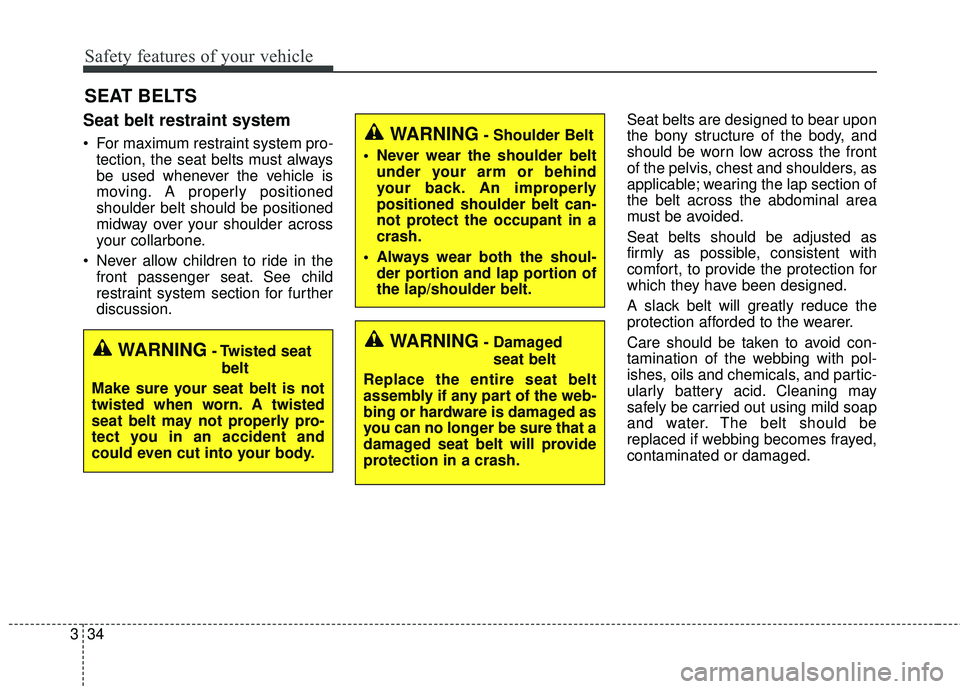
WARNING- Damaged
seat belt
Replace the entire seat belt
assembly if any part of the web-
bing or hardware is damaged as
you can no longer be sure that a
damaged seat belt will provide
protection in a crash.WARNING- Twisted seat belt
Make sure your seat belt is not
twisted when worn. A twisted
seat belt may not properly pro-
tect you in an accident and
could even cut into your body.
WARNING- Shoulder Belt
Never wear the shoulder belt under your arm or behind
your back. An improperly
positioned shoulder belt can-
not protect the occupant in a
crash.
Always wear both the shoul- der portion and lap portion of
the lap/shoulder belt.
Page 70 of 586

Safety features of your vehicle
54
3
If the vehicle headrest prevents prop-
er installation of a child seat (as
described in the child seat system
manual), the headrest of the respec-
tive seating position shall be read-
justed or entirely removed.
3. Pull the shoulder portion of theseat belt all the way out. When the
shoulder portion of the seat belt is
fully extended, it will shift the
retractor to the “Auto Lock” (child
restraint) mode. 4. Slowly allow the shoulder portion
of the seat belt to retract and listen
for an audible “clicking” or “ratchet-
ing” sound. This indicates that the
retractor is in the “Auto Lock”
mode. If no distinct sound is
heard, repeat steps 3 and 4.
OEN036103OEN036102
Page 152 of 586
Features of your vehicle
50
4
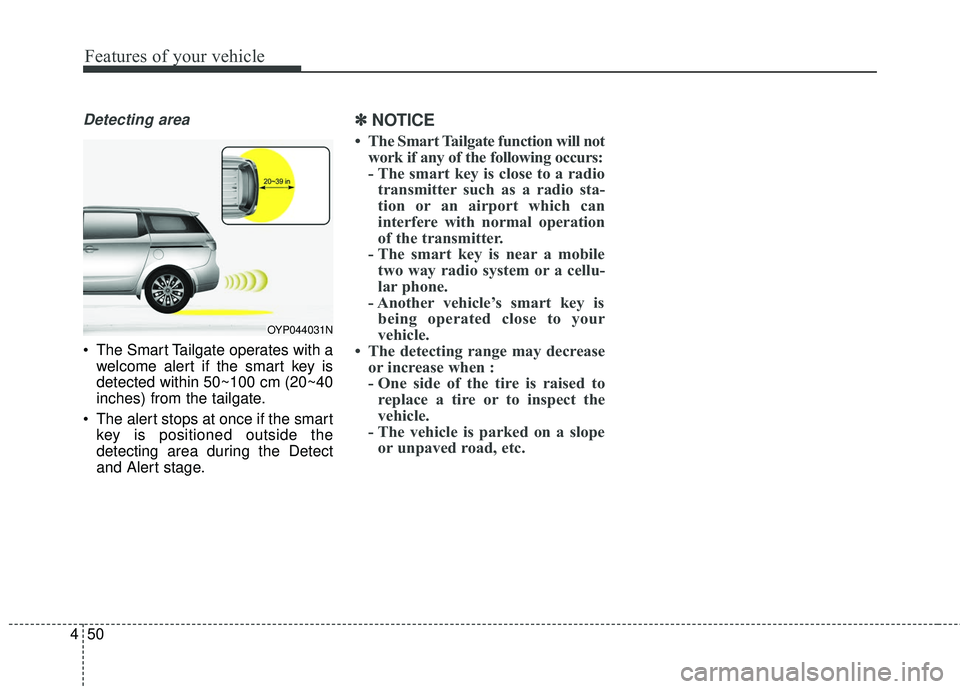
Detecting area
The Smart Tailgate operates with a
welcome alert if the smart key is
detected within 50~100 cm (20~40
inches) from the tailgate.
The alert stops at once if the smart key is positioned outside the
detecting area during the Detect
and Alert stage.
✽ ✽ NOTICE
• The Smart Tailgate function will not
work if any of the following occurs:
- The smart key is close to a radiotransmitter such as a radio sta-
tion or an airport which can
interfere with normal operation
of the transmitter.
- The smart key is near a mobile two way radio system or a cellu-
lar phone.
- Another vehicle’s smart key is being operated close to your
vehicle.
• The detecting range may decrease or increase when :
- One side of the tire is raised toreplace a tire or to inspect the
vehicle.
- The vehicle is parked on a slope or unpaved road, etc.
OYP044031N
Page 237 of 586

4135
Features of your vehicle
The high beam switches to low beam
in the below conditions.
- When the High Beam Assist is off.
- When the light switch is not in theAUTO position.
- When the headlamp is detected from the on-coming vehicle.
- When the tail lamp is detected from the front vehicle.
- When the surrounding is bright enough high beam is not needed.
- When streetlights or other lights are detected.
- When vehicle speed is below 35km/h (21.7mph). The system may not operate normal-
ly in the below conditions.
When the light from the on-coming
or front vehicle is not detected
because of lamp damage, hidden
from sight, etc.
When the lamp of the on-coming or front vehicle is covered with dust,
snow or water.
When the light from the on-coming or front vehicle is not detected
because of exhaust fume, smoke,
fog, snow, etc.
When the front window is covered with foreign matters such as ice,
dust, fog, or is damaged.
When there is a similar shape lamp with the front vehicle’s lamps.
When it is hard to see because of fog, heavy rain or snow.
When the headlamp is not repaired or replaced at an authorized dealer. When headlamp aiming is not
properly adjusted.
When driving on a narrow curved road or rough road.
When driving downhill or uphill.
When only part of the vehicle in front is visible on a crossroad or
curved road.
When there is a traffic light, reflect- ing sign, flash sign or mirror.
When the road conditions are bad such as being wet or covered with
snow.
When the front vehicle’s head- lamps are off but the fog lamps on.
When a vehicle suddenly appears from a curve.
When the vehicle is tilted from a flat tire or being towed.
When the LDWS (Lane Departure Warning System) warning light illu-
minates. (if equipped)
Page 375 of 586
531
Driving your vehicle
Good braking practices
Check to be sure the parking brakeis not engaged and the parking
brake indicator light is out before
driving away.
Driving through water may get the brakes wet. They can also get wet
when the vehicle is washed. Wet
brakes can be dangerous! Your
vehicle will not stop as quickly if the
brakes are wet. Wet brakes may
cause the vehicle to pull to one
side.
To dry the brakes, apply the brakes
lightly until the braking action
returns to normal, taking care to
keep the vehicle under control at
all times. If the braking action does
not return to normal, stop as soon
as it is safe to do so and call an
authorized Kia dealer for assis-
tance. Don't coast down hills with the
vehicle out of gear. This is extreme-
ly hazardous. Keep the vehicle in
gear at all times, use the brakes to
slow down, then shift to a lower
gear so that engine braking will
help you maintain a safe speed.
Don't "ride" the brake pedal. Resting your foot on the brake
pedal while driving can be danger-
ous because the brakes might
overheat and lose their effective-
ness. It also increases the wear of
the brake components.
If a tire goes flat while you are driv- ing, apply the brakes gently and
keep the vehicle pointed straight
ahead while you slow down. When
you are moving slowly enough for it
to be safe to do so, pull off the road
and stop in a safe place. If your vehicle is equipped with an
automatic transaxle, don't let your
vehicle creep forward. To avoid
creeping forward, keep your foot
firmly on the brake pedal when the
vehicle is stopped.
Be cautious when parking on a hill. Firmly engage the parking brake
and place the shift lever in P (auto-
matic transaxle). If your vehicle is
facing downhill, turn the front
wheels into the curb to help keep
the vehicle from rolling. If your vehi-
cle is facing uphill, turn the front
wheels away from the curb to help
keep the vehicle from rolling. If
there is no curb or if it is required
by other conditions to keep the
vehicle from rolling, block the
wheels.
Page 408 of 586

Driving your vehicle
64
5
Always be cautious for vehicles
with higher height or vehicles car-
rying loads that sticks out to the
back of the vehicle. - After an engine start, please stop
for several seconds. If system ini-
tialization is not completed, the
SCC does not normally operate.
- After an engine start, if any objects are not detected or the sensor
cover is obscured with foreign sub-
stances, there is a possibility that
the SCC system may not work.
- Below conditions are not allowed: over baggage loading in a trunk,
suspension remodeling, tire
replacement with unauthorized
tires or tires with different worn-out
and pressure levels.
OYP054151N
WARNING - Safe Use of
SCC
The SCC can provide you with
an additional level of safety and
fatigue reduction. However you
must maintain careful observa-
tion of the roadway in from of
and around you and maintain
control of your vehicle and
spacing around other vehicles
as you normally would. For
example, this will require you to
apply the brakes as needed
when coming upon a slower
moving vehicle, or when a vehi-
cle from another lane drives
quickly in front of you.
WARNING - Inclines & Towing
Do not use SCC on steep
inclines or when towing another
vehicle or trailer since such
extreme loading can interfere
with your vehicle's ability to
maintain the selected speed.
Page 419 of 586

575
Driving your vehicle
Non-operating condition
Driver's Attention
The driver must be cautious in the
below situations for the system may
not assist the driver and may not
work properly.
- Curved roads, tollgates, etc.
- The surrounding of the sensor ispolluted with rain, snow, mud, etc
- The rear bumper near the sensor is covered or hidden with a foreign
matter such as a sticker, bumper
guard, bicycle stand etc.
- The rear bumper is damaged or the sensor is out of place.
- The height of the vehicle shows much change such as when the
trunk is loaded with heavy objects,
abnormal tire pressure etc.
- Due to bad weather such as heavy rain or snow. - A fixed object is near such as a
guardrail, etc.
- A lot of amount of metal sub- stances are near the vehicles such
as a construction area.
- A big vehicle is near such as a bus or truck.
- A motorcycle or bicycle is near.
- A flat trailer like vehicle is near.
- If the vehicle has started at the same time as the vehicle next to it
and has accelerated.
- When the other vehicle passes by very fast.
- When changing lanes.
- When going down or up a steep, uneven road.
- When the other vehicle drives at the rear very nearby or drives very
close.
- When a trailer or carrier is installed. - When the temperature of the rear
bumper is very high or low.
- When the sensors are covered by the vehicle, wall and pillar of park-
ing lot.
- When your vehicle moves back, if the detected vehicle also moves
back.
- If there is small things like shopping cart and baby carriage.
- If there is a vehicle with decreased ride height (lowered).
- When the vehicle is close to anoth- er vehicle.
- When driving through a narrow road with many plants.
- When driving on wet surface.