Page 205 of 490
4133
Features of your vehicle
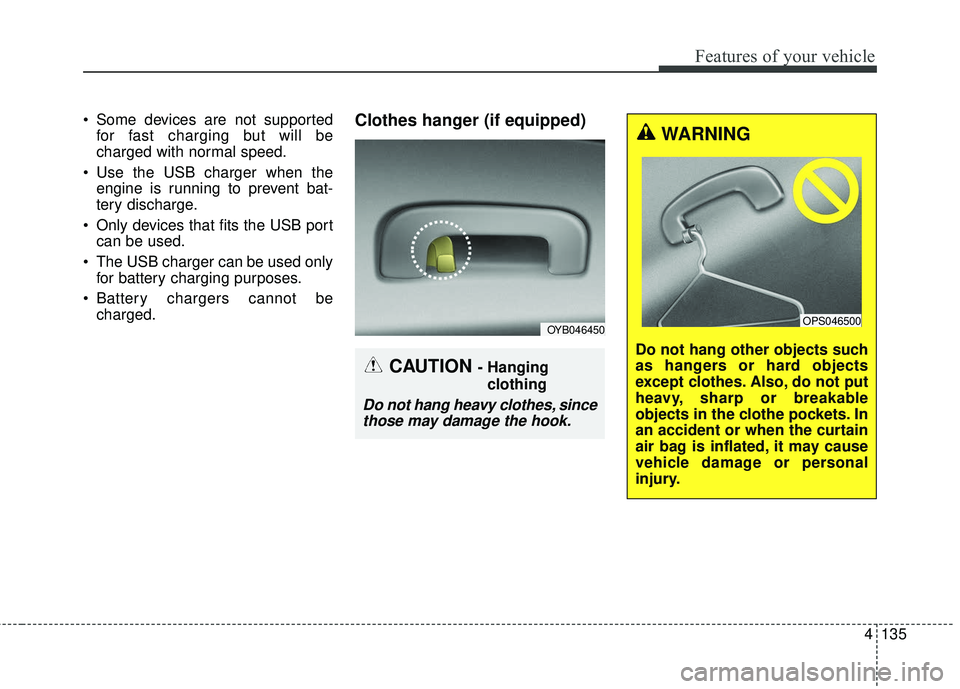
Power outlet (if equipped)
The power outlet is designed to pro-
vide power for mobile telephones or
other devices designed to operate
with vehicle electrical systems. The
devices should draw less than 12V,
15A with the engine running.
Use the power outlet only when the
engine is running and remove the
accessory plug after use. Using the
accessory plug for prolonged periods
of time with the engine off could
cause the battery to discharge.
Only use 12V electric accessories
which are less than 15A in electric
capacity.
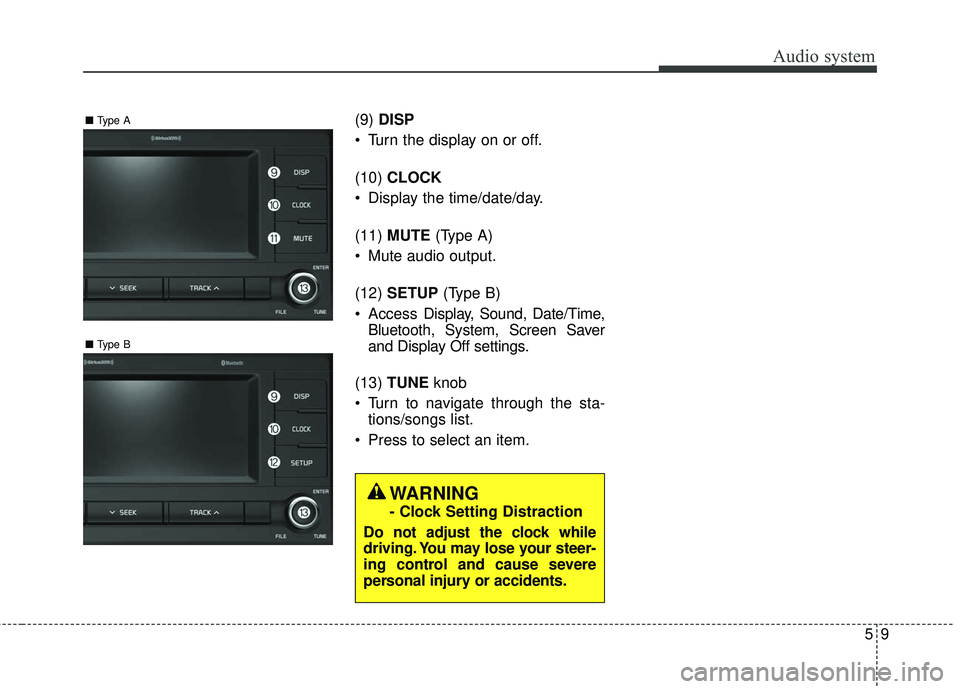
CAUTION - Seat damage
When cleaning the seats, donot use an organic solventsuch as thinner, benzene,alcohol and gasoline. Doingso may damage the surface ofthe heater or seats.
To prevent overheating the seat warmer, do not place any-thing on the seats that insu-lates against heat, such asblankets, cushions or seatcovers while the seat warmeris in operation.
Do not place heavy or sharp objects on seats equippedwith seat warmers. Damage tothe seat warming componentscould occur.
WARNING - Seat warmer
burns
The seat warmer may cause
burns even at low temperatures,
especially if used for long peri-
ods of time. The occupants
must be able to feel if the seat is
becoming too warm and to turn
the seat warmer off.
In particular, the driver must
exercise extreme care for the
following types of passengers:
1. Infants, children, elderly or disabled persons, or hospital
outpatients
2. Persons with sensitive skin or those that burn easily
3. Fatigued individuals
4. Intoxicated individuals
5. Individuals taking medication that can cause drowsiness or
sleepiness (sleeping pills,
cold tablets, etc.)
OSC047442N
Page 206 of 490
Features of your vehicle
134
4
Adjust the air-conditioner or heater to
the lowest operating level when
using the power outlet.
Close the cover when not in use.
Some electronic devices can cause
electronic interference when plugged
into a vehicle’s power outlet. These
devices may cause excessive audio
static and malfunctions in other elec-
tronic systems or devices used in
your vehicle.
Using electrical products which
exceed the limited capacity might
cause heating to the power outlet
and wiring that could lead to an elec-
trical breakdown. Always make sure
the electrical part is firmly plugged
into the power outlet. Incomplete
plugging may cause electrical break-
down.
Electrical products with a built-in bat-
tery might cause current flow, which
could lead to malfunction of the elec-
tric/electronic device in your vehicle.
Only use electrical products which
include reverse current preventionUSB charger (if equipped)
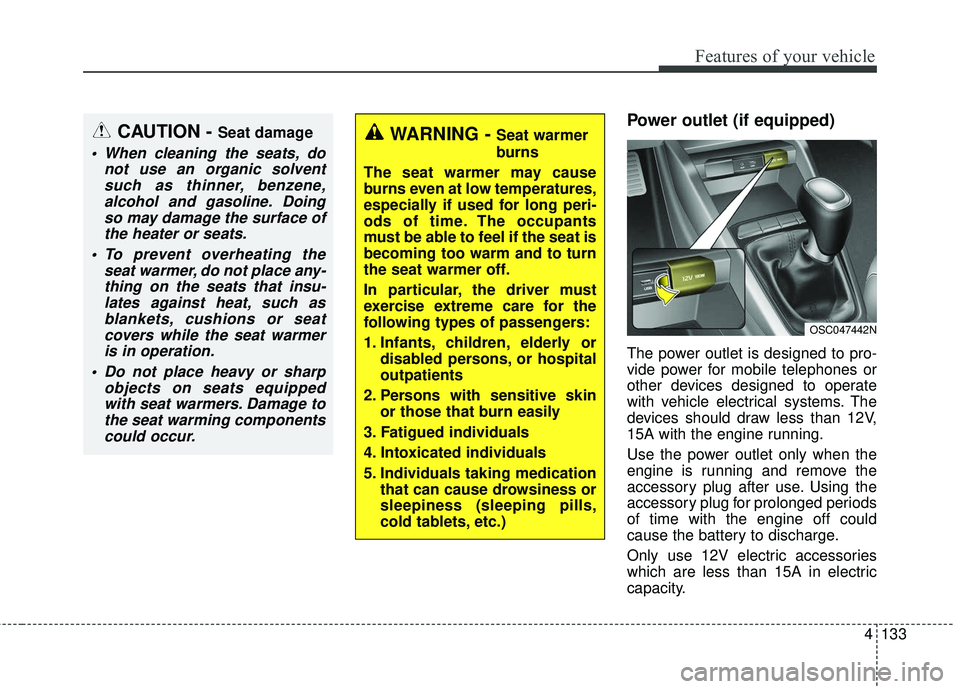
The USB charger is designed to
recharge batteries of small size elec-
trical devices using a USB cable. The
electrical devices can be recharged
when the Engine Start/Stop button is
in ACC/ON/START position.
The battery charging state may be
monitored on the electrical device.
Disconnect the USB cable from the
USB port after use.
WARNING - Electric shock
Do not put a finger or a foreign
element (pin, etc.) into a power
outlet and do not touch with a
wet hand. You may get an electric
shock.
OYB046457
Page 207 of 490
4135
Features of your vehicle
Some devices are not supportedfor fast charging but will be
charged with normal speed.
Use the USB charger when the engine is running to prevent bat-
tery discharge.
Only devices that fits the USB port can be used.
The USB charger can be used only for battery charging purposes.
Battery chargers cannot be charged.Clothes hanger (if equipped)
OYB046450
CAUTION - Hanging
clothing
Do not hang heavy clothes, sincethose may damage the hook.
WARNING
Do not hang other objects such
as hangers or hard objects
except clothes. Also, do not put
heavy, sharp or breakable
objects in the clothe pockets. In
an accident or when the curtain
air bag is inflated, it may cause
vehicle damage or personal
injury.
OPS046500
Page 208 of 490
Features of your vehicle
136
4
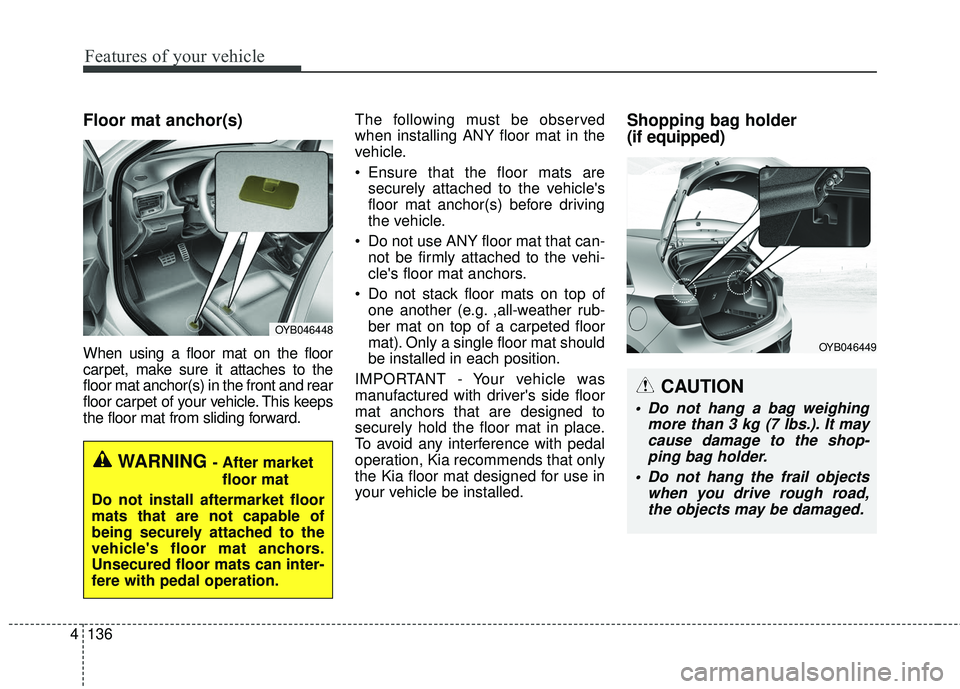
Floor mat anchor(s)
When using a floor mat on the floor
carpet, make sure it attaches to the
floor mat anchor(s) in the front and rear
floor carpet of your vehicle. This keeps
the floor mat from sliding forward. The following must be observed
when installing ANY floor mat in the
vehicle.
Ensure that the floor mats are
securely attached to the vehicle's
floor mat anchor(s) before driving
the vehicle.
Do not use ANY floor mat that can- not be firmly attached to the vehi-
cle's floor mat anchors.
Do not stack floor mats on top of one another (e.g. ,all-weather rub-
ber mat on top of a carpeted floor
mat). Only a single floor mat should
be installed in each position.
IMPORTANT - Your vehicle was
manufactured with driver's side floor
mat anchors that are designed to
securely hold the floor mat in place.
To avoid any interference with pedal
operation, Kia recommends that only
the Kia floor mat designed for use in
your vehicle be installed.
Shopping bag holder
(if equipped)
OYB046448
WARNING - After market floor mat
Do not install aftermarket floor
mats that are not capable of
being securely attached to the
vehicle's floor mat anchors.
Unsecured floor mats can inter-
fere with pedal operation.
CAUTION
Do not hang a bag weighing more than 3 kg (7 lbs.). It maycause damage to the shop-ping bag holder.
Do not hang the frail objects when you drive rough road,the objects may be damaged.
OYB046449
Page 209 of 490
4137
Features of your vehicle
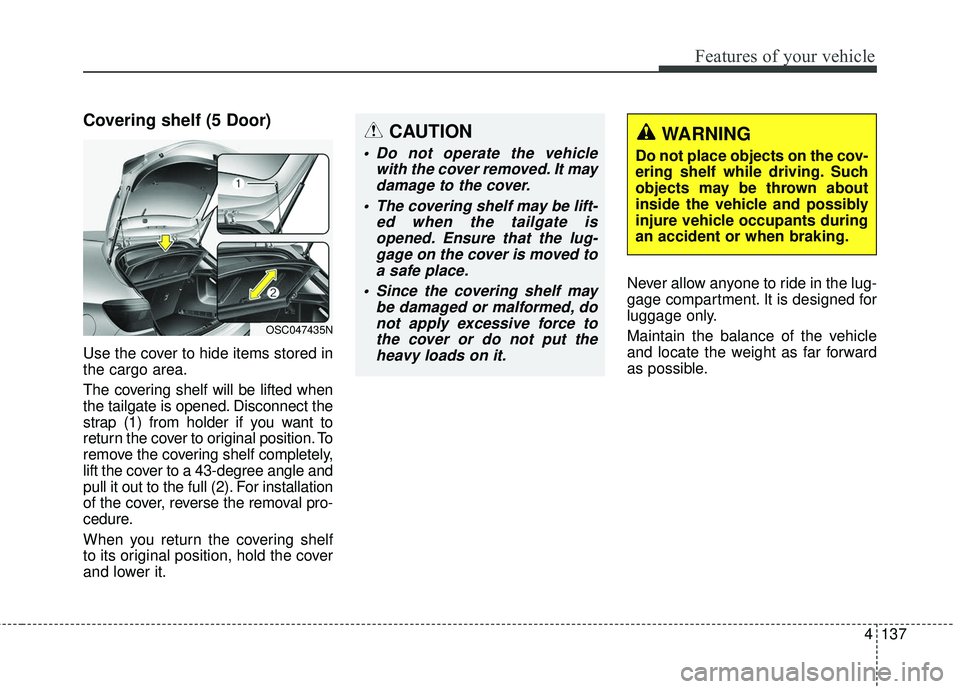
Covering shelf (5 Door)
Use the cover to hide items stored in
the cargo area.
The covering shelf will be lifted when
the tailgate is opened. Disconnect the
strap (1) from holder if you want to
return the cover to original position. To
remove the covering shelf completely,
lift the cover to a 43-degree angle and
pull it out to the full (2). For installation
of the cover, reverse the removal pro-
cedure.
When you return the covering shelf
to its original position, hold the cover
and lower it.Never allow anyone to ride in the lug-
gage compartment. It is designed for
luggage only.
Maintain the balance of the vehicle
and locate the weight as far forward
as possible.
OSC047435N
CAUTION
Do not operate the vehicle
with the cover removed. It maydamage to the cover.
The covering shelf may be lift- ed when the tailgate isopened. Ensure that the lug-gage on the cover is moved toa safe place.
Since the covering shelf may be damaged or malformed, donot apply excessive force tothe cover or do not put theheavy loads on it.
WARNING
Do not place objects on the cov-
ering shelf while driving. Such
objects may be thrown about
inside the vehicle and possibly
injure vehicle occupants during
an accident or when braking.
Page 214 of 490
Audio system
55
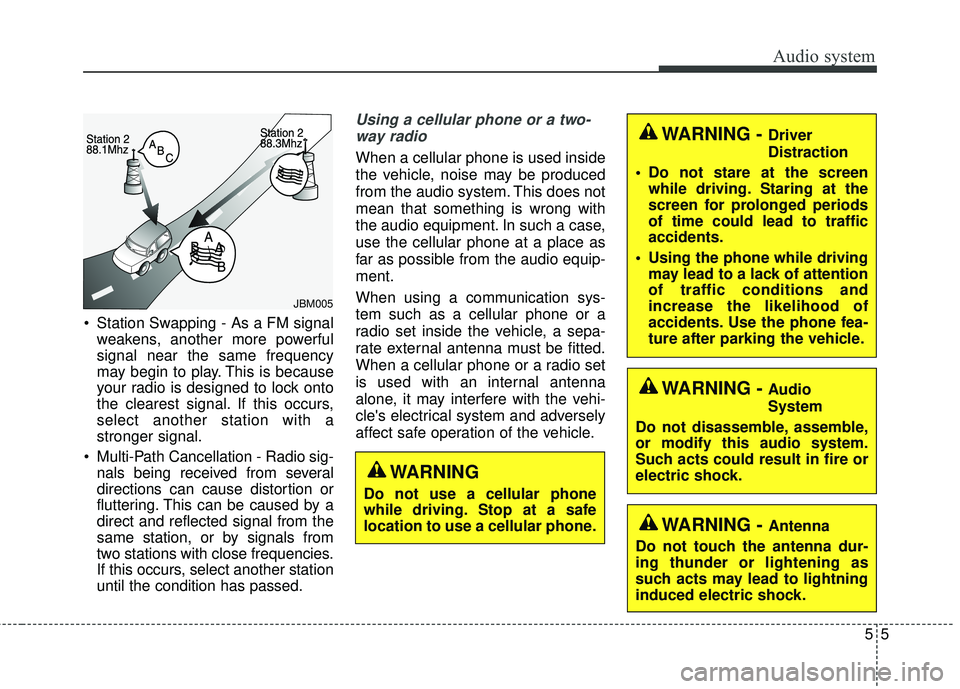
Station Swapping - As a FM signalweakens, another more powerful
signal near the same frequency
may begin to play. This is because
your radio is designed to lock onto
the clearest signal. If this occurs,
select another station with a
stronger signal.
Multi-Path Cancellation - Radio sig- nals being received from several
directions can cause distortion or
fluttering. This can be caused by a
direct and reflected signal from the
same station, or by signals from
two stations with close frequencies.
If this occurs, select another station
until the condition has passed.
Using a cellular phone or a two-
way radio
When a cellular phone is used inside
the vehicle, noise may be produced
from the audio system. This does not
mean that something is wrong with
the audio equipment. In such a case,
use the cellular phone at a place as
far as possible from the audio equip-
ment.
When using a communication sys-
tem such as a cellular phone or a
radio set inside the vehicle, a sepa-
rate external antenna must be fitted.
When a cellular phone or a radio set
is used with an internal antenna
alone, it may interfere with the vehi-
cle's electrical system and adversely
affect safe operation of the vehicle.
JBM005
WARNING
Do not use a cellular phone
while driving. Stop at a safe
location to use a cellular phone.
WARNING - Driver
Distraction
• Do not stare at the screen while driving. Staring at the
screen for prolonged periods
of time could lead to traffic
accidents.
Using the phone while driving may lead to a lack of attention
of traffic conditions and
increase the likelihood of
accidents. Use the phone fea-
ture after parking the vehicle.
WARNING - Audio
System
Do not disassemble, assemble,
or modify this audio system.
Such acts could result in fire or
electric shock.
WARNING - Antenna
Do not touch the antenna dur-
ing thunder or lightening as
such acts may lead to lightning
induced electric shock.
Page 218 of 490
Audio system
95
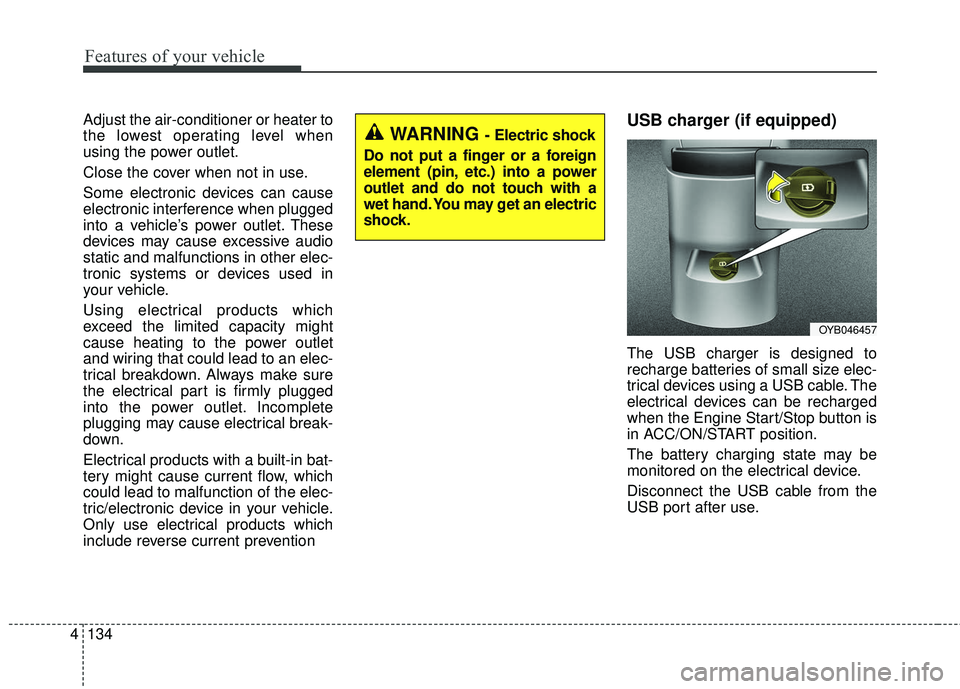
(9)DISP
Turn the display on or off.
(10) CLOCK
Display the time/date/day.
(11) MUTE (Type A)
Mute audio output.
(12) SETUP (Type B)
Access Display, Sound, Date/Time,
Bluetooth, System, Screen Saver
and Display Off settings.
(13) TUNE knob
Turn to navigate through the sta- tions/songs list.
Press to select an item.
■ Type B
■Type A
WARNING
- Clock Setting Distraction
Do not adjust the clock while
driving. You may lose your steer-
ing control and cause severe
personal injury or accidents.
Page 245 of 490
![KIA RIO 2018 Owners Manual Audio system
536
Setup
Access Display, Sound, Date/Time,
Bluetooth*, System, Screen Saver
and Display Off settings.
Press the [SETUP]button on the
audio system.
* if equipped
Display
Press the [SETUP](/manual-img/2/40415/w960_40415-244.png "KIA RIO 2018 Owners Manual Audio system
536
Setup
Access Display, Sound, Date/Time,
Bluetooth*, System, Screen Saver
and Display Off settings.
Press the [SETUP]button on the
audio system.
* if equipped
Display
Press the [SETUP")
Audio system
536
Setup
Access Display, Sound, Date/Time,
Bluetooth*, System, Screen Saver
and Display Off settings.
Press the [SETUP]button on the
audio system.
* if equipped
Display
Press the [SETUP] button on the
audio system ➟ Select [Display].
Mode: Audio screen brightness can be adjusted to the time of day.
Illumination: The brightness of the audio screen can be changed.
Sound
Press the [SETUP] button on the
audio system ➟ Select [Sound].
Position: Sound balance and pan- ning can be adjusted.
Tone: Sound tone color can be adjusted.
Back-up Warning Priority: Automatically lower audio volume while reversing.
Speed Dependent Volume: Automatically adjust volume based
on vehicle speed.
Beep: Select whether to play a sound when the screen is touched.
Date/Time
Press the [SETUP] button on the
audio system ➟ Select [Date/Time].
Set Time: Set the time displayed on the audio screen.
Time Format: Choose between 12- hour and 24-hour time formats.
Set Date: Set the date displayed on the audio screen.