Page 243 of 492

Audio system
534(2) Add to Favorites: Add a down-
loaded phone number to favorites.
(3) Delete: Delete a saved favorites.
✽
✽ NOTICE
• Up to 20 favorites can be paired
for each paired Bluetooth®
Wireless Technology device.
• Favorites can be accessed when the Bluetooth
®Wireless Technology
device they were paired from is
connected.
• The audio system does not down- load favorites from Bluetooth
®
Wireless Technology devices.
Favorites must be newly saved
before use.
• To add to favorites, contacts must be downloaded first.
• Saved favorites are not updated even if the contacts of the connected
Bluetooth
®Wireless Technology
device are changed. In this case,
favorites need to be deleted and
added again.
Call history
Press the [PHONE] button on the
audio system ➟ Select [Call history]
➟ Call history is displayed.
(1) Call history: Display the down- loaded call history list.
Connect a call when selected.
(2) Sort by: Sort by all calls, dialed calls, received calls or missed calls.
(3) Download: Download call history from connected
Bluetooth®Wireless
Technology devices.
✽ ✽ NOTICE
• Up to 50 dialed, received and
missed calls are saved.
• When the latest call history is received, the existing call history is
deleted.
Contacts
Press the [PHONE] button on the
audio system ➟ Select [Contacts] ➟
Select letter (ABC) ➟ Contacts dis-
played.
(1) Contacts: Display downloaded contacts.
Connect a call when selected.
(2) Download: Download contacts from connected
Bluetooth®
Wireless Technology devices.
Page 244 of 492

Audio system
35
5
✽
✽
NOTICE
• Up to 2,000 contacts can be saved.
• In some cases, additional confir-
mation from your Bluetooth
®
Wireless Technology device is nec-
essary when downloading con-
tacts. If downloading of contacts
unsuccessful, consult your
Bluetooth
®Wireless Technology
device’s settings or the audio
screen to approve the download.
• Contacts without phone numbers are not displayed.
Dial
Press the [PHONE] button on the
audio ➟Select [Dial].
(1) Phone number entry window: The phone number entered using the
keypad is displayed.
(2) Clear - Select to delete individual digits.
- Press and hold to delete theentire phone number.
(3) Keypad: Enter phone number.
(4)
Bluetooth®Wireless Technology
phone name
- The name of the connected
Bluetooth®Wireless Technology
device is displayed.
- Contacts matching the keypad number/letter input are displayed.(5) Call
- Enter and select a phone num-ber to call.
- Select without entering a phone number to see the most recent
dialed call.
Setup
Press the [PHONE] button on the
audio ➟Select [Settings].
- For phone Setup, refer to Setup page ➟Select [Bluetooth].
Page 415 of 492

865
Maintenance
✽
✽NOTICE
Do not disassemble nor assemble the
multi fuse when it is secured with
nuts and bolts. Incorrect or partial
assembly torque may cause a fire.
Have the vehicle checked by an
authorized Kia dealer.
✽ ✽NOTICE- Random wiring pro-
hibited when retrofitting equip-
ment
Use of random wiring in the vehicle
might cause danger due to failure and
damage of the vehicle’s performance.
Using random wires especially when
retrofitting AVN or theft alarm sys-
tem, remote engine control, car
phone or radio might damage the
vehicle or cause fire.
✽ ✽ NOTICE- Remodeling
Prohibited
Do not try remodeling the vehicle in
any way. It is illegal, and may affect
the vehicle’s performance, durabili-
ty, and safety. Warranty is also not
provided for problems caused by
remodeling.
Be aware of safety problems caused
by remodeling the vehicle with unau-
thorized electrical devices(lamp,
black box, electrical equipment,
diagnostic device, communication
device, etc.). It might cause malfunc-
tion of the vehicle, wiring damage,
battery discharge, connector dam-
age, or fire. the vehicle or cause fire.
Window tinting precaution
Window tint(especially metallic film)
might cause communication disorder
or poor radio reception, and malfunc-
tion of the automatic lighting system
due to excessive change of illumina-
tion inside the vehicle. The solution
used might also flow into electric,
electronic devices causing disorder
and failure.
CAUTION
Visually inspect the battery capto ensure it is securely closed.If the battery cap is not securelyclosed, moisture may enter thesystem and damage the electri-cal components.
Page 480 of 492
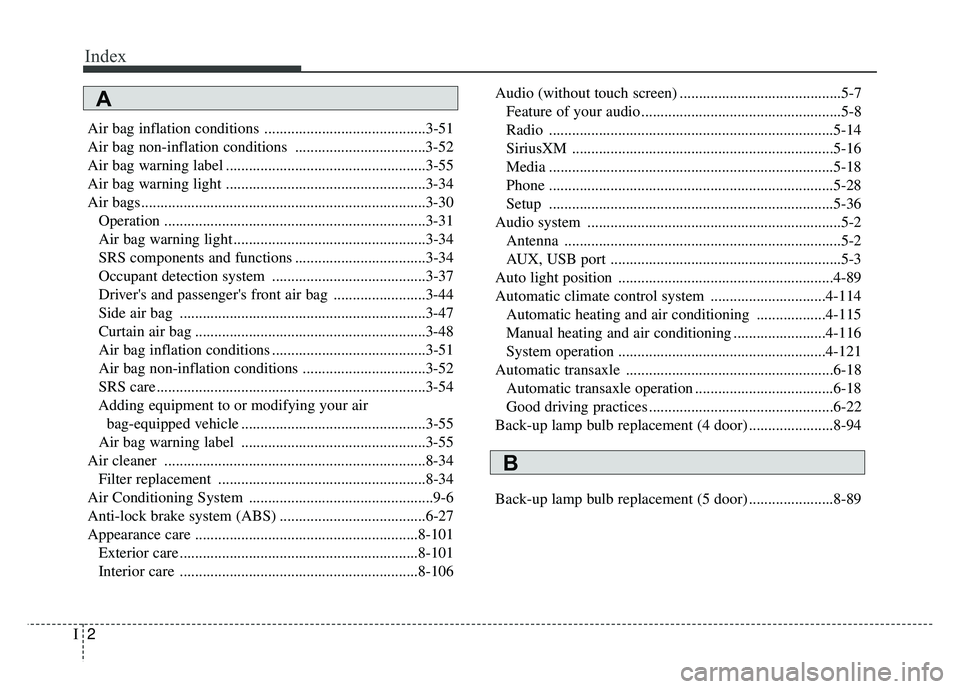
Index
2I
Air bag inflation conditions ..........................................3-51
Air bag non-inflation conditions ..................................3-52
Air bag warning label ....................................................3-55
Air bag warning light ....................................................3-34
Air bags........................................................................\
..3-30Operation ....................................................................3-31\
Air bag warning light ..................................................3-34
SRS components and functions ..................................3-34
Occupant detection system ........................................3-37
Driver's and passenger's front air bag ........................3-44
Side air bag ................................................................3-47
Curtain air bag ............................................................3-48
Air bag inflation conditions ........................................3-51
Air bag non-inflation conditions ................................3-52
SRS care ......................................................................3-\
54
Adding equipment to or modifying your air bag-equipped vehicle ................................................3-55
Air bag warning label ................................................3-55
Air cleaner ....................................................................8-34\
Filter replacement ......................................................8-34
Air Conditioning System ................................................9-6
Anti-lock brake system (ABS) ......................................6-27
Appearance care ..........................................................8-101 Exterior care ..............................................................8-101
Interior care ..............................................................8-106 Audio (without touch screen) ..........................................5-7
Feature of your audio ....................................................5-8
Radio ........................................................................\
..5-14
SiriusXM ....................................................................5-16\
Media ........................................................................\
..5-18
Phone ........................................................................\
..5-28
Setup ........................................................................\
..5-36
Audio system ..................................................................5-2 Antenna ........................................................................\
5-2
AUX, USB port ............................................................5-3
Auto light position ........................................................4-89
Automatic climate control system ..............................4-114 Automatic heating and air conditioning ..................4-115
Manual heating and air conditioning ........................4-116
System operation ......................................................4-121
Automatic transaxle ......................................................6-18 Automatic transaxle operation ....................................6-18
Good driving practices ................................................6-22
Back-up lamp bulb replacement (4 door) ......................8-94
Back-up lamp bulb replacement (5 door) ......................8-89
A
B