2018 Hyundai Sonata frequent
[x] Cancel search: frequentPage 20 of 522
2-3
Safety system of your vehicle
• ALWAYS set up your mobile devices(i.e., MP3 players, phones, naviga-
tion units, etc.) when your vehicle is
parked or safely stopped.
ONLY use your mobile device when allowed by laws and when conditions
permit safe use. NEVER text or
email while driving. Most states have
laws prohibiting drivers from texting.
Some states and cities also prohibit
drivers from using handheld phones.
NEVER let the use of a mobile device distract you from driving. You
have a responsibility to your passen-
gers and others on the road to
always drive safely, with your hands
on the wheel as well as your eyes
and attention on the road.Control Your Speed
Excessive speed is a major factor in
crash injuries and deaths. Generally,
the higher the speed, the greater the
risk, but serious injuries can also
occur at lower speeds. Never drive
faster than is safe for current condi-
tions, regardless of the maximum
speed posted.
Keep Your Vehicle in Safe
Condition
Having a tire blowout or a mechanical
failure can be extremely hazardous. To
reduce the possibility of such prob-
lems, check your tire pressures and
condition frequently, and perform all
regularly scheduled maintenance.
2
Page 204 of 522

3-119
Convenient features of your vehicle
3
Types of warning sound and indicator
The indicator may differ from theillustration as objects or sen-
sors status. If the indicator
blinks, have your vehicle
checked by an authorized
HYUNDAI dealer.
If the audible warning does not sound or if the buzzer sounds
intermittently when shifting into
R (Reverse) position, this may
indicate a malfunction with the
Parking Assist System. If this
occurs, have your vehicle
checked by an authorized
HYUNDAI dealer as soon as pos-
sible.
To turn off the Rear ParkingAssist System
Push the button to turn off the Rear
Parking Assist System. The indicator
light on the button will turn on.
NOTICE
OLF044479N
Types of warning soundIndicator
When an object is 47 in. to 24
in. (120 cm to 60 cm) from the
rear bumper : Buzzer beeps
intermittently.
When an object is 24 in. to 12
in. (60 cm to 30 cm) from the
rear bumper : Buzzer beeps
more frequently.
When an object is within 12
in. (30 cm) of the rear bumper
: Buzzer beeps continuously.
Page 215 of 522

3-130
Convenient features of your vehicle
System Maintenance
Climate control air filter
This filter is installed behind the glove
box. It filters the dust or other pollu-
tants that enter the vehicle through the
heating and air conditioning system.
Have the climate control air filter
replaced by an authorized HYUNDAI
dealer according to the maintenance
schedule. If the car is being driven in
severe conditions such as dusty or
rough roads, more frequent air condi-
tioner filter inspections and changes
are required.
If the air flow rate suddenly decreas-
es, the system should be checked at
an authorized HYUNDAI dealer.
Checking the amount of air conditioner refrigerant andcompressor lubricant
When the amount of refrigerant is
low, the performance of the air con-
ditioning is reduced. Overfilling also
has a negative influence on the air
conditioning system.
Therefore, if abnormal operation is
found, have the system inspected by
an authorized HYUNDAI dealer.
It is important that the correct
type and amount of oil and refrig-
erant is used. Otherwise, damage
to the compressor and abnormal
system operation may occur.
The air conditioning system should
be serviced by an authorized
HYUNDAI dealer.
NOTICE
1LDA5047
Outside airRecirculatedair
Climate control air filter Blower
Evaporatorcore Heater core
Vehicles equipped with
R-1234yf
Because the refriger-
ant is mildly inflam-
mable at very high
pressure, the air con-
ditioning system
should only be serv-
iced by trained and
certified technicians.
It is important that the
correct type and amount of oil
and refrigerant is used.
Otherwise, it may cause dam-
age to the vehicle and personal
injury.
WARNING
Page 227 of 522
3-142
Convenient features of your vehicle
If you operate air conditioner excessively, the difference between
the temperature of the outside air
and that of the windshield could
cause the outer surface of the
windshield to fog up, causing loss
of visibility. In this case, set the
mode selection knob or button to
the position and fan speed
control to the lower speed.
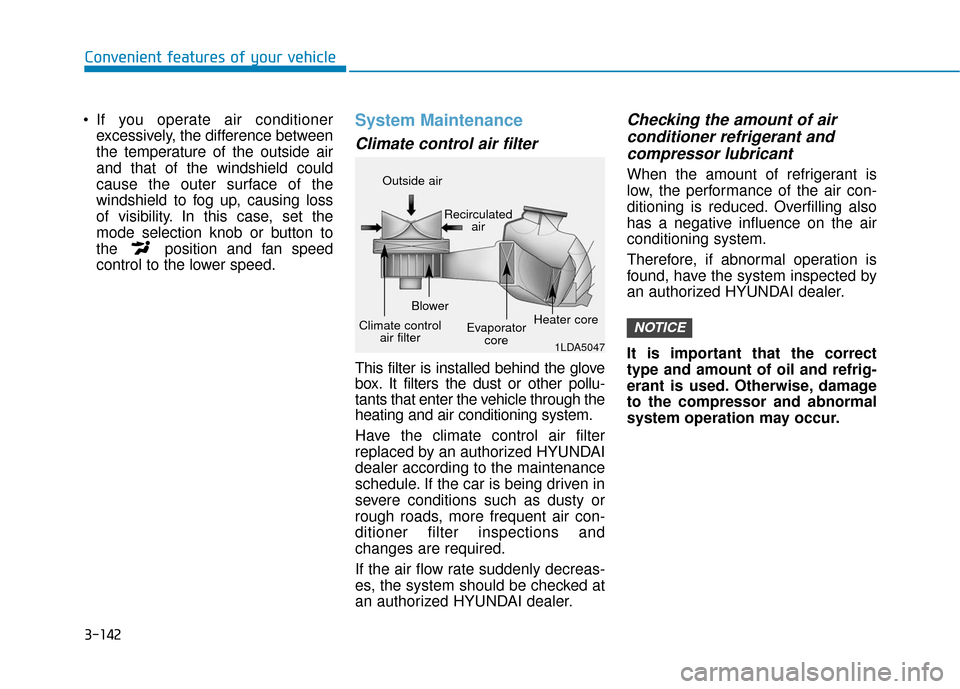
System Maintenance
Climate control air filter
This filter is installed behind the glove
box. It filters the dust or other pollu-
tants that enter the vehicle through the
heating and air conditioning system.
Have the climate control air filter
replaced by an authorized HYUNDAI
dealer according to the maintenance
schedule. If the car is being driven in
severe conditions such as dusty or
rough roads, more frequent air con-
ditioner filter inspections and
changes are required.
If the air flow rate suddenly decreas-
es, the system should be checked at
an authorized HYUNDAI dealer.
Checking the amount of air conditioner refrigerant andcompressor lubricant
When the amount of refrigerant is
low, the performance of the air con-
ditioning is reduced. Overfilling also
has a negative influence on the air
conditioning system.
Therefore, if abnormal operation is
found, have the system inspected by
an authorized HYUNDAI dealer.
It is important that the correct
type and amount of oil and refrig-
erant is used. Otherwise, damage
to the compressor and abnormal
system operation may occur.
NOTICE
1LDA5047
Outside air
Recirculatedair
Climate control air filter Blower
Evaporatorcore Heater core
Page 271 of 522
5-21
Driving your vehicle
(Continued)
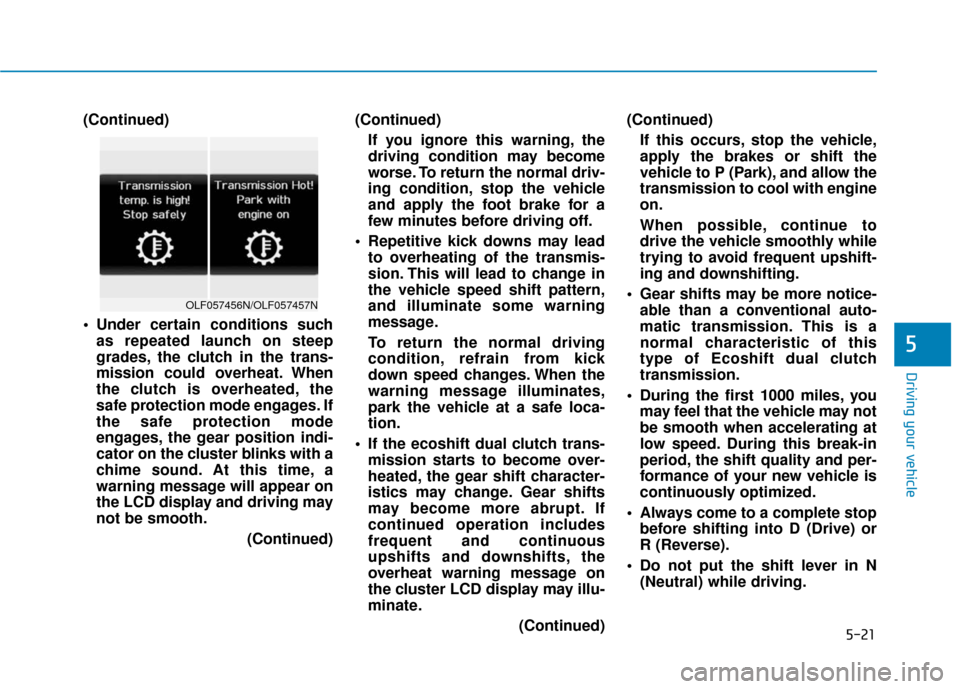
Under certain conditions suchas repeated launch on steep
grades, the clutch in the trans-
mission could overheat. When
the clutch is overheated, the
safe protection mode engages. If
the safe protection mode
engages, the gear position indi-
cator on the cluster blinks with a
chime sound. At this time, a
warning message will appear on
the LCD display and driving may
not be smooth.
(Continued)(Continued)
If you ignore this warning, the
driving condition may become
worse. To return the normal driv-
ing condition, stop the vehicle
and apply the foot brake for a
few minutes before driving off.
Repetitive kick downs may lead to overheating of the transmis-
sion. This will lead to change in
the vehicle speed shift pattern,
and illuminate some warning
message.
To return the normal driving
condition, refrain from kick
down speed changes. When the
warning message illuminates,
park the vehicle at a safe loca-
tion.
If the ecoshift dual clutch trans- mission starts to become over-
heated, the gear shift character-
istics may change. Gear shifts
may become more abrupt. If
continued operation includes
frequent and continuous
upshifts and downshifts, the
overheat warning message on
the cluster LCD display may illu-
minate.
(Continued)(Continued)
If this occurs, stop the vehicle,
apply the brakes or shift the
vehicle to P (Park), and allow the
transmission to cool with engine
on.
When possible, continue to
drive the vehicle smoothly while
trying to avoid frequent upshift-
ing and downshifting.
Gear shifts may be more notice- able than a conventional auto-
matic transmission. This is a
normal characteristic of this
type of Ecoshift dual clutch
transmission.
During the first 1000 miles, you may feel that the vehicle may not
be smooth when accelerating at
low speed. During this break-in
period, the shift quality and per-
formance of your new vehicle is
continuously optimized.
Always come to a complete stop before shifting into D (Drive) or
R (Reverse).
Do not put the shift lever in N (Neutral) while driving.
5
OLF057456N/OLF057457N
Page 301 of 522
5-51
Driving your vehicle
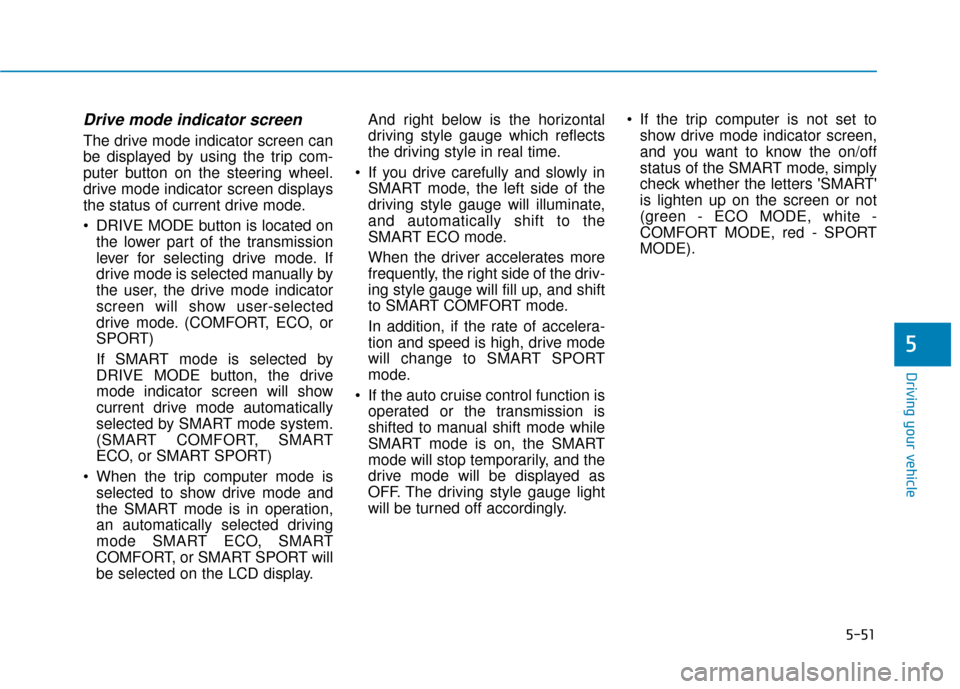
Drive mode indicator screen
The drive mode indicator screen can
be displayed by using the trip com-
puter button on the steering wheel.
drive mode indicator screen displays
the status of current drive mode.
DRIVE MODE button is located onthe lower part of the transmission
lever for selecting drive mode. If
drive mode is selected manually by
the user, the drive mode indicator
screen will show user-selected
drive mode. (COMFORT, ECO, or
SPORT)
If SMART mode is selected by
DRIVE MODE button, the drive
mode indicator screen will show
current drive mode automatically
selected by SMART mode system.
(SMART COMFORT, SMART
ECO, or SMART SPORT)
When the trip computer mode is selected to show drive mode and
the SMART mode is in operation,
an automatically selected driving
mode SMART ECO, SMART
COMFORT, or SMART SPORT will
be selected on the LCD display. And right below is the horizontal
driving style gauge which reflects
the driving style in real time.
If you drive carefully and slowly in SMART mode, the left side of the
driving style gauge will illuminate,
and automatically shift to the
SMART ECO mode.
When the driver accelerates more
frequently, the right side of the driv-
ing style gauge will fill up, and shift
to SMART COMFORT mode.
In addition, if the rate of accelera-
tion and speed is high, drive mode
will change to SMART SPORT
mode.
If the auto cruise control function is operated or the transmission is
shifted to manual shift mode while
SMART mode is on, the SMART
mode will stop temporarily, and the
drive mode will be displayed as
OFF. The driving style gauge light
will be turned off accordingly. If the trip computer is not set to
show drive mode indicator screen,
and you want to know the on/off
status of the SMART mode, simply
check whether the letters 'SMART'
is lighten up on the screen or not
(green - ECO MODE, white -
COMFORT MODE, red - SPORT
MODE).
5
Page 322 of 522
5-72
Driving your vehicle
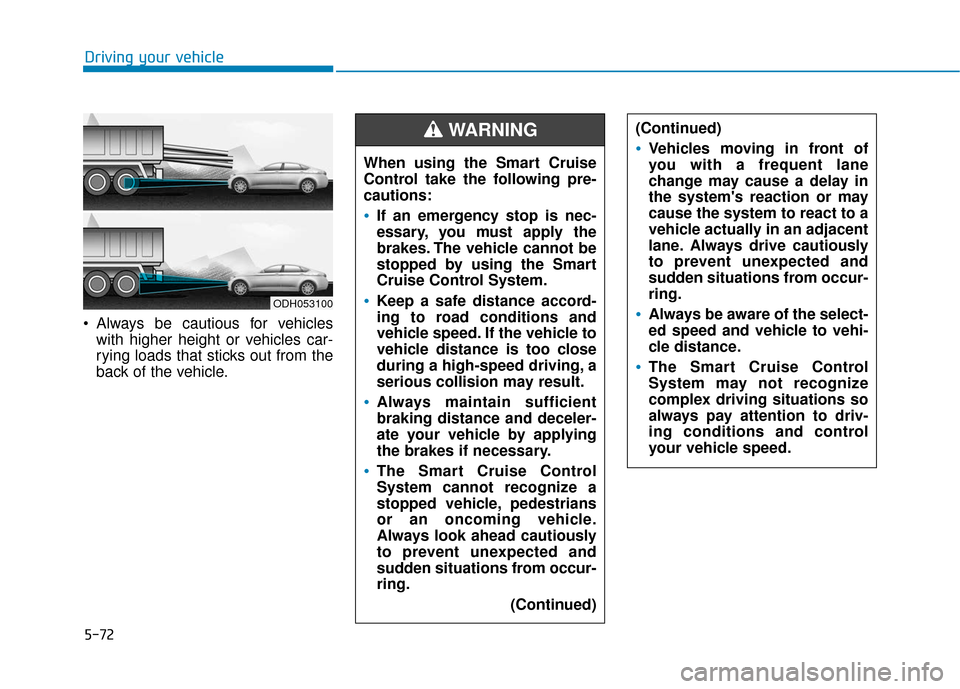
Always be cautious for vehicles with higher height or vehicles car-
rying loads that sticks out from the
back of the vehicle. When using the Smart Cruise
Control take the following pre-
cautions:
If an emergency stop is nec-
essary, you must apply the
brakes. The vehicle cannot be
stopped by using the Smart
Cruise Control System.
Keep a safe distance accord-
ing to road conditions and
vehicle speed. If the vehicle to
vehicle distance is too close
during a high-speed driving, a
serious collision may result.
Always maintain sufficient
braking distance and deceler-
ate your vehicle by applying
the brakes if necessary.
The Smart Cruise Control
System cannot recognize a
stopped vehicle, pedestrians
or an oncoming vehicle.
Always look ahead cautiously
to prevent unexpected and
sudden situations from occur-
ring.
(Continued)
WARNING (Continued)
Vehicles moving in front of
you with a frequent lane
change may cause a delay in
the system's reaction or may
cause the system to react to a
vehicle actually in an adjacent
lane. Always drive cautiously
to prevent unexpected and
sudden situations from occur-
ring.
Always be aware of the select-
ed speed and vehicle to vehi-
cle distance.
The Smart Cruise Control
System may not recognize
complex driving situations so
always pay attention to driv-
ing conditions and control
your vehicle speed.
ODH053100
Page 329 of 522
5-79
Driving your vehicle
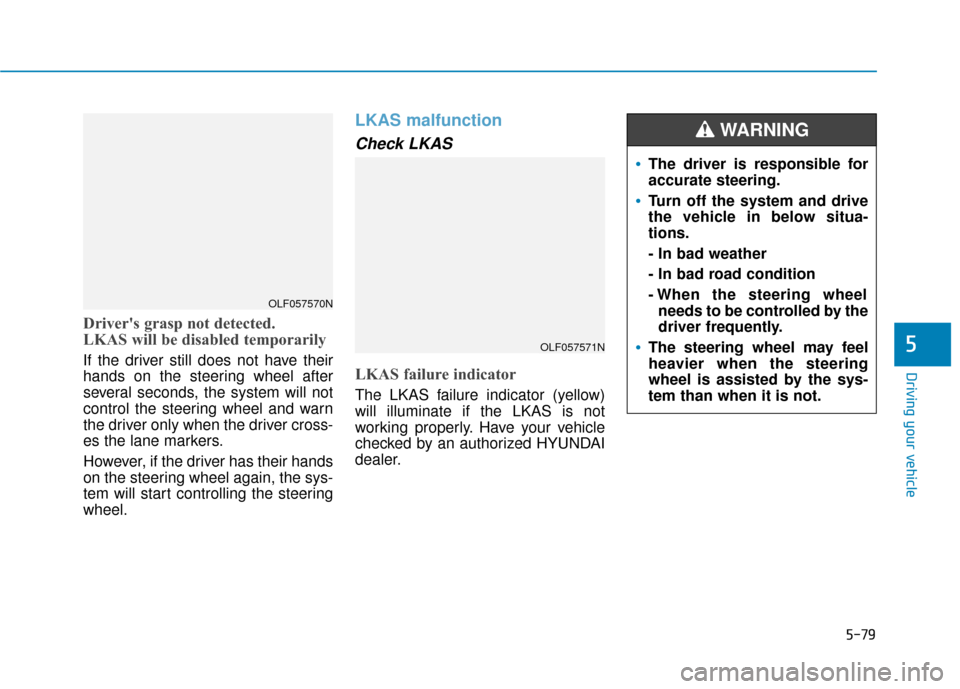
Driver's grasp not detected.
LKAS will be disabled temporarily
If the driver still does not have their
hands on the steering wheel after
several seconds, the system will not
control the steering wheel and warn
the driver only when the driver cross-
es the lane markers.
However, if the driver has their hands
on the steering wheel again, the sys-
tem will start controlling the steering
wheel.
LKAS malfunction
Check LKAS
LKAS failure indicator
The LKAS failure indicator (yellow)
will illuminate if the LKAS is not
working properly. Have your vehicle
checked by an authorized HYUNDAI
dealer.
5OLF057571N
OLF057570N
The driver is responsible for
accurate steering.
Turn off the system and drive
the vehicle in below situa-
tions.
- In bad weather
- In bad road condition
- When the steering wheelneeds to be controlled by the
driver frequently.
The steering wheel may feel
heavier when the steering
wheel is assisted by the sys-
tem than when it is not.
WARNING