Page 303 of 522
5-53
Driving your vehicle
The driving mode automaticallychanges to SMART SPORT, when
you abruptly accelerate the vehicle
or repetitively operate the steering
wheel (Your driving is categorized
to be sporty.). In this mode, your
vehicle drives in a lower gear for
abrupt accelerating/decelerating
and increases the engine brake
performance.
You may still sense the engine braking performance, even when
you release the accelerator pedal
in SMART SPORT mode. It is
because your vehicle remains in
lower gear over a certain period of
time for next acceleration. Thus, it
is a normal driving situation, not
indicating any malfunction.
The driving mode automatically changes to SMART SPORT mode
only in harsh driving situations. In
most of the normal driving situa-
tions, the driving mode sets to be
either in SMART ECO mode or in
SMART NORMAL mode.Limitation of SMART mode
The SMART mode may be limited in
following situations. (The OFF indica-
tor illuminates in those situations.)
The driver manually moves theshift lever :
It deactivates SMART mode. The
vehicle drives, as the driver manu-
ally moves the shift lever.
The cruise control is activated : The cruise control system may
deactivate the SMART mode when
the vehicle is controlled by the set
speed of the smart cruise control
system. (SMART mode is not deac-
tivated just by activating the cruise
control system.)
The transmission oil temperature is either extremely low or extremely
high :
The SMART mode can be active in
most of the normal driving situa-
tions. However, an extremely high/
low transmission oil temperature
may temporarily deactivate the
SMART mode, because the trans-
mission condition is out of normal
operation condition.
5
Page 313 of 522
5-63
Driving your vehicle
5
The driver starts driving by pushingthe toggle switch up (RES+) or
down (SET-) or depressing the
accelerator pedal, after stopping
the vehicle with a vehicle stopped
far away in front.
The accelerator pedal is continu- ously depressed for more than 5
minutes.
Each of these actions will cancel
the Smart Cruise Control opera-
tion. (The Set Speed and Vehicle-
to-Vehicle Distance on the LCD
display will go off.)
In a condition the Smart Cruise
Control is canceled automatically,
the Smart Cruise Control will not
resume even though the RES+ or
SET- toggle switch is pushed. Also,
the EPB will be applied when the
vehicle is stopped.
If the Smart Cruise Control is can-
celed by other than the reasons
mentioned, have your vehicle
checked by an authorized HYUNDAI
dealer. If the system is canceled, the warn-
ing chime will sound and a message
will appear for a few seconds.
You must adjust the vehicle speed by
depressing the accelerator or brake
pedal according to the road condition
ahead and driving condition.
Always check the road conditions.
Do not rely on the warning chime.To resume Smart Cruise Control
set speed
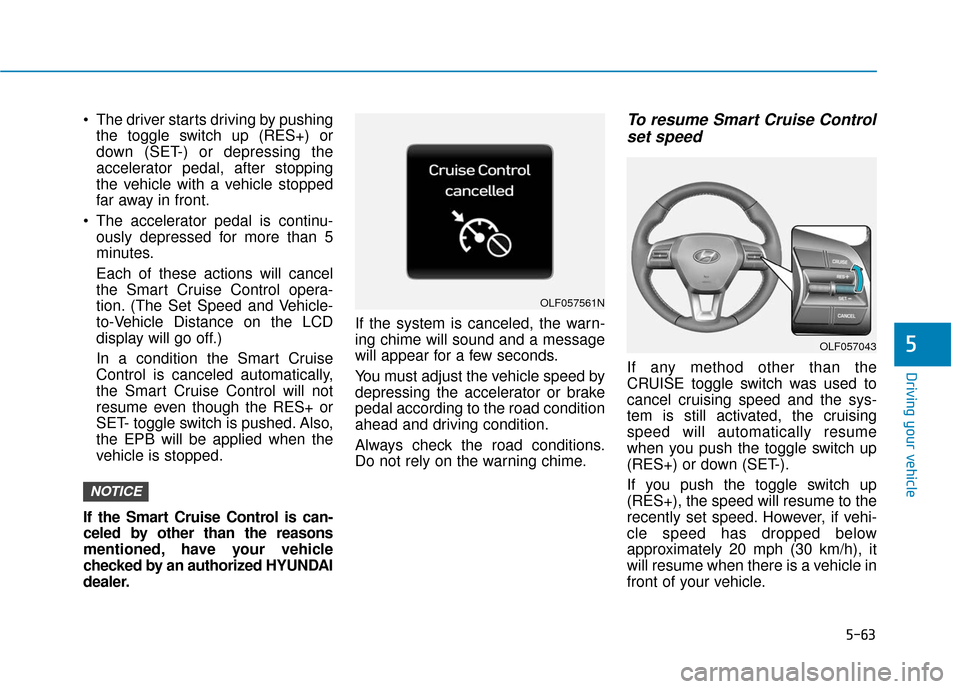
If any method other than the
CRUISE toggle switch was used to
cancel cruising speed and the sys-
tem is still activated, the cruising
speed will automatically resume
when you push the toggle switch up
(RES+) or down (SET-).
If you push the toggle switch up
(RES+), the speed will resume to the
recently set speed. However, if vehi-
cle speed has dropped below
approximately 20 mph (30 km/h), it
will resume when there is a vehicle in
front of your vehicle.
NOTICE
OLF057561N
OLF057043
Page 316 of 522
5-66
Driving your vehicle(Continued)
If the warning chime sounds,
depress the accelerator or
brake pedal to actively adjust
the vehicle speed, and the dis-
tance to the vehicle ahead.
Even if the warning chime is
not activated, always pay
attention to the driving condi-
tions to prevent dangerous
situations from occurring.
OLF057203N
If the vehicle ahead (vehicle
speed: less than 20 mph
(30km/h)) disappears to the next
lane, the warning chime will
sound and a message will
appear. Adjust your vehicle
speed for vehicles or objects
that can suddenly appear in
front of you by depressing the
brake pedal.
Always pay attention to the road
condition ahead.
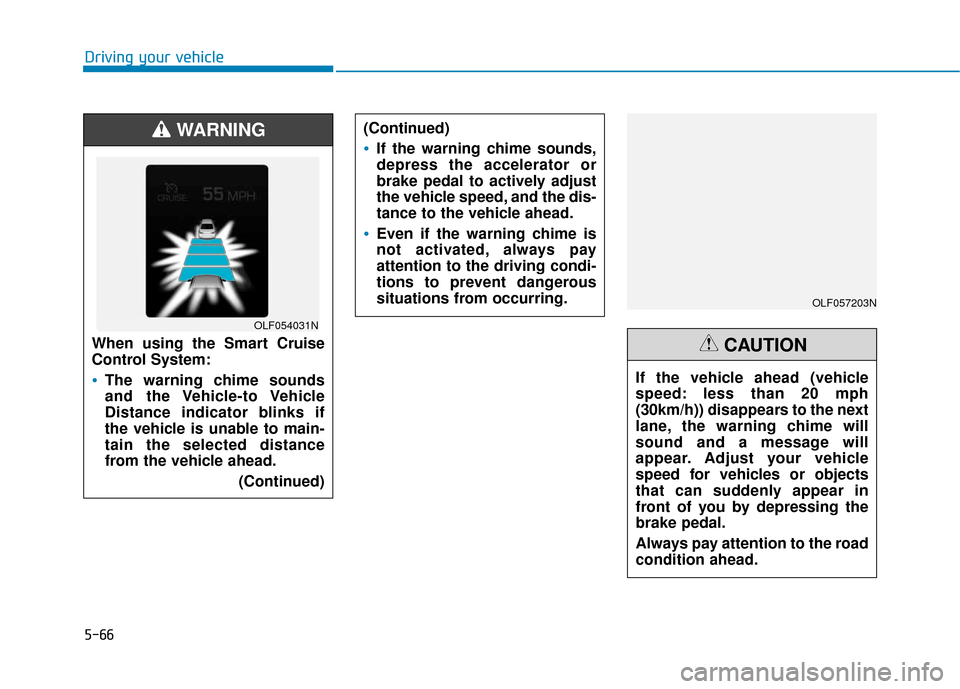
CAUTIONWhen using the Smart Cruise
Control System:
The warning chime sounds
and the Vehicle-to Vehicle
Distance indicator blinks if
the vehicle is unable to main-
tain the selected distance
from the vehicle ahead.(Continued)
WARNING
OLF054031N
Page 318 of 522
5-68
Driving your vehicle
SCC (Smart Cruise Control)malfunction message
The message will appear when the
vehicle to vehicle distance control
system is not functioning normally.
Take your vehicle to an authorized
HYUNDAI dealer and have the sys-
tem checked.
Limitations of the System
The Smart Cruise Control System
may have limits to its ability to detect
distance to the vehicle ahead due to
road and traffic conditions.
Do not install accessories
around the radar and do not
replace the bumper by your-
self. It may interfere with the
radar performance.
Always keep the radar and
bumper clean.
To prevent radar cover dam-
age from occurring, wash the
car with a soft cloth.
Do not paint the radar cover.
Do not damage the radar or
radar area by a strong impact.
If the radar moves slightly off
position, the Smart Cruise
Control System will not oper-
ate correctly. If this occurs,
have your vehicle checked by
an authorized HYUNDAI deal-
er.
Use only a genuine HYUNDAI
radar cover for your vehicle.
CAUTION
OLF057440N
Page 320 of 522
5-70
Driving your vehicle
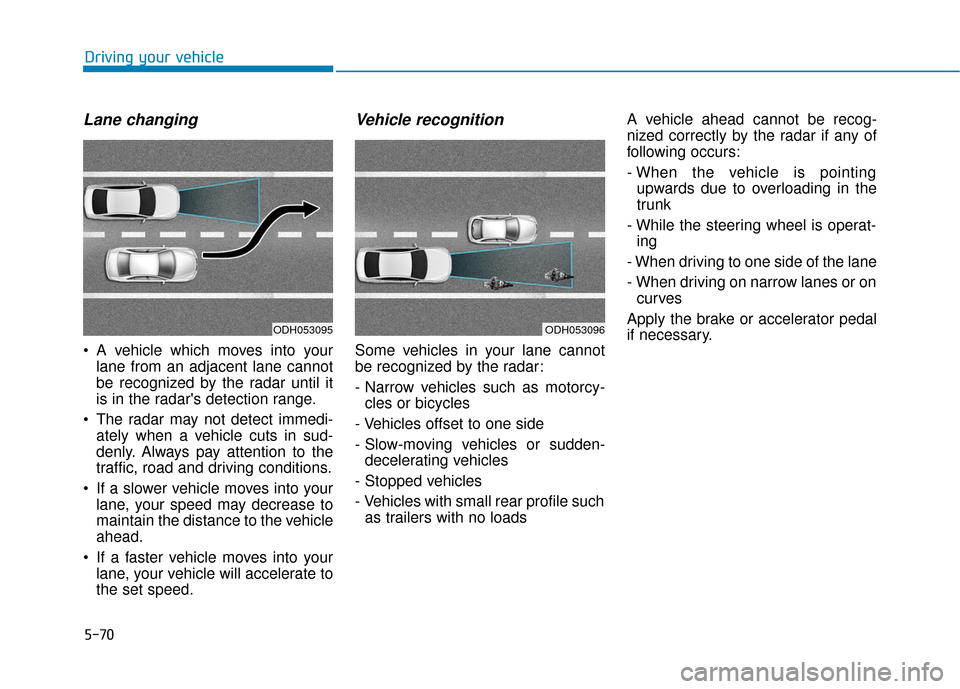
Lane changing
A vehicle which moves into yourlane from an adjacent lane cannot
be recognized by the radar until it
is in the radar's detection range.
The radar may not detect immedi- ately when a vehicle cuts in sud-
denly. Always pay attention to the
traffic, road and driving conditions.
If a slower vehicle moves into your lane, your speed may decrease to
maintain the distance to the vehicle
ahead.
If a faster vehicle moves into your lane, your vehicle will accelerate to
the set speed.
Vehicle recognition
Some vehicles in your lane cannot
be recognized by the radar:
- Narrow vehicles such as motorcy-cles or bicycles
- Vehicles offset to one side
- Slow-moving vehicles or sudden- decelerating vehicles
- Stopped vehicles
- Vehicles with small rear profile such as trailers with no loads A vehicle ahead cannot be recog-
nized correctly by the radar if any of
following occurs:
- When the vehicle is pointing
upwards due to overloading in the
trunk
- While the steering wheel is operat- ing
- When driving to one side of the lane
- When driving on narrow lanes or on curves
Apply the brake or accelerator pedal
if necessary.
ODH053096ODH053095
Page 322 of 522
5-72
Driving your vehicle
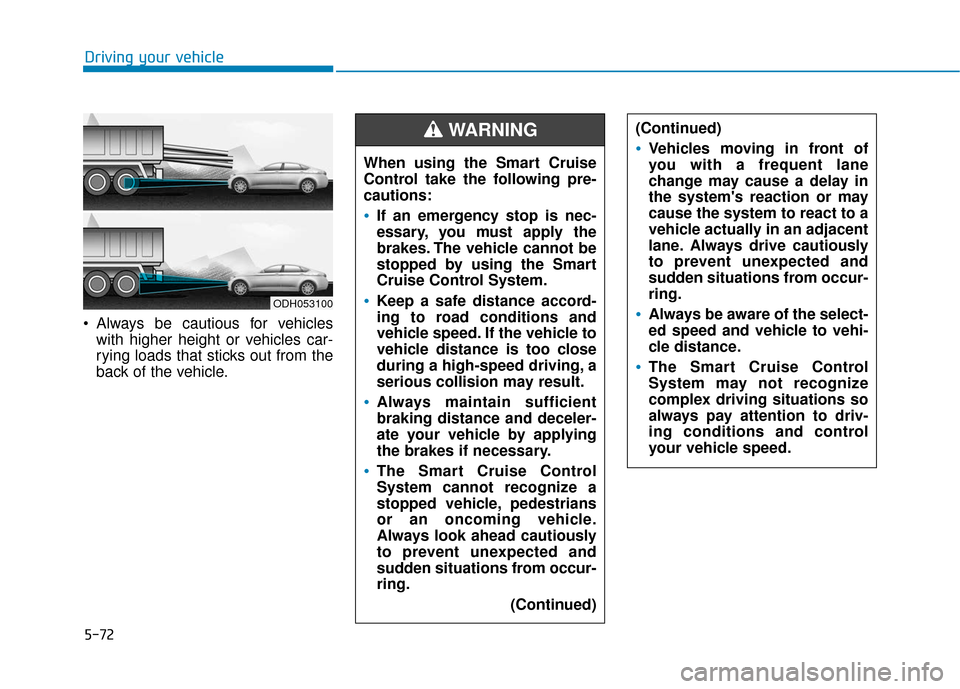
Always be cautious for vehicles with higher height or vehicles car-
rying loads that sticks out from the
back of the vehicle. When using the Smart Cruise
Control take the following pre-
cautions:
If an emergency stop is nec-
essary, you must apply the
brakes. The vehicle cannot be
stopped by using the Smart
Cruise Control System.
Keep a safe distance accord-
ing to road conditions and
vehicle speed. If the vehicle to
vehicle distance is too close
during a high-speed driving, a
serious collision may result.
Always maintain sufficient
braking distance and deceler-
ate your vehicle by applying
the brakes if necessary.
The Smart Cruise Control
System cannot recognize a
stopped vehicle, pedestrians
or an oncoming vehicle.
Always look ahead cautiously
to prevent unexpected and
sudden situations from occur-
ring.
(Continued)
WARNING (Continued)
Vehicles moving in front of
you with a frequent lane
change may cause a delay in
the system's reaction or may
cause the system to react to a
vehicle actually in an adjacent
lane. Always drive cautiously
to prevent unexpected and
sudden situations from occur-
ring.
Always be aware of the select-
ed speed and vehicle to vehi-
cle distance.
The Smart Cruise Control
System may not recognize
complex driving situations so
always pay attention to driv-
ing conditions and control
your vehicle speed.
ODH053100
Page 323 of 522

5-73
Driving your vehicle
5
The Smart Cruise Control System
may not operate temporarily due
to:
Electrical interference
Modifying the suspension
Differences of tire abrasion ortire pressure
Installing different type of tires
Information
This device complies with Part 15 of
the FCC rules.
Operation is subject to the following
three conditions:
1. This device may not cause harmful interference, and
2. This device must accept any inter- ference received, including interfer-
ence that may cause undesired
operation.
3. Changes or modifications not expressly approved by the party
responsible for compliance could
void the user’s authority to operate
the device.
Information
Radio frequency radiation exposure
information:
This equipment complies with FCC
radiation exposure limits set forth for
an uncontrolled environment.
This equipment should be installed
and operated with minimum distance
of 20 cm between the radiator (anten-
na) and your body.
This transmitter must not be co-locat-
ed or operating in conjunction with
any other antenna or transmitter.
i
i
NOTICE
Page 324 of 522
5-74
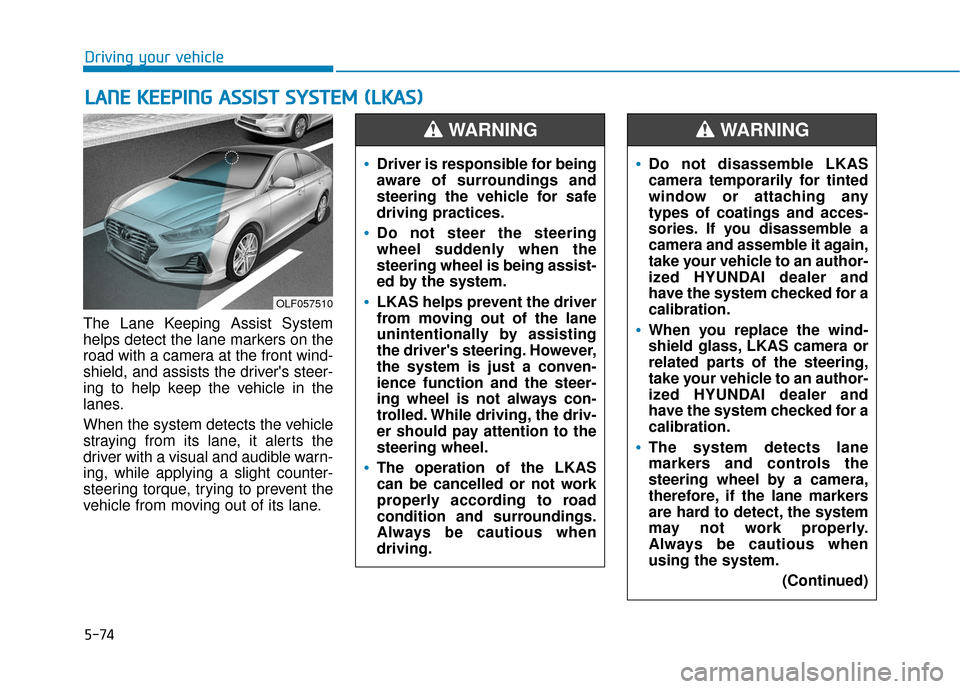
The Lane Keeping Assist System
helps detect the lane markers on the
road with a camera at the front wind-
shield, and assists the driver's steer-
ing to help keep the vehicle in the
lanes.
When the system detects the vehicle
straying from its lane, it alerts the
driver with a visual and audible warn-
ing, while applying a slight counter-
steering torque, trying to prevent the
vehicle from moving out of its lane.
L LA
A N
N E
E
K
K E
EE
EP
P I
IN
N G
G
A
A S
SS
SI
IS
S T
T
S
S Y
Y S
ST
T E
EM
M
(
( L
L K
K A
A S
S)
)
Driving your vehicle
OLF057510
Driver is responsible for being
aware of surroundings and
steering the vehicle for safe
driving practices.
Do not steer the steering
wheel suddenly when the
steering wheel is being assist-
ed by the system.
LKAS helps prevent the driver
from moving out of the lane
unintentionally by assisting
the driver's steering. However,
the system is just a conven-
ience function and the steer-
ing wheel is not always con-
trolled. While driving, the driv-
er should pay attention to the
steering wheel.
The operation of the LKAS
can be cancelled or not work
properly according to road
condition and surroundings.
Always be cautious when
driving.
WARNING
Do not disassemble LKAS
camera temporarily for tinted
window or attaching any
types of coatings and acces-
sories. If you disassemble a
camera and assemble it again,
take your vehicle to an author-
ized HYUNDAI dealer and
have the system checked for a
calibration.
When you replace the wind-
shield glass, LKAS camera or
related parts of the steering,
take your vehicle to an author-
ized HYUNDAI dealer and
have the system checked for a
calibration.
The system detects lane
markers and controls the
steering wheel by a camera,
therefore, if the lane markers
are hard to detect, the system
may not work properly.
Always be cautious when
using the system.
(Continued)
WARNING