2018 Hyundai Sonata instrument cluster
[x] Cancel search: instrument clusterPage 235 of 522
3-150
Wireless Cellular Phone
Charging System (if equipped)
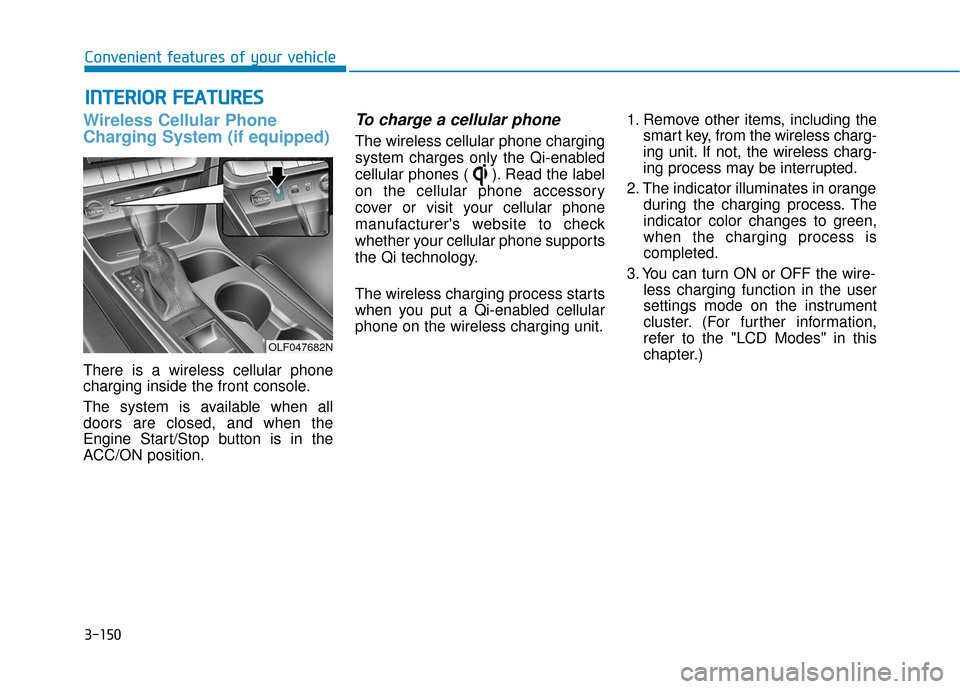
There is a wireless cellular phone
charging inside the front console.
The system is available when all
doors are closed, and when the
Engine Start/Stop button is in the
ACC/ON position.
To charge a cellular phone
The wireless cellular phone charging
system charges only the Qi-enabled
cellular phones ( ). Read the label
on the cellular phone accessory
cover or visit your cellular phone
manufacturer's website to check
whether your cellular phone supports
the Qi technology.
The wireless charging process starts
when you put a Qi-enabled cellular
phone on the wireless charging unit.1. Remove other items, including the
smart key, from the wireless charg-
ing unit. If not, the wireless charg-
ing process may be interrupted.
2. The indicator illuminates in orange during the charging process. The
indicator color changes to green,
when the charging process is
completed.
3. You can turn ON or OFF the wire- less charging function in the user
settings mode on the instrument
cluster. (For further information,
refer to the "LCD Modes" in this
chapter.)
I IN
N T
TE
ER
R I
IO
O R
R
F
F E
E A
A T
TU
U R
RE
ES
S
Convenient features of your vehicle
OLF047682N
Page 304 of 522
5-54
Driving your vehicle
Cruise Control Operation
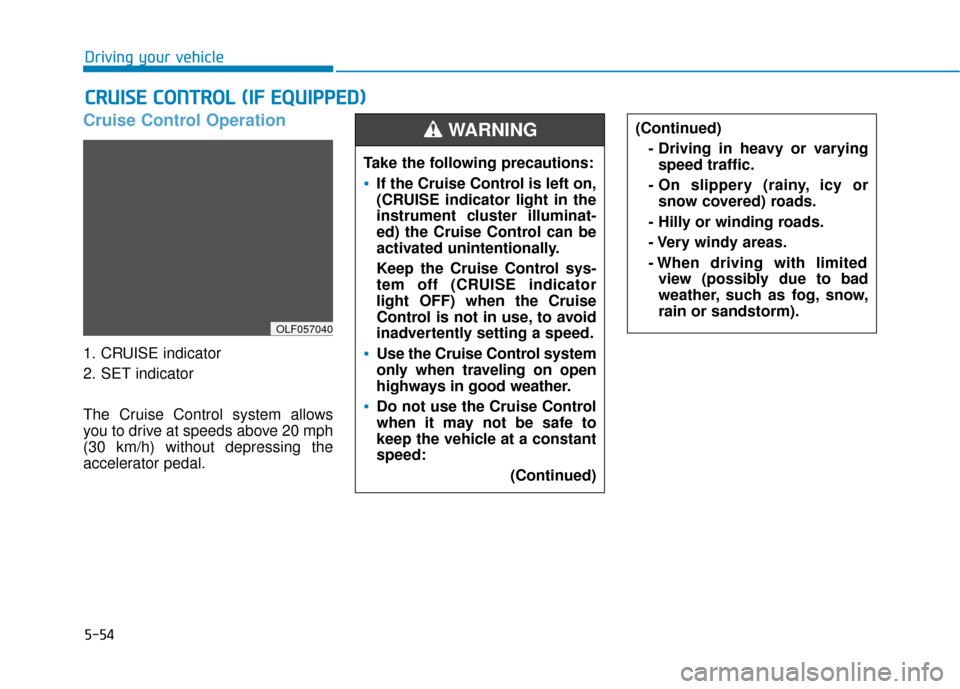
1. CRUISE indicator
2. SET indicator
The Cruise Control system allows
you to drive at speeds above 20 mph
(30 km/h) without depressing the
accelerator pedal.
C CR
R U
U I
IS
S E
E
C
C O
O N
NT
TR
R O
O L
L
(
( I
IF
F
E
E Q
Q U
UI
IP
P P
PE
ED
D )
)
OLF057040
Take the following precautions:
If the Cruise Control is left on,
(CRUISE indicator light in the
instrument cluster illuminat-
ed) the Cruise Control can be
activated unintentionally.
Keep the Cruise Control sys-
tem off (CRUISE indicator
light OFF) when the Cruise
Control is not in use, to avoid
inadvertently setting a speed.
Use the Cruise Control system
only when traveling on open
highways in good weather.
Do not use the Cruise Control
when it may not be safe to
keep the vehicle at a constant
speed:
(Continued)
(Continued)- Driving in heavy or varyingspeed traffic.
- On slippery (rainy, icy or snow covered) roads.
- Hilly or winding roads.
- Very windy areas.
- When driving with limited view (possibly due to bad
weather, such as fog, snow,
rain or sandstorm).WARNING
Page 308 of 522
5-58
Driving your vehicle
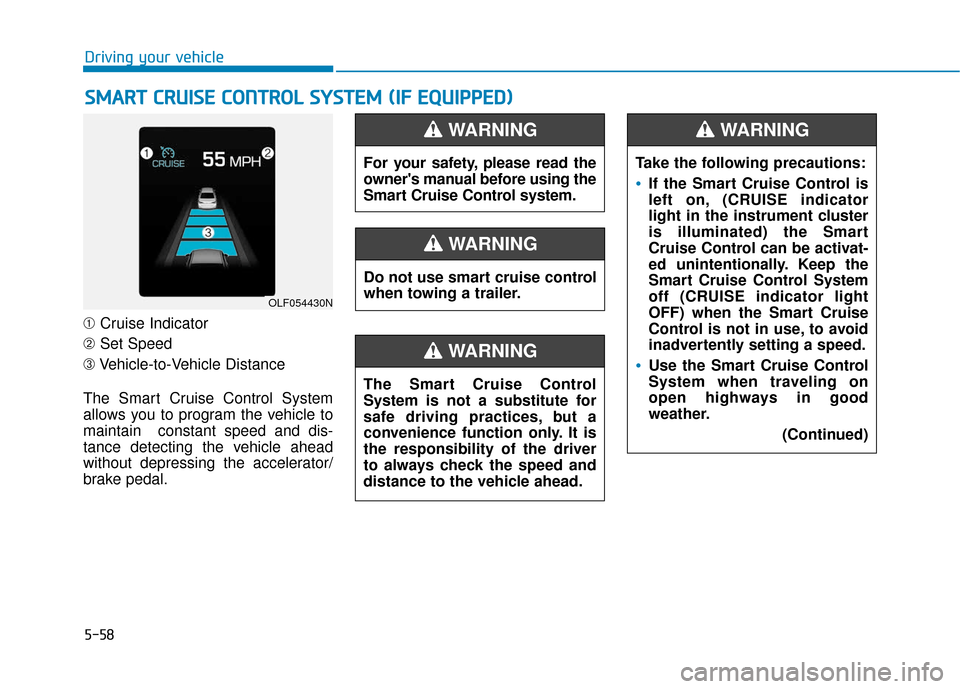
➀ Cruise Indicator
➁ Set Speed
➂ Vehicle-to-Vehicle Distance
The Smart Cruise Control System
allows you to program the vehicle to
maintain constant speed and dis-
tance detecting the vehicle ahead
without depressing the accelerator/
brake pedal.
S S M
M A
AR
RT
T
C
C R
R U
U I
IS
S E
E
C
C O
O N
NT
TR
R O
O L
L
S
S Y
Y S
ST
T E
EM
M
(
( I
IF
F
E
E Q
Q U
UI
IP
P P
PE
ED
D )
)
OLF054430N
For your safety, please read the
owner's manual before using the
Smart Cruise Control system.
WARNING
Do not use smart cruise control
when towing a trailer.
WARNING
The Smart Cruise Control
System is not a substitute for
safe driving practices, but a
convenience function only. It is
the responsibility of the driver
to always check the speed and
distance to the vehicle ahead.
WARNING
Take the following precautions:
If the Smart Cruise Control is
left on, (CRUISE indicator
light in the instrument cluster
is illuminated) the Smart
Cruise Control can be activat-
ed unintentionally. Keep the
Smart Cruise Control System
off (CRUISE indicator light
OFF) when the Smart Cruise
Control is not in use, to avoid
inadvertently setting a speed.
Use the Smart Cruise Control
System when traveling on
open highways in good
weather.
(Continued)
WARNING
Page 325 of 522
5-75
Driving your vehicle
5
LKAS operation
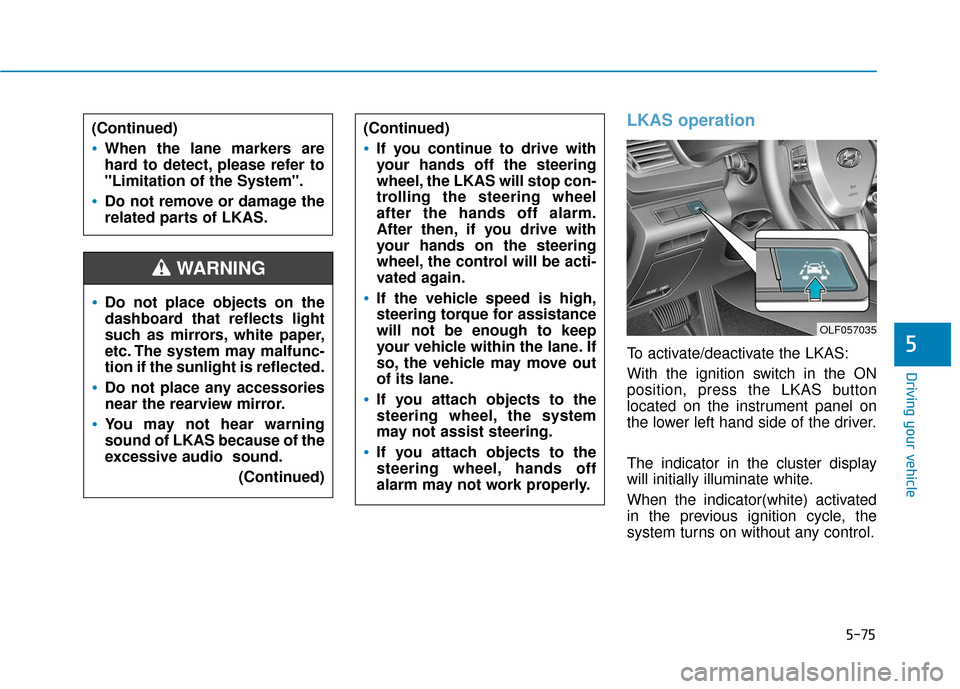
To activate/deactivate the LKAS:
With the ignition switch in the ON
position, press the LKAS button
located on the instrument panel on
the lower left hand side of the driver.
The indicator in the cluster display
will initially illuminate white.
When the indicator(white) activated
in the previous ignition cycle, the
system turns on without any control.
Do not place objects on the
dashboard that reflects light
such as mirrors, white paper,
etc. The system may malfunc-
tion if the sunlight is reflected.
Do not place any accessories
near the rearview mirror.
You may not hear warning
sound of LKAS because of the
excessive audio sound.(Continued)
(Continued)
If you continue to drive with
your hands off the steering
wheel, the LKAS will stop con-
trolling the steering wheel
after the hands off alarm.
After then, if you drive with
your hands on the steering
wheel, the control will be acti-
vated again.
If the vehicle speed is high,
steering torque for assistance
will not be enough to keep
your vehicle within the lane. If
so, the vehicle may move out
of its lane.
If you attach objects to the
steering wheel, the system
may not assist steering.
If you attach objects to the
steering wheel, hands off
alarm may not work properly.
WARNING
(Continued)
When the lane markers are
hard to detect, please refer to
"Limitation of the System".
Do not remove or damage the
related parts of LKAS.
OLF057035
Page 471 of 522

7-61
7
Maintenance
Instrument panel fuse panel
Fuse Name Fuse rating Protected Component
SAFETY WINDOW LH25ADriver Safety Power Window Module
P/SEAT PASS30APassenger Seat Manual Switch
P/WDW LH20APower Window Main Switch, Rear Power Window Module LH
P/WDW RH25APower Window Main Switch, Rear Power Window Module RH, Passenger Door Module,
Passenger Power Window Switch
DR LOCK20ADoor Lock Relay, Door Unlock Relay
S/HEATER FRT25AFront Air Ventilation Seat Module, Front Seat Warmer Module
BRAKE SWITCH10AStop Lamp Switch, Immobilizer Module, Smart Key Control Module
8 MODULE7.5ABCM, Smart Key Control Module
SAFETY POWER WINDOWRH25APassenger Safety Power Window Module
SMART KEY15ASmart Key Control Module
TRUNK10ATrunk Lid Relay, Fuel Filler Door & Trunk Lid Switch
7 MODULE10ADigital Clock, Driver/Passenger Door Module
INTERIOR LAMP10AIgnition Key Ill. & Door Warning Switch, Front Vanity Lamp Switch LH/RH,
Overhead Console Lamp, Room Lamp, Rear Personal Lamp LH/RH, Trunk Room Lamp,
Driver/Passenger Smart Key Outside Handle
2 MEMORY7.5ANot used
P/SEAT DRV30ADriver Seat Manual Switch, Driver IMS Module
CLUSTER10AInstrument Cluster
Page 472 of 522

Maintenance
Instrument panel fuse panel
Fuse Name Fuse rating Protected Component
4 MODULE10AImmobilizer Module, Smart Key Control Module
MULTI MEDIA15AA/V & Navigation Head Unit
1 MEMORY10ADriver/Passenger Door Module, Driver IMS Module, A/C Control Module,
Auto Light & Photo Sensor, Electro Chromic Mirror, Instrument Cluster,
Tire Pressure Monitoring Module, Digital Clock, Wireless Charger, A/V & Navigation Head Unit
S/HEATER RR25ARear Seat Warmer Module
2 SUN ROOF20APanoramic Sunroof Motor
9 MODULE7.5AFront Air Ventilation Seat Module, Front Seat Warmer Module, Rear Seat Warmer Module
MDPS7.5AMDPS Unit (Column Type/Rack Type)
3 MODULE10ABCM, Sport Mode Switch, Stop Lamp Switch
1 MODULE7.5AKey Solenoid, Driver/Passenger Door Module
1 SUN ROOF20A[With Panorama] Panorama Sunroof Motor
[W/O Panorama] Sunroof Motor
A/CON7.5AA/C Control Module, E/R Junction Block (Blower Relay)
2 MODULE10AA/V & Navigation Head Unit, Digital Clock, USB Charger, BCM, AMP,
Power Outside Mirror Switch, Wireless Charger, Smart Key Control Module,
Overhead Console Lamp, E/R Junction Block (Power Outlet Relay)
A/BAG IND7.5AInstrument Cluster
6 MODULE10AMultipurpose Check Connector, A/C Control Module, A/V & Navigation Head Unit,
Front Air Ventilation Seat Module, Front Seat Warmer Module, Rear Seat Warmer Module,
Driver IMS Module, Head Lamp LH/RH (DBL), A/T Shift Lever IND.
AMP25AAMP (JBL/MOBIS)
7-62
Page 517 of 522
I-5
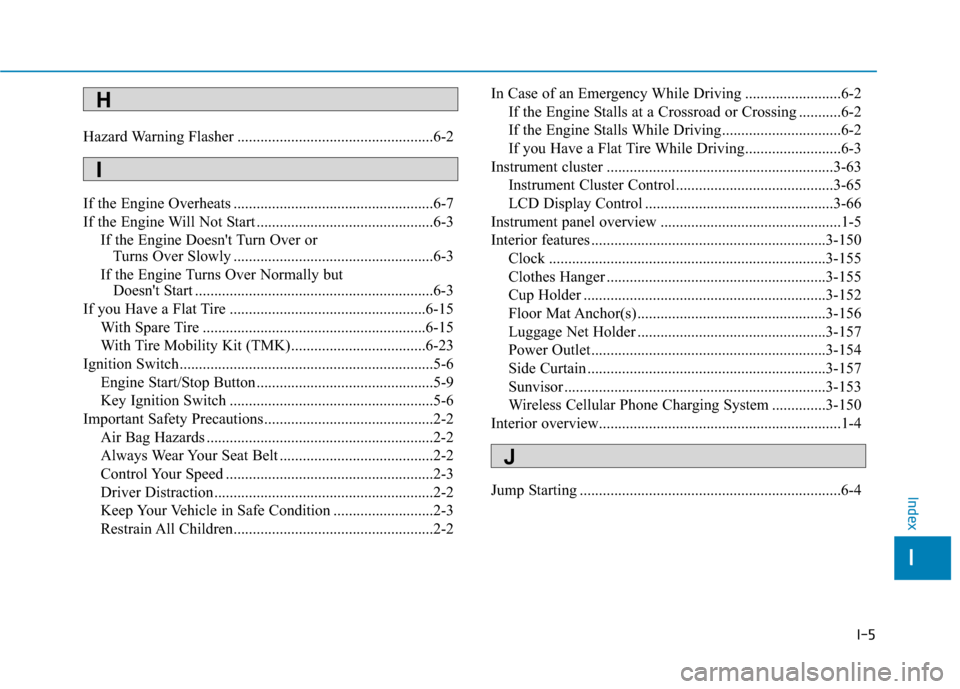
Hazard Warning Flasher ...................................................6-2
If the Engine Overheats ....................................................6-7
If the Engine Will Not Start ..............................................6-3If the Engine Doesn't Turn Over or Turns Over Slowly ....................................................6-3
If the Engine Turns Over Normally but Doesn't Start ..............................................................6-3
If you Have a Flat Tire ...................................................6-15 With Spare Tire ..........................................................6-15
With Tire Mobility Kit (TMK)...................................6-23
Ignition Switch..................................................................5-6 Engine Start/Stop Button ..............................................5-9
Key Ignition Switch .....................................................5-6
Important Safety Precautions............................................2-2 Air Bag Hazards ...........................................................2-2
Always Wear Your Seat Belt ........................................2-2
Control Your Speed ......................................................2-3
Driver Distraction.........................................................2-2
Keep Your Vehicle in Safe Condition ..........................2-3
Restrain All Children....................................................2-2 In Case of an Emergency While Driving .........................6-2
If the Engine Stalls at a Crossroad or Crossing ...........6-2
If the Engine Stalls While Driving...............................6-2
If you Have a Flat Tire While Driving.........................6-3
Instrument cluster ...........................................................3-63 Instrument Cluster Control .........................................3-65
LCD Display Control .................................................3-66
Instrument panel overview ...............................................1-5
Interior features .............................................................3-150 Clock ........................................................................\
3-155
Clothes Hanger .........................................................3-155
Cup Holder ...............................................................3-152
Floor Mat Anchor(s) .................................................3-156
Luggage Net Holder .................................................3-157
Power Outlet.............................................................3-154
Side Curtain ..............................................................3-157
Sunvisor ....................................................................3-15\
3
Wireless Cellular Phone Charging System ..............3-150
Interior overview...............................................................1-4
Jump Starting ....................................................................6-4
I
Index
H
I
J