2018 Hyundai Kona cruise
[x] Cancel search: cruisePage 17 of 523

1-6
Your vehicle at a glanceI
I NN SSTT RR UU MM EENN TT PP AA NN EELL OO VVEERR VV IIEE WW (( II))
1. Instrument cluster ........................................3-37
2. Horn ..............................................................3-19
3. Driver’s front air bag......................................2-48
4. Key ignition switch/ ........................................5-6
Engine Start/Stop button ................................5-9
5. Light control/Turn signals ..............................3-83
6. Wiper/Washer................................................3-95
7. Audio system/ ................................................4-7 Navigation system ..........................................4-4
8. Hazard warning flasher switch ........................6-3
9. Manual climate control system/ ..................3-108 Automatic climate control system ..............3-116
10. Passenger’s front air bag ............................2-48
11. Glove box ..................................................3-128
12. Power outlet ..............................................3-132
13. Manual transmission shift lever/ Dual clutch transmission shift lever ..5-16, 5-19
14. Drive mode button ......................................5-53
15. Heated steering wheel ................................3-18
16. Idle stop and go (ISG) OFF button ............5-47
17. Seat warmer................................................2-19
18. Seat warmer/Air ventilation seat ................2-21
19. 4WD lock button..........................................5-41
20. DBC button ................................................5-38
21. Parking Distance Warning (Reverse/Forward) button ........................3-104
22. Cup holder ................................................3-131
23. Steering wheel audio controls/ ....................4-3 Bluetooth ®
wireless technology
hands-free controls ......................................4-4
24. Speed limiter controls/ ................................5-88 Cruise controls/ ..........................................5-90
[A-F] : Type A ~ Type F
The actual shape may differ from the illustration. OOS017004
■
Left-Hand drive type
Page 18 of 523

1-7
Your vehicle at a glance
IINN SSTT RR UU MM EENN TT PP AA NN EELL OO VVEERR VV IIEE WW (( IIII))
11. Instrument cluster ........................................3-37
2. Horn ..............................................................3-19
3. Driver’s front air bag......................................2-48
4. Engine Start/Stop button ................................5-9
5. Light control/Turn signals ..............................3-83
6. Wiper/Washer................................................3-95
7. Audio system/ ................................................4-7
Navigation system ..........................................4-4
8. Hazard warning flasher switch ........................6-3
9. Manual climate control system/ ..................3-108 Automatic climate control system ..............3-116
10. Passenger’s front air bag ............................2-48
11. Glove box ..................................................3-128
12. Power outlet ..............................................3-132
13. Manual transmission shift lever/ Dual clutch transmission shift lever ..5-16, 5-19
14. 4WD lock button..........................................5-41
15. DBC button .................................5-38
16. Parking Distance Warning (Reverse/Forward) button ........................................................3-104
17. Seat warmer................................................2-19
18. Seat warmer/Air ventilation seat ................2-21
19. Drive mode button ......................................5-53
20. Heated steering wheel ...............................3-18
21. Idle stop and go (ISG) OFF button ............5-47
22. Cup holder ................................................3-131
23. Steering wheel audio controls/ ....................4-3 Bluetooth ®
wireless technology
hands-free controls ......................................4-4
24. Speed limiter controls/ ................................5-88
Cruise controls ..........................................5-90
[A-F] : Type A ~ Type F
The actual shape may differ from the illustration. OOS017004E
■
Right-Hand drive type
Page 138 of 523
3-55
Convenient features of your vehicle
3
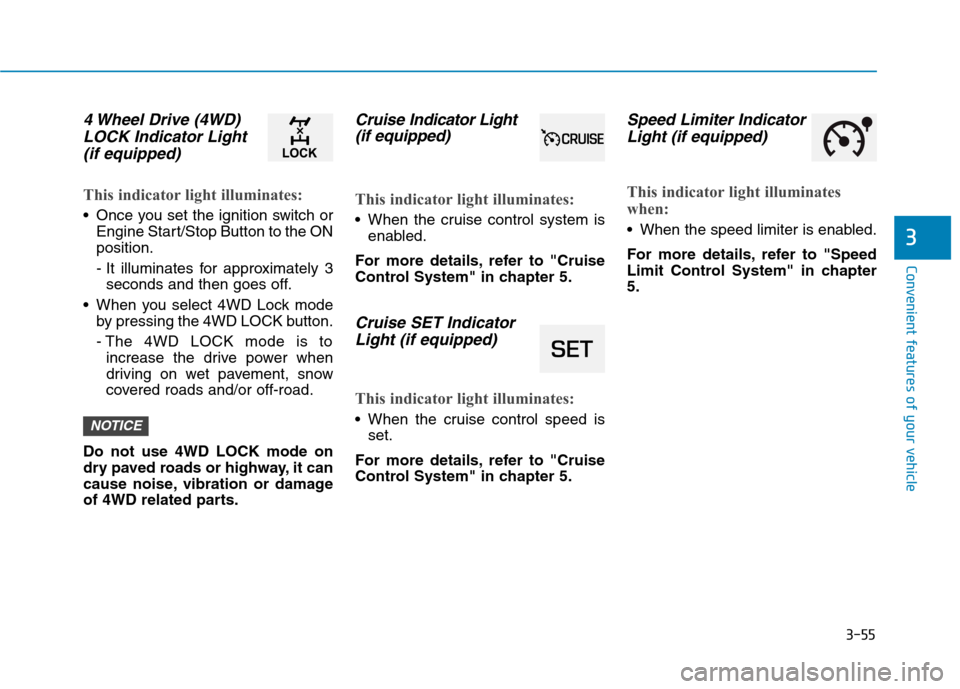
4 Wheel Drive (4WD)LOCK Indicator Light
(if equipped)
This indicator light illuminates:
Once you set the ignition switch or Engine Start/Stop Button to the ON position.
- It illuminates for approximately 3seconds and then goes off.
When you select 4WD Lock mode by pressing the 4WD LOCK button.
- The 4WD LOCK mode is toincrease the drive power when
driving on wet pavement, snow
covered roads and/or off-road.
Do not use 4WD LOCK mode on
dry paved roads or highway, it can
cause noise, vibration or damage
of 4WD related parts.
Cruise In dicator Light
(if equipped)
This indicator light illuminates:
When the cruise control system is enabled.
For more details, refer to "Cruise
Control System" in chapter 5.
Cruise SET Indicator Light (if equipped)
This indicator light illuminates:
When the cruise control speed is set.
For more details, refer to "Cruise
Control System" in chapter 5.
Speed Limiter Indicator Light (if equipped)
This indicator light illuminates
when:
When the speed limiter is enabled.
For more details, refer to "Speed
Limit Control System" in chapter5.
NOTICE
Page 148 of 523

3-65
Convenient features of your vehicle
3
LCD display modes
Modes SymbolExplanation
Trip Computer This mode displays driving information such as the tripmeter, fuel economy, etc.
For more details, refer to "Trip Computer" in this chapter.
Turn By Turn (TBT)This mode displays the state of the navigation.
Assist
This mode displays the state of :
- Lane Keeping Assist (LKA) system
- Driver Attention Warning (DAW) system
- Tire pressure
For more information, refer to "Lane Keeping Assist (LKA) system”, “Driver
Attention Warning (DAW) system” in chapter 5 and "Tire Pressure Monitoring
System (TPMS)" in chapter 6.
User SettingsIn this mode, you can change settings of the doors, lamps, etc.
WarningThis mode displays warning messages related to the Cruise system, etc.
The information provided may differ depending on which functions are applicable to your vehicle.
Page 151 of 523

3-68
Convenient features of your vehicle
User settings mode
In this mode, you can change the
settings of the instrument cluster,
doors, lamps, etc.
1. Head-up display (if equipped)
2. Driver Assistance
3. Door
4. Lights
5. Sound
6. Convenience
7. Service interval
8. Other Features
9. Languages
10. Reset
The information provided may dif-
fer depending on which functions
are applicable to your vehicle.
1. Head Up display (if equipped)
Display Height- Adjust the height of the HUDimage on the display.
Rotation - Adjust the angle of the image. Brightness
- Adjust the intensity of the HUDillumination.
Content Select - Tu r n b y Tu r n
- Traffic information
- Cruise control
- Lane keeping assist (LKA) sys-tem
- Blind-spot Collision Warning (BCW) system
Speedometer Size - Choose the speedometer fontsize of the HUD. (Large, Medium, Small)
Speedometer Color - Choose the speedometer fontcolor of the HUD. (White, Orange,Green) 2. Driver Assistance
Driver Attention Warning (DAW)
system
- Off/Normal Sensitivity/ High Sensitivity
To adjust the sensitivity of the Driver
Attention Warning (DAW).
For more information, refer to the
"Driver Attention Warning (DAW)
system " in chapter 5.
Lane Safety - Lane Departure Warning - Standard LKA
- Active LKA
To adjust the Lane Keeping Assist (LKA) function.
For more information, refer to the
"Lane Keeping Assist (LKA) sys-
tem " in chapter 5.
Forward Collision-Avoidance Assist
To activate or deactivate the Forward
Collision-Avoidance Assist (FCA).
For more information, refer to the
"Forward Collision-Avoidance
Assist (FCA) system" in chapter 5.
Page 165 of 523
3-82
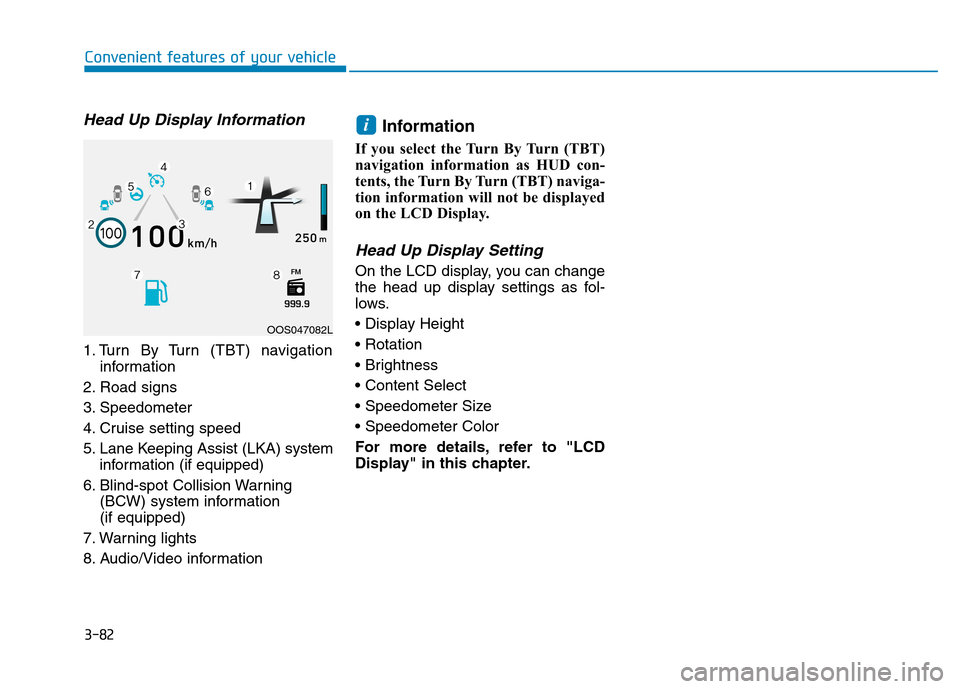
Head Up Display Information
1. Turn By Turn (TBT) navigationinformation
2. Road signs
3. Speedometer
4. Cruise setting speed
5. Lane Keeping Assist (LKA) system information (if equipped)
6. Blind-spot Collision Warning (BCW) system information (if equipped)
7. Warning lights
8. Audio/Video information Information
If you select the Turn By Turn (TBT)
navigation information as HUD con-
tents, the Turn By Turn (TBT) naviga-
tion information will not be displayed
on the LCD Display.
Head Up Display Setting
On the LCD display, you can change
the head up display settings as fol-
lows.
For more details, refer to "LCD
Display" in this chapter.
i
Convenient features of your vehicle
OOS047082L
Page 256 of 523
5
Lane Keeping Assist (LKA) system ...................5-76LKA operation ..................................................................5-77
Warning light and message ..........................................5-81
Limitations of the System .............................................5-82
LKA system function change .......................................5-83
Driver attention warning (DAW) system ..........5-84 System setting and activation......................................5-84
Resetting the system .....................................................5-85
System standby ...............................................................5-86
System malfunction ........................................................5-86
Speed limit control system .................................5-88 Speed Limit Control operation .....................................5-88
Cruise control .......................................................5-90 Cruise Control operation ...............................................5-90
Special driving conditions ...................................5-96 Hazardous driving conditions.......................................5-96
Rocking the vehicle ........................................................5-96
Smooth cornering ...........................................................5-97
Driving at night ................................................................5-97
Driving in the rain ...........................................................5-97
Driving in flooded areas ................................................5-98
Highway driving ...............................................................5-98
Reducing the risk of a rollover ...................................5-99 Winter driving .....................................................5-100
Snow or icy conditions ................................................5-100
Winter Precautions .......................................................5-102
Trailer towing (for europe) ..............................5-104 If you decide to pull a trailer?...................................5-105
Trailer towing equipment ............................................5-108
Driving with a trailer ....................................................5-109
Maintenance when towing a trailer .........................5-112
Vehicle weight ....................................................5-113 Overloading ....................................................................5-113
Page 288 of 523
5-34
Driving your vehicle
engine may not respond to the
accelerator as it does under routine
conditions.
when the ESC activates, the Cruise
Control automatically disengages.
The Cruise Control can be reen-
gaged when the road conditions
allow. See "Cruise Control System"
later in this chapter. (if equipped)
driving on a slippery road, the
engine rpm (revolutions per minute)
may not increase even if you press
the accelerator pedal deeply. This is
to maintain the stability and traction
of the vehicle and does not indicate
a problem.ESC OFF condition
To cancel ESC operation :
Press the ESC OFF button briefly. The ESC OFF indicator light and
message "Traction Control disabled"
will illuminate. In this state, the trac-tion control function of ESC (engine
management) is disabled, but the
brake control function of ESC (brak-
ing management) still operates.
Press and hold the ESC OFF button
continuously for more than 3 sec-
onds. The ESC OFF indicator light
and message "Traction & Stability
Control disabled" illuminates and a
warning chime sounds. In this state,
both the traction control function ofESC (engine management) and the
brake control function of ESC (brak-
ing management) are disabled.
If the ignition switch is placed in the
LOCK/OFF position when ESC is off,
ESC remains off. Upon restarting the
vehicle, the ESC will automatically
turn on again.
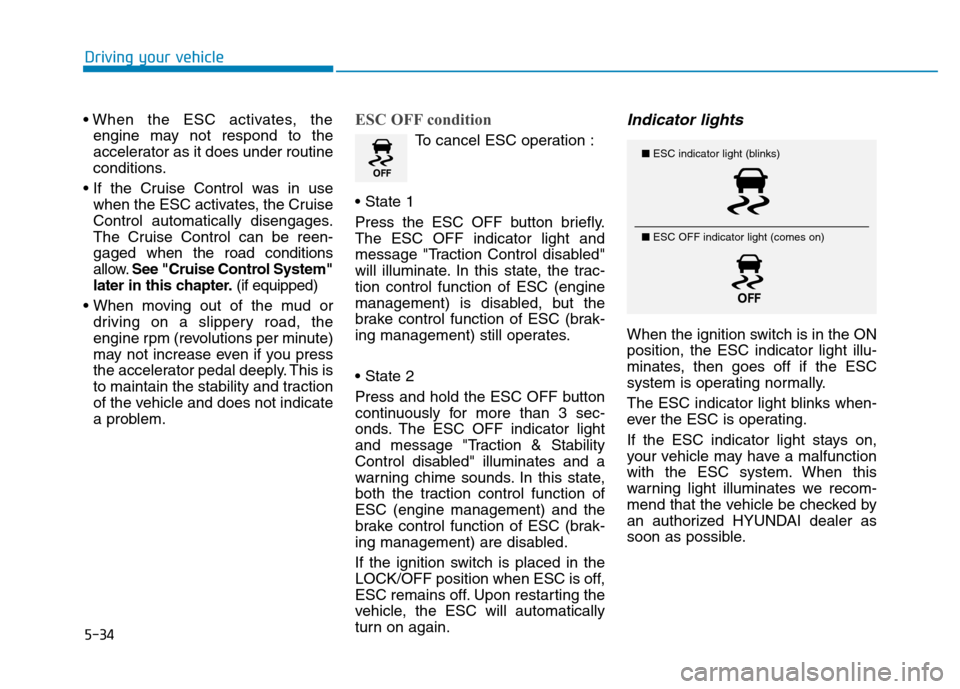
Indicator lights
When the ignition switch is in the ONposition, the ESC indicator light illu-
minates, then goes off if the ESC
system is operating normally.
The ESC indicator light blinks when-
ever the ESC is operating.
If the ESC indicator light stays on,
your vehicle may have a malfunction
with the ESC system. When this
warning light illuminates we recom-
mend that the vehicle be checked by
an authorized HYUNDAI dealer as
soon as possible.
■ ESC indicator light (blinks)
■ ESC OFF indicator light (comes on)