Page 101 of 642

2-23
Safety system of your vehicle
2
• Each time you push the switch, the
airflow changes as follows:
• When pressing the switch for more
than 1.5 seconds with the air venti-
lation seat operating, the operation
will turn OFF.
• The air ventilation seats defaults to
the OFF position whenever the
ignition switch is placed to the ON
position.To prevent damage to the air ven-
tilation seat:
• Use the air ventilation seat ONLY
when the climate control system
is on. Using the air ventilation
seat for prolonged periods of
time with the climate control sys-
tem off could cause the air venti-
lation seat to malfunction.
• Never use a solvent such as paint
thinner, benzene, alcohol or gaso-
line to clean the seats.
• Avoid spilling liquids on the sur-
face of the front seats and seat-
backs; this may cause the air vent
holes to become blocked and not
work properly.
• Do not place materials such as
plastic bags or newspapers under
the seats. They may block the air
intake causing the air vents to not
work properly.
(Continued)(Continued)
• Do not change the seat covers. It
may damage the air ventilation
seat.
• If the air vents do not operate,
restart the vehicle. If there is no
change, we recommend that you
have your vehicle inspected by
an authorized HYUNDAI dealer.NOTICE
OFF HIGH ( )
LOW ( ) MIDDLE ( )
→→
→
→
Page 277 of 642
3-127
Convenient features of your vehicle
3
AUTOMATIC CLIMATE CONTROL SYSTEM
OAE046300L/OAEPH047300R
1. Driver’s temperature control knob
2. Passenger’s temperature control knob
3. AUTO (automatic control) button
4. OFF button
5. Front windshield defrost button
6. Rear window defrost button
7. Air conditioning button
8. Air intake control button
9. Fan speed control button
10. Mode selection button
11. Driver only button
12. SYNC button
13. Climate control information screen
■Left-hand drive
■■Right-hand drive
Page 278 of 642
3-128
Convenient features of your vehicle
Automatic heating and air con-
ditioning
1. Press the AUTO button.
The modes, fan speeds, air intake
and air-conditioning will be controlled
automatically according to the tem-
perature setting.2. Turn the temperature control knob
to set the desired temperature.
Information
• To turn the automatic operation off,
select any button of the following:
- Mode selection button
- Front windshield defrost button
(Press the button one more time to
deselect the front windshield
defroster function. The 'AUTO'
sign will illuminate on the infor-
mation display once again.)
- Fan speed control button
The selected function will be con-
trolled manually while other func-
tions operate automatically.
• For your convenience, use the
AUTO button and set the tempera-
ture to 23°C (73°F).
i
OAE046303
OAE046302
Page 279 of 642

3-129
Convenient features of your vehicle
3
Information
Never place anything near the sensor
to ensure better control of the heating
and cooling system.
Manual heating and air condi-
tioning
The heating and cooling system can be
controlled manually by pushing buttons
other than the AUTO button. In this
case, the system works sequentially
according to the order of buttons select-
ed. When pressing any button except
the AUTO button while using automatic
operation, the functions not selected
will be controlled automatically.
1.Start the engine.
2.Set the mode to the desired position.
For improving the effectiveness of
heating and cooling, select:
- Heating:
- Cooling:
3.Set the temperature control to the
desired position.4.Set the air intake control to the out-
side (fresh) air position.
5.Set the fan speed control to the
desired speed.
6.If air conditioning is desired, turn
the air conditioning system on.
Press the AUTO button to convert to
full automatic control of the system.
i
OAE046304
Page 283 of 642
3-133
Convenient features of your vehicle
3
Adjusting the driver and passenger
side temperature individually
Press the “SYNC” button again to
adjust the driver and passenger side
temperature individually. The button
indicator will turn off.
Temperature unit conversion
If the battery has been discharged or
disconnected, the temperature mode
display will reset to Centigrade.
To change the temperature unit from
°C to °F or °F to °C :
- Automatic climate control system
Press the AUTO button for 3 sec-
onds while pressing the OFF button.
- Instrument cluster
Go to User Settings Mode →Other
Features →Temperature Unit.
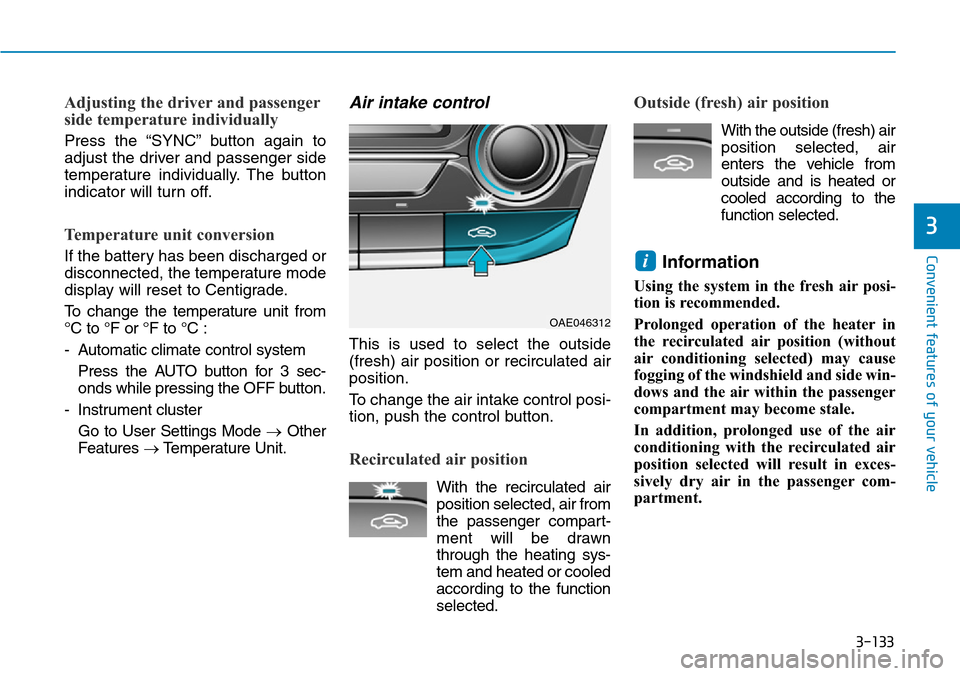
Air intake control
This is used to select the outside
(fresh) air position or recirculated air
position.
To change the air intake control posi-
tion, push the control button.
Recirculated air position
With the recirculated air
position selected, air from
the passenger compart-
ment will be drawn
through the heating sys-
tem and heated or cooled
according to the function
selected.
Outside (fresh) air position
With the outside (fresh) air
position selected, air
enters the vehicle from
outside and is heated or
cooled according to the
function selected.
Information
Using the system in the fresh air posi-
tion is recommended.
Prolonged operation of the heater in
the recirculated air position (without
air conditioning selected) may cause
fogging of the windshield and side win-
dows and the air within the passenger
compartment may become stale.
In addition, prolonged use of the air
conditioning with the recirculated air
position selected will result in exces-
sively dry air in the passenger com-
partment.
i
OAE046312
Page 284 of 642
3-134
Convenient features of your vehicle
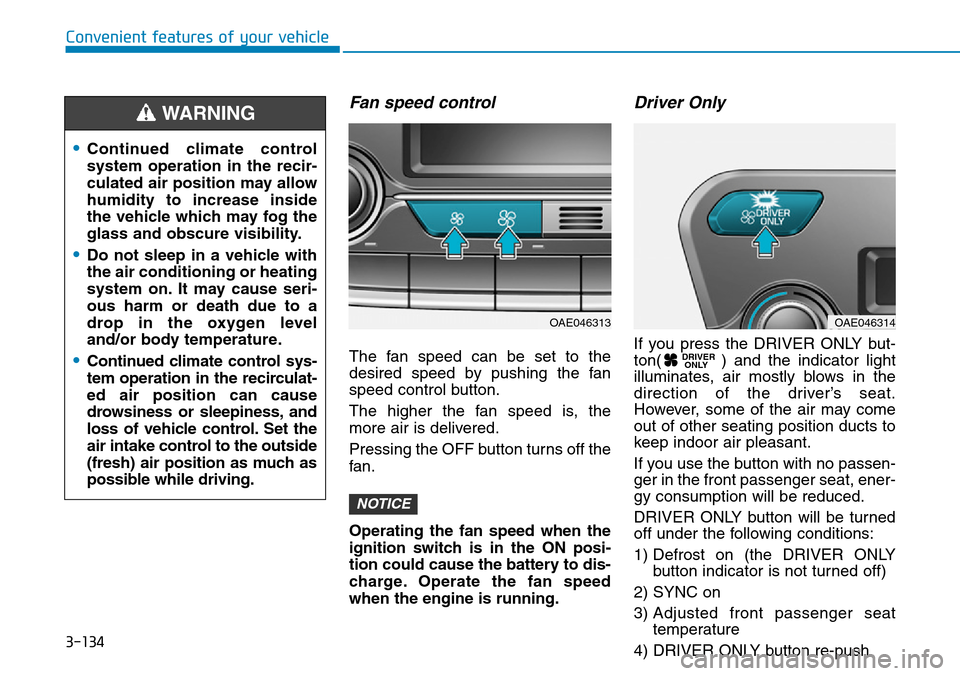
Fan speed control
The fan speed can be set to the
desired speed by pushing the fan
speed control button.
The higher the fan speed is, the
more air is delivered.
Pressing the OFF button turns off the
fan.
Operating the fan speed when the
ignition switch is in the ON posi-
tion could cause the battery to dis-
charge. Operate the fan speed
when the engine is running.
Driver Only
If you press the DRIVER ONLY but-
ton( ) and the indicator light
illuminates, air mostly blows in the
direction of the driver’s seat.
However, some of the air may come
out of other seating position ducts to
keep indoor air pleasant.
If you use the button with no passen-
ger in the front passenger seat, ener-
gy consumption will be reduced.
DRIVER ONLY button will be turned
off under the following conditions:
1) Defrost on (the DRIVER ONLY
button indicator is not turned off)
2) SYNC on
3) Adjusted front passenger seat
temperature
4) DRIVER ONLY button re-push DRIVER
ONLY
NOTICE
•Continued climate control
system operation in the recir-
culated air position may allow
humidity to increase inside
the vehicle which may fog the
glass and obscure visibility.
•Do not sleep in a vehicle with
the air conditioning or heating
system on. It may cause seri-
ous harm or death due to a
drop in the oxygen level
and/or body temperature.
•Continued climate control sys-
tem operation in the recirculat-
ed air position can cause
drowsiness or sleepiness, and
loss of vehicle control. Set the
air intake control to the outside
(fresh) air position as much as
possible while driving.
WARNING
OAE046313OAE046314
Page 285 of 642
3-135
Convenient features of your vehicle
3
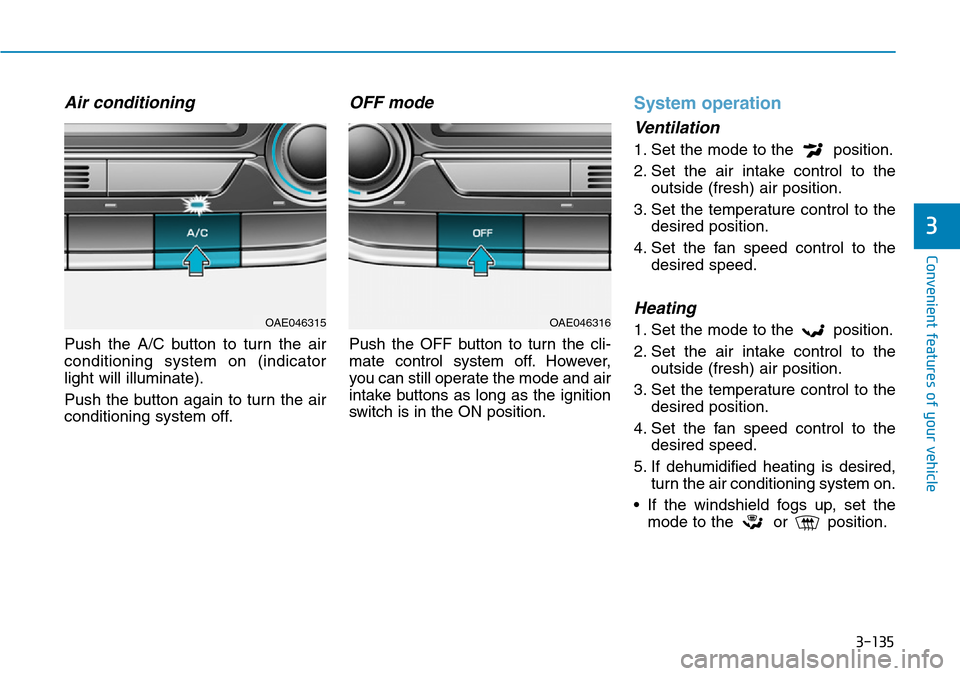
Air conditioning
Push the A/C button to turn the air
conditioning system on (indicator
light will illuminate).
Push the button again to turn the air
conditioning system off.
OFF mode
Push the OFF button to turn the cli-
mate control system off. However,
you can still operate the mode and air
intake buttons as long as the ignition
switch is in the ON position.
System operation
Ventilation
1. Set the mode to the position.
2. Set the air intake control to the
outside (fresh) air position.
3. Set the temperature control to the
desired position.
4. Set the fan speed control to the
desired speed.
Heating
1. Set the mode to the position.
2. Set the air intake control to the
outside (fresh) air position.
3. Set the temperature control to the
desired position.
4. Set the fan speed control to the
desired speed.
5. If dehumidified heating is desired,
turn the air conditioning system on.
• If the windshield fogs up, set the
mode to the or position.OAE046315OAE046316
Page 286 of 642
3-136
Convenient features of your vehicle
Operation Tips
• To keep dust or unpleasant fumes
from entering the vehicle through
the ventilation system, temporarily
set the air intake control to the
recirculated air position. Be sure to
return the control to the fresh air
position when the irritation has
passed to keep fresh air in the
vehicle. This will help keep the driv-
er alert and comfortable.
• Air for the heating/cooling system
is drawn in through the grilles just
ahead of the windshield. Care
should be taken that these are not
blocked by leaves, snow, ice or
other obstructions.
• To prevent interior fog on the wind-
shield, set the air intake control to
the fresh air position and fan speed
to the desired position, turn on the
air conditioning system, and adjust
the temperature control to the
desired temperature.
Air conditioning
HYUNDAI Air Conditioning Systems
are filled with R-134a or R1234yf
refrigerant.
1. Start the engine. Push the air con-
ditioning button.
2. Set the mode to the position.
3. Set the air intake control to the out-
side air or recirculated air position.
4. Adjust the fan speed control and
temperature control to maintain
maximum comfort.
Information
Your vehicle is filled with R-134a or
R-1234yf according to the regulation
in your country at the time of produc-
tion. You can find out which air condi-
tioning refrigerant is applied to your
vehicle on the label located inside of
the hood. • The refrigerant system should
only be serviced by trained and
certified technicians to insure
proper and safe operation.
• The refrigerant system should
be serviced in a well-ventilated
place.
• The air conditioning evaporator
(cooling coil) shall never be
repaired or replaced with one
removed from a used or sal-
vaged vehicle and new replace-
ment MAC evaporators shall be
certified (and labeled) as meet-
ing SAE Standard J2842.
NOTICE
i

