2018 Hyundai Ioniq Electric PRA
[x] Cancel search: PRAPage 103 of 541
3-18
Do not install any cover or acces-
sory on the steering wheel. The
cover or accessory could cause
damage to the heated steering
wheel system.
Inside Rearview Mirror
Before you start driving, adjust the
rearview mirror to the center on the
view through the rear window.When cleaning the mirror, use a
paper towel or similar material
dampened with glass cleaner. Do
not spray glass cleaner directly on
the mirror as that may cause the
liquid cleaner to enter the mirror
housing.
NOTICE
NOTICE
Convenient features of your vehicle
Make sure your line of sight is
not obstructed. Do not place
objects in the rear seat, cargo
area, or behind the rear head-
rests which could interfere with
your vision through the rear
window.
WARNING
NEVER adjust the mirror while
driving. This may cause loss of
vehicle control resulting in an
accident.
WARNING
To prevent serious injury during
an accident or deployment of
the air bag, do not modify the
rearview mirror and do not
install a wide mirror.
WARNING
M MI
IR
R R
RO
O R
RS
S
Page 119 of 541
3-34
Convenient features of your vehicle
Side View Mirrors
Be sure to adjust mirror angles
before driving.
Your vehicle is equipped with both
left-hand and right-hand side view
mirrors. The mirrors can be adjusted
remotely with the remote switch. The
mirror heads can be folded to pre-
vent damage during an automatic
car wash or when passing through a
narrow street.
The right side view mirror is convex.
Objects seen in the mirror are closer
than they appear.Use your interior side view mirror or
direct observation to determine the
actual distance of following vehicles
when changing lanes.
Do not scrape ice off the mirror
face; this may damage the sur-
face of the glass.
If the mirror is jammed with ice, do not adjust the mirror by
force. Use an approved spray
de-icer (not radiator antifreeze)
spray, or a sponge or soft cloth
with very warm water, or move
the vehicle to a warm place and
allow the ice to melt.
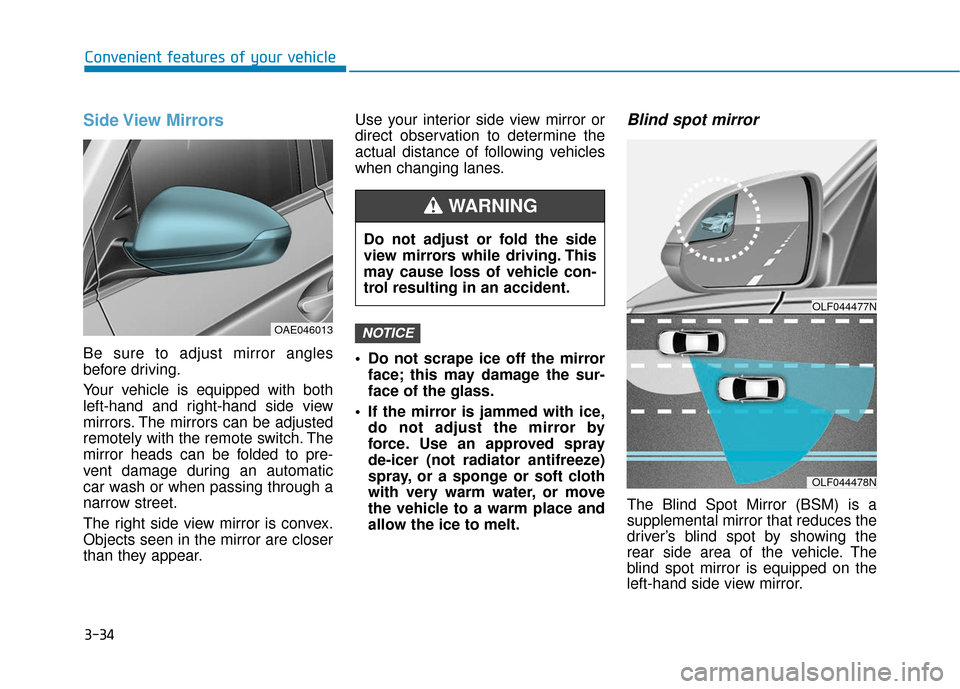
Blind spot mirror
The Blind Spot Mirror (BSM) is a
supplemental mirror that reduces the
driver’s blind spot by showing the
rear side area of the vehicle. The
blind spot mirror is equipped on the
left-hand side view mirror.
NOTICE
OLF044477N
OLF044478N
Do not adjust or fold the side
view mirrors while driving. This
may cause loss of vehicle con-
trol resulting in an accident.
WARNING
OAE046013
Page 189 of 541
3-104
Convenient features of your vehicle
Windshield Washers
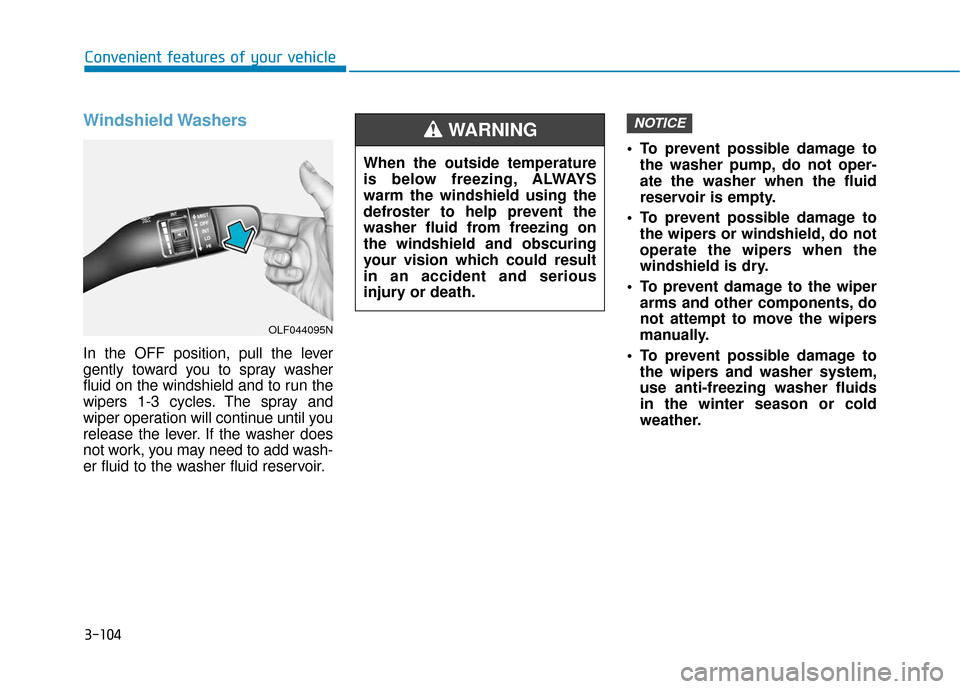
In the OFF position, pull the lever
gently toward you to spray washer
fluid on the windshield and to run the
wipers 1-3 cycles. The spray and
wiper operation will continue until you
release the lever. If the washer does
not work, you may need to add wash-
er fluid to the washer fluid reservoir. To prevent possible damage to
the washer pump, do not oper-
ate the washer when the fluid
reservoir is empty.
To prevent possible damage to the wipers or windshield, do not
operate the wipers when the
windshield is dry.
To prevent damage to the wiper arms and other components, do
not attempt to move the wipers
manually.
To prevent possible damage to the wipers and washer system,
use anti-freezing washer fluids
in the winter season or cold
weather.
NOTICE
When the outside temperature
is below freezing, ALWAYS
warm the windshield using the
defroster to help prevent the
washer fluid from freezing on
the windshield and obscuring
your vision which could result
in an accident and serious
injury or death.
WARNING
OLF044095N
Page 244 of 541
4-27
Multimedia System
4
Information
-
Using Bluetooth®Wireless
Technology Audio
• Bluetooth
®Wireless Technology
Audio mode can only be used if a
Bluetooth
®Wireless Technology
enabled phone is connected. Only
devices that support Bluetooth
®
Wireless Technology audio can be
used.
• If the Bluetooth
®Wireless
Technology-enabled phone is dis-
connected during play, the music
stops.
• When the TRACK UP/DOWN but- tons are used during Bluetooth
®
Wireless Technology audio stream-
ing, a popping noise or sound inter-
ruptions may occur, depending on
the cell phone device.
• Depending on the cell phone model, the audio streaming function may
not be supported.
(Continued)(Continued)
• If a phone call is made or received
when music is playing in Bluetooth
®
Wireless Technology Audio mode,
the call may mix with the music.
• When returning to Bluetooth
®
Wireless Technology Audio mode
after ending a call, play might not
resume automatically for some cell
phone models.
Bluetooth®Wireless Technology
Handsfree is a feature that
enables drivers to practice safe
driving. Connecting the car
audio system with a
Bluetooth®
Wireless Technology phone
allows the user to conveniently
make calls, receive calls, and
manage the phone book. Before
using the
Bluetooth®Wireless
Technology, carefully read the
contents of this user’s manual.
Excessive use or operations while driving may lead to negli-
gent driving practices and be
the cause of accidents.
Do not operate the device exces- sively while driving.
Viewing the screen for pro- longed periods of time is dan-
gerous and may lead to acci-
dents.
When driving, view the screen only for short periods of time.
NOTICEi
Page 262 of 541
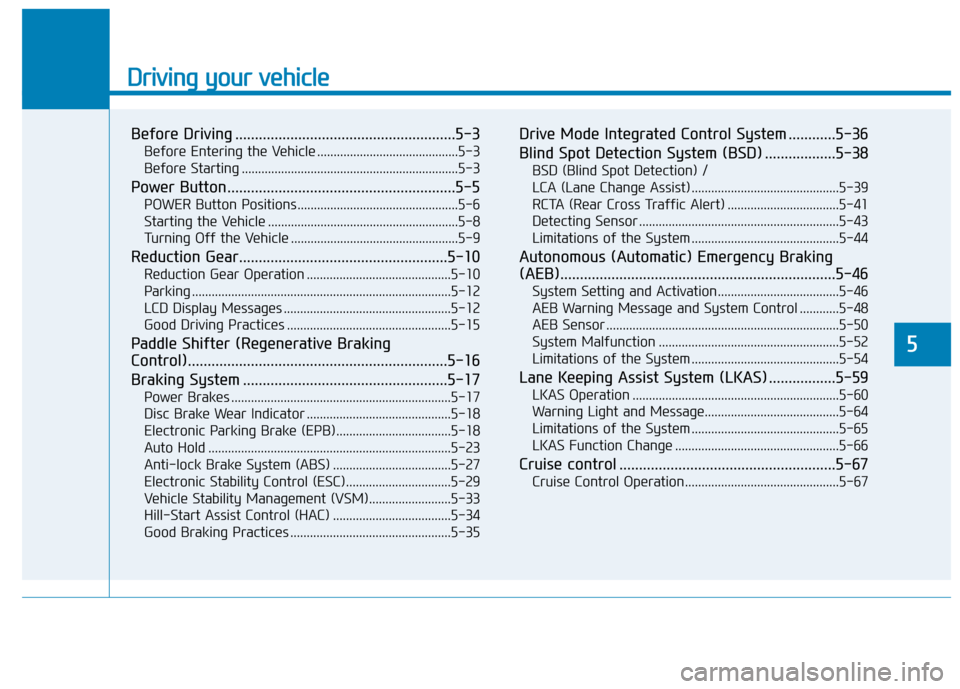
Driving your vehicle
Before Driving ........................................................5-3
Before Entering the Vehicle ...........................................5-3
Before Starting ..................................................................5-3
Power Button..........................................................5-5
POWER Button Positions.................................................5-6
Starting the Vehicle ..........................................................5-8
Turning Off the Vehicle ...................................................5-9
Reduction Gear.....................................................5-10
Reduction Gear Operation ............................................5-10
Parking ........................................................................\
.......5-12
LCD Display Messages ...................................................5-12
Good Driving Practices ..................................................5-15
Paddle Shifter (Regenerative Braking
Control)..................................................................5-16
Braking System ....................................................5-17
Power Brakes ...................................................................5-17
Disc Brake Wear Indicator ............................................5-18
Electronic Parking Brake (EPB)...................................5-18
Auto Hold ........................................................................\
..5-23
Anti-lock Brake System (ABS) ....................................5-27
Electronic Stability Control (ESC)................................5-29
Vehicle Stability Management (VSM).........................5-33
Hill-Start Assist Control (HAC) ....................................5-34
Good Braking Practices .................................................5-35
Drive Mode Integrated Control System ............5-36
Blind Spot Detection System (BSD) ..................5-38
BSD (Blind Spot Detection) /
LCA (Lane Change Assist) .............................................5-39
RCTA (Rear Cross Traffic Alert) ..................................5-41
Detecting Sensor .............................................................5-43
Limitations of the System .............................................5-44
Autonomous (Automatic) Emergency Braking
(AEB)......................................................................5-\
46
System Setting and Activation.....................................5-46
AEB Warning Message and System Control ............5-48
AEB Sensor .......................................................................5\
-50
System Malfunction .......................................................5-52
Limitations of the System .............................................5-54
Lane Keeping Assist System (LKAS) .................5-59
LKAS Operation ...............................................................5-60
Warning Light and Message.........................................5-64
Limitations of the System .............................................5-65
LKAS Function Change ..................................................5-66
Cruise control .......................................................5-67
Cruise Control Operation...............................................5-67
5
Page 276 of 541
5-15
Driving your vehicle
5
Good Driving Practices
Never shift to P (Park) or N(Neutral) to any other position with
the accelerator pedal depressed.
Never shift to P (Park) when the vehicle is in motion.
Be sure the vehicle is completely
stopped before you attempt to shift
into R (Reverse) or D (Drive).
Do not shift to N (Neutral) when driving. Doing so may result in an
accident.
Do not drive with your foot resting on the brake pedal. Even light, but
consistent pedal pressure can
result in the brakes overheating,
brake wear and possibly even
brake failure.
Always apply the parking brake when leaving the vehicle. Do not
depend on placing the gear in P
(Park) to keep the vehicle from
moving. Exercise extreme caution when
driving on a slippery surface. Be
especially careful when braking,
accelerating or shifting gears. On a
slippery surface, an abrupt change
in vehicle speed can cause the
drive wheels to lose traction and
may cause loss of vehicle control
resulting in an accident
Optimum vehicle performance and economy is obtained by smoothly
depressing and releasing the
accelerator.
To reduce the risk of SERIOUS
INJURY or DEATH:
ALWAYS wear your seat belt.
In a collision, an unbelted
occupant is significantly more
likely to be seriously injured
or killed than a properly belt-
ed occupant.
Avoid high speeds when cor-
nering or turning. (Continued)
WARNING
(Continued)
Do not make quick steering
wheel movements, such as
sharp lane changes or fast,
sharp turns.
The risk of rollover is greatly
increased if you lose control
of your vehicle at highway
speeds.
Loss of control often occurs if
two or more wheels drop off
the roadway and the driver
over steers to reenter the
roadway.
In the event your vehicle
leaves the roadway, do not
steer sharply. Instead, slow
down before pulling back into
the travel lanes.
HYUNDAI recommends you
follow all posted speed limits.
Page 290 of 541
5-29
Driving your vehicle
5
When you drive on a road having
poor traction, such as an icy road,
and apply your brakes continu-
ously, the ABS will be active con-
tinuously and the ABS warning
light ( ) may illuminate. Pull
your car over to a safe place and
turn the vehicle off.
Restart the vehicle. If the ABS
warning light is off, then your ABS
system is normal.
Otherwise, you may have a prob-
lem with your ABS system.
Contact an authorized HYUNDAI
dealer as soon as possible.
Information
When you jump start your vehicle
because of a drained battery, the ABS
warning light ( ) may turn on at the
same time. This happens because of
the low battery voltage. It does not
mean your ABS is malfunctioning.
Have the battery recharged before
driving the vehicle.
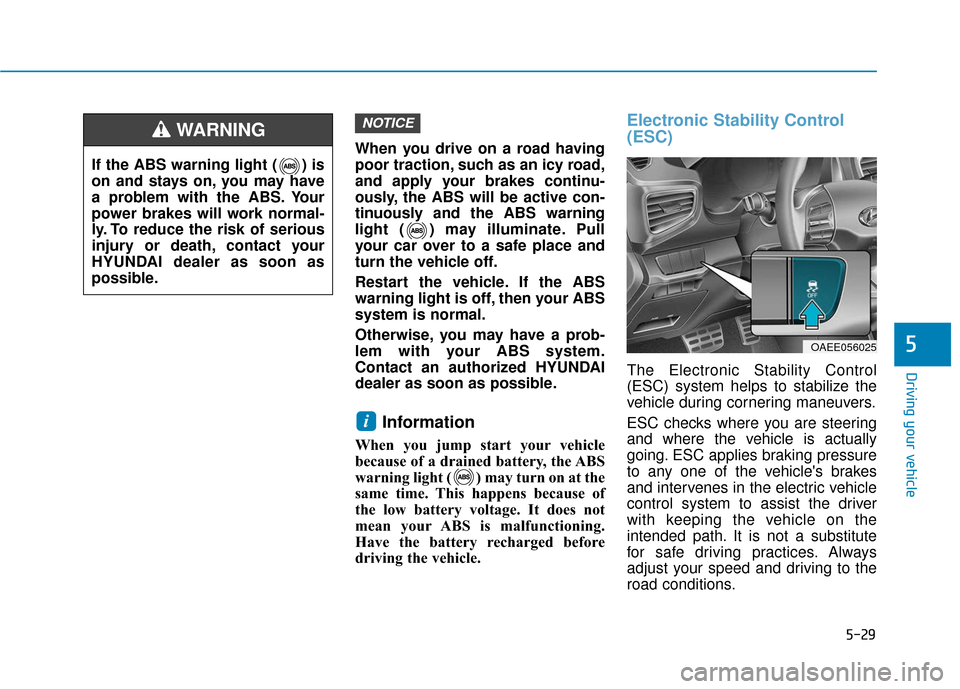
Electronic Stability Control
(ESC)
The Electronic Stability Control
(ESC) system helps to stabilize the
vehicle during cornering maneuvers.
ESC checks where you are steering
and where the vehicle is actually
going. ESC applies braking pressure
to any one of the vehicle's brakes
and intervenes in the electric vehicle
control system to assist the driver
with keeping the vehicle on the
intended path. It is not a substitute
for safe driving practices. Always
adjust your speed and driving to the
road conditions.
i
NOTICE
If the ABS warning light ( ) is
on and stays on, you may have
a problem with the ABS. Your
power brakes will work normal-
ly. To reduce the risk of serious
injury or death, contact your
HYUNDAI dealer as soon as
possible.
WARNING
OAEE056025
Page 294 of 541
5-33
Driving your vehicle
5
Vehicle Stability Management
(VSM)
The Vehicle Stability Management
(VSM) is a function of the Electronic
Stability Control (ESC) system. It
helps ensure the vehicle stays stable
when accelerating or braking sud-
denly on wet, slippery and rough
roads where traction over the four
tires can suddenly become uneven.
VSM operation
VSM ON condition
The VSM operates when:
The Electronic Stability Control(ESC) is on.
Vehicle speed is approximately above 9 mph (15 km/h) on curve
roads.
Vehicle speed is approximately above 12 mph (20 km/h) when the
vehicle is braking on rough roads.
When operating
When you apply your brakes under
conditions which may activate the
ESC, you may hear sounds from the
brakes, or feel a corresponding sen-
sation in the brake pedal. This is nor-
mal and it means your VSM is active.
Information
The VSM does not operate when:
• Driving on a banked road such as agradient or incline.
• Driving in reverse.
• The ESC OFF indicator light is on.
• The EPS (Electric power steering)
warning light ( ) is on or blinks.
i
Take the following precautions
when using the Vehicle Stability
Management (VSM):
ALWAYS check the speed and
the distance to the vehicle
ahead. The VSM is not a substi-
tute for safe driving practices.
Never drive too fast for the
road conditions. The VSM sys-
tem will not prevent acci-
dents. Excessive speed in bad
weather, slippery and uneven
roads can result in severe
accidents.
WARNING