2018 Hyundai Ioniq Electric stop start
[x] Cancel search: stop startPage 471 of 541
I-3
Battery (12 volt)..............................................................7-23Battery recharging ......................................................7-24
Battery cooling duct........................................................2-22
Battery saver function .....................................................3-97
Before driving ...................................................................5-3
Blind Spot Detection (BSD) system ...............................5-38
Blue Link
®center ...........................................................3-19
Bluetooth®Wireless Technology hands-free ....................4-4
Bottle holder .................................................................3-125
Brake fluid ......................................................................7-\
16
Brake system ...................................................................5-17 Anti-lock Brake System (ABS)..................................5-27
Auto hold ....................................................................5-23\
Disc brakes wear indicator .........................................5-18
Electronic Parking Brake (EPB) ................................5-18
Electronic Stability Control (ESC).............................5-29
Good braking practices ..............................................5-37
Hill-start Assist Control (HAC) .................................5-34
Power brakes ..............................................................5-17
Vehicle Stability Management (VSM) .......................5-33 Bulb replacement ............................................................7-55
Daytime running lamp................................................7-60
Front parking lamp .....................................................7-56
Front turn signal lamp ................................................7-56
Headlamp....................................................................7-56\
High mounted stop lamp ............................................7-62
Interior light bulb .......................................................7-66
License plate light bulb ..............................................7-63
Rear combination light bulb .......................................7-61
Side marker ................................................................7-56
Side repeater lamp ......................................................7-61
Bulb wattage .....................................................................8-3\
Camera (Rear view) ......................................................3-105
Capacities (Lubricants) .....................................................3-6
Care Exterior care ...............................................................7-65
Interior care ................................................................7-70
Tire care ......................................................................7-\
26
Cargo security screen ....................................................3-131
Center console storage ..................................................3-123
Central door lock switch .................................................3-11
Certification label .............................................................8-7
Chains Tire chains ..................................................................5-92
I
Index
B
C
Page 476 of 541
I-8
LCD displayAssist mode ................................................................3-83
LCD display modes ....................................................3-81
Quick guide help ........................................................3-82
Trip computer mode ...................................................3-82
Turn By Turn (TBT) mode.........................................3-82
User settings mode .....................................................3-84
Warning mode ............................................................3-83
LCD display messages Aux. Battery Saver+ used while parked ....................3-75
Battery Overheated! Stop vehicle ..............................3-77
Charge immediately. Power limited ...........................3-76
Charger Error!/Quick Charger Error!.........................3-75
Charging door open ....................................................3-74
Check BRAKE SWITCH fuse ...................................3-70
Check brakes ..............................................................3-76
Check electric vehicle system ....................................3-79
Check headlamp FAN ................................................3-73
Check headlamp LED ................................................3-72
Check headlight ..........................................................3-72
Check steering wheel lock system .............................3-69
Check virtual engine sound ........................................3-79
Door, Hood, Tailgate Open ........................................3-70
Key not detected .........................................................3-69
Key not in vehicle ......................................................3-69
Lights mode ................................................................3-73
Low battery ................................................................3-76
Low Battery Temp. Power limited .............................3-77 Low Battery. Charge immediately .............................3-77
Low Key Battery ........................................................3-68
Low pressure ..............................................................3-72
Low washer fluid........................................................3-70
Power limited .............................................................3-78
Press brake pedal to start vehicle ...............................3-69
Press POWER button again .......................................3-69
Press POWER button while turning wheel ................3-69
Press POWER button with key ..................................3-70
Remaining time ..........................................................3-74
Shift to P.....................................................................3-6\
8
Shift to P to charge .....................................................3-74
Shift to P to start vehicle ............................................3-70
Stop vehicle and check brakes ...................................3-75
Stop vehicle and check power supply ........................3-78
Sunroof open ..............................................................3-71
Turn on "FUSE SWITCH".........................................3-71
Unplug vehicle to start ...............................................3-70
Wiper ........................................................................\
..3-73
LCD display modes ........................................................3-81
Liftgate ........................................................................\
....3-48
Light ........................................................................\
........3-94 Turn signals ................................................................3-96
Parking lamp position ................................................3-95
Lane change signals ...................................................3-96
High beam operation ..................................................3-96
Index
Page 484 of 541
How to Disconnect Portable Charger
(ICCB: In-Cable Control Box) ..........................................H39
Unlock Charging Connector in Emergency ................H40
Precautions for Portable Charger
(ICCB: In-Cable Control Box) ..........................................H40
How to Start the Vehicle ......................................H41
How to Stop the Vehicle.......................................H41
Virtual Engine Sound System ..............................H42
Distance to Empty .................................................H42
When destination is not set ...........................................H43
When destination is set...................................................H43
Tips for Improving Distance to Empty ...............H44
ECO Guide ...............................................................H44
State of Charge (SOC) Gauge for
High Voltage Battery ............................................H45
Warning and Indicator Lights
(related to electric vehicle) .................................H45
Ready Indicator .................................................................H45
Service Warning Light .....................................................H46
Power Down Warning Light ...........................................H46
Charging Indicator Light..................................................H46
High Voltage Battery Level Warning Light .................H46
Regenerative Brake Warning Light ..............................H47
LCD Display Messages ..........................................H47
Shift to P to charge .........................................................H47
Remaining time ..................................................................H47 Charging Door Open ........................................................H48
Charger Error! / Quick Charger Error!........................H48
Stop vehicle and check brakes .....................................H48
Check brakes......................................................................H4\
9
Low Battery........................................................................\
H49
Charge immediately. Power limited ..............................H49
Low Battery. Charge immediately.................................H50
Low Battery Temp. Power limited.................................H50
Battery Overheated! Stop vehicle ................................H50
Power limited .....................................................................H51\
Stop vehicle and check power supply .........................H51
Check Virtual Engine Sound System............................H52
Check electric vehicle system .......................................H52
Energy Flow ...........................................................H52
Vehicle Stop........................................................................\
H53
EV Propulsion ....................................................................H53
Regeneration ......................................................................H5\
3
Aux. Battery Saver+ .............................................H54
Mode ........................................................................\
............H54
System Setting...................................................................H55
LCD Message .....................................................................H55\
If an Accident Occurs ...........................................H56
Other Precautions for Electric Vehicle ..............H58
Service Plug ...........................................................H59
Page 493 of 541
H11
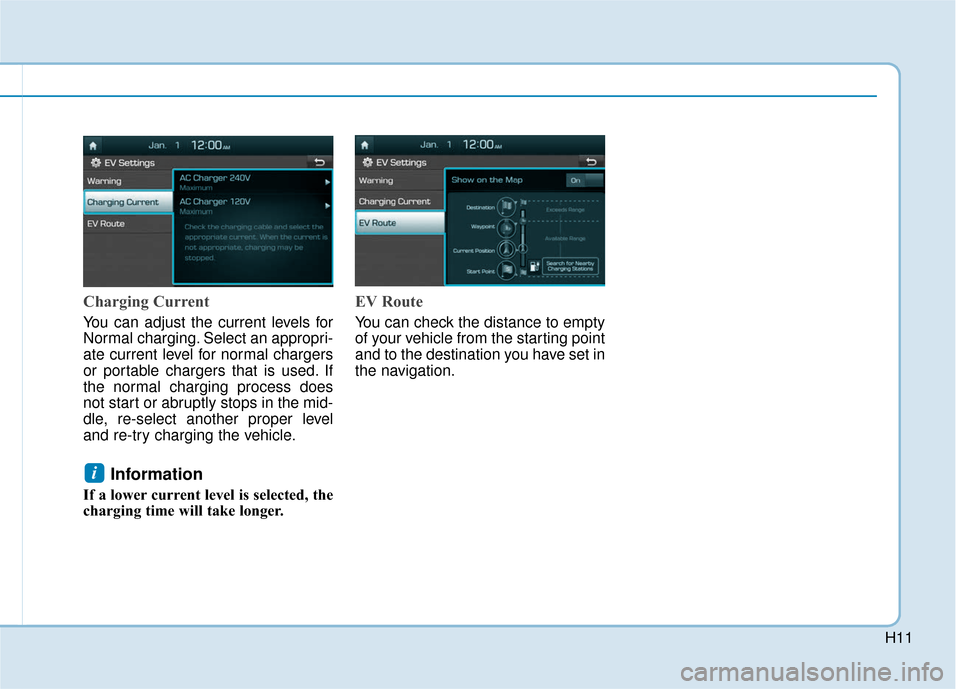
Charging Current
You can adjust the current levels for
Normal charging. Select an appropri-
ate current level for normal chargers
or portable chargers that is used. If
the normal charging process does
not start or abruptly stops in the mid-
dle, re-select another proper level
and re-try charging the vehicle.
Information
If a lower current level is selected, the
charging time will take longer.
EV Route
You can check the distance to empty
of your vehicle from the starting point
and to the destination you have set in
the navigation.
i
Page 523 of 541
H41
How to Start the Vehicle
1. Holding the smart key, sit in thedriver's seat.
2. Fasten the seat belt before start- ing the vehicle.
3. Make sure to engage the parking brake.
4. Turn OFF all electrical devices.
5. Make sure to depress and hold the brake pedal.
6. While depressing the brake pedal, shift to P (Park).
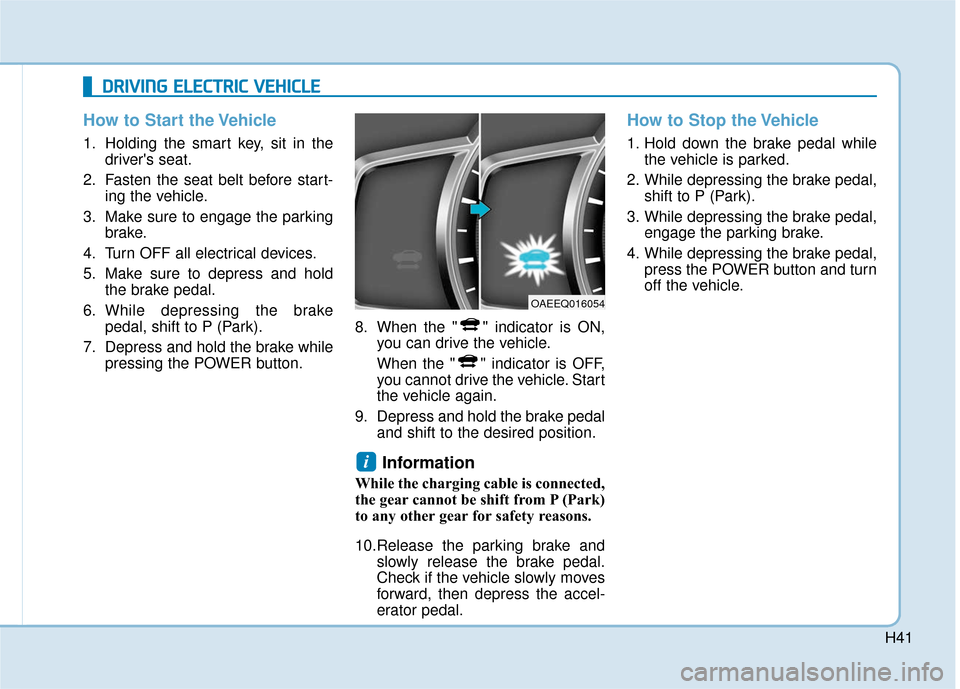
7. Depress and hold the brake while pressing the POWER button. 8. When the " " indicator is ON,
you can drive the vehicle.
When the " " indicator is OFF,
you cannot drive the vehicle. Start
the vehicle again.
9. Depress and hold the brake pedal and shift to the desired position.
Information
While the charging cable is connected,
the gear cannot be shift from P (Park)
to any other gear for safety reasons.
10.Release the parking brake andslowly release the brake pedal.
Check if the vehicle slowly moves
forward, then depress the accel-
erator pedal.
How to Stop the Vehicle
1. Hold down the brake pedal whilethe vehicle is parked.
2. While depressing the brake pedal, shift to P (Park).
3. While depressing the brake pedal, engage the parking brake.
4. While depressing the brake pedal, press the POWER button and turn
off the vehicle.
i
D
DR
RI
IV
V I
IN
N G
G
E
E L
LE
E C
CT
T R
R I
IC
C
V
V E
EH
H I
IC
C L
LE
E
OAEEQ016054
Page 530 of 541
H48
D
DR
RI
IV
V I
IN
N G
G
E
E L
LE
E C
CT
T R
R I
IC
C
V
V E
EH
H I
IC
C L
LE
E
(
( C
C O
O N
NT
T.
.)
)
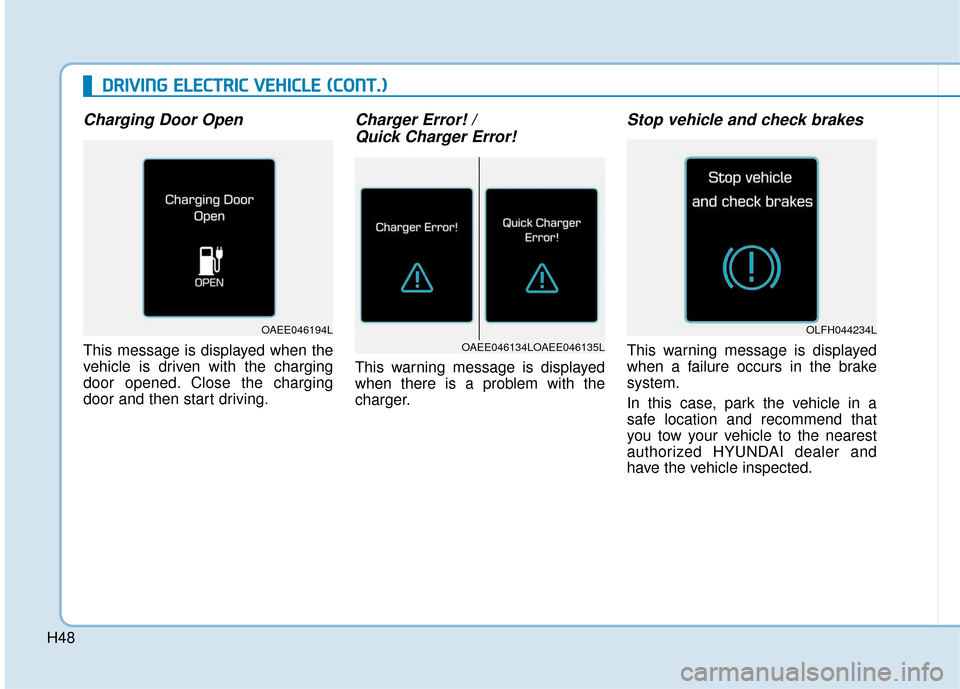
Charging Door Open
This message is displayed when the
vehicle is driven with the charging
door opened. Close the charging
door and then start driving.
Charger Error! /
Quick Charger Error!
This warning message is displayed
when there is a problem with the
charger.
Stop vehicle and check brakes
This warning message is displayed
when a failure occurs in the brake
system.
In this case, park the vehicle in a
safe location and recommend that
you tow your vehicle to the nearest
authorized HYUNDAI dealer and
have the vehicle inspected.OAEE046134LOAEE046135L
OAEE046194LOLFH044234L
Page 533 of 541
H51
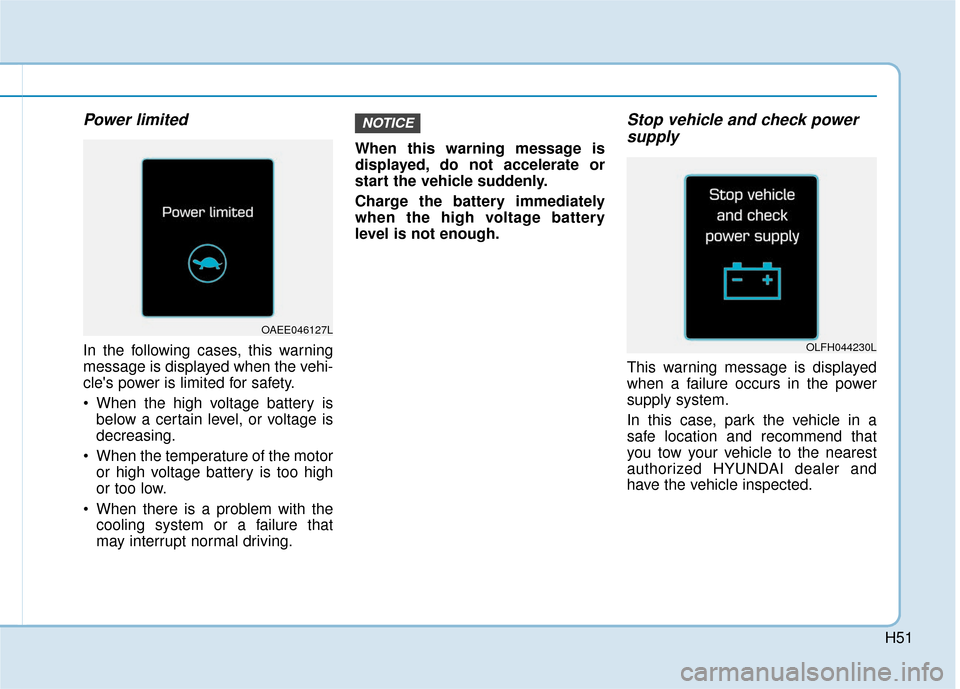
Power limited
In the following cases, this warning
message is displayed when the vehi-
cle's power is limited for safety.
When the high voltage battery isbelow a certain level, or voltage is
decreasing.
When the temperature of the motor or high voltage battery is too high
or too low.
When there is a problem with the cooling system or a failure that
may interrupt normal driving. When this warning message is
displayed, do not accelerate or
start the vehicle suddenly.
Charge the battery immediately
when the high voltage battery
level is not enough.
Stop vehicle and check power
supply
This warning message is displayed
when a failure occurs in the power
supply system.
In this case, park the vehicle in a
safe location and recommend that
you tow your vehicle to the nearest
authorized HYUNDAI dealer and
have the vehicle inspected.
NOTICE
OAEE046127L
OLFH044230L
Page 536 of 541

H54
D
DR
RI
IV
V I
IN
N G
G
E
E L
LE
E C
CT
T R
R I
IC
C
V
V E
EH
H I
IC
C L
LE
E
(
( C
C O
O N
NT
T.
.)
)
Aux. Battery Saver+
The Aux. Battery Saver+ is a function
that monitors the charging status of
the 12 V auxiliary battery.
If the auxiliary battery level is low, the
main high voltage battery charges
the auxiliary battery.
Information
The Aux. Battery Saver+ function will
be ON when the vehicle is delivered. If
the function is not needed, you may
turn it off in the Users Settings mode
on the cluster. For more information,
refer to the following page.
Mode
Cycle Mode :
When the POWER button is in the
OFF or ACC position with all doors,
hood and liftgate closed, the Aux.
Battery Saver+ activates according
to the auxiliary battery status.
Automatic Mode :
When the POWER button is in the
ON position with the charging con-
nector plugged in, the function acti-
vates according to the auxiliary bat-
tery status to prevent overdischarge
of the auxiliary battery.Information
• The Aux. Battery Saver+ activates maximum of 20 minutes. If the Aux.
Battery Saver+ function activates
more than 10 times consecutively
when in the automatic mode, the
function will stop activating, judg-
ing that there is a problem with the
auxiliary battery. In this case, drive
the vehicle for some period of time
or if the auxiliary battery returns to
normal, the function will start acti-
vating.
• The Aux. Battery Saver+ function cannot prevent battery discharge if
the auxiliary battery is damaged,
worn out, used as a power supply or
unauthorized electronic devises are
used.
• If the Aux. Battery Saver+ function was activated, a message will be dis-
played on the instrument cluster
and the high voltage battery level
may have decreased.
i
i