Page 111 of 343
Features of your vehicle
50 4
Seat belt warning
As a reminder to the driver, the seat belt
warning light will blink for approximately
6 seconds each time you place the igni-
tion switch in the ON position regardless
of belt fastening. If the driver’s seat belt is
unfastened after the ignition switch is
placed in the ON position, the seat belt
warning light blinks again for approxi-
mately 6 seconds. If the driver's seat belt
is not fastened when the ignition switch is
placed in the ON position or if it is unfas-
tened after the ignition switch is placed in
the ON position, the seat belt warning
chime will sound for approximately 6 sec-
onds. At this time, if the seat belt is fas-
tened, the chime will stop at once. (if
equipped)
Turn signal indicator
The left or right turn signal indicator
blinks when you signal a lane change or
turn. If the arrow comes on but does not
blink, blinks more rapidly than normal, or
does not illuminate at all, a malfunction in
the turn signal system is indicated. We
recommend that you consult an author-
ized HYUNDAI dealer repairs.
High beam indicator
This indicator illuminates when the head-
lights are on and in the high beam posi-
tion or when the turn signal lever is pulled
into the Flash-to-Pass position.
Parking (Position)
light indicator
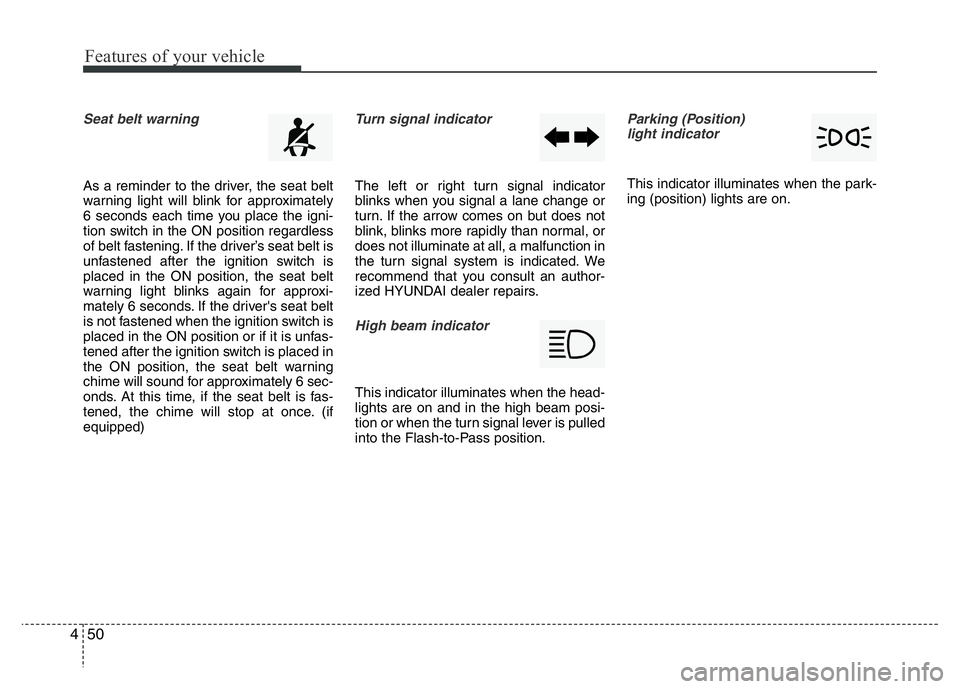
This indicator illuminates when the park-
ing (position) lights are on.
Page 112 of 343

451
Features of your vehicle
Engine oil pressure warn-
ing light
This warning light indicates the engine oil
pressure is low.
If the warning light illuminates while driv-
ing:
1. Drive safely to the side of the road and
stop.
2. With the engine off, check the engine
oil level. If the level is low, add oil as
required.
If the warning light remains on after
adding oil or if oil is not available, we rec-
ommend that you call an authorized
HYUNDAI dealer.
Parking brake & brake
fluid warning
This light illuminates if the ignition switch is
turned ON and goes off in approximately 3
seconds if the parking brake is not applied.
Parking brake warning
This warning light is illuminated when the
parking brake is applied with the ignition
switch in the START or ON position. The
warning light should go off when the
parking brake is released.
Low brake fluid level warning
If the warning light remains on, it may
indicate that the brake fluid level in the
reservoir is low.
If the warning light remains on:
1. Drive carefully to the nearest safe loca-
tion and stop your vehicle.
2. With the engine stopped, check the
brake fluid level immediately and add
fluid as required. Then check all brake
components for fluid leaks.
3. Do not drive the vehicle if leaks are
found, the warning light remains on or
the brakes do not operate properly. We
recommend that you contact an
authorized HYUNDAI dealer.
CAUTION
If the engine is not stopped imme-
diately after the engine oil pressure
warning light is illuminated, severe
damage could result.
CAUTION
If the oil pressure warning light
stays on while the engine is run-
ning, serious engine damage may
result. The oil pressure warning
light comes on whenever there is
insufficient oil pressure. In normal
operation, it should come on when
the ignition switch is turned on, then
goes off when the engine starts. If
the oil pressure warning light stays
on while the engine is running, there
is a serious malfunction.
If this happens, stop the vehicle as
soon as it is safe to do so, turn off
the engine and check the oil level. If
the oil level is low, fill the engine oil
to the proper level and start the
engine again. If the light stays on
with the engine running, turn the
engine off immediately. In any
instance where the oil light stays on
when the engine is running, we rec-
ommend that the system be
checked by an authorized HYUNDAI
dealer.
Page 113 of 343

Features of your vehicle
52 4
Your vehicle is equipped with dual-diago-
nal braking systems. This means you still
have braking on two wheels even if one of
the dual systems should fail. With only one
of the dual systems working, more than
normal pedal travel and greater pedal
pressure are required to stop the vehicle.
Also, the vehicle will not stop in as short a
distance with only a portion of the brake
system working. If the brakes fail while you
are driving, shift to a lower gear for addi-
tional engine braking and stop the vehicle
as soon as it is safe to do so.
To check bulb operation, check whether
the parking brake and brake fluid warning
light illuminates when the ignition switch
is in the ON position.Front fog light indicator
(if equipped)
This indicator illuminates when the front
fog lights are ON.
Rear fog light indicator
(If equipped)
This indicator illuminates when the rear
fog lights are ON.
Shift pattern indicator
(if equipped)
The indicator displays which automatic
transaxle shift lever is selected.
WARNING
Driving the vehicle with a warning
light on is dangerous. If the brake
warning light remains on, we recom-
mend that the system be checked by
an authorized HYUNDAI dealer.
Page 120 of 343
459
Features of your vehicle
Battery saver function (if equipped)
• The purpose of this feature is to pre-
vent the battery from being dis-
charged. The system automatically
turns off the exterior lights when the
driver removes the ignition key and
opens the driver-side door.
• With this feature, the parking lights will
turn off automatically if the driver parks
on the side of road at night.
If necessary, to keep the lights on
when the ignition key is removed, per-
form the following :
1) Open the driver-side door.
2) Turn the parking lights OFF and ON
again using the light switch on the
steering column.
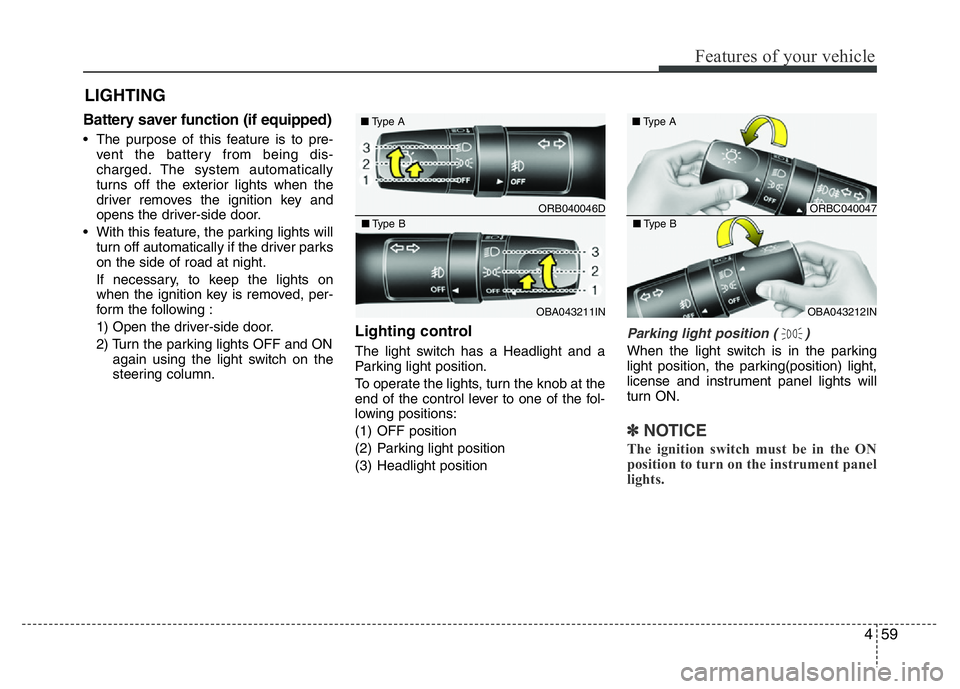
Lighting control
The light switch has a Headlight and a
Parking light position.
To operate the lights, turn the knob at the
end of the control lever to one of the fol-
lowing positions:
(1) OFF position
(2) Parking light position
(3) Headlight position
Parking light position ( )
When the light switch is in the parking
light position, the parking(position) light,
license and instrument panel lights will
turn ON.
✽NOTICE
The ignition switch must be in the ON
position to turn on the instrument panel
lights.
LIGHTING
ORB040046D ■Type A
OBA043211IN ■Type B
ORBC040047 ■Type A
OBA043212IN ■Type B
Page 121 of 343
Features of your vehicle
60 4
WARNING
Do not use high beam when there
are other vehicles. Using high beam
could obstruct the other driver's
vision.
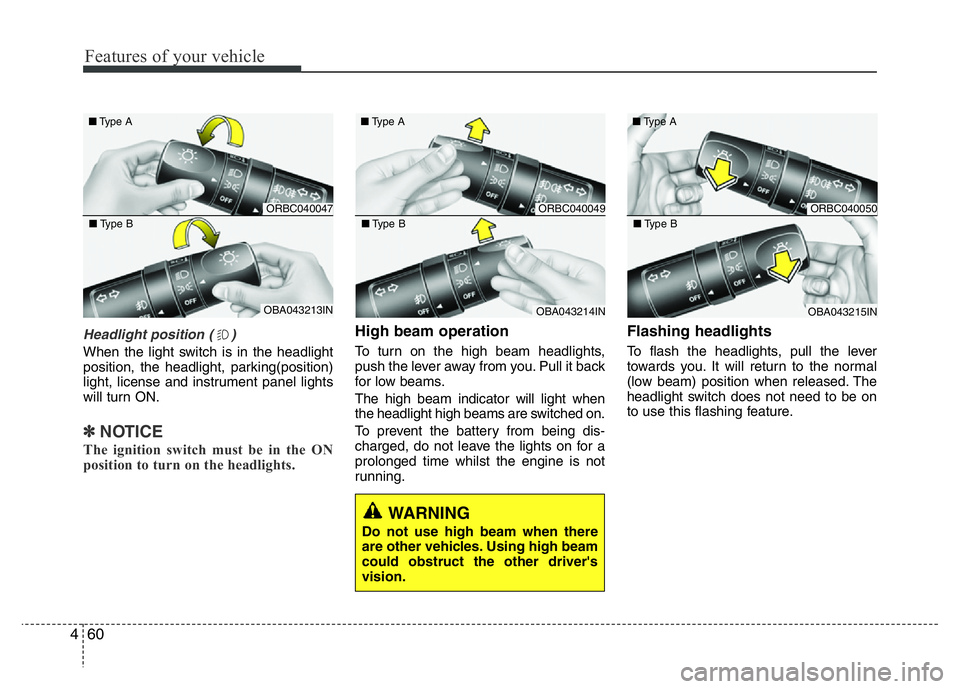
Headlight position ( )
When the light switch is in the headlight
position, the headlight, parking(position)
light, license and instrument panel lights
will turn ON.
✽NOTICE
The ignition switch must be in the ON
position to turn on the headlights.
High beam operation
To turn on the high beam headlights,
push the lever away from you. Pull it back
for low beams.
The high beam indicator will light when
the headlight high beams are switched on.
To prevent the battery from being dis-
charged, do not leave the lights on for a
prolonged time whilst the engine is not
running.
Flashing headlights
To flash the headlights, pull the lever
towards you. It will return to the normal
(low beam) position when released. The
headlight switch does not need to be on
to use this flashing feature.
ORBC040047 ■Type A
OBA043213IN ■Type B
ORBC040049 ■Type A
OBA043214IN ■Type B
ORBC040050 ■Type A
OBA043215IN ■Type B
Page 123 of 343
Features of your vehicle
62 4
✽NOTICE
The ignition switch must be in the ON
position to turn on the front fog light.
CAUTION
When in operation, the fog lights
consume large amounts of vehicle
electrical power. Only use the fog
lights when visibility is poor or
unnecessary battery and generator
drain could occur.
■Type B
■Type A
■Type D
■Type C
ORBC040052/ORB040052D/OTA040219R/ORBI041052
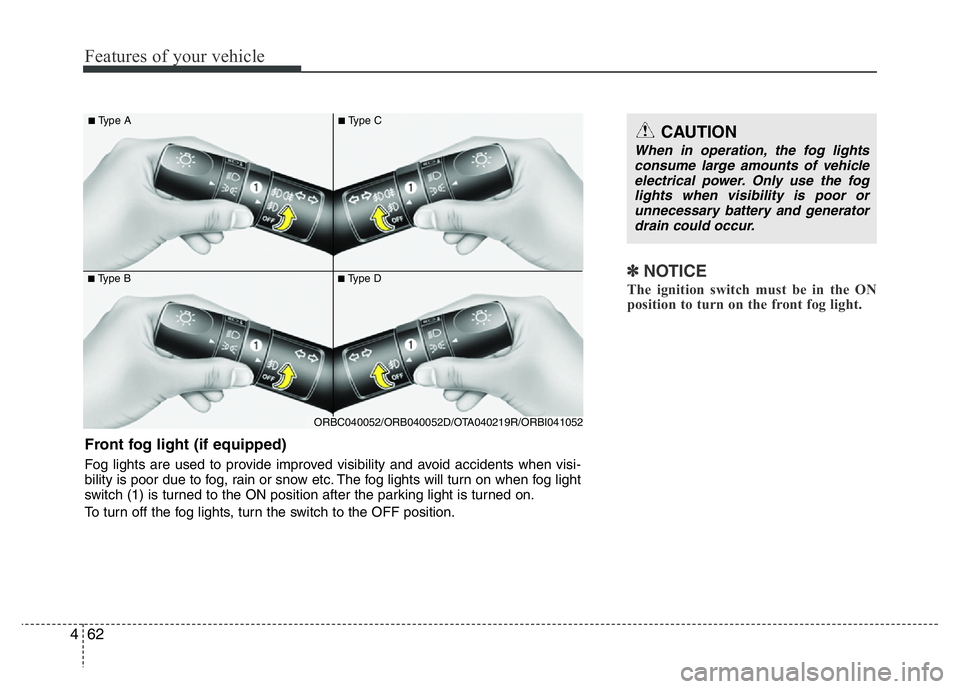
Front fog light (if equipped)
Fog lights are used to provide improved visibility and avoid accidents when visi-
bility is poor due to fog, rain or snow etc. The fog lights will turn on when fog light
switch (1) is turned to the ON position after the parking light is turned on.
To turn off the fog lights, turn the switch to the OFF position.
Page 124 of 343
463
Features of your vehicle
✽NOTICE
To turn on the rear fog light switch, the
ignition switch must be in the ON position.
■Type B
■Type A
■Type D
■Type C
ORBC040053/ORBC040052E/OTA040217R/OTA040218R
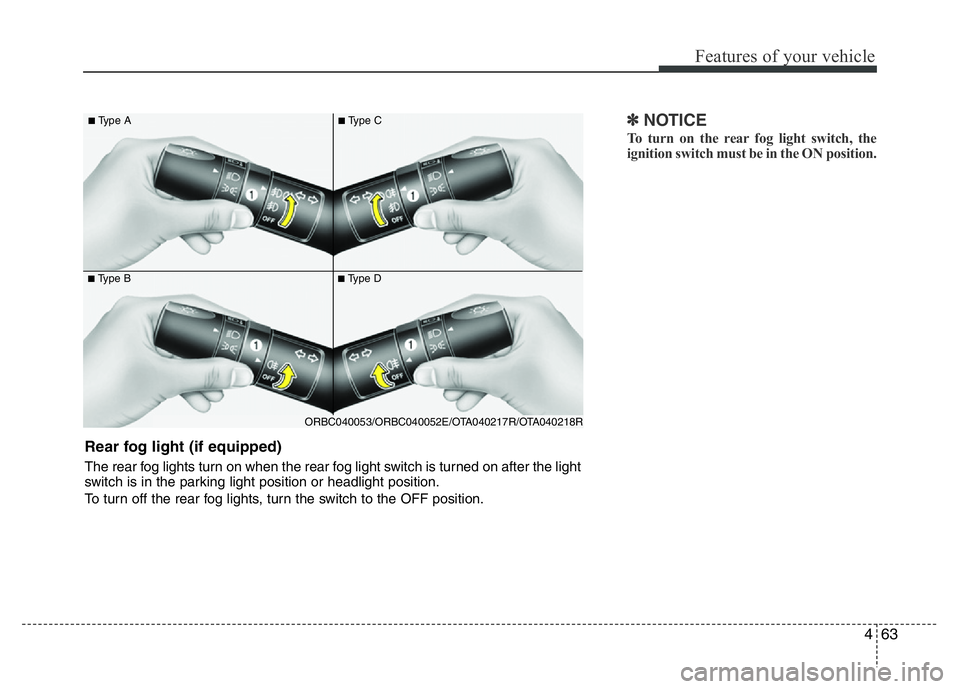
Rear fog light (if equipped)
The rear fog lights turn on when the rear fog light switch is turned on after the light
switch is in the parking light position or headlight position.
To turn off the rear fog lights, turn the switch to the OFF position.
Page 130 of 343
469
Features of your vehicle
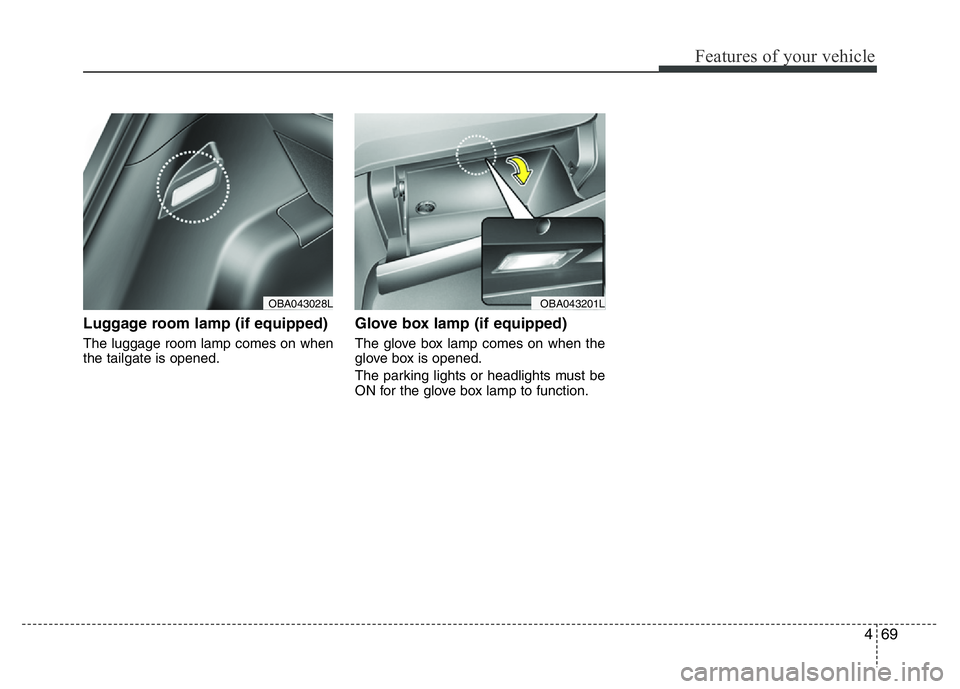
Luggage room lamp (if equipped)
The luggage room lamp comes on when
the tailgate is opened.
Glove box lamp (if equipped)
The glove box lamp comes on when the
glove box is opened.
The parking lights or headlights must be
ON for the glove box lamp to function.
OBA043201LOBA043028L