Page 233 of 763
Continued231
uuInterior Lights/Interior Convenience Items uInterior Convenience Items
Controls
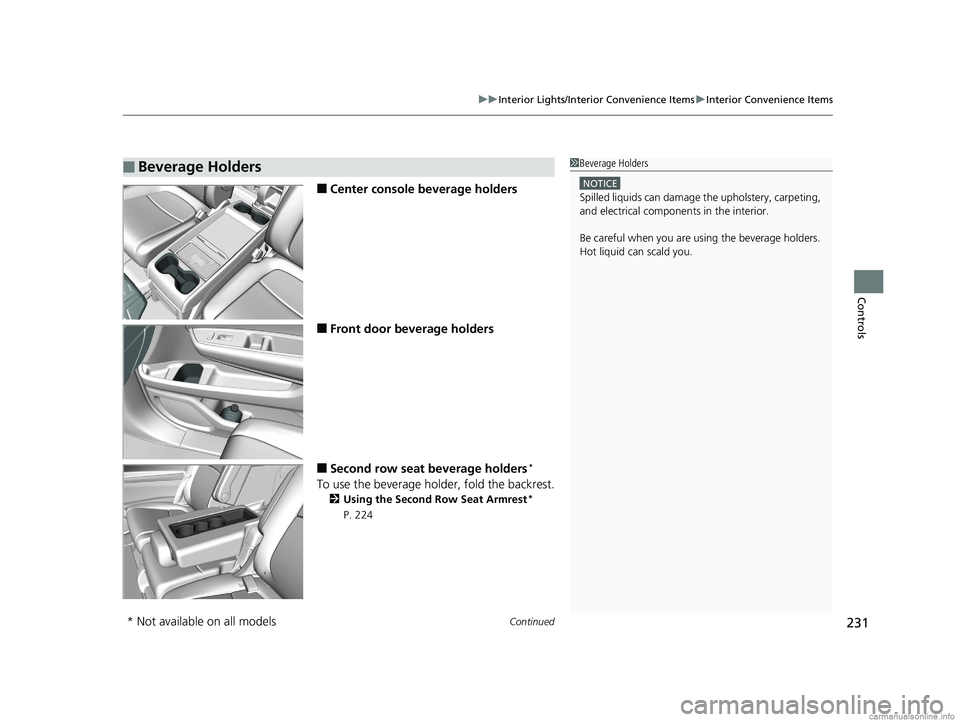
■Center console beverage holders
■Front door beverage holders
■Second row seat beverage holders*
To use the beverage holder, fold the backrest.
2 Using the Second Row Seat Armrest*
P. 224
■Beverage Holders1 Beverage Holders
NOTICE
Spilled liquids ca n damage the upholstery, carpeting,
and electrical components in the interior.
Be careful when you are us ing the beverage holders.
Hot liquid can scald you.
* Not available on all models
18 US ODYSSEY-31THR6010.book 231 ページ 2018年12月6日 木曜日 午後4時18分
Page 240 of 763
uuInterior Lights/Interior Convenience Items uInterior Convenience Items
238
Controls
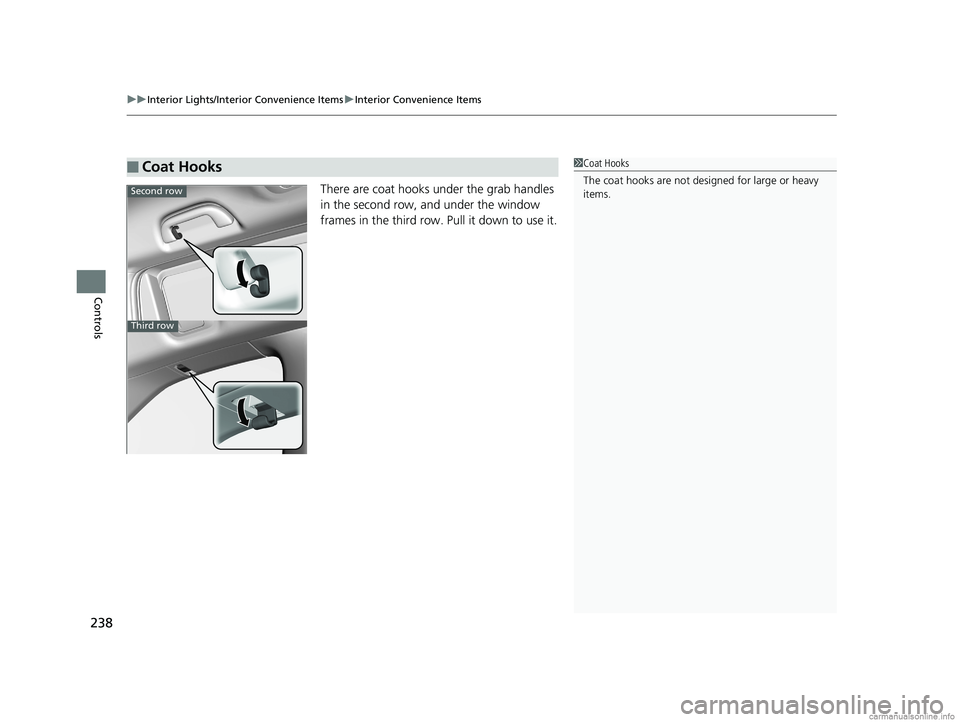
There are coat hooks under the grab handles
in the second row, and under the window
frames in the third row. Pull it down to use it.
■Coat Hooks1Coat Hooks
The coat hooks are not desi gned for large or heavy
items.
Second row
Third row
18 US ODYSSEY-31THR6010.book 238 ページ 2018年12月6日 木曜日 午後4時18分
Page 246 of 763
uuInterior Lights/Interior Convenience Items uInterior Convenience Items
244
Controls
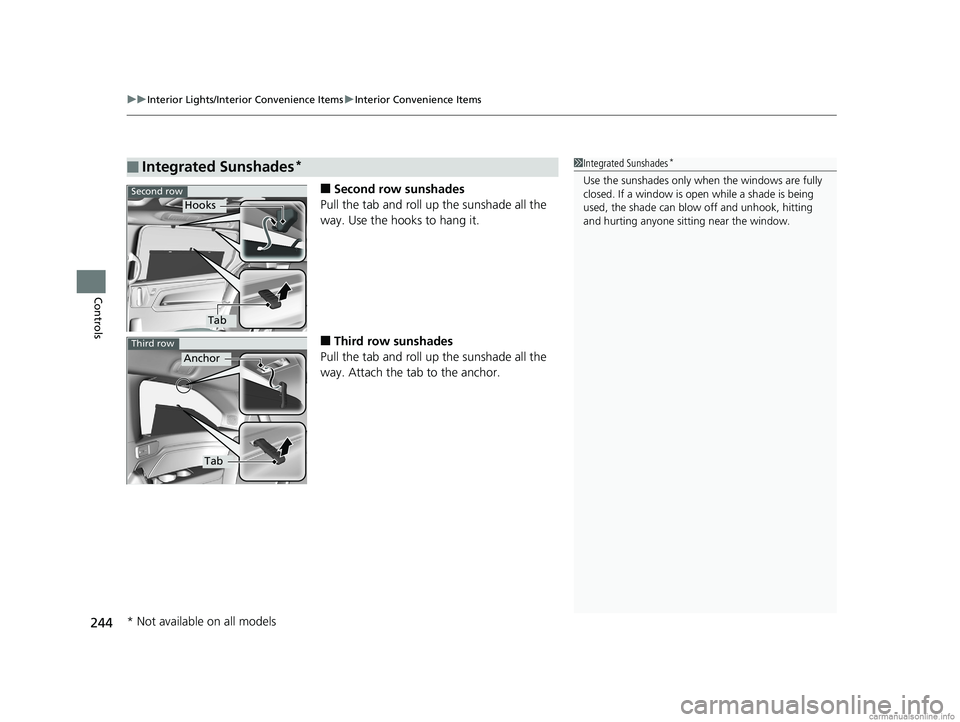
■Second row sunshades
Pull the tab and roll up the sunshade all the
way. Use the hooks to hang it.
■Third row sunshades
Pull the tab and roll up the sunshade all the
way. Attach the tab to the anchor.
■Integrated Sunshades*1 Integrated Sunshades*
Use the sunshades only when the windows are fully
closed. If a window is open while a shade is being
used, the shade can blow off and unhook, hitting
and hurting anyone sitting near the window.Second row
Hooks
Tab
Third row
Anchor
Tab
* Not available on all models
18 US ODYSSEY-31THR6010.book 244 ページ 2018年12月6日 木曜日 午後4時18分
Page 335 of 763
Continued333
uuAudio System Basic Operation uPlaying a CD*
Features
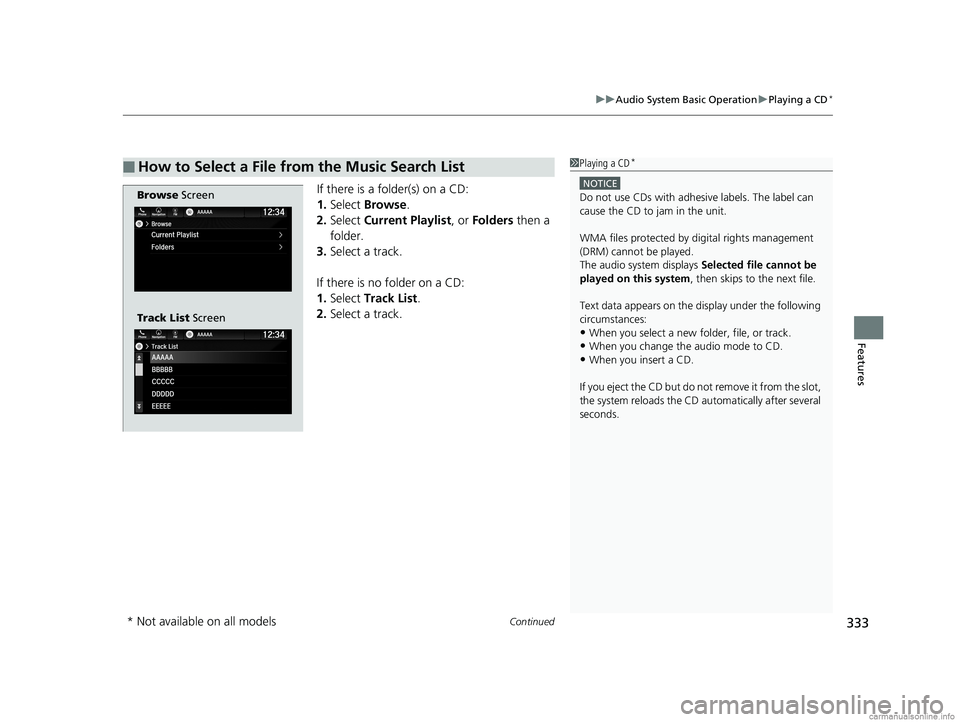
If there is a folder(s) on a CD:
1. Select Browse .
2. Select Current Playlist , or Folders then a
folder.
3. Select a track.
If there is no folder on a CD:
1. Select Track List .
2. Select a track.
■How to Select a File from the Music Search List1Playing a CD*
NOTICE
Do not use CDs with adhesive labels. The label can
cause the CD to jam in the unit.
WMA files protected by di gital rights management
(DRM) cannot be played.
The audio system displays Selected file cannot be
played on this system , then skips to the next file.
Text data appears on the di splay under the following
circumstances:
•When you select a new folder, file, or track.
•When you change the audio mode to CD.
•When you insert a CD.
If you eject the CD but do not remove it from the slot,
the system reloads the CD automatically after several
seconds.
Browse Screen
Track List Screen
* Not available on all models
18 US ODYSSEY-31THR6010.book 333 ページ 2018年12月6日 木曜日 午後4時18分
Page 523 of 763
521
Features
CabinWatchTM *
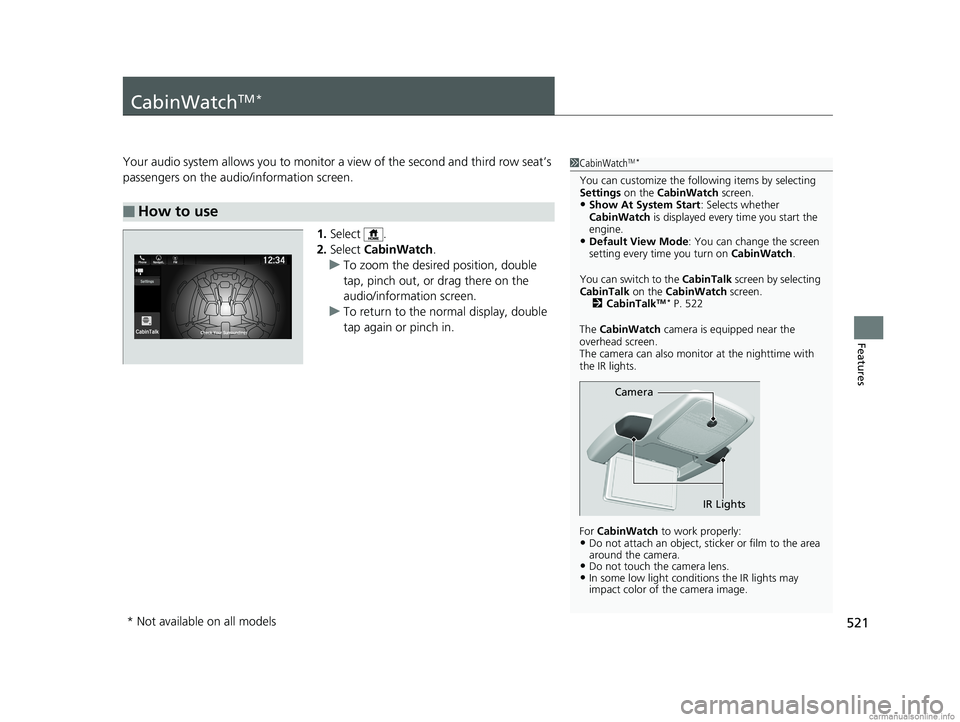
Your audio system allows you to monitor a view of the second and third row seat’s
passengers on the audio/information screen.
1.Select .
2. Select CabinWatch .
u To zoom the desired position, double
tap, pinch out, or drag there on the
audio/information screen.
u To return to the normal display, double
tap again or pinch in.
■How to use
1CabinWatchTM *
You can customize the foll owing items by selecting
Settings on the CabinWatch screen.
•Show At System Start : Selects whether
CabinWatch is displayed every time you start the
engine.
•Default View Mode : You can change the screen
setting every time you turn on CabinWatch.
You can switch to the CabinTalk screen by selecting
CabinTalk on the CabinWatch screen.
2 CabinTalk
TM * P. 522
The CabinWatch camera is equipped near the
overhead screen.
The camera can also monitor at the nighttime with
the IR lights.
For CabinWatch to work properly:
•Do not attach an object, sticker or film to the area
around the camera.
•Do not touch the camera lens.•In some low light conditions the IR lights may
impact color of the camera image.
Camera
IR Lights
* Not available on all models
18 US ODYSSEY-31THR6010.book 521 ページ 2018年12月6日 木曜日 午後4時18分
Page 524 of 763
522
Features
CabinTalkTM *
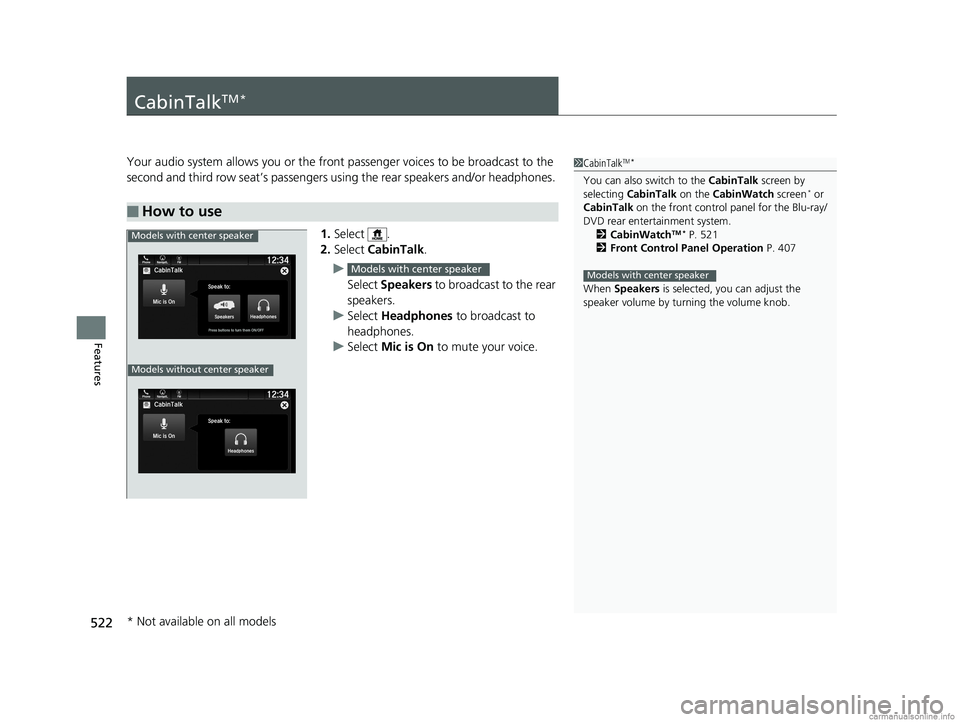
Your audio system allows you or the front passenger voices to be broadcast to the
second and third row seat’s passengers using the rear speakers and/or headphones.
1. Select .
2. Select CabinTalk .
u Select Speakers to broadcast to the rear
speakers.
u Select Headphones to broadcast to
headphones.
u Select Mic is On to mute your voice.
■How to use
1CabinTalkTM *
You can also switch to the CabinTalk screen by
selecting CabinTalk on the CabinWatch screen* or
CabinTalk on the front control panel for the Blu-ray/
DVD rear entertainment system. 2 CabinWatch
TM * P. 521
2 Front Control Panel Operation P. 407
When Speakers is selected, you can adjust the
speaker volume by tu rning the volume knob.
Models with center speaker
Models with center speaker
Phone FMCabinTalk
Mic is On
Speak to:
HeadphonesPress buttons to turn them ON/OFF
12:34Navigati..
Models without center speaker
Models with center speaker
* Not available on all models
18 US ODYSSEY-31THR6010.book 522 ページ 2018年12月6日 木曜日 午後4時18分
Page 527 of 763
Continued525
uuBefore Driving uDriving Preparation
Driving
• Store or secure all items on board properly.
u Carrying too much cargo, or improperly storing it, can affect your vehicle’s
handling, stability, sto pping distance, and tires, and make it unsafe.
2Maximum Load Limit P. 527
•Do not pile items higher than the seat height.
u They can block your view and may be thrown forward in the event of sudden
braking.
• Do not place anything in the front seat footwells. Make sure to secure the floor
mat.
u An object or unsecured floor mat can in terfere with your brake and accelerator
pedal operation while driving.
• If you have any animals on board, do not let them move around in the vehicle.
u They may interfere with driv ing and a crash could occur.
• Securely close and lock al l doors and the tailgate.
2Locking/Unlocking the Doors from the Inside P. 154
•Adjust your seating position properly.
u Adjust the head restraint, too.
2Adjusting the Seats P. 209
2 Adjusting the Front and Second Row Outer and Third Row Outer Head
Restraints Positions P. 212
•Adjust the mirrors and steering wh eel properly for your driving.
u Adjust them while sitting in the proper driving position.
2 Adjusting the Mirrors P. 206
2 Adjusting the Steering Wheel P. 205
■Interior Checks1Interior Checks
The headlight aim is set by the factory, and does not
need to be adjusted. Howeve r, if you regularly carry
heavy items in the cargo area or tow a trailer, have
the aiming readjusted at a dealer or by a qualified
technician.
18 US ODYSSEY-31THR6010.book 525 ページ 2018年12月6日 木曜日 午後4時18分
Page 529 of 763
527
uuBefore Driving uMaximum Load Limit
Continued
Driving
Maximum Load Limit
The maximum load for your ve hicle is 1,173 lbs (532 kg).
The maximum load for your ve hicle is 1,340 lbs (608 kg).
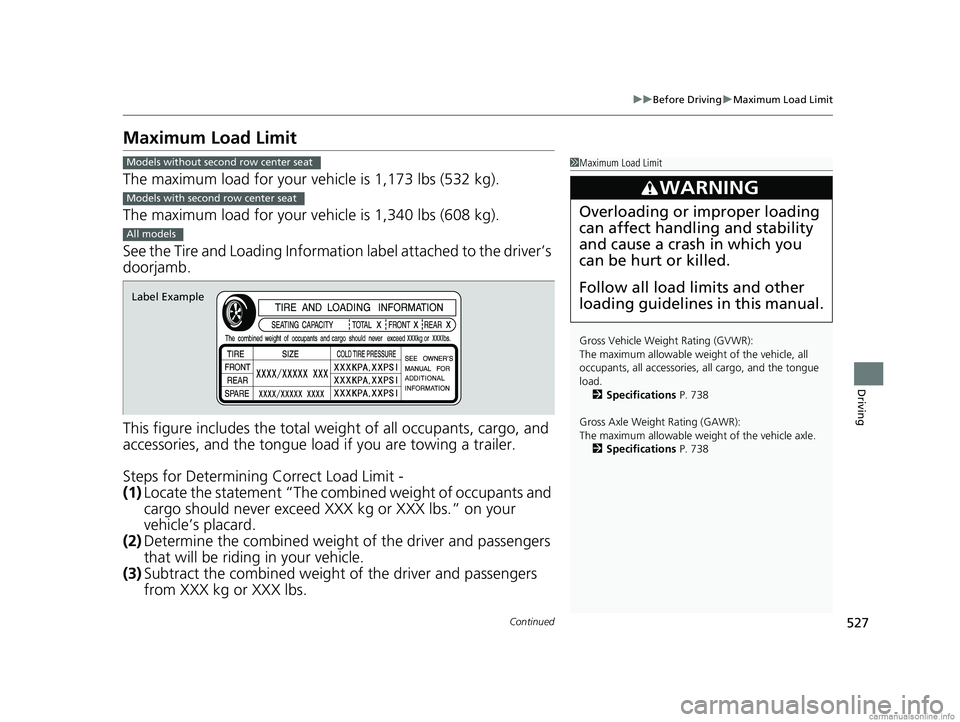
See the Tire and Loading Informatio n label attached to the driver’s
doorjamb.
This figure includes the total weig ht of all occupants, cargo, and
accessories, and the tongue load if you are towing a trailer.
Steps for Determining Correct Load Limit -
(1) Locate the statement “The comb ined weight of occupants and
cargo should never exceed XXX kg or XXX lbs.” on your
vehicle’s placard.
(2) Determine the combined weight of the driver and passengers
that will be riding in your vehicle.
(3) Subtract the combined weight of the driver and passengers
from XXX kg or XXX lbs.
1Maximum Load Limit
Gross Vehicle Weight Rating (GVWR):
The maximum allowable weight of the vehicle, all
occupants, all a ccessories, all cargo, and the tongue
load. 2 Specifications P. 738
Gross Axle Weight Rating (GAWR):
The maximum allowable weight of the vehicle axle. 2 Specifications P. 738
3WARNING
Overloading or improper loading
can affect handling and stability
and cause a crash in which you
can be hurt or killed.
Follow all load limits and other
loading guidelines in this manual.
Models without second row center seat
Models with second row center seat
All models
Label Example
18 US ODYSSEY-31THR6010.book 527 ページ 2018年12月6日 木曜日 午後4時18分