Page 205 of 551
203
uuAudio System uAudio Remote Controls
Features
(+ (- (Volume) Bar
Press
(+: To increase the volume.
Press
(-: To decrease the volume.
Slide your finger up or down to increase or decrease the volume, respectively.
Swipe down quickly to mute the volu me and swipe up to cancel the mute.
Buttons
• When listening to the radio
Press : To select the next preset radio station.
Press : To select the previous preset radio station.
Press and hold : To select the next strong station.
Press and hold : To select the previous strong station.
• When listening to an iPod, USB flash drive, or Bluetooth® Audio
Press : To skip to the next song.
Press : To go back to the beginning of the current or previous song.
• When listening to a USB flash drive
Press and hold : To skip to the next folder.
Press and hold : To go back to the previous folder.
• When listening to Pandora ®
Press : To skip to the next track.
Press and hold : To select the next station.
Press and hold : To select the previous station.
18 CLARITY FUEL CELL PPO-31TRT6100.book 203 ページ 2017年11月21日 火曜日 午後3時3分
Page 208 of 551
206
uuAudio System Basic Operation uAudio/Information Screen
Features
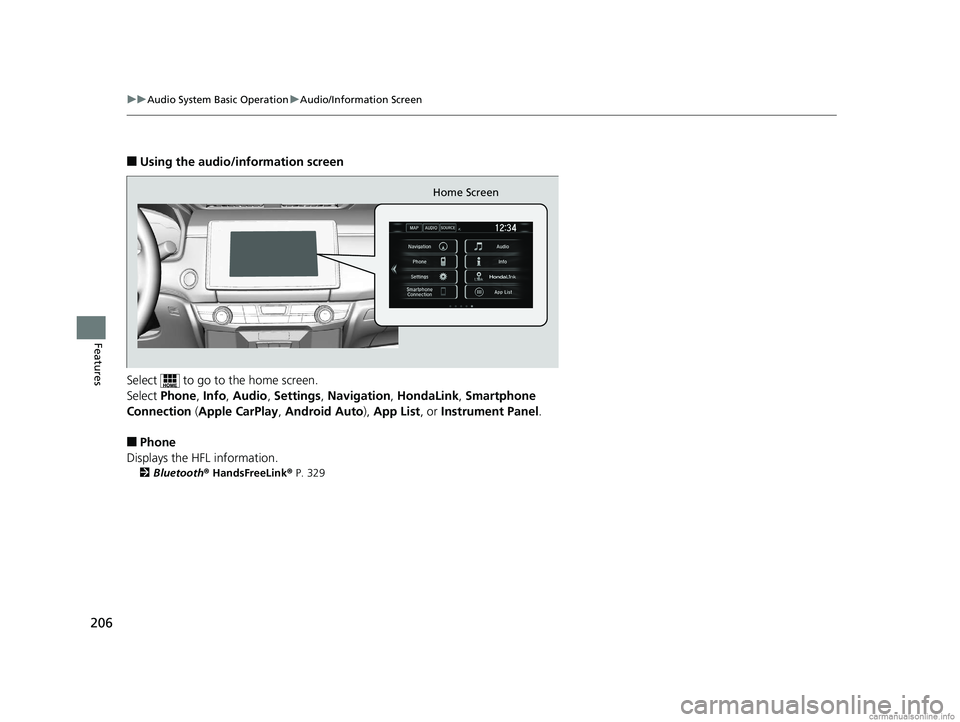
■Using the audio/information screen
Select to go to the home screen.
Select Phone , Info , Audio , Settings , Navigation , HondaLink, Smartphone
Connection ( Apple CarPlay , Android Auto ), App List, or Instrument Panel .
■Phone
Displays the HFL information.
2 Bluetooth ® HandsFreeLink ® P. 329
Home Screen
18 CLARITY FUEL CELL PPO-31TRT6100.book 206 ページ 2017年11月21日 火曜日 午後3時3分
Page 212 of 551
210
uuAudio System Basic Operation uAudio/Information Screen
Features
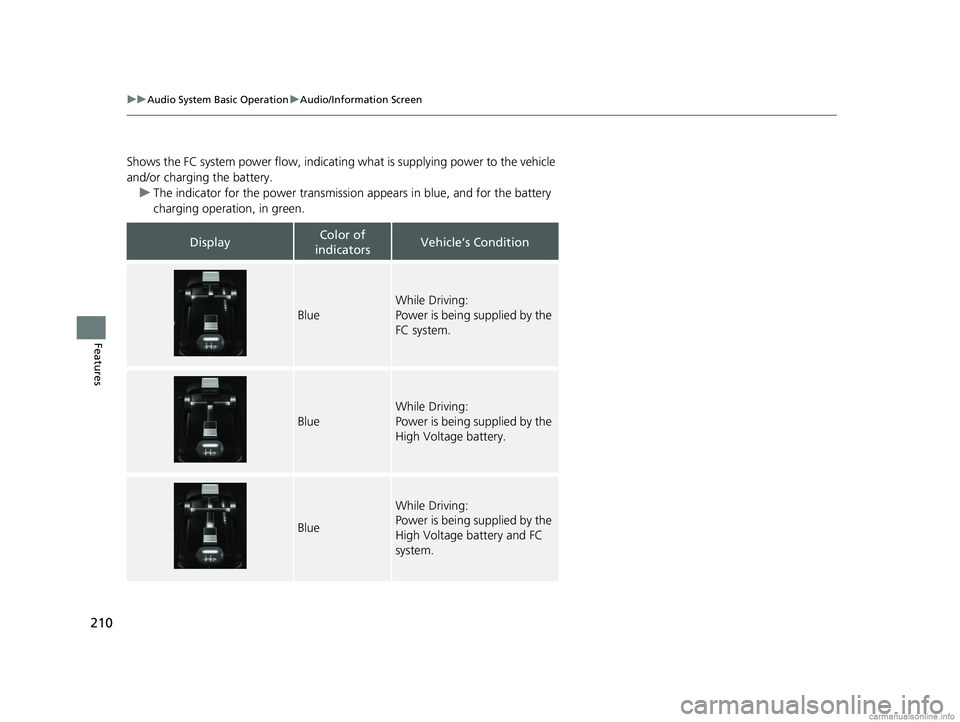
Shows the FC system power flow, indicating what is supplying power to the vehicle
and/or charging the battery. u The indicator for the power transmission appears in blue, and for the battery
charging operation, in green.
DisplayColor of
indicatorsVehicle’s Condition
Blue
While Driving:
Power is being supplied by the
FC system.
Blue
While Driving:
Power is being supplied by the
High Voltage battery.
Blue
While Driving:
Power is being supplied by the
High Voltage battery and FC
system.
18 CLARITY FUEL CELL PPO-31TRT6100.book 210 ページ 2017年11月21日 火曜日 午後3時3分
Page 213 of 551
211
uuAudio System Basic Operation uAudio/Information Screen
Continued
Features
DisplayColor of
indicatorsVehicle’s Condition
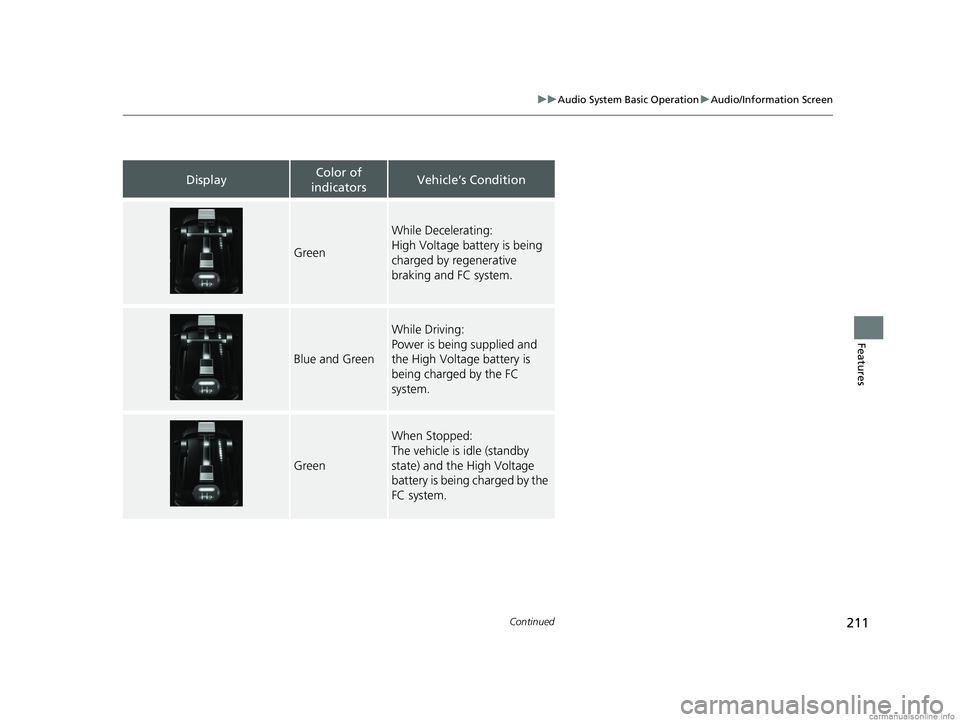
Green
While Decelerating:
High Voltage battery is being
charged by regenerative
braking and FC system.
Blue and Green
While Driving:
Power is being supplied and
the High Voltage battery is
being charged by the FC
system.
Green
When Stopped:
The vehicle is idle (standby
state) and the High Voltage
battery is being charged by the
FC system.
18 CLARITY FUEL CELL PPO-31TRT6100.book 211 ページ 2017年11月21日 火曜日 午後3時3分
Page 236 of 551
234
uuAudio System Basic Operation uVoice Control Operation
Features
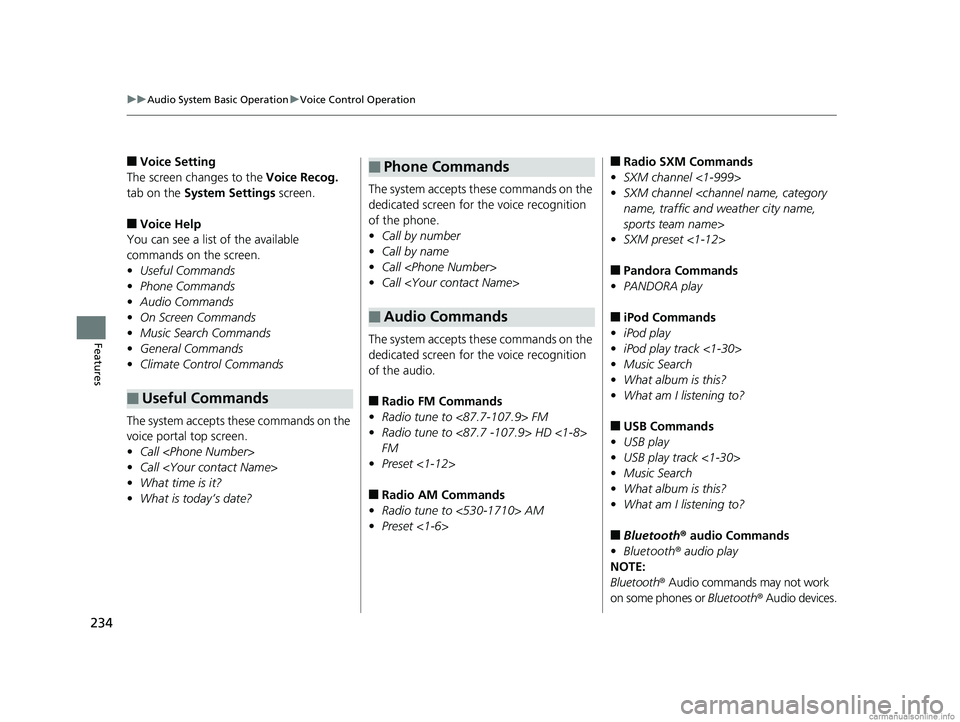
■Voice Setting
The screen changes to the Voice Recog.
tab on the System Settings screen.
■Voice Help
You can see a list of the available
commands on the screen.
• Useful Commands
• Phone Commands
• Audio Commands
• On Screen Commands
• Music Search Commands
• General Commands
• Climate Control Commands
The system accepts these commands on the
voice portal top screen.
• Call
• Call
• What time is it?
• What is today’s date?
■Useful Commands
The system accepts these commands on the
dedicated screen for the voice recognition
of the phone.
• Call by number
• Call by name
• Call
• Call
The system accepts these commands on the
dedicated screen for the voice recognition
of the audio.
■Radio FM Commands
• Radio tune to <87.7-107.9> FM
• Radio tune to <87.7 -107.9> HD <1-8>
FM
• Preset <1-12>
■Radio AM Commands
• Radio tune to <530-1710> AM
• Preset <1-6>
■Phone Commands
■Audio Commands
■Radio SXM Commands
• SXM channel <1-999>
• SXM channel
name, traffic and weather city name,
sports team name>
• SXM preset <1-12>
■Pandora Commands
• PANDORA play
■iPod Commands
• iPod play
• iPod play track <1-30>
• Music Search
• What album is this?
• What am I listening to?
■USB Commands
• USB play
• USB play track <1-30>
• Music Search
• What album is this?
• What am I listening to?
■Bluetooth ® audio Commands
• Bluetooth ® audio play
NOTE:
Bluetooth ® Audio commands may not work
on some phones or Bluetooth® Audio devices.
18 CLARITY FUEL CELL PPO-31TRT6100.book 234 ページ 2017年11月21日 火曜日 午後3時3分
Page 257 of 551
255
uuAudio System Basic Operation uPlaying Pandora ®
Continued
Features
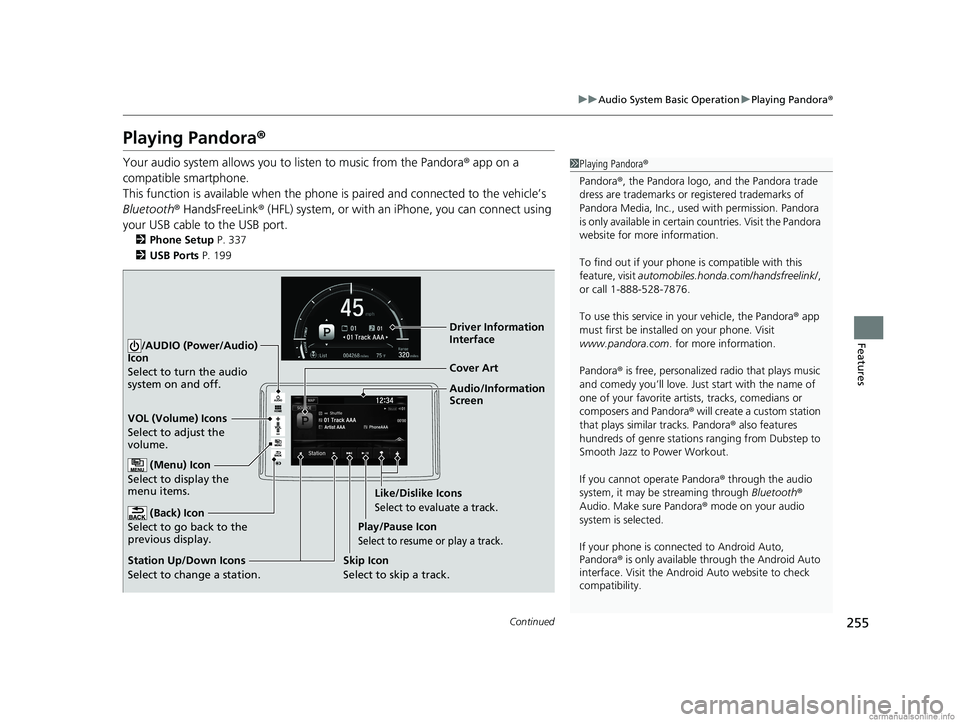
Playing Pandora ®
Your audio system allows you to listen to music from the Pandora ® app on a
compatible smartphone.
This function is available when the phone is paired and connected to the vehicle’s
Bluetooth ® HandsFreeLink ® (HFL) system, or with an iPhone, you can connect using
your USB cable to the USB port.
2 Phone Setup P. 337
2 USB Ports P. 199
1Playing Pandora ®
Pandora ®, the Pandora logo, and the Pandora trade
dress are trademarks or registered trademarks of
Pandora Media, Inc., used with permission. Pandora
is only available in certai n countries. Visit the Pandora
website for more information.
To find out if your phone is compatible with this
feature, visit automobiles.honda.com /handsfreelink/,
or call 1-888-528-7876.
To use this service in your vehicle, the Pandora ® app
must first be installed on your phone. Visit
www.pandora.com . for more information.
Pandora ® is free, personalized radio that plays music
and comedy you’ll love. Just start with the name of
one of your favorite arti sts, tracks, comedians or
composers and Pandora ® will create a custom station
that plays similar tracks. Pandora ® also features
hundreds of genre stations ranging from Dubstep to
Smooth Jazz to Power Workout.
If you cannot operate Pandora ® through the audio
system, it may be streaming through Bluetooth®
Audio. Make sure Pandora ® mode on your audio
system is selected.
If your phone is connec ted to Android Auto,
Pandora ® is only available through the Android Auto
interface. Visit the Android Auto website to check
compatibility.
Audio/Information
Screen Cover Art
VOL (Volume) Icons
Select to adjust the
volume.
(Back) Icon
Select to go back to the
previous display.
/AUDIO (Power/Audio)
Icon
Select to turn the audio
system on and off.
(Menu) Icon
Select to display the
menu items.
Play/Pause Icon
Select to resume or play a track.
Station Up/Down Icons
Select to change a station. Skip Icon
Select to skip a track.Like/Dislike Icons
Select to evaluate a track.
Driver Information
Interface
18 CLARITY FUEL CELL PPO-31TRT6100.book 255 ページ 2017年11月21日 火曜日 午後3時3分
Page 262 of 551
260
uuAudio System Basic Operation uPlaying Bluetooth ® Audio
Features
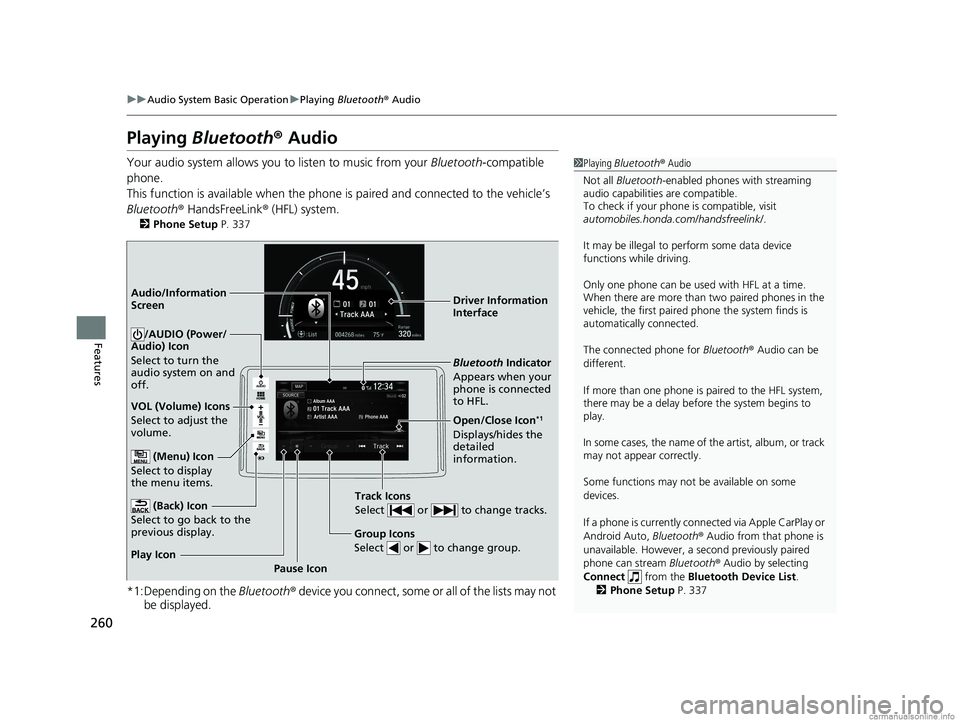
Playing Bluetooth ® Audio
Your audio system allows you to listen to music from your Bluetooth-compatible
phone.
This function is available when the phone is paired and connected to the vehicle’s
Bluetooth ® HandsFreeLink ® (HFL) system.
2 Phone Setup P. 337
*1:Depending on the Bluetooth® device you connect, some or all of the lists may not
be displayed.
1 Playing Bluetooth ® Audio
Not all Bluetooth -enabled phones with streaming
audio capabilities are compatible.
To check if your phone is compatible, visit
automobiles.honda.com /handsfreelink/.
It may be illegal to perform some data device
functions while driving.
Only one phone can be used with HFL at a time.
When there are more than two paired phones in the
vehicle, the first paired phone the system finds is
automatically connected.
The connected phone for Bluetooth® Audio can be
different.
If more than one phone is paired to the HFL system,
there may be a delay before the system begins to
play.
In some cases, the name of the artist, album, or track
may not appear correctly.
Some functions may not be available on some
devices.
If a phone is currently conne cted via Apple CarPlay or
Android Auto, Bluetooth® Audio from that phone is
unavailable. However, a se cond previously paired
phone can stream Bluetooth® Audio by selecting
Connect from the Bluetooth Device List .
2 Phone Setup P. 337
Audio/Information
Screen
VOL (Volume) Icons
Select to adjust the
volume.
(Back) Icon
Select to go back to the
previous display.
/AUDIO (Power/
Audio) Icon
Select to turn the
audio system on and
off.
(Menu) Icon
Select to display
the menu items.
Group Icons
Select or to change group.
Pause Icon
Play Icon
Bluetooth Indicator
Appears when your
phone is connected
to HFL.
Track Icons
Select or to change tracks.
Open/Close Icon*1
Displays/hides the
detailed
information. Driver Information
Interface
18 CLARITY FUEL CELL PPO-31TRT6100.book 260 ページ 2017年11月21日 火曜日 午後3時3分
Page 263 of 551
261
uuAudio System Basic Operation uPlaying Bluetooth ® Audio
Features
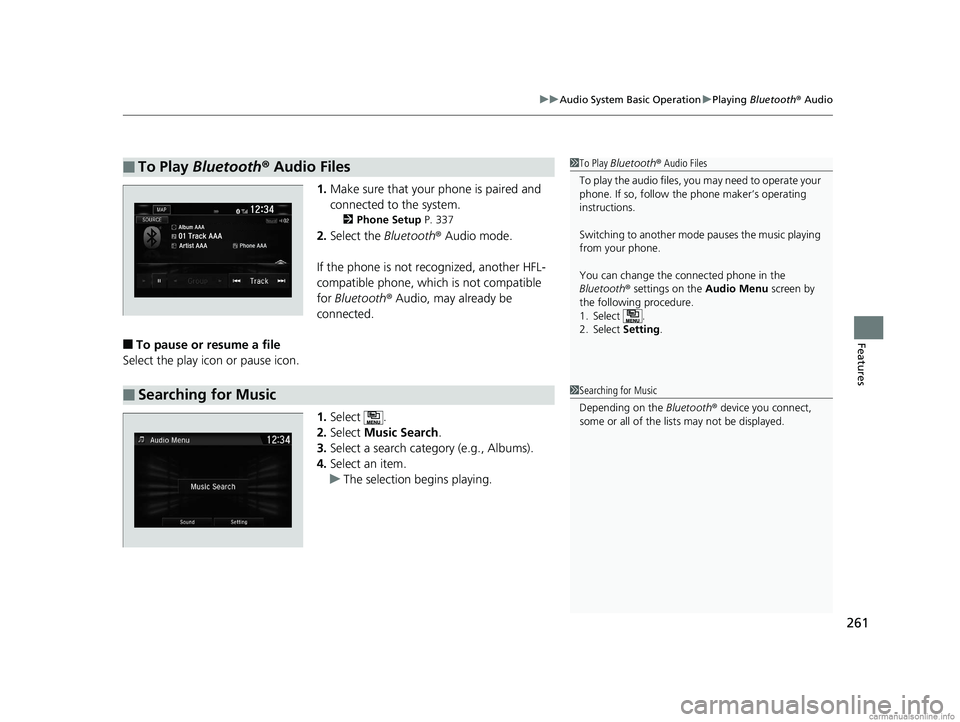
1. Make sure that your phone is paired and
connected to the system.
2 Phone Setup P. 337
2.Select the Bluetooth® Audio mode.
If the phone is not recognized, another HFL-
compatible phone, which is not compatible
for Bluetooth ® Audio, may already be
connected.
■To pause or resume a file
Select the play icon or pause icon.
1.Select .
2. Select Music Search.
3. Select a search catego ry (e.g., Albums).
4. Select an item.
u The selection begins playing.
■To Play Bluetooth ® Audio Files1 To Play Bluetooth ® Audio Files
To play the audio files, y ou may need to operate your
phone. If so, follow the phone maker’s operating
instructions.
Switching to another mode pauses the music playing
from your phone.
You can change the connected phone in the
Bluetooth ® settings on the Audio Menu screen by
the following procedure.
1. Select .
2. Select Setting .
■Searching for Music1Searching for Music
Depending on the Bluetooth® device you connect,
some or all of the list s may not be displayed.
18 CLARITY FUEL CELL PPO-31TRT6100.book 261 ページ 2017年11月21日 火曜日 午後3時3分