2018 GMC SIERRA DENALI seat memory
[x] Cancel search: seat memoryPage 63 of 505

GMC Sierra/Sierra Denali Owner Manual (GMNA-Localizing-U.S./Canada/
Mexico-11349177) - 2018 - CRC - 10/17/17
62 Seats and Restraints To return the seatback to the upright
position:
1. Lift the lever fully without
applying pressure to the
seatback, and the seatback will
return to the upright position.
2. Push and pull on the seatback
to make sure it is locked.
Power Reclining Seatbacks
To recline a power seatback,
if equipped:
.
Tilt the top of the control
rearward to recline. .
Tilt the top of the control forward
to raise.
Memory Seats
Crew/Double Cab Shown, Other
Models Similar
If equipped, memory seats allow two
drivers to store and recall their
unique seat positions for driving the
vehicle, and a shared exit position
for getting out of the vehicle. Other
feature positions may also be set,
such as power mirrors, power
steering wheel, and adjustable
pedals, if equipped. Memory positions are linked to RKE
transmitter 1 or 2 for automatic
memory recalls.
Before storing, adjust all available
memory feature positions. Turn the
ignition on and then press and
release SET; a beep will sound.
Then immediately press and hold 1,
2, or
B (Exit) on the driver door
until two beeps sound. To manually
recall these positions, press and
hold 1, 2, or
B until the saved
position is reached.
The vehicle identifies the current
driver ’ s RKE transmitter number
(1 – 8). See Remote Keyless Entry
(RKE) System Operation 0 37 . Only
RKE transmitters 1 and 2 can be
used for automatic memory recalls.
A Driver Information Center (DIC)
welcome message indicating the
transmitter number may display for
the first few ignition cycles following
a transmitter change. For Auto
Memory Recall to work properly,
save the positions to the memory
button (1 or 2) matching the RKE
transmitter number displayed in the
Page 64 of 505

GMC Sierra/Sierra Denali Owner Manual (GMNA-Localizing-U.S./Canada/
Mexico-11349177) - 2018 - CRC - 10/17/17
Seats and Restraints 63DIC welcome message. Carry the
linked RKE transmitter when
entering the vehicle.
Vehicle Personalization Settings
.
To have the Auto Memory Recall
movement begin when the
vehicle is started, select the
Settings menu, then Vehicle,
then Comfort and Convenience,
and then Auto Memory Recall.
Select On or Off. See “ Auto
Memory Recall ” later in this
section.
.
To begin Easy Exit Recall
movement when the ignition is
turned off and the driver door is
opened, or when the ignition is
turned off with the driver door
already opened, select the
Settings menu, then Vehicle,
then Comfort and Convenience,
and then Easy Exit Options.
Select On or Off. See “ Easy Exit
Recall ” later in this section.
.
See Vehicle Personalization
0 165 for additional setting
information. Identifying Driver Number
To identify the driver number:
1. Start the vehicle with the other
key or RKE transmitter. The
DIC should display the driver
number; 1 or 2. Turn the
ignition off and remove the key
or RKE transmitter from the
vehicle.
2. Start the vehicle with the initial
key or RKE transmitter. The
DIC should display the other
driver number not shown in
step 1.
Saving Memory Positions
Read these instructions completely
before saving memory positions.
To save preferred driving positions
1 and 2:
1. Turn the ignition on or to ACC/
ACCESSORY.
A DIC welcome message may
be displayed indicating number
1 or 2 for memory recalls. 2. Adjust all available memory
features to the desired driving
position.
3. Press and release SET; a beep
will sound.
4. Immediately press and hold the
1 or 2 memory button matching
the above DIC welcome
message until two beeps
sound.
If too much time passes
between releasing SET and
pressing 1, the memory
position will not be saved and
two beeps will not sound.
Repeat Steps 3 and 4.
1 or 2 corresponds to the driver
number. See “ Identifying Driver
Number ” in this section.
5. Repeat Steps 1 – 4 for a second
driver using 1 or 2.
To save the position for
B and
easy exit features, repeat Steps 1 – 4
using
B . This stores the position
for getting out of the vehicle.
Page 65 of 505

GMC Sierra/Sierra Denali Owner Manual (GMNA-Localizing-U.S./Canada/
Mexico-11349177) - 2018 - CRC - 10/17/17
64 Seats and Restraints Save preferred memory feature
positions to both 1 and 2 if you are
the only driver.
Manually Recalling Memory
Positions
Press and hold 1, 2, or
B to recall
the previously stored memory
positions.
To stop manual recall movement,
release 1, 2, or
B . Recall can also
be stopped by pressing a power
seat, SET, power mirror control,
power steering wheel control,
or adjustable pedal control,
if memory equipped. The driver or
passenger side mirror must be
selected.
Auto Memory Recall
The vehicle identifies the number of
the current driver ’ s RKE transmitter
(1 – 8). See Remote Keyless Entry
(RKE) System Operation 0 37 . If the
RKE transmitter is 1 or 2, and Auto
Memory Recall is programmed on in
vehicle personalization, the
positions saved to the same
memory button number 1 or 2 are automatically recalled when the
ignition is turned on, or turned from
off to ACC/ACCESSORY. RKE
transmitters 3 – 8 will not provide
automatic memory recalls.
To turn Auto Memory Recall on or
off, see "Vehicle Personalization
Settings" previously in this section
and Vehicle Personalization 0 165 .
The transmission must be in
P (Park) to initiate Auto Memory
Recall. Auto Memory Recall will
complete if the vehicle is shifted out
of P (Park) prior to reaching the
stored memory position.
To stop Auto Memory Recall
movement, turn the ignition off or
press any of the following memory
controls:
.
Power seat
.
Memory SET, 1, 2, or
B.
Power mirror, with the driver or
passenger side mirror selected
.
Power steering wheel,
if equipped
.
Adjustable pedals, if equipped If the stored memory seat position
does not automatically recall or
recalls to the wrong positions, the
driver ’ s RKE transmitter number
(1 or 2) may not match the memory
button number that positions were
saved to. Try storing the position to
the other memory button or try the
other RKE transmitter.
Easy Exit Recall
Easy Exit Recall is not linked to an
RKE transmitter. The position stored
to
B is used for all drivers. To turn
Easy Exit Recall on or off, see
"Vehicle Personalization Settings"
previously in this section and
Vehicle Personalization 0 165 .
If turned on, the position saved to
B is automatically recalled when
one of the following occurs:
.
The vehicle is turned off and the
driver door is opened within a
short time.
.
The vehicle is turned off with the
driver door open.
Page 66 of 505

GMC Sierra/Sierra Denali Owner Manual (GMNA-Localizing-U.S./Canada/
Mexico-11349177) - 2018 - CRC - 10/17/17
Seats and Restraints 65To stop Easy Exit Recall movement,
press any of the following memory
controls:
.
Power seat
.
Memory SET, 1, 2, or
B.
Power mirror, with the driver or
passenger side mirror selected
.
Power steering wheel,
if equipped
.
Adjustable pedals, if equipped
Obstructions
If something has blocked the driver
seat and/or power steering wheel
while recalling a memory position,
the recall may stop. Remove the
obstruction and try the recall again.
If the memory position still does not
recall, see your dealer for service. Heated and Ventilated
Front Seats
{ WarningIf temperature change or pain to
the skin cannot be felt, the seat
heater may cause burns. To
reduce the risk of burns, use care
when using the seat heater,
especially for long periods of
time. Do not place anything on
the seat that insulates against
heat, such as a blanket, cushion,
cover, or similar item. This may
cause the seat heater to
overheat. An overheated seat
heater may cause a burn or may
damage the seat. Heated and Ventilated Seat
Buttons Shown, Heated Seat
Buttons Similar
If equipped, the buttons are on the
center stack. To operate, the engine
must be running.
Press
I to heat the driver or
passenger seatback only.
Page 169 of 505
GMC Sierra/Sierra Denali Owner Manual (GMNA-Localizing-U.S./Canada/
Mexico-11349177) - 2018 - CRC - 10/17/17
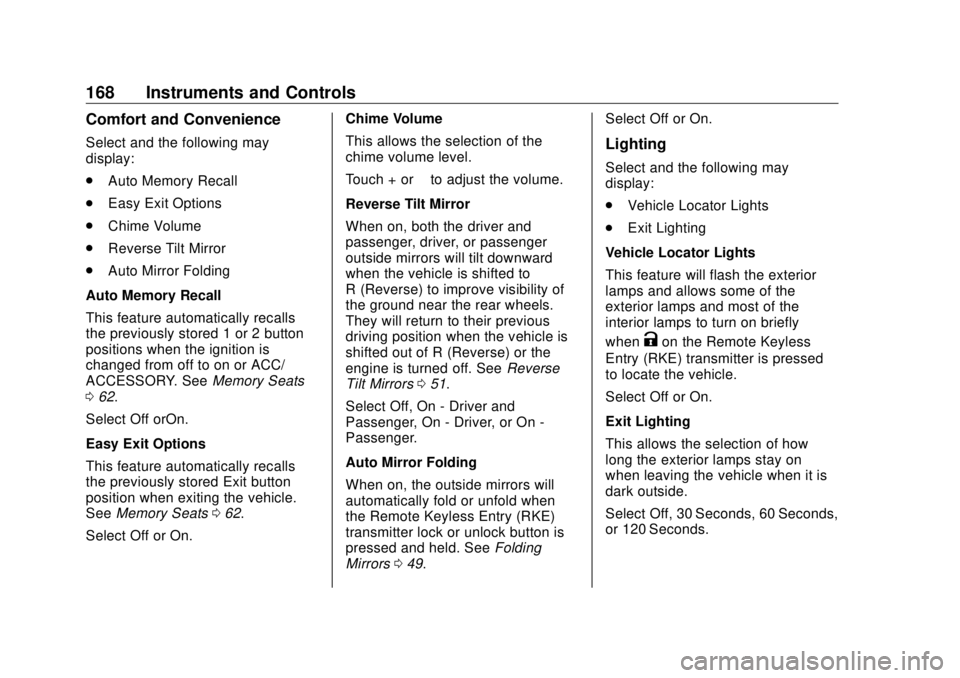
168 Instruments and Controls Comfort and Convenience Select and the following may
display:
.
Auto Memory Recall
.
Easy Exit Options
.
Chime Volume
.
Reverse Tilt Mirror
.
Auto Mirror Folding
Auto Memory Recall
This feature automatically recalls
the previously stored 1 or 2 button
positions when the ignition is
changed from off to on or ACC/
ACCESSORY. See Memory Seats
0 62 .
Select Off orOn.
Easy Exit Options
This feature automatically recalls
the previously stored Exit button
position when exiting the vehicle.
See Memory Seats 0 62 .
Select Off or On. Chime Volume
This allows the selection of the
chime volume level.
Touch + or − to adjust the volume.
Reverse Tilt Mirror
When on, both the driver and
passenger, driver, or passenger
outside mirrors will tilt downward
when the vehicle is shifted to
R (Reverse) to improve visibility of
the ground near the rear wheels.
They will return to their previous
driving position when the vehicle is
shifted out of R (Reverse) or the
engine is turned off. See Reverse
Tilt Mirrors 0 51 .
Select Off, On - Driver and
Passenger, On - Driver, or On -
Passenger.
Auto Mirror Folding
When on, the outside mirrors will
automatically fold or unfold when
the Remote Keyless Entry (RKE)
transmitter lock or unlock button is
pressed and held. See Folding
Mirrors 0 49 . Select Off or On.
Lighting Select and the following may
display:
.
Vehicle Locator Lights
.
Exit Lighting
Vehicle Locator Lights
This feature will flash the exterior
lamps and allows some of the
exterior lamps and most of the
interior lamps to turn on briefly
when
K on the Remote Keyless
Entry (RKE) transmitter is pressed
to locate the vehicle.
Select Off or On.
Exit Lighting
This allows the selection of how
long the exterior lamps stay on
when leaving the vehicle when it is
dark outside.
Select Off, 30 Seconds, 60 Seconds,
or 120 Seconds.
Page 257 of 505
GMC Sierra/Sierra Denali Owner Manual (GMNA-Localizing-U.S./Canada/
Mexico-11349177) - 2018 - CRC - 10/17/17
256 Driving and Operating Caution (Continued) premature wear and earlier
replacement. Follow this
breaking-in guideline every
time you get new brake
linings.
.
Do not tow a trailer during
break-in. See Trailer Towing
0 307 for the trailer towing
capabilities of the vehicle
and more information.
Following break-in, engine speed
and load can be gradually
increased.
Adjustable Throttle and
Brake Pedal If equipped, the position of the
throttle and brake pedals can be
changed.
The pedals can only be adjusted
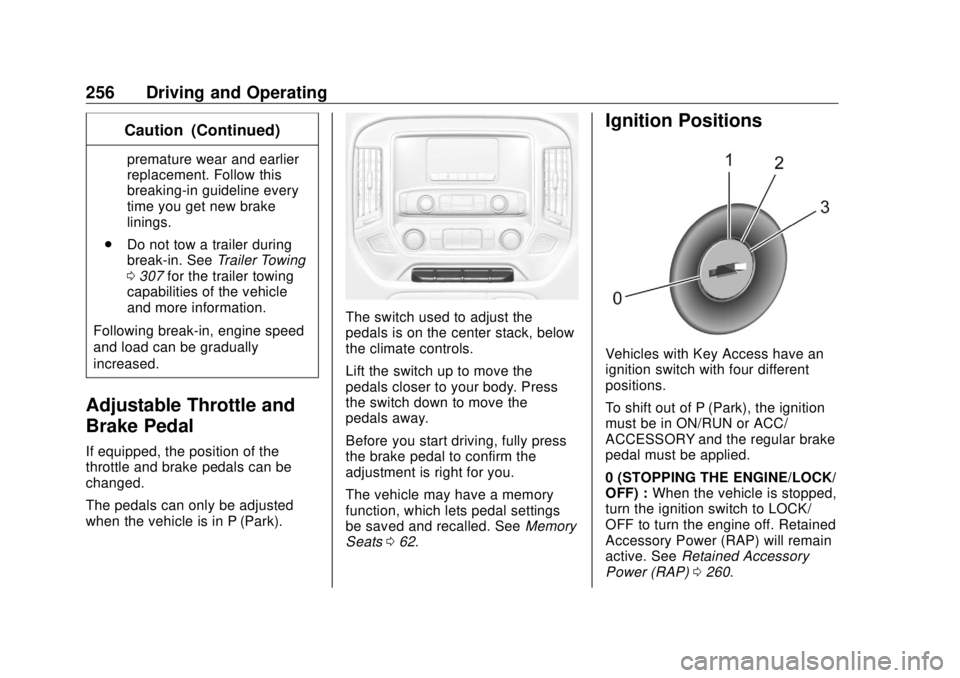
when the vehicle is in P (Park). The switch used to adjust the
pedals is on the center stack, below
the climate controls.
Lift the switch up to move the
pedals closer to your body. Press
the switch down to move the
pedals away.
Before you start driving, fully press
the brake pedal to confirm the
adjustment is right for you.
The vehicle may have a memory
function, which lets pedal settings
be saved and recalled. See Memory
Seats 0 62 . Ignition Positions
Vehicles with Key Access have an
ignition switch with four different
positions.
To shift out of P (Park), the ignition
must be in ON/RUN or ACC/
ACCESSORY and the regular brake
pedal must be applied.
0 (STOPPING THE ENGINE/LOCK/
OFF) : When the vehicle is stopped,
turn the ignition switch to LOCK/
OFF to turn the engine off. Retained
Accessory Power (RAP) will remain
active. See Retained Accessory
Power (RAP) 0 260 .
Page 496 of 505

GMC Sierra/Sierra Denali Owner Manual (GMNA-Localizing-U.S./Canada/
Mexico-11349177) - 2018 - CRC - 10/17/17
Index 495Exterior Lamps Off Reminder . . . 178
Exterior Lighting Battery
Saver . . . . . . . . . . . . . . . . . . . . . . . . . 185
F Fan
Engine . . . . . . . . . . . . . . . . . . . . . . . . 365
Fast Idle System . . . . . . . . . . . . . . . . 259
Features
Memory . . . . . . . . . . . . . . . . . . . . . . . . . 13
Filter,
Engine Air Cleaner . . . . . . . . . . . 358
Fixed Mast Antenna . . . . . . . . . . . . 194
Flash-to-Pass . . . . . . . . . . . . . . . . . . . 179
Flashers, Hazard Warning . . . . . . 180
Flat Tire . . . . . . . . . . . . . . . . . . . . . . . . 413
Changing . . . . . . . . . . . . . . . . . . . . . 415
FlexFuel
E85 . . . . . . . . . . . . . . . . . . . . . . . . . . . 300
Floor Console Storage . . . . . . . . . . 126
Floor Mats . . . . . . . . . . . . . . . . . . . . . . 444
Fluid
Automatic
Transmission . . . . . . . . . . . 354, 357
Brakes . . . . . . . . . . . . . . . . . . . . . . . . 368
Four-Wheel Drive
Transfer Case . . . . . . . . . . . . . . . 272
Power Steering . . . . . . . . . . . . . . . 365 Fluid (cont'd)
Washer . . . . . . . . . . . . . . . . . . . . . . . 366
Fog Lamps . . . . . . . . . . . . . . . . . . . . . 181
Folding Mirrors . . . . . . . . . . . . . . . . . . 49
Forward Automatic Braking . . . . . 294
Forward Collision Alert
(FCA) System . . . . . . . . . . . . . . . . . 292
Four-Wheel Drive . . . . . . . . . . 272, 370
Four-Wheel-Drive Light . . . . . . . . . 153
Frequency Statement
Radio . . . . . . . . . . . . . . . . . . . . . . . . . 475
Front Axle . . . . . . . . . . . . . . . . . . . . . . 370
Front Fog Lamp
Light . . . . . . . . . . . . . . . . . . . . . . . . . . 157
Front Seats
Adjustment . . . . . . . . . . . . . . . . . . . . . 59
Heated and Ventilated . . . . . . . . . . 65
Fuel . . . . . . . . . . . . . . . . . . . . . . . . . . . . 299
Additives . . . . . . . . . . . . . . . . . . . . . 300
Economy Driving . . . . . . . . . . . . . . . 33
Filling a Portable Fuel
Container . . . . . . . . . . . . . . . . . . . 303
Filling the Tank . . . . . . . . . . . . . . . 301
Foreign Countries . . . . . . . . . . . . 300
Gauge . . . . . . . . . . . . . . . . . . . . . . . . 142
Low Fuel Warning Light . . . . . . . 156
Management, Active . . . . . . . . . . 264
Requirements, California . . . . . 300 Full-Size Spare Tire . . . . . . . . . . . . 425
Fuses
Engine Compartment Fuse
Block . . . . . . . . . . . . . . . . . . . . . . . . 381
Fuses and Circuit Breakers . . . 381
Instrument Panel Fuse
Block . . . . . . . . . . . . . . . . . . . 385, 386
G Garage Door Opener . . . . . . . . . . . 172
Programming . . . . . . . . . . . . . . . . . 172
Gas Strut(s) . . . . . . . . . . . . . . . . . . . . 376
Gauges
Engine Coolant
Temperature . . . . . . . . . . . . . . . . 144
Engine Oil Pressure . . . . . . . . . . 143
Fuel . . . . . . . . . . . . . . . . . . . . . . . . . . 142
Odometer . . . . . . . . . . . . . . . . . . . . . 142
Speedometer . . . . . . . . . . . . . . . . . 142
Tachometer . . . . . . . . . . . . . . . . . . . 142
Transmission Temperature . . . . 145
Trip Odometer . . . . . . . . . . . . . . . . 142
Voltmeter . . . . . . . . . . . . . . . . . . . . . 145
Warning Lights and
Indicators . . . . . . . . . . . . . . . . . . . 137
General Information
Service and Maintenance . . . . . 446
Towing . . . . . . . . . . . . . . . . . . . . . . . . 303
Page 499 of 505

GMC Sierra/Sierra Denali Owner Manual (GMNA-Localizing-U.S./Canada/
Mexico-11349177) - 2018 - CRC - 10/17/17
498 Index Maintenance Schedule (cont'd)
Recommended Fluids and
Lubricants . . . . . . . . . . . . . . . . . . . 456
Transfer Case . . . . . . . . . . . . . . . . 272
Malfunction Indicator Lamp . . . . . 150
Manual Mirrors . . . . . . . . . . . . . . . . . . 47
Manual Mode . . . . . . . . . . . . . . . . . . . 268
Manual Windows . . . . . . . . . . . . . . . . 52
Media
Avoiding Untrusted Devices . . 195
Memory Features . . . . . . . . . . . . . . . . 13
Memory Seats . . . . . . . . . . . . . . . . . . . 62
Messages
Engine Power . . . . . . . . . . . . . . . . 164
Vehicle . . . . . . . . . . . . . . . . . . . . . . . 164
Vehicle Speed . . . . . . . . . . . . . . . . 164
Mirrors
Automatic Dimming . . . . . . . . . . . . . 50
Automatic Dimming
Rearview . . . . . . . . . . . . . . . . . . . . . . 52
Blind Spot . . . . . . . . . . . . . . . . . . . . . . 50
Convex . . . . . . . . . . . . . . . . . . . . . . . . . 47
Folding . . . . . . . . . . . . . . . . . . . . . . . . . 49
Heated . . . . . . . . . . . . . . . . . . . . . . . . . 50
Manual . . . . . . . . . . . . . . . . . . . . . . . . . 47
Manual Rearview . . . . . . . . . . . . . . . 52
Power . . . . . . . . . . . . . . . . . . . . . . . . . . 48
Tilt in Reverse . . . . . . . . . . . . . . . . . . 51 Mirrors (cont'd)
Trailer Tow . . . . . . . . . . . . . . . . . . . . . . 48
Mirrors, Interior Rearview . . . . . . . . 51
Monitor System, Tire
Pressure . . . . . . . . . . . . . . . . . . . . . . 399
Multi-band Antenna . . . . . . . . . . . . . 194
N Navigation
OnStar . . . . . . . . . . . . . . . . . . . . . . . 481
New Vehicle Break-In . . . . . . . . . . . 255
Noise Control System . . . . . . . . . . 373
O Odometer . . . . . . . . . . . . . . . . . . . . . . . 142
Trip . . . . . . . . . . . . . . . . . . . . . . . . . . . 142
Off-Road . . . . . . . . . . . . . . . . . . . . . . . 239
Driving . . . . . . . . . . . . . . . . . . . . . . . . 239
Recovery . . . . . . . . . . . . . . . . . . . . . 238
Oil
Engine . . . . . . . . . . . . . . . . . . . . . . . . 350
Engine Oil Life System . . . . . . . 353
Engine Oil Pressure Gauge . . . 143
Pressure Light . . . . . . . . . . . . . . . . 156
Older Children, Restraints . . . . . . . 92
Online Owner Center . . . . . . . . . . . 468
OnStar . . . . . . . . . . . . . . . . . . . . . . . . . 478
OnStar Additional
Information . . . . . . . . . . . . . . . . . . . . 485 OnStar Connections . . . . . . . . . . . . 482
OnStar Diagnostics . . . . . . . . . . . . . 484
OnStar Emergency . . . . . . . . . . . . . 480
OnStar Navigation . . . . . . . . . . . . . . 481
OnStar Overview . . . . . . . . . . . . . . . 479
OnStar Security . . . . . . . . . . . . . . . . 481
Operating Mode
Overheated Engine
Protection . . . . . . . . . . . . . . . . . . . 364
Operation
Fog Lamps . . . . . . . . . . . . . . . . . . . 181
Ordering
Service Publications . . . . . . . . . . 474
Outlets
Power . . . . . . . . . . . . . . . . . . . . . . . . 133
Overheated Engine
Protection Operating Mode . . . . 364
Overheating, Engine . . . . . . . . . . . . 363
Overview . . . . . . . . . . . . . . . . . . . . . . . 188
P Park
Shifting Into . . . . . . . . . . . . . . . . . . . 262
Shifting Out of . . . . . . . . . . . . . . . . 263
Parking
Brake . . . . . . . . . . . . . . . . . . . . . . . . . 281
Brake and P (Park)
Mechanism Check . . . . . . . . . . 375