2018 FORD TRANSIT display
[x] Cancel search: displayPage 319 of 521
Note:
Automatic transmissions that require
MERCON® LV transmission fluid should
only use MERCON® LV transmission fluid. If you are unable to find an engine oil that
meets the specification defined by
WSS-M2C171-E, it is acceptable to use a
SAE 5W-40 engine oil that meets API CJ-4
requirements.
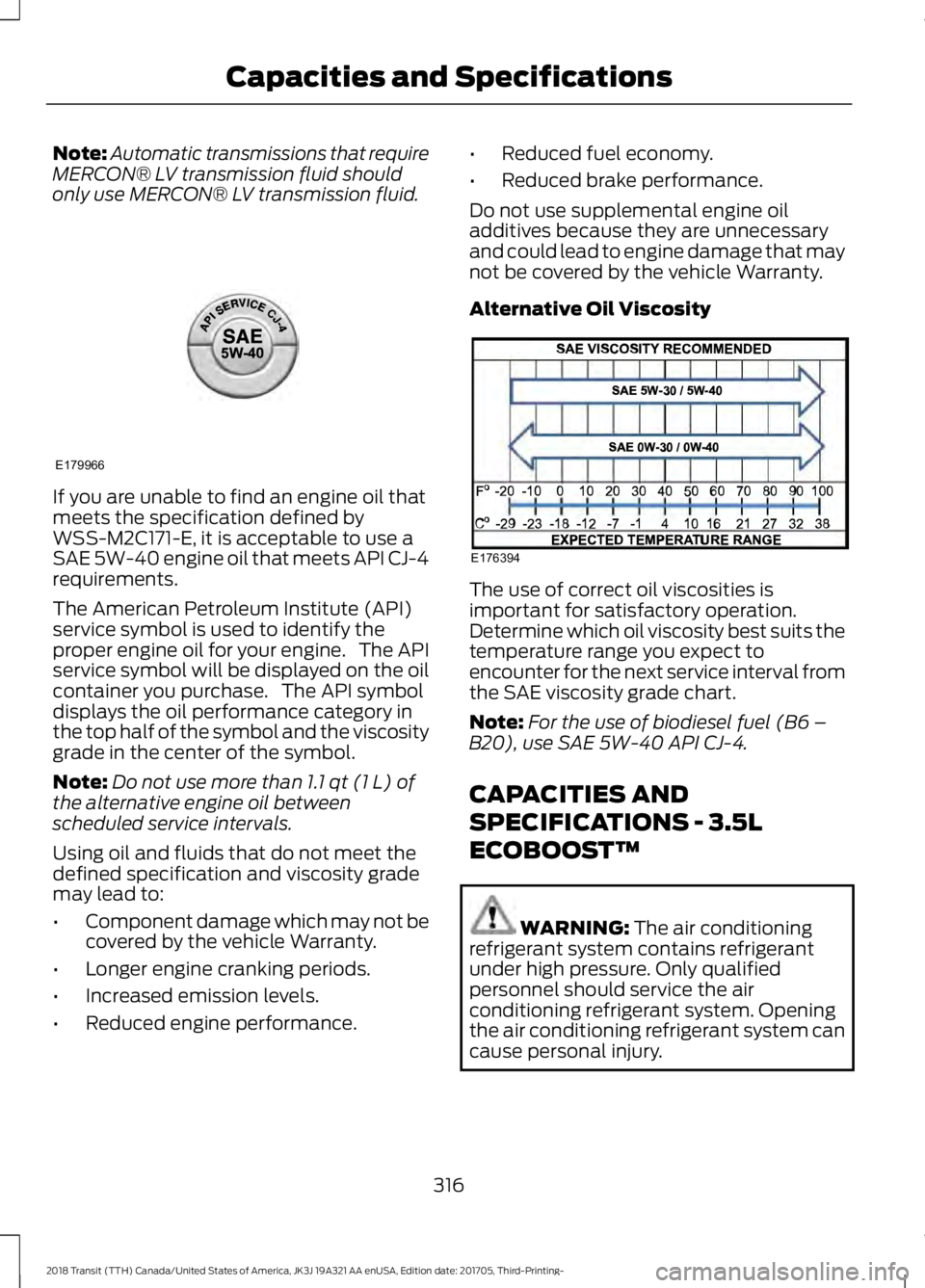
The American Petroleum Institute (API)
service symbol is used to identify the
proper engine oil for your engine. The API
service symbol will be displayed on the oil
container you purchase. The API symbol
displays the oil performance category in
the top half of the symbol and the viscosity
grade in the center of the symbol.
Note:
Do not use more than 1.1 qt (1 L) of
the alternative engine oil between
scheduled service intervals.
Using oil and fluids that do not meet the
defined specification and viscosity grade
may lead to:
• Component damage which may not be
covered by the vehicle Warranty.
• Longer engine cranking periods.
• Increased emission levels.
• Reduced engine performance. •
Reduced fuel economy.
• Reduced brake performance.
Do not use supplemental engine oil
additives because they are unnecessary
and could lead to engine damage that may
not be covered by the vehicle Warranty.
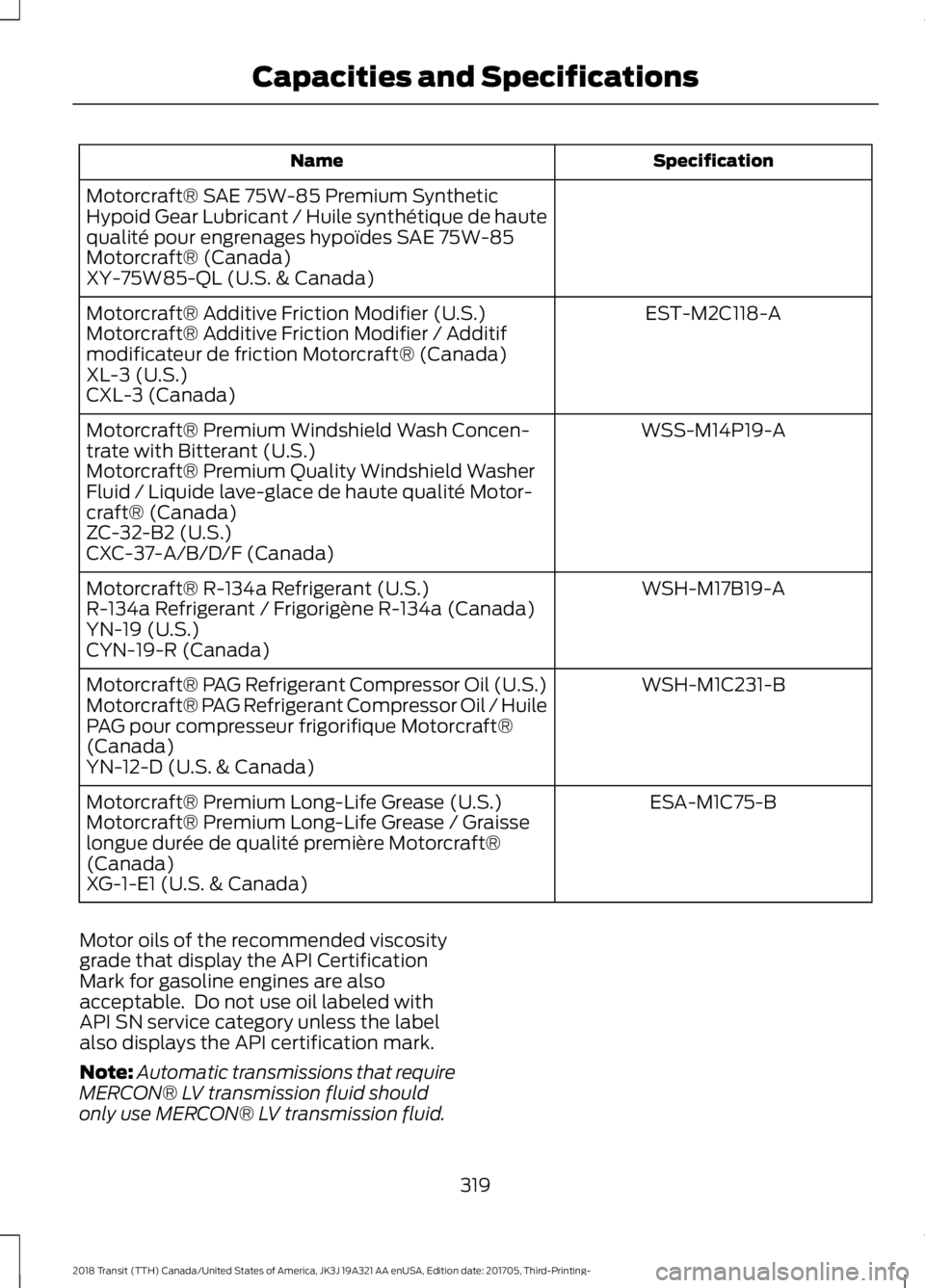
Alternative Oil Viscosity The use of correct oil viscosities is
important for satisfactory operation.
Determine which oil viscosity best suits the
temperature range you expect to
encounter for the next service interval from
the SAE viscosity grade chart.
Note:
For the use of biodiesel fuel (B6 –
B20), use SAE 5W-40 API CJ-4.
CAPACITIES AND
SPECIFICATIONS - 3.5L
ECOBOOST™ WARNING:
The air conditioning
refrigerant system contains refrigerant
under high pressure. Only qualified
personnel should service the air
conditioning refrigerant system. Opening
the air conditioning refrigerant system can
cause personal injury.
316
2018 Transit (TTH) Canada/United States of America, JK3J 19A321 AA enUSA, Edition date: 201705, Third-Printing- Capacities and SpecificationsE179966 E176394
Page 322 of 521
Specification
Name
Motorcraft® SAE 75W-85 Premium Synthetic
Hypoid Gear Lubricant / Huile synthétique de haute
qualité pour engrenages hypoïdes SAE 75W-85
Motorcraft® (Canada)
XY-75W85-QL (U.S. & Canada) EST-M2C118-A
Motorcraft® Additive Friction Modifier (U.S.)
Motorcraft® Additive Friction Modifier / Additif
modificateur de friction Motorcraft® (Canada)
XL-3 (U.S.)
CXL-3 (Canada)
WSS-M14P19-A
Motorcraft® Premium Windshield Wash Concen-
trate with Bitterant (U.S.)
Motorcraft® Premium Quality Windshield Washer
Fluid / Liquide lave-glace de haute qualité Motor-
craft® (Canada)
ZC-32-B2 (U.S.)
CXC-37-A/B/D/F (Canada)
WSH-M17B19-A
Motorcraft® R-134a Refrigerant (U.S.)
R-134a Refrigerant / Frigorigène R-134a (Canada)
YN-19 (U.S.)
CYN-19-R (Canada)
WSH-M1C231-B
Motorcraft® PAG Refrigerant Compressor Oil (U.S.)
Motorcraft® PAG Refrigerant Compressor Oil / Huile
PAG pour compresseur frigorifique Motorcraft®
(Canada)
YN-12-D (U.S. & Canada)
ESA-M1C75-B
Motorcraft® Premium Long-Life Grease (U.S.)
Motorcraft® Premium Long-Life Grease / Graisse
longue durée de qualité première Motorcraft®
(Canada)
XG-1-E1 (U.S. & Canada)
Motor oils of the recommended viscosity
grade that display the API Certification
Mark for gasoline engines are also
acceptable. Do not use oil labeled with
API SN service category unless the label
also displays the API certification mark.
Note: Automatic transmissions that require
MERCON® LV transmission fluid should
only use MERCON® LV transmission fluid.
319
2018 Transit (TTH) Canada/United States of America, JK3J 19A321 AA enUSA, Edition date: 201705, Third-Printing- Capacities and Specifications
Page 323 of 521
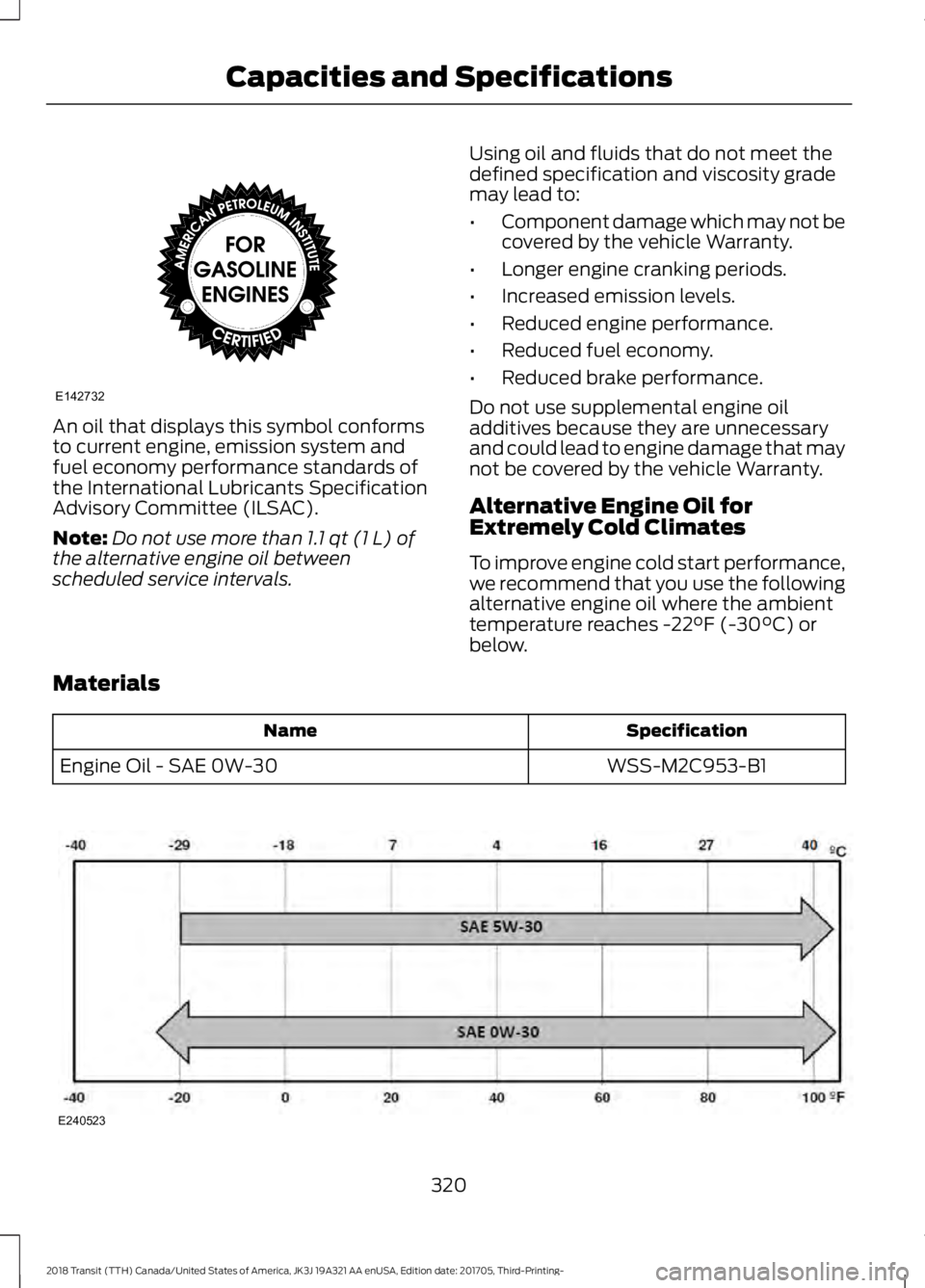
An oil that displays this symbol conforms
to current engine, emission system and
fuel economy performance standards of
the International Lubricants Specification
Advisory Committee (ILSAC).
Note:
Do not use more than 1.1 qt (1 L) of
the alternative engine oil between
scheduled service intervals. Using oil and fluids that do not meet the
defined specification and viscosity grade
may lead to:
•
Component damage which may not be
covered by the vehicle Warranty.
• Longer engine cranking periods.
• Increased emission levels.
• Reduced engine performance.
• Reduced fuel economy.
• Reduced brake performance.
Do not use supplemental engine oil
additives because they are unnecessary
and could lead to engine damage that may
not be covered by the vehicle Warranty.
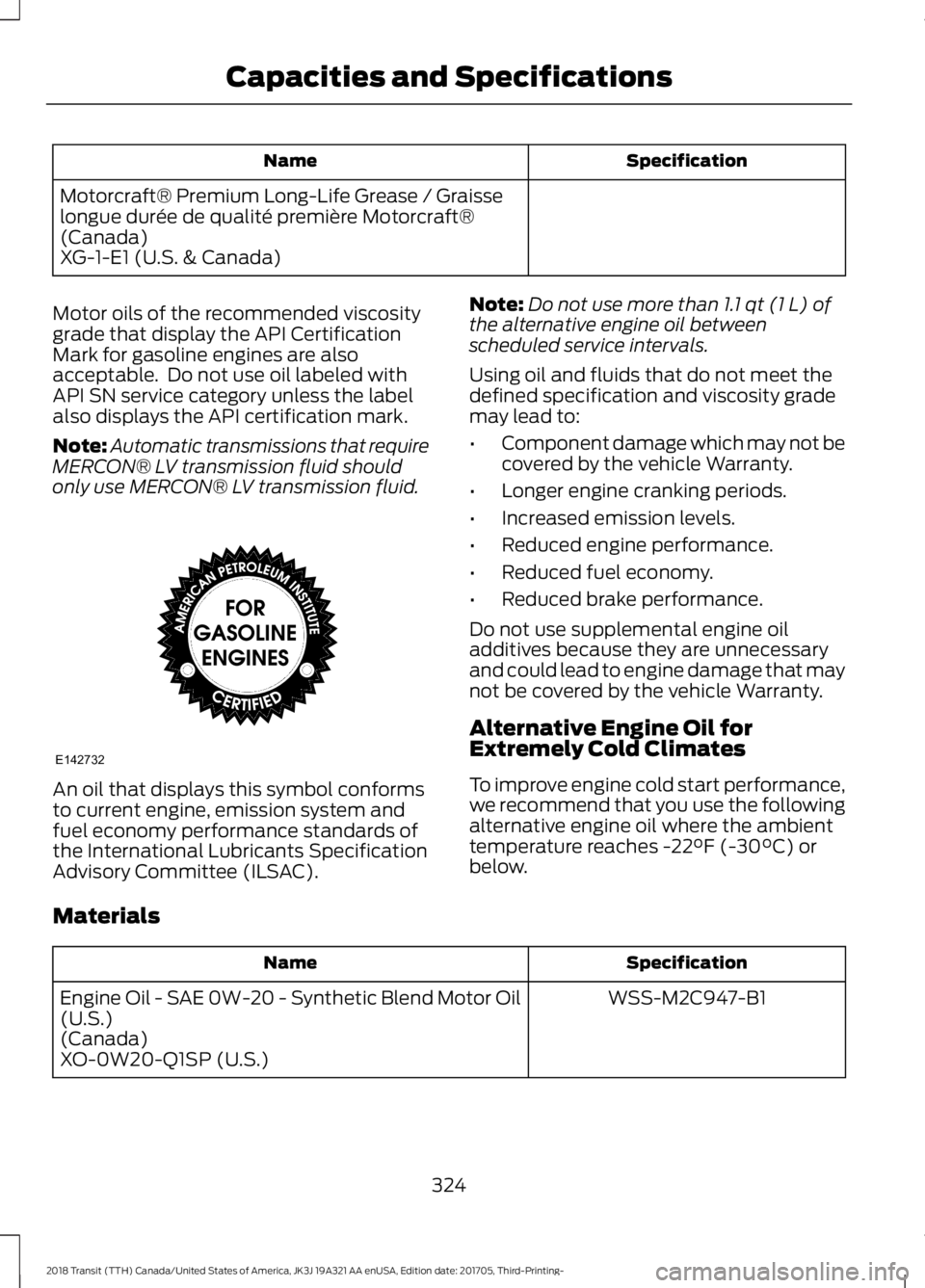
Alternative Engine Oil for
Extremely Cold Climates
To improve engine cold start performance,
we recommend that you use the following
alternative engine oil where the ambient
temperature reaches
-22°F (-30°C) or
below.
Materials Specification
Name
WSS-M2C953-B1
Engine Oil - SAE 0W-30 320
2018 Transit (TTH) Canada/United States of America, JK3J 19A321 AA enUSA, Edition date: 201705, Third-Printing- Capacities and SpecificationsE142732 E240523
Page 327 of 521
Specification
Name
Motorcraft® Premium Long-Life Grease / Graisse
longue durée de qualité première Motorcraft®
(Canada)
XG-1-E1 (U.S. & Canada)
Motor oils of the recommended viscosity
grade that display the API Certification
Mark for gasoline engines are also
acceptable. Do not use oil labeled with
API SN service category unless the label
also displays the API certification mark.
Note: Automatic transmissions that require
MERCON® LV transmission fluid should
only use MERCON® LV transmission fluid. An oil that displays this symbol conforms
to current engine, emission system and
fuel economy performance standards of
the International Lubricants Specification
Advisory Committee (ILSAC). Note:
Do not use more than 1.1 qt (1 L) of
the alternative engine oil between
scheduled service intervals.
Using oil and fluids that do not meet the
defined specification and viscosity grade
may lead to:
• Component damage which may not be
covered by the vehicle Warranty.
• Longer engine cranking periods.
• Increased emission levels.
• Reduced engine performance.
• Reduced fuel economy.
• Reduced brake performance.
Do not use supplemental engine oil
additives because they are unnecessary
and could lead to engine damage that may
not be covered by the vehicle Warranty.
Alternative Engine Oil for
Extremely Cold Climates
To improve engine cold start performance,
we recommend that you use the following
alternative engine oil where the ambient
temperature reaches
-22°F (-30°C) or
below.
Materials Specification
Name
WSS-M2C947-B1
Engine Oil - SAE 0W-20 - Synthetic Blend Motor Oil
(U.S.)
(Canada)
XO-0W20-Q1SP (U.S.)
324
2018 Transit (TTH) Canada/United States of America, JK3J 19A321 AA enUSA, Edition date: 201705, Third-Printing- Capacities and SpecificationsE142732
Page 330 of 521

•
MP3 and WMA folder mode represents
a folder structure consisting of one
level of folders. The CD player numbers
all MP3 and WMA tracks on the disc
(noted by the MP3 or WMA file
extension) and all folders containing
MP3 and WMA files, from F001 (folder)
T001 (track) to F253 T255.
• Creating discs with only one level of
folders helps with navigation through
the disc files.
If you are burning your own MP3 and WMA
discs, it is important to understand how
the system reads the structures you create.
While various files may be present (files
with extensions other than MP3 and
WMA), only files with the MP3 and WMA
extension are played; other files are
ignored by the system. This enables you to
use the same MP3 and WMA disc for a
variety of tasks on your work computer,
home computer and your in-vehicle
system.
In track mode, the system displays and
plays the structure as if it were only one
level deep (all MP3 and WMA files play,
regardless of being in a specific folder). In
folder mode, the system only plays the
MP3 and WMA files in the current folder. AUDIO UNIT - VEHICLES WITH:
AM/FM/CD/SYNC/SATELLITE
RADIO WARNING: Driving while distracted
can result in loss of vehicle control, crash
and injury. We strongly recommend that
you use extreme caution when using any
device that may take your focus off the
road. Your primary responsibility is the safe
operation of your vehicle. We recommend
against the use of any hand-held device
while driving and encourage the use of
voice-operated systems when possible.
Make sure you are aware of all applicable
local laws that may affect the use of
electronic devices while driving.
Note: You can operate your audio system
for up to one hour after you switch the
ignition off. Press the on and off control to
operate the system with the ignition turned
off. The system automatically turns off after
one hour.
Note: Some features, such as SIRIUS
satellite radio, may not be available in your
location. Check with an authorized dealer.
327
2018 Transit (TTH) Canada/United States of America, JK3J 19A321 AA enUSA, Edition date: 201705, Third-Printing- Audio System
Page 331 of 521

Eject: Press to eject a CD.
A
OK and Arrow buttons:
Press
OK to confirm menu selections.
Press to scroll through the menu
choices.
B
Information:
Press to access
any available radio or CD
information.
C
TUNE: Press to manually search
through the radio frequency
band.
D Number block:
In radio mode,
you can store your favorite radio
stations. To store a radio station,
tune to the station, then press
and hold a preset button until
sound returns. In CD mode,
select a track. In phone mode,
enter a phone number.
E
CLOCK:
If not in phone mode,
press to display the clock.
F
Function buttons:
Select
different functions of the audio
system depending on which
mode you are in (such as Radio
mode or CD mode).
G
328
2018 Transit (TTH) Canada/United States of America, JK3J 19A321 AA enUSA, Edition date: 201705, Third-Printing- Audio SystemE216052
Page 333 of 521
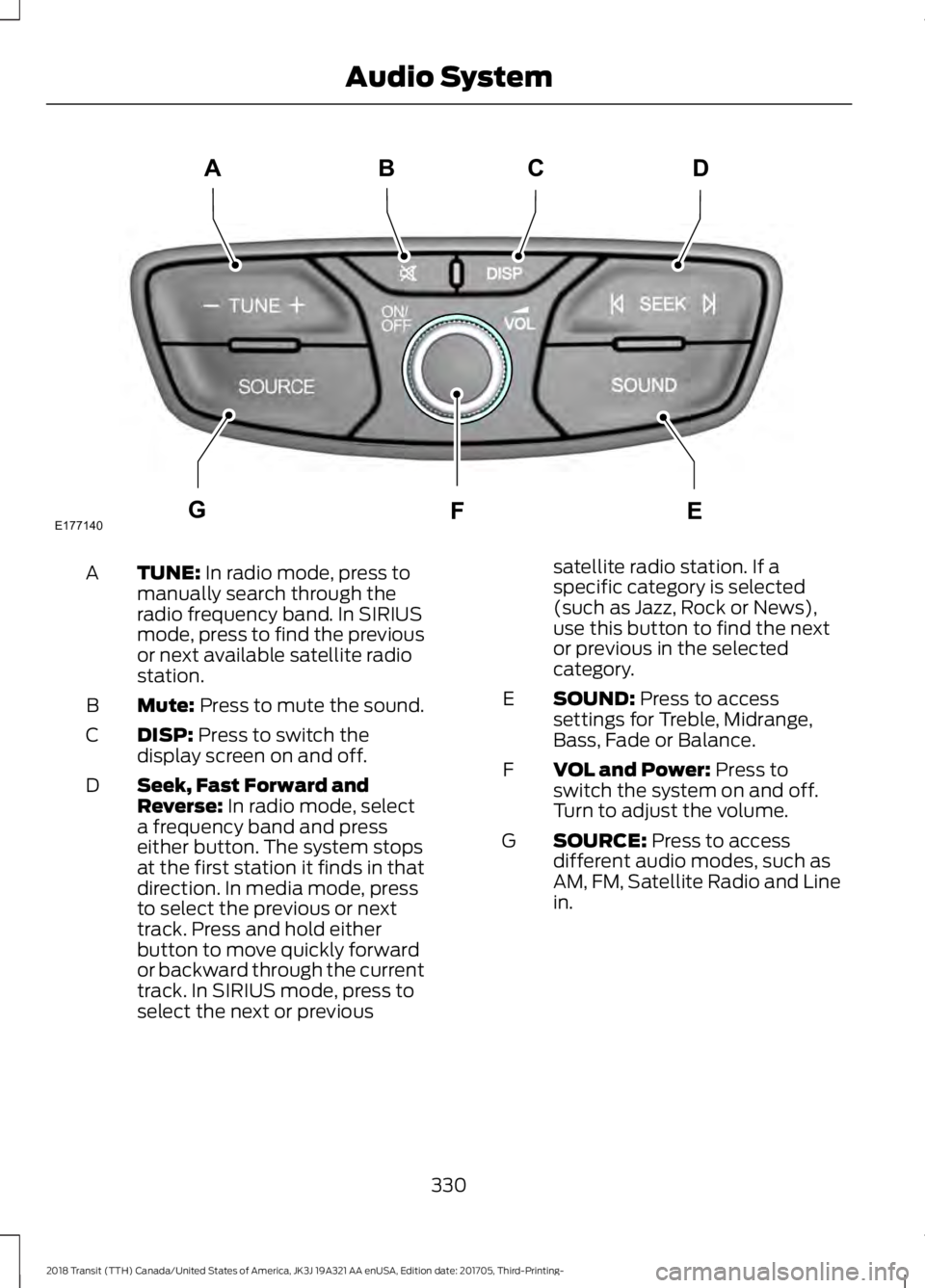
TUNE: In radio mode, press to
manually search through the
radio frequency band. In SIRIUS
mode, press to find the previous
or next available satellite radio
station.
A
Mute:
Press to mute the sound.
B
DISP:
Press to switch the
display screen on and off.
C
Seek, Fast Forward and
Reverse:
In radio mode, select
a frequency band and press
either button. The system stops
at the first station it finds in that
direction. In media mode, press
D
to select the previous or next
track. Press and hold either
button to move quickly forward
or backward through the current
track. In SIRIUS mode, press to
select the next or previous satellite radio station. If a
specific category is selected
(such as Jazz, Rock or News),
use this button to find the next
or previous in the selected
category.
SOUND:
Press to access
settings for Treble, Midrange,
Bass, Fade or Balance.
E
VOL and Power:
Press to
switch the system on and off.
Turn to adjust the volume.
F
SOURCE:
Press to access
different audio modes, such as
AM, FM, Satellite Radio and Line
in.
G
330
2018 Transit (TTH) Canada/United States of America, JK3J 19A321 AA enUSA, Edition date: 201705, Third-Printing- Audio SystemE177140
CD
GEF
B
A
Page 335 of 521

Eject: Press to eject a CD.
A
OK and Arrow buttons:
Press
OK to confirm menu selections.
Press to scroll through the menu
choices.
B
Information:
Press to access
any available radio or CD
information.
C
TUNE: Press to manually search
through the radio frequency
band.
D
Number block:
In radio mode,
you can store your favorite radio
stations. To store a radio station,
tune to the station, then press
and hold a preset button until
sound returns. In CD mode,
select a track. In phone mode,
enter a phone number.
E
CLOCK:
If not in phone mode,
press to display the clock.
F
Function buttons:
Select
different functions of the audio
system depending on which
mode you are in (such as Radio
mode or CD mode).
G
Seek, Fast Forward and
Reverse:
In radio mode, select
a frequency band and press
either button. The system stops
at the first station it finds in that
direction. In media mode, press
to select the previous or next
track. Press and hold either
button to move quickly forward
or backward through the current
track.
H
VOL and Power:
Press to
switch the system on and off.
Turn to adjust the volume.
I MENU: Press to access different
audio system features. See
Menu Structure
later in this
chapter.
J
SOUND:
Press to access
settings for Treble, Midrange,
Bass, Fade or Balance. Use the
up and down arrow buttons to
select the various settings. When
you make your selection, press
K
the left and right arrow buttons
to change the settings. Press OK
to set or press
MENU to exit.
Sound settings can be set for
each audio source
independently.
PHONE:
Press to access the
phone features of the SYNC
system. See your SYNC
information.
L
MEDIA: Press to open the media
source menu. You can press this
multiple times to change to CD
or to a SYNC-Media device or
scroll through the media sources
using the arrow buttons. Press
OK
to select a source.
M
RADIO:
Press this multiple
times to select a radio band.
Press and hold to select the
autostore function. Press to
return to the main screen of the
active radio band.
N
332
2018 Transit (TTH) Canada/United States of America, JK3J 19A321 AA enUSA, Edition date: 201705, Third-Printing- Audio System