2018 FORD TRANSIT tow
[x] Cancel search: towPage 160 of 521
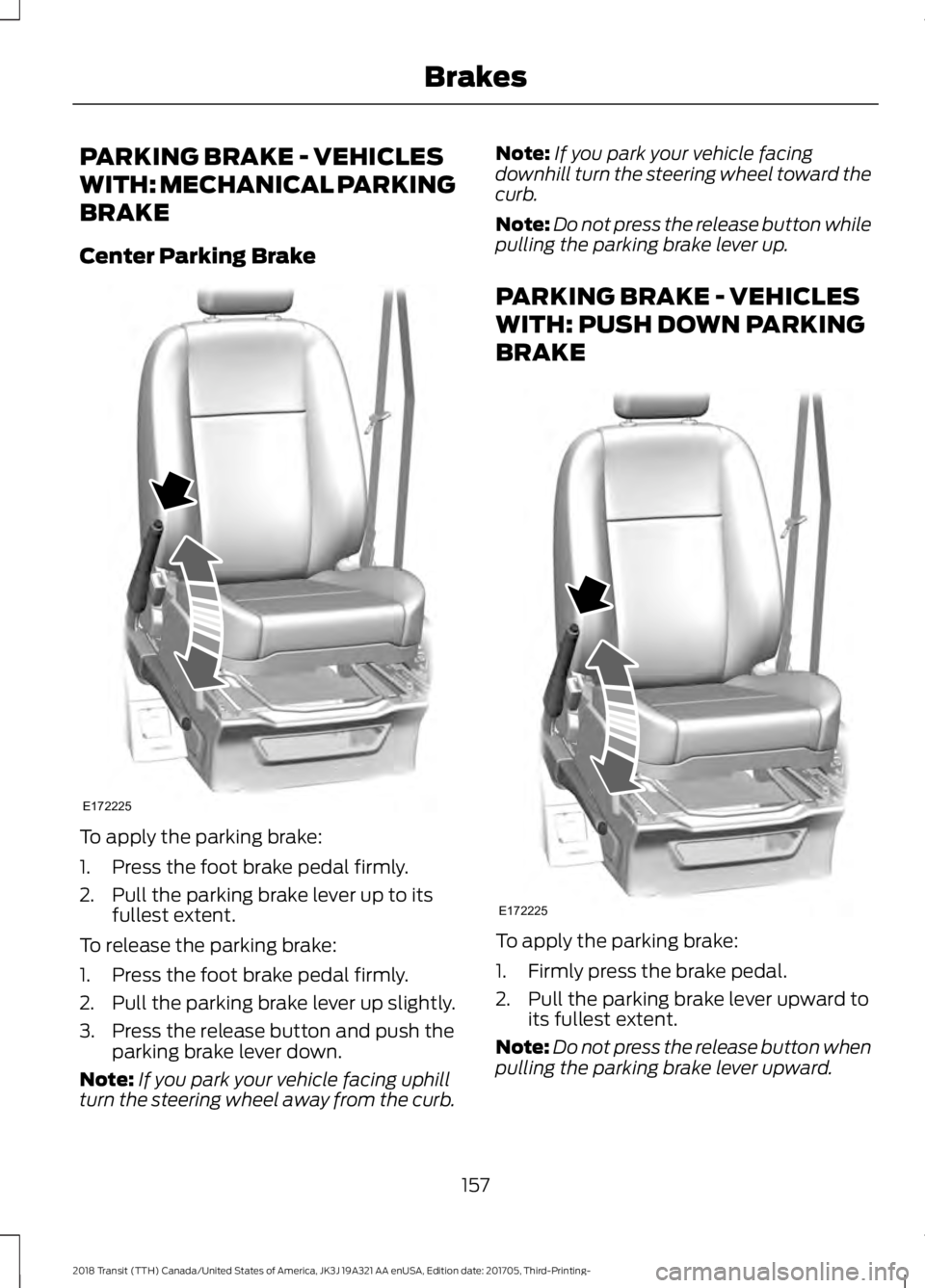
PARKING BRAKE - VEHICLES
WITH: MECHANICAL PARKING
BRAKE
Center Parking Brake
To apply the parking brake:
1. Press the foot brake pedal firmly.
2. Pull the parking brake lever up to its
fullest extent.
To release the parking brake:
1. Press the foot brake pedal firmly.
2. Pull the parking brake lever up slightly.
3. Press the release button and push the parking brake lever down.
Note: If you park your vehicle facing uphill
turn the steering wheel away from the curb. Note:
If you park your vehicle facing
downhill turn the steering wheel toward the
curb.
Note: Do not press the release button while
pulling the parking brake lever up.
PARKING BRAKE - VEHICLES
WITH: PUSH DOWN PARKING
BRAKE To apply the parking brake:
1. Firmly press the brake pedal.
2. Pull the parking brake lever upward to
its fullest extent.
Note: Do not press the release button when
pulling the parking brake lever upward.
157
2018 Transit (TTH) Canada/United States of America, JK3J 19A321 AA enUSA, Edition date: 201705, Third-Printing- BrakesE172225 E172225
Page 161 of 521

Note:
If you park your vehicle on a hill and
facing uphill, shift into park (P) and turn the
steering wheel away from the curb.
Note: If you park your vehicle on a hill and
facing downhill, shift into park (P) and turn
the steering wheel toward the curb.
Note: If required, you can lower the parking
brake lever to the fully down position, for
example to swivel the seat. Push the parking
brake lever downward without pressing the
release button. The parking brake remains
applied until you release it.
Note: A warning lamp illuminates when you
apply the parking brake.
To release the parking brake:
1. Firmly press the brake pedal.
2. Pull the parking brake lever upward to its fullest extent.
3. Press the release button and push the parking brake lever downward.
HILL START ASSIST WARNING: The system does not
replace the parking brake. When you leave
your vehicle, always apply the parking
brake. WARNING:
You must remain in your
vehicle when the system turns on. At all
times, you are responsible for controlling
your vehicle, supervising the system and
intervening, if required. Failure to take care
may result in the loss of control of your
vehicle, serious personal injury or death. WARNING:
The system will turn off
if a malfunction is apparent or if you rev
the engine excessively. Failure to take care
may result in the loss of control of your
vehicle, serious personal injury or death. The system makes it easier to pull away
when your vehicle is on a slope without the
need to use the parking brake.
When the system is active, your vehicle will
remain stationary on the slope for two to
three seconds after you release the brake
pedal. This allows time to move your foot
from the brake to the accelerator pedal.
The system releases the brakes
automatically once the engine has
developed sufficient drive to prevent your
vehicle from rolling down the slope. This
is an advantage when pulling away on a
slope, for example from a car park ramp,
traffic lights or when reversing uphill into
a parking space.
Note:
The system will not operate if the
parking brake is applied.
Note: There is no warning light to indicate
the system is either on or off.
Using Hill Start Assist
1. Press the brake pedal to bring your vehicle to a complete standstill. Keep
the brake pedal pressed.
2. If the sensors detect that your vehicle is on a slope, the system will activate
automatically.
3. When you remove your foot from the brake pedal, your vehicle will remain
on the slope without rolling away for
approximately two to three seconds.
This hold time will automatically be
extended if you are in the process of
driving off.
4. Drive off in the normal manner. The system will release the brakes
automatically.
Note: When you remove your foot from the
brake pedal and press the pedal again when
the system is active, you will experience
significantly reduced brake pedal travel. This
is normal.
158
2018 Transit (TTH) Canada/United States of America, JK3J 19A321 AA enUSA, Edition date: 201705, Third-Printing- Brakes
Page 167 of 521

WARNING: Traffic control systems,
inclement weather, air brakes, external
motors and fans may affect the correct
operation of the sensing system.This may
cause reduced performance or false alerts. WARNING:
The system may not
detect small or moving objects, particularly
those close to the ground.
The system warns you of objects that are
within the detection zone of the bumper
areas. When you switch the ignition on,
the system automatically turns on. The
system becomes active when you shift into
reverse (R) and the speed of your vehicle
is
7 mph (12 km/h) or less. Rear detection zone: Up to 72 in
(180 cm) from the rear bumper.
A
Note: Accessories that block the detection
zone of the system may create false alerts.
Note: Keep the sensors free from snow, ice
and large accumulations of dirt.
Note: If your vehicle sustains damage
leaving the sensors misaligned, this will
cause inaccurate measurements or false
alerts. A tone will sound in the following manner
when objects are near the front or rear
bumpers:
•
Objects detected by the rear sensors
produce a low-pitched tone.
• An alert will only sound for three
seconds if an object is further than 12 in
(30 cm)
from the side of your vehicle.
The system detects objects when you shift
into reverse (R) and:
• Your vehicle is moving toward a
stationary object at a speed of
3 mph
(5 km/h) or less.
• Your vehicle is stationary but an object
is approaching your vehicle at a speed
of
3 mph (5 km/h) or less.
• Your vehicle is moving at a speed of
3 mph (5 km/h)
or less, and an object
is approaching your vehicle at a speed
of
3 mph (5 km/h) or less.
Note: The rate of the tone increases as your
vehicle moves closer to an object.
When the parking aid system sounds a
tone, the audio system may reduce the set
volume. When the warning ends, the audio
system returns to the previously set
volume.
Note: Volume reduction is not a standard
feature of all audio systems.
Switching the Parking Aid System
Off 164
2018 Transit (TTH) Canada/United States of America, JK3J 19A321 AA enUSA, Edition date: 201705, Third-Printing- Parking Aids
(If Equipped)E130178 E177143
Page 169 of 521

Note:
If the transmission is in reverse (R)
and the rear cargo door is open, no rear view
camera features display.
Note: When towing, the camera only sees
what you are towing. This might not provide
adequate coverage as it usually provides in
normal operation and you might not see
some objects. In some vehicles, the
guidelines may disappear when you connect
the trailer tow connector.
The camera may not operate correctly
under the following conditions:
• Nighttime or dark areas if one or both
reverse lamps are not operating.
• Mud, water or debris obstructs the
camera's view. Clean the lens with a
soft, lint-free cloth and non-abrasive
cleaner.
• The rear of your vehicle is hit or
damaged, causing the camera to
become misaligned.
Camera Guidelines
Distance markers are only a guide and are
calculated for unloaded vehicles on an
even road surface.
Note: Guidelines are only available when
the transmission is in reverse (R).
Note: Guidelines do not display when the
rear cargo door is ajar.
The system uses three types of guides to
help you see what is behind your vehicle:
• Active guidelines: Show the intended
path of your vehicle when reversing.
• Fixed guidelines: Show the actual path
your vehicle is moving in when you
reverse in a straight line. This can be
helpful when backing into a parking
space or aligning your vehicle with
another object behind you.
• Centerline: Helps align the center of
your vehicle with an object (for
example, a trailer). Active guidelines.
A
Centerline.
B
Fixed guideline: Green zone.
C
Fixed guideline: Yellow zone.
D
Fixed guideline: Red zone.
E
Rear bumper.
F
Active guidelines are only available with
fixed guidelines. To use active guidelines,
turn the steering wheel to point the
guidelines toward an intended path. If you
change the steering wheel position when
driving in reverse (R), your vehicle might
deviate from the original intended path.
166
2018 Transit (TTH) Canada/United States of America, JK3J 19A321 AA enUSA, Edition date: 201705, Third-Printing- Parking Aids (If Equipped)ABCD
F
E
E142436
Page 174 of 521

WARNING: The system may not
function if the sensor is blocked. WARNING:
The sensor may
incorrectly track lane markings as other
structures or objects. This can result in a
false or missed warning. WARNING:
In cold and severe
weather conditions the system may not
function. Rain, snow and spray can all limit
sensor performance. WARNING:
The system will not
operate if the sensor cannot track the road
lane markings. WARNING:
If damage occurs in the
immediate area surrounding the sensor,
have your vehicle checked as soon as
possible. WARNING:
The system may not
correctly operate if your vehicle is fitted
with a suspension kit not approved by us.
Note: Keep the windshield free from
obstructions for example bird droppings,
insects and snow or ice.
Note: The system may assist you when
driving on fast main roads and freeways.
Note: The system may not operate on roads
with sharp bends, narrow lanes, areas under
construction, during hard braking or
acceleration and when you are intentionally
steering your vehicle.
Note: Do not carry out windshield repairs
in the immediate area surrounding the
sensor.
Note: The system operates with a minimum
of one tracked lane marking. Note:
The system only operates above
vehicle speeds of approximately
40 mph
(65 km/h).
The sensor is behind the interior mirror. It
continuously monitors conditions to alert
you of unintentional lane drifting at high
speeds.
The system automatically detects and
tracks the lane markings on the road. If the
system detects that your vehicle is
unintentionally drifting toward the lane
markings, a warning is shown in the
information display. There is also a warning
given in the form of a vibration felt through
the steering wheel.
Note: The vibration intensity from the
steering wheel may decrease depending on
the quality of the road surface.
Using Lane Keeping Alert
Switching the System On and Off Switch the system on and off using the
button on the direction indicator stalk.
Press the button once to turn the system
on. Press the button again to turn the
system off.
Note:
When you switch the system off, a
warning indicator may remain illuminated
in the information display. See
Warning
Lamps and Indicators (page 95).
171
2018 Transit (TTH) Canada/United States of America, JK3J 19A321 AA enUSA, Edition date: 201705, Third-Printing- Driving AidsE132099
Page 178 of 521
Payload
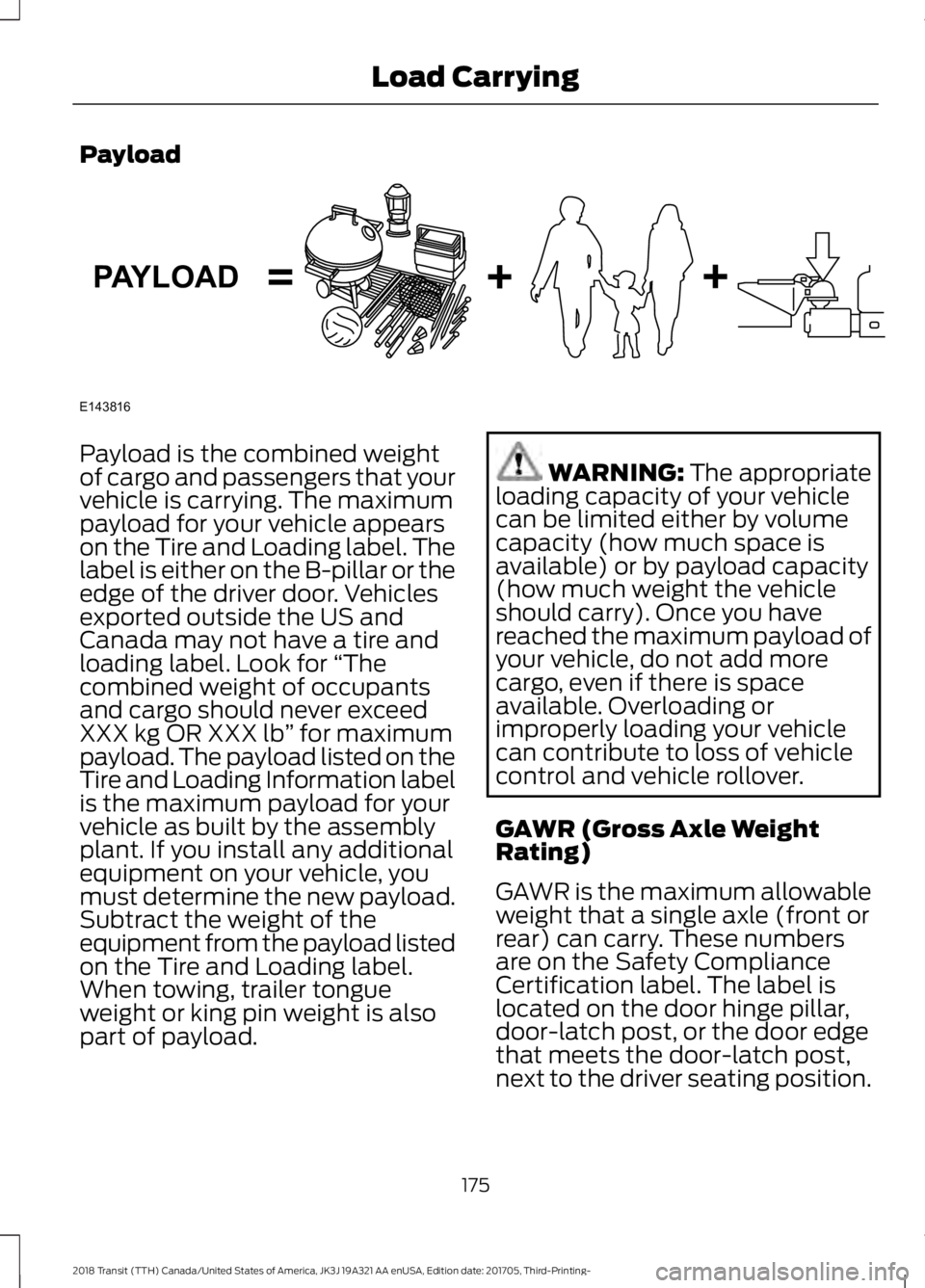
Payload is the combined weight
of cargo and passengers that your
vehicle is carrying. The maximum
payload for your vehicle appears
on the Tire and Loading label. The
label is either on the B-pillar or the
edge of the driver door. Vehicles
exported outside the US and
Canada may not have a tire and
loading label. Look for
“The
combined weight of occupants
and cargo should never exceed
XXX kg OR XXX lb ” for maximum
payload. The payload listed on the
Tire and Loading Information label
is the maximum payload for your
vehicle as built by the assembly
plant. If you install any additional
equipment on your vehicle, you
must determine the new payload.
Subtract the weight of the
equipment from the payload listed
on the Tire and Loading label.
When towing, trailer tongue
weight or king pin weight is also
part of payload. WARNING: The appropriate
loading capacity of your vehicle
can be limited either by volume
capacity (how much space is
available) or by payload capacity
(how much weight the vehicle
should carry). Once you have
reached the maximum payload of
your vehicle, do not add more
cargo, even if there is space
available. Overloading or
improperly loading your vehicle
can contribute to loss of vehicle
control and vehicle rollover.
GAWR (Gross Axle Weight
Rating)
GAWR is the maximum allowable
weight that a single axle (front or
rear) can carry. These numbers
are on the Safety Compliance
Certification label. The label is
located on the door hinge pillar,
door-latch post, or the door edge
that meets the door-latch post,
next to the driver seating position.
175
2018 Transit (TTH) Canada/United States of America, JK3J 19A321 AA enUSA, Edition date: 201705, Third-Printing- Load CarryingE143816PAYLOAD
Page 179 of 521
The total load on each axle must
never exceed its Gross Axle
Weight Rating.
GVWR (Gross Vehicle Weight
Rating)
GVWR is the maximum allowable
weight of the fully loaded vehicle.
This includes all options,
equipment, passengers and cargo.
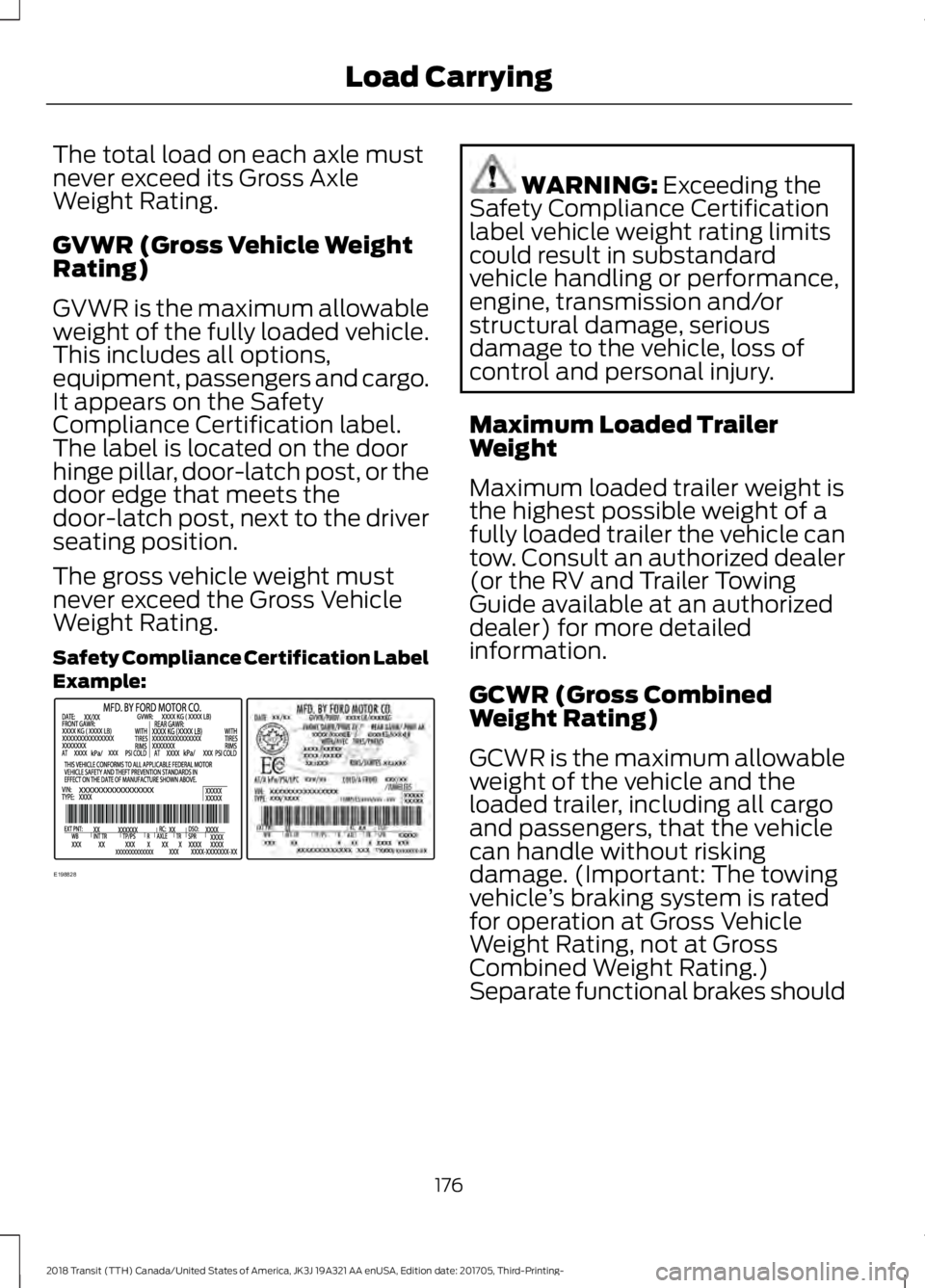
It appears on the Safety
Compliance Certification label.
The label is located on the door
hinge pillar, door-latch post, or the
door edge that meets the
door-latch post, next to the driver
seating position.
The gross vehicle weight must
never exceed the Gross Vehicle
Weight Rating.
Safety Compliance Certification Label
Example:
WARNING: Exceeding the
Safety Compliance Certification
label vehicle weight rating limits
could result in substandard
vehicle handling or performance,
engine, transmission and/or
structural damage, serious
damage to the vehicle, loss of
control and personal injury.
Maximum Loaded Trailer
Weight
Maximum loaded trailer weight is
the highest possible weight of a
fully loaded trailer the vehicle can
tow. Consult an authorized dealer
(or the RV and Trailer Towing
Guide available at an authorized
dealer) for more detailed
information.
GCWR (Gross Combined
Weight Rating)
GCWR is the maximum allowable
weight of the vehicle and the
loaded trailer, including all cargo
and passengers, that the vehicle
can handle without risking
damage. (Important: The towing
vehicle ’s braking system is rated
for operation at Gross Vehicle
Weight Rating, not at Gross
Combined Weight Rating.)
Separate functional brakes should
176
2018 Transit (TTH) Canada/United States of America, JK3J 19A321 AA enUSA, Edition date: 201705, Third-Printing- Load CarryingE198828
Page 180 of 521
be used for safe control of towed
vehicles and for trailers where the
Gross Combined Weight of the
towing vehicle plus the trailer
exceed the Gross Vehicle Weight
Rating of the towing vehicle.
The gross combined weight must
never exceed the Gross Combined
Weight Rating.
Note:
For trailer towing
information refer to the RV and
Trailer Towing Guide available at
an authorized dealer. WARNING: Do not exceed
the GVWR or the GAWR specified
on the Safety Compliance
Certification label. WARNING:
Do not use
replacement tires with lower load
carrying capacities than the
original tires because they may
lower your vehicle ’s GVWR and
GAWR limitations. Replacement
tires with a higher limit than the
original tires do not increase the
GVWR and GAWR limitations. WARNING:
Exceeding any
vehicle weight rating limitation
could result in serious damage to
your vehicle, personal injury or
both. Steps for determining the
correct load limit:
1. Locate the statement "The
combined weight of occupants
and cargo should never exceed
XXX kg or XXX lb." on your
vehicle ’s placard.
2. Determine the combined
weight of the driver and
passengers that will be riding
in your vehicle.
3. Subtract the combined weight
of the driver and passengers
from XXX kg or XXX lb.
4. The resulting figure equals the
available amount of cargo and
luggage load capacity. For
example, if the “XXX” amount
equals 1,400 lb. and there will
be five 150 lb. passengers in
your vehicle, the amount of
available cargo and luggage
load capacity is 650 lb.
(1400-750 (5 x 150) = 650 lb.)
5. Determine the combined
weight of luggage and cargo
being loaded on the vehicle.
That weight may not safely
exceed the available cargo and
luggage load capacity
calculated in Step 4.
6. If your vehicle will be towing a
trailer, load from your trailer
will be transferred to your
vehicle. Consult this manual to
determine how this reduces the
available cargo and luggage
load capacity of your vehicle.
177
2018 Transit (TTH) Canada/United States of America, JK3J 19A321 AA enUSA, Edition date: 201705, Third-Printing- Load Carrying