2018 FORD TAURUS traction control
[x] Cancel search: traction controlPage 420 of 510

For restaurants, cityseeker can provide
information such as star rating, average
cost, review, handicap access, hours of
operation, and website address.
For hotels, cityseeker can provide
information such as star rating, price
category, review, check-in and checkout
times, hotel service icons and website
address. Hotel service icons include:
•
Restaurant
• Business center
• Handicap facilities
• Laundry
• Refrigerator
• 24 hour room service
• Fitness center
• Internet access
• Pool
• Wi-Fi
Attractions include nearby landmarks,
amusement parks, historic buildings and
more. cityseeker can provide information
such as star rating, reviews, hour of
operation and admission price.
SiriusXM Traffic and Travel Link (If
Equipped)
SiriusXM Traffic and Travel Link is available
on vehicles equipped with navigation and
only in select markets. You must activate
and subscribe to receive SiriusXM Traffic
and Travel Link information. It helps you
locate the best gas prices, find movie
listings, get current traffic alerts, view the
weather map, get accurate ski conditions
and see current sports scores. See Apps
(page 417). The system calculates a reasonable
efficient route based on available speed
limits, traffic, and road conditions. You may
know a local short cut that is more efficient
at a given time than the route provided by
SYNC 3, but you should expect a slight
difference in minutes or miles with the
SYNC 3 route.
Navigation Map Updates
Annual navigation map updates are
available for purchase through your
dealership, by calling 1-866-462-8837 in
the United States and Canada or
01-800-557-5539 in Mexico. You can also
visit:
Website
www.navigation.com/sync
You need to specify the make and model
of your vehicle to determine if there is an
update available.
HERE is the digital map provider for the
navigation application. If you find map data
errors, you may report them directly to
HERE by going to
www.here.com/mapcreator. HERE
evaluates all reported map errors and
responds with the result of their
investigation by e-mail.
Map coverage includes the USA (including
Puerto Rico and the US Virgin Islands),
Canada and Mexico.
APPS
The system enables voice, steering wheel,
and touch screen control of SYNC 3
AppLink enabled smartphone apps.
Once an app is running through AppLink,
you can control main features of the app
through voice commands and steering
wheel controls.
417
Taurus (CPH) Canada/United States of America, enUSA, Edition date: 201709, Second Printing SYNC™ 3
Page 476 of 510

TRADEMARKS: This EULA does not grant
you any rights in connection with any
trademarks or service marks of FORD
MOTOR COMPANY, its affiliates, and third
party software and service providers.
PRODUCT SUPPORT: Please refer to
FORD MOTOR COMPANY instructions
provided in the documentation for the
DEVICES product support, such as the
vehicle owner guide.
Should you have any questions concerning
this EULA, or if you desire to contact FORD
MOTOR COMPANY for any other reason,
please refer to the address provided in the
documentation for the DEVICES.
No Liability for Certain Damages:
EXCEPT AS PROHIBITED BY LAW, FORD
MOTOR COMPANY, ANY THIRD PARTY
SOFTWARE OR SERVICES SUPPLIERS,
AND THEIR AFFILIATES SHALL HAVE NO
LIABILITY FOR ANY INDIRECT, SPECIAL,
CONSEQUENTIAL OR INCIDENTAL
DAMAGES ARISING FROM OR IN
CONNECTION WITH THE USE OR
PERFORMANCE OF THE SOFTWARE. THIS
LIMITATION SHALL APPLY EVEN IF ANY
REMEDY FAILS OF ITS ESSENTIAL
PURPOSE. THERE ARE NO WARRANTIES
OTHER THAN THOSE THAT MAY BE
EXPRESSLY PROVIDED FOR YOUR NEW
VEHICLE.
SYNC® Automotive Important Safety
Information Read and follow
instructions:
• Before using your SYNC® system, read
and follow all instructions and safety
information provided in this end user
manual ("Owner Guide".) Not
following precautions found in the
Owner Guide can lead to an accident
or other serious injuries. General Operation
•
Voice Command Control
: Certain
functions within the SYNC® system
may be accomplished using voice
commands. Using voice commands
while driving helps you to operate the
system without removing your hands
from the wheel or eyes from the road.
• Prolonged Views of Screen:
Do not
access any function requiring a
prolonged view of the screen while you
are driving. Pull over in a safe and legal
manner before attempting to access a
function of the system requiring
prolonged attention.
• Volume Setting:
Do not raise the
volume excessively. Keep the volume
at a level where you can still hear
outside traffic and emergency signals
while driving. Driving while unable to
hear these sounds could cause an
accident.
• Navigation Features:
Any navigation
features included in the system are
intended to provide turn by turn
instructions to get you to a desired
destination. Please make certain all
persons using this system carefully
read and follow instructions and safety
information fully.
• Distraction Hazard:
Any navigation
features may require manual
(non-verbal) setup. Attempting to
perform such set-up or insert data
while driving can distract your attention
and could cause an accident or other
serious injury. Stop the vehicle in a safe
and legal manner before attempting
these operations.
• Let Your Judgment Prevail:
Any
navigation features are provided only
as an aid. Make your driving decisions
based on your observations of local
conditions and existing traffic
regulations. Any such feature is not a
473
Taurus (CPH) Canada/United States of America, enUSA, Edition date: 201709, Second Printing Appendices
Page 504 of 510

Why Maintain Your Vehicle at Your
Dealership?..................................................... 452
Getting Assistance Outside the U.S. and Canada..........................................................222
Getting the Services You Need................219 Away From Home............................................... 219
Global Opening...............................................79
Opening the Windows........................................ 79
H
Handbrake See: Parking Brake............................................. 164
Hazard Flashers
.............................................214
Headlamp Adjusting See: Adjusting the Headlamps..................... 255
Headlamp Exit Delay.....................................75
Headrest See: Head Restraints.......................................... 119
Head Restraints
.............................................119
Adjusting the Head Restraint......................... 120
Tilting Head Restraints ..................................... 121
Heated Seats
..................................................126
Rear Heated Seats............................................. 126
Heated Steering Wheel
...............................68
Heated Windows and Mirrors....................117 Heated Exterior Mirror........................................ 117
Heated Rear Window.......................................... 117
Heating See: Climate Control......................................... 109
Hill Start Assist..............................................164 Switching the System On and Off...............165
Using Hill Start Assist....................................... 164
Hints on Controlling the Interior Climate...........................................................115
Defogging the Side Windows in Cold Weather.............................................................. 117
General Hints......................................................... 115
Quickly Cooling the Interior............................. 116
Quickly Heating the Interior............................. 116
Recommended Settings for Cooling............117
Recommended Settings for Heating...........116
Hints on Driving With Anti-Lock Brakes............................................................163
Home Screen
................................................382
Hood Lock See: Opening and Closing the Hood...........237 I
Ignition Switch
...............................................135
In California (U.S. Only)............................220
Information Display Control......................68
Information Displays....................................89
General Information........................................... 89
Information Messages
.................................98
Adaptive Cruise Control.................................... 98
AdvanceTrac ™..................................................... 99
Alarm........................................................................\
99
All Wheel Drive................................................... 100
Automatic Engine Shutdown.......................... 99
Automatic High Beam Control....................... 99
Battery and Charging System....................... 100
Blind Spot Information and Cross Traffic Alert System..................................................... 101
Brake System........................................................ 101
Collision Warning System............................... 102
Doors and Locks................................................. 102
Driver Alert............................................................ 102
Fuel........................................................................\
.. 102
Keys and Intelligent Access............................ 103
Lane Keeping System....................................... 103
Maintenance........................................................ 104
MyKey..................................................................... 104
Park Aid.................................................................. 105
Passenger Sensing System Message.........105
Power Steering.................................................... 106
Reminder Messages.......................................... 105
Remote Start....................................................... 106
Seats....................................................................... 106
Starting System.................................................. 106
Tire Pressure Monitoring System.................. 107
Traction Control................................................... 107
Transmission........................................................ 107
Installing Child Restraints............................19 Child Seats............................................................... 19
Using Lap and Shoulder Belts......................... 20
Using Lower Anchors and Tethers for CHildren (LATCH)............................................ 22
Using Tether Straps............................................. 23
Instrument Cluster
........................................83
Instrument Lighting Dimmer......................74
Instrument Panel Overview........................16
Interior Lamps
..................................................77
Interior Luggage Compartment Release............................................................62
501
Taurus (CPH) Canada/United States of America, enUSA, Edition date: 201709, Second Printing Index
Page 508 of 510
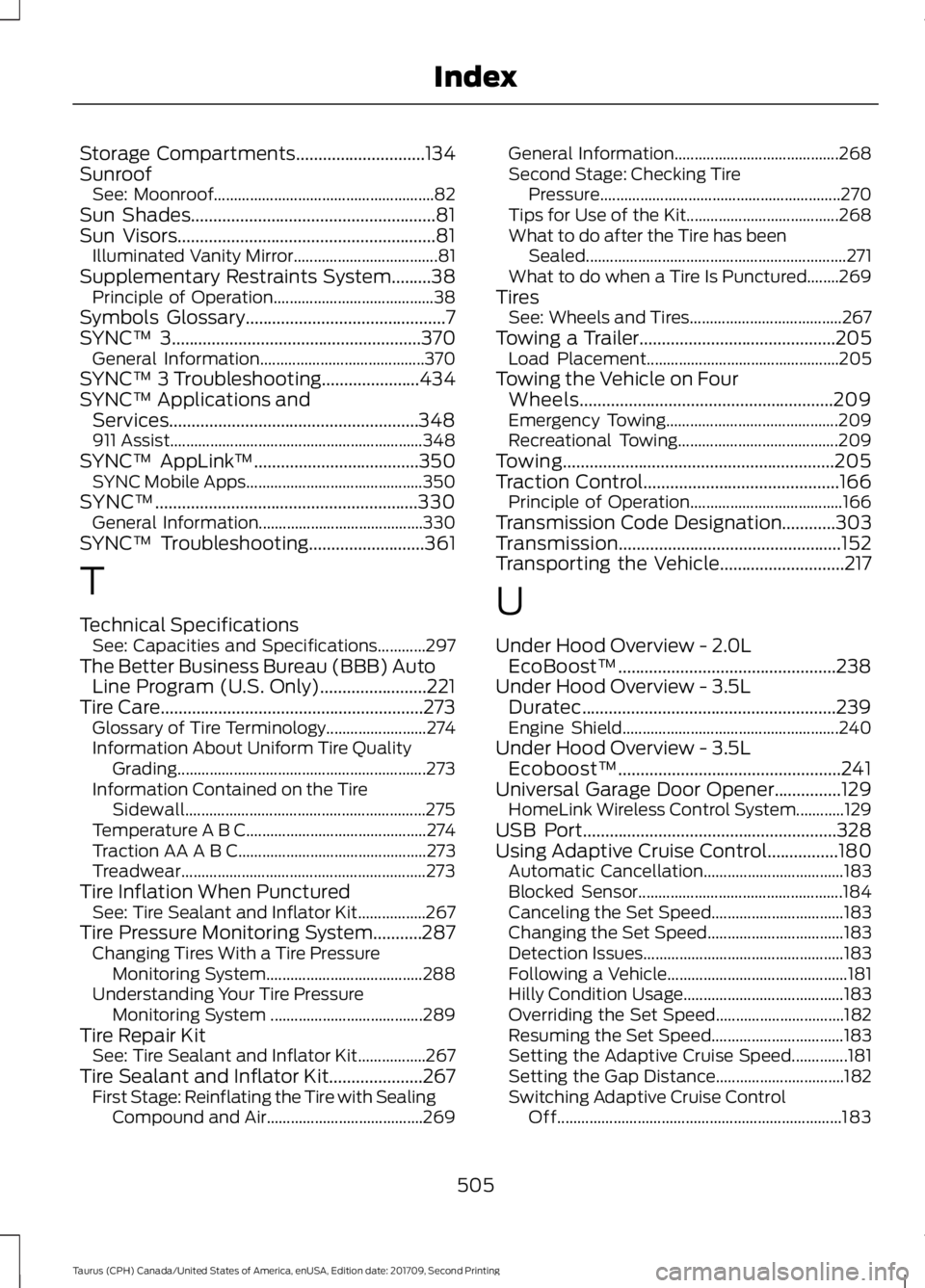
Storage Compartments.............................134
Sunroof See: Moonroof....................................................... 82
Sun Shades.......................................................81
Sun Visors..........................................................81 Illuminated Vanity Mirror.................................... 81
Supplementary Restraints System.........38 Principle of Operation........................................ 38
Symbols Glossary
.............................................7
SYNC™ 3........................................................370 General Information......................................... 370
SYNC™ 3 Troubleshooting......................434
SYNC™ Applications and Services........................................................348
911 Assist............................................................... 348
SYNC™ AppLink ™
.....................................350
SYNC Mobile Apps............................................ 350
SYNC™
...........................................................330
General Information......................................... 330
SYNC™ Troubleshooting
..........................361
T
Technical Specifications See: Capacities and Specifications............297
The Better Business Bureau (BBB) Auto Line Program (U.S. Only)........................221
Tire Care...........................................................273 Glossary of Tire Terminology......................... 274
Information About Uniform Tire Quality Grading.............................................................. 273
Information Contained on the Tire Sidewall............................................................ 275
Temperature A B C............................................. 274
Traction AA A B C............................................... 273
Treadwear............................................................. 273
Tire Inflation When Punctured See: Tire Sealant and Inflator Kit.................267
Tire Pressure Monitoring System...........287 Changing Tires With a Tire Pressure
Monitoring System....................................... 288
Understanding Your Tire Pressure Monitoring System ...................................... 289
Tire Repair Kit See: Tire Sealant and Inflator Kit.................267
Tire Sealant and Inflator Kit.....................267 First Stage: Reinflating the Tire with Sealing
Compound and Air....................................... 269General Information.........................................
268
Second Stage: Checking Tire Pressure............................................................ 270
Tips for Use of the Kit...................................... 268
What to do after the Tire has been Sealed................................................................. 271
What to do when a Tire Is Punctured........269
Tires See: Wheels and Tires...................................... 267
Towing a Trailer............................................205 Load Placement................................................ 205
Towing the Vehicle on Four Wheels.........................................................209
Emergency Towing........................................... 209
Recreational Towing........................................ 209
Towing.............................................................205
Traction Control
............................................166
Principle of Operation...................................... 166
Transmission Code Designation............303
Transmission..................................................152
Transporting the Vehicle
............................217
U
Under Hood Overview - 2.0L EcoBoost™.................................................238
Under Hood Overview - 3.5L Duratec.........................................................239
Engine Shield...................................................... 240
Under Hood Overview - 3.5L Ecoboost™..................................................241
Universal Garage Door Opener...............129 HomeLink Wireless Control System............129
USB Port
.........................................................328
Using Adaptive Cruise Control................180 Automatic Cancellation................................... 183
Blocked Sensor................................................... 184
Canceling the Set Speed................................. 183
Changing the Set Speed.................................. 183
Detection Issues.................................................. 183
Following a Vehicle............................................. 181
Hilly Condition Usage........................................ 183
Overriding the Set Speed................................ 182
Resuming the Set Speed................................. 183
Setting the Adaptive Cruise Speed..............181
Setting the Gap Distance................................ 182
Switching Adaptive Cruise Control Off....................................................................... 183
505
Taurus (CPH) Canada/United States of America, enUSA, Edition date: 201709, Second Printing Index
Page 509 of 510

Switching Adaptive Cruise Control
On........................................................................\
180
Switching to Normal Cruise Control...........185
System Not Available....................................... 184
Using All-Wheel Drive.................................156 Driving In Special Conditions With
All-Wheel Drive (AWD)............................... 158
Operating AWD Vehicles With Mismatched Tires.................................................................... 158
Operating AWD Vehicles With Spare Tires..................................................................... 157
Using Cruise Control....................................179
Switching Cruise Control Off.......................... 179
Switching Cruise Control On........................... 179
Using MyKey With Remote Start Systems..........................................................55
Using Snow Chains
.....................................286
Using Stability Control...............................168
Using Summer Tires...................................286
Using SYNC™ With Your Media Player
..............................................................351
Accessing Your Play Menu............................. 356
Connecting Your Digital Media Player to the USB Port............................................................ 351
Media Menu Features...................................... 354
Media Voice Commands................................. 353
System Settings................................................. 358
What's Playing?................................................. 353
Using SYNC™ With Your Phone
............335
Accessing Features Through the Phone
Menu.................................................................. 339
Accessing Your Phone Settings................... 344
Making a Call....................................................... 338
Pairing Subsequent Cell Phones.................336
Pairing Your Cell Phone for the First Time ........................................................................\
..... 335
Phone Options during an Active Call.........338
Phone Voice Commands................................ 336
Receiving Calls.................................................... 338
System Settings................................................. 345
Text Messaging................................................... 342
Using Traction Control...............................166 Switching the System Off............................... 166
System Indicator Lights and Messages.......................................................... 166
Using a Switch..................................................... 166
Using the Information Display Controls............................................................. 166Using Voice Recognition............................332
Audio Voice Commands................................. 385
Climate Voice Commands............................. 386
Initiating a Voice Session................................ 332
Mobile App Voice Commands...................... 389
Navigation Voice Commands....................... 388
Phone Voice Commands............................... 386
SiriusXM Traffic and Travel Link Voice Commands..................................................... 389
System Interaction and Feedback..............333
Voice Settings Commands............................ 390
Utilizing the Mediation/Arbitration Program (Canada Only).........................222
V
Vehicle Care..................................................260 General Information......................................... 260
Vehicle Certification Label.......................303
Vehicle Identification Number
................302
Vehicle Storage............................................265 Battery................................................................... 266
Body........................................................................\
265
Brakes.................................................................... 266
Cooling system................................................... 266
Engine.................................................................... 265
Fuel system.......................................................... 265
General.................................................................. 265
Miscellaneous..................................................... 266
Removing Vehicle From Storage.................266
Tires........................................................................\
266
Ventilation See: Climate Control......................................... 109
VIN See: Vehicle Identification Number............302
Voice Control
...................................................68
W
Warning Lamps and Indicators................85 Adaptive Cruise Control.................................... 85
Anti-Lock Braking System................................ 85
Automatic High Beam Control....................... 85
Battery...................................................................... 85
Blind Spot Monitor.............................................. 86
Brake System........................................................ 86
Cruise Control....................................................... 86
Direction Indicator............................................... 86
506
Taurus (CPH) Canada/United States of America, enUSA, Edition date: 201709, Second Printing Index