2018 FORD FUSION/HYBRID pairing phone
[x] Cancel search: pairing phonePage 447 of 538

Action and Description
Menu Item
This allows you to view the version level of the Gracenote Database.
Gracenote® Data-
base Info
This allows you to view the manufacturer and model number of your
media device.
Device Informa-
tion
Erase the stored in media information in order to re-index.
Update Media
Index
Clock
To adjust the time, select the up and down
arrows on either side of the screen. The
arrows on the left adjust the hour and
arrows on the right adjust the minute. You
can then select AM or PM. You can adjust the following features:Action and Description
Menu Item
Select how time displays.
Clock Format
When active, the clock adjusts to time zone changes.
Auto Time Zone
Update This feature is only available in vehicles with navigation.
When selected, the vehicle clock resets to GPS satellite time.
Reset Clock to
GPS Time
The system automatically saves any
updates you make to the settings. Bluetooth
Pressing this button allows you to access
the following: Action
Menu Item
Turning Bluetooth off disconnects all devices and does not permit
new connections.
Bluetooth
You must activate Bluetooth to pair a
Bluetooth-enabled device.
The processes of pairing a Bluetooth
device is the same as pairing a phone. See
Pairing a Device in Phone settings for how
to pair a device and the available options. Phone
Pair your Bluetooth-enabled phone with
the system before using the functions in
hands-free mode.
Switch on Bluetooth on your device to
begin pairing. See your phone
’s manual if
necessary.
444
Fusion Energi / Fusion Hybrid (CC7) Hybrid Electric Vehicle (HEV)/Plug-In Hybrid Electric Vehicle (PHEV), Canada/United States of America, enUSA, Edition date: 201705, Second Printing SYNC™ 3
Page 448 of 538

To add a phone, select:
Menu Item
Add Phone
1. Follow the on-screen instructions.
2. A prompt alerts you to search for the system on your phone.
3. Select your vehicle's make and model as it displays on your phone.
4. Confirm that the six-digit number appearing on your phone matches the
six-digit number on the touchscreen.
5. The touchscreen indicates when the pairing is successful.
6. Your phone may prompt you to give the system permission to access
information. To check your phone ’s
compatibility, see your phone ’s manual
or visit the website.
Alternatively, to add a phone, select: Menu Item
Add Phone
Then select:
Discover Other Bluetooth Devices 1. Follow the on-screen instructions.
2. Select your phone's name when it
appears on the touchscreen.
3. Confirm that the six-digit number appearing on your phone matches the
six-digit number on the touchscreen.
4. The touchscreen indicates when the pairing is successful.
5. Your phone may prompt you to give the system permission to access
information. To check your phone ’s
compatibility, see your phone ’s manual
or visit the website.
Other features, such as text messaging
using Bluetooth and automatic phonebook
download, are phone-dependent features.
To check your phone ’s compatibility,
see your phone ’s manual or visit the
website: Website
www.owner.ford.com www.syncmyride.ca
www.syncmaroute.ca
Once you have paired a device you can
adjust the following options. Action and Description
Menu Item
View Devices
You can then select: You can add a Bluetooth-enabled device by following the steps in
the previous table.
Add a Bluetooth
Device
You can select a phone by touching the name of the phone on the screen. You then
have the following options:
Depending on the status of the device, you can select either of these
options to interact with the selected device.
Connect
445
Fusion Energi / Fusion Hybrid (CC7) Hybrid Electric Vehicle (HEV)/Plug-In Hybrid Electric Vehicle (PHEV), Canada/United States of America, enUSA, Edition date: 201705, Second Printing SYNC™ 3
Page 461 of 538

Cell phone issues
Possible solution
Possible cause
Issue
•Turn Show Notifications on.
• Disconnect then reconnect your iPhone
from the SYNC 3 system to activate this
settings update.
Your iPhone is now set up to forward
incoming text messages to SYNC 3.
Repeat these steps for every other SYNC 3
vehicle that you connect. Your iPhone will
only forward incoming text messages to
SYNC 3 if the iPhone is not unlocked in the
messaging application.
Replying to text messages using SYNC 3 is
not supported by iPhone.
Text messages from WhatsApp and Face-
book Messenger are not supported.
Your cell phone must support downloading
text messages through Bluetooth to receive
incoming text messages.
This is a cell phone-
dependent feature.
Audible text
messages do
not work on my
cell phone. Because each cell phone is different, refer
to your device's manual for the specific cell
phone you are pairing. In fact, there can be
differences between cell phones due to
brand, model, service provider and software
version.
This is a cell phone limita-
tion. USB and Bluetooth Stereo issues
Possible solution
Possible cause
Issue
Disconnect the device from SYNC 3. Try
switching your device off, resetting it or
removing the battery, then reconnect it to
SYNC 3.
Possible device malfunc-
tion.
I am having
trouble
connecting my
device.
Make sure you are using the manufacturer's
cable.
Make sure to correctly insert the USB cable
into the device and your vehicle's USB port.
458
Fusion Energi / Fusion Hybrid (CC7) Hybrid Electric Vehicle (HEV)/Plug-In Hybrid Electric Vehicle (PHEV), Canada/United States of America, enUSA, Edition date: 201705, Second Printing SYNC™ 3
Page 534 of 538

Venting the Moonroof........................................
88
Motorcraft Parts..........................................309
MyKey Troubleshooting...............................59
MyKey ™.............................................................56
Principle of Operation........................................ 56
N
Navigation.....................................................409 cityseeker.............................................................. 418
Destination Mode............................................... 412
Map Mode............................................................. 410
Navigation Map Updates................................. 419
Navigation Menu................................................. 415
SiriusXM Traffic and Travel Link................... 418
SYNC AppLink...................................................... 417
Waypoints.............................................................. 417
Normal Scheduled Maintenance...........476 Intelligent Oil-Life Monitor............................. 476
Normal Maintenance Intervals...................... 477
O
Oil Change Indicator Reset
.......................261
Oil Check See: Engine Oil Check...................................... 260
Opening and Closing the Hood..............258 Closing the Hood............................................... 259
Opening the Hood............................................. 258
Ordering Additional Owner's Literature......................................................243
Obtaining a French Owner ’s Manual.........244
Overhead Console
.......................................144
P
Parking Aids....................................................187 Principle of Operation....................................... 187
Passive Anti-Theft System........................68 SecuriLock®.......................................................... 68
PATS See: Passive Anti-Theft System.................... 68
Perchlorate.........................................................11
Personal Safety System ™
.........................40
How Does the Personal Safety System
Work?.................................................................. 40
Phone..............................................................404 During a Phone Call.......................................... 407Making Calls.......................................................
406
Pairing Your Cell Phone for the First Time.................................................................. 404
Phone Menu........................................................ 405
Receiving Calls.................................................... 407
Smartphone Connectivity............................. 408
Text Messaging.................................................. 408
Plug-In Hybrid Vehicle Operation...........152 ECO Cruise............................................................. 153
EV Modes............................................................... 152
Fuel Freshness..................................................... 154
Low Engine Use................................................... 153
Plug-in Power Mode and Hybrid Mode................................................................... 152
Post-Crash Alert System
..........................236
Power Door Locks See: Locking and Unlocking.............................. 61
Power Seats...................................................130 10-way power seat............................................. 132
6-way power seat................................................ 131
Power Lumbar...................................................... 132
Power Windows
..............................................83
Accessory Delay................................................... 84
Bounce-Back......................................................... 83
One-Touch Down................................................. 83
One-Touch Up....................................................... 83
Window Lock......................................................... 84
Pre-Collision Assist......................................219 Using the Pre-Collision Assist
System............................................................... 219
Protecting the Environment........................15
R
Rear Parking Aid
............................................187
Obstacle Distance Indicator.......................... 188
Rear Seat Armrest........................................136
Rear Seats
.......................................................134
Rear View Camera........................................197
Camera Guidelines............................................ 198
Manual Zoom...................................................... 199
Obstacle Distance Indicator.......................... 199
Rear Camera Delay............................................ 199
Using the Rear View Camera System.........197
Rear View Camera See: Rear View Camera.................................... 197
531
Fusion Energi / Fusion Hybrid (CC7) Hybrid Electric Vehicle (HEV)/Plug-In Hybrid Electric Vehicle (PHEV), Canada/United States of America, enUSA, Edition date: 201705, Second Printing Index
Page 535 of 538

Refueling.........................................................160
Fuel Filler Door Manual Override
Lever................................................................... 162
System Warnings................................................ 162
Remote Control..............................................50 Car Finder................................................................ 53
Intelligent Access Key........................................ 50
Remote Start......................................................... 54
Replacing the Battery......................................... 52
Sounding the Panic Alarm................................ 53
Using the Key Blade............................................. 51
Remote Start..................................................127 Automatic Settings............................................ 127
Repairing Minor Paint Damage...............278
Replacement Parts Recommendation........................................12
Collision Repairs.................................................... 12
Scheduled Maintenance and Mechanical Repairs.................................................................. 12
Warranty on Replacement Parts..................... 12
Replacing a Lost Key or Remote Control.............................................................55
Reporting Safety Defects (Canada Only)..............................................................244
Reporting Safety Defects (U.S. Only)..............................................................244
Roadside Assistance
...................................231
Vehicles Sold in Canada: Getting Roadside
Assistance........................................................ 232
Vehicles Sold in Canada: Roadside Assistance Program Coverage.................232
Vehicles Sold in Canada: Using Roadside Assistance........................................................ 232
Vehicles Sold in the United States: Getting Roadside Assistance.................................... 231
Vehicles Sold in the United States: Using Roadside Assistance.................................... 231
Roadside Emergencies
...............................231
Running-In See: Breaking-In................................................. 228
Running Out of Fuel....................................159 Adding Fuel From a Portable Fuel
Container.......................................................... 159
Filling a Portable Fuel Container.................. 159
S
Safety Canopy ™
.............................................47Safety Precautions
.......................................157
Satellite Radio..............................................328 Satellite Radio Electronic Serial Number
(ESN)................................................................ 329
Satellite Radio Reception Factors...............329
SiriusXM Satellite Radio Service.................. 329
Troubleshooting................................................. 330
Scheduled Maintenance Record...........482
Scheduled Maintenance...........................473
Seatbelt Extension
........................................39
Seatbelt Height Adjustment......................36
Seatbelt Reminder.........................................37 Belt-Minder™......................................................... 37
Seatbelts...........................................................32 Principle of Operation......................................... 32
Seatbelt Warning Lamp and Indicator Chime..............................................................36
Conditions of operation..................................... 37
Seats
.................................................................128
Security..............................................................68
Settings...........................................................442 911 Assist............................................................... 447
Ambient Lighting............................................... 453
Bluetooth............................................................. 444
Clock...................................................................... 444
Display................................................................... 455
General................................................................... 451
Media Player........................................................ 443
Mobile Apps........................................................ 450
Navigation............................................................ 448
Phone
.................................................................... 444
Radio....................................................................... 447
Sound..................................................................... 442
Valet Mode........................................................... 455
Vehicle................................................................... 453
Voice Control....................................................... 455
Wi-Fi and Hotspot............................................. 452
Side Airbags
.....................................................45
Side Sensing System..................................189 Obstacle Distance Indicator.......................... 190
Sitting in the Correct Position..................128
Snow Chains See: Using Snow Chains................................. 302
Special Notices................................................12 New Vehicle Limited Warranty......................... 12
On Board Diagnostics Data Link Connector............................................................ 13
Special Instructions.............................................. 12
532
Fusion Energi / Fusion Hybrid (CC7) Hybrid Electric Vehicle (HEV)/Plug-In Hybrid Electric Vehicle (PHEV), Canada/United States of America, enUSA, Edition date: 201705, Second Printing Index
Page 537 of 538
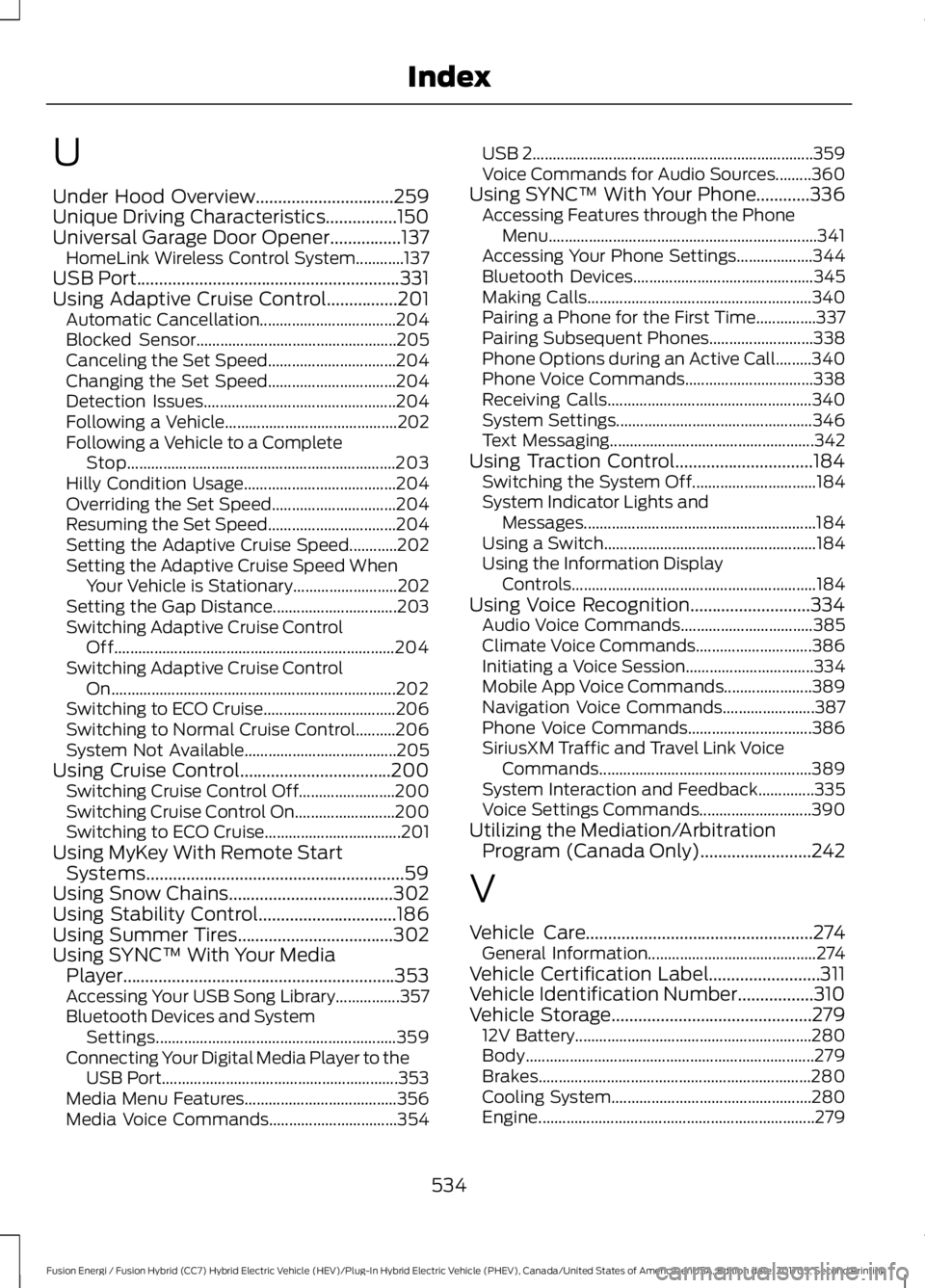
U
Under Hood Overview...............................259
Unique Driving Characteristics................150
Universal Garage Door Opener................137
HomeLink Wireless Control System............137
USB Port...........................................................331
Using Adaptive Cruise Control................201 Automatic Cancellation.................................. 204
Blocked Sensor.................................................. 205
Canceling the Set Speed................................ 204
Changing the Set Speed................................ 204
Detection Issues................................................ 204
Following a Vehicle........................................... 202
Following a Vehicle to a Complete Stop................................................................... 203
Hilly Condition Usage...................................... 204
Overriding the Set Speed............................... 204
Resuming the Set Speed................................ 204
Setting the Adaptive Cruise Speed............202
Setting the Adaptive Cruise Speed When Your Vehicle is Stationary.......................... 202
Setting the Gap Distance............................... 203
Switching Adaptive Cruise Control Off...................................................................... 204
Switching Adaptive Cruise Control On....................................................................... 202
Switching to ECO Cruise................................. 206
Switching to Normal Cruise Control..........206
System Not Available...................................... 205
Using Cruise Control
..................................200
Switching Cruise Control Off........................ 200
Switching Cruise Control On......................... 200
Switching to ECO Cruise.................................. 201
Using MyKey With Remote Start Systems..........................................................59
Using Snow Chains.....................................302
Using Stability Control...............................186
Using Summer Tires
...................................302
Using SYNC™ With Your Media Player.............................................................353
Accessing Your USB Song Library................357
Bluetooth Devices and System Settings............................................................ 359
Connecting Your Digital Media Player to the USB Port........................................................... 353
Media Menu Features...................................... 356
Media Voice Commands................................ 354USB 2
......................................................................
359
Voice Commands for Audio Sources.........360
Using SYNC™ With Your Phone............336 Accessing Features through the Phone
Menu................................................................... 341
Accessing Your Phone Settings................... 344
Bluetooth Devices............................................. 345
Making Calls........................................................ 340
Pairing a Phone for the First Time...............337
Pairing Subsequent Phones.......................... 338
Phone Options during an Active Call.........340
Phone Voice Commands................................ 338
Receiving Calls................................................... 340
System Settings................................................. 346
Text Messaging................................................... 342
Using Traction Control...............................184 Switching the System Off............................... 184
System Indicator Lights and Messages.......................................................... 184
Using a Switch..................................................... 184
Using the Information Display Controls............................................................. 184
Using Voice Recognition...........................334 Audio Voice Commands................................. 385
Climate Voice Commands............................. 386
Initiating a Voice Session................................ 334
Mobile App Voice Commands...................... 389
Navigation Voice Commands....................... 387
Phone Voice Commands............................... 386
SiriusXM Traffic and Travel Link Voice Commands..................................................... 389
System Interaction and Feedback..............335
Voice Settings Commands............................ 390
Utilizing the Mediation/Arbitration Program (Canada Only)
.........................242
V
Vehicle Care
...................................................274
General Information.......................................... 274
Vehicle Certification Label.........................311
Vehicle Identification Number.................310
Vehicle Storage
.............................................279
12V Battery........................................................... 280
Body........................................................................\
279
Brakes.................................................................... 280
Cooling System.................................................. 280
Engine..................................................................... 279
534
Fusion Energi / Fusion Hybrid (CC7) Hybrid Electric Vehicle (HEV)/Plug-In Hybrid Electric Vehicle (PHEV), Canada/United States of America, enUSA, Edition date: 201705, Second Printing Index