2018 FORD FUSION ENERGI instrument panel
[x] Cancel search: instrument panelPage 403 of 538
FunctionButton
Composers
This button allows you to choose a specificletter to view within the category you arebrowsing.
A-Z Jump
If available, this allows you to browse thefolders and files on your USB device.Explore Device
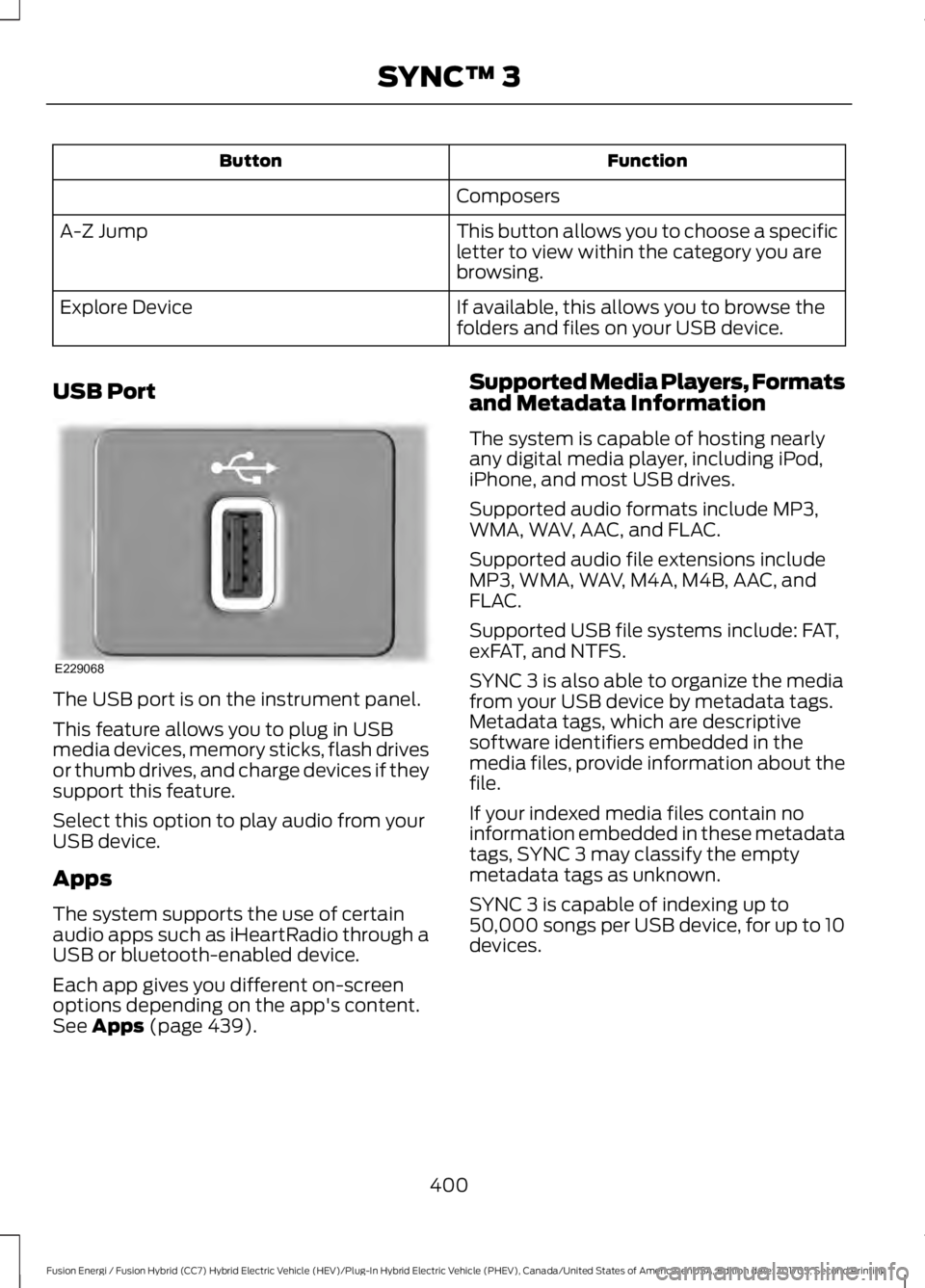
USB Port
The USB port is on the instrument panel.
This feature allows you to plug in USBmedia devices, memory sticks, flash drivesor thumb drives, and charge devices if theysupport this feature.
Select this option to play audio from yourUSB device.
Apps
The system supports the use of certainaudio apps such as iHeartRadio through aUSB or bluetooth-enabled device.
Each app gives you different on-screenoptions depending on the app's content.See Apps (page 439).
Supported Media Players, Formatsand Metadata Information
The system is capable of hosting nearlyany digital media player, including iPod,iPhone, and most USB drives.
Supported audio formats include MP3,WMA, WAV, AAC, and FLAC.
Supported audio file extensions includeMP3, WMA, WAV, M4A, M4B, AAC, andFLAC.
Supported USB file systems include: FAT,exFAT, and NTFS.
SYNC 3 is also able to organize the mediafrom your USB device by metadata tags.Metadata tags, which are descriptivesoftware identifiers embedded in themedia files, provide information about thefile.
If your indexed media files contain noinformation embedded in these metadatatags, SYNC 3 may classify the emptymetadata tags as unknown.
SYNC 3 is capable of indexing up to50,000 songs per USB device, for up to 10devices.
400
Fusion Energi / Fusion Hybrid (CC7) Hybrid Electric Vehicle (HEV)/Plug-In Hybrid Electric Vehicle (PHEV), Canada/United States of America, enUSA, Edition date: 201705, Second Printing
SYNC™ 3E229068
Page 406 of 538

DescriptionItemCallout
A popup appears on the screen to display the airconditioning options.A/CI
Touch to cool your vehicle withrecirculated air. Touch again fornormal A/C operation. MAX A/Cdistributes air through instru-ment panel vents and may helpreduce odors from entering yourvehicle. MAX A/C is moreeconomical and efficient thannormal A/C mode.
MAX A/C
Touch to switch the air condi-tioning on or off. Use A/C withrecirculated air to improvecooling performance and effi-ciency. A/C engages automatic-ally in MAX A/C, defrost andfootwell/defrost
A/C
Touch to switch the recirculatedair on or off which may reducethe amount of time needed tocool down the interior and helpreduce odors from reaching theinterior. Recirculated air also
Recirculated air:
engages automatically whenyou select MAX A/C. You canengage this manually in anyairflow mode except defrost. Itmay also turn off in all airflowmodes except MAX A/C toreduce fog potential.
Select these controls individually, together or withDefrost to direct the air flow to the area you desire.Manual airflow distri-bution controls:J
Distributes air through the instrument panel vents.Panel:
Distributes air through the demister vents, floor ventsand rear seat floor vents.Floor:
403
Fusion Energi / Fusion Hybrid (CC7) Hybrid Electric Vehicle (HEV)/Plug-In Hybrid Electric Vehicle (PHEV), Canada/United States of America, enUSA, Edition date: 201705, Second Printing
SYNC™ 3
Page 530 of 538

Cleaning the Engine....................................276Cleaning the Exterior...................................274Cleaning the Headlamps.................................275Exterior Chrome Parts......................................275Exterior Plastic Parts.........................................275Stripes or Graphics............................................275Underbody............................................................275Under Hood..........................................................275Cleaning the Instrument Panel andInstrument Cluster Lens..........................277Cleaning the Interior....................................277Cleaning the Wheels..................................278Cleaning the Windows and WiperBlades............................................................276Clearing All MyKeys.......................................58Climate.............................................................401Climate Control..............................................119Climate Controlled Seats..........................135Cooled Seats........................................................136Collision, Damage or Fire Event..............235Guidance for Ford Motor Company Electricand Hybrid-Electric Vehicles EquippedWith High Voltage Batteries......................235Coolant CheckSee: Engine Coolant Check.............................261Crash Sensors and Airbag Indicator.......48Creating a MyKey............................................57Programming or Changing ConfigurableSettings...............................................................58Cross Traffic Alert.........................................215Blocked Sensors..................................................217Switching the System Off and On................217System Errors........................................................217System Lights, Messages and AudibleAlerts...................................................................217System Limitations.............................................217Using the Cross Traffic Alert System...........215Cruise Control..................................................72Principle of Operation.....................................200Type One..................................................................72Type Two..................................................................73Cruise controlSee: Using Cruise Control..............................200Customer Assistance.................................239
D
Data Recording..................................................9Event Data Recording..........................................10Service Data Recording........................................9Daytime Running Lamps.............................78Type One - Conventional(Non-Configurable)........................................78Type Two - Configurable...................................78Digital Radio..................................................326HD Radio Reception and StationTroubleshooting.............................................327Direction Indicators.......................................80Doors and Locks..............................................61Driver Alert.....................................................208PRINCIPLE OF OPERATION..........................208USING DRIVER ALERT....................................208Driver and Passenger Airbags....................42Children and Airbags...........................................43Proper Driver and Front Passenger SeatingAdjustment........................................................42Driver and Passenger Knee Airbags........46Driving Aids....................................................208Driving Hints..................................................228Driving Through Water...............................229DRLSee: Daytime Running Lamps.........................78
E
Economical Driving.....................................228EcoSelect........................................................154Electric Parking Brake.................................180Applying the Electric Parking brake............180Battery With No Charge...................................182Parking On a Hill (Vehicles With a ManualTransmission) ................................................180Releasing the Electric Parking Brake............181Electric Vehicle Information.....................419Charge Settings (Energi VehiclesOnly)...................................................................421Power Flow..........................................................435Electromagnetic Compatibility..............493Emission Law.................................................164Noise Emissions Warranty, ProhibitedTampering Acts and Maintenance..........165Tampering With a Noise ControlSystem...............................................................164
527
Fusion Energi / Fusion Hybrid (CC7) Hybrid Electric Vehicle (HEV)/Plug-In Hybrid Electric Vehicle (PHEV), Canada/United States of America, enUSA, Edition date: 201705, Second Printing
Index
Page 533 of 538

Power Steering.....................................................116Pre-Collision Assist.............................................116Remote Start.........................................................116Seats........................................................................116Starting System ...................................................117Tire Pressure Monitoring System...................117Traction Control....................................................117Transmission.........................................................118Installing Child Restraints............................19Child Seats...............................................................19Using Lap and Shoulder Belts.........................20Using Lower Anchors and Tethers forCHildren (LATCH)...........................................24Using Tether Straps.............................................26Instrument Cluster........................................89Instrument Lighting Dimmer......................77Vehicles With Front Fog Lamps......................78Vehicles Without Front Fog Lamps...............78Instrument Panel Overview........................16Interior Lamps.................................................80Front Interior Lamps...........................................80Rear Interior Lamps..............................................81Interior Luggage CompartmentRelease...........................................................66Interior Mirror...................................................86Automatic Dimming Mirror..............................86Manual Dimming Mirror.....................................86Introduction.........................................................7
J
Jump Starting the Vehicle........................233Connecting the Jumper Cables....................233Jump Starting......................................................234Preparing Your Vehicle.....................................233Removing the Jumper Cables.......................234
K
Keyless Entry...................................................64SECURICODE™ Keyless EntryKeypad................................................................64Keyless Starting............................................145Ignition Modes.....................................................145Keys and Remote Controls........................50
L
Lane Keeping System................................209Switching the System On and Off...............210Lighting Control..............................................76Headlamp Flasher................................................77Headlamp High Beam........................................76Lighting...............................................................76General Information............................................76Load Carrying.................................................222Load Limit.......................................................222Special Loading Instructions for Owners ofPick-up Trucks and Utility-typeVehicles............................................................226Vehicle Loading - with and without aTrailer.................................................................222Locking and Unlocking..................................61Activating Intelligent Access............................62Autolock...................................................................63Autounlock.............................................................64Battery Saver.........................................................64Illuminated Entry..................................................64Illuminated Exit.....................................................64Power Door Locks.................................................61Remote Control.....................................................61Smart Unlocks for Intelligent AccessKeys......................................................................63
M
Maintenance.................................................258General Information.........................................258Manual Seats.................................................130Memory Function..........................................132Easy Entry and Exit Feature............................133Linking a PreSet Position to your RemoteControl or Intelligent Access KeyFob.......................................................................133Saving a PreSet Position..................................133Message CenterSee: Information Displays.................................97MirrorsSee: Heated Windows and Mirrors..............126See: Windows and Mirrors................................83Mobile Communications Equipment.......13Moonroof...........................................................87Bounce-Back.........................................................88Opening and Closing the Moonroof..............87
530
Fusion Energi / Fusion Hybrid (CC7) Hybrid Electric Vehicle (HEV)/Plug-In Hybrid Electric Vehicle (PHEV), Canada/United States of America, enUSA, Edition date: 201705, Second Printing
Index