2018 FORD FOCUS light
[x] Cancel search: lightPage 70 of 473
WARNINGS
Do not leave children or animalsunattended in the vehicle. On hotdays, the temperature in the trunk orvehicle interior can rise very quickly.Exposure of people or animals to thesehigh temperatures for even a short timecan cause death or serious heat-relatedinjuries, including brain damage. Smallchildren are particularly at risk.
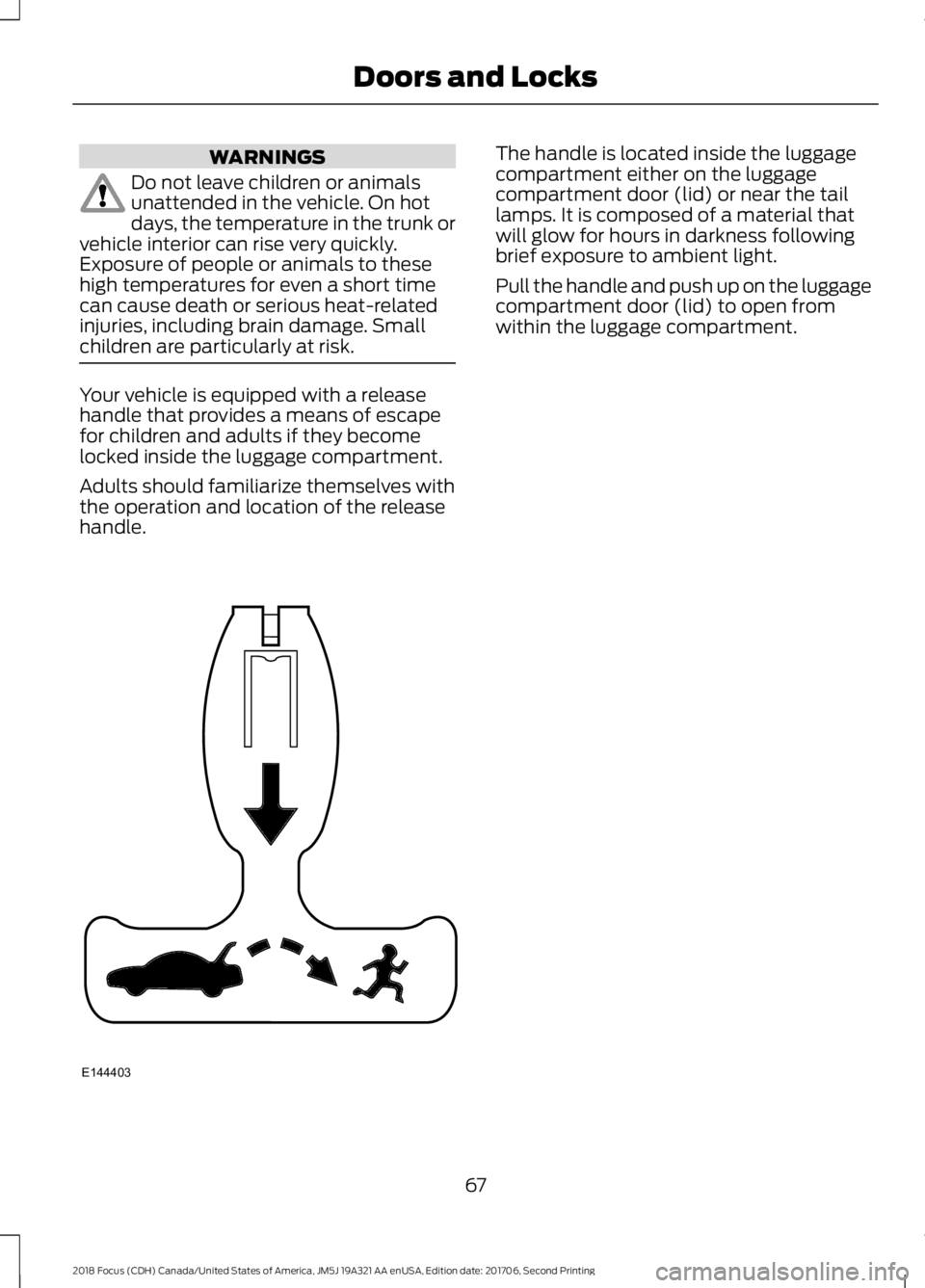
Your vehicle is equipped with a releasehandle that provides a means of escapefor children and adults if they becomelocked inside the luggage compartment.
Adults should familiarize themselves withthe operation and location of the releasehandle.
The handle is located inside the luggagecompartment either on the luggagecompartment door (lid) or near the taillamps. It is composed of a material thatwill glow for hours in darkness followingbrief exposure to ambient light.
Pull the handle and push up on the luggagecompartment door (lid) to open fromwithin the luggage compartment.
672018 Focus (CDH) Canada/United States of America, JM5J 19A321 AA enUSA, Edition date: 201706, Second PrintingDoors and LocksE144403
Page 79 of 473
GENERAL INFORMATION
Condensation in the Exterior FrontLamps and Rear Lamps
Exterior front lamps and rear lamps havevents to accommodate normal changesin air pressure.
Condensation can be a natural by-productof this design. When moist air enters thelamp assembly through the vents, there isa possibility that condensation can occurwhen the temperature is cold. Whennormal condensation occurs, a fine mistcan form on the interior of the lens. Thefine mist eventually clears and exitsthrough the vents during normal operation.
Clearing time may take as long as 48 hoursunder dry weather conditions.
Examples of acceptable condensation are:
•The presence of a fine mist (no streaks,drip marks or large droplets).
•A fine mist covers less than 50% of thelens.
Examples of unacceptable condensationare:
•A water puddle inside the lamp.
•Streaks, drip marks or large dropletspresent on the interior of the lens.
If you see any unacceptable condensation,have your vehicle checked by an authorizeddealer.
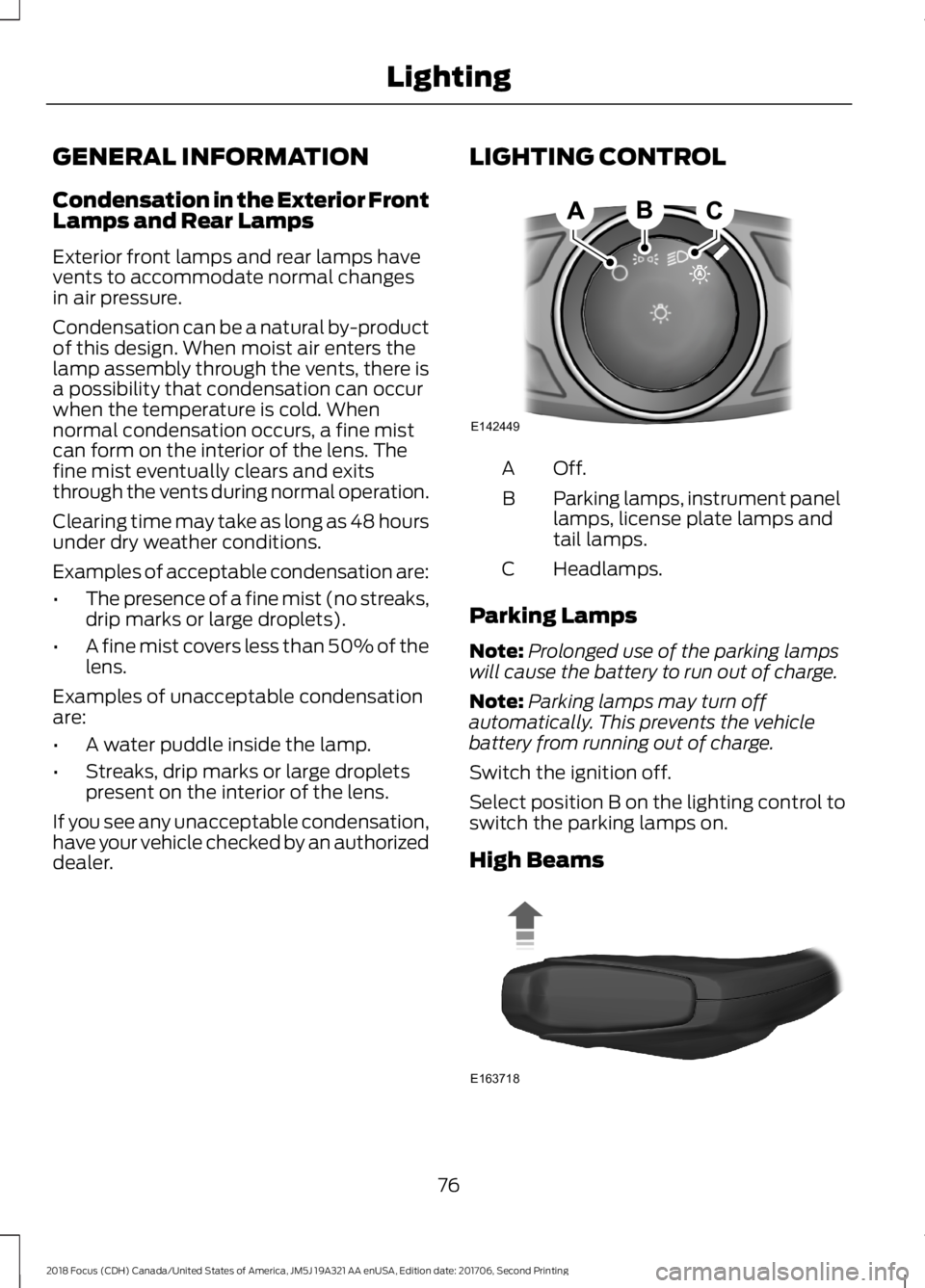
LIGHTING CONTROL
Off.A
Parking lamps, instrument panellamps, license plate lamps andtail lamps.
B
Headlamps.C
Parking Lamps
Note:Prolonged use of the parking lampswill cause the battery to run out of charge.
Note:Parking lamps may turn offautomatically. This prevents the vehiclebattery from running out of charge.
Switch the ignition off.
Select position B on the lighting control toswitch the parking lamps on.
High Beams
762018 Focus (CDH) Canada/United States of America, JM5J 19A321 AA enUSA, Edition date: 201706, Second PrintingLightingE142449 E163718
Page 80 of 473
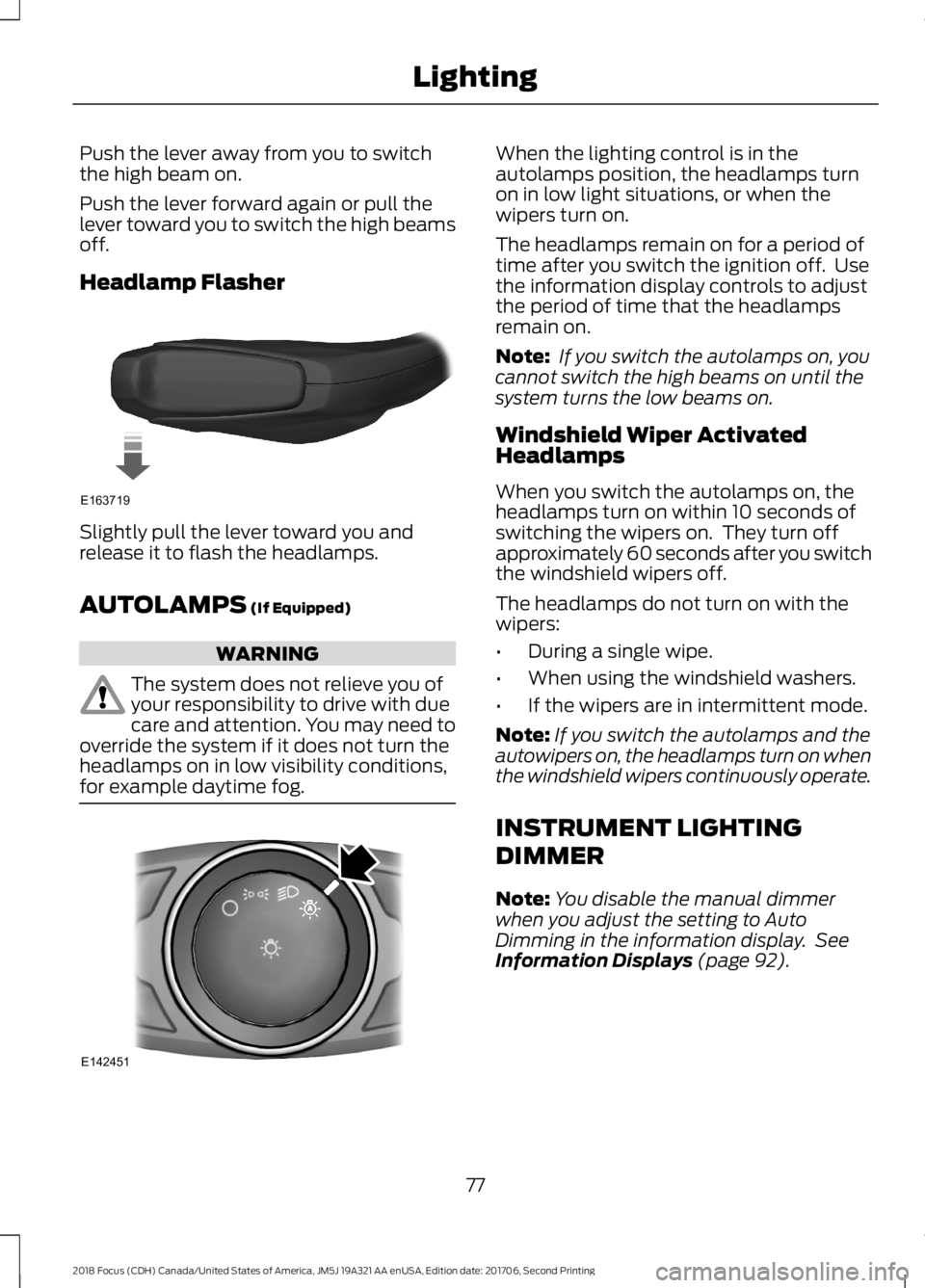
Push the lever away from you to switchthe high beam on.
Push the lever forward again or pull thelever toward you to switch the high beamsoff.
Headlamp Flasher
Slightly pull the lever toward you andrelease it to flash the headlamps.
AUTOLAMPS (If Equipped)
WARNING
The system does not relieve you ofyour responsibility to drive with duecare and attention. You may need tooverride the system if it does not turn theheadlamps on in low visibility conditions,for example daytime fog.
When the lighting control is in theautolamps position, the headlamps turnon in low light situations, or when thewipers turn on.
The headlamps remain on for a period oftime after you switch the ignition off. Usethe information display controls to adjustthe period of time that the headlampsremain on.
Note: If you switch the autolamps on, youcannot switch the high beams on until thesystem turns the low beams on.
Windshield Wiper ActivatedHeadlamps
When you switch the autolamps on, theheadlamps turn on within 10 seconds ofswitching the wipers on. They turn offapproximately 60 seconds after you switchthe windshield wipers off.
The headlamps do not turn on with thewipers:
•During a single wipe.
•When using the windshield washers.
•If the wipers are in intermittent mode.
Note:If you switch the autolamps and theautowipers on, the headlamps turn on whenthe windshield wipers continuously operate.
INSTRUMENT LIGHTING
DIMMER
Note:You disable the manual dimmerwhen you adjust the setting to AutoDimming in the information display. SeeInformation Displays (page 92).
772018 Focus (CDH) Canada/United States of America, JM5J 19A321 AA enUSA, Edition date: 201706, Second PrintingLightingE163719 E142451
Page 81 of 473
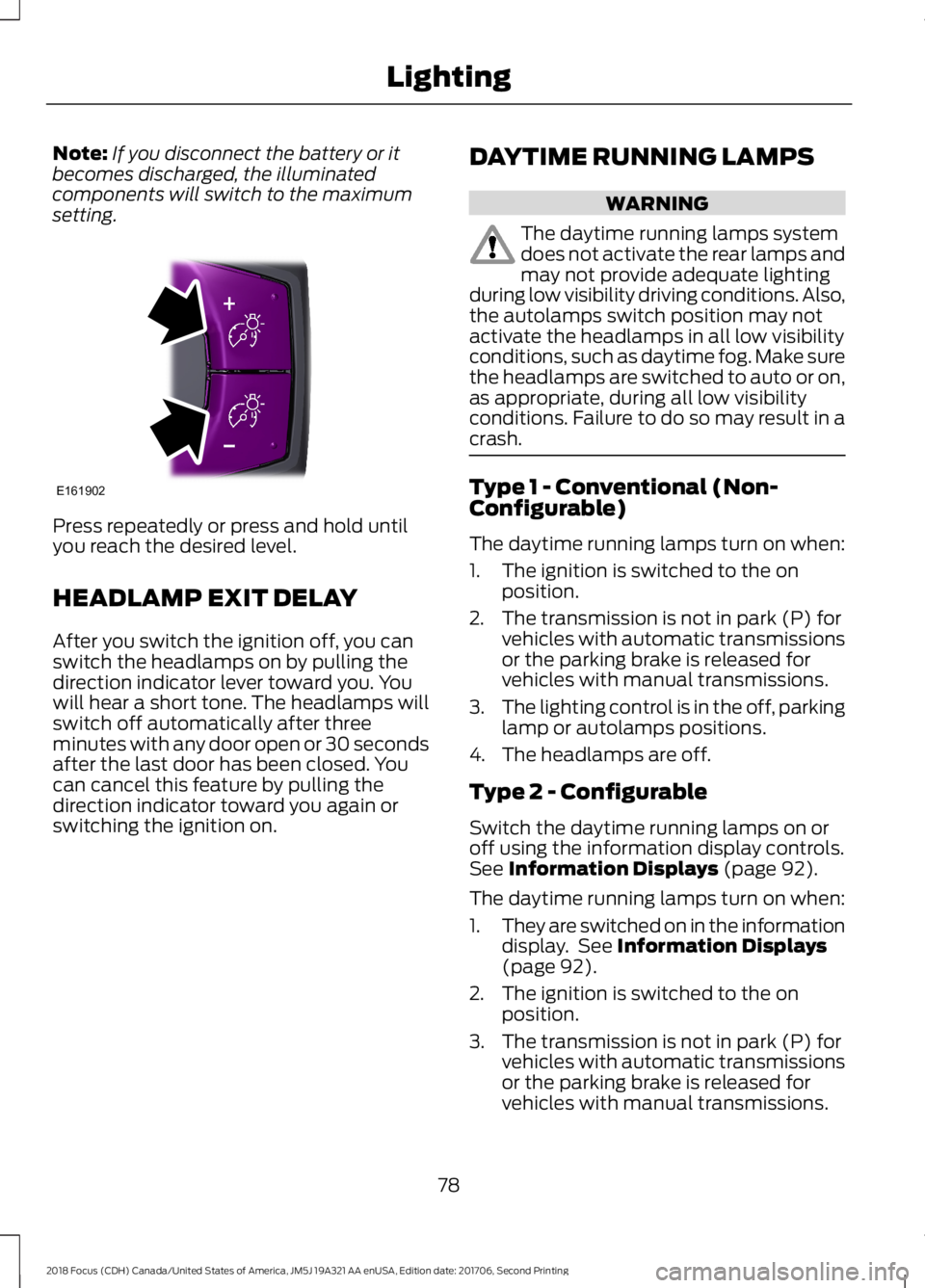
Note:If you disconnect the battery or itbecomes discharged, the illuminatedcomponents will switch to the maximumsetting.
Press repeatedly or press and hold untilyou reach the desired level.
HEADLAMP EXIT DELAY
After you switch the ignition off, you canswitch the headlamps on by pulling thedirection indicator lever toward you. Youwill hear a short tone. The headlamps willswitch off automatically after threeminutes with any door open or 30 secondsafter the last door has been closed. Youcan cancel this feature by pulling thedirection indicator toward you again orswitching the ignition on.
DAYTIME RUNNING LAMPS
WARNING
The daytime running lamps systemdoes not activate the rear lamps andmay not provide adequate lightingduring low visibility driving conditions. Also,the autolamps switch position may notactivate the headlamps in all low visibilityconditions, such as daytime fog. Make surethe headlamps are switched to auto or on,as appropriate, during all low visibilityconditions. Failure to do so may result in acrash.
Type 1 - Conventional (Non-Configurable)
The daytime running lamps turn on when:
1.The ignition is switched to the onposition.
2.The transmission is not in park (P) forvehicles with automatic transmissionsor the parking brake is released forvehicles with manual transmissions.
3.The lighting control is in the off, parkinglamp or autolamps positions.
4.The headlamps are off.
Type 2 - Configurable
Switch the daytime running lamps on oroff using the information display controls.See Information Displays (page 92).
The daytime running lamps turn on when:
1.They are switched on in the informationdisplay. See Information Displays(page 92).
2.The ignition is switched to the onposition.
3.The transmission is not in park (P) forvehicles with automatic transmissionsor the parking brake is released forvehicles with manual transmissions.
782018 Focus (CDH) Canada/United States of America, JM5J 19A321 AA enUSA, Edition date: 201706, Second PrintingLightingE161902
Page 82 of 473
4.The lighting control is in the autolampsposition.
5.The headlamps are off.
The other lighting control switch positionsdo not activate the daytime running lamps,and you can use them to temporarilyoverride autolamp control.
When switched off in the informationdisplay, the daytime running lamps are offin all lighting control switch positions.
AUTOMATIC HIGH BEAM
CONTROL
WARNING
The system does not relieve you ofyour responsibility to drive with duecare and attention. You may need tooverride the system if it does not turn thehigh beams on or off.
The system turns on high beams if it is darkenough and no other traffic is present. If itdetects an approaching vehicle’sheadlamps or tail lamps, or street lightingahead, the system turns off high beamsbefore they can distract other road users.Low beams remain on.
Note:The system may not operate properlyif the sensor is blocked. Keep the windshieldfree from obstruction or damage.
Note:The system may not operate properlyin cold or inclement conditions. You canswitch on the high beams by overriding thesystem.
Note:If the system detects a blockage, forexample bird droppings, bug splatter, snowor ice, the system goes into low beam modeuntil you clear the blockage. A message mayappear in the information display if thecamera is blocked.
Note:Using much larger tires or equippingvehicle accessories such as snowplows canmodify your vehicle's ride height anddegrade automatic high beam controlperformance.
A camera sensor, centrally mountedbehind the windshield of your vehicle,continuously monitors conditions to turnthe high beams on and off.
Once the system is active, the high beamsturn on if:
•The ambient light level is low enough.
•There is no traffic in front of yourvehicle.
•The vehicle speed is greater thanapproximately 32 mph (51 km/h).
The system turns the high beams off if:
•The ambient light level is high enoughthat high beams are not required.
•The system detects an approachingvehicle's headlamps or tail lamps.
•The vehicle speed falls belowapproximately 27 mph (44 km/h).
•The system detects severe rain, snowor fog.
•The camera is blocked.
Switching the System On and Off
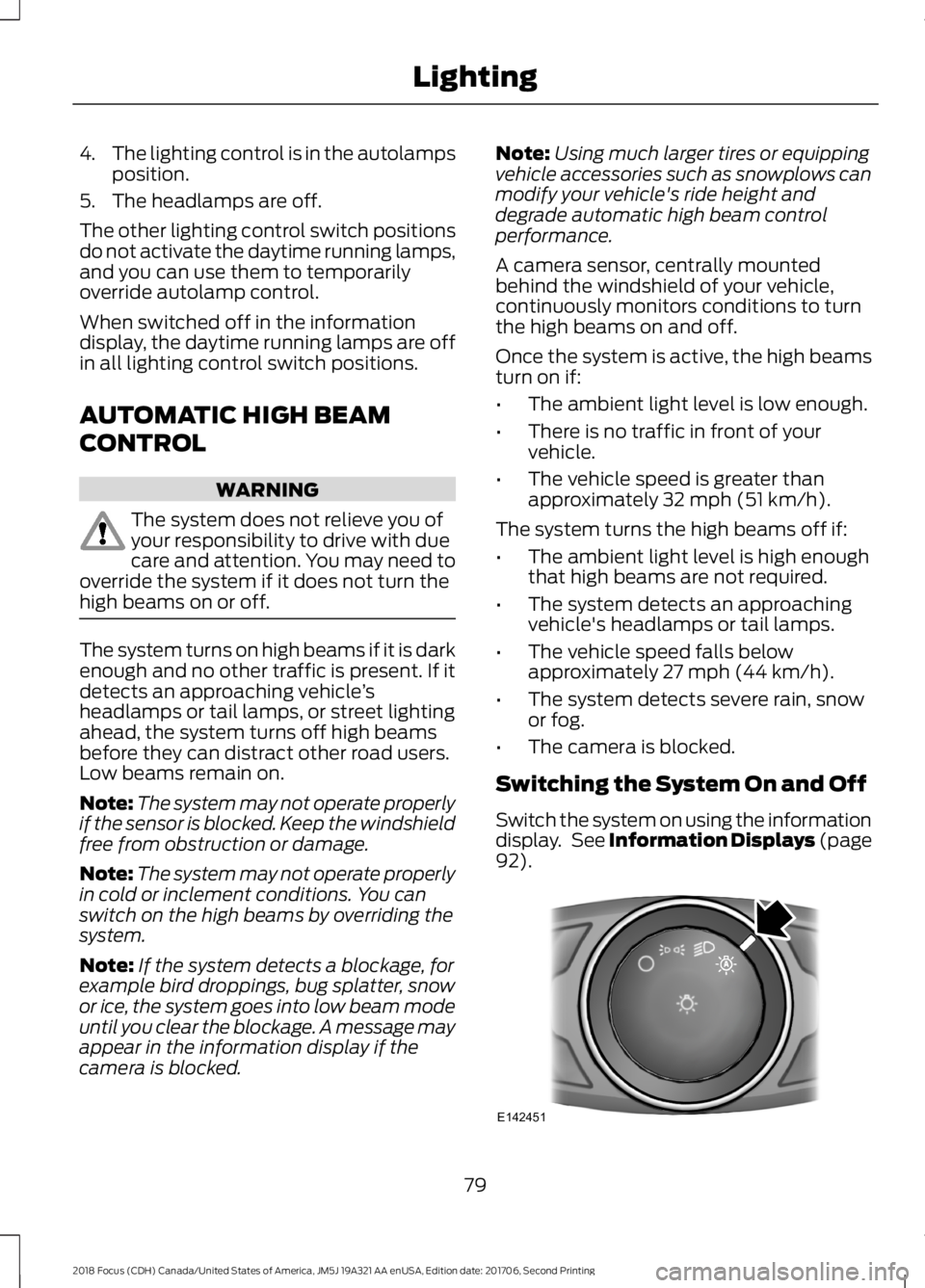
Switch the system on using the informationdisplay. See Information Displays (page92).
792018 Focus (CDH) Canada/United States of America, JM5J 19A321 AA enUSA, Edition date: 201706, Second PrintingLightingE142451
Page 83 of 473
Switch the lighting control to theautolamps position. See Autolamps(page 77).
Overriding the System
Push the lever away from you to switchbetween high beam and low beam.
Automatic High Beam Indicator (If
Equipped)
The indicator illuminates toconfirm when the system isready to assist.
FRONT FOG LAMPS (If Equipped)
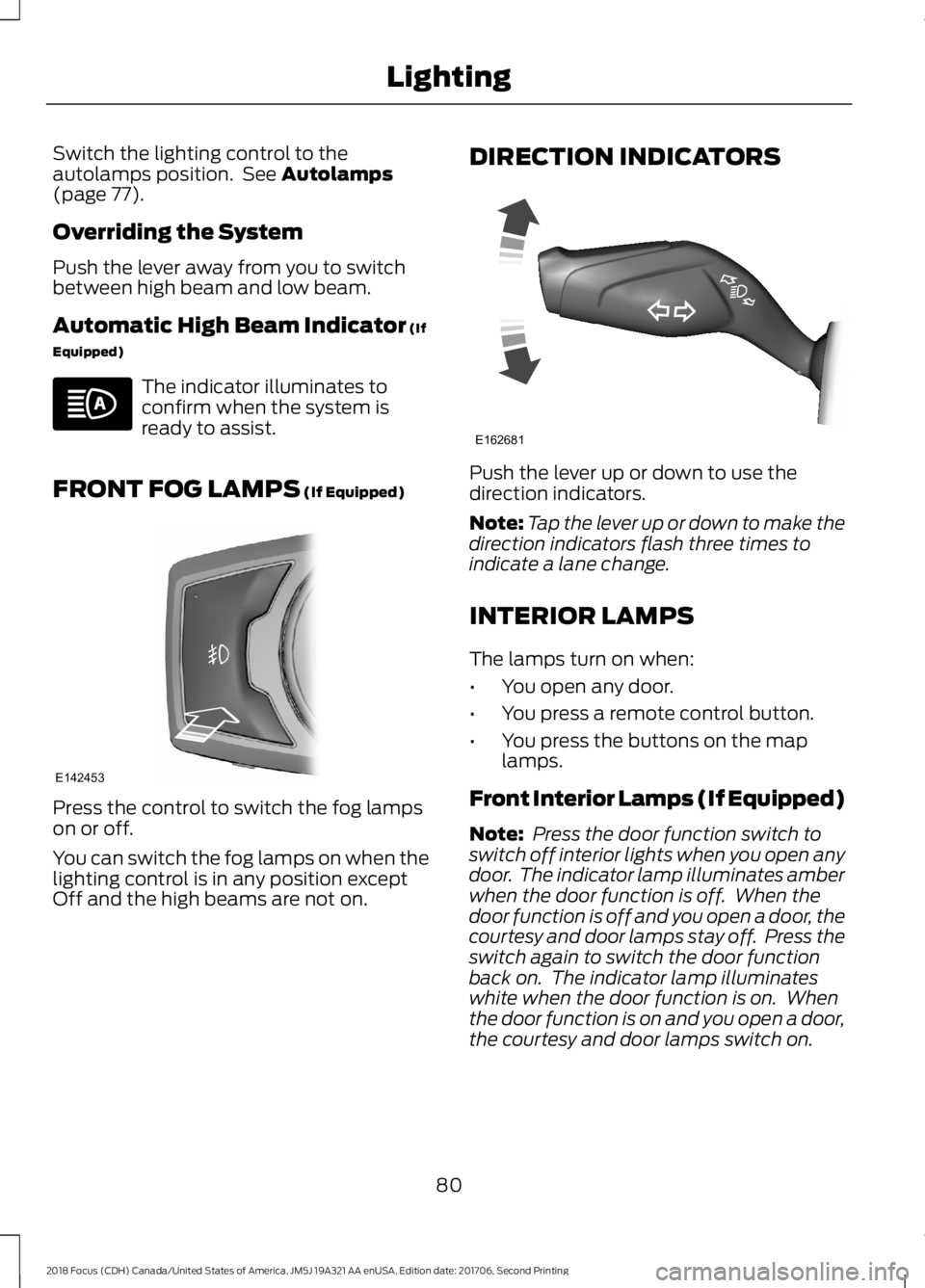
Press the control to switch the fog lampson or off.
You can switch the fog lamps on when thelighting control is in any position exceptOff and the high beams are not on.
DIRECTION INDICATORS
Push the lever up or down to use thedirection indicators.
Note:Tap the lever up or down to make thedirection indicators flash three times toindicate a lane change.
INTERIOR LAMPS
The lamps turn on when:
•You open any door.
•You press a remote control button.
•You press the buttons on the maplamps.
Front Interior Lamps (If Equipped)
Note: Press the door function switch toswitch off interior lights when you open anydoor. The indicator lamp illuminates amberwhen the door function is off. When thedoor function is off and you open a door, thecourtesy and door lamps stay off. Press theswitch again to switch the door functionback on. The indicator lamp illuminateswhite when the door function is on. Whenthe door function is on and you open a door,the courtesy and door lamps switch on.
802018 Focus (CDH) Canada/United States of America, JM5J 19A321 AA enUSA, Edition date: 201706, Second PrintingLighting E142453 E162681
Page 84 of 473
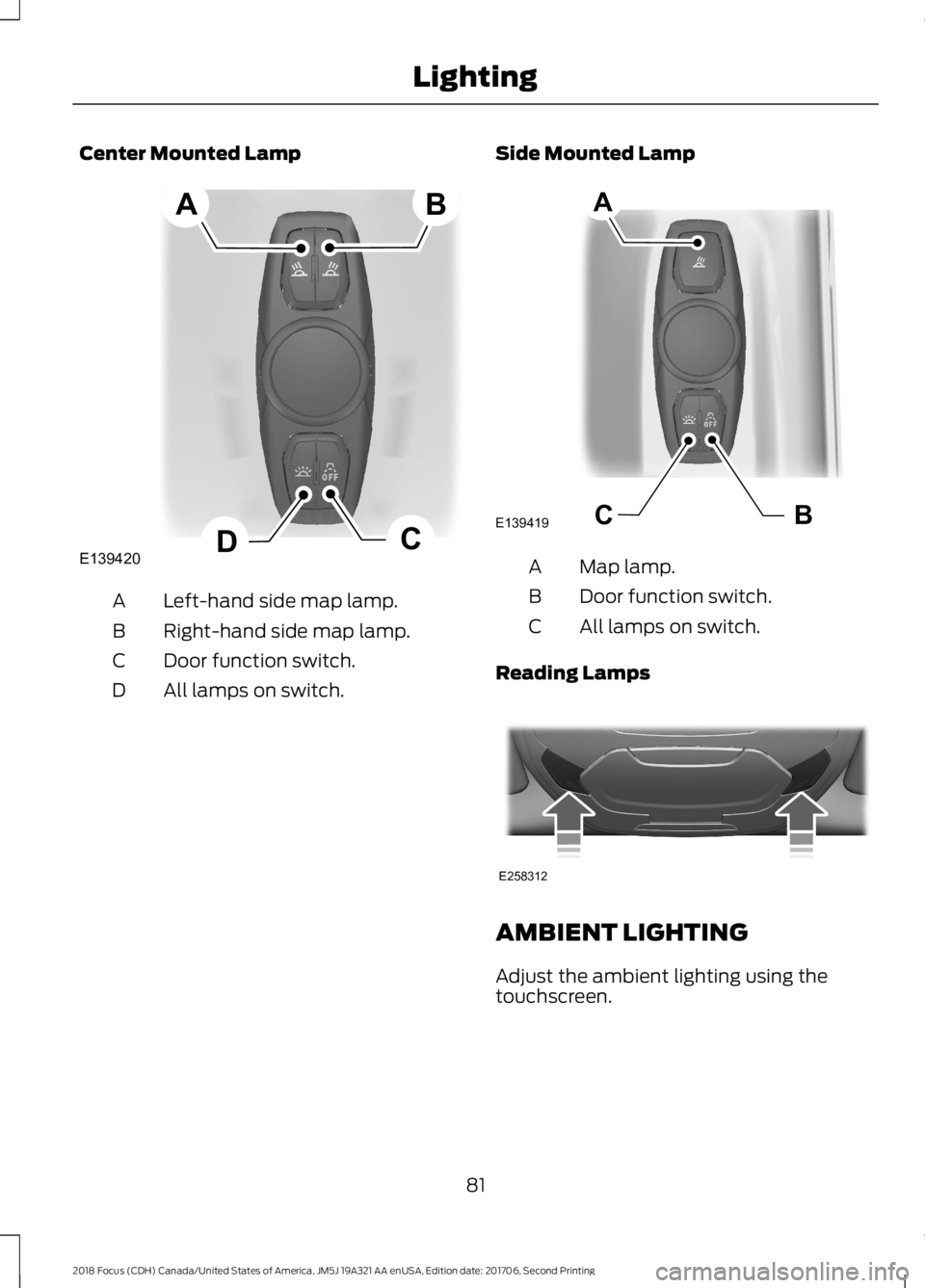
Center Mounted Lamp
Left-hand side map lamp.A
Right-hand side map lamp.B
Door function switch.C
All lamps on switch.D
Side Mounted Lamp
Map lamp.A
Door function switch.B
All lamps on switch.C
Reading Lamps
AMBIENT LIGHTING
Adjust the ambient lighting using thetouchscreen.
812018 Focus (CDH) Canada/United States of America, JM5J 19A321 AA enUSA, Edition date: 201706, Second PrintingLightingE139420CDAB BCE139419A E258312
Page 85 of 473
POWER WINDOWS
WARNINGS
Do not leave children unattended inyour vehicle and do not let them playwith the power windows. Failure tofollow this instruction could result inpersonal injury.
When closing the power windows,verify they are free of obstruction andmake sure that children and pets arenot in the proximity of the windowopenings.
Press the control to open thewindow. Lift the control to closethe window.
To reduce wind noise or pulsing noise whenjust one window is open, slightly open theopposite window.
One-Touch Open (If Equipped)
Fully press the control and release it. Pressagain or lift it to stop the window.
One-Touch Close (If Equipped)
Fully lift the control and release it. Pressagain or lift it to stop the window.
Rear Window Lock
Press the control to lock orunlock the rear window controls.It illuminates when you lock therear window controls.
Bounce-Back (If Equipped)
The window stops and reverses if it detectsan obstruction.
Overriding Bounce-Back
WARNING
If you override bounce-back, thewindow does not reverse if it detectsan obstacle. Take care when closingthe windows to avoid personal injury ordamage to your vehicle.
Proceed as follows to override thisprotection feature when there is aresistance, for example in winter:
1.Close the window twice until it reachesthe point of resistance and let itreverse.
2.Close the window a third time to thepoint of resistance. You disabled thebounce-back feature and you can nowclose the window manually. Thewindow goes past the point ofresistance and you can fully close it.
Note:If the window does not close, haveyour vehicle checked as soon as possible.
Resetting Bounce-Back
WARNING
Bounce-back is off until you reset thememory. Take care when closing thewindows to avoid personal injury ordamage to your vehicle.
If you have disconnected the battery, youmust reset the bounce-back memoryseparately for each window.
1.Lift and hold the switch until thewindow is fully closed.
2.Release the switch.
3.Lift and hold the switch again for a fewseconds.
4.Release the switch.
5.Lift and hold the switch again for a fewseconds.
822018 Focus (CDH) Canada/United States of America, JM5J 19A321 AA enUSA, Edition date: 201706, Second PrintingWindows and Mirrors