2018 FORD F-450 cruise control
[x] Cancel search: cruise controlPage 251 of 660
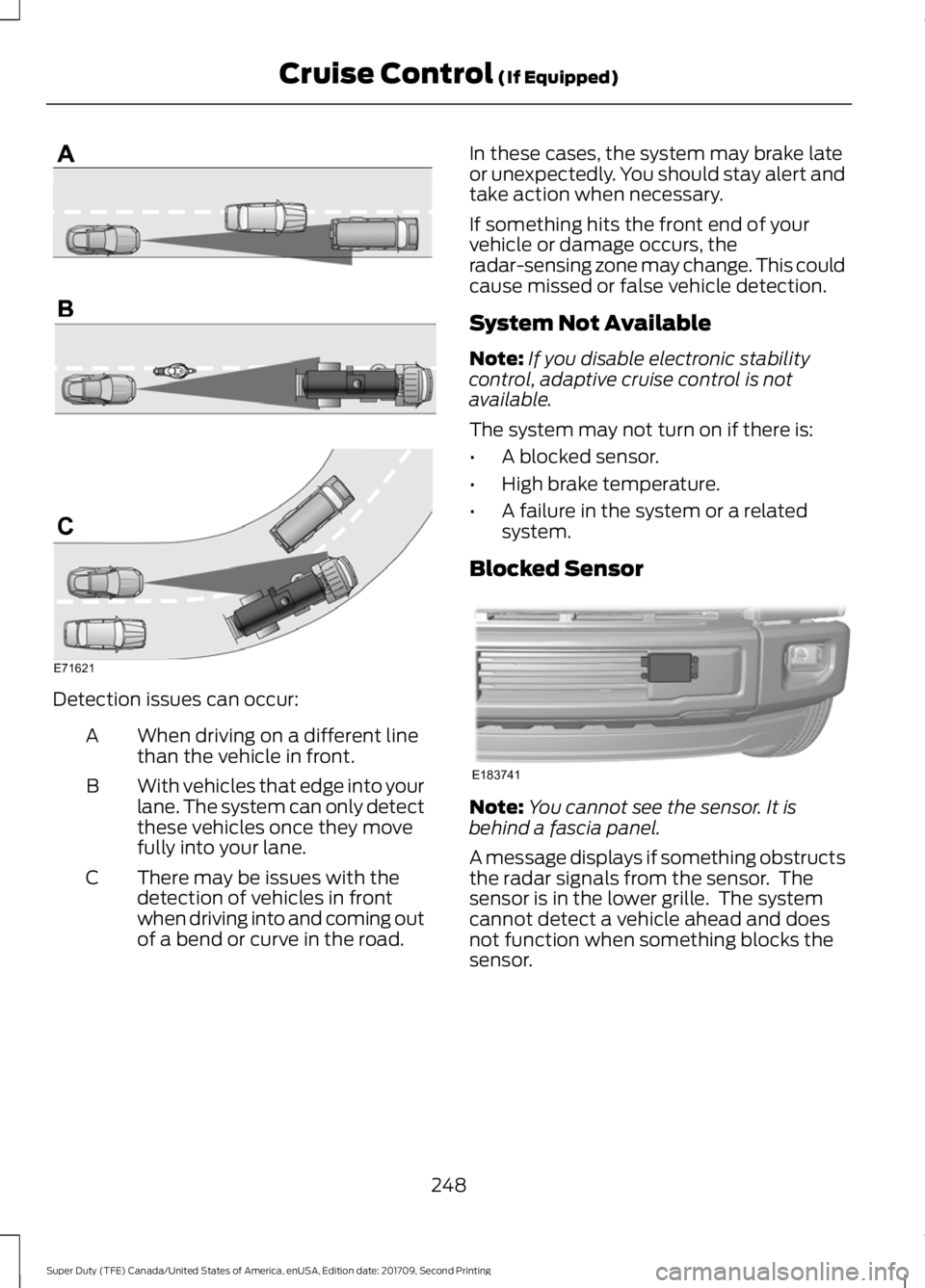
Detection issues can occur:
When driving on a different line
than the vehicle in front.
A
With vehicles that edge into your
lane. The system can only detect
these vehicles once they move
fully into your lane.
B
There may be issues with the
detection of vehicles in front
when driving into and coming out
of a bend or curve in the road.
C In these cases, the system may brake late
or unexpectedly. You should stay alert and
take action when necessary.
If something hits the front end of your
vehicle or damage occurs, the
radar-sensing zone may change. This could
cause missed or false vehicle detection.
System Not Available
Note:
If you disable electronic stability
control, adaptive cruise control is not
available.
The system may not turn on if there is:
• A blocked sensor.
• High brake temperature.
• A failure in the system or a related
system.
Blocked Sensor Note:
You cannot see the sensor. It is
behind a fascia panel.
A message displays if something obstructs
the radar signals from the sensor. The
sensor is in the lower grille. The system
cannot detect a vehicle ahead and does
not function when something blocks the
sensor.
248
Super Duty (TFE) Canada/United States of America, enUSA, Edition date: 201709, Second Printing Cruise Control (If Equipped)E71621 E183741
Page 252 of 660

Possible Causes and Actions for This Message Displaying:
Action
Cause
Clean the grille surface in front of the radar
or remove the object causing the obstruc-
tion.
The surface of the radar is dirty or
obstructed.
Wait a short time. It may take several
minutes for the radar to detect that it is free
from obstruction.
The surface of the radar is clean but the
message remains in the display.
Do not use the system in these conditions
because it may not detect any vehicles
ahead.
Heavy rain or snow is interfering with the
radar signals.
Do not use the system in these conditions
because it may not detect any vehicles
ahead.
Water, snow or ice on the surface of the
road may interfere with the radar signals.
Wait a short time or switch to normal cruise
control.
You are in a desert or remote area with no
other vehicles and no roadside objects.
Due to the nature of radar technology, it is possible to get a blockage warning with no
actual block. This happens, for example, when driving in sparse rural or desert
environments. A false blocked condition either self clears, or clears after you restart your
vehicle.
Switching to Normal Cruise
Control WARNING
Normal cruise control will not brake
when your vehicle is approaching
slower vehicles. Always be aware of
which mode you have selected and apply
the brakes when necessary. You can change from adaptive cruise
control to normal cruise control through
the information display. The cruise control indicator light
replaces the adaptive cruise
control indicator light if you
select normal cruise control. The gap
setting does not display, and the system
does not respond to lead vehicles.
Automatic braking remains active to
maintain set speed.
249
Super Duty (TFE) Canada/United States of America, enUSA, Edition date: 201709, Second Printing Cruise Control (If Equipped)E71340
Page 254 of 660
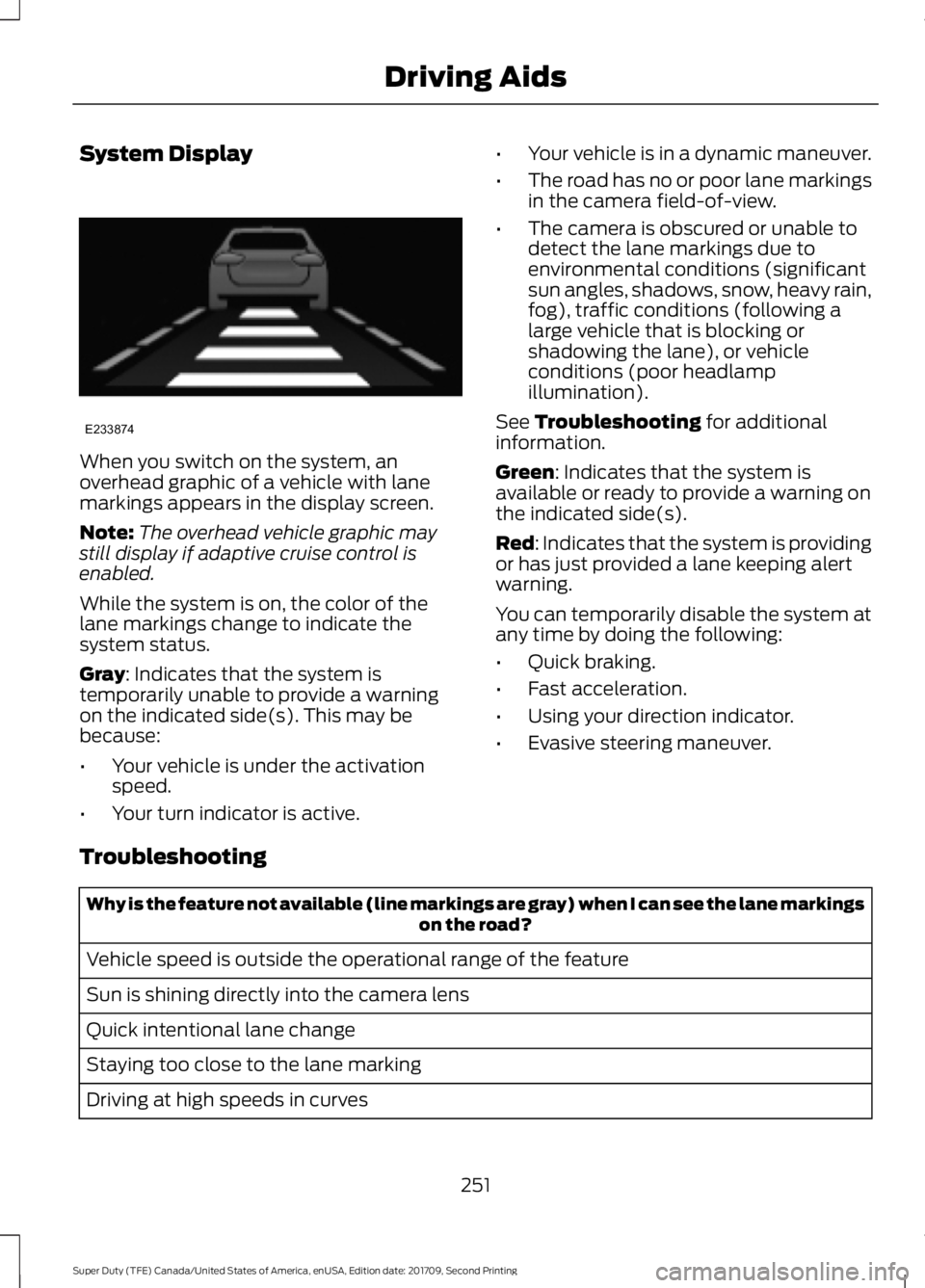
System Display
When you switch on the system, an
overhead graphic of a vehicle with lane
markings appears in the display screen.
Note:
The overhead vehicle graphic may
still display if adaptive cruise control is
enabled.
While the system is on, the color of the
lane markings change to indicate the
system status.
Gray: Indicates that the system is
temporarily unable to provide a warning
on the indicated side(s). This may be
because:
• Your vehicle is under the activation
speed.
• Your turn indicator is active. •
Your vehicle is in a dynamic maneuver.
• The road has no or poor lane markings
in the camera field-of-view.
• The camera is obscured or unable to
detect the lane markings due to
environmental conditions (significant
sun angles, shadows, snow, heavy rain,
fog), traffic conditions (following a
large vehicle that is blocking or
shadowing the lane), or vehicle
conditions (poor headlamp
illumination).
See
Troubleshooting for additional
information.
Green
: Indicates that the system is
available or ready to provide a warning on
the indicated side(s).
Red
: Indicates that the system is providing
or has just provided a lane keeping alert
warning.
You can temporarily disable the system at
any time by doing the following:
• Quick braking.
• Fast acceleration.
• Using your direction indicator.
• Evasive steering maneuver.
Troubleshooting Why is the feature not available (line markings are gray) when I can see the lane markings
on the road?
Vehicle speed is outside the operational range of the feature
Sun is shining directly into the camera lens
Quick intentional lane change
Staying too close to the lane marking
Driving at high speeds in curves
251
Super Duty (TFE) Canada/United States of America, enUSA, Edition date: 201709, Second Printing Driving AidsE233874
Page 302 of 660
•
Fuel economy may decrease with lower
temperatures during the first 5–10 mi
(12 –16 km) of driving.
• Driving on flat terrain offers improved
fuel economy as compared to driving
on hilly terrain.
• Transmissions give their best fuel
economy when operated in the top
cruise gear and with steady pressure
on the gas pedal.
• Four-wheel-drive operation (if
equipped) is less fuel efficient than
two-wheel-drive operation.
• Close the windows for high-speed
driving.
DRIVING THROUGH WATER WARNING
Do not drive through flowing or deep
water as you may lose control of your
vehicle.
Note:
Driving through standing water can
cause vehicle damage.
Note: Engine damage can occur if water
enters the air filter.
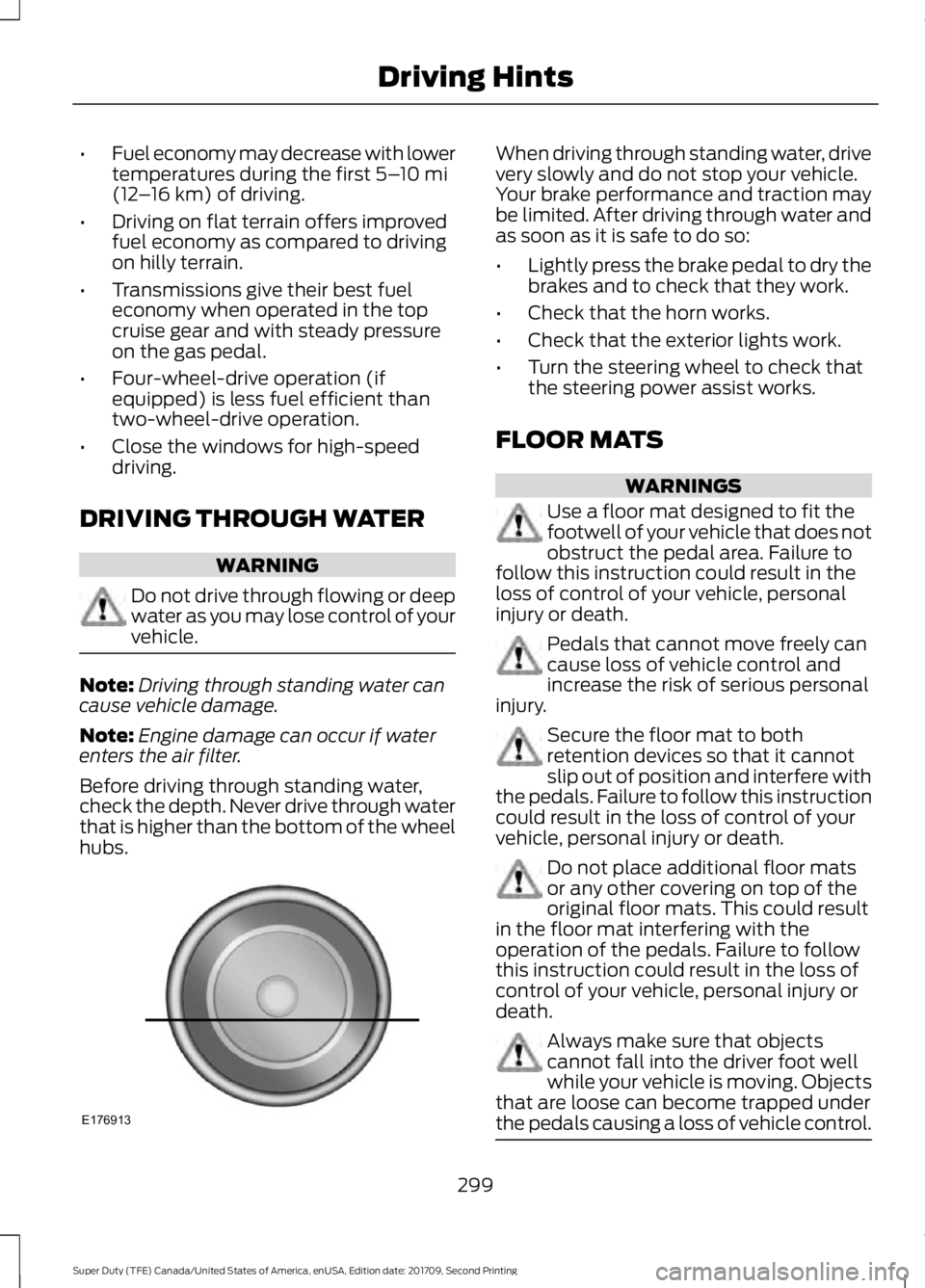
Before driving through standing water,
check the depth. Never drive through water
that is higher than the bottom of the wheel
hubs. When driving through standing water, drive
very slowly and do not stop your vehicle.
Your brake performance and traction may
be limited. After driving through water and
as soon as it is safe to do so:
•
Lightly press the brake pedal to dry the
brakes and to check that they work.
• Check that the horn works.
• Check that the exterior lights work.
• Turn the steering wheel to check that
the steering power assist works.
FLOOR MATS WARNINGS
Use a floor mat designed to fit the
footwell of your vehicle that does not
obstruct the pedal area. Failure to
follow this instruction could result in the
loss of control of your vehicle, personal
injury or death. Pedals that cannot move freely can
cause loss of vehicle control and
increase the risk of serious personal
injury. Secure the floor mat to both
retention devices so that it cannot
slip out of position and interfere with
the pedals. Failure to follow this instruction
could result in the loss of control of your
vehicle, personal injury or death. Do not place additional floor mats
or any other covering on top of the
original floor mats. This could result
in the floor mat interfering with the
operation of the pedals. Failure to follow
this instruction could result in the loss of
control of your vehicle, personal injury or
death. Always make sure that objects
cannot fall into the driver foot well
while your vehicle is moving. Objects
that are loose can become trapped under
the pedals causing a loss of vehicle control. 299
Super Duty (TFE) Canada/United States of America, enUSA, Edition date: 201709, Second Printing Driving HintsE176913
Page 322 of 660

Protected Components
Fuse Rating
Fuse or Relay
Number
Supplemental air heater bank #1 relay.
—
20
Not used.
—
21
Not used.
—
22
Not used.
—
23
Cooling fan relay.
—
24
Supplemental air heater bank #3 relay.
Glow plug module power relay.
—
25
Not used.
—
26
Trailer tow battery charge relay (if
equipped).
30A 2
27
Not used.
—
28
Run-start relay.
—
29
4x4 module.
10A 1
30
Adaptive cruise control.
5A 1
31
Run-start.
Anti-lock brake system module.
5A 1
32
Run-start.
Powertrain control module - ignition status
power run.
10A 1
33
Run-start.
Engine control module.
Transmission control module.
Blind spot information system.
10A 1
34
Run-start.
Front camera.
Rear camera.
Not used.
—
35
Blower motor relay.
—
36
Trailer tow battery charge relay (only on
non-trailer brake controller vehicles).
—
37
A/C compressor clutch relay.
—
38
319
Super Duty (TFE) Canada/United States of America, enUSA, Edition date: 201709, Second Printing Fuses
Page 578 of 660
•
Cruise control.
• Tool or Cargo boxes*.
• Vehicle security system.
• Wheel locks.
• Wheel well liners.
*The accessory manufacturer designs,
develops and therefore warrants Ford
Licensed Accessories, and does not design
or test these accessories to Ford Motor
Company engineering requirements.
Contact an authorized Ford dealer for the
manufacturer ’s limited warranty details,
and request a copy of the Ford Licensed
Accessories product limited warranty from
the accessory manufacturer.
For maximum vehicle performance, keep
the following information in mind when
adding accessories or equipment to your
vehicle:
• When adding accessories, equipment,
passengers and luggage to your
vehicle, do not exceed the total weight
capacity of the vehicle or of the front
or rear axle (GVWR or GAWR as
indicated on the Safety Compliance
Certification label). Ask an authorized
dealer for specific weight information.
• The Federal Communications
Commission (FCC) and Canadian
Radio Telecommunications
Commission (CRTC) regulate the use
of mobile communications systems
that are equipped with radio
transmitters, for example two-way
radios, telephones and theft alarms.
Any such equipment installed in your
vehicle should comply with Federal
Communications Commission (FCC)
and Canadian Radio
Telecommunications Commission
(CRTC) regulations and should be
installed only by an authorized dealer. •
An authorized dealer needs to install
mobile communications systems.
Improper installation may harm the
operation of your vehicle, particularly
if the manufacturer did not design the
mobile communication system
specifically for automotive use.
• If you or an authorized Ford dealer add
any non-Ford electrical or electronic
accessories or components to your
vehicle, you may adversely affect
battery performance and durability. In
addition, you may also adversely affect
the performance of other electrical
systems in the vehicle.
AUXILIARY SWITCHES (If Equipped)
For maximum vehicle performance, keep
the following information in mind when
adding accessories or equipment to your
vehicle:
• When adding accessories, equipment,
passengers and luggage to your
vehicle, do not exceed the total weight
capacity of the vehicle or of the front
or rear axle (GVWR or GAWR as
indicated on the Safety Compliance
Certification label). Ask an authorized
dealer for specific weight information.
• The Federal Communications
Commission (FCC) and Canadian
Radio Telecommunications
Commission (CRTC) regulate the use
of mobile communications systems
equipped with radio transmitters, for
example, two-way radios, telephones
and theft alarms. Any such equipment
installed in your vehicle should comply
with Federal Communications
Commission (FCC) and Canadian
Radio Telecommunications
Commission (CRTC) regulations, and
should be installed by an authorized
dealer.
575
Super Duty (TFE) Canada/United States of America, enUSA, Edition date: 201709, Second Printing Accessories
Page 648 of 660
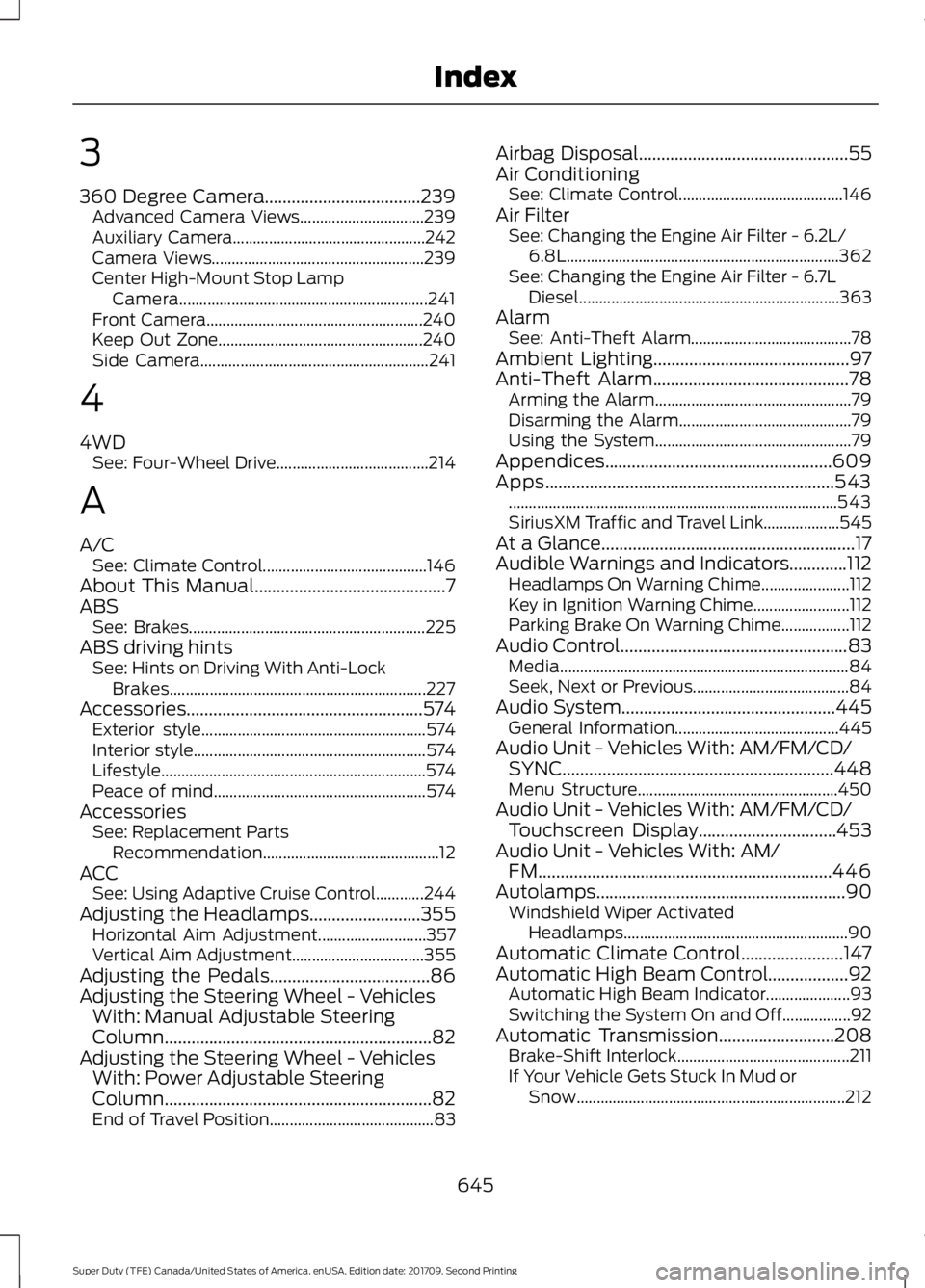
3
360 Degree Camera...................................239
Advanced Camera Views............................... 239
Auxiliary Camera................................................ 242
Camera Views..................................................... 239
Center High-Mount Stop Lamp Camera
.............................................................. 241
Front Camera...................................................... 240
Keep Out Zone................................................... 240
Side Camera......................................................... 241
4
4WD See: Four-Wheel Drive...................................... 214
A
A/C See: Climate Control......................................... 146
About This Manual
...........................................7
ABS See: Brakes........................................................... 225
ABS driving hints See: Hints on Driving With Anti-Lock
Brakes................................................................ 227
Accessories.....................................................574 Exterior style........................................................ 574
Interior style.......................................................... 574
Lifestyle.................................................................. 574
Peace of mind..................................................... 574
Accessories See: Replacement Parts
Recommendation............................................ 12
ACC See: Using Adaptive Cruise Control............244
Adjusting the Headlamps.........................355 Horizontal Aim Adjustment........................... 357
Vertical Aim Adjustment................................. 355
Adjusting the Pedals
....................................86
Adjusting the Steering Wheel - Vehicles With: Manual Adjustable Steering
Column............................................................82
Adjusting the Steering Wheel - Vehicles With: Power Adjustable Steering
Column............................................................82
End of Travel Position......................................... 83Airbag Disposal...............................................55
Air Conditioning
See: Climate Control......................................... 146
Air Filter See: Changing the Engine Air Filter - 6.2L/
6.8L.................................................................... 362
See: Changing the Engine Air Filter - 6.7L Diesel................................................................. 363
Alarm See: Anti-Theft Alarm........................................ 78
Ambient Lighting............................................97
Anti-Theft Alarm............................................78 Arming the Alarm................................................. 79
Disarming the Alarm........................................... 79
Using the System................................................. 79
Appendices...................................................609
Apps.................................................................543 ........................................................................\
.......... 543
SiriusXM Traffic and Travel Link................... 545
At a Glance
.........................................................17
Audible Warnings and Indicators.............112 Headlamps On Warning Chime...................... 112
Key in Ignition Warning Chime........................ 112
Parking Brake On Warning Chime.................112
Audio Control
...................................................83
Media........................................................................\
84
Seek, Next or Previous....................................... 84
Audio System
................................................445
General Information......................................... 445
Audio Unit - Vehicles With: AM/FM/CD/ SYNC.............................................................448
Menu Structure.................................................. 450
Audio Unit - Vehicles With: AM/FM/CD/ Touchscreen Display...............................453
Audio Unit - Vehicles With: AM/ FM..................................................................446
Autolamps........................................................90 Windshield Wiper Activated
Headlamps........................................................ 90
Automatic Climate Control.......................147
Automatic High Beam Control
..................92
Automatic High Beam Indicator..................... 93
Switching the System On and Off.................92
Automatic Transmission
..........................208
Brake-Shift Interlock........................................... 211
If Your Vehicle Gets Stuck In Mud or Snow................................................................... 212
645
Super Duty (TFE) Canada/United States of America, enUSA, Edition date: 201709, Second Printing Index
Page 650 of 660
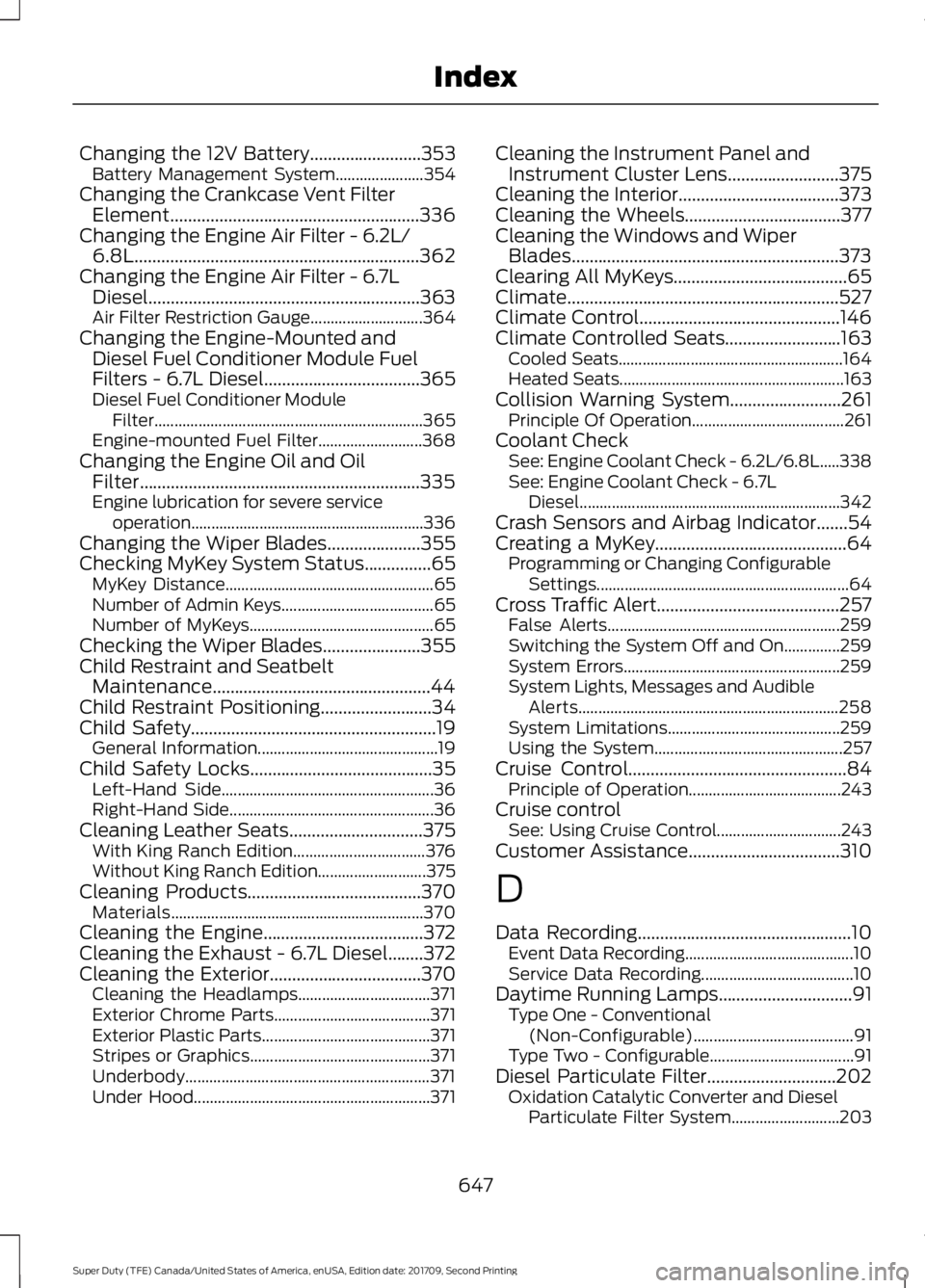
Changing the 12V Battery.........................353
Battery Management System...................... 354
Changing the Crankcase Vent Filter Element........................................................336
Changing the Engine Air Filter - 6.2L/ 6.8L
................................................................362
Changing the Engine Air Filter - 6.7L Diesel.............................................................363
Air Filter Restriction Gauge............................ 364
Changing the Engine-Mounted and Diesel Fuel Conditioner Module Fuel
Filters - 6.7L Diesel
...................................365
Diesel Fuel Conditioner Module
Filter................................................................... 365
Engine-mounted Fuel Filter.......................... 368
Changing the Engine Oil and Oil Filter...............................................................335
Engine lubrication for severe service operation..........................................................336
Changing the Wiper Blades
.....................355
Checking MyKey System Status...............65 MyKey Distance.................................................... 65
Number of Admin Keys...................................... 65
Number of MyKeys.............................................. 65
Checking the Wiper Blades
......................355
Child Restraint and Seatbelt Maintenance.................................................44
Child Restraint Positioning
.........................34
Child Safety.......................................................19
General Information............................................. 19
Child Safety Locks
.........................................35
Left-Hand Side..................................................... 36
Right-Hand Side................................................... 36
Cleaning Leather Seats
..............................375
With King Ranch Edition................................. 376
Without King Ranch Edition........................... 375
Cleaning Products
.......................................370
Materials............................................................... 370
Cleaning the Engine
....................................372
Cleaning the Exhaust - 6.7L Diesel........372
Cleaning the Exterior
..................................370
Cleaning the Headlamps................................. 371
Exterior Chrome Parts....................................... 371
Exterior Plastic Parts.......................................... 371
Stripes or Graphics............................................. 371
Underbody............................................................. 371
Under Hood........................................................... 371Cleaning the Instrument Panel and
Instrument Cluster Lens
.........................375
Cleaning the Interior....................................373
Cleaning the Wheels...................................377
Cleaning the Windows and Wiper Blades............................................................373
Clearing All MyKeys.......................................65
Climate.............................................................527
Climate Control
.............................................146
Climate Controlled Seats..........................163 Cooled Seats........................................................ 164
Heated Seats........................................................ 163
Collision Warning System.........................261 Principle Of Operation...................................... 261
Coolant Check See: Engine Coolant Check - 6.2L/6.8L.....338
See: Engine Coolant Check - 6.7L
Diesel................................................................. 342
Crash Sensors and Airbag Indicator.......54
Creating a MyKey...........................................64 Programming or Changing Configurable
Settings............................................................... 64
Cross Traffic Alert.........................................257 False Alerts.......................................................... 259
Switching the System Off and On..............259
System Errors...................................................... 259
System Lights, Messages and Audible Alerts................................................................. 258
System Limitations........................................... 259
Using the System............................................... 257
Cruise Control
.................................................84
Principle of Operation...................................... 243
Cruise control See: Using Cruise Control............................... 243
Customer Assistance
..................................310
D
Data Recording
................................................10
Event Data Recording.......................................... 10
Service Data Recording...................................... 10
Daytime Running Lamps..............................91 Type One - Conventional
(Non-Configurable)........................................ 91
Type Two - Configurable.................................... 91
Diesel Particulate Filter.............................202 Oxidation Catalytic Converter and Diesel
Particulate Filter System........................... 203
647
Super Duty (TFE) Canada/United States of America, enUSA, Edition date: 201709, Second Printing Index