2018 FORD F-150 traction control
[x] Cancel search: traction controlPage 233 of 641
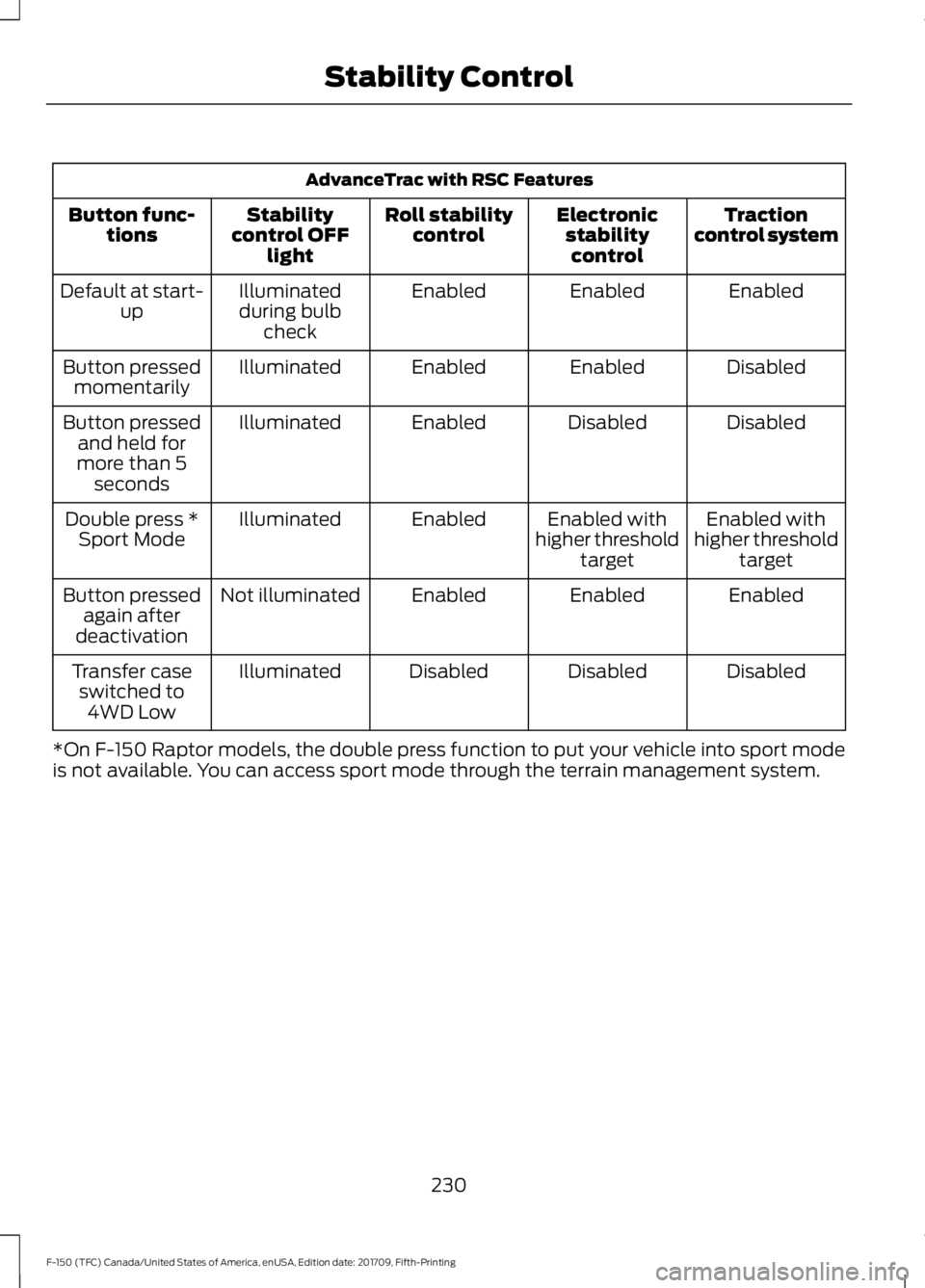
AdvanceTrac with RSC Features
Traction
control system
Electronic
stabilitycontrol
Roll stability
control
Stability
control OFF light
Button func-
tions
Enabled
Enabled
Enabled
Illuminated
during bulb check
Default at start-
up
Disabled
Enabled
Enabled
Illuminated
Button pressed
momentarily
Disabled
Disabled
Enabled
Illuminated
Button pressed
and held for
more than 5 seconds
Enabled with
higher threshold target
Enabled with
higher threshold target
Enabled
Illuminated
Double press *
Sport Mode
Enabled
Enabled
Enabled
Not illuminated
Button pressed
again after
deactivation
Disabled
Disabled
Disabled
Illuminated
Transfer case
switched to 4WD Low
*On F-150 Raptor models, the double press function to put your vehicle into sport mode
is not available. You can access sport mode through the terrain management system.
230
F-150 (TFC) Canada/United States of America, enUSA, Edition date: 201709, Fifth-Printing Stability Control
Page 240 of 641

When you think your vehicle has enough
space in front and behind it, or you hear a
solid tone from the parking aid
(accompanied by a touchscreen display
message and a chime), bring your vehicle
to a complete stop.
When automatic steering is complete, the
system displays a message and a chime
sounds, indicating that the active park
assist process is finished. You are
responsible for checking the parking job
and making any necessary corrections
before leaving your vehicle.
Deactivating the Park Assist
Feature
Manually deactivate the system by:
•
Pressing the active park assist button
during an active maneuver.
• Grabbing the steering wheel during an
active maneuver. •
Driving above approximately 22 mph
(35 km/h) for 30 seconds during an
active park search.
• Driving above
6 mph (9 km/h) during
automatic steering.
• Switching off the traction control
system.
Certain vehicle conditions can also
deactivate the system, such as:
• Traction control has activated.
• There is an anti-lock brake system
activation or failure.
If a problem occurs with the system, a
warning message displays accompanied
by a tone. Occasional system messages
may occur in normal operation. For
recurring or frequent system faults, contact
an authorized dealer to have your vehicle
serviced.
Troubleshooting the System The system does not look for a space
The traction control system may be off.
The transmission is in reverse (R). Your vehicle must be moving forward to detect a
parking space. The system does not offer a particular space
The sensors may be covered. For example, with snow, ice or dirt. Covered sensors can
affect the system's functionality
There is not enough room in the parking space for your vehicle to safely park.
There is not enough space for the parking maneuver on the opposite side of the parking
space.
237
F-150 (TFC) Canada/United States of America, enUSA, Edition date: 201709, Fifth-Printing Parking Aids
Page 251 of 641
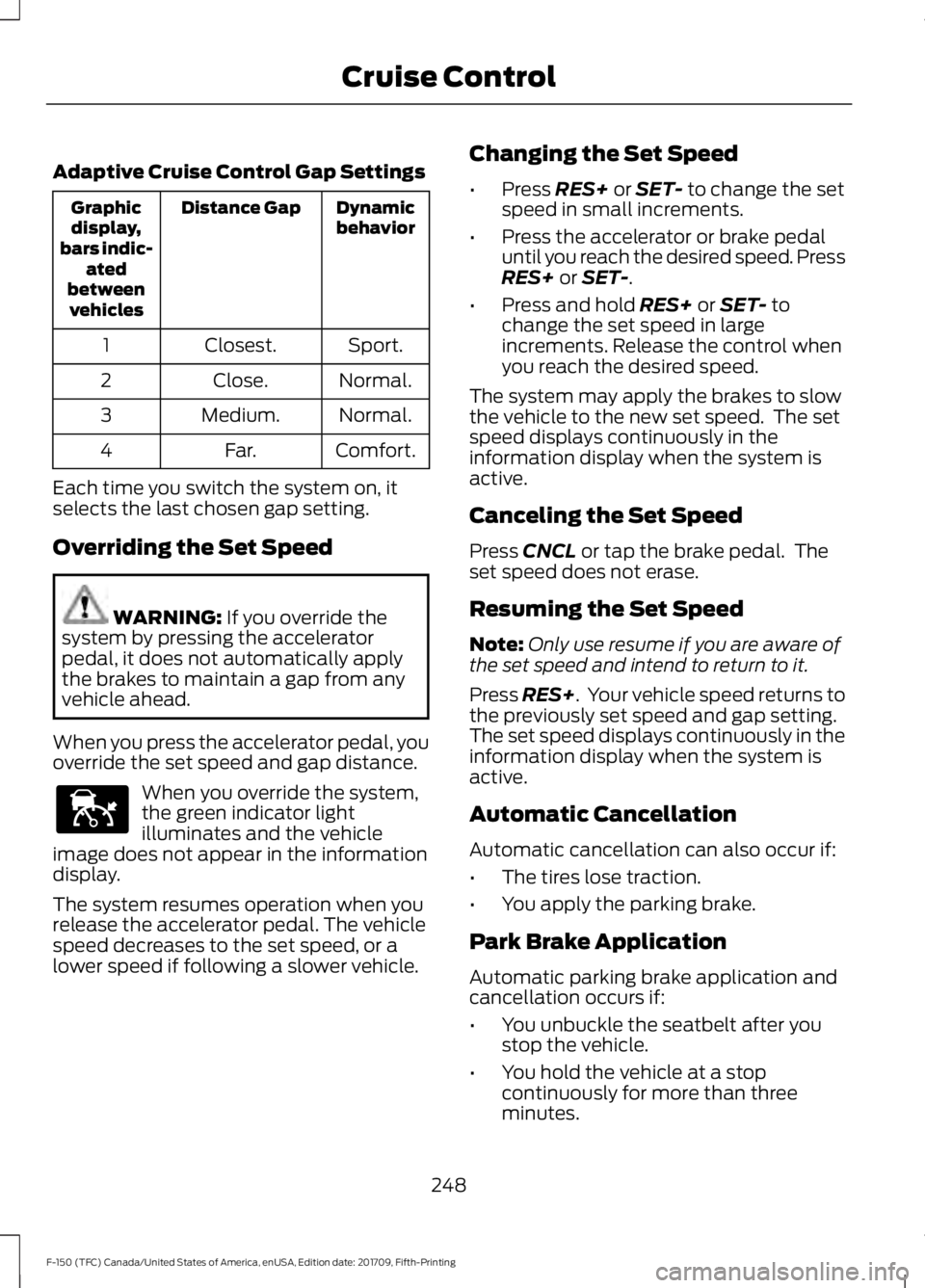
Adaptive Cruise Control Gap Settings
Dynamic
behavior
Distance Gap
Graphic
display,
bars indic- ated
between vehicles
Sport.
Closest.
1
Normal.
Close.
2
Normal.
Medium.
3
Comfort.
Far.
4
Each time you switch the system on, it
selects the last chosen gap setting.
Overriding the Set Speed WARNING: If you override the
system by pressing the accelerator
pedal, it does not automatically apply
the brakes to maintain a gap from any
vehicle ahead.
When you press the accelerator pedal, you
override the set speed and gap distance. When you override the system,
the green indicator light
illuminates and the vehicle
image does not appear in the information
display.
The system resumes operation when you
release the accelerator pedal. The vehicle
speed decreases to the set speed, or a
lower speed if following a slower vehicle. Changing the Set Speed
•
Press
RES+ or SET- to change the set
speed in small increments.
• Press the accelerator or brake pedal
until you reach the desired speed. Press
RES+
or SET-.
• Press and hold
RES+ or SET- to
change the set speed in large
increments. Release the control when
you reach the desired speed.
The system may apply the brakes to slow
the vehicle to the new set speed. The set
speed displays continuously in the
information display when the system is
active.
Canceling the Set Speed
Press
CNCL or tap the brake pedal. The
set speed does not erase.
Resuming the Set Speed
Note: Only use resume if you are aware of
the set speed and intend to return to it.
Press
RES+. Your vehicle speed returns to
the previously set speed and gap setting.
The set speed displays continuously in the
information display when the system is
active.
Automatic Cancellation
Automatic cancellation can also occur if:
• The tires lose traction.
• You apply the parking brake.
Park Brake Application
Automatic parking brake application and
cancellation occurs if:
• You unbuckle the seatbelt after you
stop the vehicle.
• You hold the vehicle at a stop
continuously for more than three
minutes.
248
F-150 (TFC) Canada/United States of America, enUSA, Edition date: 201709, Fifth-Printing Cruise ControlE144529
Page 272 of 641
DRIVE CONTROL
Selectable Drive Modes
The system delivers a driving experience
through a suite of sophisticated electronic
vehicle systems. These systems optimize
steering, handling and powertrain
response. This provides a single location
to control multiple systems performance
settings.
Changing the drive mode automatically
changes the functionality of the following
systems:
•
Electronic stability control and traction
control maintains your vehicle control
in adverse conditions or high
performance driving. See Stability
Control (page 228).
• Electronic throttle control enhances
the powertrain response to your inputs.
• Transmission controls are optimized
with shift schedules tuned to each
terrain.
Using the System
The system automatically tailors your
vehicle configuration for each mode you
select.
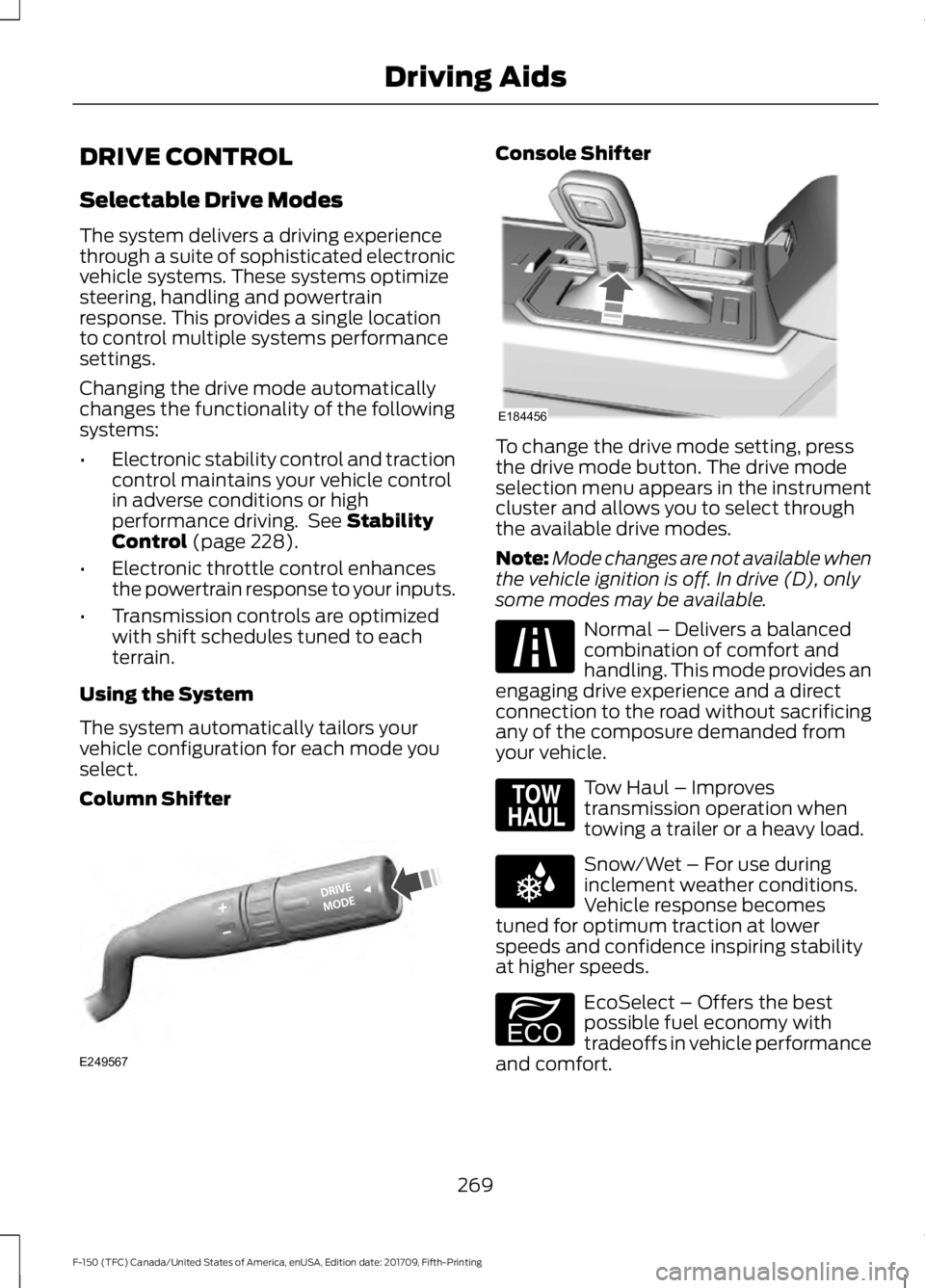
Column Shifter Console Shifter
To change the drive mode setting, press
the drive mode button. The drive mode
selection menu appears in the instrument
cluster and allows you to select through
the available drive modes.
Note:
Mode changes are not available when
the vehicle ignition is off. In drive (D), only
some modes may be available. Normal – Delivers a balanced
combination of comfort and
handling. This mode provides an
engaging drive experience and a direct
connection to the road without sacrificing
any of the composure demanded from
your vehicle. Tow Haul – Improves
transmission operation when
towing a trailer or a heavy load.
Snow/Wet – For use during
inclement weather conditions.
Vehicle response becomes
tuned for optimum traction at lower
speeds and confidence inspiring stability
at higher speeds. EcoSelect – Offers the best
possible fuel economy with
tradeoffs in vehicle performance
and comfort.
269
F-150 (TFC) Canada/United States of America, enUSA, Edition date: 201709, Fifth-Printing Driving AidsE249567 E184456 E225310 E161509 E225312 E194390
Page 273 of 641
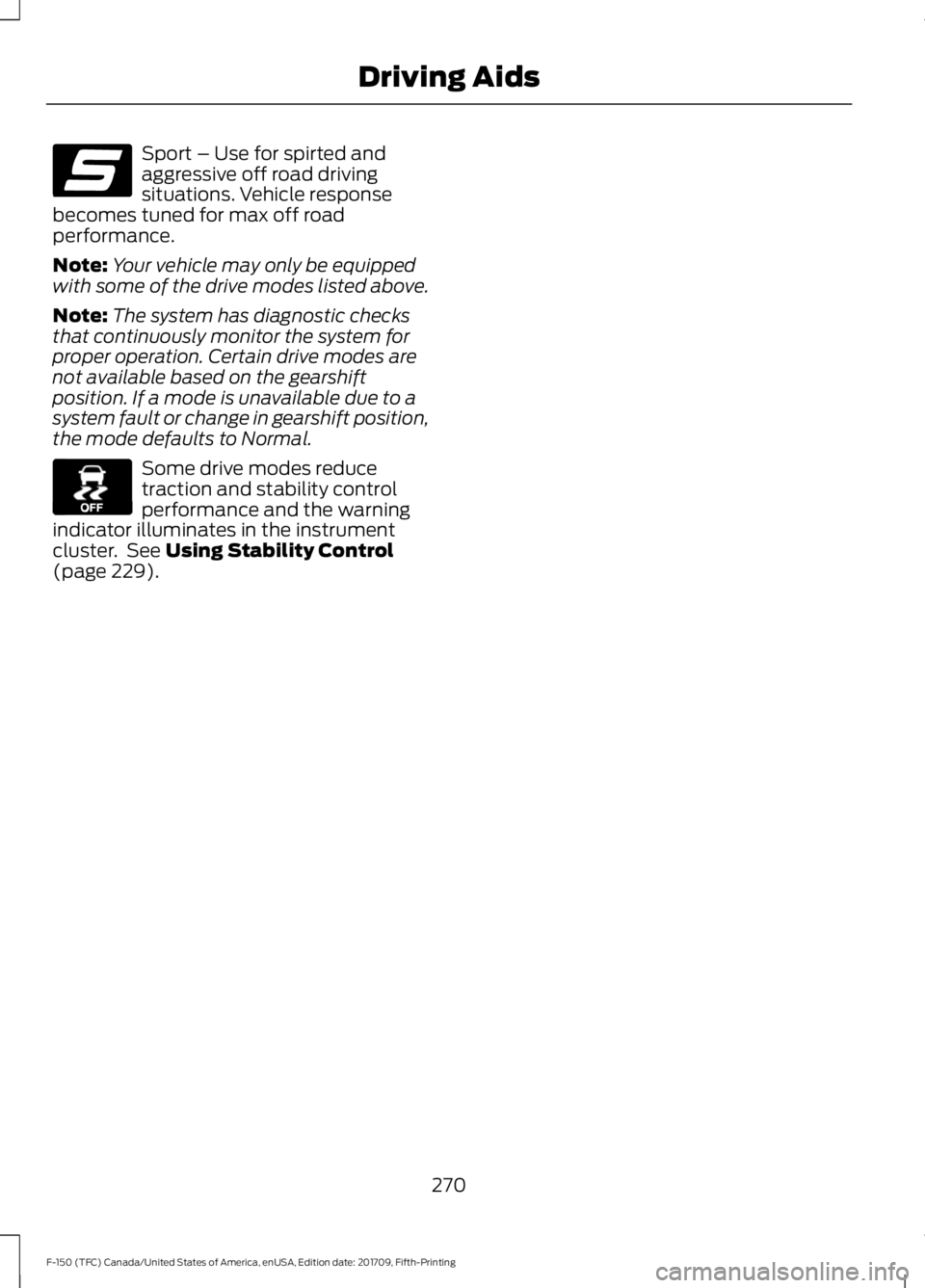
Sport – Use for spirted and
aggressive off road driving
situations. Vehicle response
becomes tuned for max off road
performance.
Note: Your vehicle may only be equipped
with some of the drive modes listed above.
Note: The system has diagnostic checks
that continuously monitor the system for
proper operation. Certain drive modes are
not available based on the gearshift
position. If a mode is unavailable due to a
system fault or change in gearshift position,
the mode defaults to Normal. Some drive modes reduce
traction and stability control
performance and the warning
indicator illuminates in the instrument
cluster. See Using Stability Control
(page 229).
270
F-150 (TFC) Canada/United States of America, enUSA, Edition date: 201709, Fifth-Printing Driving AidsE176099 E130458
Page 318 of 641
•
Transmissions give their best fuel
economy when operated in the top
cruise gear and with steady pressure
on the gas pedal.
• Four-wheel-drive operation (if
equipped) is less fuel efficient than
two-wheel-drive operation.
• Close the windows for high-speed
driving.
OFF-ROAD DRIVING
In addition to providing an excellent
on-road driving experience, your vehicle
excels at all types of off-road driving. The
truck has been designed and equipped to
allow you to explore those places where
the road doesn ’t take you whether it’ s a
forest trail or the open desert. Before going
off-roading, consult with your local
governmental agencies to determine
designated off-road trails and recreation
areas. Also, be sure to understand any
off-road vehicle registration requirements
for the area in which you plan on driving.
Tread Lightly is an educational program
designed to increase public awareness of
land-use regulations and responsibilities
in our nation ’s wilderness areas. Ford joins
the U.S. Forest Service and Bureau of Land
Management in encouraging you to help
preserve our national forest and other
public and private lands by treading lightly.
Before taking your vehicle off-roading, a
basic vehicle inspection should be done to
make sure that the vehicle is in top working
condition. It is always recommended that at least
two vehicles are used while off-roading.
The buddy system helps make sure that
help is close at hand should a vehicle
become stuck or damaged. It is also wise
to take supplies such as a first aid kit,
supply of water, tow strap, cell or satellite
phone with you any time an off-road
excursion is planned.
Basic Off-road Driving Techniques
•
Grip the steering wheel with thumbs
on the outside of the rim. This will
reduce the risk of injury due to abrupt
steering wheel motions that occur
when negotiating rough terrain. Do not
grip the steering wheel with thumbs
inside the rim.
• Throttle, brake and steering inputs
should be made in a smooth and
controlled manner. Sudden inputs to
the controls can cause loss of traction
or upset the vehicle, especially while
on sloped terrain or while crossing
obstacles such as rocks or logs.
• Look ahead on your route noting
upcoming obstacles, surface texture
or color changes or any other factors
which may indicate a change in
available traction, and adjust the
vehicle speed and route accordingly.
During pre-run, mark obstacles with
GPS markers to make sure appropriate
speeds are used to avoid potential
vehicle damage.
• When driving off-road, if the front or
rear suspension is bottoming out
and/or excessive contact with the
skid-plates is encountered, reduce
vehicle speed to avoid potential
damage to the vehicle.
• When running with other vehicles, it is
recommended that communication is
used, and the lead vehicle notify other
vehicles of obstacles that could cause
potential vehicle damage.
315
F-150 (TFC) Canada/United States of America, enUSA, Edition date: 201709, Fifth-Printing Driving Hints
Page 320 of 641
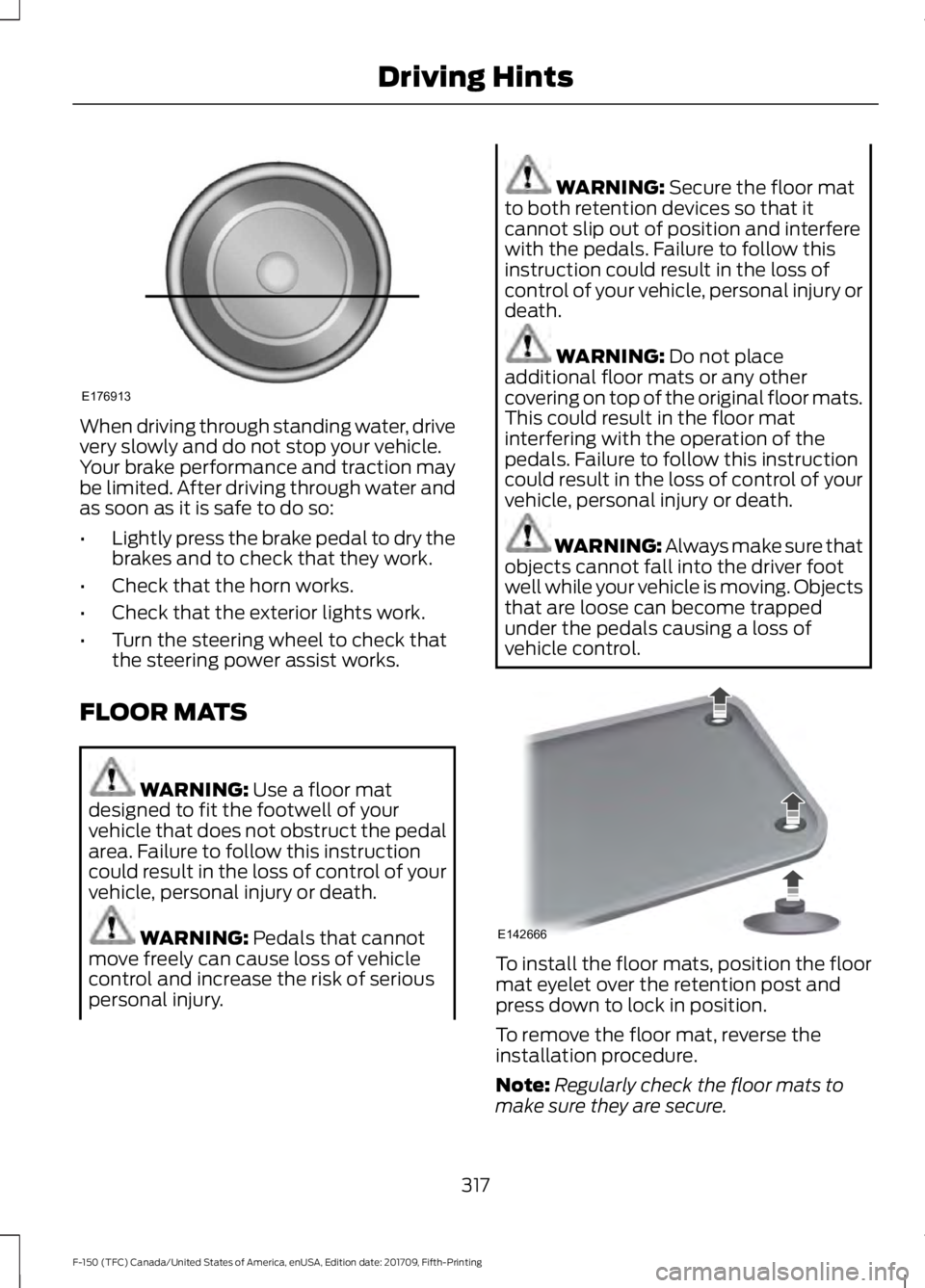
When driving through standing water, drive
very slowly and do not stop your vehicle.
Your brake performance and traction may
be limited. After driving through water and
as soon as it is safe to do so:
•
Lightly press the brake pedal to dry the
brakes and to check that they work.
• Check that the horn works.
• Check that the exterior lights work.
• Turn the steering wheel to check that
the steering power assist works.
FLOOR MATS WARNING: Use a floor mat
designed to fit the footwell of your
vehicle that does not obstruct the pedal
area. Failure to follow this instruction
could result in the loss of control of your
vehicle, personal injury or death. WARNING:
Pedals that cannot
move freely can cause loss of vehicle
control and increase the risk of serious
personal injury. WARNING:
Secure the floor mat
to both retention devices so that it
cannot slip out of position and interfere
with the pedals. Failure to follow this
instruction could result in the loss of
control of your vehicle, personal injury or
death. WARNING:
Do not place
additional floor mats or any other
covering on top of the original floor mats.
This could result in the floor mat
interfering with the operation of the
pedals. Failure to follow this instruction
could result in the loss of control of your
vehicle, personal injury or death. WARNING: Always make sure that
objects cannot fall into the driver foot
well while your vehicle is moving. Objects
that are loose can become trapped
under the pedals causing a loss of
vehicle control. To install the floor mats, position the floor
mat eyelet over the retention post and
press down to lock in position.
To remove the floor mat, reverse the
installation procedure.
Note:
Regularly check the floor mats to
make sure they are secure.
317
F-150 (TFC) Canada/United States of America, enUSA, Edition date: 201709, Fifth-Printing Driving HintsE176913 E142666
Page 385 of 641
GENERAL INFORMATION
Notice to utility vehicle and truck
owners
WARNING: Utility vehicles have a
significantly higher rollover rate than
other types of vehicles. WARNING: Vehicles with a higher
center of gravity (utility and four-wheel
drive vehicles) handle differently than
vehicles with a lower center of gravity
(passenger cars). Avoid sharp turns,
excessive speed and abrupt steering in
these vehicles. Failure to drive cautiously
increases the risk of losing control of your
vehicle, vehicle rollover, personal injury
and death. WARNING:
In a rollover crash, an
unbelted person is significantly more
likely to die than a person wearing a
seatbelt.
Note: Do not become overconfident in the
ability of four-wheel drive vehicles. Although
a four-wheel drive vehicle may accelerate
better than a two-wheel drive vehicle in low
traction situations, it won't stop any faster
than two-wheel drive vehicles. Always drive
at a safe speed. Utility vehicles and trucks handle
differently than passenger cars in the
various driving conditions that are
encountered on streets, highways and
off-road. Utility vehicles and trucks are not
designed for cornering at speeds as high
as passenger cars any more than low-slung
sports cars are designed to perform
satisfactorily under off-road conditions.
Study your owner's manual and any
supplements for specific information about
equipment features, instructions for safe
driving and additional precautions to
reduce the risk of an accident or serious
injury.
Four-wheel drive system (if
equipped)
A vehicle equipped with four-wheel drive
(when selected) has the ability to use all
four wheels to power itself. This increases
traction which may enable you to safely
drive over terrain and road conditions that
a conventional two-wheel drive vehicle
cannot.
On some four-wheel drive models, the
initial shift from two-wheel drive to
four-wheel drive while the vehicle is
moving can cause a momentary clunk and
ratcheting sound. These sounds are normal
as the front drivetrain comes up to speed
and are not cause for concern.
Note:
In four-wheel drive vehicles, the size
of the spare tire relative to the remaining
tires can have an effect on the 4x4 system.
If there is a significant difference between
the size of a spare and the remaining tires,
four-wheel drive functionality may be
limited. See Using Four-Wheel Drive (page
213
).
382
F-150 (TFC) Canada/United States of America, enUSA, Edition date: 201709, Fifth-Printing Wheels and TiresE145298