Page 115 of 571

Trip 1 & 2
All Values
• All Values — shows all trip values (Trip
Timer, Trip Odometer and Average
Fuel).
• Trip Odometer — Shows your
accumulated trip distance.
• Average Fuel — Shows your average
fuel economy for a given trip.
• Trip Timer — The timer stops when you
turn your vehicle off and restarts when
you restart your vehicle. Note:
You can reset your trip information
by pressing and holding the OK button on
the left hand steering wheel controls.
Fuel Economy
Use the left or right arrow buttons to
choose the desired fuel economy display. Fuel Economy
Inst Fuel Economy - Hold
OK to Reset
Fuel History
• Inst Fuel Economy - shows a visual
graph of your instantaneous fuel
economy, average fuel economy and
distance to empty.
• Fuel History - shows a bar chart of your
fuel history from the past 30 min,
average fuel economy and distance to
empty. Note:
You can reset your average fuel
economy by pressing and holding the
OK
button on the left hand steering wheel
controls.
Driver Assist
In this mode, you can configure different
driver setting choices.
Note: Some items are optional and may
not appear. Driver Assist
Traction Control
Blindspot
Cross Traffic Alert Adaptive
or Normal
Cruise Control
Driver Alert
Hill Start Assist
112
Explorer (TUB) Canada/United States of America, enUSA, Edition date: 201711, Fourth-Printing Information Displays
Page 117 of 571
Settings
XXX% - Hold OK to Reset
Oil Life
Reset
Enable Switch
or Disable Switch
Power Lift-
gate
Auto or Last Settings
Climate Control
Remote
Start
Auto or Off
Seats or Seats and
Wheel
5, 10 or 15 minutes
Duration
System
Remote Open
Windows
Courtesy Wipe
Wipers
Rain Sensing
MyKeys Qty
MyKey
MyKey
MyKey Odometer
Admin Key Qty
Hold
OK to Create MyKey
Create
MyKey
Always On or User Selectable
911 Assist
Do Not
Disturb
Traction
Control
Choose desired speed or off
Max Speed
Speed
Minder
Volume Limiter
Hold
OK to Clear All MyKeys
Clear
MyKeys
Miles & Gallons
,L/100km or Km/L
Distance
Display Setup
°Fahrenheit
or °Celsius
Temper-
ature
114
Explorer (TUB) Canada/United States of America, enUSA, Edition date: 201711, Fourth-Printing Information Displays
Page 119 of 571

Trip 1 & 2
All Values
• All Values — shows all trip values (Trip
Timer, Trip Odometer and Average
Fuel).
• Trip Odometer — Shows your
accumulated trip distance.
• Average Fuel — Shows your average
fuel economy for a given trip.
• Trip Timer — The timer stops when you
turn your vehicle off and restarts when
you restart your vehicle. Note:
You can reset your trip information
by pressing and holding the OK button on
the left hand steering wheel controls.
Fuel Economy
Use the left or right arrow buttons to
choose the desired fuel economy display. Fuel Economy
Instant Fuel Economy - Hold
OK to Reset
Fuel History
• Inst Fuel Economy - shows a visual
graph of your instantaneous fuel
economy, average fuel economy and
distance to empty.
• Fuel History - shows a bar chart of your
fuel history from the past 30 min,
average fuel economy and distance to
empty. Note:
You can reset your average fuel
economy by pressing and holding the
OK
button on the left hand steering wheel
controls.
Driver Assist
In this mode, you can configure different
driver setting choices.
Note: Some items are optional and may
not appear. Driver Assist
Traction Control Intelligent 4WD with Terrain Management System
Intelligent 4WD
Blindspot
Cross Traffic
Adaptive
or Normal
Cruise Control
Driver Alert
116
Explorer (TUB) Canada/United States of America, enUSA, Edition date: 201711, Fourth-Printing Information Displays
Page 121 of 571
Settings
Switch Inhibit
Autofold
Mirror
XXX% - Hold OK to Reset
Oil Life
Enable Switch or Disable Switch
Power Lift-
gate
Auto or Last Settings
Climate Control
Remote
Start
Auto or Off
Front Seats &
Wheel
5, 10 or 15 minutes
Duration
System
Remote Open
Windows
Courtesy Wipe
Wipers
Rain Sensing
MyKeys Qty
Mykey
Status
MyKey
MyKey Odometer
Admin Key Qty
Hold
OK to Create MyKey
Create
MyKey
Always On or User Selectable
911 Assist
On or Off
Do Not
Disturb
Always On or User Selectable
Traction
Control
Choose desired speed or off
Max Speed
Speed
Minder
Volume Limiter
Hold
OK to Clear All MyKeys
Clear
MyKeys
Miles & Gallons
,L/100 km or km/L
Distance
Unit
Display
118
Explorer (TUB) Canada/United States of America, enUSA, Edition date: 201711, Fourth-Printing Information Displays
Page 122 of 571
Settings
°Fahrenheit or °Celsius
Temper-
ature Unit
psi, kPa or bar
Tire Pres-
sure
Choose your applicable setting
Language
Speedo in km/h
Note: Some MyKey items only appear if a
MyKey is set.
INFORMATION MESSAGES
Note: Depending on the vehicle options
equipped with your vehicle, not all of the
messages will display or be available.
Certain messages may display abbreviated
or shortened depending upon which cluster
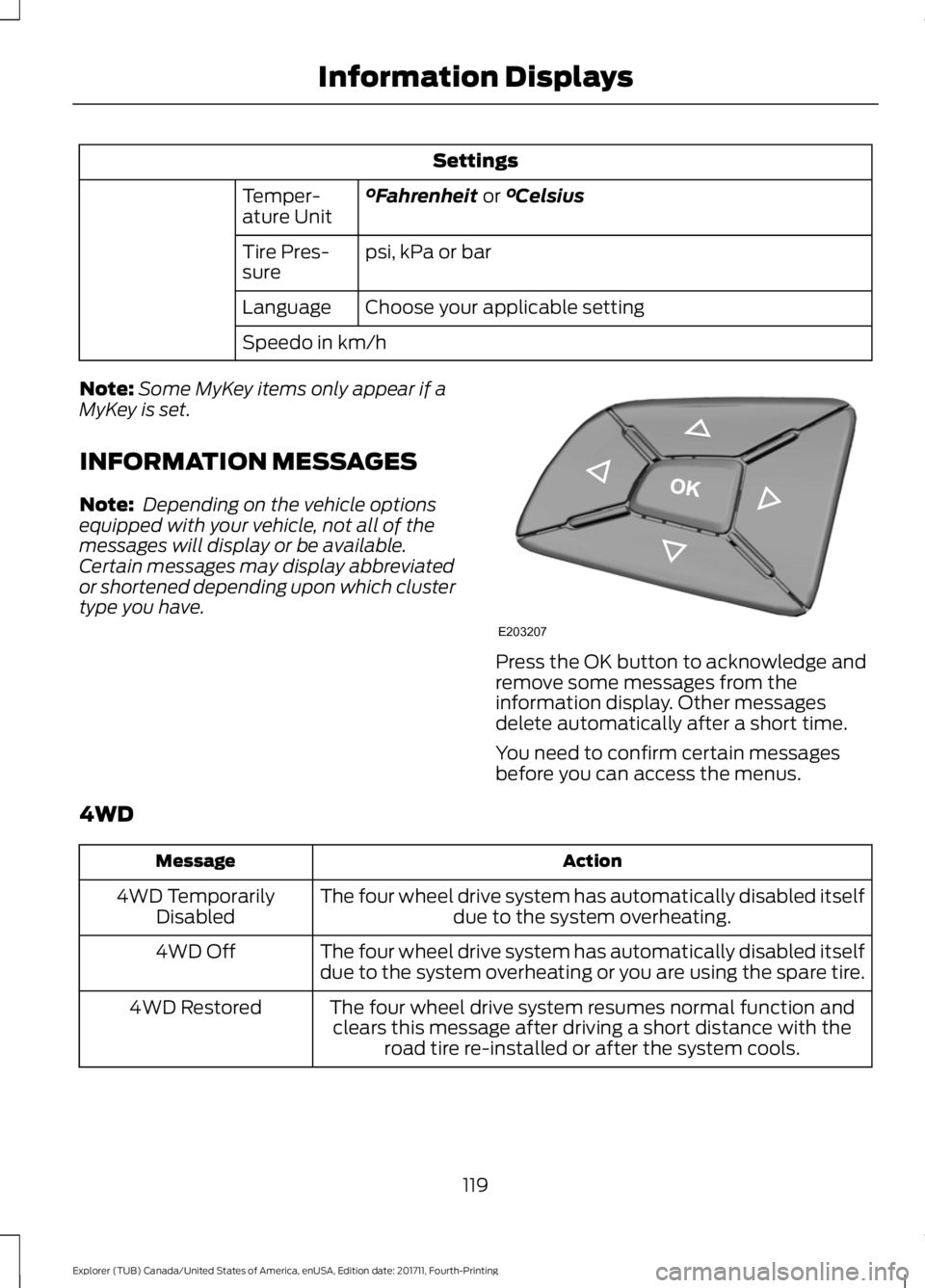
type you have. Press the OK button to acknowledge and
remove some messages from the
information display. Other messages
delete automatically after a short time.
You need to confirm certain messages
before you can access the menus.
4WD Action
Message
The four wheel drive system has automatically disabled itselfdue to the system overheating.
4WD Temporarily
Disabled
The four wheel drive system has automatically disabled itself
due to the system overheating or you are using the spare tire.
4WD Off
The four wheel drive system resumes normal function andclears this message after driving a short distance with the road tire re-installed or after the system cools.
4WD Restored
119
Explorer (TUB) Canada/United States of America, enUSA, Edition date: 201711, Fourth-Printing Information DisplaysE203207
Page 123 of 571

Action
Message
The four wheel drive system is not operating properly and thepowertrain fault indicator illuminates. See Warning Lamps
and Indicators (page 100). If the warning stays illuminated
or continues to illuminate, contact an authorized dealer as soon as possible.
4WD Malfunction
Service Required
Displayed when the transfer case fluid requires service.
Change 4WD Power
Transfer Unit Lube
Displayed when the transfer case fluid has been changed and reset to new.
4WD Power Transfer
Unit Lube Set to New
Adaptive Cruise Control Action
Message
A radar malfunction is preventing the adaptive cruise from
engaging. See
Using Adaptive Cruise Control (page 221).
Adaptive Cruise
Malfunction
Conditions exist such that the adaptive cruise cannot functionproperly. See
Using Adaptive Cruise Control (page 221).
Adaptive Cruise Not
Available
The radar is blocked because of poor radar visibility due tobad weather or ice/mud/water in front of radar. Driver can
typically clean the sensor to resolve. See
Using Adaptive
Cruise Control (page 221).
Adaptive Cruise Not
Available Sensor
Blocked See Manual
AdvanceTrac ™ Action
Message
The system detects a malfunction due to a blocked sensor.
Service AdvanceTrac
The driver has disabled or enabled the traction control.
AdvanceTrac Off On
Alarm Action
Message
Unauthorized entry triggered the alarm. See
Anti-Theft
Alarm (page 75).
Vehicle Alarm To Stop
Alarm, Start Vehicle
120
Explorer (TUB) Canada/United States of America, enUSA, Edition date: 201711, Fourth-Printing Information Displays
Page 124 of 571
Automatic Engine Shutdown
Action
Message
The engine is preparing to shutdown.
Engine Shuts Off In XX
Seconds
The engine has shutdown to help increase fuel economy.
Engine Shut Off For Fuel
Economy
The engine is preparing to shutdown. You can press OK onthe left steering wheel button to override the shutdown.
Engine Shuts Off in XX
Seconds Press OK to Override
Automatic High Beam Control Action
Message
The front camera sensor has reduced visibility. Clean the windshield.
Front Camera Low Visib-
ility Clean Screen
The system requires service due to a malfunction. Contact anauthorized dealer.
Front Camera Malfunc-
tion Service Required
The front camera sensor has malfunctioned. Wait a shortperiod of time for the sensor to cool down.
Front Camera Tempor-
arily Not Available
121
Explorer (TUB) Canada/United States of America, enUSA, Edition date: 201711, Fourth-Printing Information Displays
Page 129 of 571

Action
Message
You have not programmed enough keys to the system.
Not Enough Keys
Learned
The key battery is low. Change the battery as soon as possible.See Remote Control (page 53).
Key Battery Low Replace
Soon
Informs you that you are exiting your vehicle with the intelli-gent access key and the engine is on.
Engine ON
Lane Keeping System Action
Message
The system has malfunctioned. Contact an authorized dealer as soon as possible.
Lane Keeping Sys.
Malfunction Service Required
The system has detected a condition that has caused thesystem to be temporarily unavailable.
Front Camera Tempor-
arily Not Available
The system has detected a condition that requires a cleanwindshield to operate properly.
Front Camera Low Visib-
ility Clean Screen
The system has malfunctioned. Contact an authorized dealeras soon as possible.
Front Camera Malfunc-
tion Service Required
The system requests the driver to keep their hands on thesteering wheel.
Keep Hands on Steering
Wheel
Maintenance Action
Message
Stop your vehicle as soon as safely possible. Switch off the
engine. Check the oil level. If the warning stays on or continues to come on with your engine running, contact an authorized dealer as soon as possible.
LOW Engine Oil Pressure
The engine oil life remaining is 10% or less.
Change Engine Oil Soon
The oil life left reaches 0%.
Oil Change Required
The engine coolant temperature is excessively high.
Engine Coolant Overtem-
perature
126
Explorer (TUB) Canada/United States of America, enUSA, Edition date: 201711, Fourth-Printing Information Displays


