2018 FORD EXPEDITION buttons
[x] Cancel search: buttonsPage 153 of 571

WARNING: The head restraint is
a safety device. Whenever possible it
should be installed and properly
adjusted when the seat is occupied.
Failure to adjust the head restraint
properly could reduce its effectiveness
during certain impacts.
Note: Adjust the seatback to an upright
driving position before adjusting the head
restraint. Adjust the head restraint so that
the top of it is level with the top of your head
and as far forward as possible. Make sure
that you remain comfortable. If you are
extremely tall, adjust the head restraint to
its highest position.
Front Seat Manual Head
Restraints The head restraints consist of:
An energy absorbing foam and
structure.
A
Two steel stems.
B
Guide sleeve adjust and release
button.
C
Guide sleeve unlock and remove
button.
D Adjusting the Head Restraint
Raising the Head Restraint
Pull the head restraint up.
Lowering the Head Restraint
1. Press and hold button C.
2. Push the head restraint down.
Removing the Head Restraint
1. Pull the head restraint up until it
reaches its highest position.
2. Press and hold buttons C and D.
3. Pull the head restraint up.
Note: You cannot remove front seat head
restraints that have entertainment system
video screens.
Installing the Head Restraint
Align the steel stems into the guide sleeves
and push the head restraint down until it
locks.
Tilting Manual Head Restraints (If
Equipped)
The front seat head restraints tilt for extra
comfort. To tilt the head restraint, do the
following: 150
Expedition (TB8) Canada/United States of America, enUSA, Edition date: 201708, Third-Printing- SeatsE138642 E144727
Page 154 of 571
1. Adjust the seatback to an upright
driving or riding position.
2. Pivot the head restraint forward toward
your head to the desired position.
After the head restraint reaches the
forward-most tilt position, pivot it forward
again to release it to the rearward, un-tilted
position.
Second Row Outermost Head
Restraints
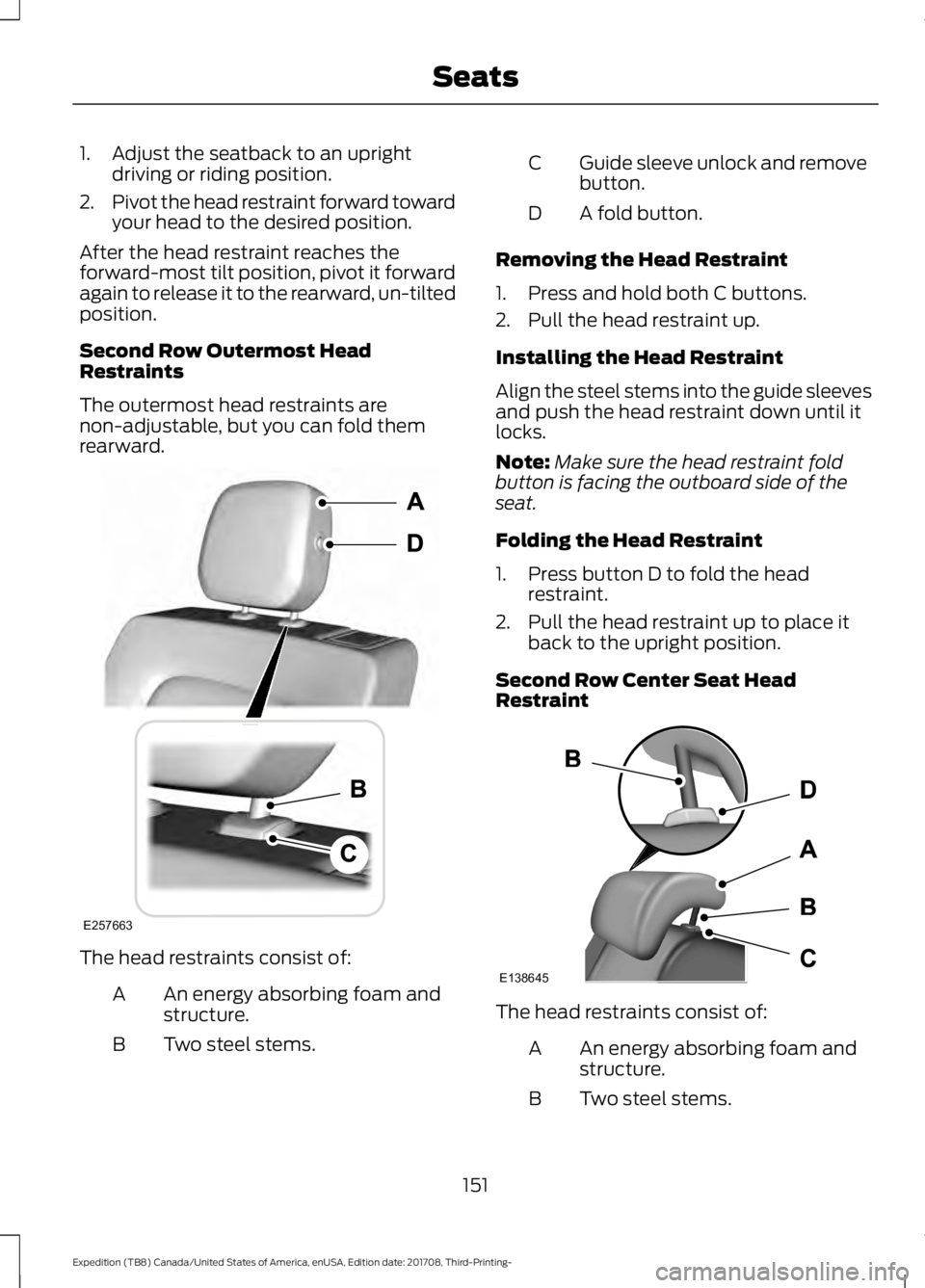
The outermost head restraints are
non-adjustable, but you can fold them
rearward. The head restraints consist of:
An energy absorbing foam and
structure.
A
Two steel stems.
B Guide sleeve unlock and remove
button.
C
A fold button.
D
Removing the Head Restraint
1. Press and hold both C buttons.
2. Pull the head restraint up.
Installing the Head Restraint
Align the steel stems into the guide sleeves
and push the head restraint down until it
locks.
Note: Make sure the head restraint fold
button is facing the outboard side of the
seat.
Folding the Head Restraint
1. Press button D to fold the head restraint.
2. Pull the head restraint up to place it back to the upright position.
Second Row Center Seat Head
Restraint The head restraints consist of:
An energy absorbing foam and
structure.
A
Two steel stems.
B
151
Expedition (TB8) Canada/United States of America, enUSA, Edition date: 201708, Third-Printing- SeatsE257663 E138645
Page 155 of 571
Guide sleeve adjust and release
button.
C
Guide sleeve unlock and remove
button.
D
Raising the Head Restraint
Pull the head restraint up.
Lowering the Head Restraint
1. Press and hold button C.
2. Push the head restraint down.
Removing the Head Restraint
1. Pull the head restraint up until it reaches its highest position.
2. Press and hold buttons C and D.
3. Pull the head restraint up.
Installing the Head Restraint
Align the steel stems into the guide sleeves
and push the head restraint down until it
locks.
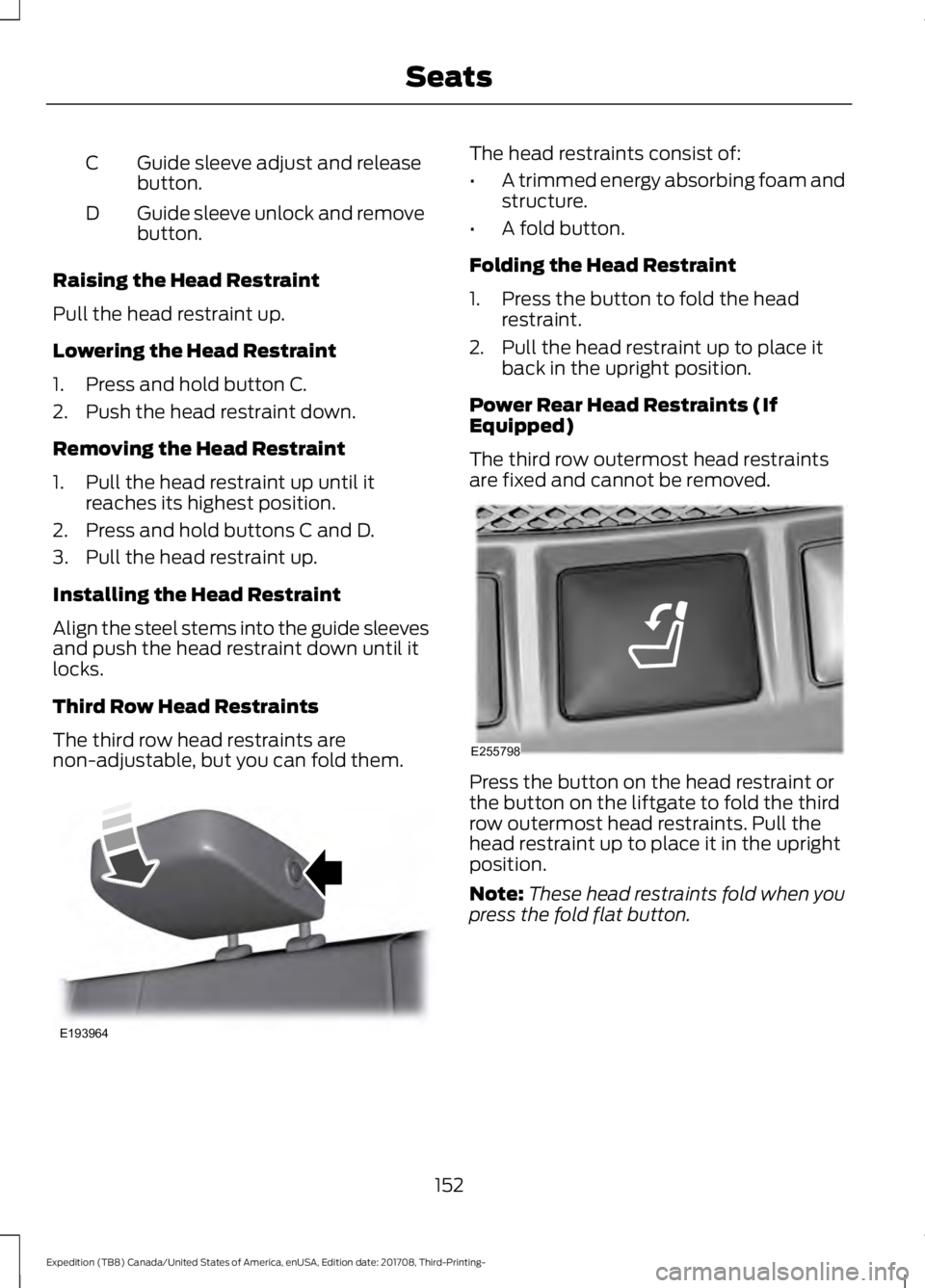
Third Row Head Restraints
The third row head restraints are
non-adjustable, but you can fold them. The head restraints consist of:
•
A trimmed energy absorbing foam and
structure.
• A fold button.
Folding the Head Restraint
1. Press the button to fold the head restraint.
2. Pull the head restraint up to place it back in the upright position.
Power Rear Head Restraints (If
Equipped)
The third row outermost head restraints
are fixed and cannot be removed. Press the button on the head restraint or
the button on the liftgate to fold the third
row outermost head restraints. Pull the
head restraint up to place it in the upright
position.
Note:
These head restraints fold when you
press the fold flat button.
152
Expedition (TB8) Canada/United States of America, enUSA, Edition date: 201708, Third-Printing- SeatsE193964 E255798
Page 164 of 571
Adjusting the Second-Row Center
20% Seat (If Equipped)
Note: Move this seat forward to keep a
child in a child restraint close to the front
seat occupants. Move the seat to the full
rearward position when it is occupied by
older children or adults, including children
in booster seats. Lift the handle to move the seat forward
or backward.
Power Folding Rear Seats (If Equipped)
Note:
The power fold seats operate for 10
minutes after you switch the ignition off.
The transmission must be in park (P) and
the liftgate, or liftgate glass must be open.
Similar to the battery saver feature, the
power rear seat disable 10 minutes after you
switch the ignition off.
Note: Be sure the third-row center head
restraint is in the lowered position before
you power the rear seats down. The
third-row outermost head restraints fold
automatically when you press the fold
button.
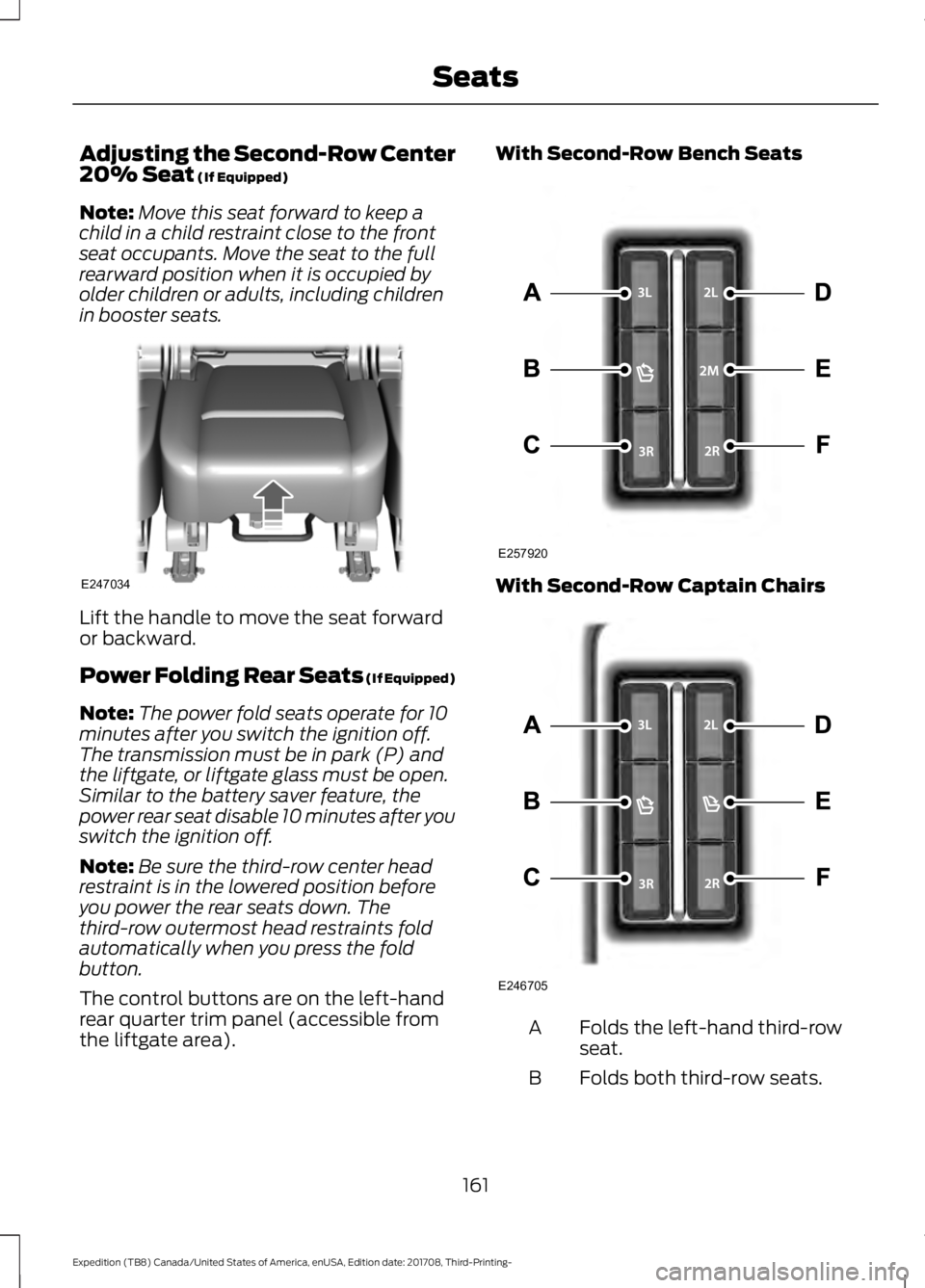
The control buttons are on the left-hand
rear quarter trim panel (accessible from
the liftgate area). With Second-Row Bench Seats
With Second-Row Captain Chairs
Folds the left-hand third-row
seat.
A
Folds both third-row seats.
B
161
Expedition (TB8) Canada/United States of America, enUSA, Edition date: 201708, Third-Printing- SeatsE247034 E257920 E246705
Page 165 of 571
Folds the right-hand third-row
seat.
C
Folds the left-hand second-row
seat.
D
Folds the second-row bench
center seat or both second-row
captain chair seats.
E
Folds the right-hand second-row
seat.
F
To return the second-row seat backrest to
the original position, rotate the seat
backrest up until it latches in the upright
position. The seat backrest clicks when it
is locked into position.
To return the third-row seat backrest to
the original position, press the
corresponding control again.
If the power rear seat is disabled after 10
minutes, you can enable the seat by:
• Opening any door.
• Pressing the unlock button on the key
fob.
• Pressing any keyless entry keypad
button.
• Switching the ignition on.
Folding Down the Rear Seats to the
Load Floor WARNING: To prevent possible
damage to the seat or seatbelts, make
sure that the seatbelts are not fastened
before folding the seatback. WARNING:
Do not place cargo or
any objects behind the seatback before
returning it to the original position.
The third-row seats have obstacle
detection that prevents the seats from
folding or returning if they are obstructed. Power Recline WARNING:
Do not recline a rear
seat on which a child restraint is
installed. Failure to follow this instruction
could reduce the effectiveness of the
child restraint.
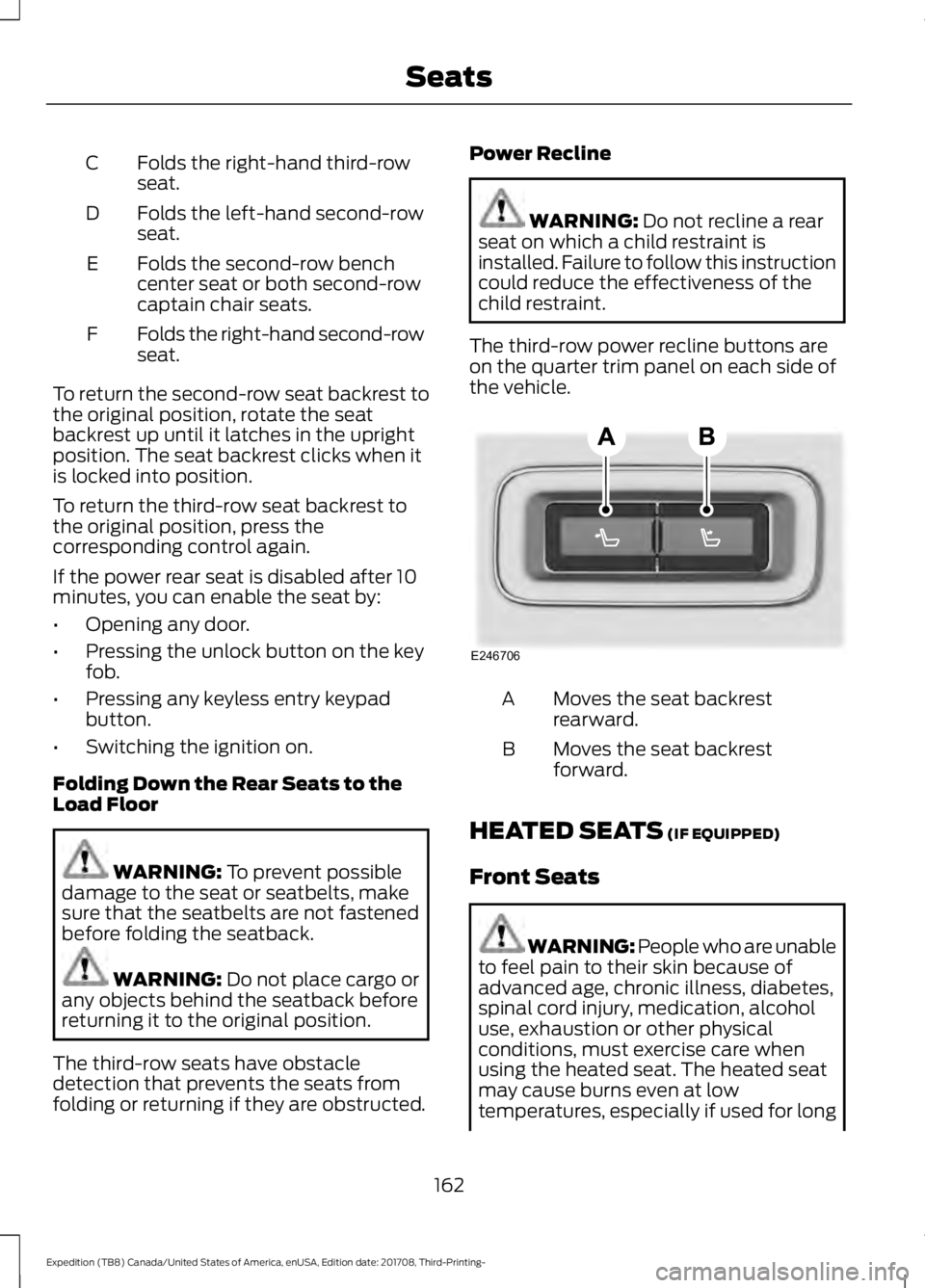
The third-row power recline buttons are
on the quarter trim panel on each side of
the vehicle. Moves the seat backrest
rearward.
A
Moves the seat backrest
forward.
B
HEATED SEATS
(IF EQUIPPED)
Front Seats WARNING: People who are unable
to feel pain to their skin because of
advanced age, chronic illness, diabetes,
spinal cord injury, medication, alcohol
use, exhaustion or other physical
conditions, must exercise care when
using the heated seat. The heated seat
may cause burns even at low
temperatures, especially if used for long
162
Expedition (TB8) Canada/United States of America, enUSA, Edition date: 201708, Third-Printing- SeatsE246706
Page 169 of 571
HomeLink Wireless Control
System
WARNING: Make sure that the
garage door and security device are free
from obstruction when you are
programming. Do not program the
system with the vehicle in the garage. WARNING:
Do not use the system
with any garage door opener that does
not have the safety stop and reverse
feature as required by U.S. Federal
Safety Standards (this includes any
garage door opener manufactured
before April 1, 1982). A garage door
opener which cannot detect an object,
signaling the door to stop and reverse,
does not meet current federal safety
standards. Using a garage door opener
without these features increases the risk
of serious injury or death.
Note: Make sure you keep the original
remote control transmitter for use in other
vehicles as well as for future system
programming.
Note: We recommend that upon the sale
or lease termination of your vehicle, you
erase the programmed function buttons for
security reasons. See Erasing the Function
Button Codes
later in this section.
Note: You can program a maximum of
three devices. To change or replace any of
the three devices after it has been initially
programmed, you must first erase the
current settings. See Erasing the Function
Button Codes
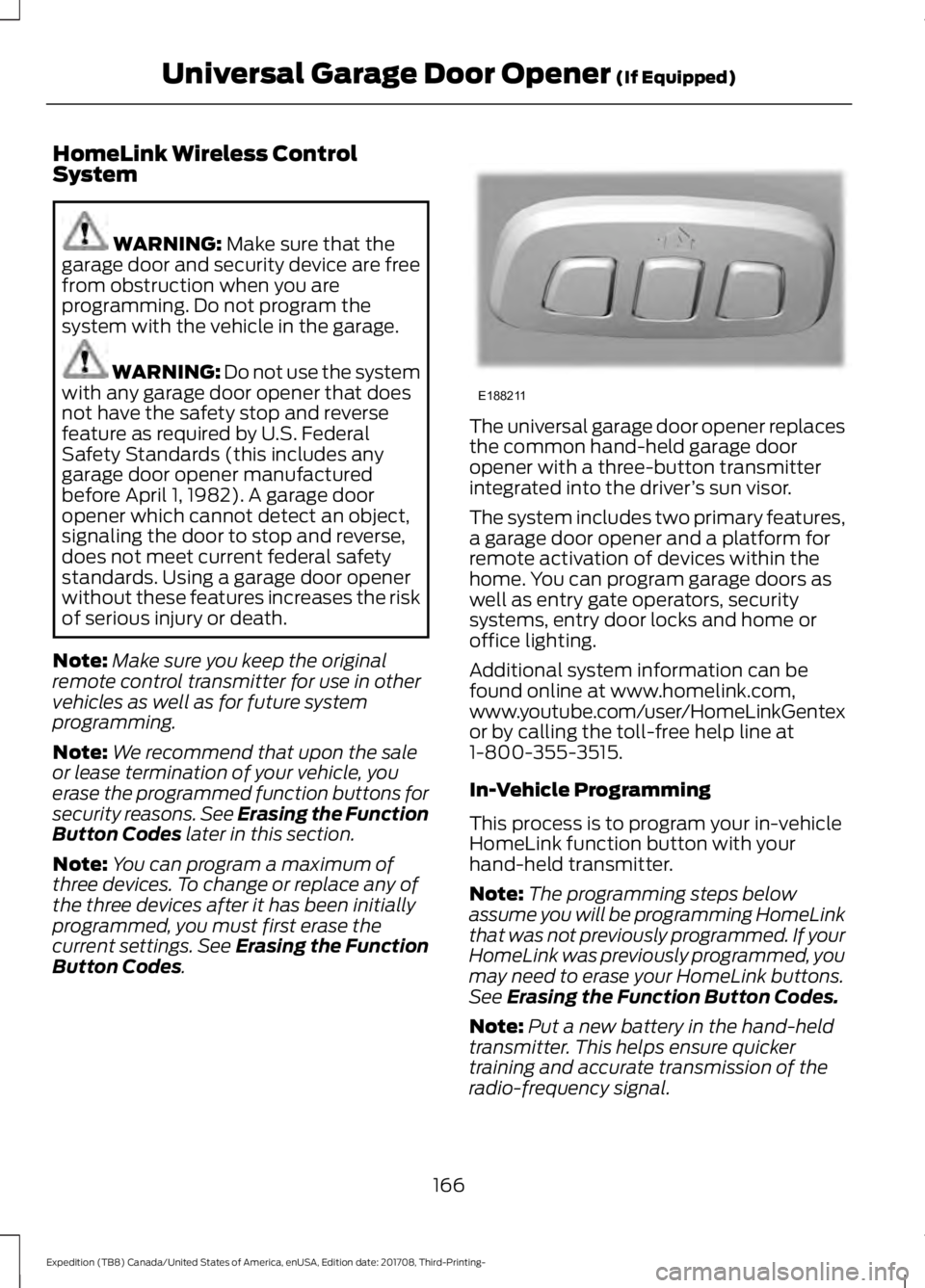
. The universal garage door opener replaces
the common hand-held garage door
opener with a three-button transmitter
integrated into the driver
’s sun visor.
The system includes two primary features,
a garage door opener and a platform for
remote activation of devices within the
home. You can program garage doors as
well as entry gate operators, security
systems, entry door locks and home or
office lighting.
Additional system information can be
found online at www.homelink.com,
www.youtube.com/user/HomeLinkGentex
or by calling the toll-free help line at
1-800-355-3515.
In-Vehicle Programming
This process is to program your in-vehicle
HomeLink function button with your
hand-held transmitter.
Note: The programming steps below
assume you will be programming HomeLink
that was not previously programmed. If your
HomeLink was previously programmed, you
may need to erase your HomeLink buttons.
See
Erasing the Function Button Codes.
Note: Put a new battery in the hand-held
transmitter. This helps ensure quicker
training and accurate transmission of the
radio-frequency signal.
166
Expedition (TB8) Canada/United States of America, enUSA, Edition date: 201708, Third-Printing- Universal Garage Door Opener
(If Equipped)E188211
Page 170 of 571
1.
With your vehicle parked outside of the
garage, switch your ignition to the on
position, but do not start your vehicle.
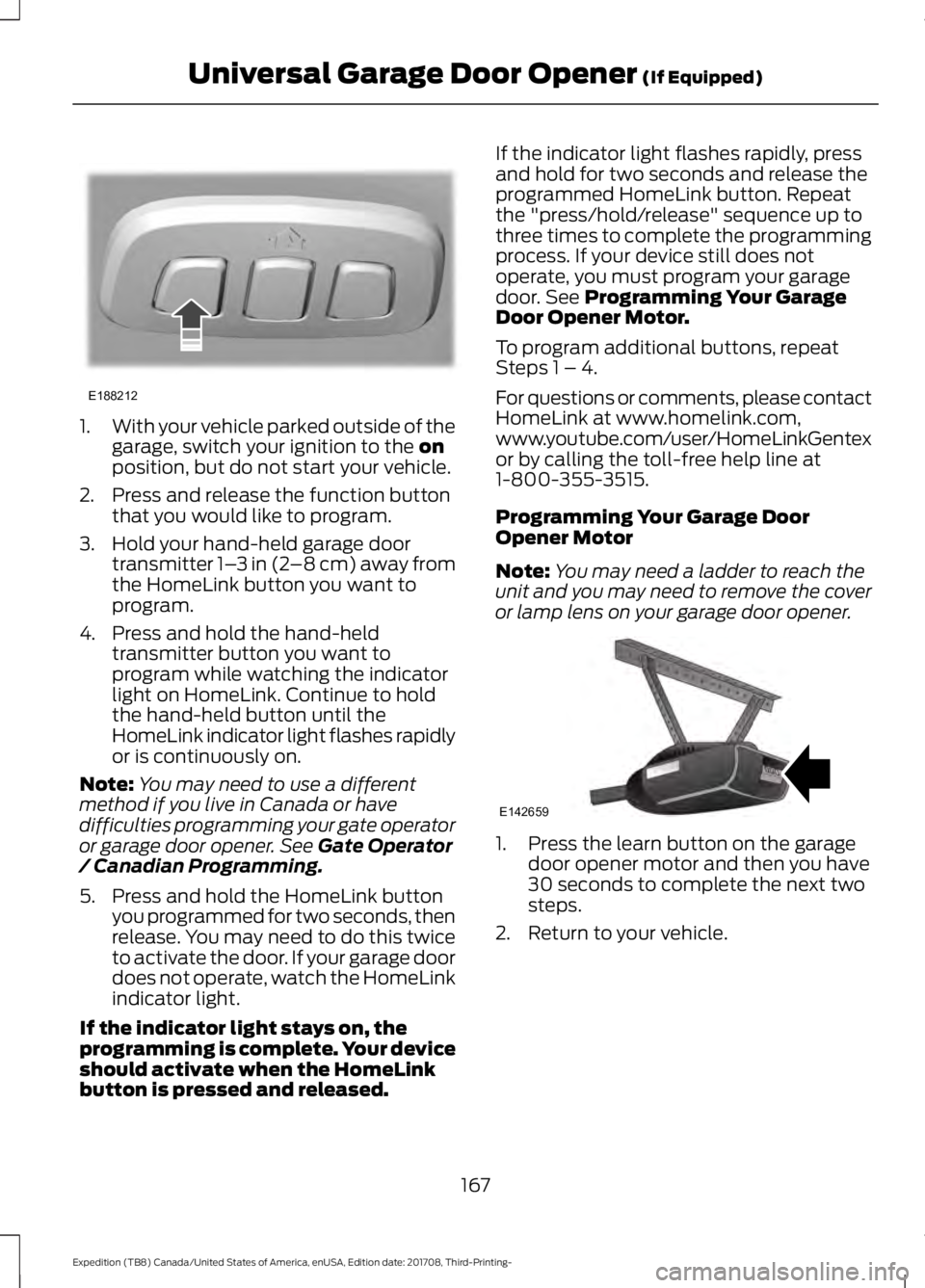
2. Press and release the function button that you would like to program.
3. Hold your hand-held garage door transmitter 1– 3 in (2–8 cm) away from
the HomeLink button you want to
program.
4. Press and hold the hand-held transmitter button you want to
program while watching the indicator
light on HomeLink. Continue to hold
the hand-held button until the
HomeLink indicator light flashes rapidly
or is continuously on.
Note: You may need to use a different
method if you live in Canada or have
difficulties programming your gate operator
or garage door opener. See
Gate Operator
/ Canadian Programming.
5. Press and hold the HomeLink button you programmed for two seconds, then
release. You may need to do this twice
to activate the door. If your garage door
does not operate, watch the HomeLink
indicator light.
If the indicator light stays on, the
programming is complete. Your device
should activate when the HomeLink
button is pressed and released. If the indicator light flashes rapidly, press
and hold for two seconds and release the
programmed HomeLink button. Repeat
the "press/hold/release" sequence up to
three times to complete the programming
process. If your device still does not
operate, you must program your garage
door. See
Programming Your Garage
Door Opener Motor.
To program additional buttons, repeat
Steps 1 – 4.
For questions or comments, please contact
HomeLink at www.homelink.com,
www.youtube.com/user/HomeLinkGentex
or by calling the toll-free help line at
1-800-355-3515.
Programming Your Garage Door
Opener Motor
Note: You may need a ladder to reach the
unit and you may need to remove the cover
or lamp lens on your garage door opener. 1. Press the learn button on the garage
door opener motor and then you have
30 seconds to complete the next two
steps.
2. Return to your vehicle.
167
Expedition (TB8) Canada/United States of America, enUSA, Edition date: 201708, Third-Printing- Universal Garage Door Opener
(If Equipped)E188212 E142659
Page 171 of 571
3.
Press and hold the function button you
want to program for 2 seconds, then
release. Repeat this step. Depending
on your brand of garage door opener,
you may need to repeat this sequence
a third time.
Gate Operator / Canadian
Programming
Canadian radio-frequency laws require
transmitter signals to “time-out” (or quit)
after several seconds of transmission –
which may not be long enough for
HomeLink to pick up the signal during
programming. Similar to this Canadian law,
some U.S. gate operators are designed to
“time-out” in the same manner.
Note: If programming a garage door opener
or gate operator, it is advised to unplug the
device during the “cycling” process to
prevent possible overheating.
1. Press and release, every two seconds,
your hand-held transmitter until the
HomeLink indicator light changes to a
rapidly blinking or continuously on light.
2. Release the hand-held transmitter button.
3. Continue programing HomeLink. See In-Vehicle Programming, Step 4.
Erasing the Function Button Codes
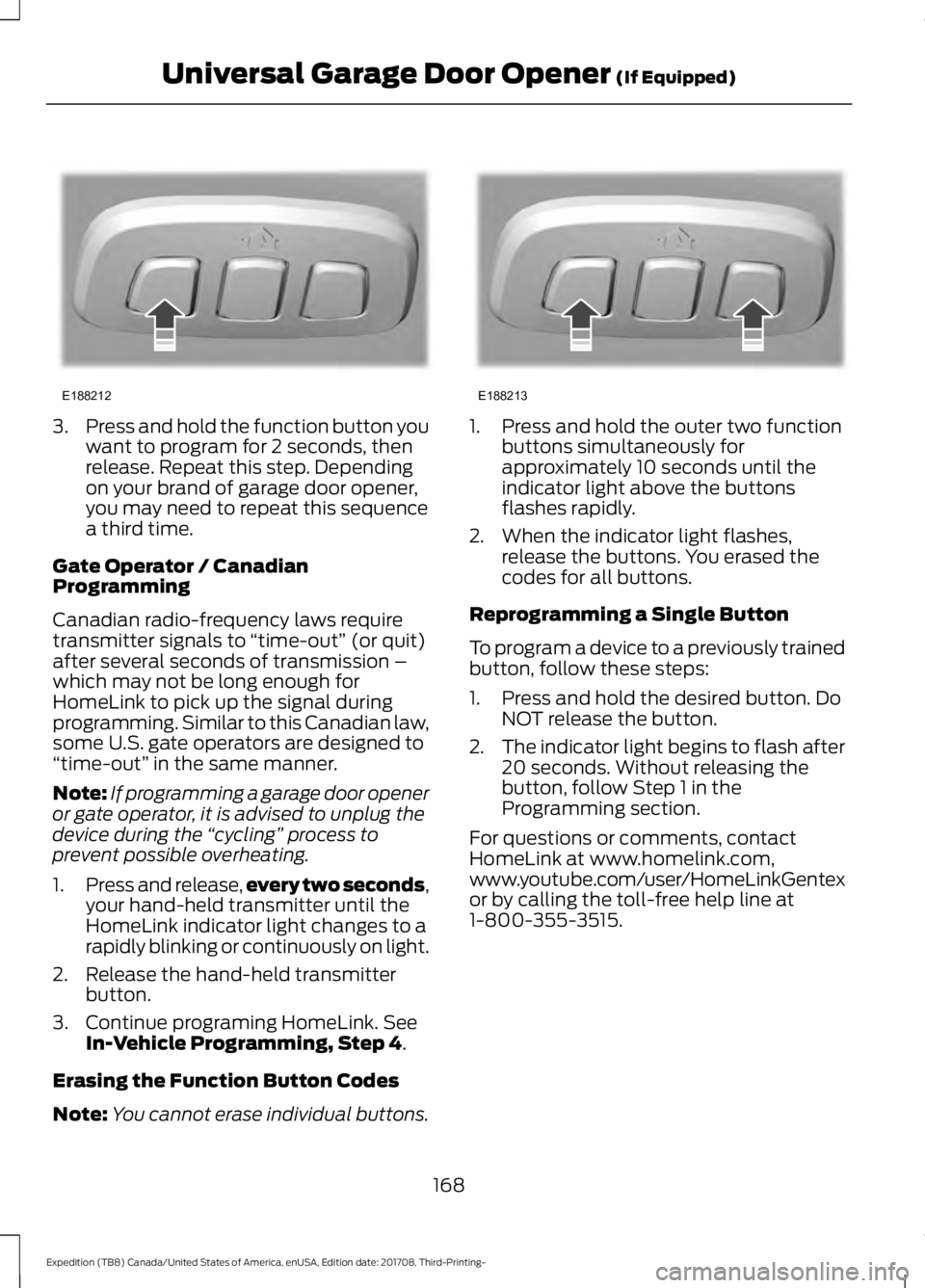
Note: You cannot erase individual buttons. 1. Press and hold the outer two function
buttons simultaneously for
approximately 10 seconds until the
indicator light above the buttons
flashes rapidly.
2. When the indicator light flashes, release the buttons. You erased the
codes for all buttons.
Reprogramming a Single Button
To program a device to a previously trained
button, follow these steps:
1. Press and hold the desired button. Do NOT release the button.
2. The indicator light begins to flash after
20 seconds. Without releasing the
button, follow Step 1 in the
Programming section.
For questions or comments, contact
HomeLink at www.homelink.com,
www.youtube.com/user/HomeLinkGentex
or by calling the toll-free help line at
1-800-355-3515.
168
Expedition (TB8) Canada/United States of America, enUSA, Edition date: 201708, Third-Printing- Universal Garage Door Opener
(If Equipped)E188212 E188213