2018 FORD ECOSPORT indicator lights
[x] Cancel search: indicator lightsPage 39 of 452

The Personal Safety System provides animproved overall level of frontal crashprotection to front seat occupants and isdesigned to help further reduce the risk ofairbag-related injuries. The system is ableto analyze different occupant conditionsand crash severity before activating theappropriate safety devices to help betterprotect a range of occupants in a varietyof frontal crash situations.
The Vehicle Personal Safety Systemconsists of:
•Driver and passenger dual-stage airbagsupplemental restraints.
•Front seat outboard seatbelts withpretensioners, energy managementretractors and seatbelt usage sensors.
•Driver seat position sensor.
•Passenger seat position sensor.
•Front passenger sensing system.
•Passenger airbag off and on indicatorlamp.
•Front crash severity sensors.
•Restraints control module with impactand safing sensors.
•Restraint system warning lamp andtone.
•The electrical wiring for the airbags,crash sensors, seatbelt pretensioners,front seatbelt usage sensors, driverseat position sensor, front passengersensing system and indicator lights.
How Does the Personal SafetySystem Work?
The Personal Safety System can adapt thedeployment strategy of the safety devicesaccording to crash severity and occupantconditions. A collection of crash andoccupant sensors provides information tothe restraints control module. During acrash, the restraints control module maydeploy the seatbelt pretensioners, one orboth stages of the dual-stage airbagsbased on crash severity and occupantconditions.
35EcoSport (CBW) Canada/United States of America, Vehicles Built From: 14-08-2017, GN15-19G219-ZFB enUSA, First PrintingPersonal Safety System™
Page 104 of 452

AUTOMATIC CLIMATE
CONTROL - VEHICLES WITH:
ELECTRONIC AUTOMATIC
TEMPERATURE CONTROL
(EATC)
Switching Climate Control On andOff
Switching Recirculated Air On andOff
Recirculates air to reduceunwanted odors from enteringthe vehicle.
Switching Air Conditioning On andOff
Switching Maximum Defrost Onand Off
Note:When you switch maximum defrostoff, the Windshield Wiper De-icer andheated rear window remain on.
Switching Maximum Cooling Onand Off
Note:When you switch maximum coolingoff, air conditioning remains on.
Swtiching Auto Mode On and Off
Press AUTO to cycle through thevarious settings and off. Fasterblower motor speeds areindicated by more indicator lights.
The system controls the blower motorspeed and direction of airflow to reach andmaintain the set temperature.
Adjusting the Blower Motor Speed
Lights on the control illuminateto indicate the fan speed.
Changing the Direction of Airflow
Directs air through thewindshield air vents.
Directs air through theinstrument panel air vents.
Directs air through the footwellair vents.
Adjusting the Temperature
100EcoSport (CBW) Canada/United States of America, Vehicles Built From: 14-08-2017, GN15-19G219-ZFB enUSA, First PrintingClimate Control
Page 118 of 452

Fold the armrest down to use the armrest.
HEATED SEATS (If Equipped)
WARNING
People who are unable to feel painto their skin because of advancedage, chronic illness, diabetes, spinalcord injury, medication, alcohol use,exhaustion or other physical conditions,must exercise care when using the heatedseat. The heated seat may cause burnseven at low temperatures, especially ifused for long periods of time. Do not placeanything on the seat that insulates againstheat, such as a blanket or cushion. Thismay cause the heated seat to overheat.Do not puncture the seat with pins, needlesor other pointed objects. This may damagethe heating element which may cause theheated seat to overheat. An overheatedseat may cause serious personal injury.
Do not do the following:
•Place heavy objects on the seat.
•Operate the heated seat if water or anyother liquid is spilled on the seat. Allowthe seat to dry thoroughly.
•Operate the heated seats unless theengine is running. Doing so can causethe battery to lose charge.
Press the heated seat symbol to cyclethrough the various heat settings and off.Warmer settings are indicated by moreindicator lights.
114EcoSport (CBW) Canada/United States of America, Vehicles Built From: 14-08-2017, GN15-19G219-ZFB enUSA, First PrintingSeats
Page 153 of 452
PRINCIPLE OF OPERATION
The traction control system helps avoiddrive wheel spin and loss of traction.
If your vehicle begins to slide, the systemapplies the brakes to individual wheelsand, when needed, reduces engine powerat the same time. If the wheels spin whenaccelerating on slippery or loose surfaces,the system reduces engine power in orderto increase traction.
USING TRACTION CONTROL
In certain situations for example, stuck insnow or mud, turning the traction controloff may be beneficial as this allows thewheels to spin with full engine power.Depending on the type of system you haveon your vehicle, you can either turn thesystem off using the information displayor by pressing the button.
Switching the System Off Usingthe Information Display Controls
(If Equipped)
Your vehicle comes with this featurealready enabled. If required, you can switchthis feature off using the informationdisplay controls. See Principle ofOperation (page 149).
Switching the System Off Using aSwitch (If Equipped)
The button is located in the instrumentpanel.
Press the button. You will see a messagein conjunction with an illuminated icon inthe display. Press the button again toreturn the system to normal mode.
When you switch the traction controlsystem off, stability control remains fullyactive.
System Indicator Lights andMessages
WARNING
If a failure has been detected withinthe AdvanceTrac system, thestability control light will illuminatesteadily. Verify that the AdvanceTracsystem was not manually disabled throughthe information display. If the stabilitycontrol light still illuminates steadily, havethe system serviced by an authorizeddealer immediately. Operating your vehiclewith AdvanceTrac disabled could lead toan increased risk of loss of vehicle control,vehicle rollover, personal injury and death.
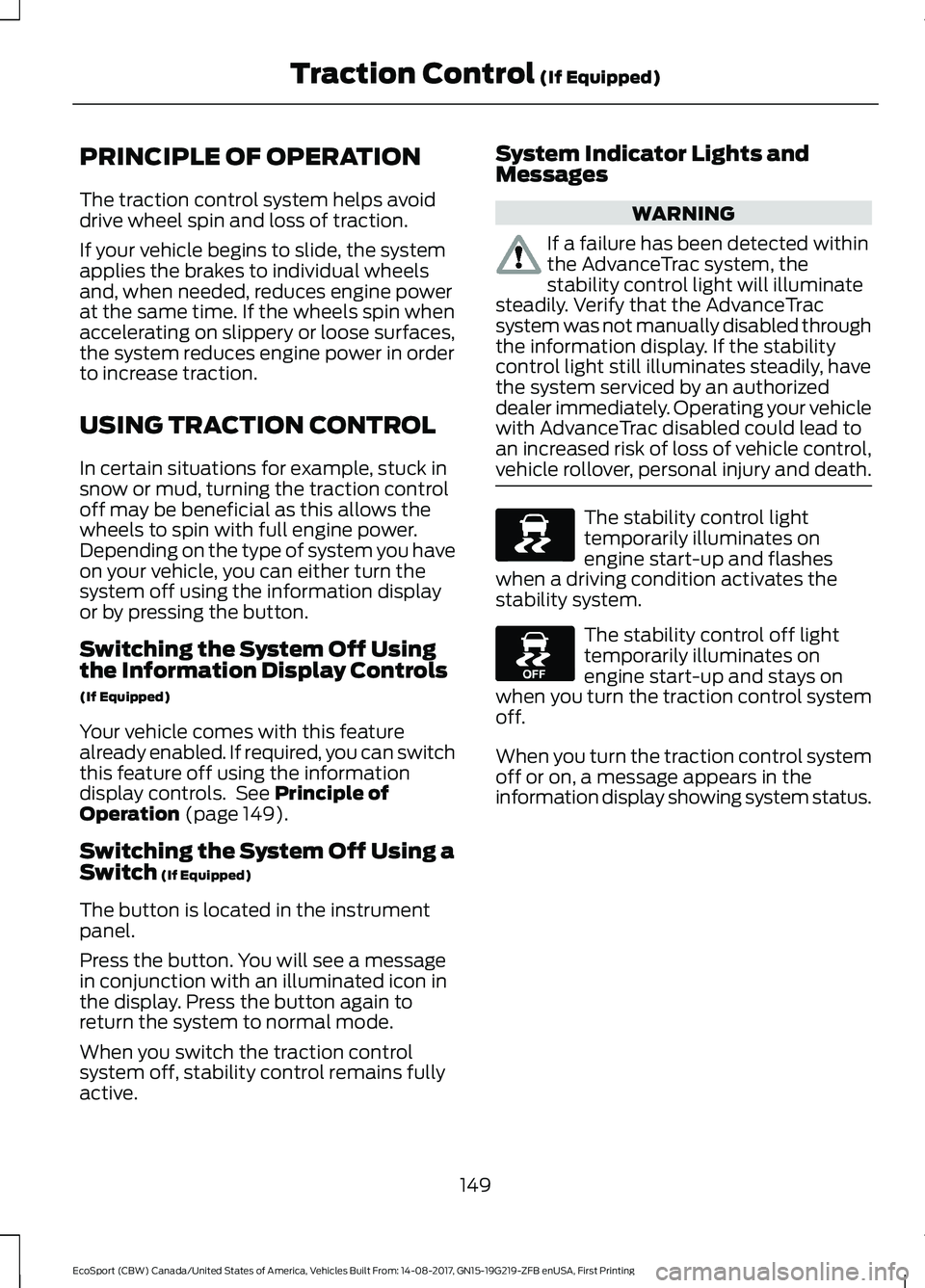
The stability control lighttemporarily illuminates onengine start-up and flasheswhen a driving condition activates thestability system.
The stability control off lighttemporarily illuminates onengine start-up and stays onwhen you turn the traction control systemoff.
When you turn the traction control systemoff or on, a message appears in theinformation display showing system status.
149EcoSport (CBW) Canada/United States of America, Vehicles Built From: 14-08-2017, GN15-19G219-ZFB enUSA, First PrintingTraction Control (If Equipped)
Page 162 of 452

BLIND SPOT INFORMATION
SYSTEM (If Equipped)
WARNINGS
Do not use the blind spot informationsystem as a replacement for usingthe interior and exterior mirrors orlooking over your shoulder before changinglanes. The blind spot information systemis not a replacement for careful driving.
The system may not operateproperly during severe weatherconditions, for example snow, ice,heavy rain and spray. Always drive withdue care and attention. Failure to take caremay result in a crash.
The system is designed to detect vehiclesthat may have entered the blind spot zone(A). The detection area is on both sides ofyour vehicle, extending rearward from theexterior mirrors to approximately 13 ft(4 m) beyond the rear bumper.
Note:The system does not prevent contactwith other vehicles. It is not designed todetect parked vehicles, pedestrians, animalsor other infrastructures.
Using the Blind Spot InformationSystem
Vehicles with Automatic Transmission
The system turns on when all of thefollowing occur:
•You start your vehicle.
•You shift into drive (D).
•The vehicle speed is greater than6 mph (10 km/h).
Note:The system does not operate in park(P) or reverse (R).
Vehicles with Manual Transmission
The system turns on when all of thefollowing occur:
•You start your vehicle.
•The vehicle speed is greater than6 mph (10 km/h).
Note:The system does not operate inreverse (R).
System Lights and Messages
When the system detects a vehicle, analert indicator illuminates in the exteriormirror on the side the approaching vehicleis coming from. If you turn the directionindicator on for that side of your vehicle,the alert indicator flashes.
158EcoSport (CBW) Canada/United States of America, Vehicles Built From: 14-08-2017, GN15-19G219-ZFB enUSA, First PrintingDriving Aids
Page 165 of 452

Zone coverage also decreases whenparking at narrow angles. The sensor onthe left-hand side is mostly obstructed andzone coverage on that side is severelyreduced.
System Lights, Messages andAudible Alerts
When the system detects a vehicle, anindicator illuminates in the exterior mirroron the side the approaching vehicle iscoming from. A tone sounds and amessage appears in the informationdisplay.
Note:In exceptional conditions, the systemcould alert you even when there is nothingin the detection zone, for example a vehiclepassing in the distance.
Blocked Sensors
The sensors are behind the rear bumperon both sides of your vehicle.
Note:Keep the sensors free from snow, iceand large accumulations of dirt.
Note:Do not cover the sensors with bumperstickers, repair compound or other objects.
Note:Blocked sensors could affect systemperformance.
If the sensors are blocked, a message mayappear in the information display whenyou shift into reverse (R). SeeInformation Messages (page 88).
System Limitations
The system may not correctly operatewhen any of the following occur:
•The sensors are blocked.
•Adjacently parked vehicles or objectsare obstructing the sensors.
•Vehicles approach at speeds greaterthan 37 mph (60 km/h).
•The vehicle speed is greater than 7 mph(12 km/h).
•You reverse out of an angled parkingspace.
System Errors
If the system detects a fault a messagedisplays. See Information Messages(page 88).
Switching the System Off and On
You can temporarily switch the system offusing the information display. SeeInformation Messages (page 88). Whenyou switch system off, a message displays.See Information Messages (page 88).
Note:The system turns on each time youswitch the ignition on and you shift intoreverse (R). If you temporarily switch thesystem off, it turns on the next time youswitch the ignition on.
161EcoSport (CBW) Canada/United States of America, Vehicles Built From: 14-08-2017, GN15-19G219-ZFB enUSA, First PrintingDriving Aids
Page 441 of 452

Side Repeater......................................................222Vanity lamp..........................................................225Changing a Fuse..........................................200Fuses......................................................................200Changing a Road Wheel...........................265Dissimilar Spare Wheel and Tire AssemblyInformation.....................................................265Installing a Road Wheel..................................269Jacking and Lifting Points..............................268Removing a Road Wheel................................268Vehicle Jack..........................................................267Vehicles With a Spare Wheel.......................266Changing the 12V Battery..........................213Remove and Reinstall the Battery...............214Changing the Engine Air Filter.................227Changing the Air Filter Element....................227Changing the Wiper Blades......................215Rear Window Wiper Blade..............................215Windshield Wiper Blades.................................215Checking MyKey System Status...............52MyKey Distance.....................................................52Number of Admin Keys......................................53Number of MyKeys...............................................52Checking the Wiper Blades.......................215Child Restraint and SeatbeltMaintenance.................................................34Child Restraint Positioning.........................25Child Safety.......................................................16General Information.............................................16Child Safety Locks.........................................26Rear Left-Hand Door..........................................26Rear Right-Hand Door........................................27Cleaning Leather Seats.............................233Cleaning Products.......................................229Cleaning the Engine.....................................231Cleaning the Exterior..................................230Cleaning the Headlamps................................230Exterior Chrome Parts.....................................230Exterior Plastic Parts.........................................231Stripes or Graphics.............................................231Underbody.............................................................231Under Hood...........................................................231Cleaning the Instrument Panel andInstrument Cluster Lens.........................233Cleaning the Interior....................................232Cleaning the Wheels..................................234Cleaning the Windows and WiperBlades............................................................232
Clearing All MyKeys.......................................52Climate Control..............................................98Principle of Operation........................................98Cold Weather Precautions........................178Coolant CheckSee: Engine Coolant Check...........................208Cool Box.............................................................117Crash Sensors and Airbag Indicator........43Creating a MyKey.............................................51Vehicles With a Key..............................................51Vehicles With Push-Button Start....................51Cross Traffic Alert.........................................159Blocked Sensors..................................................161Switching the System Off and On................161System Errors........................................................161System Lights, Messages and AudibleAlerts...................................................................161System Limitations.............................................161Using the Cross Traffic Alert System..........159Cruise Control.................................................66Principle of Operation.......................................156Cruise controlSee: Using Cruise Control................................156Customer Assistance.................................186
D
Data Recording..................................................9Event Data Recording..........................................10Service Data Recording........................................9Daytime Running Lamps.............................73Type 1 - Conventional (Non-Configurable)....................................................73Type 2 - Configurable..........................................73Direction Indicators........................................74Doors and Locks.............................................54Drive Belt Routing - 1.0LEcoBoost™.................................................228Drive Belt Routing - 2.0L...........................228Driver and Passenger Airbags....................37Children and Airbags..........................................38Proper Driver and Front Passenger SeatingAdjustment........................................................37Driver and Passenger Knee Airbags.........41Driving Aids.....................................................158Driving Hints....................................................178Driving Through Water................................178
437EcoSport (CBW) Canada/United States of America, Vehicles Built From: 14-08-2017, GN15-19G219-ZFB enUSA, First PrintingIndex
Page 449 of 452

Using MyKey With Remote StartSystems..........................................................53Using Snow Chains....................................260Using Stability Control...............................150Using Summer Tires...................................260Using SYNC™ With Your MediaPlayer............................................................298Audio Voice Commands.................................298Media Sources....................................................298Using SYNC™ With Your Phone............293Accessing Features through the PhoneMenu..................................................................294Pairing a Phone..................................................293Phone Controls..................................................294Phone Voice Commands................................294Using Traction Control................................149Switching the System Off Using aSwitch................................................................149Switching the System Off Using theInformation Display Controls....................149System Indicator Lights andMessages..........................................................149Using Voice Recognition............................291Audio Voice Commands..................................319Initiating a Voice Session.................................291Mobile App Voice Commands......................323Navigation Voice Commands........................322Phone Voice Commands................................320SiriusXM Traffic and Travel Link VoiceCommands.....................................................324System Interaction and Feedback..............292Voice Settings Commands............................324Utilizing the Mediation/ArbitrationProgram (Canada Only).........................189
V
Vehicle Care...................................................229General Information.........................................229Vehicle Certification Label.......................278Vehicle Identification Number.................277Vehicle Storage.............................................234Battery....................................................................235Body........................................................................235Brakes.....................................................................235Cooling system...................................................235Engine.....................................................................235Fuel system..........................................................235
General..................................................................235Miscellaneous.....................................................236Removing Vehicle From Storage.................236Tires.........................................................................235VentilationSee: Climate Control..........................................98VentsSee: Air Vents........................................................98VINSee: Vehicle Identification Number.............277Voice Control...................................................66
W
Warning Lamps and Indicators..................81Airbag Warning Lamp..........................................81Anti-Lock Brake System WarningLamp....................................................................82Auto Start-Stop....................................................83Batterry....................................................................82Blind Spot...............................................................83Brake System Warning Lamp..........................82Direction Indicator................................................82Door Ajar Warning Lamp...................................83Engine Coolant Temperature WarningLamp....................................................................83Fasten Seatbelt Warning Lamp......................82Front Fog Lamp Indicator.................................82Headlamp High Beam Indicator.....................82Low Fuel Level Warning Lamp........................82Low Tire Pressure Warning Lamp..................83Malfunction Indicator Lamp............................83Oil Pressure Warning Lamp.............................83Parking Lamps......................................................82Powertrain Malfunction.....................................83Stability Control and Traction ControlIndicator..............................................................84Stability Control and Traction Control OffWarning Lamp..................................................83Washer Fluid Check.....................................213WashersSee: Cleaning the Exterior..............................230See: Wipers and Washers..................................67Waxing..............................................................231Wheel NutsSee: Changing a Road Wheel.......................265Wheels and Tires..........................................237General Information..........................................237
445EcoSport (CBW) Canada/United States of America, Vehicles Built From: 14-08-2017, GN15-19G219-ZFB enUSA, First PrintingIndex