Page 391 of 490

MULTIMEDIA
CONTENTS
�UCONNECT SYSTEMS ...................391
� DRAG & DROP MENU BAR ................391
� CYBERSECURITY .......................392
� UCONNECT SETTINGS ...................393
▫ Customer Programmable Features —
Uconnect 4C/4C NAV Settings .............394
▫ SRT Performance Pages ..................417
� SRT DRIVE MODES ..................... .427
▫ Track Mode .......................... .430
▫ Sport Mode .......................... .430
▫ Auto Mode .......................... .431
▫ Custom Mode ........................ .431
� RACE OPTIONS ........................439
▫ Launch Control ........................439 ▫
Shift Light ............................441
� VALET MODE ..........................442
� ECO MODE .......................... .445
� STEERING WHEEL AUDIO CONTROLS — IF
EQUIPPED ............................446
▫ Radio Operation ........................446
▫ Media Mode ..........................446
� AUX/USB/MP3 CONTROL ................447
� RADIO OPERATION AND MOBILE PHONES . . .448
▫ Regulatory And Safety Information ..........448
� UCONNECT VOICE RECOGNITION
QUICK TIPS .......................... .449
▫ Introducing Uconnect ....................449
▫ Get Started .......................... .450
▫ Basic Voice Commands ..................
.451
10
Page 402 of 490

Setting NameSelectable Options
Active ParkView Backup Camera Guidelines On
Off
NOTE:
The “Active ParkView Backup Camera Guidelines” feature overlays the Rear Backup Camera image with active, or
dynamic, grid lines to help illustrate the width of the vehicle and its project back up path, based on the steering
wheel position when the option is checked. A dashed center line overlay indicates the center of the vehicle to assist
with parking or aligning to a hitch/receiver.
Safety & Driving Assistance
After pressing the “Safety & Driving Assistance” button on
the touchscreen, the following settings will be available:
Setting Name Selectable Options
Forward Collision Warn- ing — If Equipped On
Off
NOTE:
Changing the FCW status to “Off” prevents the system from warning you of a possible collision with the vehicle in
front of you.
The FCW system state is kept in memory from one ignition cycle to the next. If the system is turned off, it remains
off when the vehicle is restarted.
400 MULTIMEDIA
Page 404 of 490
Setting NameSelectable Options
LaneSense Warning — If Equipped Early
Med Late
NOTE:
When the “LanseSense Warning” feature is selected, it sets the distance at which the steering wheel provides feedback
for potential lane departures. The LDW sensitivity can be set to provide either an “Early,” “Medium,” or “Late”
warning zone start point. LaneSense Strength — If Equipped Low
Med High
NOTE:
When the “LaneSense Strength” feature is selected, it sets the strength of the steering wheel feedback for potential
lane departures. ParkSense — If Equipped Sound Only Sound & Display
NOTE:
The ParkSense system scans for objects behind the vehicle when the transmission gear selector is in REVERSE and the
vehicle speed is less than 11 mph (18 km/h). It provides an alert (audible and/or visual) to indicate the proximity to
other objects. The system can be enabled with Sound Only, or Sound & Display.
402 MULTIMEDIA
Page 411 of 490

Setting NameSelectable Options
Personal Settings Linked To Key Fob — IfEquipped On
Off
NOTE:
•This feature provides automatic recall of all settings stored to a memory location (driver ’s seat, exterior mirrors,
steering column position and radio station pre-sets) to enhance driver mobility when entering and exiting the ve-
hicle.
•The seat returns to the memorized seat location (if Personal Settings Linked to Key Fob is set to on) when the key
fob is used to unlock the door.
Auto Comfort Systems — If Equipped
After pressing the “Auto-On Comfort” button on the
touchscreen, the following settings will be available:
Setting Name Selectable Options
Auto-On Driver Heated/ Vented Seat & Steering Wheel Off
Remote Start All Starts
NOTE:
When this feature is selected the driver’s heated seat and heated steering wheel will automatically turn on when tem-
peratures are below 40° F (4.4° C). When temperatures are above 80° F (26.7° C) the driver vented seat will turn on.10
MULTIMEDIA 409
Page 426 of 490

When G-Force is selected, the following features will be
available:
•Vehicle Speed:
Measures the current speed of the vehicle in either mph
or km/h, starting at zero with no maximum value.
• Front G-Force:
Measures the braking force.
• Right G-Force:
Measures the left turn force.
• Left G-Forces:
Measures the right turn force.
• Rear G-Forces:
Measures the acceleration force.
NOTE: Front, Right, Left, and Rear G-Forces are all peak
values. These readings can be reset by clearing peak
G-Force on the instrument cluster. •
Steering Wheel Angle
Steering Wheel Angle utilizes the steering angle sensor to
measure the degree of the steering wheel relative to zero.
The zero degree measurement indicates a steering wheel
straight ahead position. When the steering angle value is
negative, a turn to the left is indicated, and when the
steering angle value is positive, a turn to the right is
indicated.
The friction circle display shows instantaneous G-Force as
a highlight and previous G-Force as dots within the circle.
The system records previous G-Force for three minutes. If
there are multiple samples at a given point, the color of the
dot will darken from blue to red. Vectors more frequent
will show in red; infrequent vectors will show in blue.
424 MULTIMEDIA
Page 437 of 490
Paddle Shifters•ON
Press the “ON” button on the touchscreen to enable
steering wheel paddle shifters.
• OFF
Press the “OFF” button on the touchscreen to disable
steering wheel paddle shifters.
Paddle Shifters
10
MULTIMEDIA 435
Page 441 of 490

RACE OPTIONS
Press the “Race Options” button on the touchscreen while
in the Drive Modes screen, to display the vehicle’s Launch
Control screen. Within Race Options, you can activate,
deactivate, and adjust the RPM values for the Launch
Control and Shift Light features.
Launch Control
WARNING!
Launch Mode is intended for off-highway or off-road
use only and should not be used on any public
roadways. It is recommended that this feature be used
in a controlled environment, and within the limits of
the law. The capabilities of the vehicle as measured by
the performance pages must never be exploited in a
reckless or dangerous manner, which can jeopardize
the user ’s safety or the safety of others. Only a safe,
attentive, and skillful driver can prevent accidents.
WARNING!
ALWAYS drive safely and pay attention to the road.
ALWAYS drive safely with your hands on the steering
wheel. You have full responsibility and assume all
risks related to the use of the features and applications
in this vehicle. Only use the features and applications
when it is safe to do so. Failure to do so may result in
an accident involving serious injury or death.
Race Options
10
MULTIMEDIA 439
Page 445 of 490
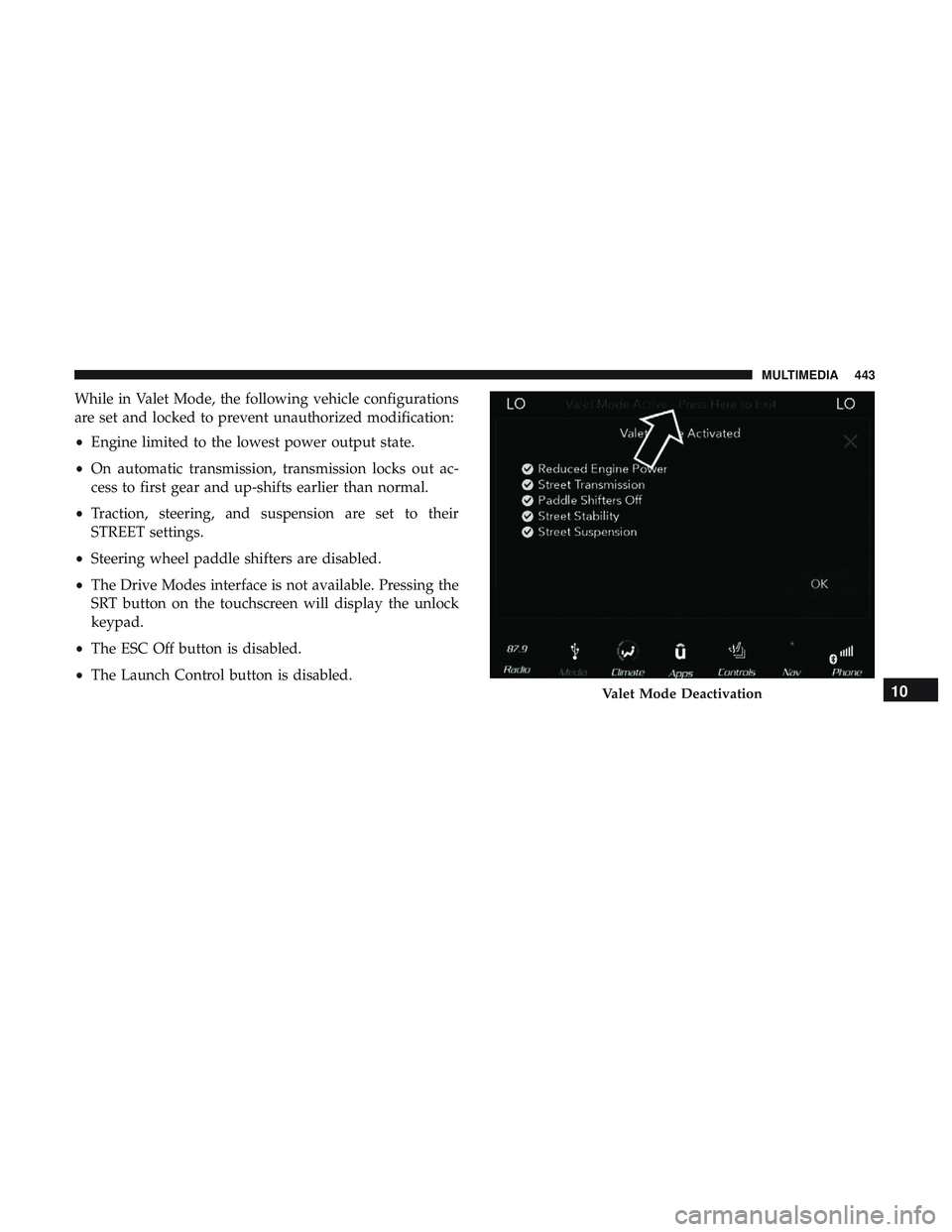
While in Valet Mode, the following vehicle configurations
are set and locked to prevent unauthorized modification:
•Engine limited to the lowest power output state.
• On automatic transmission, transmission locks out ac-
cess to first gear and up-shifts earlier than normal.
• Traction, steering, and suspension are set to their
STREET settings.
• Steering wheel paddle shifters are disabled.
• The Drive Modes interface is not available. Pressing the
SRT button on the touchscreen will display the unlock
keypad.
• The ESC Off button is disabled.
• The Launch Control button is disabled.
Valet Mode Deactivation10
MULTIMEDIA 443