Page 62 of 696
•Press the heated seat buttona second time to turn
the LO setting on.
• Press the heated seat buttona third time to turn the
heating elements off.
If the HI-level setting is selected, the system will automati-
cally switch to LO-level after approximately 60 minutes of
continuous operation. At that time, the display will change
from HI to LO, indicating the change. The LO-level setting
will turn off automatically after approximately 45 minutes.
NOTE:
• Once a heat setting is selected, heat will be felt within
two to five minutes.
• The engine must be running for the heated seats to
operate.
Vehicles Equipped With Remote Start
On models that are equipped with remote start, the heated
seats can be programmed to come on during a remote start.
This feature can be programmed through the Uconnect
system. Refer to “Uconnect Settings” in “Multimedia” for
further information.
WARNING!
• Persons who are unable to feel pain to the skin
because of advanced age, chronic illness, diabetes,
spinal cord injury, medication, alcohol use, exhaus-
tion or other physical condition must exercise care
when using the seat heater. It may cause burns even
at low temperatures, especially if used for long
periods of time.
• Do not place anything on the seat or seatback that
insulates against heat, such as a blanket or cushion.
This may cause the seat heater to overheat. Sitting in
a seat that has been overheated could cause serious
burns due to the increased surface temperature of the
seat.
Rear Heated Seats — If Equipped
On some models, the second row seats are equipped with
heaters. There are two heated seat switches that allow the
second row passengers to operate the seats independently.
The heated seat switches are located on the sliding side
door handle trim panels.
60 GETTING TO KNOW YOUR VEHICLE
Page 63 of 696
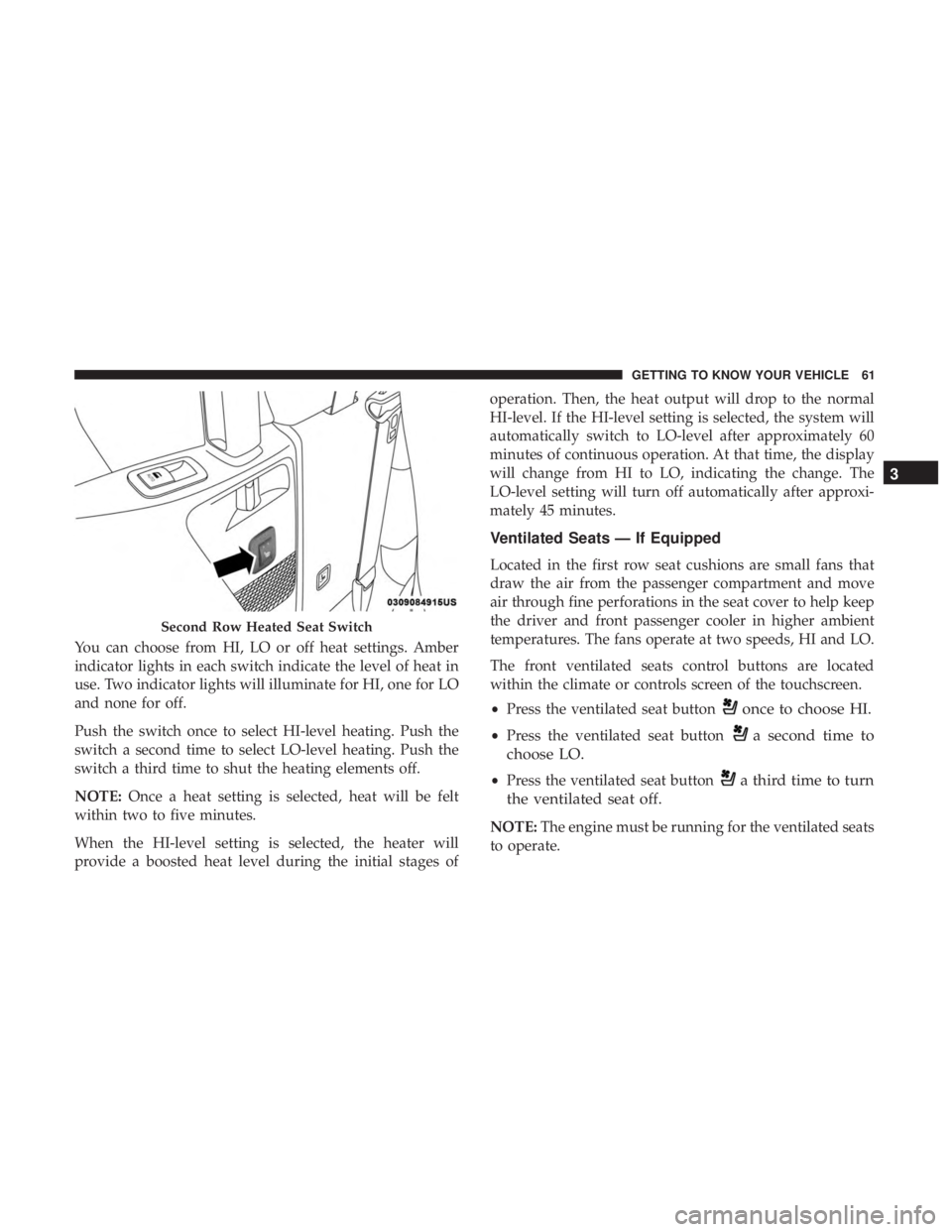
You can choose from HI, LO or off heat settings. Amber
indicator lights in each switch indicate the level of heat in
use. Two indicator lights will illuminate for HI, one for LO
and none for off.
Push the switch once to select HI-level heating. Push the
switch a second time to select LO-level heating. Push the
switch a third time to shut the heating elements off.
NOTE:Once a heat setting is selected, heat will be felt
within two to five minutes.
When the HI-level setting is selected, the heater will
provide a boosted heat level during the initial stages of operation. Then, the heat output will drop to the normal
HI-level. If the HI-level setting is selected, the system will
automatically switch to LO-level after approximately 60
minutes of continuous operation. At that time, the display
will change from HI to LO, indicating the change. The
LO-level setting will turn off automatically after approxi-
mately 45 minutes.
Ventilated Seats — If Equipped
Located in the first row seat cushions are small fans that
draw the air from the passenger compartment and move
air through fine perforations in the seat cover to help keep
the driver and front passenger cooler in higher ambient
temperatures. The fans operate at two speeds, HI and LO.
The front ventilated seats control buttons are located
within the climate or controls screen of the touchscreen.
•
Press the ventilated seat button
once to choose HI.
•Press the ventilated seat buttona second time to
choose LO.
• Press the ventilated seat buttona third time to turn
the ventilated seat off.
NOTE: The engine must be running for the ventilated seats
to operate.
Second Row Heated Seat Switch
3
GETTING TO KNOW YOUR VEHICLE 61
Page 64 of 696
Vehicles Equipped With Remote Start
On models that are equipped with remote start, the venti-
lated seats can be programed to come on during a remote
start.
This feature can be programmed through the Uconnect
system. Refer to “Uconnect Settings” in “Multimedia” for
further information.
Stow ’n Go Seating
On vehicles equipped with Stow ’n Go seating, the second
and third row seats can be folded into the floor for
convenient storage.
Auto Advance ‘n Return — If Equipped
On vehicles equipped with the Auto Advance ‘n Return
feature, the front seat will move forward automatically to a
location that will allow the second row Stow ‘n Go seat
movement, without interference by the front seat. After the
second row seat is stowed, the front seat will move back to
the previous location once the Auto Advance ‘n Return
button is pushed again.
The Auto Advance ‘n Return feature is available to both the
front driver and passenger power seats, if equipped.
WARNING!
During power seat operation, personal injury or cargo
damage may occur. Ensure the front seat is not occu-
pied and the seat travel path is clear.
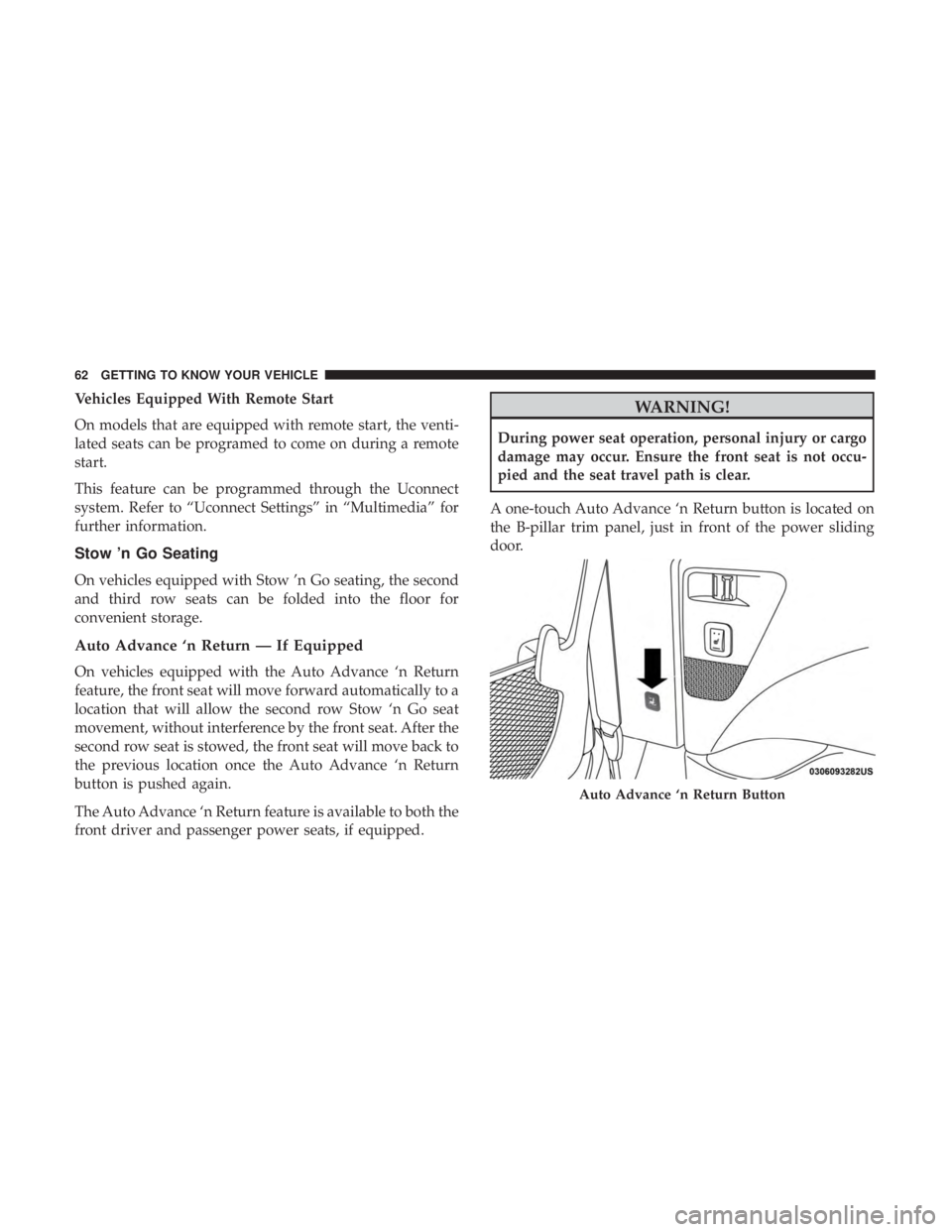
A one-touch Auto Advance ‘n Return button is located on
the B-pillar trim panel, just in front of the power sliding
door.
Auto Advance ‘n Return Button
62 GETTING TO KNOW YOUR VEHICLE
Page 66 of 696
Second Row Stow ’n Go
For Manual Seats:To stow the seat in the floor, move the
front seat all the way forward using the manual seat
adjustment bar. Move the seat back all the way forward
using the recliner handle located on the outboard side of
the cushion. Move the seat height to at least mid position
using the height adjuster handle in the outboard side of the
cushion.
For Power Seats: Push the Auto Advance ‘n Return button
located on the B pillar trim (if equipped.) Refer to �Auto
Advance ‘n Return - If Equipped� in this section for
instructions.
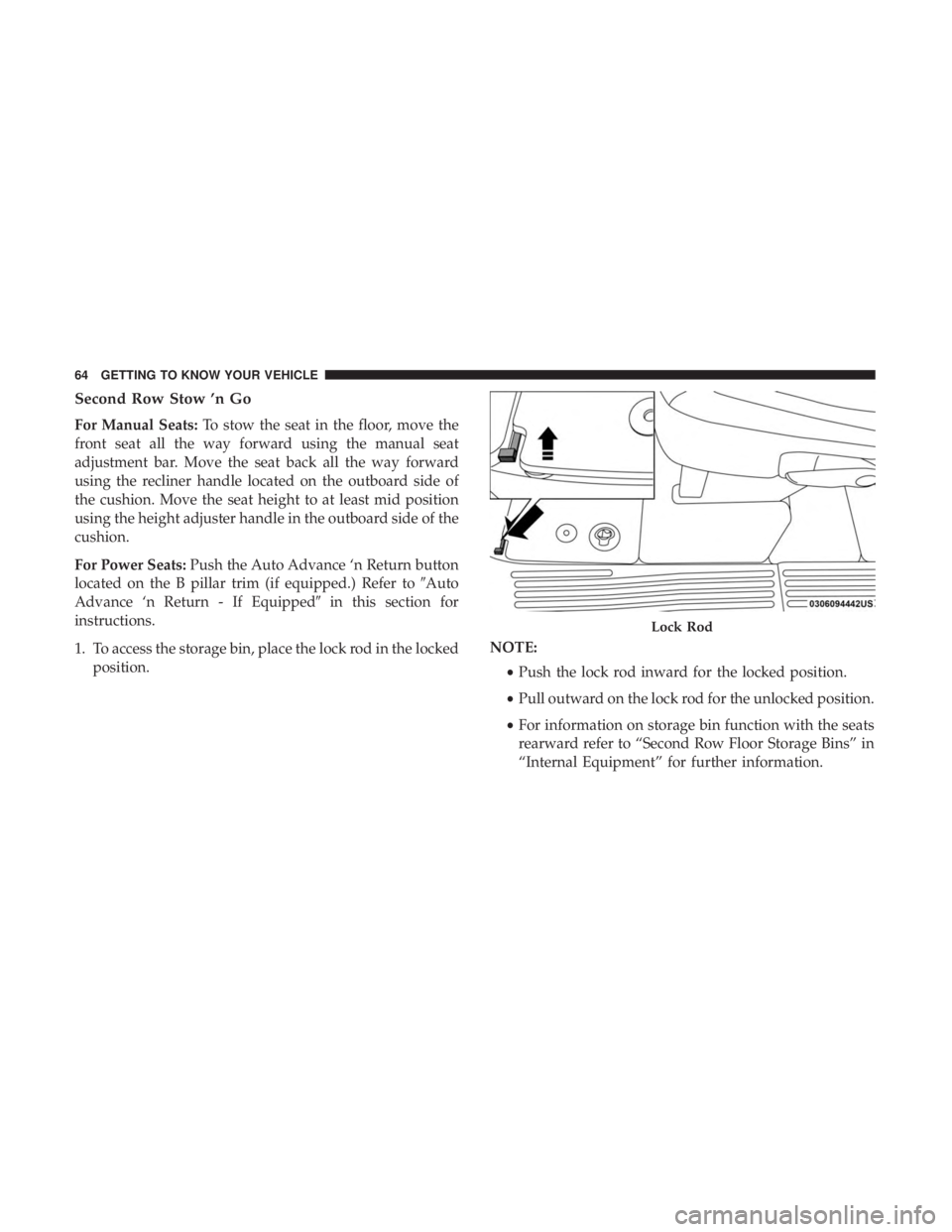
1. To access the storage bin, place the lock rod in the locked position. NOTE:
•Push the lock rod inward for the locked position.
• Pull outward on the lock rod for the unlocked position.
• For information on storage bin function with the seats
rearward refer to “Second Row Floor Storage Bins” in
“Internal Equipment” for further information.
Lock Rod
64 GETTING TO KNOW YOUR VEHICLE
Page 67 of 696
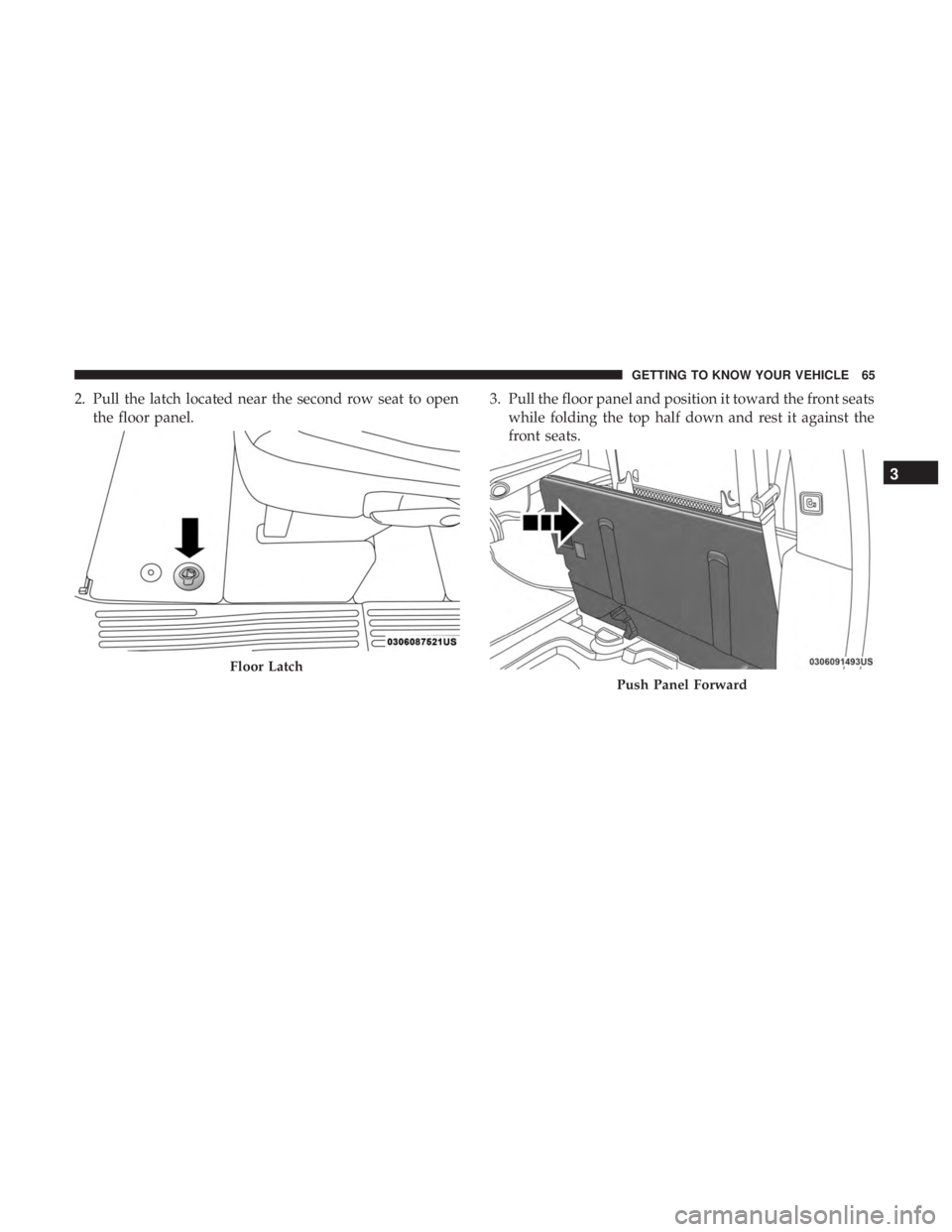
2. Pull the latch located near the second row seat to openthe floor panel. 3. Pull the floor panel and position it toward the front seats
while folding the top half down and rest it against the
front seats.
Floor Latch
Push Panel Forward
3
GETTING TO KNOW YOUR VEHICLE 65
Page 70 of 696
CAUTION!
•The storage bin cover must be locked and flat to
avoid damage from contact with the front seat tracks,
which have minimal clearance to the cover.
• Do not sit on the second row seat when it is in the
stowed position with the seatback upright otherwise
damage to the seat may occur.
To Unstow Second Row Seats
For Manual Seats: To unstow the seat from the floor, move
the front seat all the way forward using the manual seat
adjustment bar.
For Power Seats: Push the Auto Advance ‘n Return button
located on the B pillar trim (if equipped). Refer to �Auto
Advance ‘n Return - If Equipped� in this section for
instructions.
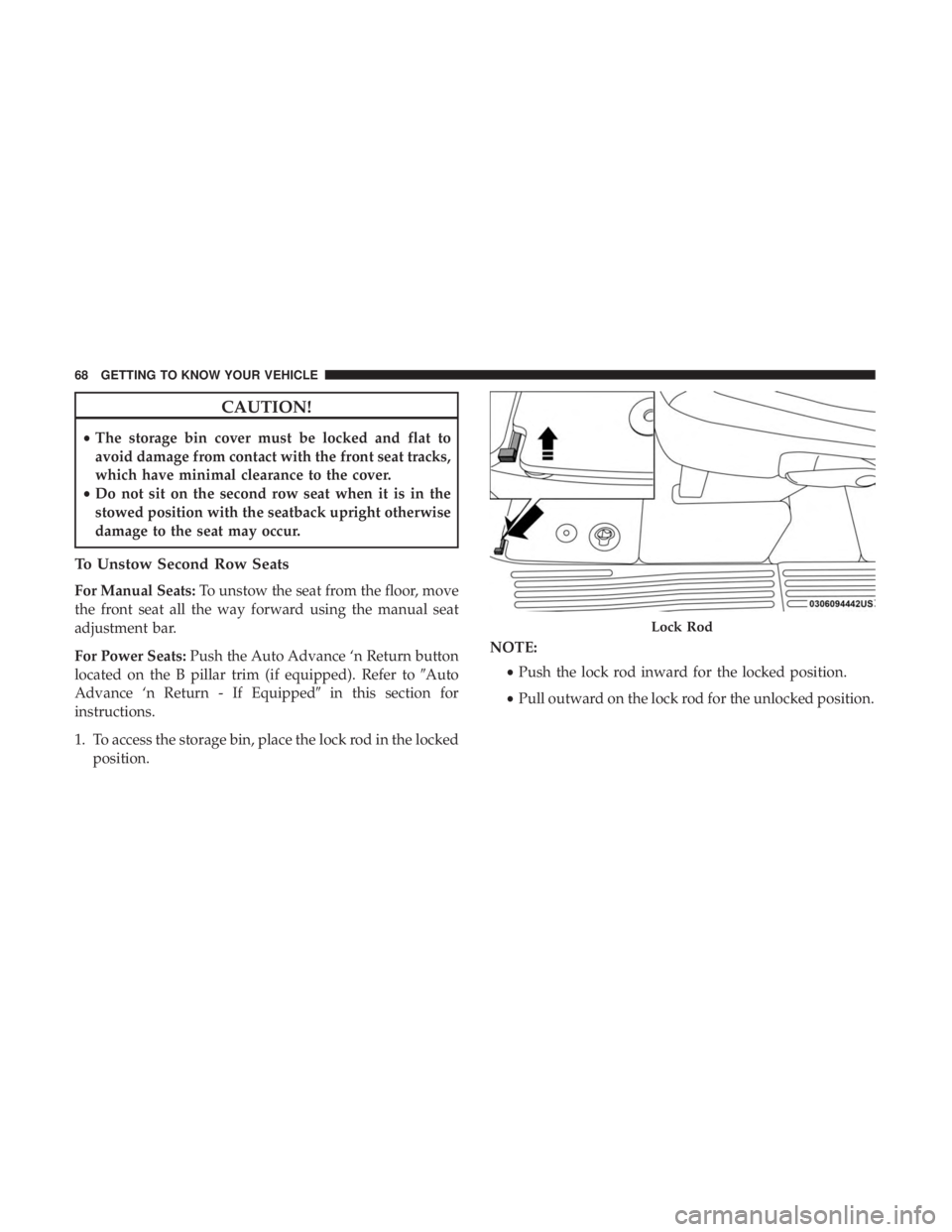
1. To access the storage bin, place the lock rod in the locked position. NOTE:
•Push the lock rod inward for the locked position.
• Pull outward on the lock rod for the unlocked position.
Lock Rod
68 GETTING TO KNOW YOUR VEHICLE
Page 71 of 696
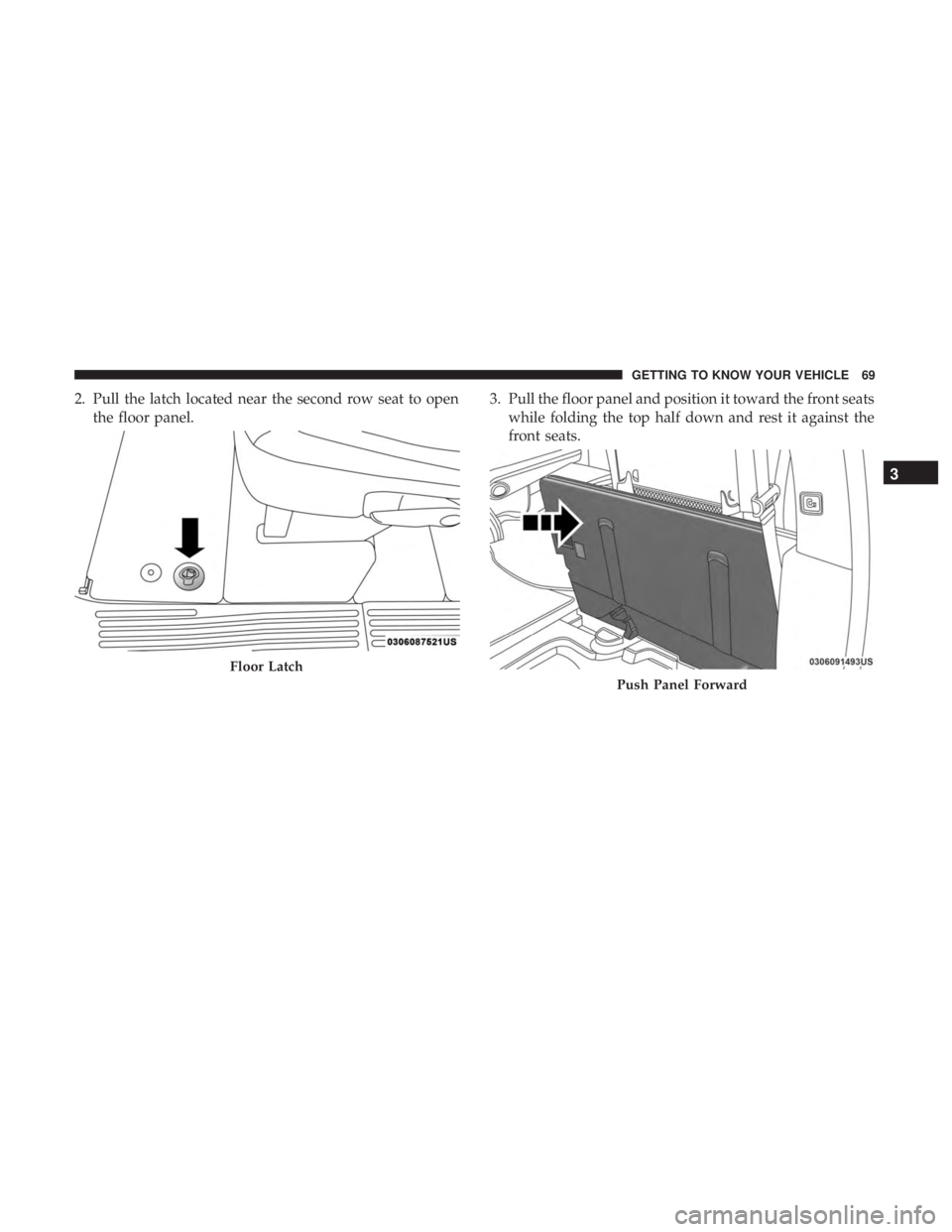
2. Pull the latch located near the second row seat to openthe floor panel. 3. Pull the floor panel and position it toward the front seats
while folding the top half down and rest it against the
front seats.
Floor Latch
Push Panel Forward
3
GETTING TO KNOW YOUR VEHICLE 69
Page 73 of 696
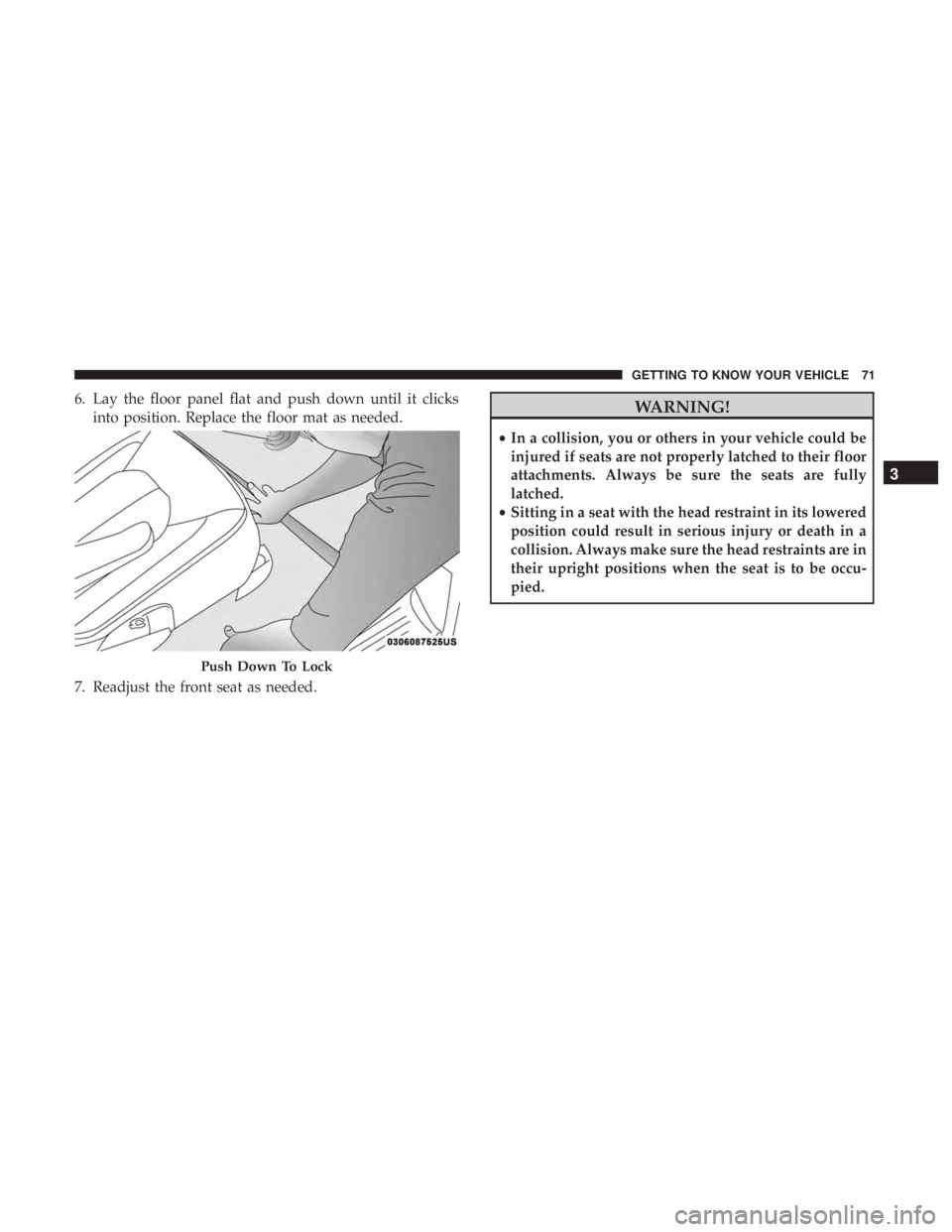
6. Lay the floor panel flat and push down until it clicksinto position. Replace the floor mat as needed.
7. Readjust the front seat as needed.WARNING!
• In a collision, you or others in your vehicle could be
injured if seats are not properly latched to their floor
attachments. Always be sure the seats are fully
latched.
• Sitting in a seat with the head restraint in its lowered
position could result in serious injury or death in a
collision. Always make sure the head restraints are in
their upright positions when the seat is to be occu-
pied.
Push Down To Lock
3
GETTING TO KNOW YOUR VEHICLE 71